Automotive Software Specialist Professional Website Template
Dispatch is a hub-and-spoke landing page template built for automotive workflow automation platforms. It connects the visual energy of a live dispatch board with a comparison-first conversion flow. From a live-terminal code snippet header to interactive stack comparison tools, every section is designed to help multi-bay shop owners see exactly how disconnected software gets unified.
by Rocket studio
Quick summary
Dispatch is a single-page, anchor-nav landing page template for automotive workflow automation platforms. It opens with an animated code snippet showing a real repair-order webhook in action, then walks shop owners through a focused comparison journey. Each section targets a friction point they already feel, building toward one clear outcome: booking a setup call.
Who this template is for
This template is built for software teams and founders selling workflow automation tools to the auto repair industry. It speaks directly to the people running shops and the buyers who evaluate tools on their behalf.
- Multi-bay independent shop owners running more than one shop management platform side by side
- Service managers juggling multiple browser tabs and manual re-entry between systems
- Franchise general managers who need every repair order touchpoint logged for compliance audits
What problem this template solves
Independent auto shops often run three to five disconnected tools at once. A repair order created in one system never automatically reaches the tech's bay tablet or the parts counter invoice. The result is double-entry, missed parts orders, and lost authorization signatures that create compliance risk and revenue leakage.
- Repair order data re-keyed manually across platforms, introducing errors and delays
- Parts lookups and bay assignments that depend on someone remembering to update a second screen
- Missed customer notifications and unlogged authorization steps that create audit gaps
What you get with this template
You get a fully structured, comparison-driven landing page ready to present an automotive workflow automation platform with clarity and confidence. The layout is built around a hub-and-spoke anchor navigation system that lets visitors jump directly to the comparison they care about most.
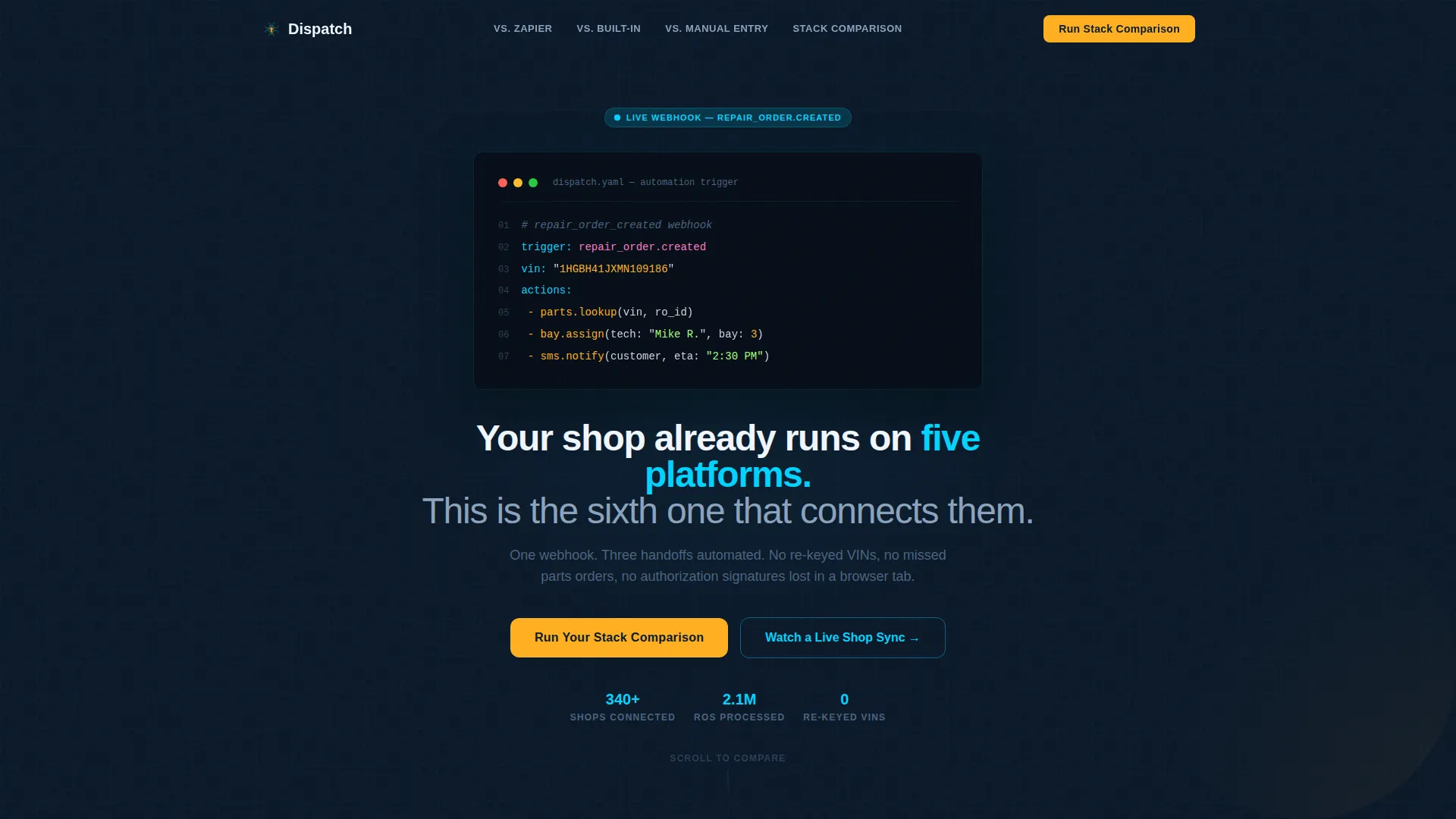
- An animated code snippet header block showing a repair-order webhook triggering parts lookup, bay assignment, and customer SMS notification
- A pinned anchor navigation bar with spoke labels pointing to side-by-side comparison modules
- An interactive stack comparison tool where visitors select their current tools and receive a personalized automation map
Feature list
This template includes purpose-built sections and interactive components drawn directly from the brief. Each one supports a specific moment in the buyer's decision journey.
Animated Code Snippet Header
The header drops a seven-line YAML or JSON automation block directly into frame. It animates line by line like a live terminal, with syntax highlighting in cyan and amber against the deep navy background. A single headline fades in beneath it, setting the platform's value proposition immediately.
Pinned Anchor Navigation Bar
A hub-and-spoke navigation bar pins to the top of the page as visitors scroll. Each spoke label, such as "versus. Zapier," "versus. Built-In Integrations," and "versus. Manual Entry," jumps directly to the matching comparison module below. This keeps orientation clear throughout a long scrolling page.
Side-by-Side Comparison Modules
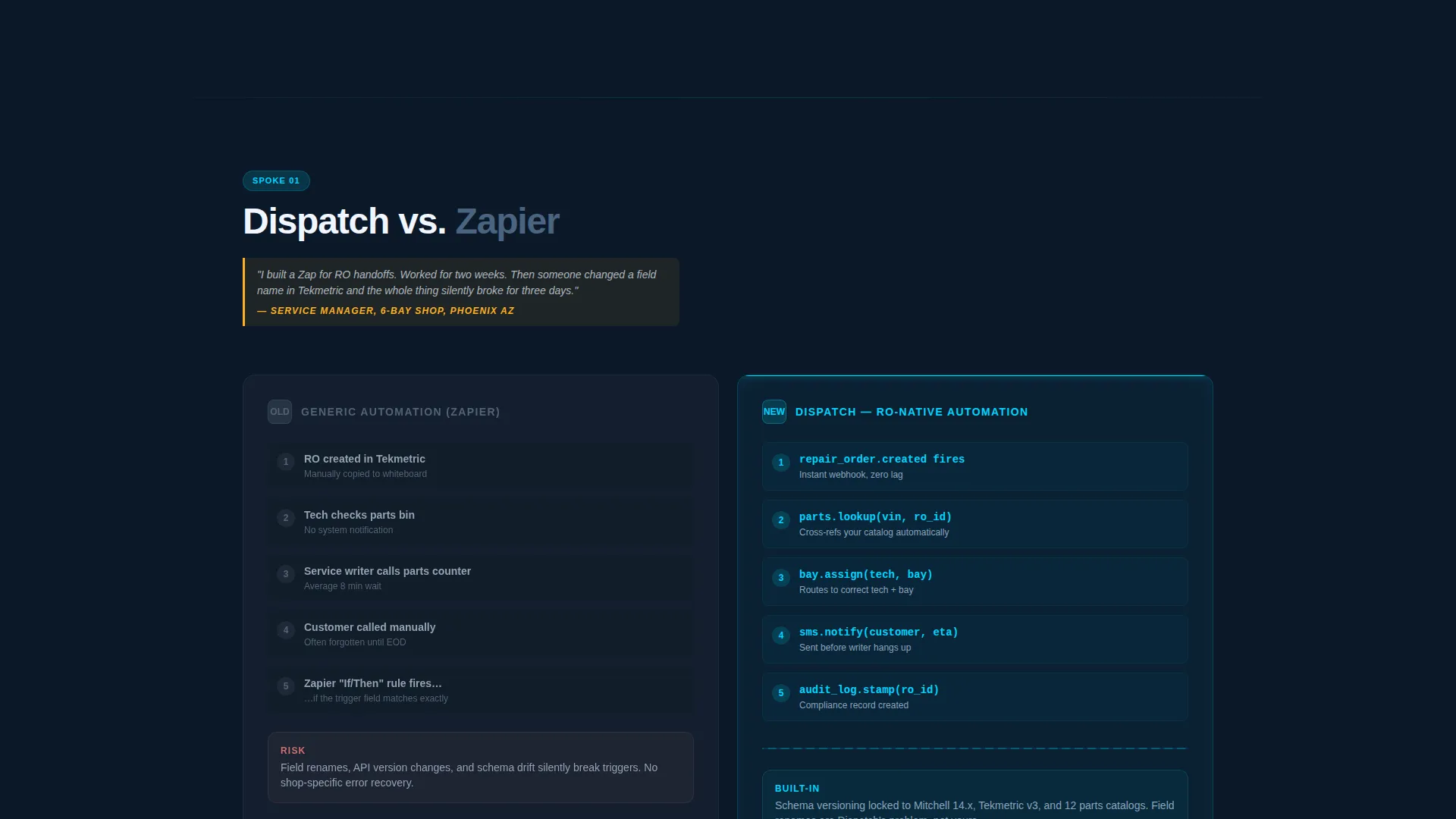
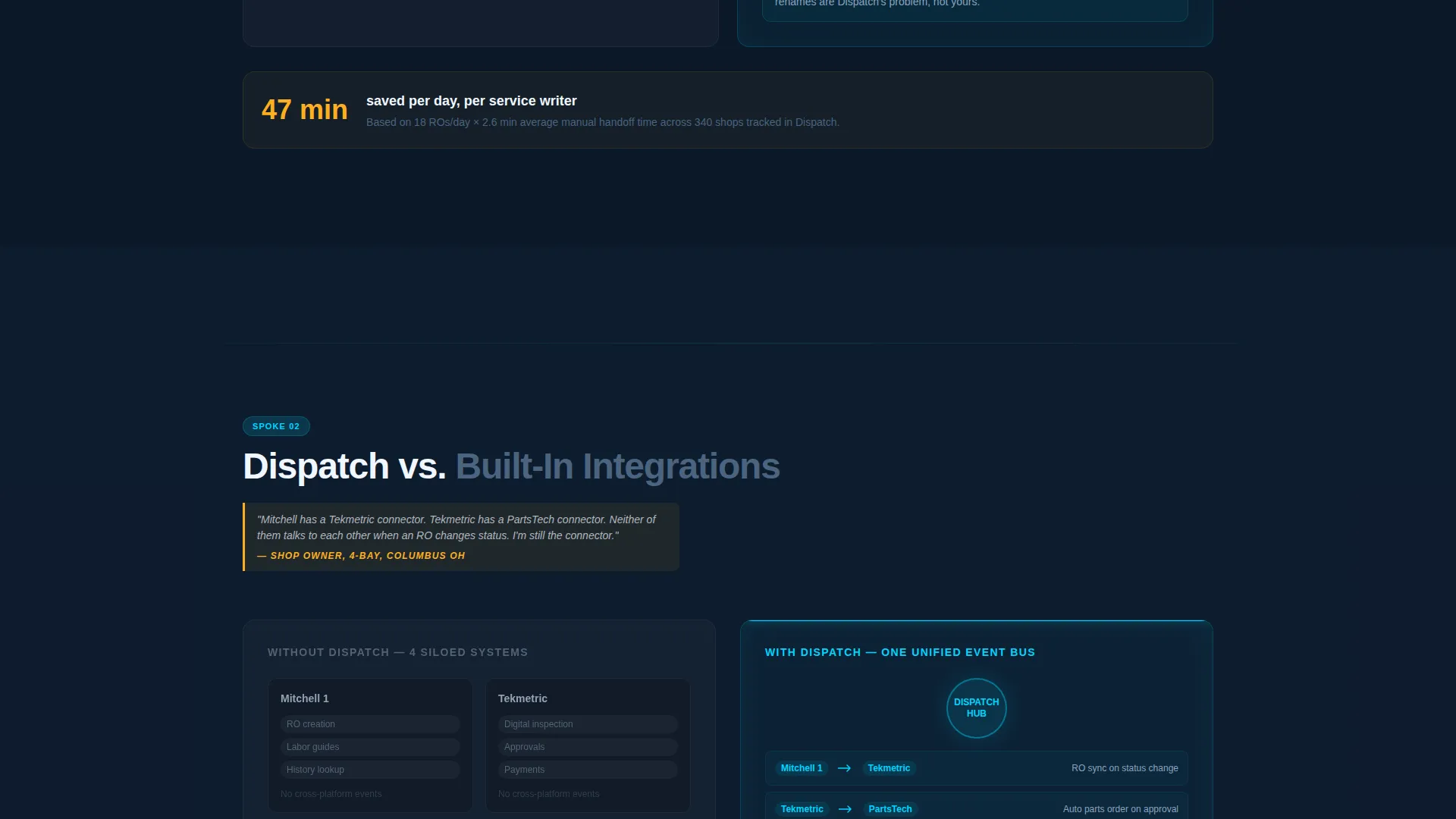
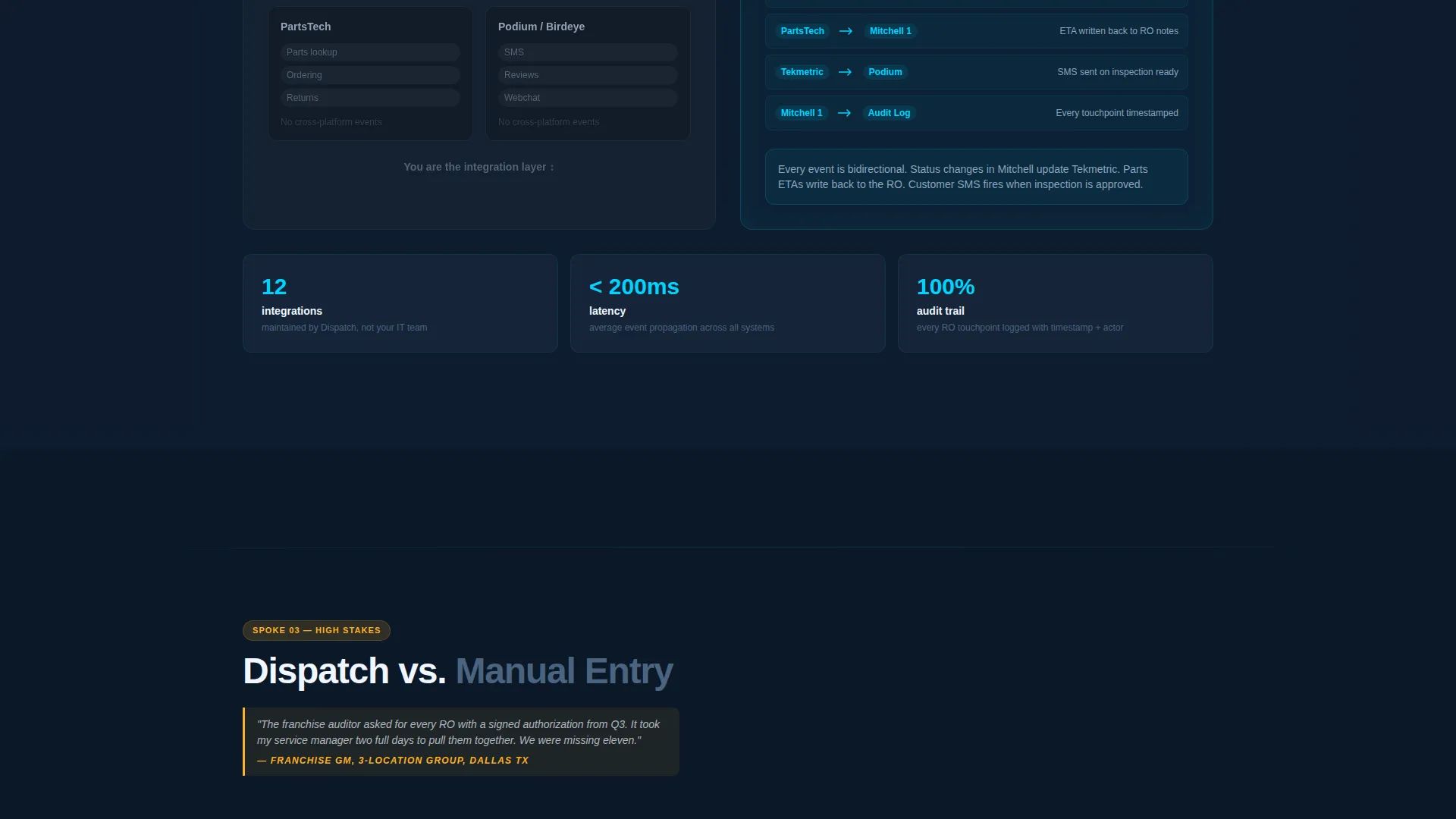
Each comparison section opens with a friction moment shop owners recognize, then presents the old workflow on the left in muted charcoal and the automated path on the right lit in cyan with animated connector lines. Stakes escalate across modules from time savings to compliance risk to revenue leakage.
Interactive Stack Comparison Tool
Visitors select their current dealer management system, parts catalog, and communication tools from dropdown menus. The tool then generates a personalized automation map showing exactly which manual handoffs the platform eliminates. This interaction is the primary conversion mechanism of the page.
Dual Call-to-Action Architecture
The primary call to action, "Run Your Stack Comparison," opens the interactive tool. The secondary path, "Watch a Live Shop Sync," links to a 90-second screen recording. A "Book a Setup Call" button appears at the results screen of the comparison tool, surfacing at the moment of highest intent.
Escalating Comparison Flow
The page follows a deliberate narrative arc. Each comparison module raises the stakes higher than the last, moving from everyday time savings through compliance risk and into revenue leakage. This structure builds urgency without manufactured pressure, letting the shop owner's own data do the work.
Page sections overview
| Section | Purpose |
|---|---|
| Animated Header Block | Introduce the platform with a live-terminal code snippet and headline |
| Pinned Anchor Nav | Allow quick jumps to each comparison spoke from anywhere on the page |
| versus. Zapier Module | Compare generic automation tools against shop-specific workflow logic |
| versus. Built-In Integrations | Show why native integrations fall short of cross-platform repair order flow |
| versus. Manual Entry | Quantify the cost of re-keyed data in time, errors, and compliance gaps |
| Stack Comparison Tool | Let visitors build their personalized automation map via dropdown selections |
| Secondary call to action Block | Offer a 90-second screen recording as a lower-commitment conversion path |
| Results and Booking Screen | Surface the "Book a Setup Call" button at peak self-qualification moment |
Design & branding system
The visual identity follows a Directory and Discovery theme rendered in a Midnight Blue color system. Every color choice serves a functional role, matching the focused intensity of a shop management screen at the end of a long shift.
- Deep terminal navy (#0B1929) as the page background and primary field color, with dashboard charcoal (#1A2940) used for the "old way" comparison panels
- Status-light cyan (#00D4FF) reserved for active states, animated connector lines, interactive anchors, and syntax-highlighted code elements
- Ignition amber (#FFB020) applied exclusively to calls to action, alert indicators, and code syntax highlights that demand immediate attention
Mobile & speed optimization
The template is structured for clarity on smaller screens without sacrificing the depth of its comparison content. The anchor navigation and interactive tool are both designed with touch-friendly interaction in mind.
- The pinned anchor nav collapses cleanly on mobile so spoke labels remain tappable without crowding the viewport
- Side-by-side comparison panels stack vertically on smaller screens, preserving the left-right narrative in a top-bottom reading flow
How this template helps you convert
The conversion strategy is built into the page structure itself. By the time a visitor completes the interactive stack comparison, they have already self-qualified. The final call to action feels like a natural next step, not a sales push.
- The animated code snippet and headline immediately signal platform specificity, filtering out visitors who are not the right audience and pulling in shop owners who recognize the workflow being described.
- The escalating comparison modules build a logical case across three distinct friction points, moving the visitor from curiosity to conviction before they reach the interactive tool.
- The stack comparison tool acts as the conversion engine. Selecting their own systems makes the value tangible, and the "Book a Setup Call" button at the results screen arrives at exactly the right moment.
Other information about this template
This template is part of the Technology category with a focus on the Automotive Software subcategory. It is designed specifically for the automotive workflow automation niche and carries an intersection match score of 13, reflecting a tight alignment between creative direction, template style, and conversion objective.
- The template style is Hub and Spoke with Anchor Navigation, suited for platforms that need to address multiple buyer objections within a single scrolling page
- The creative direction follows a Launch Energy principle, meaning each scroll position escalates tension and stakes rather than repeating the same message at different depths
- The header concept is a Code Snippet, a deliberate choice to speak credibly to technically aware buyers without alienating non-technical shop owners who can still read the outcome the code produces
- The landing page direction is Comparison and Versus, optimized for buyers who are already evaluating competing approaches and need a structured way to see the difference
Theme
Directory & Discovery
Creative direction
Launch Energy
Color system
Midnight Blue
Style
Hub & Spoke (Anchor Nav)
Direction
Comparison/Versus
Page Sections
Animated Terminal Code Snippet Header
Hub and Spoke Anchor Navigation
Escalating Side-by-side Comparison Modules
Interactive Stack Comparison Tool
Dual Call-to-action Architecture
Related questions
Who is this landing page template designed for?
What makes the interactive stack comparison tool different from a standard demo form?
Does this template support platforms that connect a dealer management system with a parts catalog?
How does the anchor navigation work on this page?
Is Dispatch a single-page template or a multi-page build?



