Enroll - Powerful Admissions Landing Page Template
Enroll is a scroll-reveal landing page template built for education customer relationship management (CRM) tools. It opens with four animated admissions metrics behind dark glass panels, then escalates through tracking, analysis, and autonomous recommendations. The primary call to action drives app downloads with a platform selector and a single work-email field. It suits universities, private schools, and bootcamp operators.
by Rocket studio
Quick summary
Enroll is a single-page, scroll-reveal landing page template designed for an education CRM product. It leads with live-style admissions metrics, builds trust section by section, and closes with a frictionless app download flow. The visual identity uses a Tech Glass aesthetic: deep obsidian backgrounds, iridescent gradients, and frosted panel overlays that make data feel alive.
Who this template is for
This template speaks directly to people who manage student pipelines at scale. It is built for teams that have outgrown spreadsheets and need a sharper way to present their CRM to prospective users.
- Enrollment directors at mid-size universities managing large applicant pipelines
- Private K-12 admissions coordinators handling waitlists and sibling priorities
- Education technology bootcamp operators tracking which ad campaign produced which cohort
What problem this template solves
Admissions teams lose prospects because they cannot see the exact moment a lead goes cold. A generic landing page cannot communicate the precision of a purpose-built education CRM. This template fixes that gap by front-loading proof before explanation.
- Visitors see conversion rates and response-time benchmarks before reading a single feature claim
- The escalating scroll narrative moves from data capture to prediction, matching how CRM value actually works
- The download flow removes friction by asking only for a work email at the point of commitment
What you get with this template
You get a fully structured, single-page template that feels like a live operations dashboard. Every section is pre-built with placeholder metrics, copy blocks, and interactive states that your design tool can populate immediately.
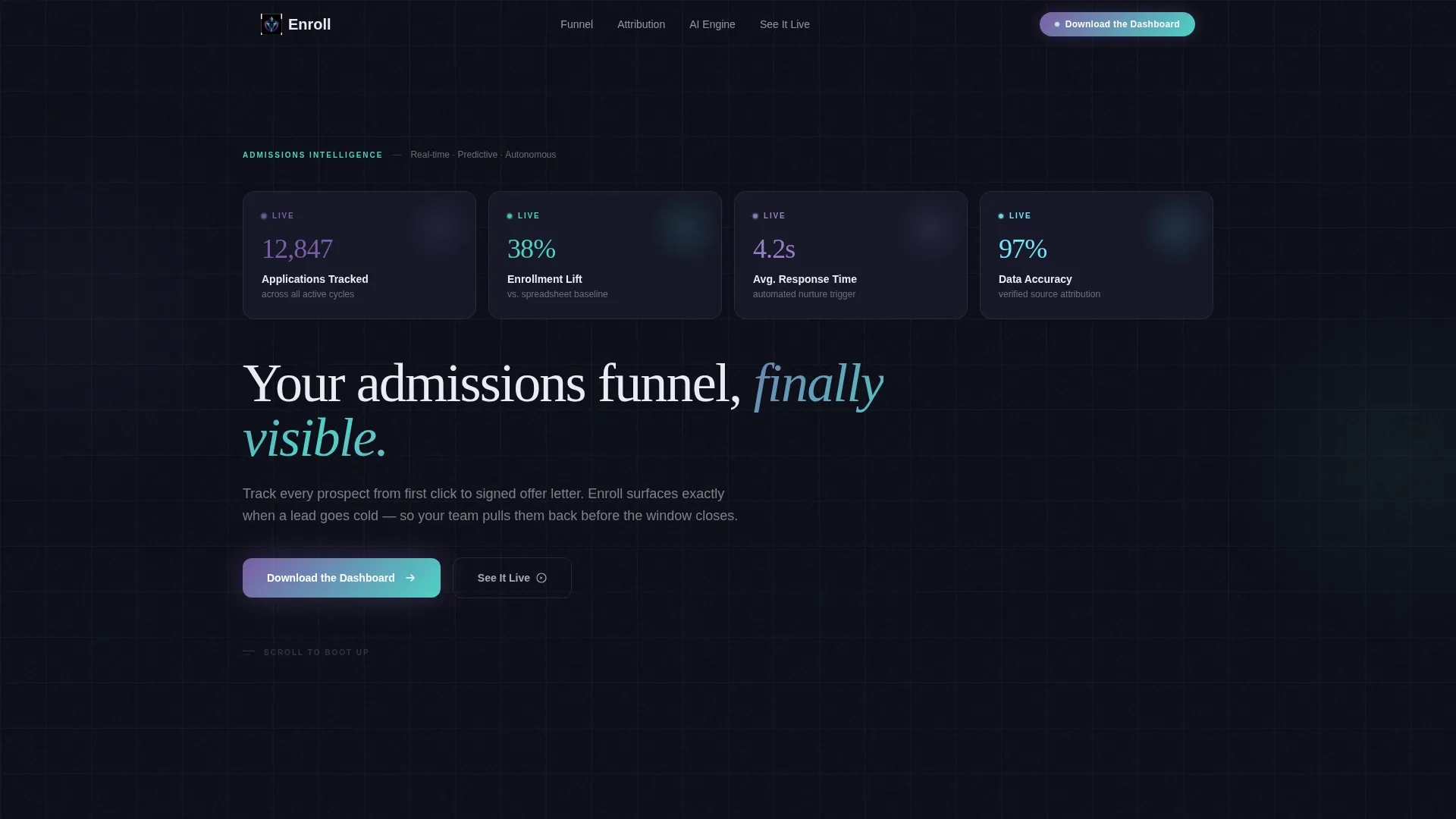
- A stats-first header with four animated metric panels and a fade-in headline
- Progressive scroll-reveal sections that slide in from alternating sides as the visitor scrolls
- A three-stage call-to-action system: persistent nav pill, mid-page glass panel, and closing centerpiece
Feature list
This section covers the core designed capabilities included in the Enroll template.
Animated Dark Glass Header
Four frosted-glass rectangles float against a near-black background. Each panel displays one admissions metric: applications tracked, enrollment lift, average response time, and data accuracy. Numbers animate upward on load like a stock ticker, and a single headline fades in beneath them.
Progressive Scroll-Reveal Layout
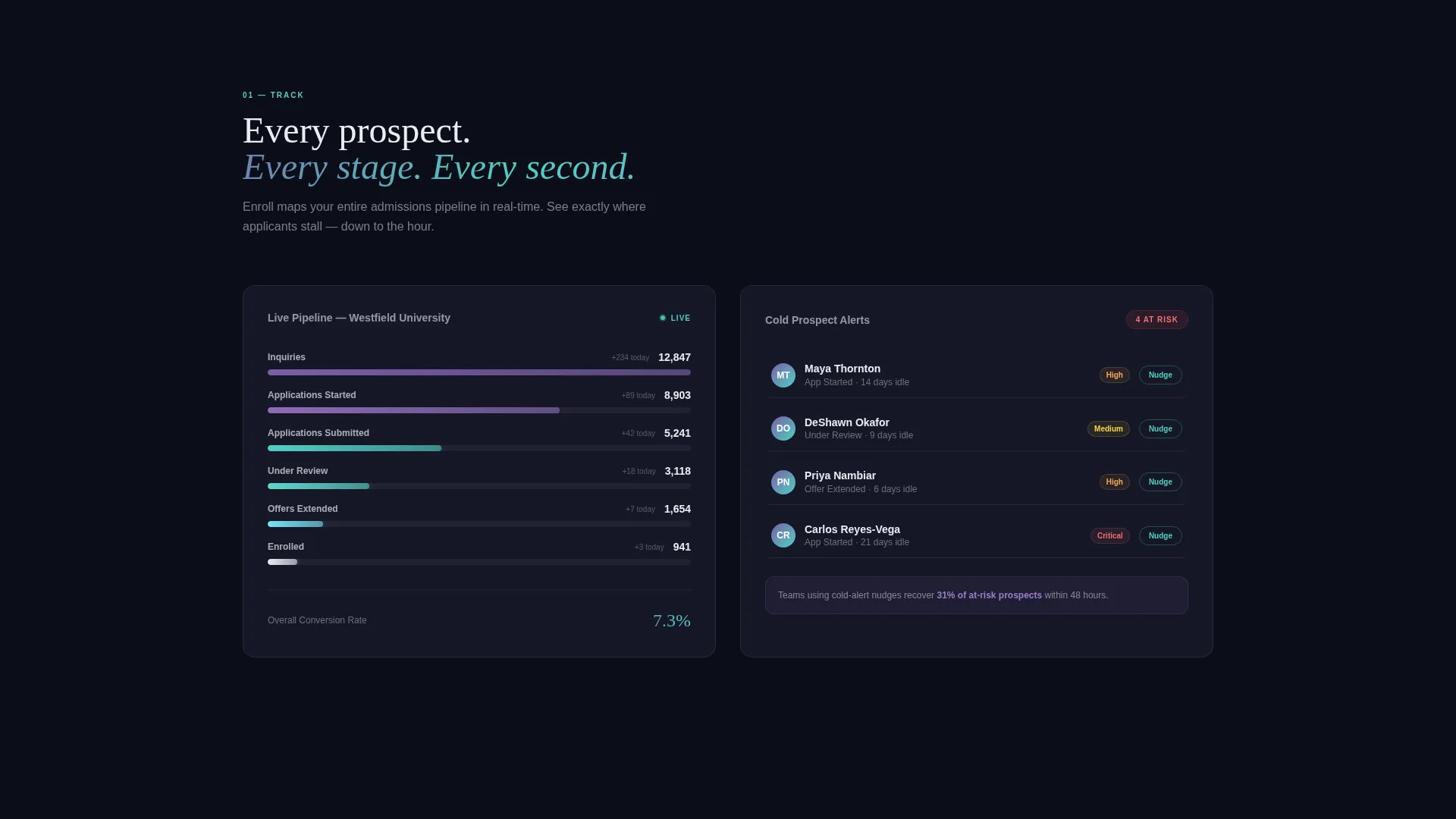
Each section materializes from full transparency to full opacity as it enters the viewport. Panels slide in from alternating left and right sides, and data populates left-to-right to mimic a dashboard loading. The narrative escalates from tracking to analysis to autonomous recommendations across the full scroll.
Stats-First Section Structure
Every scroll reveal leads with a number before the explanation. Visitors encounter a conversion rate before they read about lead scoring, and a response-time benchmark before learning about automated nurture sequences. This sequence builds credibility through evidence rather than claims.
Three-Stage Call-to-Action System
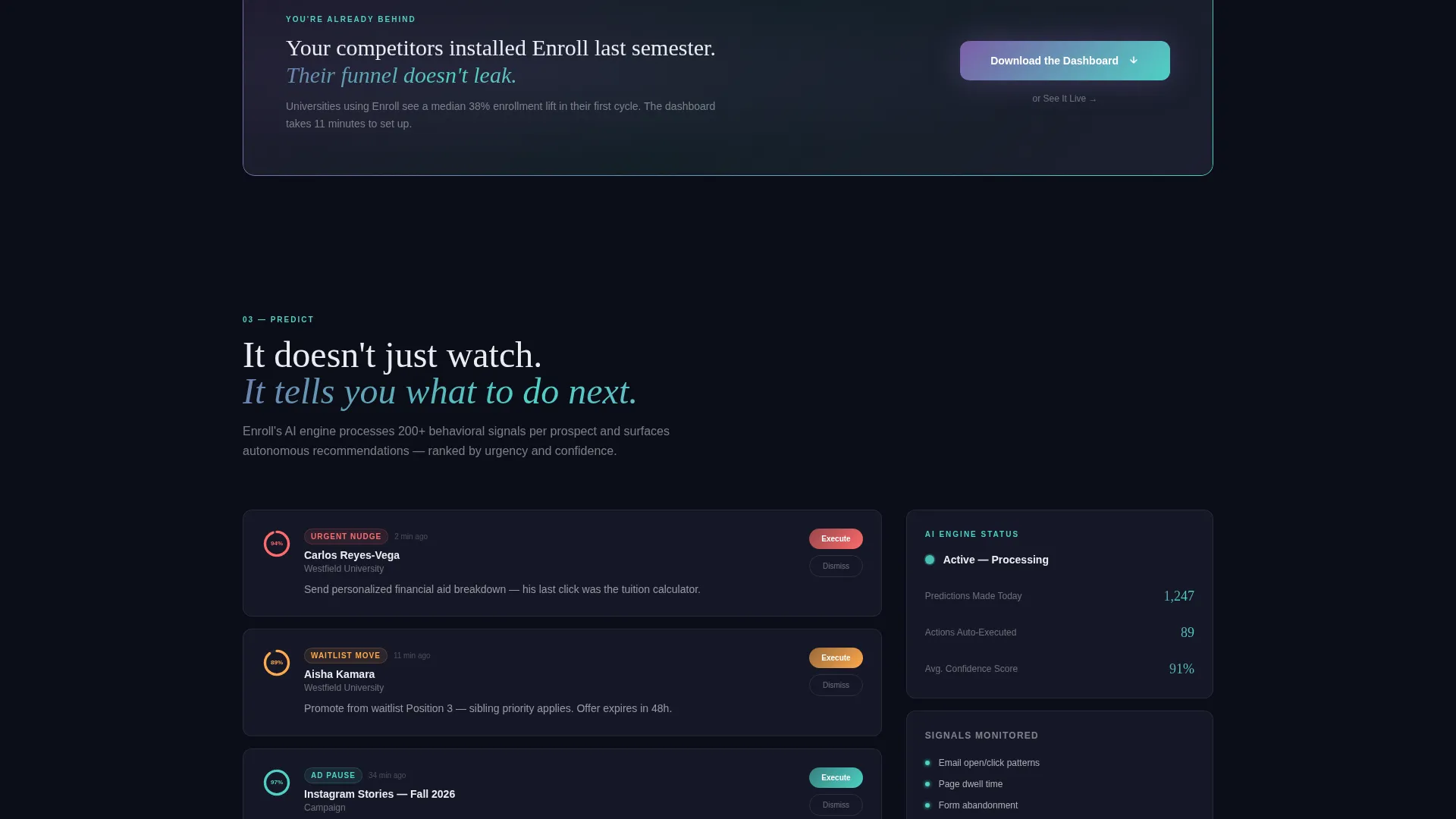
The primary call to action, "Download the Dashboard," appears in three distinct placements. It starts as a subtle persistent pill in the top navigation, becomes a full-width glass panel after the third scroll reveal, and anchors the closing section. Each placement reinforces the decision without repeating the same visual treatment.
Platform Selector Download Flow
Tapping the primary call to action opens a platform selector offering iOS, Android, and Desktop options. A single work-email field follows, with no password or organization name required at this stage. The secondary path, "See It Live," links to an interactive demo for visitors who are not yet ready to download.
AI Iridescent Color System
The palette uses deep obsidian (#0B0D17) as the base, translucent panel gray (#1A1D2E) with 12-percent-opacity glass borders, and iridescent violet (#7B5EA7) shifting to cool cyan (#4FD1C5) across hover-state gradients. Enrollment-white (#EAEDF3) carries all data text. Colors refract rather than sit still, reinforcing the intelligence theme.
Page sections overview
| Section | Purpose |
|---|---|
| Dark Glass Header | Displays four animated admissions metrics and the primary headline |
| Persistent Nav Pill | Keeps the download call to action visible throughout the entire scroll |
| First Scroll Reveal | Introduces what the CRM captures with a leading statistic |
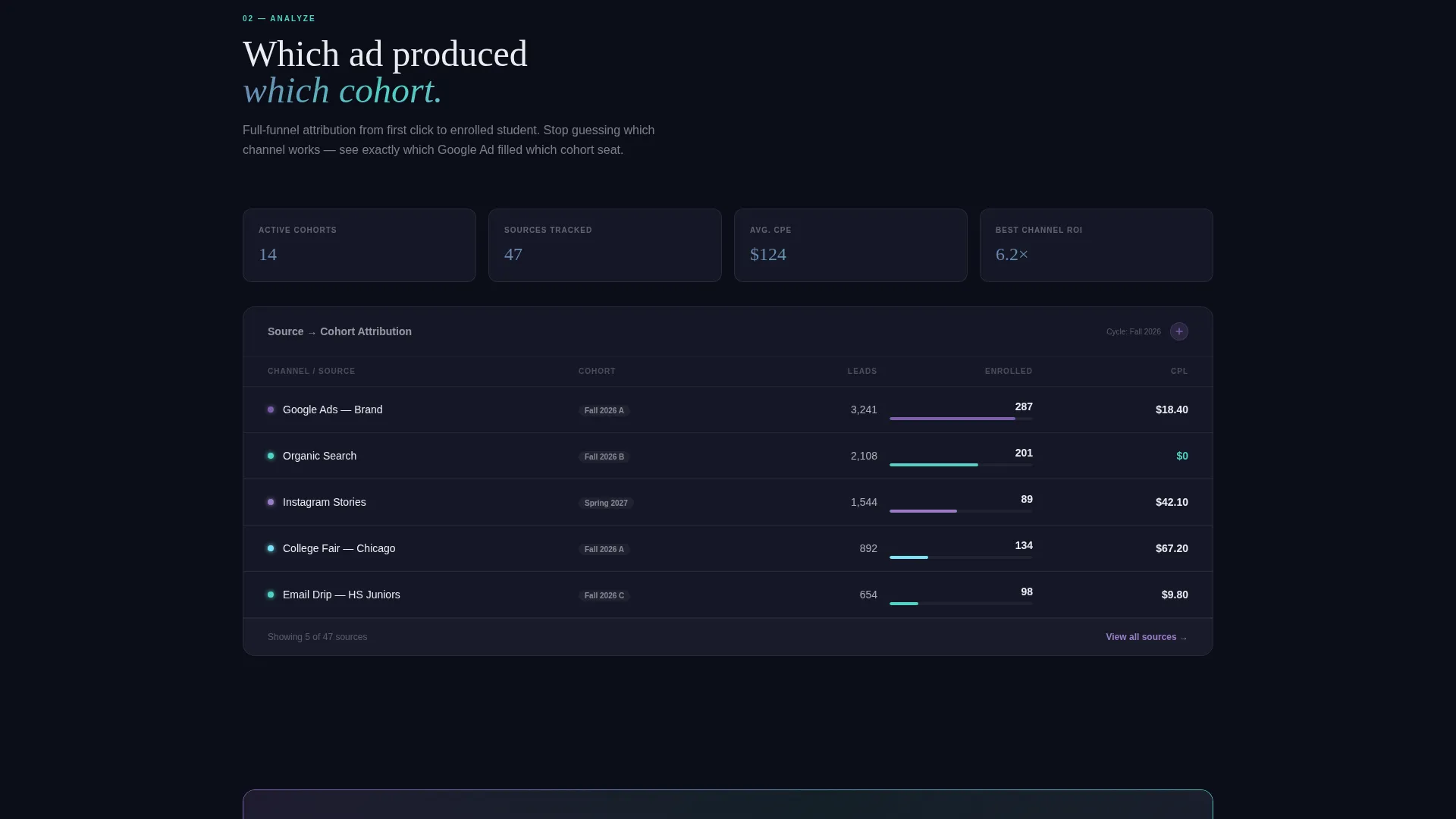
| Second Scroll Reveal | Shifts focus to analysis and lead-scoring intelligence |
| Third Scroll Reveal | Covers automated nurture and response-time benchmarks |
| Mid-Page call to action Panel | Full-width glass panel reinforcing the download action after three reveals |
| Prediction Section | Shows autonomous recommendations as the narrative climax |
| Closing Download Section | Platform selector, work-email field, and demo secondary path |
Design & branding system
The template follows a Tech Glass theme driven by an AI Iridescent color system. The goal is to make data feel alive without relying on photography or illustration.
- Base palette: obsidian (#0B0D17) background, panel gray (#1A1D2E) with 12-percent-opacity glass borders, violet-to-cyan gradients on hover, enrollment-white (#EAEDF3) for text
- Panel style: frosted-glass rectangles with translucent borders that suggest depth without heavy drop shadows
- Motion language: upward-counting number animations on load, transparency-to-opacity reveals on scroll, left-to-right data population mimicking a live dashboard
Mobile & speed optimization
The scroll-reveal interactions and glass-panel layouts are designed to translate across screen sizes without losing the operations-room atmosphere.
- Alternating side-entry panels reflow to vertical stack order on smaller screens
- The persistent nav pill remains accessible throughout the scroll on both desktop and mobile viewports
- The platform selector and single-field download flow are touch-friendly by design, keeping the conversion path short on any device
How this template helps you convert
Every design and copy decision in this template is built to reduce hesitation and move visitors toward the download action.
- Front-loaded metrics do the persuasion work early. Visitors read proof before they encounter a single feature name, which shifts the credibility burden away from marketing language.
- The three-stage call-to-action system meets visitors at multiple decision points. Whether someone is ready at the header, mid-scroll, or the closing section, the download action is always one tap away.
- The minimal download flow, one email field with no password or organization name, removes the most common friction point in software sign-up flows, making the final step feel low-risk.
Other information about this template
Enroll is built as a scroll-reveal, single-page template under the Technology category, specifically targeting the Education Software and Software as a Service (SaaS) subcategory and the Education CRM niche.
- Template style: Scroll Reveal (Progressive), meaning each section enters the viewport on demand rather than loading all at once
- Header concept: Dark Glass Panels, a design pattern where metric cards float against near-black backgrounds with frosted-glass borders
- Creative direction: Stats-First Impact, where every section opens with a data point to anchor attention before narrative copy follows
- The template is suitable for presenting any education CRM product to a cold audience that needs evidence before they will consider a download
- The "See It Live" secondary call to action provides a demo path for visitors who want to evaluate before committing
Theme
Tech Glass
Creative direction
Stats-First Impact
Color system
AI Iridescent
Style
Scroll Reveal (Progressive)
Direction
App Download
Page Sections
Animated Dark Glass Header Panels
Progressive Scroll-reveal Sections
Stats-first Section Narrative
Three-stage Download Call to Action
Frictionless Platform Selector Flow
AI Iridescent Color and Motion System
Related questions
What type of product is this template designed to promote?
Can I replace the placeholder metrics with my own data?
Does the download flow collect only an email address?
Who is the secondary 'See It Live' call to action intended for?



