Education Membership Management Landing Page Template
Enroll is a single-page landing page template built for education membership management platforms. It combines a dark terminal header, modular Industry Report-style card sections, and a friction-free three-field sign-up flow. The Dashboard Pro theme and Monochrome Steel palette give it a sharp, data-forward identity designed to convert centre directors, franchise owners, and solo tutors.
by Rocket studio
Quick summary
Enroll is a card grid landing page template purpose-built for education membership management platforms. It opens with an animated API terminal header, moves through numbered Industry Report-style feature cards, and closes with a no-credit-card freemium sign-up form. Every section builds toward one action: getting academy operators to start free with 50 students.
Who this template is for
This template is built for teams and individuals selling software to the education sector. It speaks directly to operators who manage recurring enrolments, payments, and student records at scale.
- Tuition centre directors managing hundreds of student records across multiple locations
- Franchise owners who need real-time seat-fill visibility before board meetings
- Solo tutors who want parents to stop chasing them about invoices
What problem this template solves
Most education businesses still rely on spreadsheets, manual payment reminders, and outdated roster files. There is no single view of enrolment status, billing cycles, or available seats. This template is designed to position a platform as the clean solution to that operational chaos.
- Replacing the confusion of scattered spreadsheets and expired rosters with a living dashboard
- Removing the friction that causes prospective customers to bounce before understanding the product
- Converting both business operators and technical founders through separate, well-placed conversion paths
What you get with this template
You get a fully structured, single-page layout that guides visitors from problem awareness to sign-up without a detour. The layout is modular, so each card section stands on its own while contributing to a cumulative sense of urgency.
- A full-viewport dark terminal header with character-by-character API call animation
- Numbered Industry Report-style card modules, each pairing a data finding with a direct product feature
- A three-field sign-up form with no credit card requirement and a secondary path to API documentation
Feature list
This template delivers a set of distinct, prompt-defined components. Each one serves a specific role in moving a visitor from curiosity to committed sign-up.
Animated Terminal Header
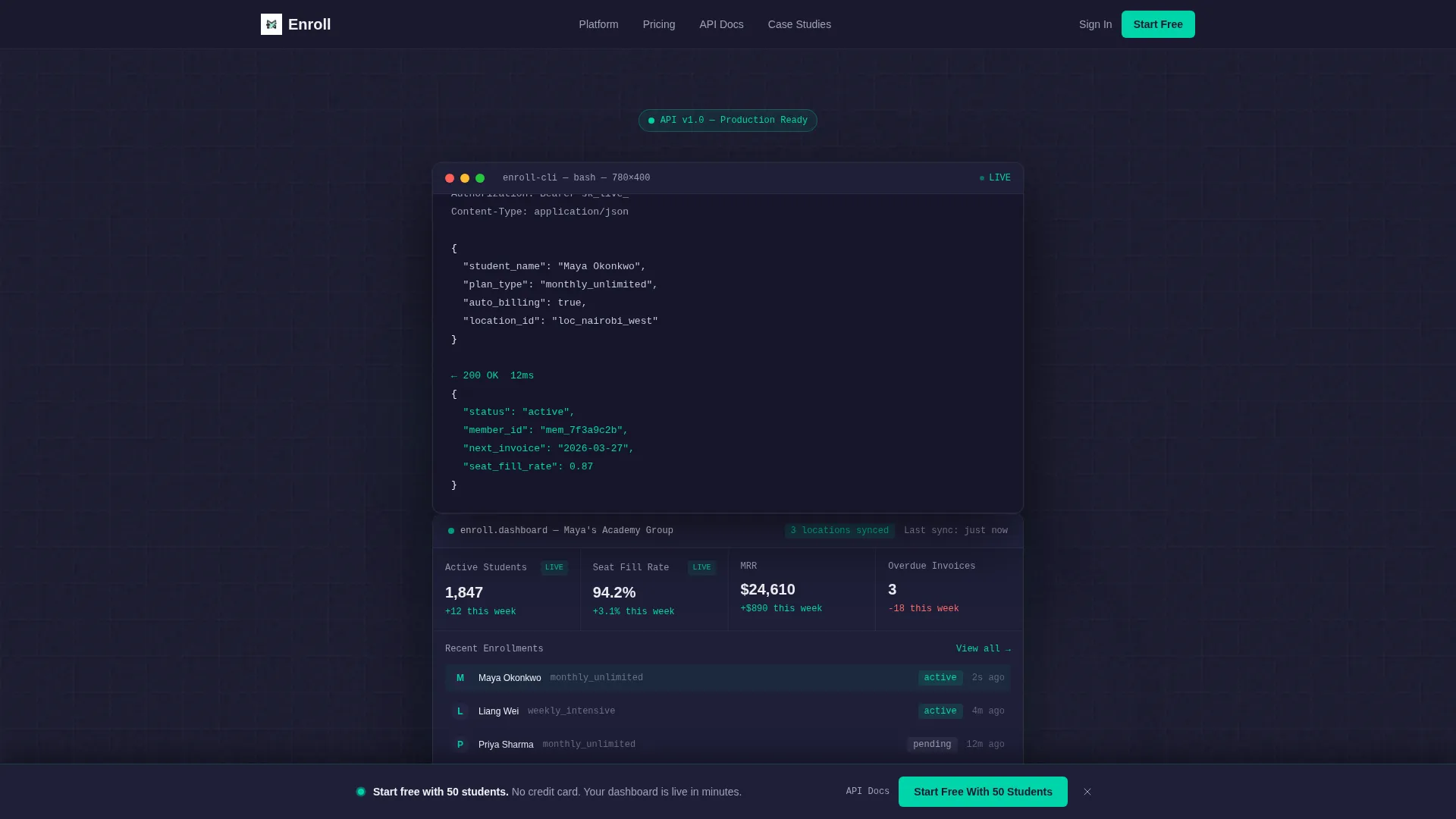
The header opens as a full-viewport dark terminal. A real API call renders character by character: POST /v1/members/enroll with a JSON payload showing a student name, plan type, and auto-billing flag. The response animates back, and the terminal dissolves into a live dashboard view as the headline fades in.
Industry Report Card Grid
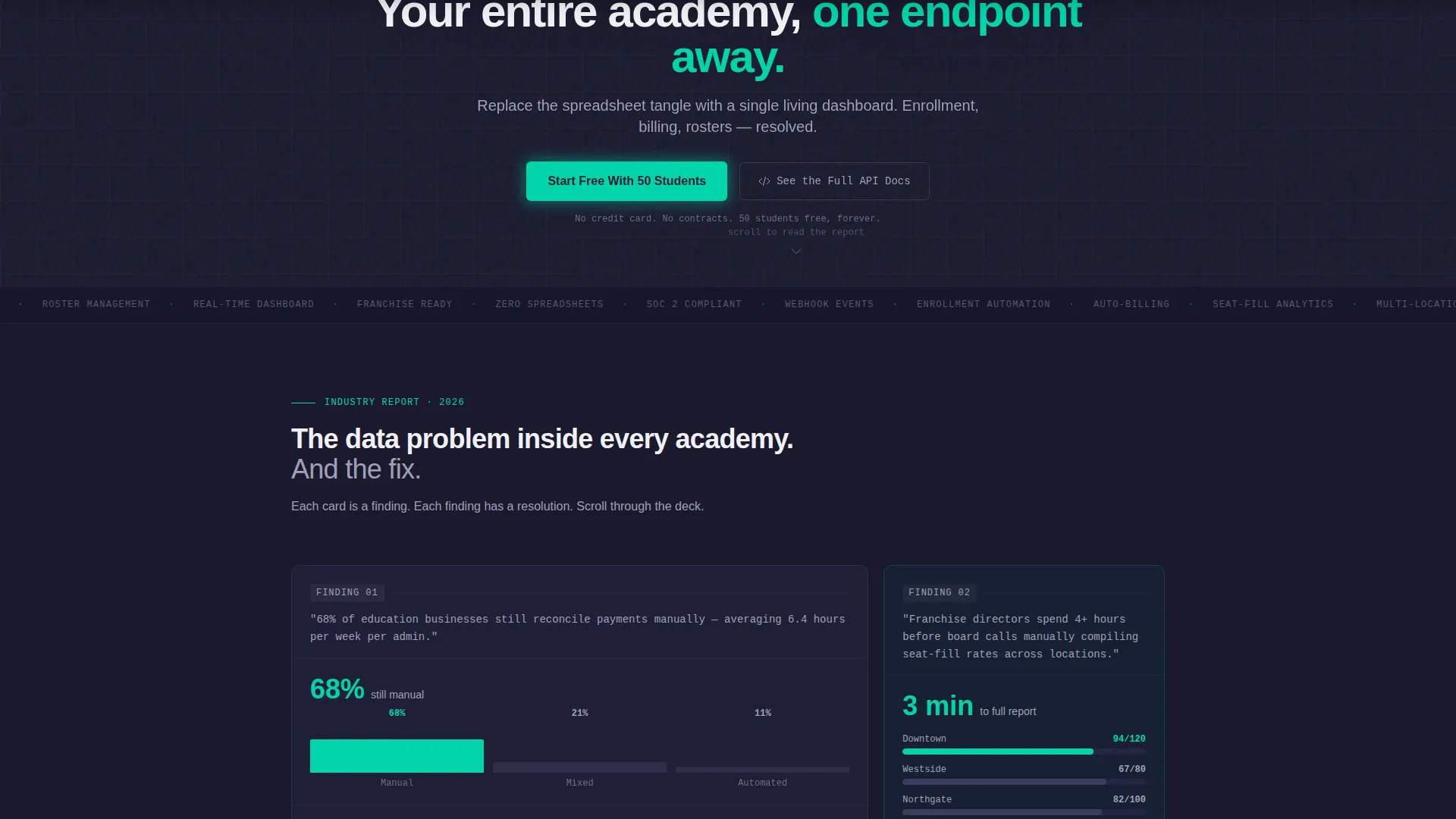
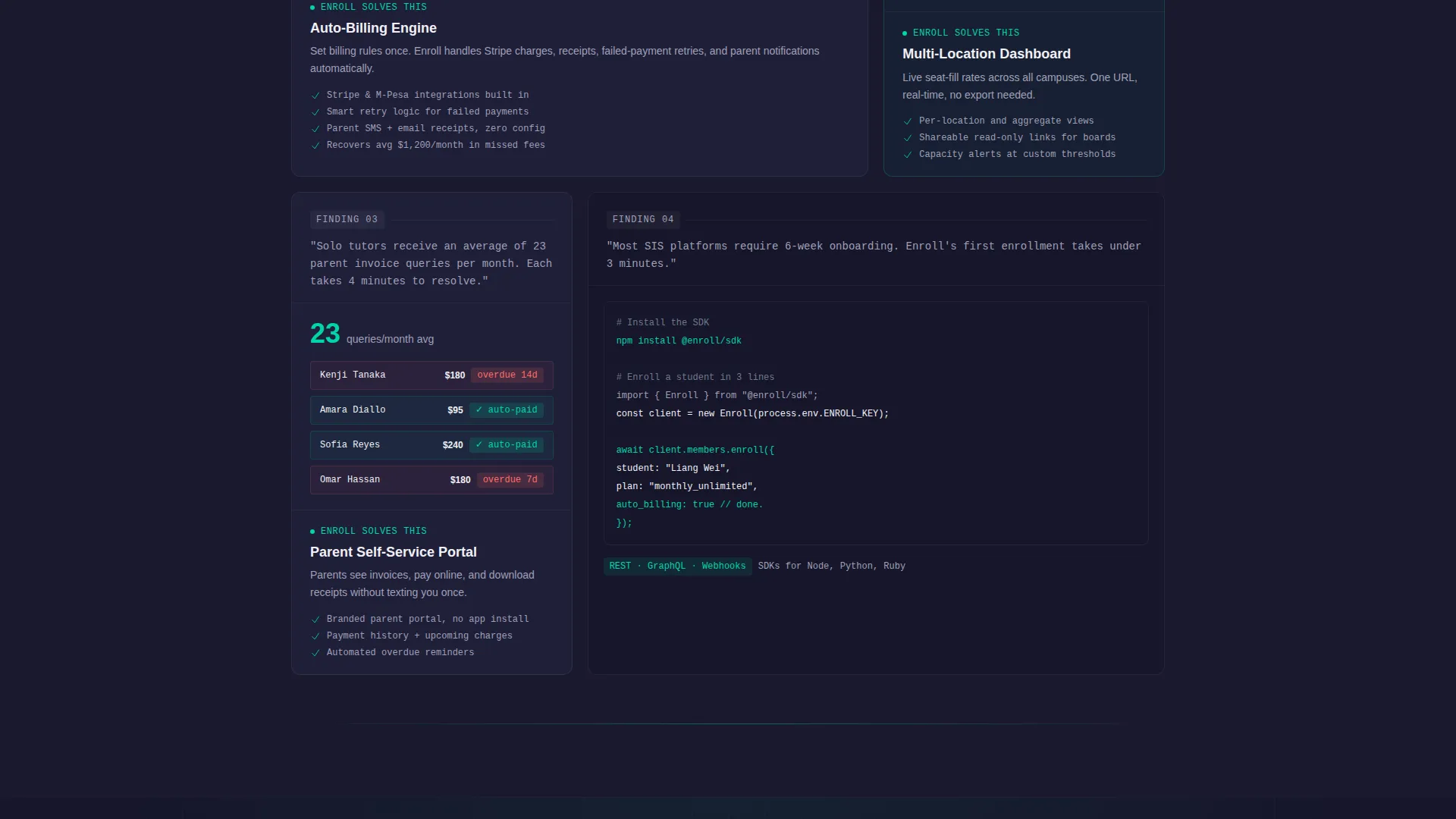
Each card module is framed as a numbered finding, styled like a section of a white paper. Card one surfaces a data point about manual payment reconciliation, paired with a mini bar chart that animates on scroll. The next card reveals the feature that solves it. This pattern repeats, building urgency with every scroll.
Freemium Conversion Flow
The primary call to action reads "Start Free With 50 Students" and appears twice: first inside the dissolved dashboard header, then again as a sticky bottom bar after the third card. This placement ensures high-intent visitors always have a clear next step visible.
Sequential Three-Field Sign-Up Form
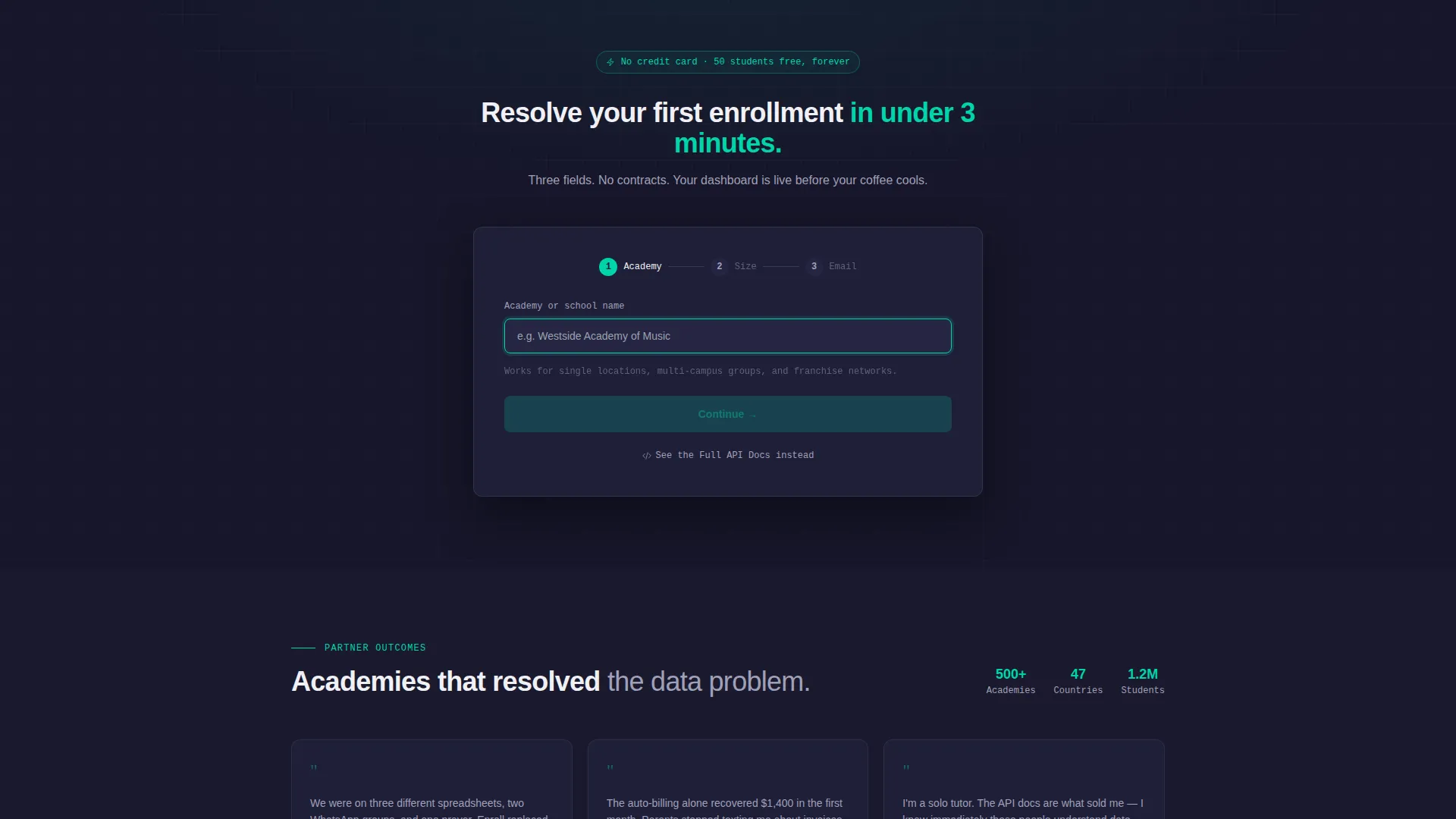
The sign-up form asks for only three inputs in sequence: academy name, number of active students via a dropdown (1 to 50, 51 to 200, 201 to 500, and 500 plus), and a work email address. No credit card is required. This reduces sign-up friction to its minimum.
Dual Conversion Paths
A secondary call to action, "See the Full API Docs," sits alongside the primary button. It captures technical founders who evaluate a platform through documentation rather than marketing copy. Both paths are present from the header section onward.
Monochrome Steel Visual System
The entire page uses a five-tone palette: forge-black, brushed gunmetal, cool interface gray, chalk-white, and a single electric-teal accent. The teal is reserved exclusively for live data indicators, active toggles, and primary buttons, keeping the visual hierarchy sharp and unambiguous.
Page sections overview
| Section | Purpose |
|---|---|
| Terminal API Header | Opens with animated API call dissolving into a live dashboard view |
| Primary call to action Block | Presents "Start Free With 50 Students" inside the revealed dashboard |
| Finding Card One | Pairs a manual-reconciliation stat with an animated bar chart |
| Feature Response Card | Introduces the platform feature that resolves Finding Card One |
| Finding Card Two | Surfaces the next operational pain point for the target audience |
| Feature Response Card | Delivers the matching product capability for Finding Card Two |
| Finding Card Three | Presents the final data finding to complete the urgency arc |
| Feature Response Card | Closes the finding-to-feature loop with a final product highlight |
| Sticky call to action Bar | Reappears after the third card as a persistent bottom conversion bar |
| Sign-Up Form | Three sequential fields with no credit card requirement |
| API Docs Secondary Path | Catches technical evaluators with a documentation-first route |
Design & branding system
The visual identity uses a Dashboard Pro theme built entirely on the Monochrome Steel color system. The palette is engineered rather than decorative, making data and interface elements the only visual focus.
- Five core tones: forge-black (#1A1A2E), brushed gunmetal (#3D3D5C), cool interface gray (#A0A0B8), chalk-white (#F0F0F5), and electric-teal (#00D4AA)
- Electric-teal is used exclusively for live data points, active toggles, and primary buttons to preserve hierarchy
- The overall feel is milled aluminium: no warm tones, no decorative flourishes, just clean engineered surfaces
Mobile & speed optimization
The card grid layout is modular by design, which means it adapts naturally to narrower viewports. Each card is a self-contained unit, so reflow across screen sizes is straightforward to implement.
- Modular card components reflow cleanly from multi-column desktop grids to single-column mobile stacks
- The sticky bottom call to action bar is especially effective on mobile, where it stays visible without interrupting scroll
- The sequential form fields keep the sign-up experience clean and thumb-friendly on smaller screens
How this template helps you convert
Every structural decision in this template is oriented toward one outcome: turning an engaged visitor into a free trial sign-up. The layout works by proving value before asking for anything.
- The terminal header establishes technical credibility immediately, so visitors trust the product before reading a single feature claim.
- The Industry Report card cadence builds cumulative urgency by pairing real operational pain points with direct product solutions, scroll by scroll.
- The dual conversion paths ensure both business decision-makers and technical evaluators find a relevant next step without leaving the page.
Other information about this template
This template is categorized under Technology and Education Software. It is specifically designed for the Education Membership Management niche, making it a focused fit for platforms that handle student enrolment, billing, and roster management.
- Template style: Card Grid (Modular), using numbered sections for a structured, report-like reading experience
- Header concept: Code Snippet terminal animation, establishing a developer-forward first impression
- Landing page direction: Freemium and trial conversion, with no credit card required at sign-up
- The Intersection Match Score of 13 reflects a strong alignment between the Dashboard Pro theme, Monochrome Steel color system, and the education software niche
Theme
Dashboard Pro
Creative direction
Industry Report
Color system
Monochrome Steel
Style
Card Grid (Modular)
Direction
Freemium/Trial
Page Sections
Animated API Terminal Header
Industry Report Card Modules
Dual Conversion Paths
Sequential Three-field Sign-up
Sticky Bottom Call to Action Bar
Monochrome Steel Color System
Related questions
Who is this landing page template designed for?
Does this template require a credit card to sign up?
Can technical founders use this template too?
How does the Industry Report card grid structure work?
Can I adapt the color system to match my brand?



