Plumbing Forum Landing Page Template | App Download
Flux is a single-page comparison table landing page built for a plumbing community forum. It uses a dark, pro-grade visual identity to showcase three app tiers side by side, drive app downloads through dual iOS and Android calls to action, and convince trade professionals to move from browser to mobile app with testimonial proof and a frictionless SMS download path.
by Rocket studio
Quick summary
Flux is a focused landing page designed for a plumbing community forum. It uses a bold comparison table to show visitors exactly what they gain by downloading the app. A dark glass header, scroll-driven animations, and trade-specific testimonials guide plumbing professionals from curious browser visitor to confirmed app download in one clean flow.
Who this template is for
This template is built for the people who live inside the trade. The audience ranges from apprentices cramming for certification exams to seasoned contractors troubleshooting live job-site emergencies. If your forum serves working plumbers, this page speaks their language.
- Second-year apprentices studying for journeyman exams on lunch breaks
- One-truck shop owners who need fast answers between service calls
- Retired union plumbers and master plumbers active in the community
What problem this template solves
Most forum landing pages fail trade audiences. They look too generic, bury the value proposition, and never explain why the app beats the browser. Flux closes that gap.
- Visitors cannot easily compare free versus paid app tiers at a glance
- There is no clear, low-friction path from browsing to downloading the app
- The page fails to prove that real tradespeople already trust and use the community
What you get with this template
You get a complete, single-page layout built around one goal: converting forum visitors into app users. Every section connects to that goal without clutter or distraction.
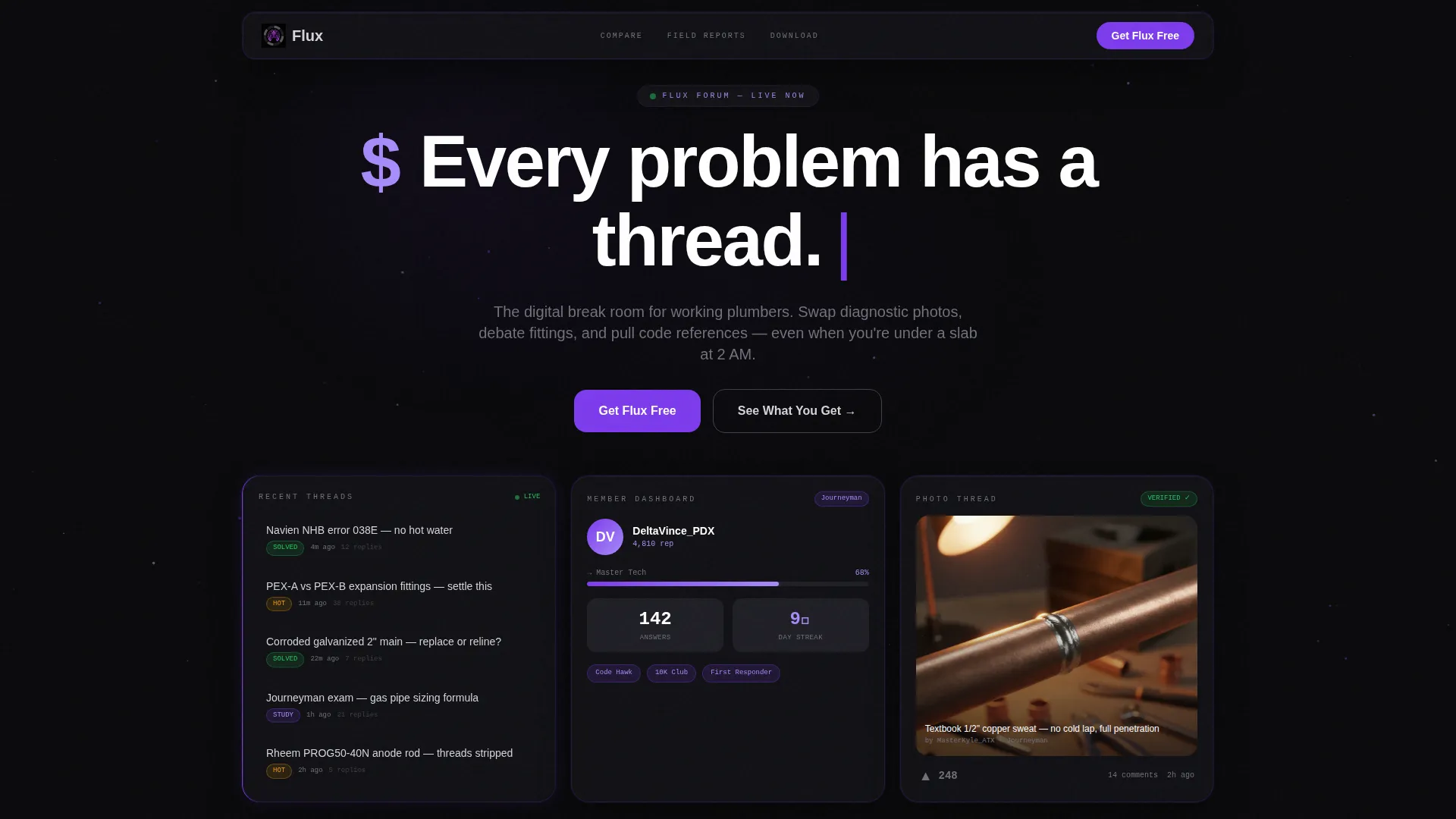
- A dark glass panel header with three live-snapshot cards showing forum activity at a glance
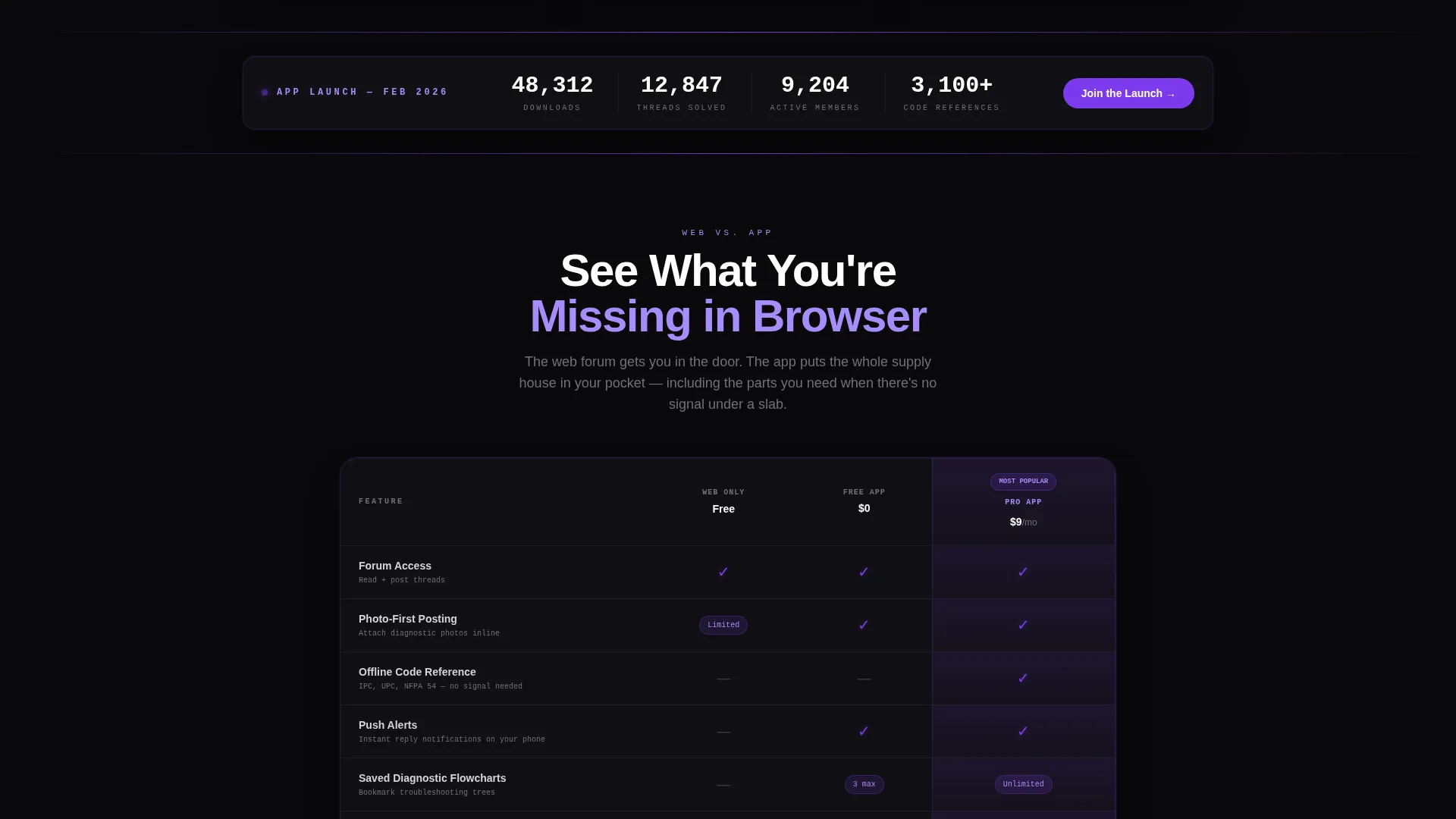
- A three-column comparison table covering Web Only, Free App, and Pro App tiers
- Dual fixed download calls to action, an SMS input interstitial, a QR code path, and testimonial cards
Feature list
This section walks through the core built-in components that make Flux work as a conversion-focused landing page for a plumbing community forum.
Dark Glass Panel Header
Three translucent, frosted-glass cards float against a void black background. The left card shows a live-style feed of recent forum threads with solved badges. The center card displays a member reputation dashboard with badges and rank progression. The right card previews a photo thread with an upvote counter.
Scroll-Animated Comparison Table
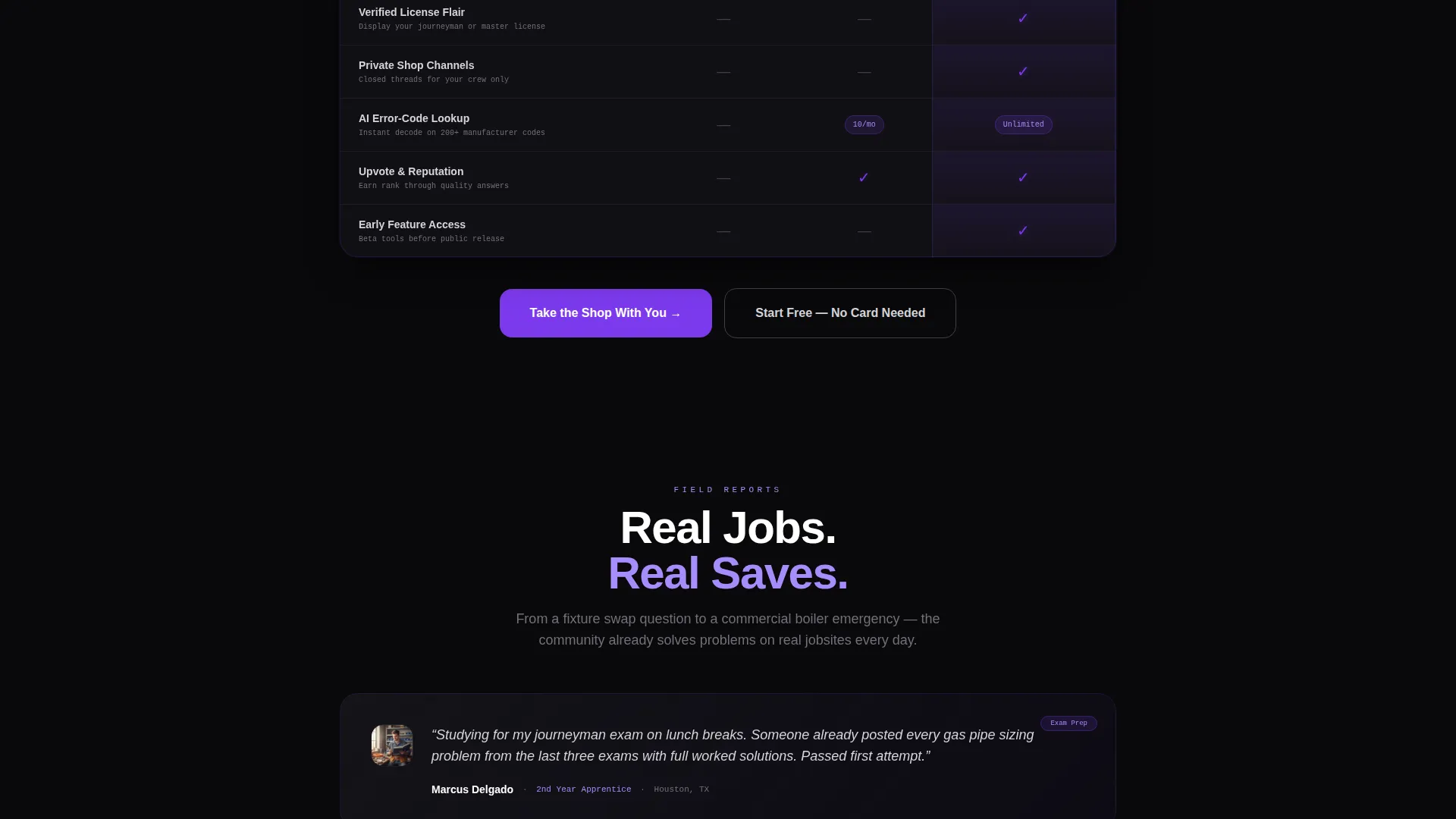
A three-column table compares Web Only, Free App, and Pro App tiers row by row. Features covered include offline code reference, push alerts, photo-first posting, saved diagnostic flowcharts, and verified license flair. Each row animates in with a violet pulse as the visitor scrolls down.
Launch Countdown Banner
A countdown-style banner sits immediately below the header and announces the app launch. Download milestones tick upward in real time, building a sense of collective momentum and urgency before the visitor even reaches the comparison table.
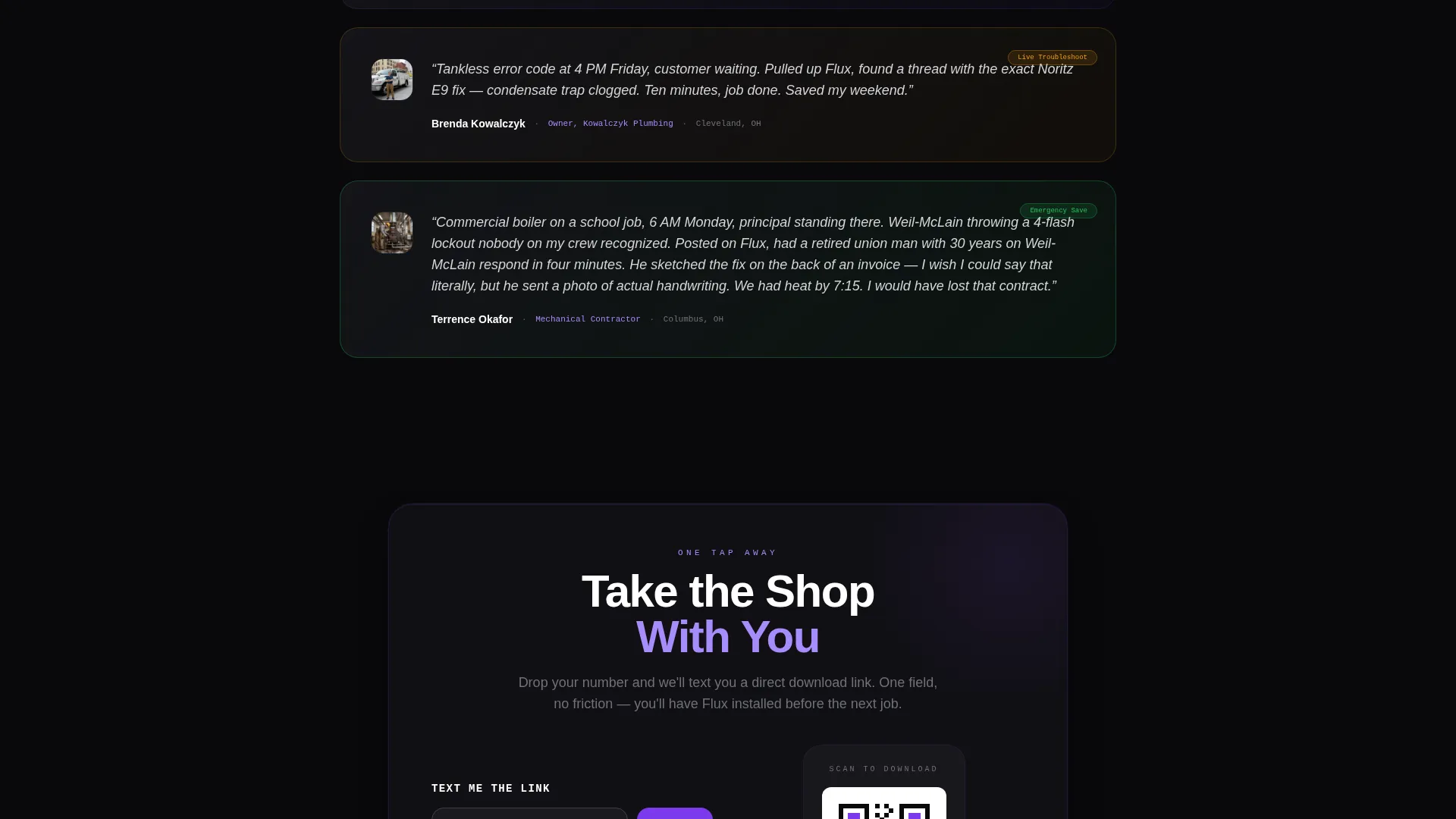
Testimonial Card Stack
Trade-specific testimonial cards build in urgency as the visitor scrolls. Stories escalate from a basic fixture swap question to a commercial boiler emergency. This progression shows the forum's real-world value across every experience level.
Fixed App Download Toolbar
A slim dark glass toolbar stays fixed at the bottom of the viewport at all times. It holds dual calls to action labeled "Get Flux Free" with iOS and Android store icons, keeping the download action always within reach no matter where the visitor is on the page.
SMS and QR Download Paths
The primary interstitial call to action after the comparison table is titled "Take the Shop With You." It accepts a phone number and sends a direct download link via SMS. A secondary QR code option lets visitors scan instantly without typing anything.
Page sections overview
| Section | Purpose |
|---|---|
| Dark Glass Header | Showcases live forum activity across three frosted-glass panel cards |
| Launch Countdown Banner | Builds momentum with ticking download milestones before the table |
| Comparison Table | Lets visitors compare Web Only, Free App, and Pro App side by side |
| Interstitial call to action Block | Captures phone numbers and delivers a direct SMS download link |
| QR Code Path | Offers a no-typing scan-to-download alternative for quick conversion |
| Testimonial Card Stack | Proves real-jobsite value with escalating trade-scenario stories |
| Fixed Download Toolbar | Keeps iOS and Android download buttons visible across the full page |
Design & branding system
Flux follows the Dashboard Pro theme with a Void and Violet color system. The palette is clinical and magnetic, built to feel like a professional diagnostic tool running in a dark mechanical room.
- Absolute void black (#09090B) for backgrounds, deep pipeline violet (#7C3AED) for interactive elements and progress indicators, reactor glow purple (#A78BFA) for hover states and notification badges, and galvanized steel gray (#D4D4D8) for body text and dividers
- Cards and panels float in barely-there charcoal (#141418) to separate content layers without breaking the dark atmosphere
- Violet edge-lighting on glass panels and a slow particle drift behind the header reinforce the data-in-motion aesthetic
Mobile & speed optimization
The fixed bottom toolbar and SMS input path are built with mobile-first interaction in mind. Every conversion touchpoint stays reachable on a small screen without scrolling back up.
- The fixed dark glass toolbar keeps download calls to action accessible at all times on any screen size
- The single-field SMS input reduces friction to its absolute minimum for mobile visitors
- The QR code option supports instant scan-to-download for visitors arriving on desktop who want to move to their phone
How this template helps you convert
Flux earns the download tap by structuring the page as a logical persuasion sequence. Each section does a specific job before handing off to the next.
- The comparison table lands first after the momentum-building banner, showing visitors exactly what the free and Pro app tiers offer before asking for anything.
- Testimonials follow the table and add social proof through real trade scenarios, moving the visitor from informed to motivated.
- The fixed toolbar and SMS interstitial close the loop by keeping the download action visible and frictionless at every scroll position.
Other information about this template
Flux is part of a broader Dashboard Pro theme family, making it a strong fit for tech-forward community products in skilled-trade niches. A few additional details worth knowing before you build with it:
- The template style is a comparison table landing page, meaning the layout is optimized for side-by-side feature evaluation rather than a narrative-only scroll
- The Void and Violet color system was selected specifically to resonate with professional tradespeople who use diagnostic and inspection tools daily
- The Launch Energy creative direction means the page opens with momentum indicators rather than a static hero, which suits a community that is actively growing
- The header concept uses Dark Glass Panels, a translucent layered card treatment that can be customized to reflect your forum's actual recent activity and member data
- Page copy, thread titles, badge labels, and testimonial content are all placeholder-ready and can be replaced with your real community data
Theme
Dashboard Pro
Creative direction
Launch Energy
Color system
Void & Violet
Style
Comparison Table
Direction
App Download
Page Sections
Dark Glass Panel Header
Scroll-animated Comparison Table
Launch Countdown Banner
Testimonial Card Stack
Fixed App Download Toolbar
SMS and QR Download Paths
Related questions
What kind of forum is this landing page designed for?
Can I customize the comparison table tiers and features?
How does the SMS download path work in this template?
Does this template support both iOS and Android download links?
Is this template suitable for a forum that has not launched its app yet?



