Recruitment & Hiring Professional Website Template
Hardhat is a modular card grid landing page built for construction recruiting agencies. It runs a dual conversion path, one for contractors who need crews fast and one for tradespeople ready to work. The design pairs deep indigo with high-vis yellow across a blueprint-white card system, giving the page the authority of a jobsite field manual with the pull of a live placement board.
by Rocket studio
Quick summary
Hardhat is a single-page construction recruiting template built around speed, proof, and two clear asks. Contractors click "Fill Your Crew" and workers click "Get Placed This Week." Every section earns that click first, with placement stats, verified testimonials, and a live worker counter, before either form appears. The result is a recruiting funnel that reads like a field manual.
Who this template is for
This template was built for construction workforce placement businesses that need to speak to two very different audiences at once. It works equally well for a staffing agency launching a new service area and for an established firm updating an outdated page.
- Construction recruiting agencies placing tradespeople with general contractors and specialty subs
- Union halls and workforce coordinators matching journeymen with active jobsites
- Specialty subcontractors who need to advertise fast-fill staffing services to project managers
What problem this template solves
Project managers on active jobsites do not have time to read long pages. They need proof of speed and a short form. Tradespeople browsing on a phone between jobs need to know the process is real and the placement is fast. Most recruiting pages fail both audiences by burying the form above the proof.
- Contractors cannot trust a new agency without seeing placement speed, verified tradespeople, and real outcomes first
- Tradespeople between jobs need a parallel path that speaks to their situation, not just the employer's
- A generic HR template does not carry the visual authority or trade-specific language this industry demands
What you get with this template
You get a fully structured, modular landing page with five distinct content sections and a persistent dual call-to-action system. Every section is designed to teach and convert at the same time, moving both audiences toward the relevant form without confusion.
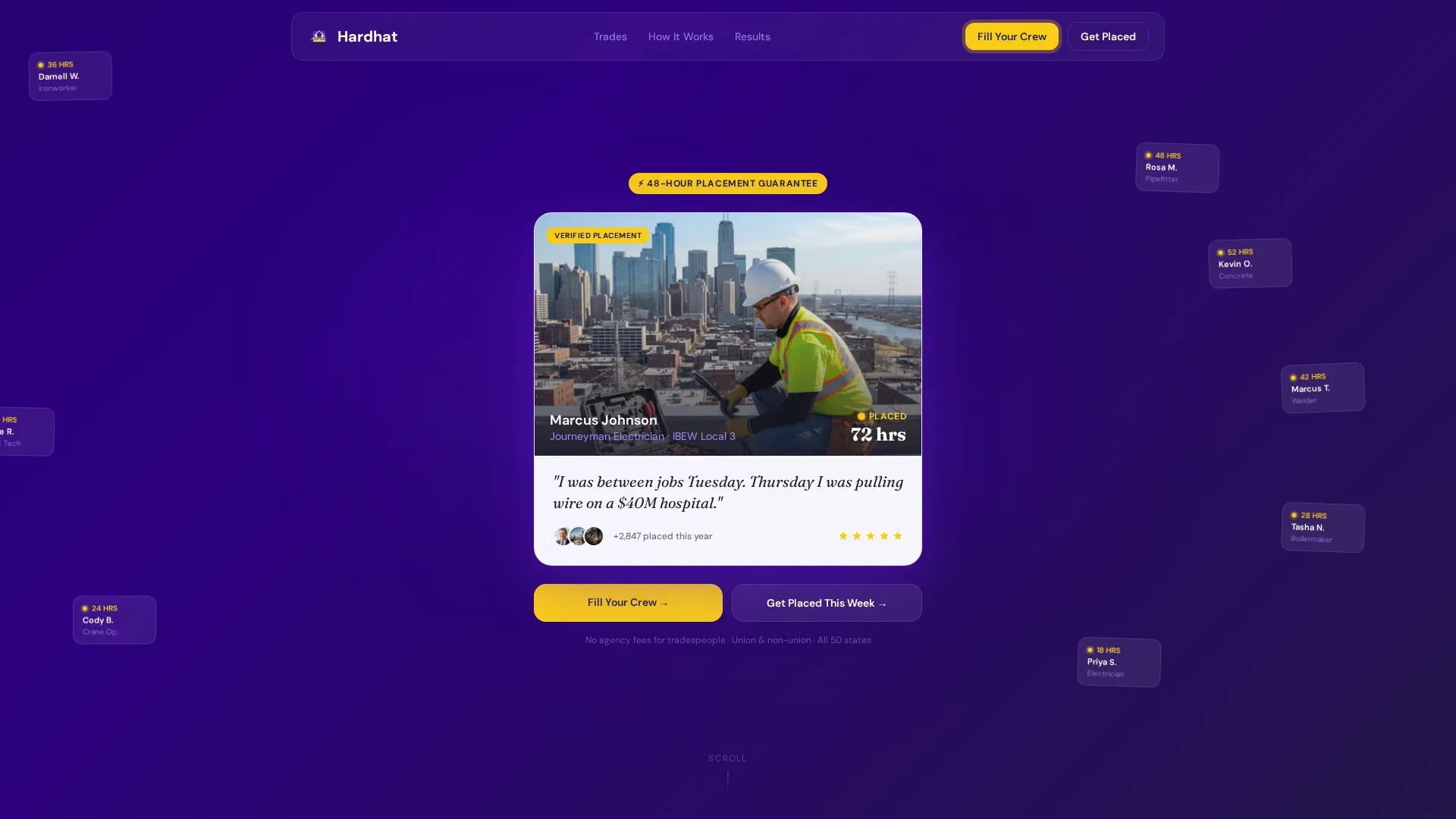
- A hero section built around an oversized testimonial card with a parallax floating card network behind it
- Five modular page sections covering trade categories, vetting process, social proof, and dual call-to-action forms
- A footer following a clean linear single-row pattern
Feature list
This template is built around a set of purpose-designed features drawn directly from the construction recruiting workflow. Each one exists to move a visitor from curious to committed.
Dual Conversion Path Forms
Two persistent slide-up forms live on a bottom bar that appears as visitors scroll. The contractor form asks for trade needed, headcount, jobsite ZIP code, and start date. The worker form asks for trade, years of experience, certifications held, and availability. Both forms are always one tap away.
Oversized Hero Testimonial Card
The header opens with a single large testimonial card centered on screen. It shows a journeyman electrician on a rooftop, his name, his trade, the label "Placed in 72 hours," and a one-sentence quote in his own voice. Dozens of smaller testimonial cards drift in soft parallax behind it, making the depth of the network visible before a visitor reads a single headline.
Trade Category Bento Grid
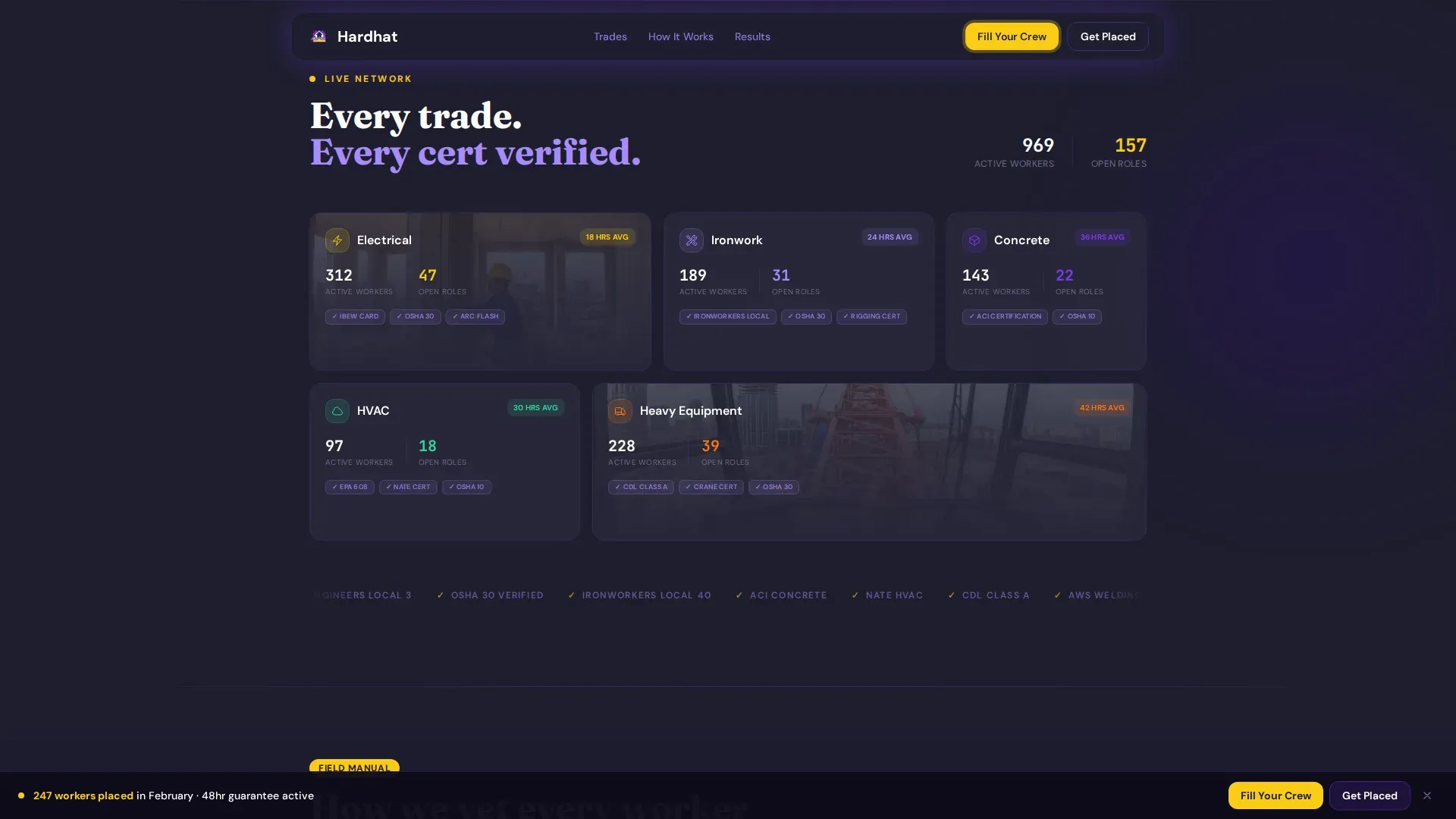
A modular grid section organizes placements by trade, Electrical, Iron, Concrete, HVAC, and Heavy Equipment. Each card shows live placement counts and average fill times, teaching visitors how the pipeline actually works before they decide to submit.
Vetting Process Sticky Scroll
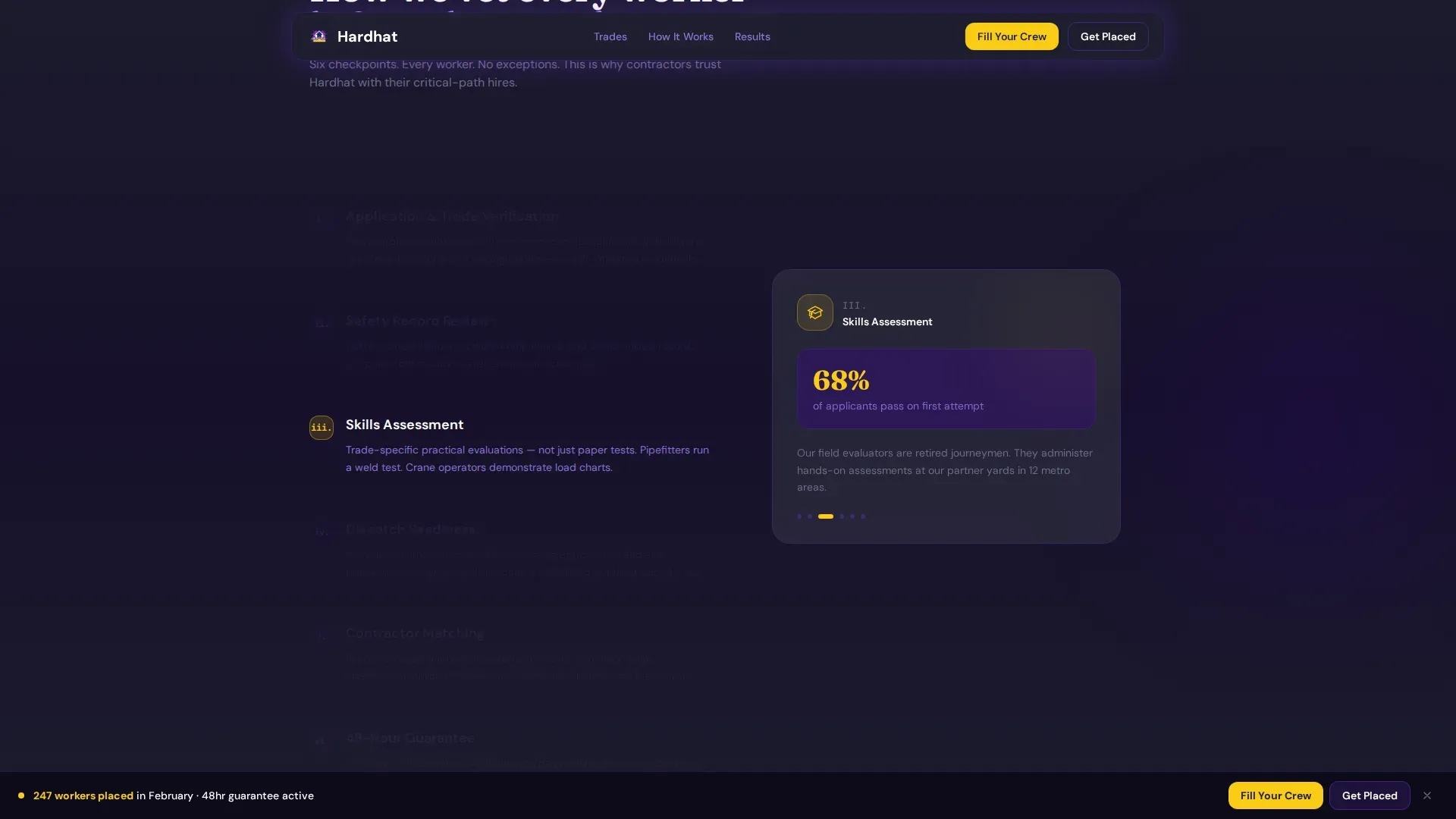
A sticky scroll section walks through the certification verification process using a sequence of process cards. It explains exactly how tradespeople are vetted, what credentials are confirmed, and how the 48-hour placement guarantee is structured, giving both contractors and workers confidence in the system.
Live Social Proof Counter
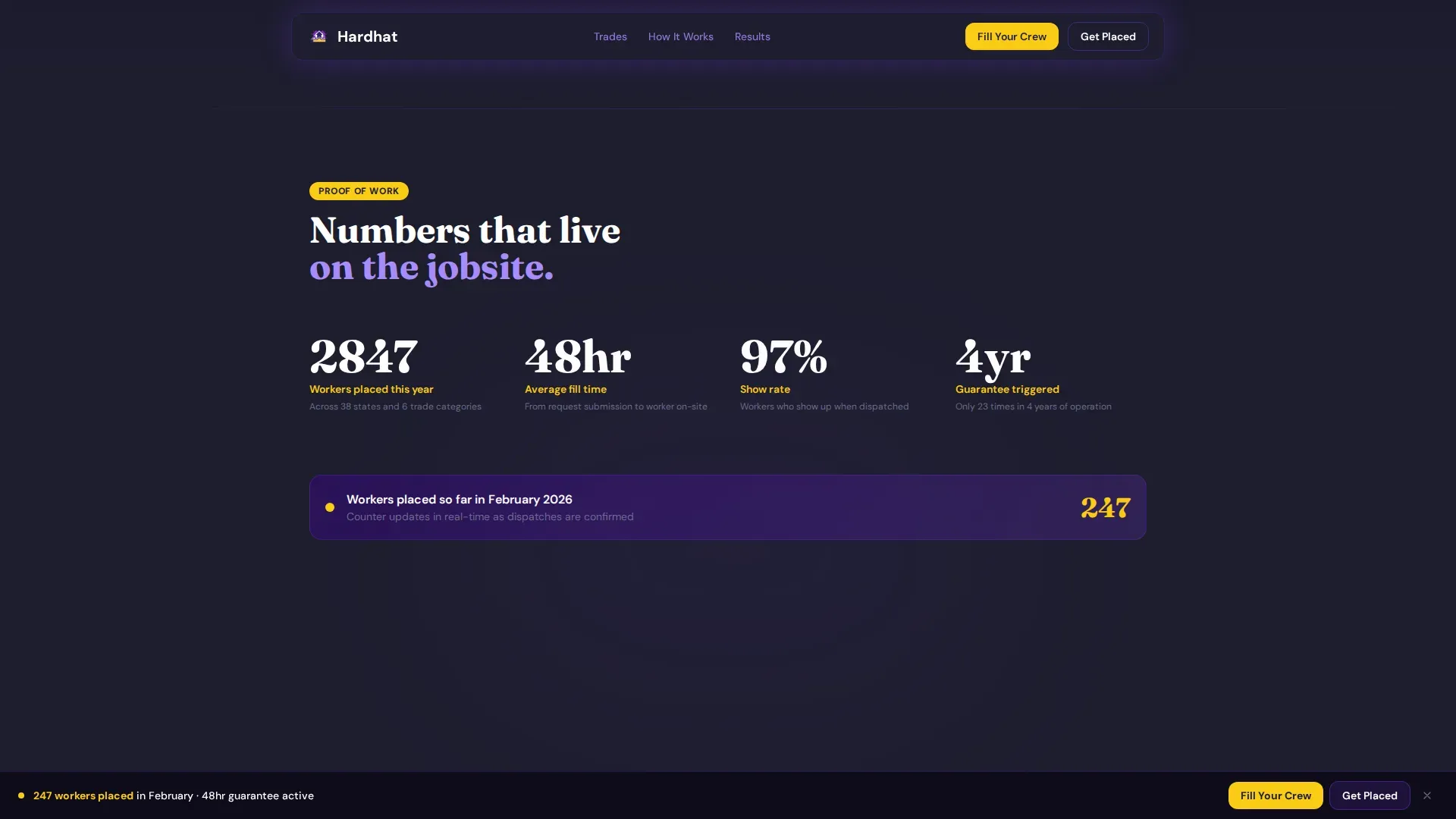
A results section combines a live counter of workers placed this month with a mosaic of named testimonial cards that include each worker's trade and placement timeline. This section converts skepticism into momentum right before the call-to-action forms appear.
GSAP Scroll Animations
The template is built with high-interactivity animation via GSAP ScrollTrigger. Sections use parallax floating cards, counter animations, scroll-linked opacity changes, and hover states on trade category cards, creating a page that feels active and alive on every device.
Page sections overview
| Section | Purpose |
|---|---|
| Hero Testimonial Card | Opens with a real placement story and a parallax card network to show depth of reach |
| Trade Category Grid | Bento grid showing active disciplines, live placement counts, and average fill times |
| Vetting Process Scroll | Sticky scroll cards explaining certification checks and the 48-hour placement guarantee |
| Results and Social Proof | Live worker counter and testimonial mosaic building credibility before the call to action |
| Dual call to action Forms | Persistent bottom-bar slide-up forms for contractors and tradespeople |
| Footer | Linear single-row footer with essential links and contact information |
Design & branding system
The visual system is built on an Electric Indigo color palette that feels like a safety vest caught under UV light. It carries the authority of a general contractor's office and the energy needed to stop a thumb mid-scroll on a job-site phone.
- Color palette: deep site-plan indigo (#3D0099) as primary, live-wire violet (#7C3AED) for card shadows and accents, hard-hat high-vis yellow (#FACC15) for call-to-action badges, and blueprint-white (#F5F3FF) for card surfaces with rebar-shadow charcoal (#1E1E2E) for body text
- Typography: DM Sans for body text and interface elements, Fraunces as the display serif for headlines, combining industrial readability with editorial weight
- Visual style follows an Educational Guide theme, treating each section as a card in a field manual that teaches the process while pulling visitors toward the form
Mobile & speed optimization
Project managers check phones on active jobsites. Tradespeople browse in trucks between shifts. This template is built mobile-first to serve both groups without asking them to pinch, squint, or hunt for a button.
- Mobile-first layout with the modular card grid reordering cleanly for smaller screens
- Server Components power static sections for fast initial load, while Client Components handle animations and interactive forms separately
- Persistent bottom-bar call-to-action forms stay visible and accessible on all screen sizes without obstructing content
How this template helps you convert
The page is structured so that every scroll builds trust before it asks for anything. By the time a project manager or a tradesperson reaches a form, the only question left is how many people they need, or when they can start.
- Proof comes first: placement speed stats, a named testimonial in the hero, a live counter, and a testimonial mosaic all appear before either conversion form is seen in full, so visitors arrive at the form already convinced.
- Two audiences, two clear paths: the contractor form and the worker form are always accessible via the persistent bottom bar, so neither audience has to search for their entry point or wade through copy written for the other group.
Other information about this template
This template is designed for agencies operating in the US construction industry and uses English copy, USD references, and standard US date formatting throughout. The template style is Card Grid (Modular), and the creative direction follows a Network Effect concept, each section expands outward from a single placement story to reveal the full scale of the workforce network.
- Template style: Card Grid (Modular) with an Educational Guide theme
- The Network Effect creative direction makes the agency's pipeline tangible by showing connected nodes of active jobsites and available tradespeople
- Animation level is high: GSAP ScrollTrigger drives parallax floating cards, counter animations, sticky scroll sections, and scroll-linked opacity across the page
- The lp_direction is Recruitment and Hiring, covering both a business-to-business funnel for contractors and a direct-to-worker funnel for tradespeople
- Intersection context: HR and Hiring category, Construction HR subcategory, Construction Recruiting Agency niche
Theme
Educational Guide
Creative direction
Network Effect
Color system
Electric Indigo
Style
Card Grid (Modular)
Direction
Recruitment/Hiring
Page Sections
Dual Slide-up Conversion Forms
Hero Oversized Testimonial Card
Trade Category Bento Grid
Certification Vetting Sticky Scroll
Live Placement Counter and Testimonial Mosaic
GSAP Scroll-triggered Animations
Related questions
Who are the two audiences this landing page is built for?
What does the 48-hour placement guarantee section cover?
Can I update the trade category cards with my agency's real placement data?
Is this template suitable for a specialty subcontractor or union hall, not just a full agency?
What animation and interactivity does this template include?



