App Development Agency Landing Page Template
Launchpad is a scroll-reveal landing page template built for mobile app development agencies. It combines an interactive smartphone mockup header, progressive scroll animations that mirror the app-build process, and a download-first conversion strategy. The result is a page that feels as polished as the apps your agency ships, with every section designed to build trust and drive action.
by Rocket studio
Quick summary
Launchpad is a single-page template engineered for app development agencies that want their website to feel like the product they build. The page opens with a floating smartphone mockup visitors can actually tap through, then guides them down a scroll-triggered journey that mirrors a real development cycle, from wireframe to App Store listing.
Who this template is for
This template is built for agencies and studios that engineer mobile applications end to end. It speaks directly to the teams whose clients arrive with ideas and leave with shipped products.
- App development agencies pitching startup founders, enterprise product managers, and SaaS companies moving to mobile
- Studios that want a portfolio showcase visitors can experience on their own device before booking a call
- Mobile-first teams that need a landing page as responsive and considered as the apps they produce
What problem this template solves
Most agency landing pages describe their process in static text. Visitors read a list of services, skim a logo wall, and leave without ever feeling the quality of the work. Launchpad closes that gap.
- The page itself behaves like an app, making the agency's craft impossible to ignore rather than easy to scroll past
- Startup founders and enterprise buyers need fast proof of quality, and a tappable prototype header delivers that before a single word is read
- The download-first conversion path lets prospects hold the agency's work in their hand before filling out any form
What you get with this template
You get a fully structured scroll-reveal landing page where each viewport section is triggered by the visitor's own scrolling, turning passive reading into active exploration. Every major conversion element is included and ready to customize.
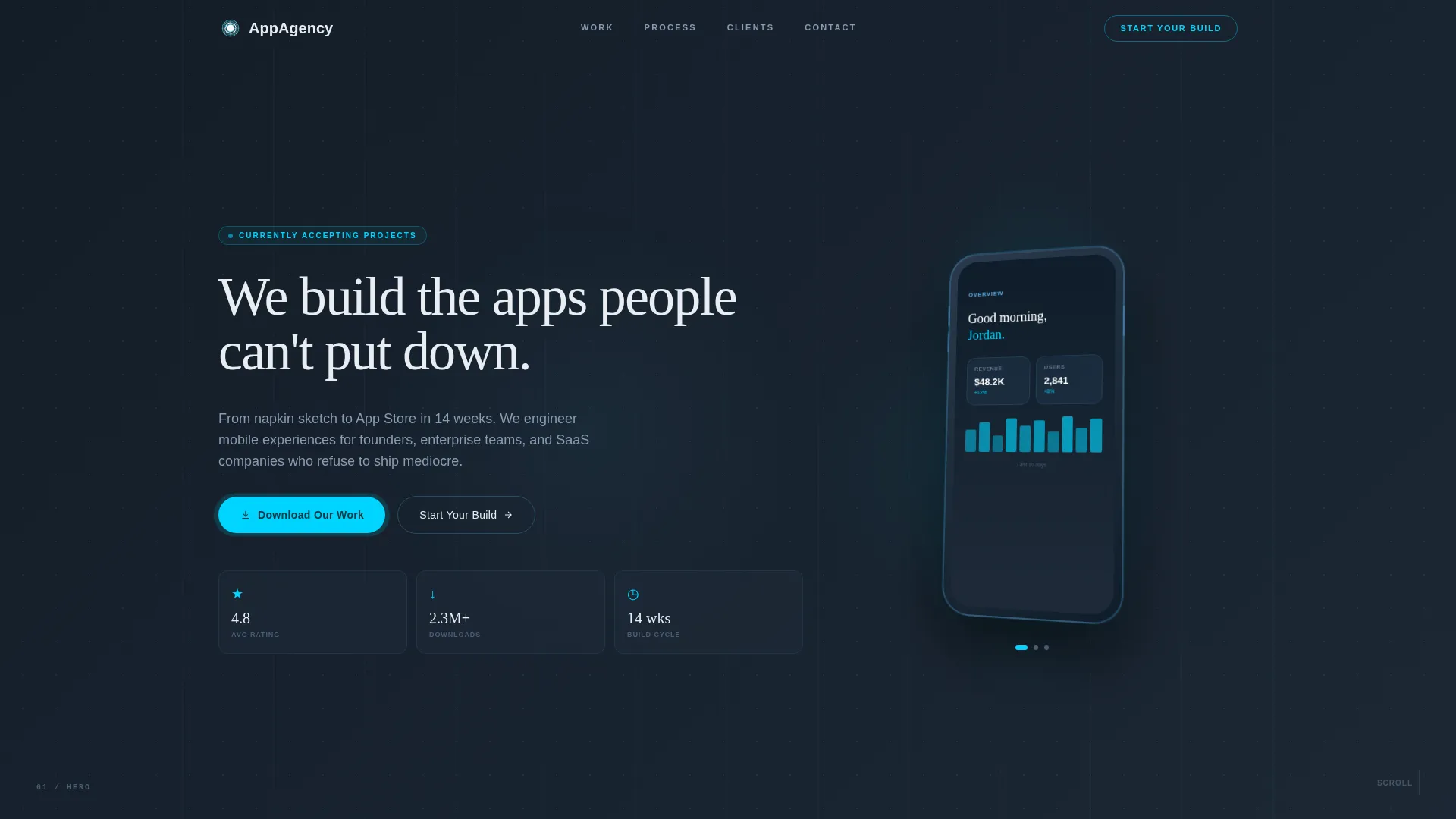
- Interactive smartphone mockup in the header, rendered in three-quarter perspective with swipeable screens and micro-animations
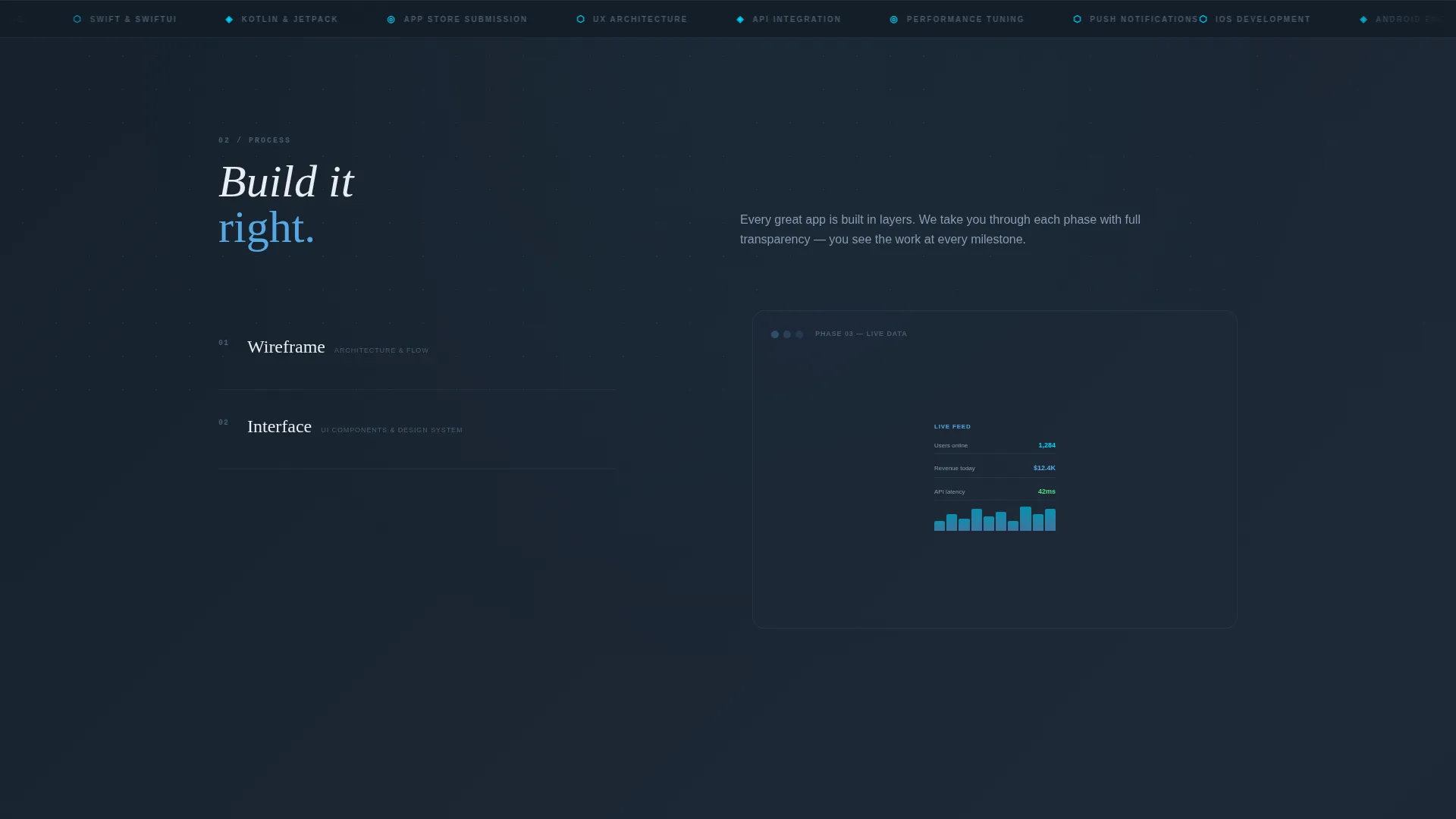
- Scroll-triggered build sequence showing wireframe assembly, component fill, live data population, and final App Store listing drop
- Dual conversion path with "Download Our Work" App Store and Google Play badges alongside a three-field "Start Your Build" intake form
Feature list
This section details the core capabilities built into the Launchpad template based on the design brief.
Tappable Smartphone Header Mockup
The header centers a floating smartphone rendered in three-quarter perspective. Visitors can swipe between screens and trigger micro-animations directly in the mockup. The phone hovers against a deep graphite background with a subtle parallax drift, giving the page an immediate sense of depth and interactivity.
Scroll-Triggered Development Journey
Each scroll tick reveals a new phase of the app-build process across full-viewport sections. The sequence moves from wireframe skeleton assembly to user interface component fill, live data population, and finally a device frame shrinking into an App Store listing. Visitors feel like they are building the app as they move down the page.
Animated Portfolio Metrics
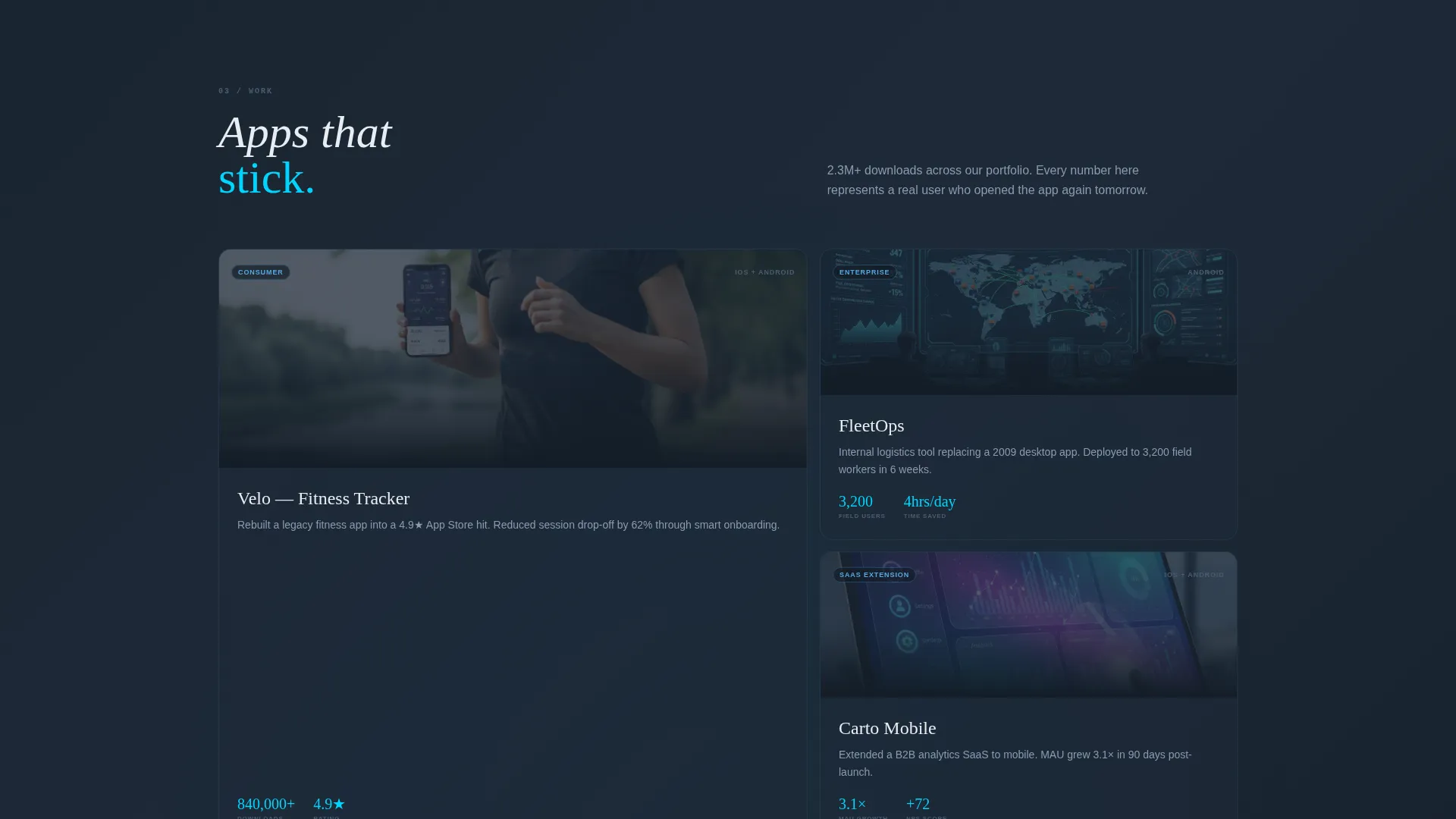
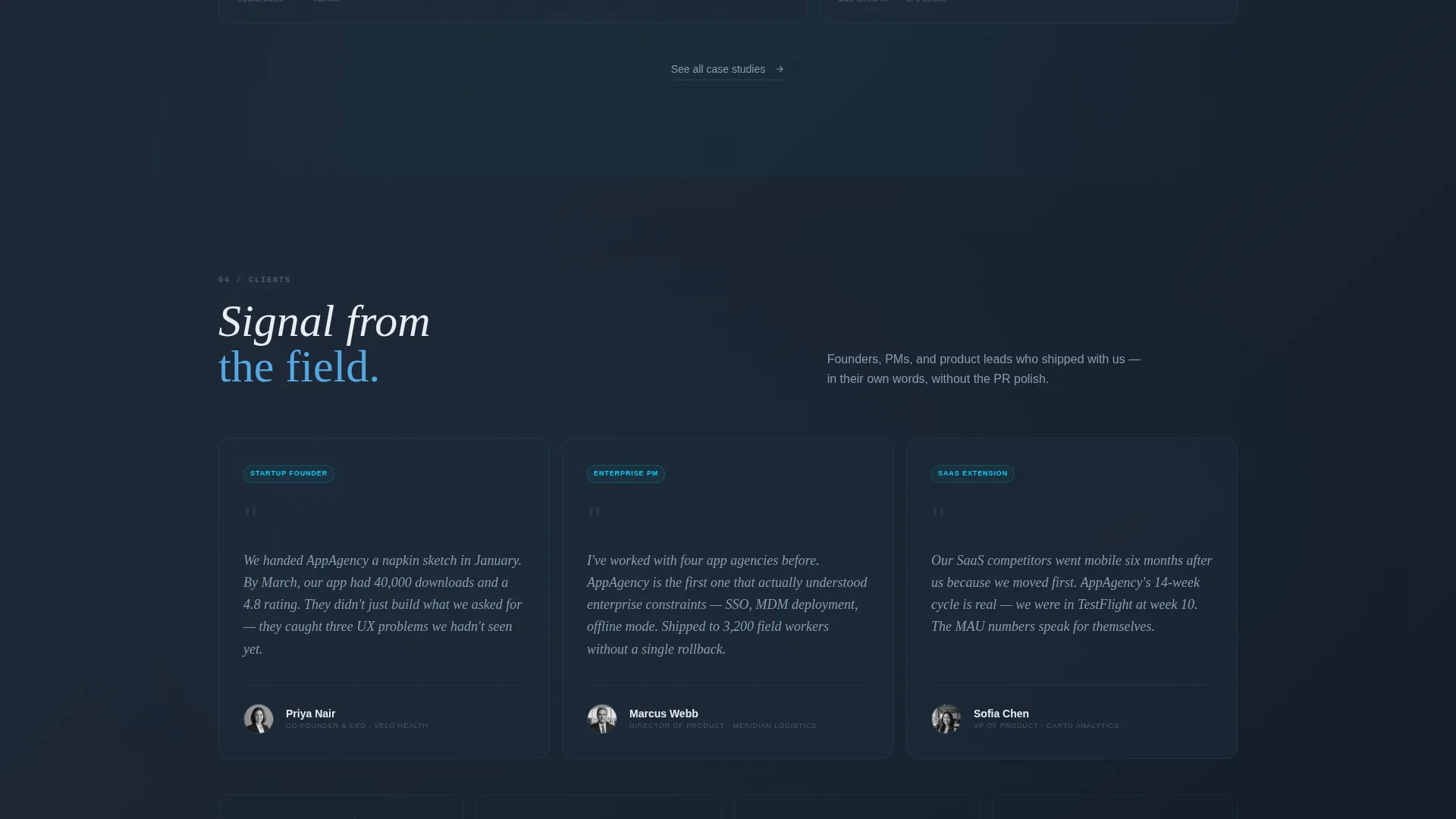
Key performance figures animate into view as each section enters the viewport. Numbers count up on entry, displaying stats such as average app store rating, total portfolio downloads, and typical build cycle length. This turns proof points into a live performance rather than a static claim.
Typewriter Headline Animation
The primary headline, "We build the apps people can't put down," types itself character by character on page load beside the smartphone mockup. The effect reinforces the idea that everything on this page is in motion and intentional, matching the energy of a product launch.
Download-First Conversion Path
The primary call to action is "Download Our Work," paired with App Store and Google Play badges linking to the agency's own showcase app. This lets prospects experience the agency's quality firsthand before reaching the secondary "Start Your Build" intake form.
Three-Field Project Intake Form
The secondary conversion path is a lightweight intake form with exactly three fields: project type (consumer, enterprise, or SaaS extension), target platform (iOS, Android, or both), and preferred launch timeline. The low friction entry keeps the path to a conversation short and specific.
Page sections overview
| Section | Purpose |
|---|---|
| Interactive Header | Floating phone mockup with swipeable prototype and typewriter headline |
| Wireframe Assembly | Scroll-triggered skeleton that visually begins the build sequence |
| Component Fill Phase | user interface components populate the wireframe as the visitor scrolls |
| Live Data Population | Real-time data appears inside the assembled interface on scroll |
| App Store Drop | Device frame shrinks into a finished App Store listing view |
| Animated Metrics Bar | Portfolio stats count up as each figure enters the viewport |
| Download call to action Section | App Store and Google Play badges with "Download Our Work" prompt |
| Project Intake Form | Three-field "Start Your Build" form for qualified lead capture |
Design & branding system
The visual identity follows a Data Command theme. The palette is built around deep instrumentation tones that make every illuminated element feel purposeful, like a cockpit display at cruising altitude.
- Four-color Slate and Sky system: deep graphite slate (#1E2A38), command gray (#3B4D61), open sky blue (#56A8E2), and signal cyan (#00D4FF) reserved for interactive hotspots and call-to-action pulses
- Dark background panels create strong contrast for glowing interface elements, ensuring the animated metrics and the phone mockup screen always read clearly
- Signal cyan is used sparingly and intentionally, appearing only on tappable elements and primary calls to action so every glow carries meaning
Mobile & speed optimization
The template is built with a mobile-first mindset that matches the audience it serves. An agency pitching mobile applications cannot afford a page that breaks on a phone.
- Scroll-reveal animations are designed to perform within the constraints of a single-page progressive layout, with each full-viewport section loading as it enters view
- The smartphone mockup and parallax elements are crafted to remain legible and interactive on smaller screens, preserving the tappable header experience across device sizes
- The three-field intake form is touch-friendly by design, keeping input fields large enough for comfortable mobile completion
How this template helps you convert
Launchpad stacks two conversion paths instead of relying on a single contact form, giving visitors a low-commitment first step and a direct project inquiry option side by side.
- The "Download Our Work" call to action lets prospects install the agency's showcase app and experience build quality in real time, creating trust before any sales conversation begins.
- The "Start Your Build" intake form captures qualified intent with just three fields, reducing the friction that causes visitors to abandon traditional long-form agency contact pages.
- Scroll-triggered animated metrics count up as visitors move through the page, reinforcing credibility at the exact moment a prospect is deciding whether to reach out.
Other information about this template
Launchpad is positioned within the Technology category under the Mobile App subcategory, making it a strong fit for any app development agency looking to stand out in a crowded market.
- The template style is Scroll Reveal (Progressive), meaning sections enter the viewport in sequence as the visitor scrolls, producing an experience closer to an app than a traditional web page
- The creative direction is Interactive Explorer, a concept where the page itself becomes the portfolio proof rather than just describing it
- The header concept is Interactive Preview, giving every visitor a hands-on product experience within seconds of arrival
- The landing page direction is App Download, prioritizing a direct showcase app install before any form submission
Theme
Data Command
Creative direction
Interactive Explorer
Color system
Slate & Sky
Style
Scroll Reveal (Progressive)
Direction
App Download
Page Sections
Tappable Smartphone Header Mockup
Scroll-triggered Build Sequence
Animated Portfolio Metrics
Typewriter Headline Effect
Download-first Conversion Path
Three-field Project Intake Form
Related questions
Can I replace the demo app in the smartphone mockup with my own portfolio content?
Is the scroll-triggered build sequence difficult to customize?
Who is the "Download Our Work" call to action designed for?
Can this template work for a focused single-service mobile studio?
Does the three-field intake form come pre-connected to any service?



