Retail Property Management Landing Page Template
Lease is a hub-and-spoke landing page template built for retail property management platforms. It opens with an interactive vacancy cost estimator, guides visitors through five platform pillars via a sticky anchor nav, and drives qualified traffic toward a demo booking page. The Dashboard Pro visual theme uses a Slate and Sky color system for a focused, instrument-panel feel.
by Rocket studio
Quick summary
Lease is a single-page, anchor-nav template designed for retail property management software. It greets visitors with a live vacancy cost calculator, then walks them through five product pillars in alternating dark and light section bands. Every section mirrors the real product experience. The page closes with a persistent mobile call-to-action bar pushing visitors to a guided product demo.
Who this template is for
This template is built for teams selling or showcasing retail property management platforms. It speaks directly to the people who live inside these tools every day.
- Regional property managers overseeing multiple tenants across several retail properties
- Asset managers reporting net operating income to institutional owners
- Leasing directors who need a clear, real-time view of their vacancy pipeline
What problem this template solves
Retail landlords lose significant revenue every month a storefront sits empty. The challenge is showing decision-makers exactly how much that costs before they scroll past your platform.
- Visitors arrive skeptical and need a concrete financial reason to engage
- Feature-heavy platforms are hard to communicate on a single page without losing the reader
- Teams managing strip malls, lifestyle centers, and mixed-use ground floors need a page that speaks their language immediately
What you get with this template
You get a structured, conversion-focused landing page that combines an interactive financial tool with a disciplined feature walkthrough. Everything is pre-wired to move a qualified visitor toward a demo.
- An interactive vacancy cost estimator in the header with pre-filled realistic defaults
- Five anchor-nav spokes covering Lease Administration, Tenant Communication, Maintenance Tracking, Financial Reporting, and Vacancy Marketing
- A primary call-to-action repeated at three high-intent moments and a secondary lead-capture path beneath each
Feature list
This template is built around five distinct structural decisions, each serving a specific conversion purpose.
Interactive Vacancy Cost Estimator
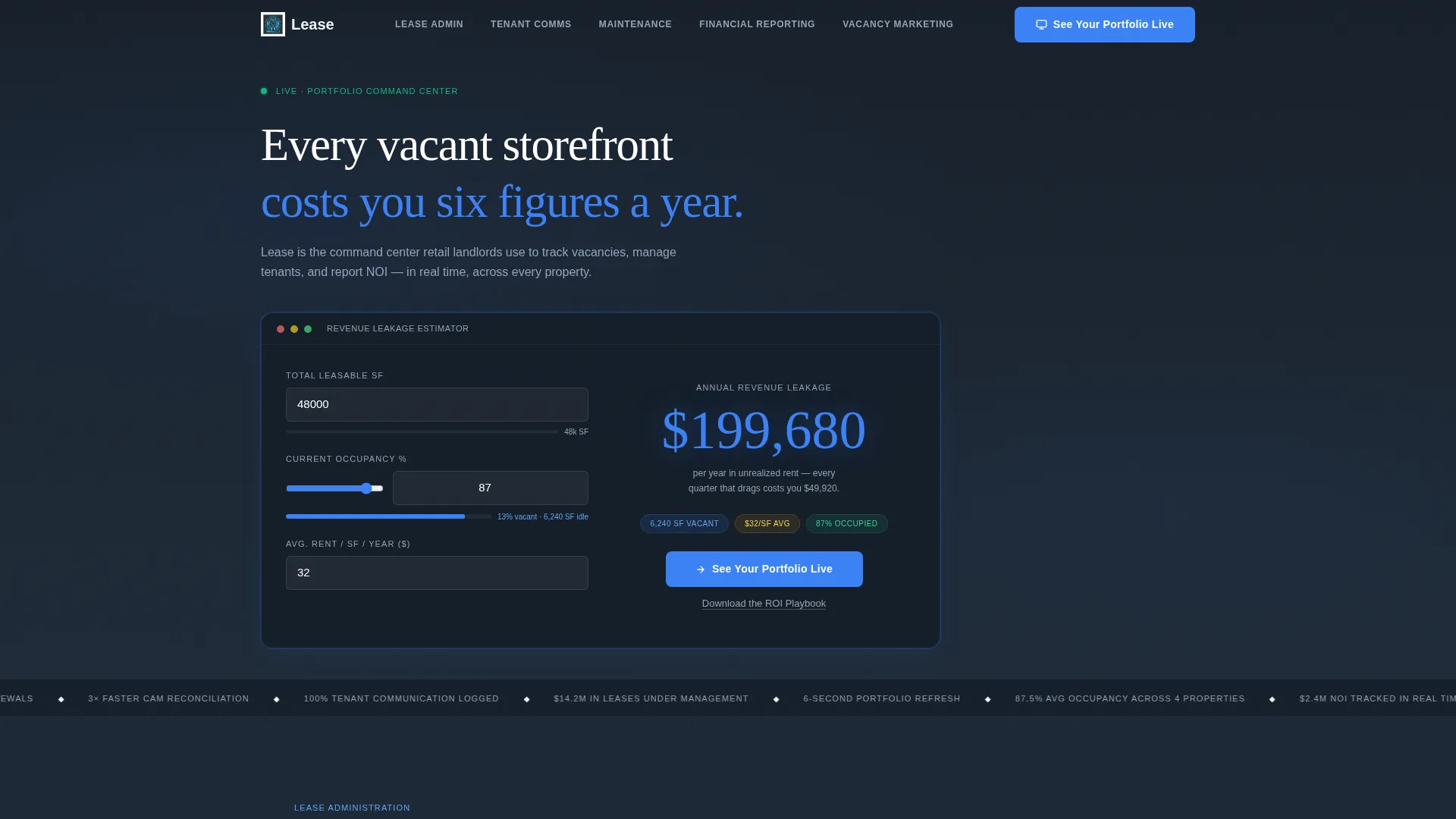
The header section includes a calculator where visitors enter total leasable square footage, current occupancy percentage, and average rent per square foot. The tool outputs annual revenue leakage in bold sky-blue type against the slate background. Pre-filled defaults of 48,000 square feet, 87 percent occupancy, and 32 dollars per square foot mean the tool tells a compelling story before anyone touches a field.
Sticky Anchor Navigation
A navigation bar pins to the top of the page as the visitor scrolls. Each nav item maps to one platform pillar and smooth-scrolls to its dedicated section. This keeps the visitor oriented across a long page and makes it easy to jump between topics without losing context.
Feature Matrix Section Layout
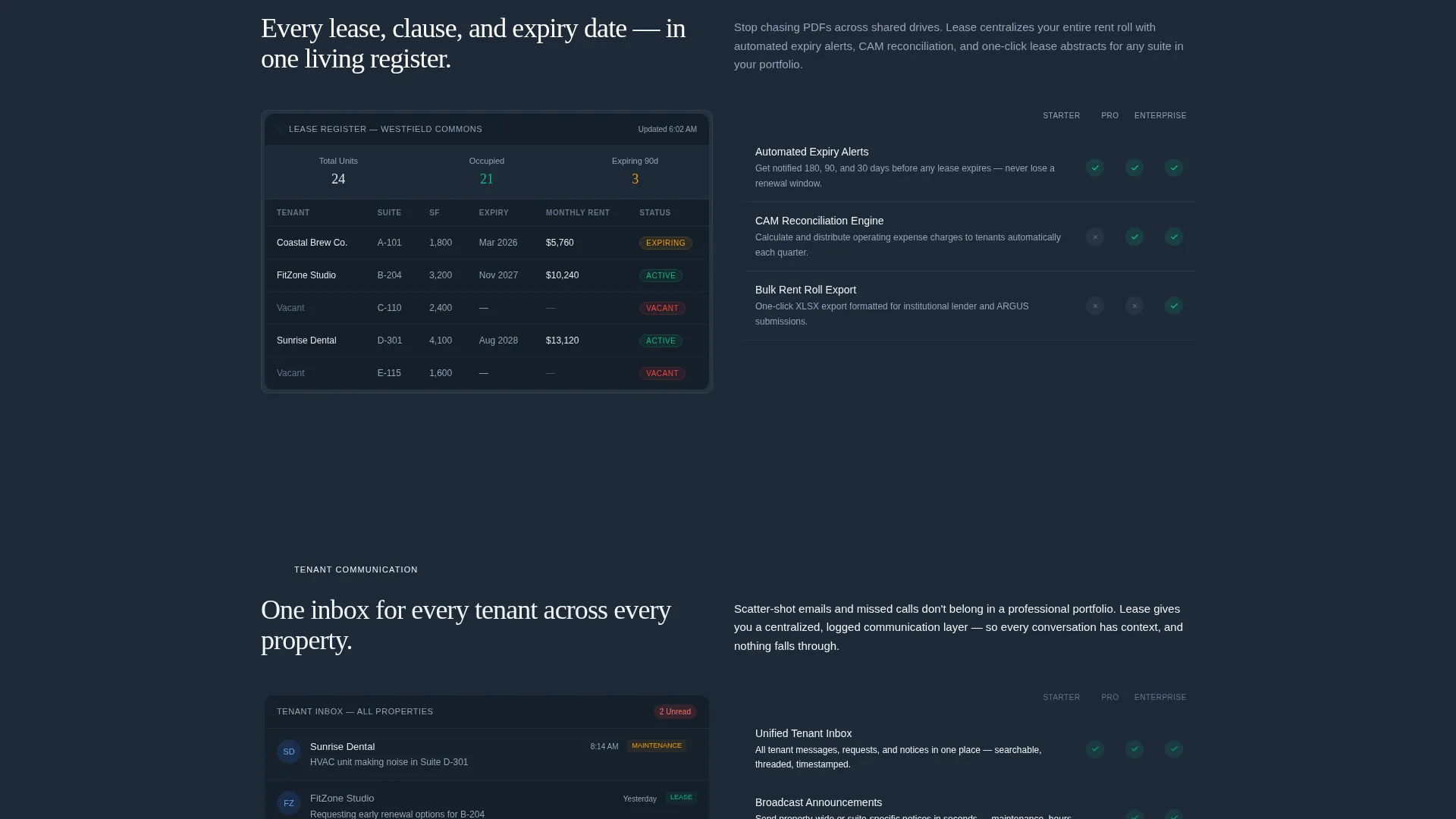
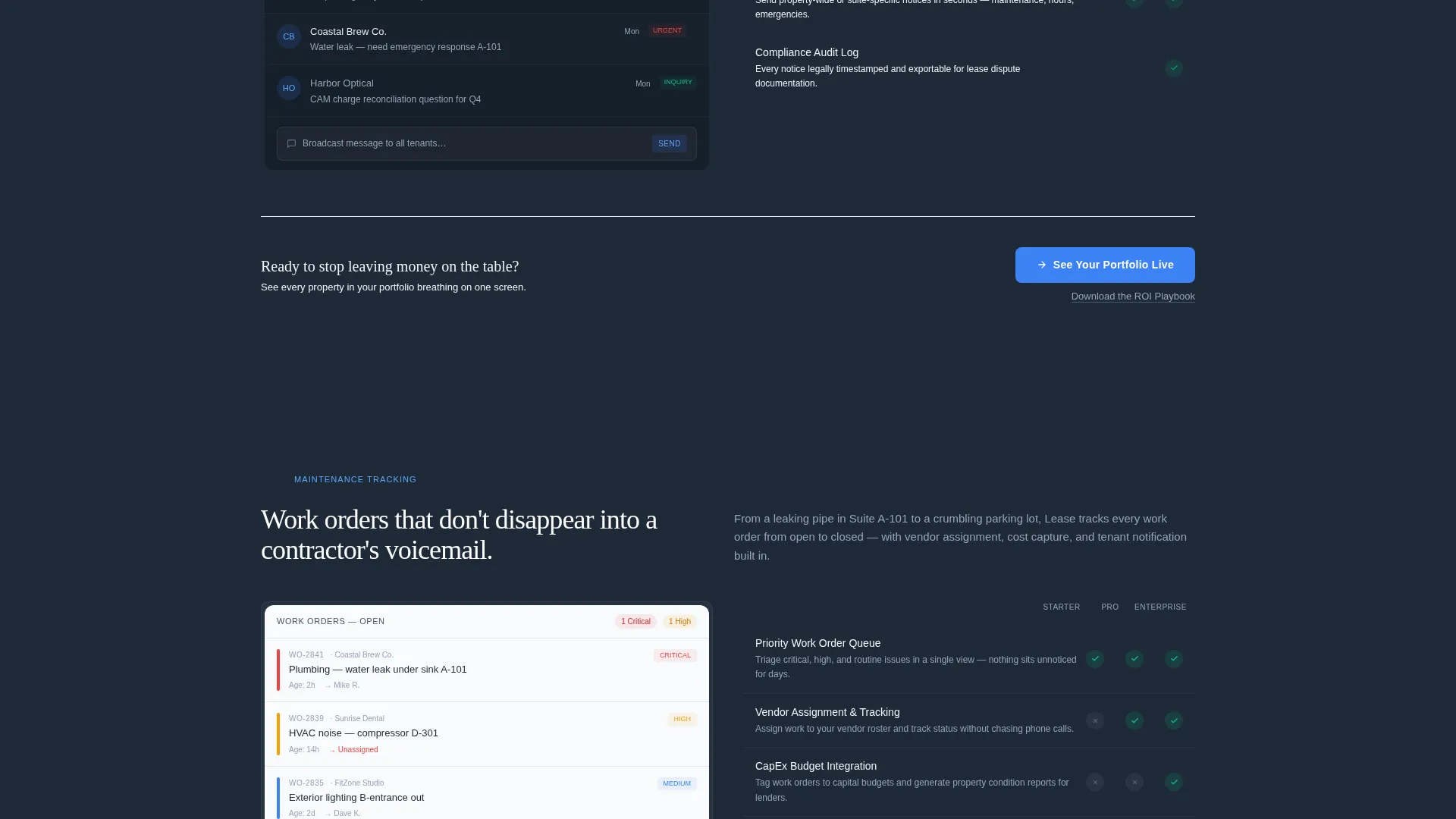
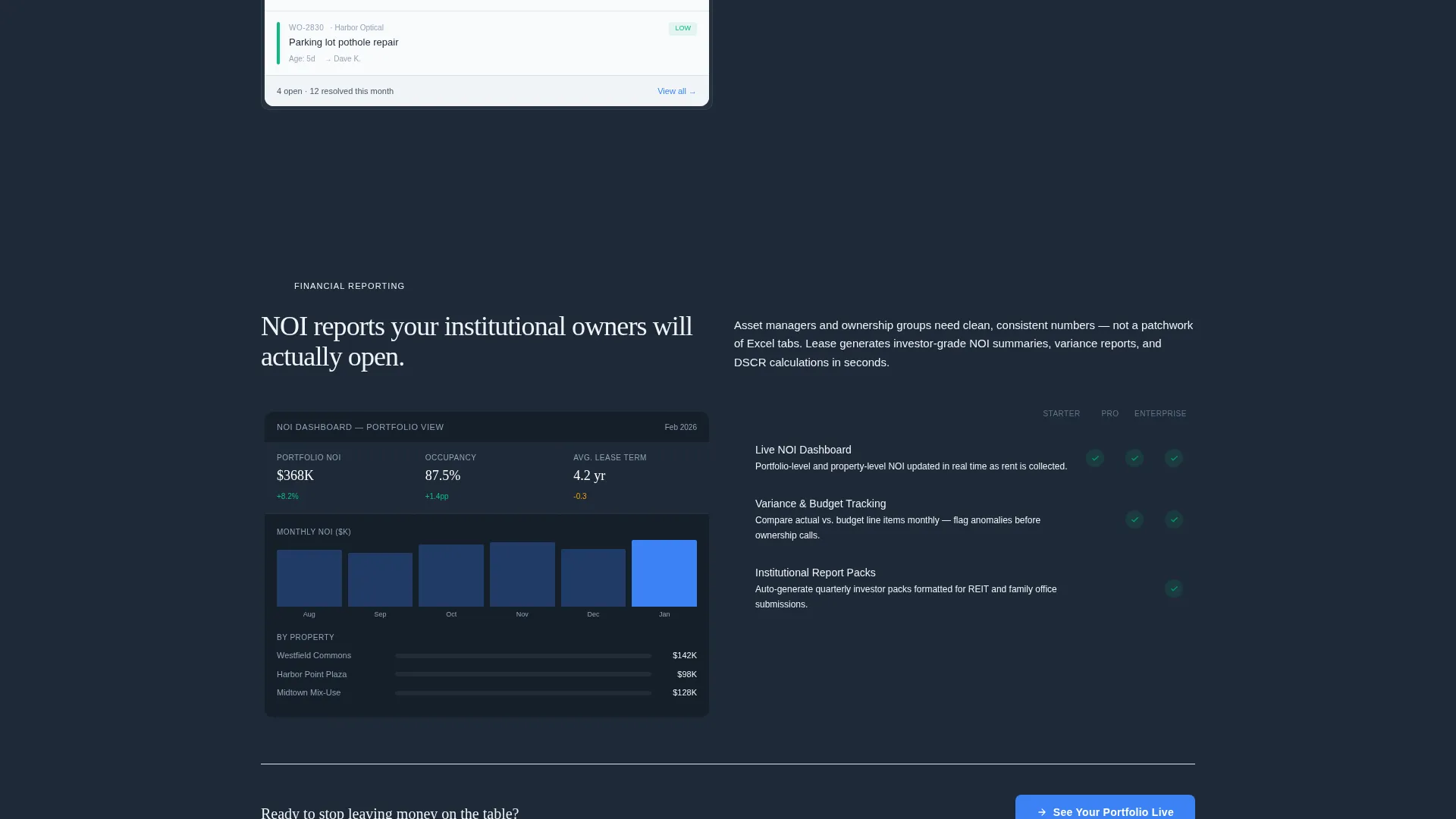
Each of the five spoke sections is built as a mini-dashboard screenshot paired with three capability rows. Every row shows a feature name, a one-line outcome statement, and a checkmark grid across plan tiers. This format lets buyers compare platform tiers without leaving the page.
Alternating Section Bands
Sections alternate between charcoal slate and pale cirrus backgrounds. This visual rhythm prevents eye fatigue on a long scrolling page and keeps each platform pillar visually distinct from the next.
Dual Conversion Path Design
The primary call-to-action button reads "See Your Portfolio Live" and appears three times: at the estimator output, after the third spoke section, and in a fixed bottom bar on mobile. A secondary text link offering a downloadable return-on-investment playbook sits beneath each primary button to capture visitors who are not yet ready to book a demo.
Page sections overview
| Section | Purpose |
|---|---|
| Header Estimator | Calculates annual vacancy cost to create immediate financial urgency |
| Anchor Navigation Bar | Pins to top and links to each of the five platform pillar sections |
| Lease Administration | Showcases lease tracking features with dashboard screenshot and capability rows |
| Tenant Communication | Highlights messaging and communication tools with tiered feature checkmarks |
| Maintenance Tracking | Presents work order and maintenance visibility features by plan tier |
| Financial Reporting | Displays net operating income and reporting tools with outcome statements |
| Vacancy Marketing | Covers storefront marketing tools and pipeline visibility features |
| Mid-Page call to action | Repeats primary demo button after the third spoke to catch engaged scrollers |
| Mobile Bottom Bar | Fixed call-to-action bar visible on mobile for persistent demo access |
| Secondary Lead Path | Text link below each call to action offering the downloadable return-on-investment playbook |
Design & branding system
The template uses a Dashboard Pro theme built on a Slate and Sky color system. Every color choice is intentional, creating a cockpit-at-cruising-altitude feel that signals precision and calm authority.
- Charcoal slate (#1E2A38) for primary backgrounds, mid-gray steel (#4A5568) for card surfaces, and open-sky blue (#3B82F6) for active states and data highlights
- Pale cirrus (#F0F4F8) for content wells in alternating light sections, keeping the page readable without breaking the dark instrument-panel aesthetic
Mobile & speed optimization
The template is structured with mobile retail property buyers in mind. Key interactive and navigation elements adapt to smaller screens without losing usability.
- The sticky anchor nav remains accessible on mobile, letting users jump between platform pillars on a phone screen
- The fixed bottom bar on mobile keeps the primary call-to-action visible at all times without interrupting the reading experience
How this template helps you convert
The page is engineered as a click-through funnel. Every structural decision pushes a qualified visitor toward booking a product demo.
- The vacancy cost estimator in the header produces a personalized revenue loss number before the visitor scrolls, making the first call-to-action feel earned rather than forced
- The feature matrix layout lets buyers self-qualify by plan tier as they scroll through each spoke, so they arrive at the demo button already informed
- Three placements of the primary call-to-action and a secondary lead-capture path at each placement mean the page catches visitors at multiple levels of readiness
Other information about this template
This template is categorized under Technology and Retail Software, targeting the retail property management niche. It is a strong fit for any team building a marketing presence around a platform that serves landlords managing commercial retail portfolios.
- The page style is Hub and Spoke with Anchor Navigation, a format well suited to platforms with multiple distinct feature pillars
- The no-form design philosophy on the landing page keeps friction low; qualification happens on the linked demo scheduling page, not here
- The return-on-investment playbook secondary offer is framed as a retail asset management benchmarking resource, giving the text link a clear value proposition for visitors at an earlier buying stage
Theme
Dashboard Pro
Creative direction
Feature Matrix
Color system
Slate & Sky
Style
Hub & Spoke (Anchor Nav)
Direction
Click-Through
Page Sections
Vacancy Cost Estimator Header
Pinned Anchor Navigation
Feature Matrix Spoke Sections
Alternating Slate and Cirrus Bands
Three-point Call to Action Placement
Secondary Lead Capture Path
Related questions
What type of platform is this template designed for?
Does the vacancy cost estimator require custom development to work?
How does the anchor navigation work across the page?
Is there a lead capture form on this landing page?
Can the feature matrix sections be updated for different platform pillars?



