Financial Services Software & SaaS Pricing Website Template
Ledger is a financial services billing automation landing page template built for firms that need to replace manual billing cycles with a clean, automated pipeline. It showcases fee calculation, invoice generation, and payment tracking through an interactive tab switcher, stats-first metric cards, and a progressive three-step ROI lead capture form.
by Rocket studio
Quick summary
Ledger is a modular card grid landing page template for a financial services billing automation platform. It leads with a Feature Tab Switcher hero, drives trust through oversized performance metrics, and converts visitors through a three-step ROI calculator form and a gated benchmark report download. The design follows a dark Data Command aesthetic with a command-center teal accent system.
Who this template is for
This template is built for financial services technology companies that sell billing automation software to firms managing complex, high-volume invoicing workflows. It speaks directly to the operators who live inside those billing cycles every quarter.
- Registered Investment Advisers (RIAs) managing tiered advisory fees across hundreds of client households
- Broker-dealers reconciling trailing commissions and fund administrators stuck in manual billing cycles
- COOs and Finance Directors at wealth management firms evaluating automation platforms
What problem this template solves
Manual billing in financial services is slow, error-prone, and pulls skilled staff away from revenue work. This template helps a platform communicate, clearly and fast, that it eliminates those problems without requiring a visitor to read a white paper first.
- Billing cycles that take entire workdays to complete, with constant risk of missed fee calculations or compliance errors
- No clear way to show buyers the ROI of switching from legacy or manual processes before they book a demo
- Prospective clients who need proof, not promises, before they will engage a new billing software vendor
What you get with this template
You get a complete, single-page landing page template structured around evidence and conversion. Every section is designed to move a skeptical financial professional from awareness to action.
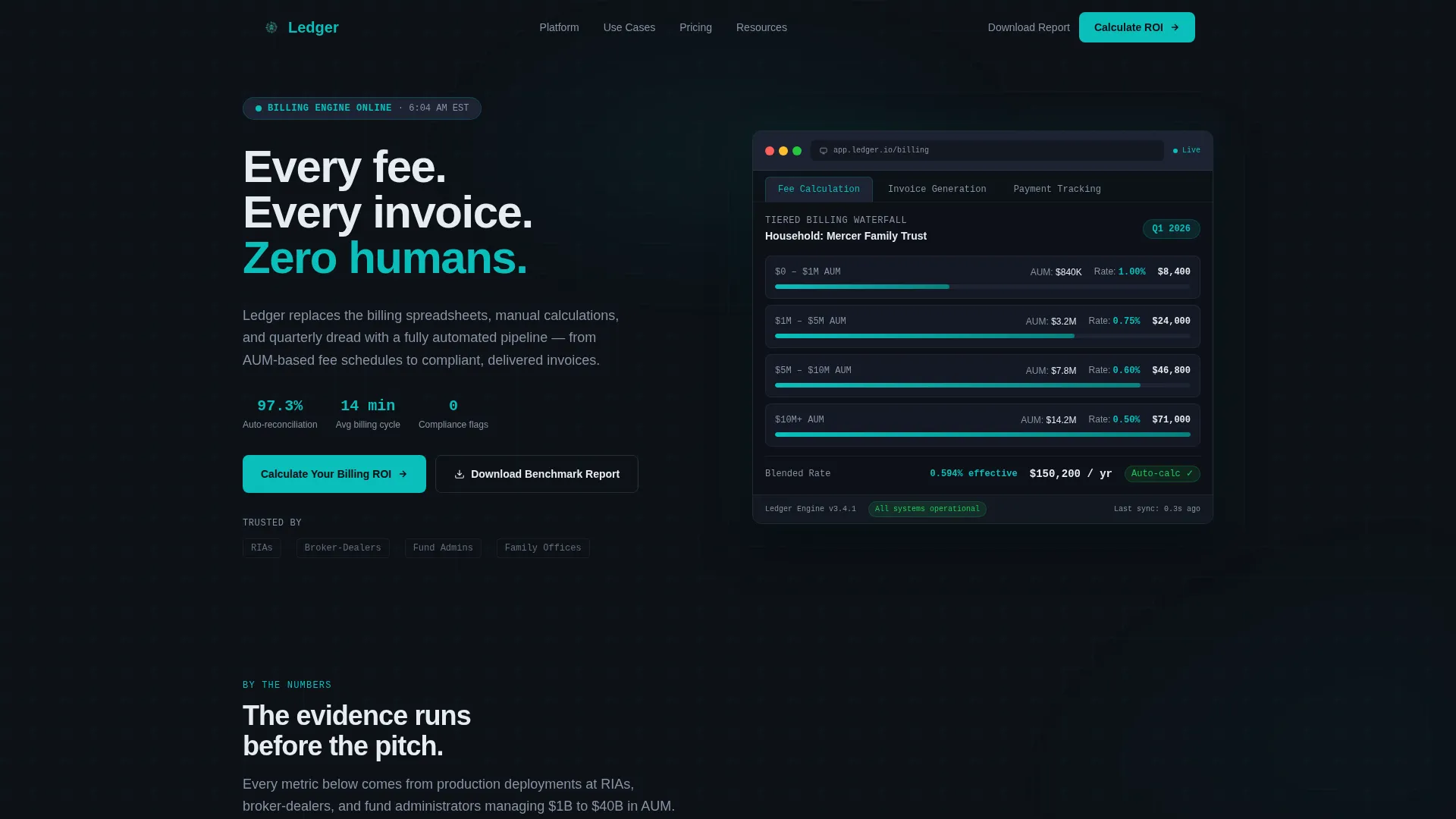
- A Feature Tab Switcher hero showing Fee Calculation, Invoice Generation, and Payment Tracking product views inside a styled browser frame
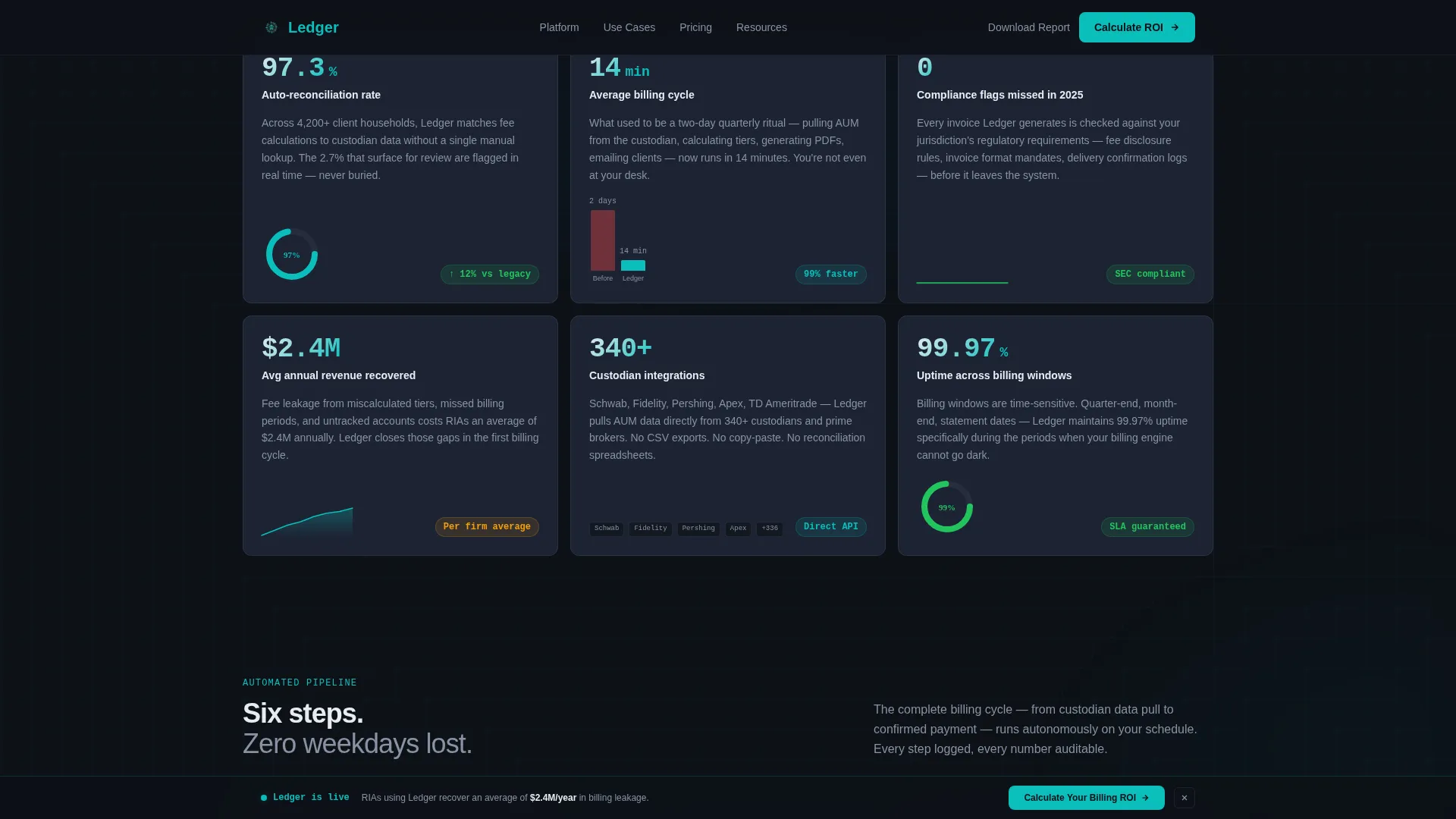
- A Stats-First modular card grid with oversized metrics, explanatory paragraphs, and supporting micro-visualizations such as spark lines, donut charts, and before/after time comparisons
- A progressive three-step lead capture form with firm-type segmentation, plus a secondary email-gated PDF download for the benchmark report
Feature list
This template is built around purpose-specific components that reflect how financial professionals evaluate new software.
Interactive Feature Tab Switcher
Three clickable tabs in the hero section each reveal a distinct product screenshot inside a styled browser frame. The Fee Calculation tab shows a tiered billing waterfall with AUM breakpoints and blended rates. Invoice Generation displays a branded PDF preview mid-render. Payment Tracking surfaces an aging report with green, amber, and red status pills. Tab transitions are instant, reinforcing the platform's speed promise.
Stats-First Metric Card Grid
Each modular card below the hero leads with a bold, oversized metric before any explanation. Examples include a 97.3% auto-reconciliation rate, a 14-minute average billing cycle, and zero missed compliance flags in 2024. Every card follows a number-hit, explanation, micro-visualization rhythm to build cumulative proof as the visitor scrolls.
Progressive Three-Step ROI Form
The primary conversion path is a three-step form that qualifies the lead while it captures them. Step one collects firm type and approximate assets under management. Step two asks about current billing method and number of client accounts. Step three collects contact details. This staged approach reduces friction and improves lead quality for the sales team.
Secondary Gated PDF Download
A secondary conversion path offers "The 2025 Billing Automation Benchmark Report" gated behind an email address only. This catches visitors who are not yet ready to engage sales but are willing to exchange contact information for relevant research, extending the reach of the lead capture strategy.
Sticky ROI Call-to-Action Bar
A "Calculate Your Billing ROI" sticky bar appears at the bottom of the viewport after the visitor scrolls past the third card. It stays visible as the user continues scrolling, providing a persistent conversion entry point without interrupting the content reading experience.
Asymmetric Bento Workflow Section
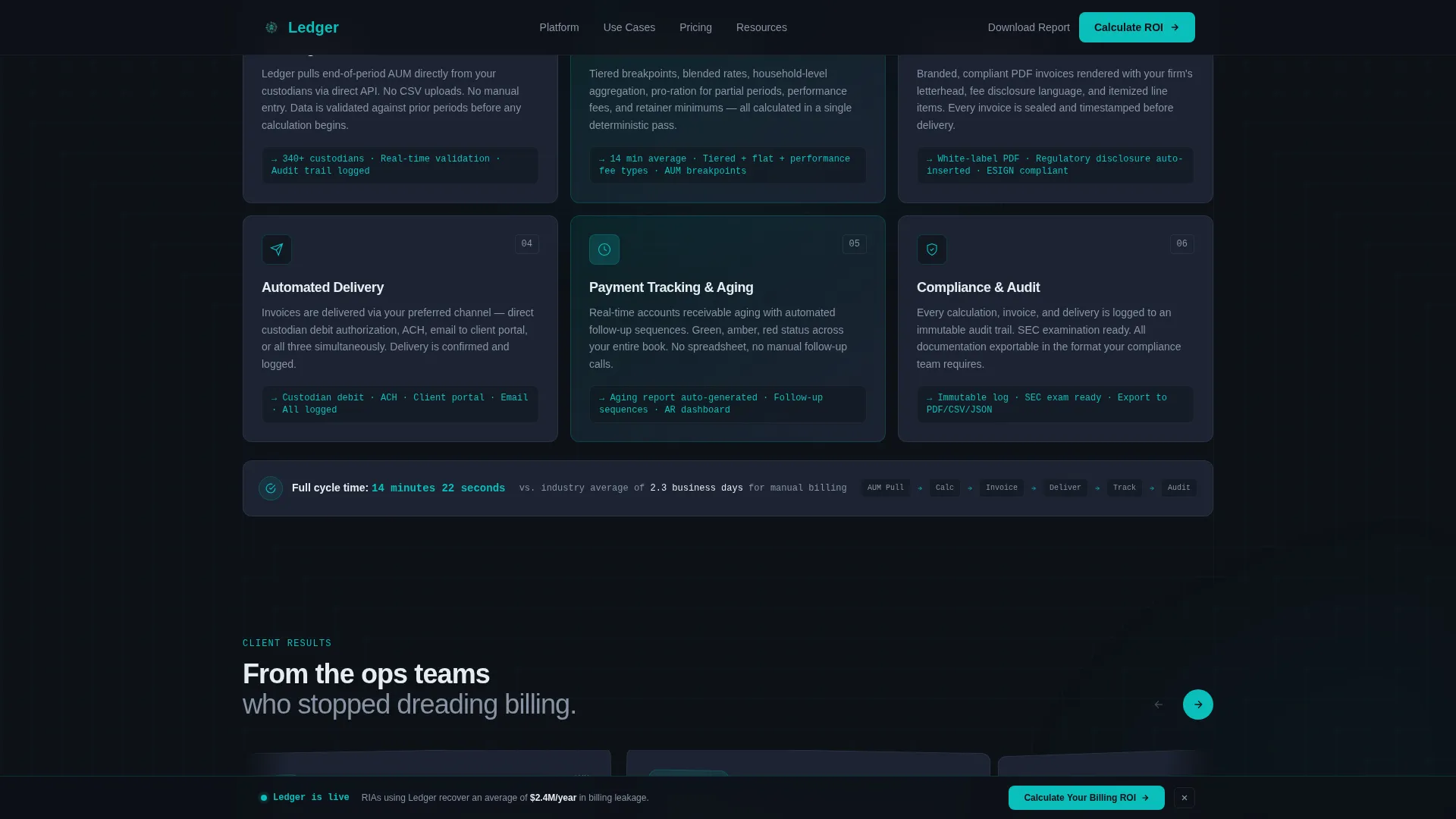
A workflow section uses an asymmetric bento grid layout to show how the automated billing pipeline replaces manual processes step by step. It visually maps the before-and-after state of the billing operation, reinforcing the platform's core value proposition with layout structure rather than additional copy.
Page sections overview
| Section | Purpose |
|---|---|
| Hero Tab Switcher | Showcase Fee Calculation, Invoice Generation, and Payment Tracking product views with instant tab transitions |
| Stats Metric Grid | Deliver oversized proof metrics with micro-visualizations to build trust through scrollable evidence |
| Workflow Bento Grid | Illustrate how automated billing replaces manual processes using an asymmetric layout |
| Testimonials Rail | Display horizontal-scroll quotes from RIAs and fund administrators to reinforce social proof |
| ROI Lead Form | Capture qualified leads through a progressive three-step form segmented by firm type and billing method |
| Benchmark PDF Gate | Offer a downloadable benchmark report gated by email for visitors not ready to request a demo |
| Footer Row | Provide a clean single-row footer with navigation and legal essentials |
Design & branding system
The visual identity follows a Data Command theme that feels like a Bloomberg terminal interface at market close. Every color choice and type decision reinforces precision, control, and automation.
- Color palette: deep operations black (#0D1117) for the base, command-center teal (#0ABFBC) for all interactive elements and accents, ledger-line gray (#1C2333) for card surfaces, and signal white (#E6ECF1) for body text and data labels
- Typography pairing: DM Sans for interface text and body copy, JetBrains Mono for metrics and data labels, creating a clear visual hierarchy between narrative and numerical content
- Teal accent behavior: hover states, toggle indicators, progress bars, and live metric counters all pulse in teal, mimicking a cursor blink on a data terminal to signal interactivity
Mobile & speed optimization
The template is built desktop-first to match the workstation context of its target audience, financial professionals who review new software at their desks during or after market hours. The layout still adapts for smaller viewports.
- Desktop-first layout priority with the tab switcher, bento grid, and metric cards optimized for large-screen dashboard viewing
- Server Components handle static sections for faster initial load, while Client Components manage the interactive tab switcher, scroll-triggered counters, and three-step form
- Animations include tab transitions, counter animations, sparkline draws, ping indicators, and shimmer hover effects, all structured to feel responsive rather than decorative
How this template helps you convert
The entire page structure is built around a single goal: getting a qualified financial services buyer to take an action before they leave. Conversion architecture is baked into the layout, not added as an afterthought.
- The hero tab switcher lets prospects self-qualify by exploring the exact feature category most relevant to their pain, fee calculation, invoicing, or payment tracking, before reading a single word of body copy
- The scrolling stats grid builds cumulative credibility through specific, verifiable metrics, so visitors arrive at the lead form already convinced rather than still evaluating
- The dual-path conversion system captures both high-intent leads through the ROI form and research-stage prospects through the gated PDF, ensuring no engaged visitor leaves without providing contact information
Other information about this template
This template is part of the broader Ledger product line designed specifically for financial services billing automation. A few additional details worth knowing before you build.
- The template uses a Card Grid (Modular) structure, making individual sections easy to reorder, remove, or duplicate without breaking the overall layout
- The footer follows a Linear Single-Row pattern, keeping the bottom of the page clean and uncluttered while preserving essential navigation and legal links
- All form fields in the three-step lead capture flow include an optional phone field in step three, supporting teams that want to enable direct outreach to warm leads
- The horizontal testimonials rail is designed to accommodate quotes from multiple firm types, including RIAs, broker-dealers, and fund administrators, reinforcing broad platform applicability
- The benchmark report download section functions as a fully independent secondary conversion unit and can be promoted separately from the main ROI form

Theme
Data Command
Creative direction
Stats-First Impact
Color system
Teal Catalyst
Style
Card Grid (Modular)
Direction
Lead Generation
Page Sections
Interactive Feature Tab Switcher Hero
Stats-first Modular Card Grid
Progressive Three-step Lead Form
Gated Benchmark Report Download
Persistent Sticky Call to Action Bar
Asymmetric Bento Workflow Section
Related questions
Who is this landing page template designed for?
Can I customize the metric values shown in the stats cards?
How does the three-step lead capture form work?
Is the benchmark report download section separate from the main ROI form?
What visual style does this template use?



