Education Billing & Invoicing Landing Page Template
Ledger is a scroll reveal landing page template built for education billing and invoicing platforms. It pairs a Data Command visual theme with a Spec Sheet creative cadence, guiding K-12 business managers, university controllers, and charter school finance leaders through batch invoicing, auto-reconciliation, and compliance mapping, all inside a dark teal, terminal-style layout designed to earn the free trial click.
by Rocket studio
Quick summary
Ledger is a single-page, scroll-reveal landing page template for education billing and invoicing software. It opens with a live API code snippet, steps through three animated capability reveals, and closes with a progressive signup form targeting a freemium conversion. The design feels like a network operations center, dark, focused, and precise.
Who this template is for
This template is built for SaaS founders and product teams launching education billing or invoicing platforms. If your audience works inside school finance, this layout speaks their language directly.
- K-12 business managers handling tuition cycles, Title I disbursements, and lunch fee collections
- University controllers reconciling financial aid splits at semester close
- Charter school chief financial officers preparing for quarterly compliance audits
What problem this template solves
Education finance teams deal with overlapping funding sources, manual reconciliation steps, and audit documentation that never quite lines up. A generic SaaS landing page fails to address those specifics. Ledger solves the credibility gap.
- It replaces vague marketing claims with processing specs, latency numbers, and reconciliation accuracy rates
- It guides skeptical business managers through real product behavior before they reach the signup form
- It removes friction from the trial conversion path by showing the product working, not just describing it
What you get with this template
You get a fully structured, scroll-reveal landing page built around a Spec Sheet creative cadence. Every section is designed to answer the next logical question a school finance professional would ask.
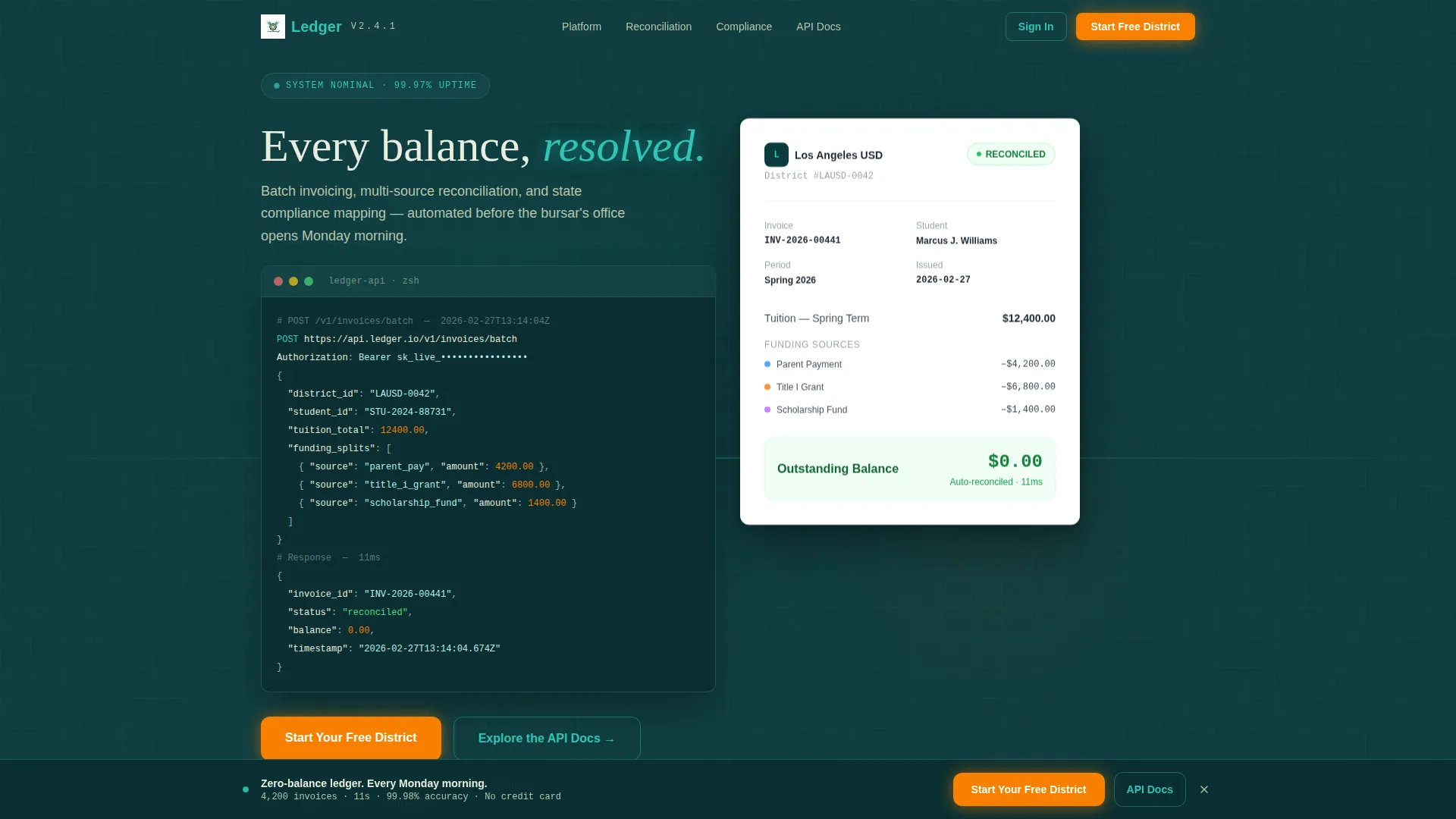
- A syntax-highlighted API code snippet hero section with a matching human-readable invoice panel
- Three progressive capability reveals covering batch invoicing, auto-reconciliation, and compliance mapping
- A multi-step signup form with district name auto-detection, an enrollment size slider, and a work email field
Feature list
This section covers the core capabilities built into the Ledger template.
Syntax-Highlighted API Hero
The header opens with a styled code block showing a live POST /v1/invoices/batch call. A JSON payload splits tuition across three funding sources, and the response returns a reconciled status with a timestamp. The right panel displays the human-readable invoice that same call generated, complete with a green "Paid" badge.
Animated Batch Invoice Counter
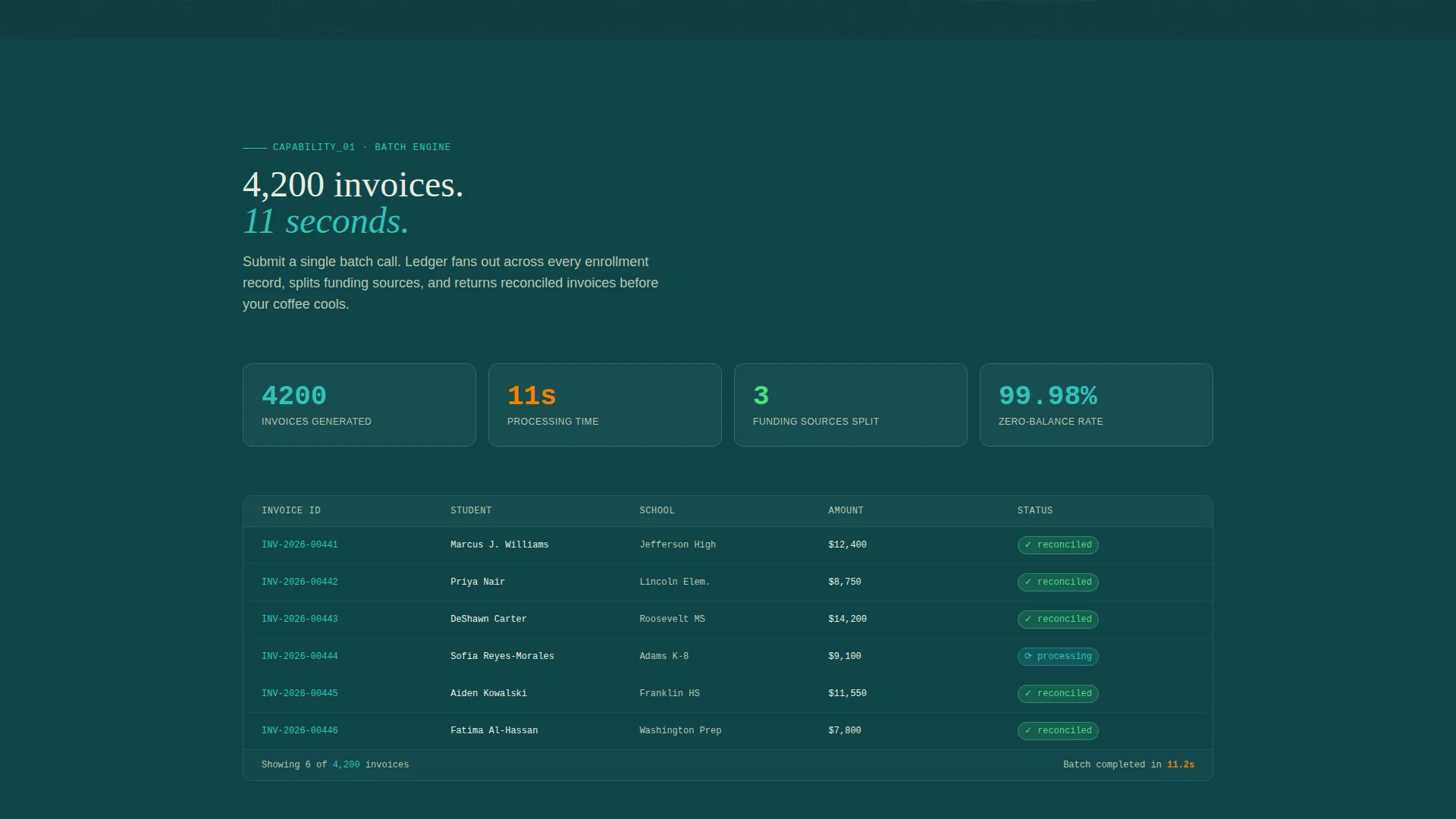
The first scroll reveal shows a counter ticking through 4,200 invoices generated in 11 seconds. This single metric communicates processing speed faster than any paragraph could. It expands on scroll to show the interface running the batch job.
Auto-Reconciliation Visualizer
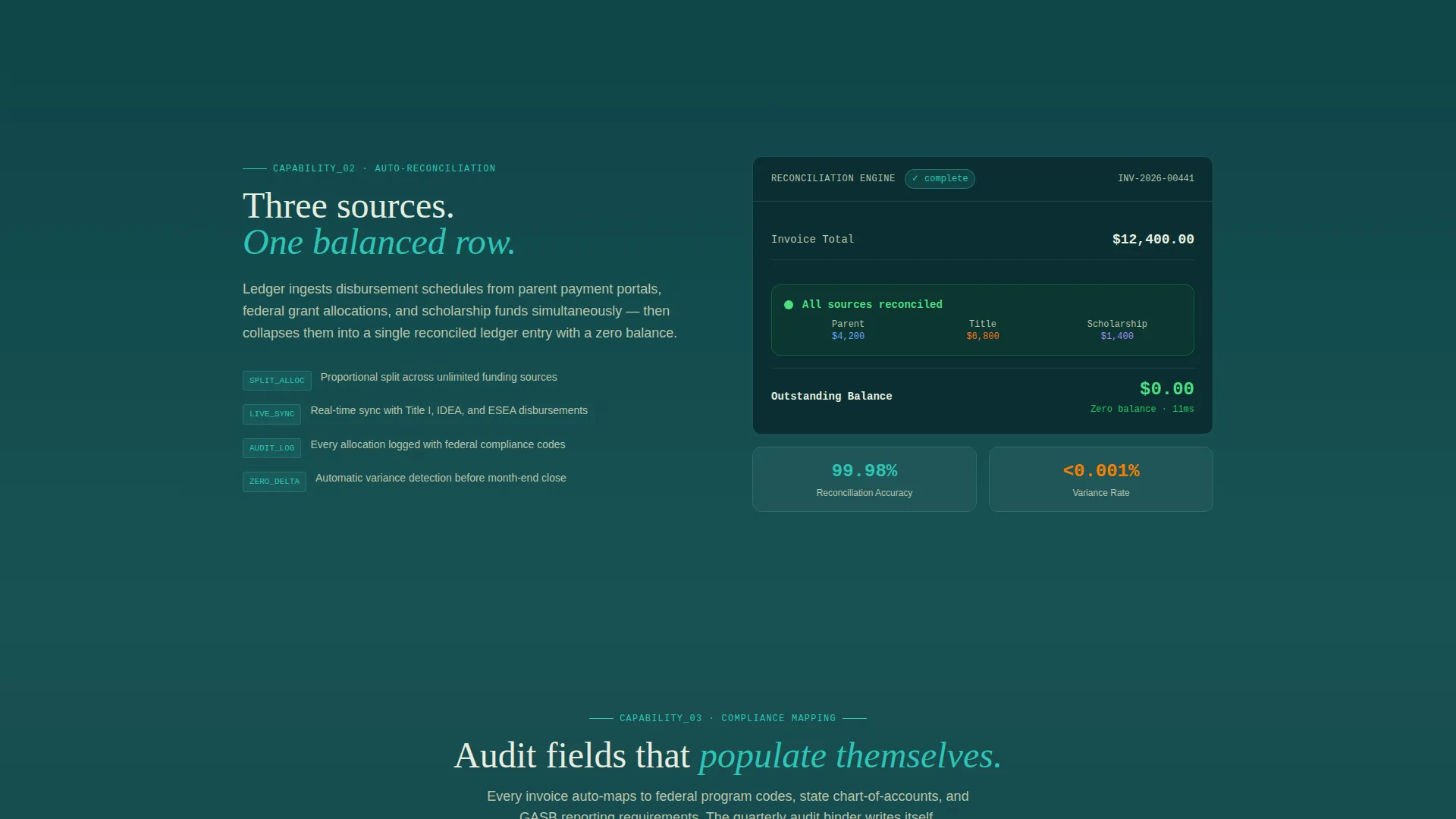
The second reveal collapses three funding sources into one balanced row in real time. The animation shows parent pay, Title I funding, and a scholarship allocation resolving into a zero-balance ledger entry. It answers the reconciliation question before a visitor can ask it.
Compliance Mapping Display
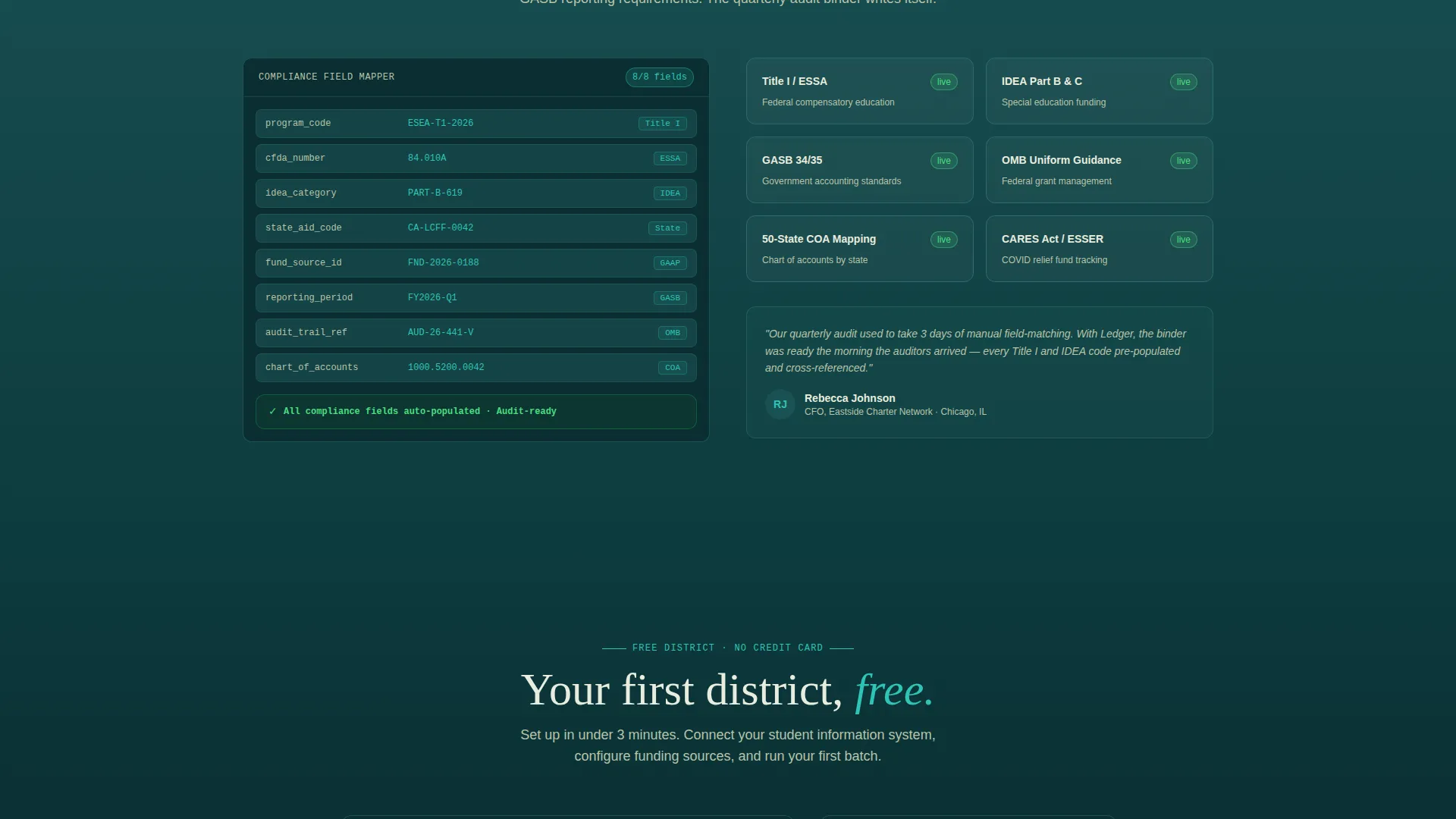
The third reveal shows audit fields self-populating against state reporting codes. This directly addresses the charter school audit concern referenced in the product brief. The section starts as a single metric and expands to show the compliance interface in action.
Progressive Signup Flow
The conversion form collects district or institution name first, then enrollment size via a slider ranging from 50 to 50,000-plus students, then a work email address. No credit card is required. A secondary call to action offers access to API documentation for technical evaluators.
Persistent Bottom Bar call to action
After the third capability reveal, a sticky bottom bar keeps the primary call to action visible throughout the rest of the page. This ensures the "Start Your Free District" prompt is always within reach without interrupting the scroll experience.
Page sections overview
| Section | Purpose |
|---|---|
| API Code Hero | Opens with syntax-highlighted batch invoice call and paired human-readable invoice panel |
| Primary call to action Block | Places "Start Your Free District" button directly beneath the hero section |
| Batch Invoice Reveal | Animated counter shows 4,200 invoices processed in 11 seconds |
| Auto-Reconciliation Reveal | Three funding sources collapse into one balanced, zero-balance row |
| Compliance Mapping Reveal | Audit fields self-populate against state reporting codes on scroll |
| Persistent Bottom Bar | Sticky call to action bar activates after the third reveal and stays visible |
| Progressive Signup Form | Three-step form collects district name, enrollment size, and work email |
| API Docs Secondary Path | Secondary call to action routes technical evaluators toward integration documentation |
Design & branding system
The visual identity follows a Data Command theme using the Teal Catalyst color system. The palette is built for focus, not decoration, every color has a defined job.
- Deep terminal teal (#0D3B3E) anchors the background; sections lighten progressively toward muted chalk (#E8EDDF) as the visitor scrolls deeper
- Live-wire cyan (#2EC4B6) drives active states, data highlights, and interactive elements that pulse until clicked
- Catalyst orange (#F77F00) is reserved exclusively for calls to action and alert-state badges, keeping conversion points visually distinct
Mobile & speed optimization
The scroll-reveal structure is designed to work across screen sizes. Each capability section collapses to a single metric and one-line description by default, reducing visual load on smaller viewports.
- Progressive disclosure keeps each reveal lightweight until the visitor scrolls into view
- The form uses a slider input for enrollment size, which works cleanly on touch devices without requiring precise text entry
- No stock photography is used anywhere in the layout, keeping the visual asset count low and focused
How this template helps you convert
Ledger earns the trial click by building trust before the form ever appears. The page is structured to move a skeptical finance professional from curiosity to confidence.
- Front-loading real processing specs, latency numbers, and reconciliation accuracy rates gives visitors enough detail to feel they have already audited the product
- The progressive form removes commitment anxiety by asking for district name and enrollment size before requesting a work email, and never asking for a credit card
Other information about this template
Ledger is categorized under Technology, specifically the Education Software and SaaS subcategory, with a niche focus on education billing and invoicing. It carries an intersection match score of 13, indicating strong alignment between the template style and niche.
- The template style is Scroll Reveal (Progressive), meaning each section enters the viewport as the visitor scrolls rather than loading all at once
- The creative direction follows a Spec Sheet cadence, which is well-suited to technical SaaS products where buyers need data before they commit
- The freemium and free trial conversion direction is embedded in the layout structure, not added as an afterthought
- This template is a strong starting point for teams building education finance tools, student billing portals, or grant management platforms that need to convert cautious institutional buyers
Theme
Data Command
Creative direction
Spec Sheet
Color system
Teal Catalyst
Style
Scroll Reveal (Progressive)
Direction
Freemium/Trial
Page Sections
Syntax-highlighted API Hero Section
Animated Batch Invoicing Reveal
Auto-reconciliation Visualizer
Compliance Mapping Display
Progressive Three-step Signup Form
Persistent Sticky Call to Action Bar
Related questions
Who is the Ledger template designed for?
Does the template's signup flow require a credit card?
Can technical evaluators follow a separate path through the page?
How does the scroll reveal structure work on this landing page?
Is this template suitable for single schools as well as large districts?



