Ledger - Powerful EdTech Subscription Landing Page Template
Ledger is a dashboard-style landing page template built for education subscription management platforms. It opens with a live API code snippet, leads visitors into an interactive savings estimator, and moves them through a side-by-side comparison grid. The dark Void and Violet visual system makes every data point feel urgent, precise, and credible to district budget officers and IT directors.
by Rocket studio
Quick summary
Ledger is a single-page, data-first landing page template designed for education technology subscription management platforms. It greets visitors with a live-looking API code block, flows them into an interactive waste estimator, and closes the argument with an animated comparison grid. The layout speaks directly to K-12 budget and procurement professionals who need hard proof before they act.
Who this template is for
This template is built for teams selling subscription management tools to public-school districts. The target buyers already live inside spreadsheets, vendor portals, and renewal calendars. They do not need to be convinced that the problem is real. They need to see that your solution handles it precisely.
- K-12 Chief Financial Officers managing dozens of overlapping education technology contracts
- District IT directors fielding unexpected renewal invoices mid-fiscal-year
- Procurement coordinators building return-on-investment cases for skeptical school boards
What problem this template solves
School districts routinely pay for software seats that go unused and miss renewal windows that trigger automatic charges. The underlying problem is visibility. There is no single place to see every vendor, every seat count, every per-pupil cost, and every renewal date at once. Ledger solves the communication problem between your platform and the buyer by making that visibility feel real and immediate from the first scroll.
- Budget officers cannot quickly prove which subscriptions are underused or over-licensed
- Procurement teams lack a structured way to present subscription audit findings to leadership
- Platform vendors struggle to convert cautious public-sector buyers without concrete, numbers-first proof
What you get with this template
You get a fully structured, dark-theme landing page with every section already sequenced for maximum credibility with data-driven buyers. The layout does not lead with marketing language. It leads with proof: a working-style code snippet, a calculator that outputs a real waste estimate, and a comparison table that closes the argument row by row.
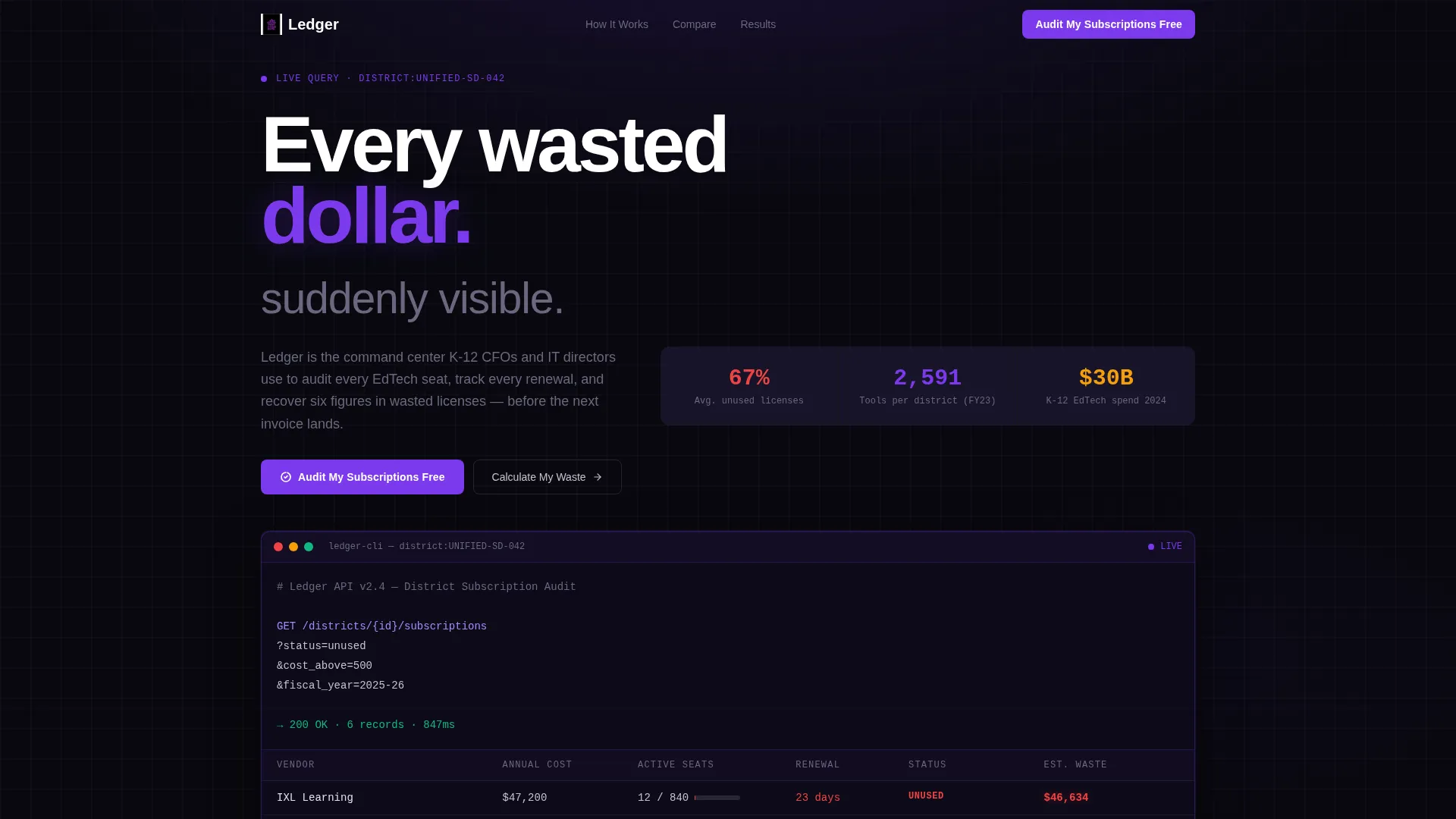
- A header code snippet block with a live-looking API call and animated data grid response
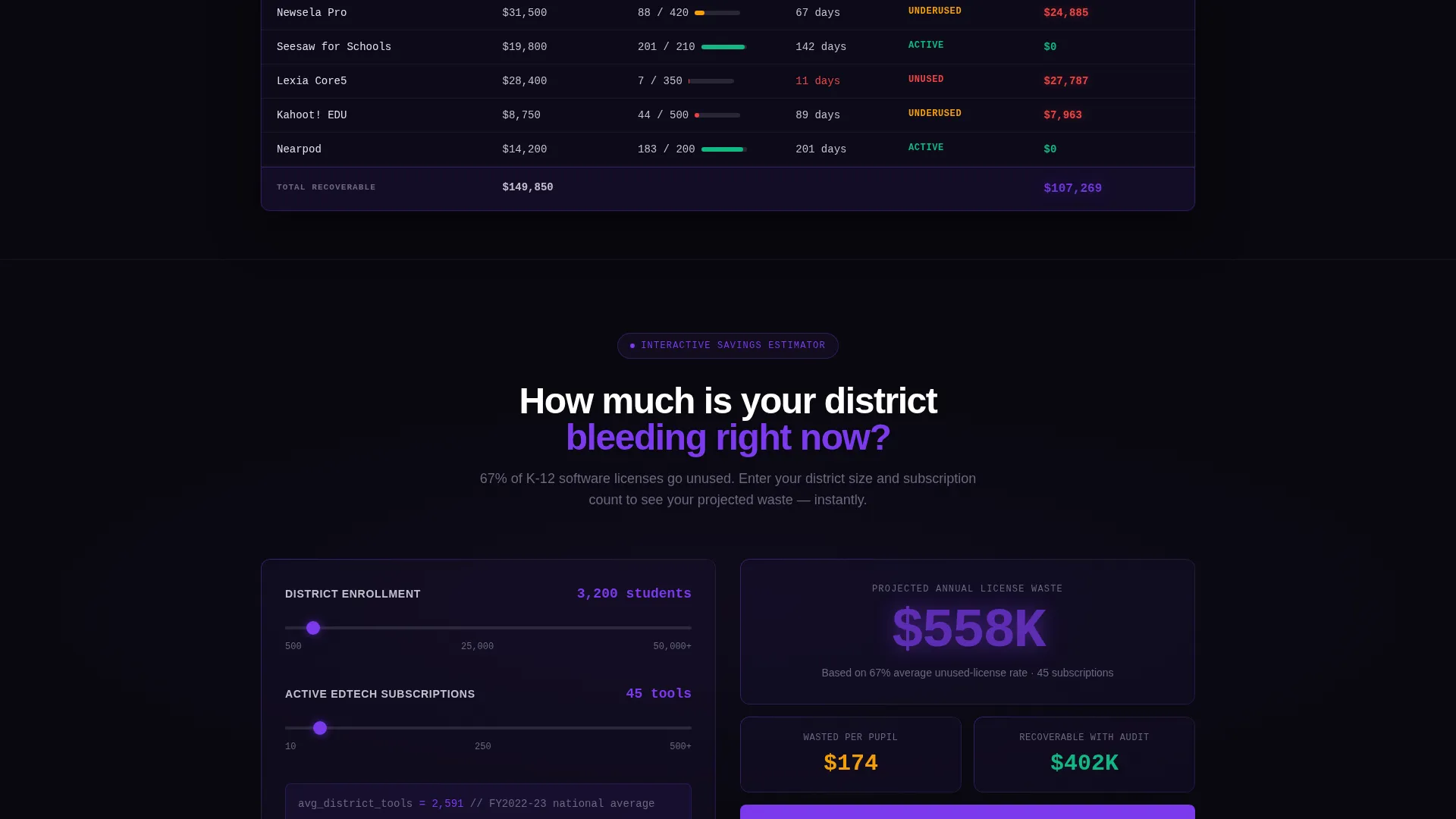
- An interactive savings estimator with district size and subscription count inputs
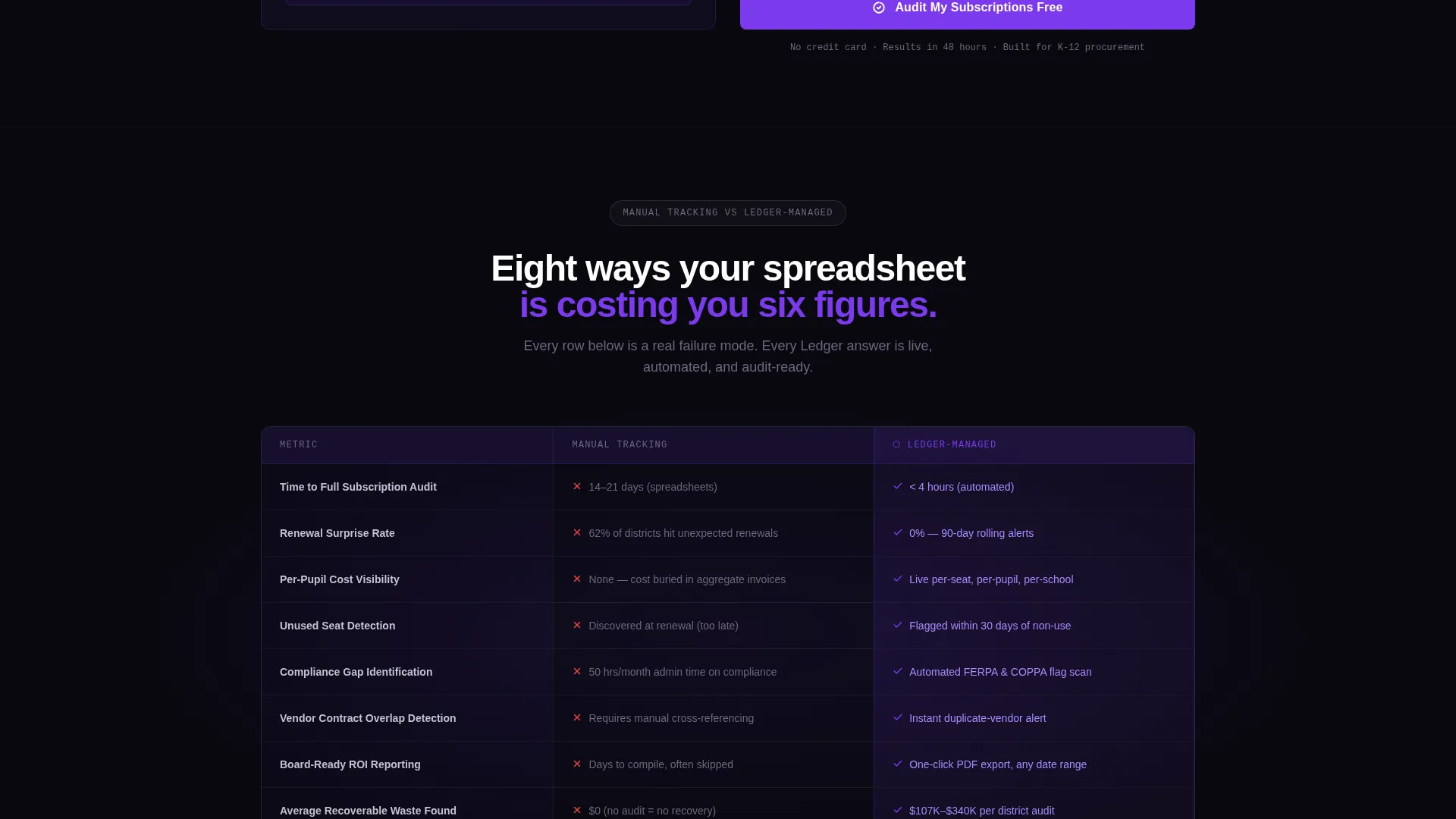
- An eight-metric comparison grid contrasting manual tracking against a managed approach
- A low-friction lead capture form with three fields and a secondary gated PDF download path
Feature list
This section describes the key functional and visual components built into the Ledger template.
Live API Code Snippet Header
The page opens with a monospaced code block displaying a real-style API call against a void-black background. The snippet glows in electric violet, with a blinking cursor that fires the query. The response populates a data grid row by row, immediately communicating that this platform speaks the language of technical buyers.
Interactive Savings Estimator
Before any marketing copy appears, visitors enter their district size and approximate number of education technology subscriptions. The tool instantly renders a projected waste figure styled in violet. This calculator-first approach meets procurement professionals at the point of their actual question: how much are we losing right now?
Animated Comparison Data Grid
A full-width grid contrasts manual subscription tracking against the managed platform approach across eight operational metrics. These include time-to-audit, renewal miss rate, cost-per-pupil visibility, and compliance gap tracking. Each row animates into view as the visitor scrolls, with the managed column consistently lit violet and the manual column rendered in muted gray.
Dual Conversion Path Design
The primary call to action, "Audit My Subscriptions Free," appears beneath the calculator result and again at the final row of the comparison grid. A secondary path offers a gated district savings report as a downloadable PDF. This two-path structure captures leads at both high and low commitment thresholds.
Low-Friction Lead Capture Form
The inquiry form asks for three fields only: district name, number of current subscriptions via a slider ranging from 10 to 500 or more, and a work email address. No phone number field is included. This reduces friction for cautious public-sector buyers who are protective of their contact information.
Void and Violet Visual System
Every visual layer is built on absolute void black and deep interstellar purple, with electric violet used exclusively for live-data accents, active highlights, and primary calls to action. Cool phosphor gray handles secondary text and grid lines. The result is a mission-control aesthetic that signals precision and technical authority.
Page sections overview
| Section | Purpose |
|---|---|
| API Code Header | Opens with a live-style query and animated data grid response |
| Savings Estimator | Lets visitors calculate projected subscription waste immediately |
| Estimator call to action Block | Anchors the primary call to action beneath the waste figure |
| Comparison Data Grid | Contrasts manual tracking versus. managed platform across eight metrics |
| Grid call to action Anchor | Repeats the primary call to action at the grid's final row |
| Lead Capture Form | Collects district name, subscription count, and work email |
| PDF Download Path | Offers a gated savings report for lower-commitment visitors |
Design & branding system
The Ledger template uses the Dashboard Pro theme built on the Void and Violet color system. Every design decision prioritizes contrast, data legibility, and a mission-control atmosphere that feels native to technical and financial decision-makers.
- Core palette: absolute void black (#09090F) as the base, deep interstellar purple (#1A1135) for surface layers, electric violet (#7C3AED) for interactive accents, and cool phosphor gray (#C4C1D0) for secondary text and grid lines
- Typography: monospaced font treatment for all code and data elements, with clean sans-serif for body copy to maintain legibility on dark backgrounds
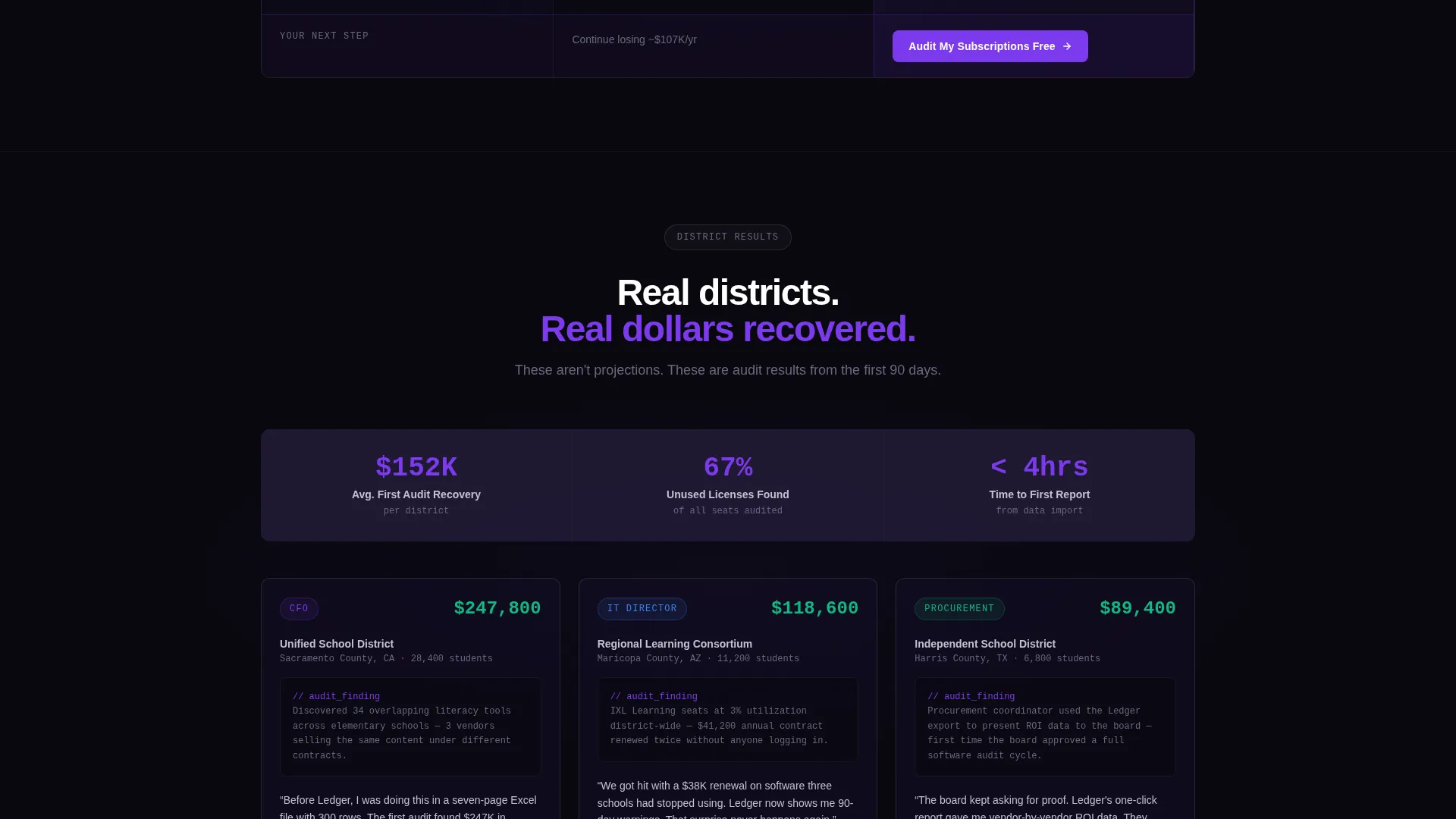
- No stock photography or illustrative imagery is used anywhere in the layout; the visual proof comes entirely from data, code, and grid components
Mobile & speed optimization
The Ledger template is structured so that its data-heavy components remain readable and usable across screen sizes. The dashboard grid, estimator inputs, and code snippet are each designed to reflow cleanly without losing the visual hierarchy that drives trust.
- The savings estimator and slider input are touch-friendly and scale to smaller viewports without losing functionality
- The comparison data grid reflows vertically on narrow screens so metric rows remain readable without horizontal scrolling
- The dark-palette design avoids heavy image assets, keeping the visual weight of the page manageable across connection speeds
How this template helps you convert
Ledger is engineered around a specific conversion logic: show the proof before asking for the commitment. The page earns trust through data before it ever asks for an email address.
- The API code snippet and animated data grid establish technical credibility in the first few seconds, so buyers feel they are looking at a real platform rather than a marketing promise.
- The interactive savings estimator personalizes the value proposition by generating a district-specific waste figure, which makes the abstract problem feel concrete and recoverable before any sales conversation begins.
- The dual conversion path ensures that visitors who are not ready to book a free audit can still enter the funnel through the lower-commitment PDF download, giving the platform a second capture opportunity on every visit.
Other information about this template
Ledger is a strong fit for any education technology vendor positioning a subscription management or license optimization product to K-12 institutions. The template's Dashboard Pro theme and data-grid layout translate well across related use cases in the broader education software market.
- The template is built as a single landing page with a linear scroll flow, making it straightforward to deploy as a campaign page or product launch page
- The code snippet header and comparison grid are designed to resonate with both technical buyers such as IT directors and financial buyers such as district CFOs, covering the typical two-stakeholder buying committee in public education procurement
- The gated PDF download path supports lead nurturing workflows by capturing contacts at a lower intent threshold than the primary free-audit form
- The template's visual language and data-grid structure align naturally with the broader category of education software platforms focused on district operations, budget transparency, and vendor contract management
Theme
Dashboard Pro
Creative direction
Calculator/Tool First
Color system
Void & Violet
Style
Dashboard/Data Grid
Direction
Comparison/Versus
Page Sections
Live API Code Snippet Header
Interactive Savings Estimator
Animated Comparison Data Grid
Dual Conversion Path Layout
Low-friction Three-field Form
Void and Violet Dashboard Theme
Related questions
Who is this landing page template designed for?
Can I customize the savings estimator inputs for my platform?
Does the template include both conversion paths?
Is there stock photography included in this template?
Can this template work for a use case outside of K-12 education?



