Precision Accounting Firm Landing Page Template
Ledger is a scroll-reveal landing page template built for accounting firms that handle high-stakes financial work. It opens with a live tax savings estimator in the hero, then guides visitors through an animated problem-to-solution sequence. The dark Data Command aesthetic, violet accent palette, and progressive lead capture form make it a sharp fit for firms targeting startup founders, family manufacturers, and mid-market finance leaders.
by Rocket studio
Quick summary
Ledger is a single-page, scroll-reveal landing page template designed for precision accounting firms. It launches with an interactive tax savings estimator, walks visitors through animated financial problem visualizations, and closes with a multi-step lead capture form. The Void and Violet color system and Data Command theme give every section the focused, authoritative feel of a financial control room.
Who this template is for
This template is built for accounting firms and financial advisory practices that handle complex, high-value client work. It works best when the firm needs to communicate credibility fast and convert serious prospects into qualified leads.
- Startup founders dealing with deferred revenue recognition and growth-stage tax questions
- Family-owned manufacturers and mid-market companies needing reconciliation, audit support, or quarterly close help
- Mid-market CFOs who want a second review before major filings or audits
What problem this template solves
Many accounting firms use generic web pages that fail to demonstrate real expertise or urgency. Visitors arrive, skim a list of services, and leave without taking action. This template solves that by making the firm's value immediately tangible.
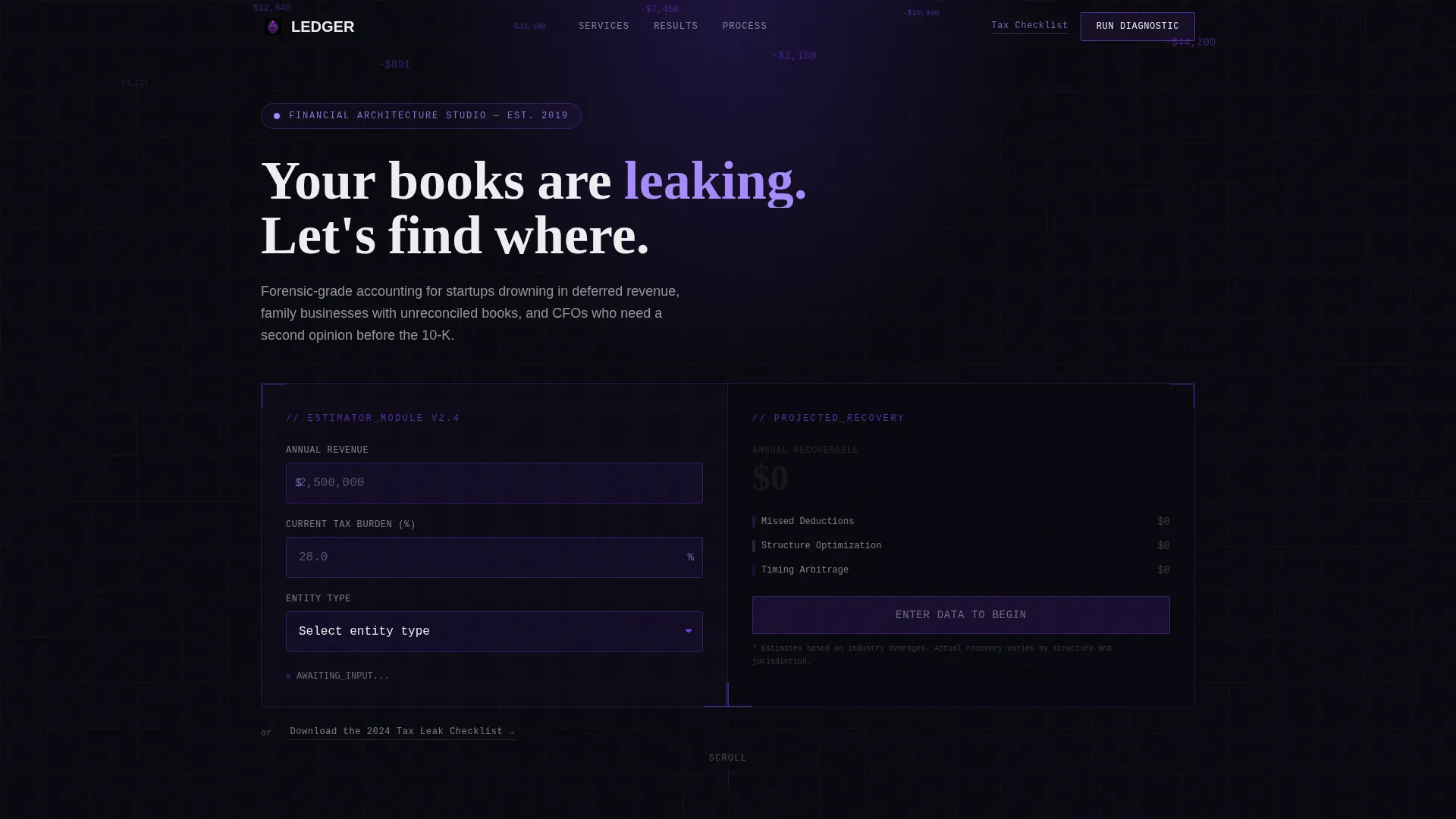
- The hero estimator shows projected tax savings before the visitor has read a single paragraph
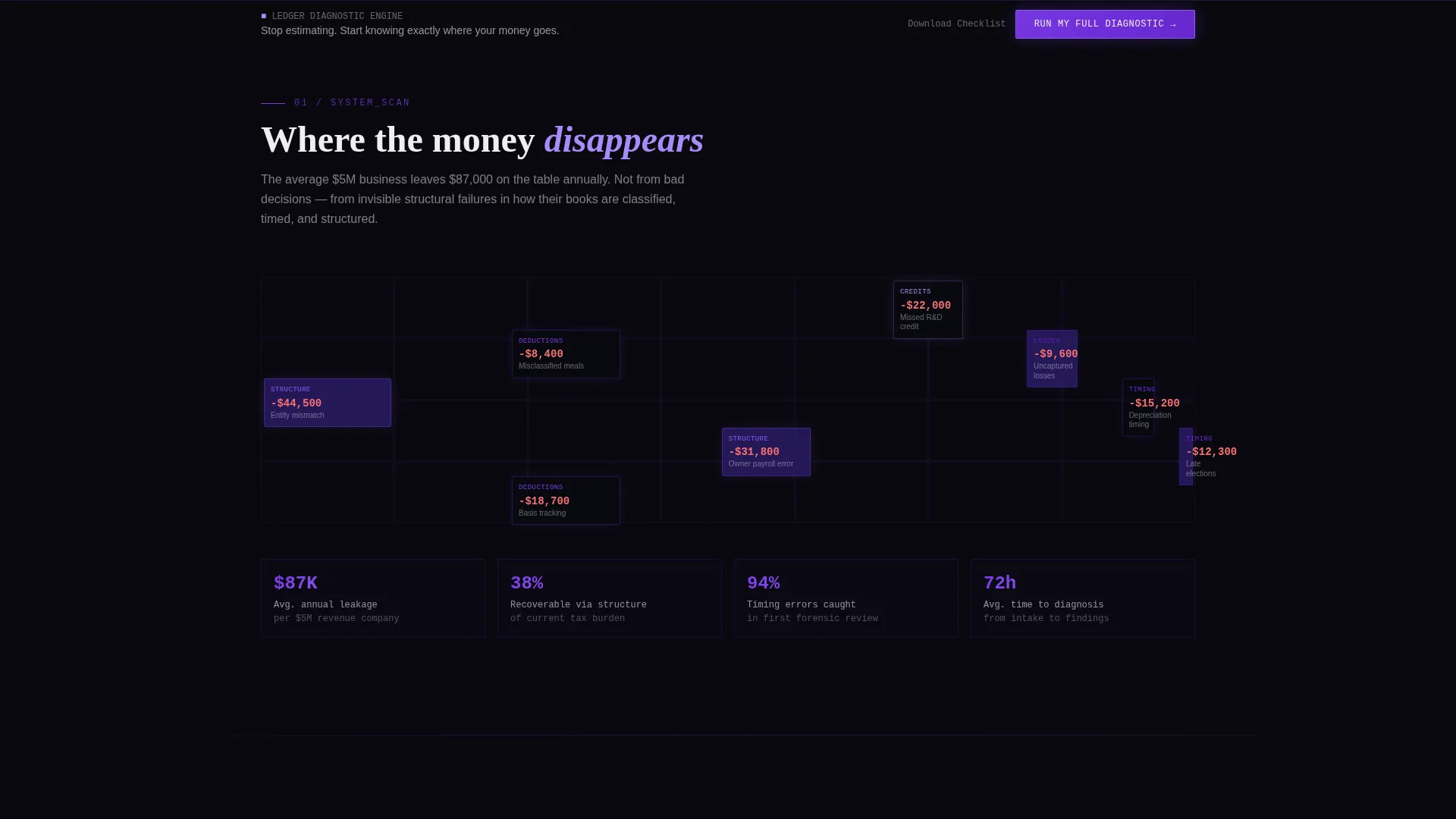
- Animated data visualizations make financial problems feel real and personal, not abstract
- A structured multi-step form filters and qualifies leads rather than collecting vague inquiries
What you get with this template
You get a complete, production-ready landing page layout built around a single goal: converting high-intent accounting prospects into booked consultations or captured leads.
- A live, interactive tax savings estimator with three input fields and real-time animated output
- A scroll-reveal section sequence covering problem visualization, service activation modules, and animated client results
- Two conversion paths: a full diagnostic form with three progressive steps and a lighter email-only checklist download
Feature list
This template includes purpose-built components that work together to build trust and drive action across the full page scroll.
Live Tax Savings Estimator
The hero section contains a three-field estimator: annual revenue, current tax burden percentage, and entity type via dropdown (LLC, S-Corp, C-Corp, Partnership). As visitors type, projected savings animate upward in real time using a digital odometer effect rendered in electric violet.
Scroll-Reveal Section Sequence
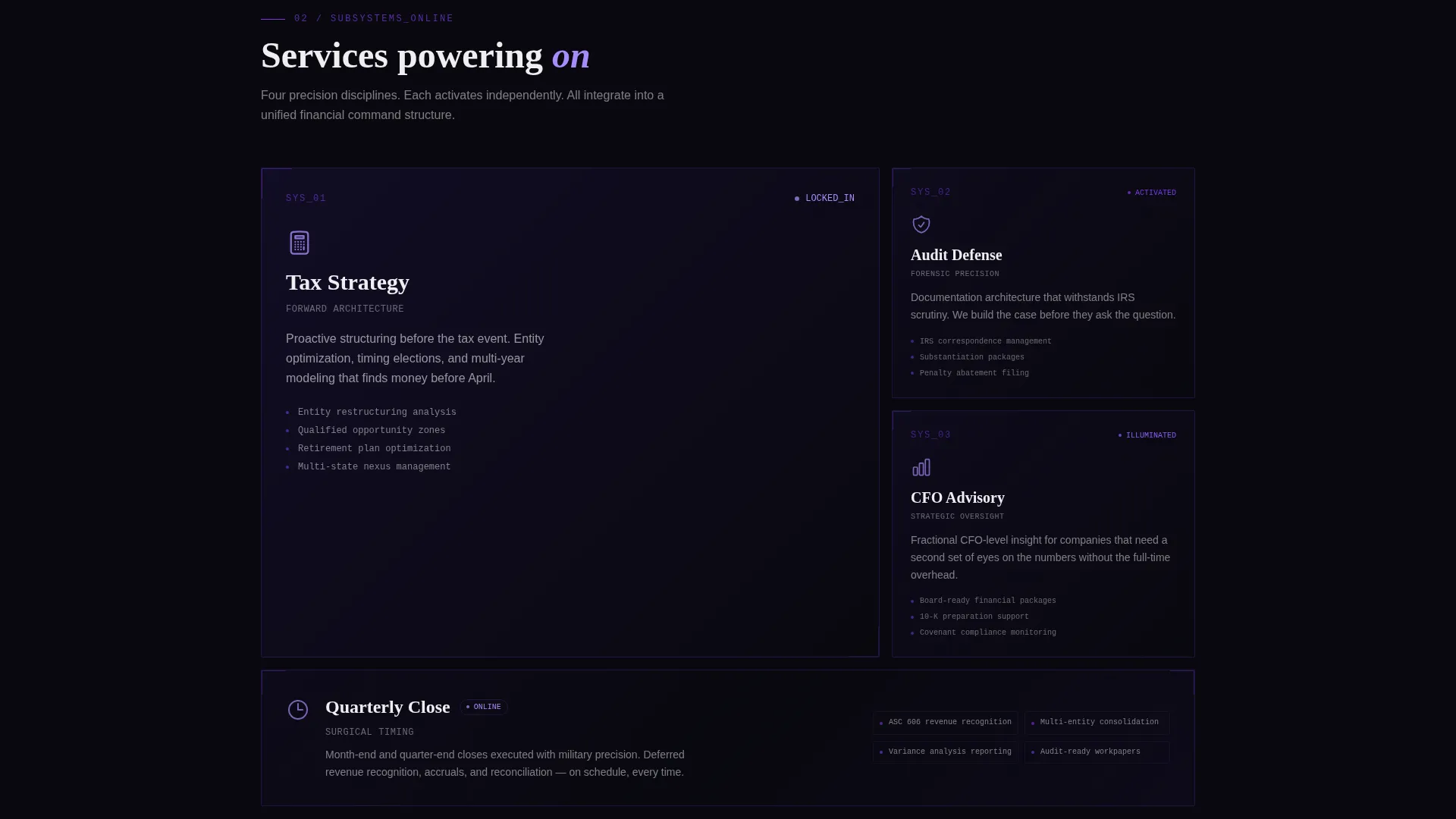
Each section enters the viewport progressively, building narrative momentum. The sequence moves from animated financial leak visualizations to service module activation panels to countup client result statistics, all timed to feel like a system powering on.
Multi-Step Lead Capture Form
The primary call to action opens a three-step progressive form. Step one collects company name and revenue range. Step two uses a multi-select pain-point picker. Step three requests contact details and a preferred callback window.
Sticky Call-to-Action Bar
After the second scroll section, a persistent bottom bar appears with the primary call-to-action label. It stays visible as visitors continue reading, keeping the conversion trigger accessible without interrupting the content flow.
Secondary Lead Magnet Path
A lighter conversion option offers a downloadable tax checklist in exchange for an email address only. This path captures prospects who are not yet ready for the full diagnostic, keeping them in the funnel.
Animated Client Results Display
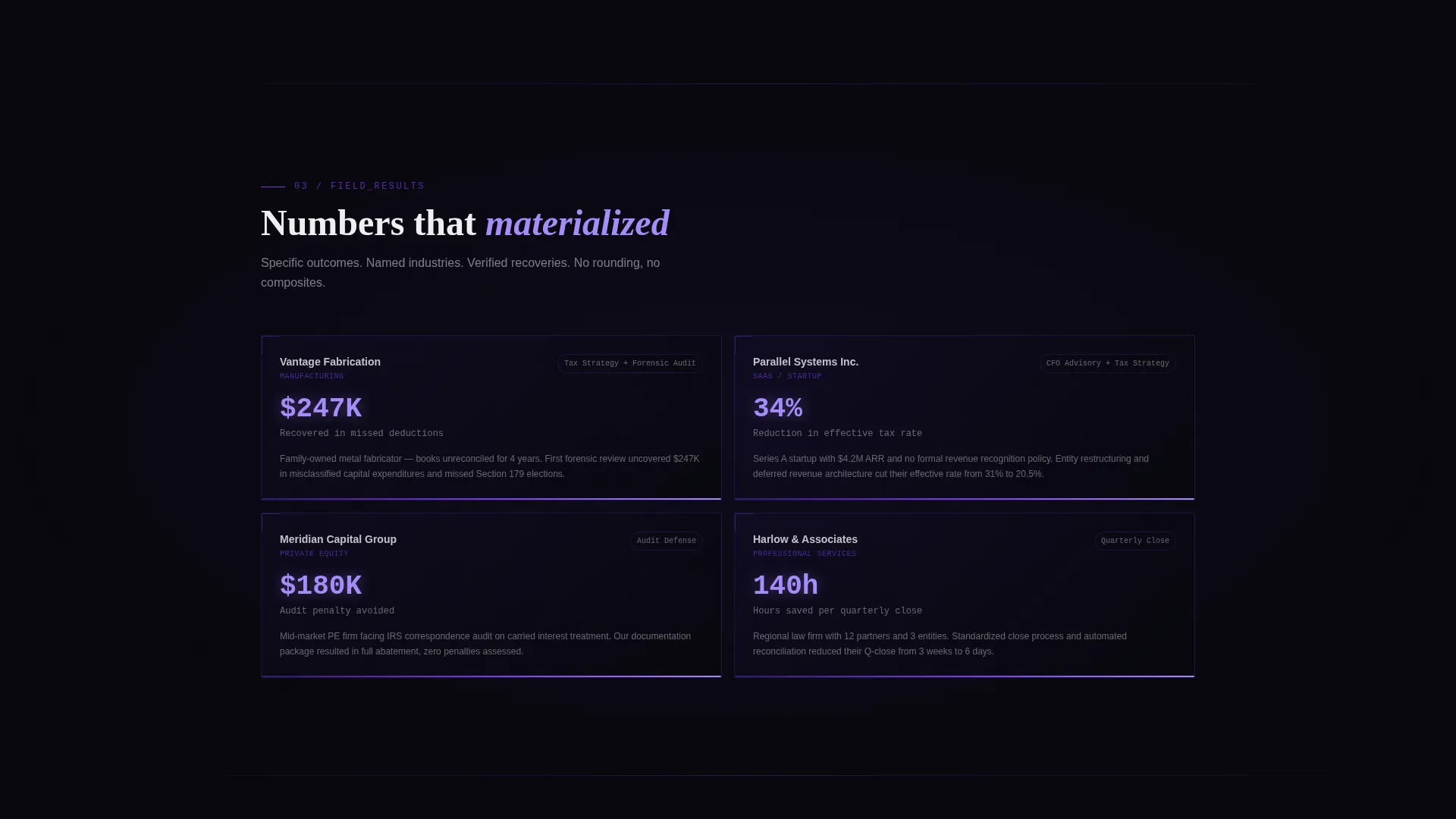
Client outcome statistics enter the viewport as countup animations, with percentage improvements and recovered dollar figures ticking upward as they come into view. This section materializes results from the dark background, reinforcing firm credibility through specific numbers.
Page sections overview
| Section | Purpose |
|---|---|
| Hero Estimator | Interactive tax savings calculator with real-time animated output and headline reveal |
| Problem Visualization | Animated dark-grid display of common financial leaks and misclassified expenses |
| Service Module Panel | Three service areas power on sequentially: Tax Strategy, Audit Defense, Advisory |
| Client Results | Countup statistics animate into view showing specific percentage and dollar outcomes |
| Primary Lead Form | Three-step progressive diagnostic form capturing company details, pain points, and contact info |
| Checklist Download | Email-only secondary conversion path offering the 2024 Tax Leak Checklist |
| Sticky call to action Bar | Persistent bottom bar appearing after second scroll with primary diagnostic call to action |
Design & branding system
The visual identity follows a Data Command theme that pairs absolute darkness with precision-lit data points. Every color choice reinforces the feeling of a financial control system rather than a marketing brochure.
- Core palette: void black (#09090F) background, deep interstellar violet (#2D1B69) for depth layers, electric audit purple (#7C3AED) for active elements, and phosphor white (#EEEEF0) for all text and data readouts
- Accent interactions: neon violet (#A78BFA) activates on hover states and active input fields, making the estimator feel alive and responsive
- Visual metaphor: the overall aesthetic references a Bloomberg terminal redesigned for spacecraft instrumentation, where every visible element has a functional purpose
Mobile & speed optimization
The template layout is structured to translate the scroll-reveal experience cleanly across screen sizes. The progressive reveal sequence and estimator inputs are designed with mobile interaction in mind.
- Input fields and dropdown selectors in the estimator are sized for comfortable touch interaction on smaller screens
- Sticky call-to-action bar remains accessible on mobile viewports without overlapping critical content
- Section transitions use lightweight pulse animations designed to maintain visual impact without heavy asset loading
How this template helps you convert
The entire page is engineered as a progressive trust-building sequence that moves visitors from curiosity to commitment across a single scroll.
- The hero estimator creates immediate personal relevance by showing the visitor a projected savings figure before they have read any firm copy, lowering the perceived risk of the next step.
- The animated problem and solution sequence builds urgency section by section, so by the time the diagnostic form appears, the visitor has already identified their own pain point in the content.
- Two conversion paths capture leads at different readiness levels: the full diagnostic form qualifies high-intent prospects, while the checklist download keeps earlier-stage visitors engaged and moving toward a future booking.
Other information about this template
This template was built specifically for the accounting firm maintenance page niche, where the challenge is not just attracting visitors but convincing them that their current financial situation has a fixable cost.
- The template style is Scroll Reveal (Progressive), meaning each section is hidden at load and enters with a timed reveal as the visitor scrolls, creating a countdown-sequence feel
- The header concept is a Calculator and Estimator, which is among the highest-trust hero formats for financial services pages because it delivers personal value before asking for anything
- The creative direction is Launch Energy, a narrative structure that treats each scroll section as a stage in a system coming online rather than a static list of features
- The lead generation direction is built around two distinct conversion funnels, allowing firms to segment high-intent prospects from nurture-stage leads automatically based on which path the visitor chooses
- This template is well suited for accounting firm website templates within the broader technology and professional services template category
Theme
Data Command
Creative direction
Launch Energy
Color system
Void & Violet
Style
Scroll Reveal (Progressive)
Direction
Lead Generation
Page Sections
Live Tax Savings Estimator
Scroll-reveal Narrative Sequence
Three-step Progressive Lead Form
Animated Client Results Section
Dual Conversion Path Design
Sticky Bottom Call-to-action Bar
Related questions
Can I change the entity type options in the estimator dropdown?
How does the multi-step form work without a backend connection?
Can I use this template for a firm that does not focus on tax strategy?
Does the template include the actual checklist content for the lead magnet?
Is the sticky call-to-action bar always visible after it appears?



