Net-Zero Real Estate Developer Landing Page Template
Mesa is a zigzag landing page template built for net-zero real estate developers. It opens with a site-address search field, escalates through stats-first alternating sections, and closes qualified leads with a progressive form. The Sunset Mesa color palette and Corporate Precision layout make technical impact data feel as credible as it is compelling.
by Rocket studio
Quick summary
Mesa is a single-page landing page template designed for sustainable real estate development firms. It uses a stats-first, zigzag layout to move visitors from curiosity to commitment. The header opens with a site-address input, alternating sections build an evidence-based case, and a progressive lead-capture form qualifies every inquiry before the first conversation.
Who this template is for
Mesa is built for development firms that operate at the intersection of institutional finance and environmental responsibility. If your clients demand proof before they commit budget, this template speaks their language directly.
- Net-zero and sustainable real estate developers presenting to ESG-mandated investors or municipal housing authorities
- Corporate real estate directors decarbonizing aging Class B office portfolios and seeking visible project credentials
- Development teams working on new builds, retrofits, or adaptive reuse conversions who need lead generation with project-level qualification
What problem this template solves
Most real estate landing pages lead with photography and follow with vague aspiration. For sustainable developers, that approach fails the audience entirely. Institutional clients and green bond compliance officers need numbers, scope, and methodology before they open a conversation.
- Visitors leave without understanding the measurable impact your projects deliver
- Generic contact forms collect unqualified leads with no project context attached
- The firm's technical credibility and environmental performance go unseen behind stock imagery and broad statements
What you get with this template
Mesa gives you a complete, conversion-focused landing page structure that puts your strongest data forward. Every section is designed to deepen trust and reduce friction for high-value, long-cycle real estate leads.
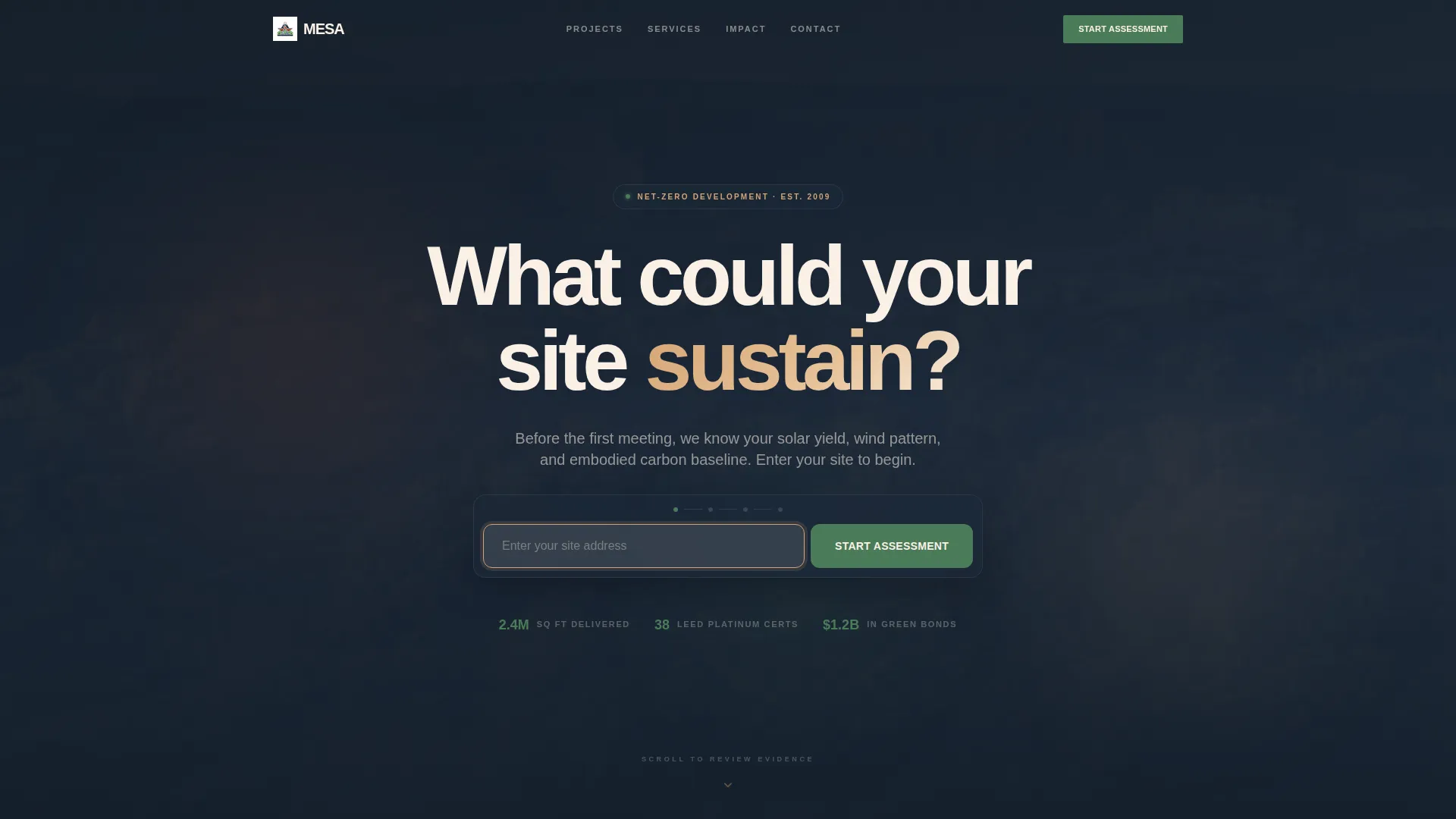
- A centered site-address search header with a slow aerial video background and a clear "What could your site sustain?" headline
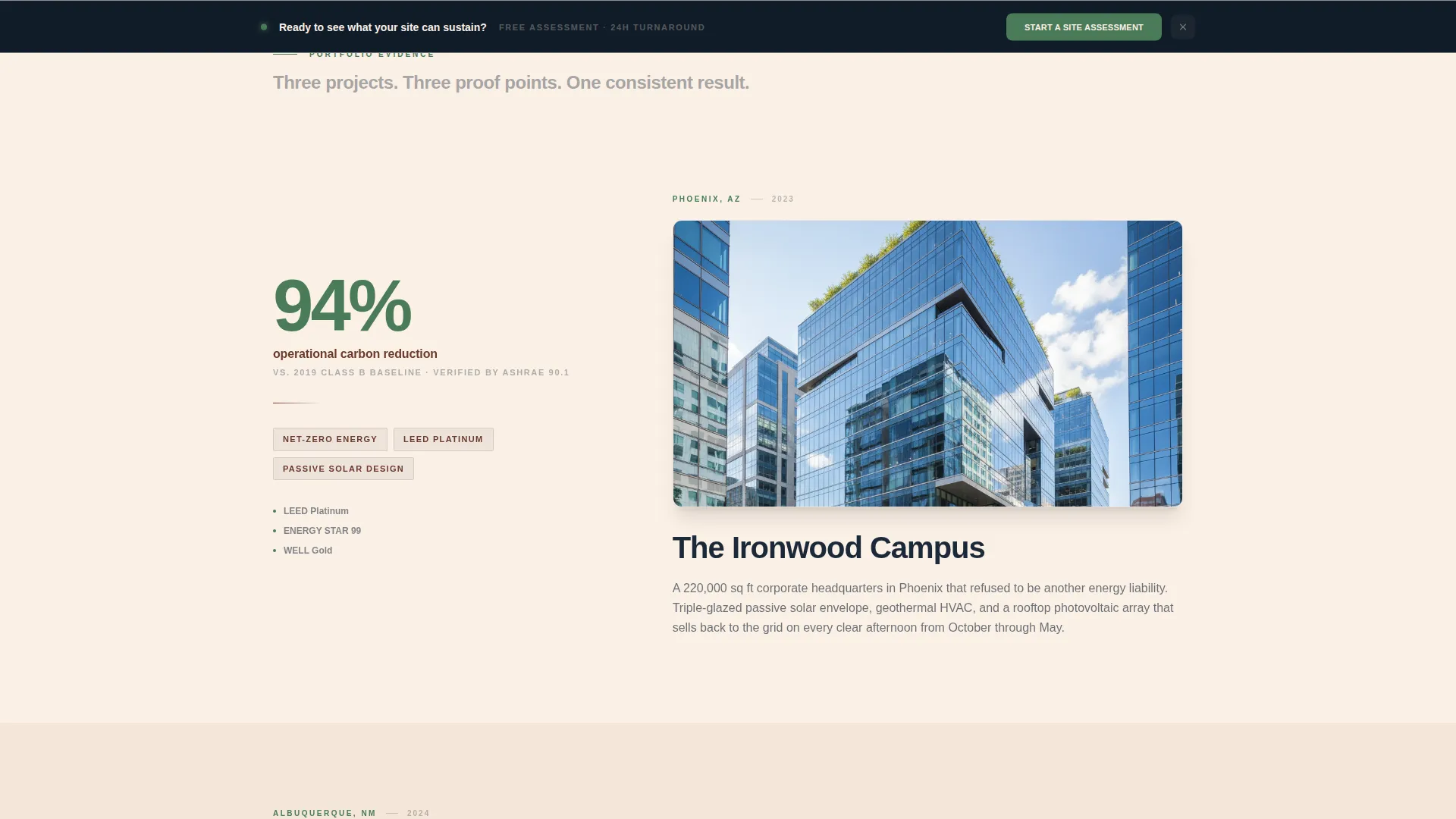
- Alternating zigzag content sections where oversized metrics lead each panel, followed by project photography, narrative, and scope summaries
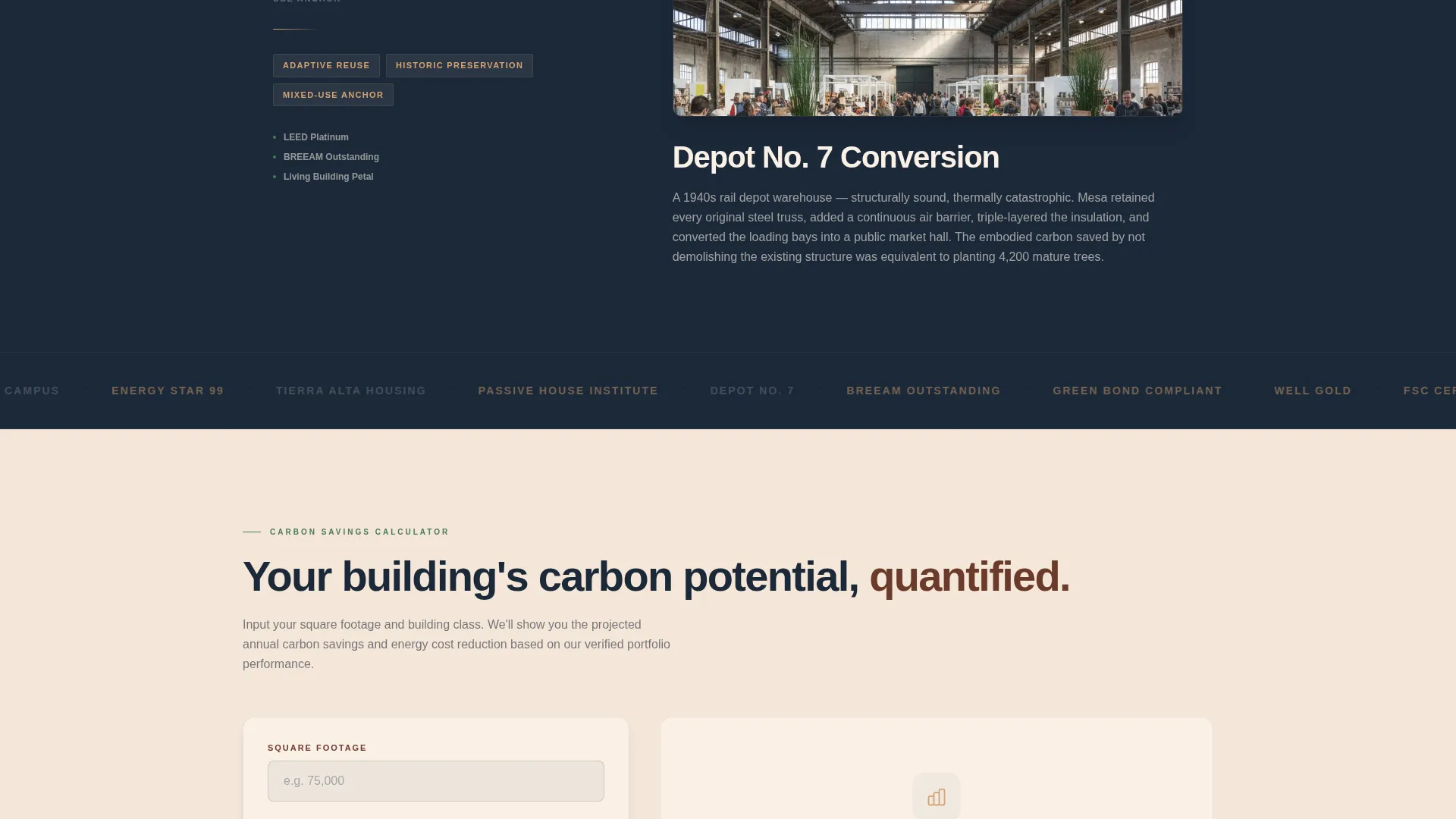
- A live carbon-savings calculator embedded in the seventh section, accepting square footage and building class inputs
- A progressive lead capture form collecting site address, project type toggle, square footage range, and contact details without a phone number field
- A persistent "Start a Site Assessment" call-to-action bar that anchors to the bottom of the page after the third section
- A secondary email-gated "Download Our Impact Report" path for visitors still in the research phase
Feature list
Mesa's features are drawn directly from its brief and built to serve a specific, demanding audience. Each component earns its place on the page.
Stats-First Zigzag Layout
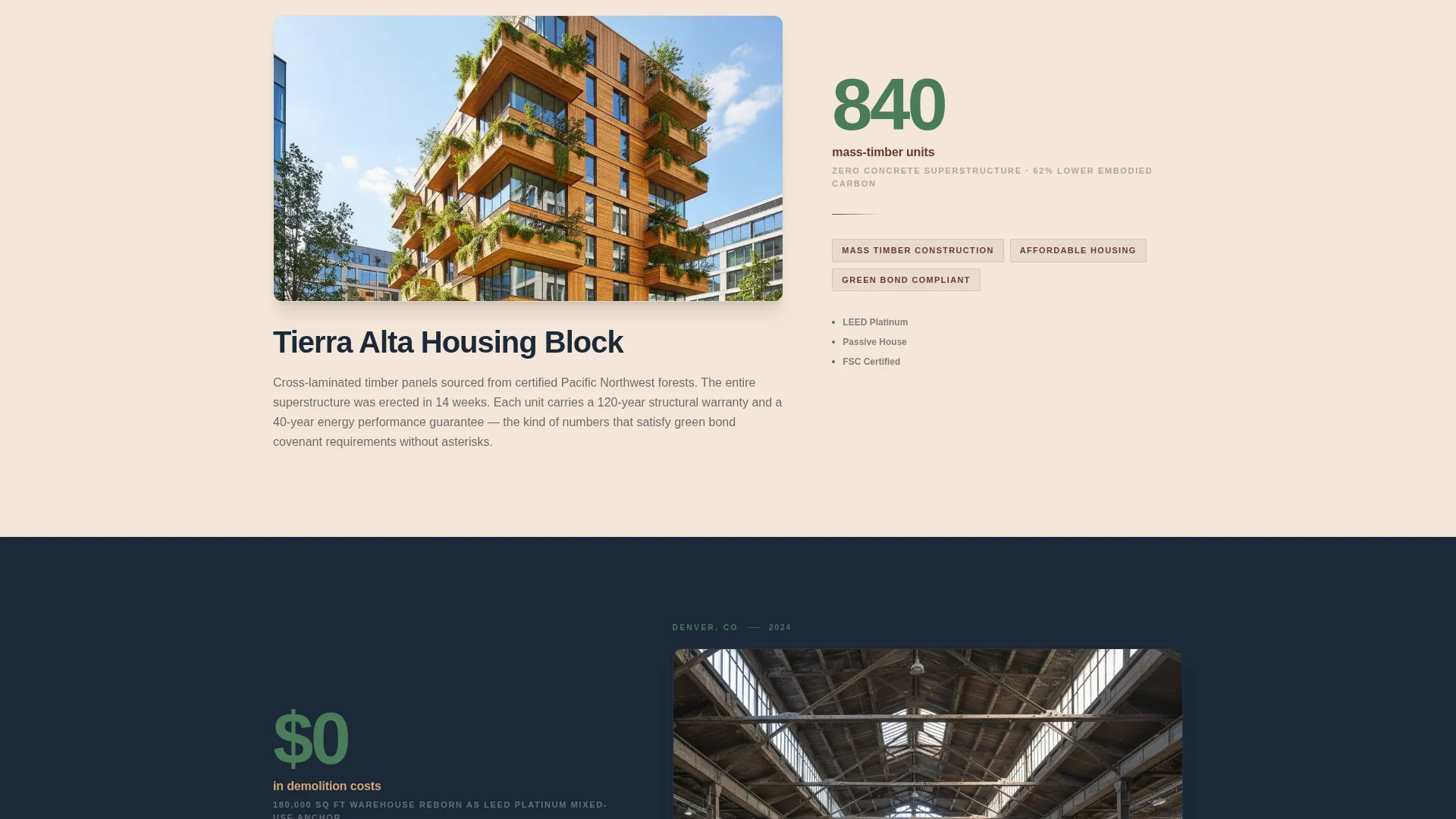
Each alternating section opens with a single oversized metric in sixty-point type. The right panel then reveals the project story, photograph, and scope summary. The scroll moves from individual building stats to portfolio-wide numbers to industry benchmarks, building an evidence file rather than a brochure.
Site-Address Search Header
The header centers a minimal search field over a slow aerial drone video of arid mesa land dissolving into a completed sustainable campus. The prompt reads "Enter your site address" and positions the firm as one that already understands the solar yield, wind pattern, and embodied carbon baseline of any site before the first meeting.
Embedded Carbon-Savings Calculator
Section seven houses a live calculator where visitors input square footage and building class. The output shows projected carbon savings, turning passive scrolling into active, personalized engagement and warming the lead before the form appears.
Progressive Lead Capture Form
The qualification form unfolds in stages: site address first, then a project type toggle covering new build, retrofit, and adaptive reuse, then square footage range, then name and email. No phone number field keeps friction low while the project data qualifies the lead automatically.
Persistent call to action Bar
After the third section, a "Start a Site Assessment" bar in living-green locks to the bottom of the viewport. It stays visible throughout the rest of the page, giving a ready-to-act visitor a clear path at every scroll position without interrupting the reading flow.
Dual Conversion Paths
Primary visitors who are ready to engage start a site assessment. Research-phase visitors who need more convincing can download an impact report by submitting only their email address. Both paths are built into the template structure.
Page sections overview
| Section | Purpose |
|---|---|
| Search Header | Captures site address and sets the firm's positioning with the hero headline and aerial video background |
| Stats Panel One | Leads with an individual building metric, then reveals project story, photography, and scope summary |
| Stats Panel Two | Escalates to a second project metric, pairing a new photograph with narrative and three-line scope detail |
| Stats Panel Three | Introduces portfolio-wide impact numbers with supporting project context |
| Industry Benchmark Panel | Presents benchmarks the firm has beaten to close the evidence case |
| Secondary Project Panel | Continues the zigzag rhythm with additional project proof and scope detail |
| Carbon Calculator | Embeds the square footage and building-class input tool with projected savings output |
| Lead Capture Form | Delivers the progressive four-step qualification form with project type toggle |
| Impact Report Gate | Offers email-only download for the research-phase visitor secondary path |
| Persistent call to action Bar | Anchors the "Start a Site Assessment" action to the bottom of the viewport |
Design & branding system
Mesa uses the Sunset Mesa color system inside a Corporate Precision layout framework. The palette reads like a corporate annual report printed on handmade paper: institutional rigor meets the warmth of baked earth and long desert shadows.
- Core colors are deep sandstone (#6B3A2A), sun-bleached clay (#D4A373), twilight sky navy (#1B2838), and warm mesa white (#FAF0E6) as the primary background; living-green (#4A7C59) appears exclusively on data points and calls to action
- Typography uses stark white Neue Haas Grotesk for headlines set against the twilight sky navy, keeping headers and stat blocks grounded while sandstone warms the alternating section backgrounds
- The full-width immersive layout uses no carousel or hero image grid; instead, a single aerial drone video and deliberate section rhythm carry all visual weight
Mobile & speed optimization
The full-width immersive layout is structured to translate cleanly across screen sizes. Zigzag sections reflow to stacked panels on smaller viewports while preserving the stats-first reading order.
- The calculator and progressive form are designed for touch-friendly input, keeping the qualification flow intact on mobile devices
- The persistent call to action bar remains anchored at the bottom of the viewport on all screen sizes, so the primary conversion action is always reachable
How this template helps you convert
Mesa is engineered to move a skeptical, high-value audience through a trust-building sequence without asking for commitment too early.
- The site-address header creates immediate relevance by framing the visitor's own property as the subject of the conversation, shifting the page from marketing to consultation from the first interaction.
- The escalating stats-first zigzag builds an evidence file across the scroll, so by the time the calculator and form appear, the visitor is already engaged with the firm's methodology and results rather than still evaluating whether to read further.
- The dual conversion paths, one for ready-to-act leads and one for research-phase visitors, ensure that no qualified prospect leaves without giving at least an email address, extending the firm's reach across the full buying timeline.
Other information about this template
Mesa is a strong fit for firms that need to present green bond compliance credentials, Environmental, Social, and Governance (ESG) performance data, and Leadership in Energy and Environmental Design (LEED) Platinum project outcomes to institutional audiences. The template's structure supports that kind of evidence-heavy storytelling without requiring a custom build.
- The template is suited to projects involving mass-timber construction, net-zero office parks, and adaptive reuse conversions of existing warehouse or industrial stock
- The color system and typographic choices are designed to resonate with municipal housing authorities, institutional investors, and corporate real estate directors who expect both visual credibility and quantifiable outcomes
- The no-phone-number form policy is a deliberate friction-reduction choice that keeps lead volume high while relying on project-type and square footage data for qualification
Theme
Corporate Precision
Creative direction
Interactive Explorer
Color system
Sunset Mesa
Style
Full-Width Immersive
Direction
Booking/Scheduling
Page Sections
Stats-first Zigzag Layout
Site-address Search Header
Embedded Carbon-savings Calculator
Progressive Lead Capture Form
Persistent Call to Action Bar
Dual Conversion Paths
Related questions
Who is the Mesa landing page template designed for?
Can I use Mesa for both new construction and retrofit projects?
How does the carbon-savings calculator work within the template?
What is the secondary conversion path in this template?
Do I need to show all the zigzag sections or can I adjust the content?



