Pixelshelf - Electric Retail Landing Page Template
Pixelshelf is a dark-mode, card-grid landing page template built for a retail AI image generator. It guides visitors from raw product photos to studio-grade lifestyle outputs through an interactive header, a Problem-to-Solution scroll arc, and a pinned app-download call to action. The design runs on an Electric Indigo color system and feels like a creative suite running at full power.
by Rocket studio
Quick summary
Pixelshelf is a single-page, card-grid landing page template designed for a retail AI image generator. It opens with a live interactive preview, walks visitors through a Problem-to-Solution scroll arc, and closes with a pinned call-to-action bar that drives app downloads. The Electric Indigo color system gives the page a charged, dark-mode creative-suite feel.
Who this template is for
This template is built for teams and individuals who sell products online and need high-volume, studio-quality imagery fast. It speaks directly to the people who know that better visuals translate into better results.
- Shopify merchants managing large content calendars and multiple product lines
- Direct-to-consumer brand managers who need dozens of SKU images on tight deadlines
- Amazon sellers who understand that the listing with the stronger hero image wins more often
What problem this template solves
Product imagery is one of the biggest bottlenecks in online retail. Most sellers are stuck choosing between expensive studio shoots and inconsistent do-it-yourself photos that hurt conversion. This template presents the AI generator as the direct solution to that gap.
- Cluttered backgrounds, poor lighting, and wrong aspect ratios are called out visually in the first card row
- The scroll arc shows the same products transformed, so visitors feel the before-and-after shift without reading a word
- The two-step app-download flow removes friction from the moment a visitor decides to act
What you get with this template
You get a fully structured, modular landing page layout ready to be filled with your own copy and visuals. Every section has a defined purpose and a clear place in the conversion journey.
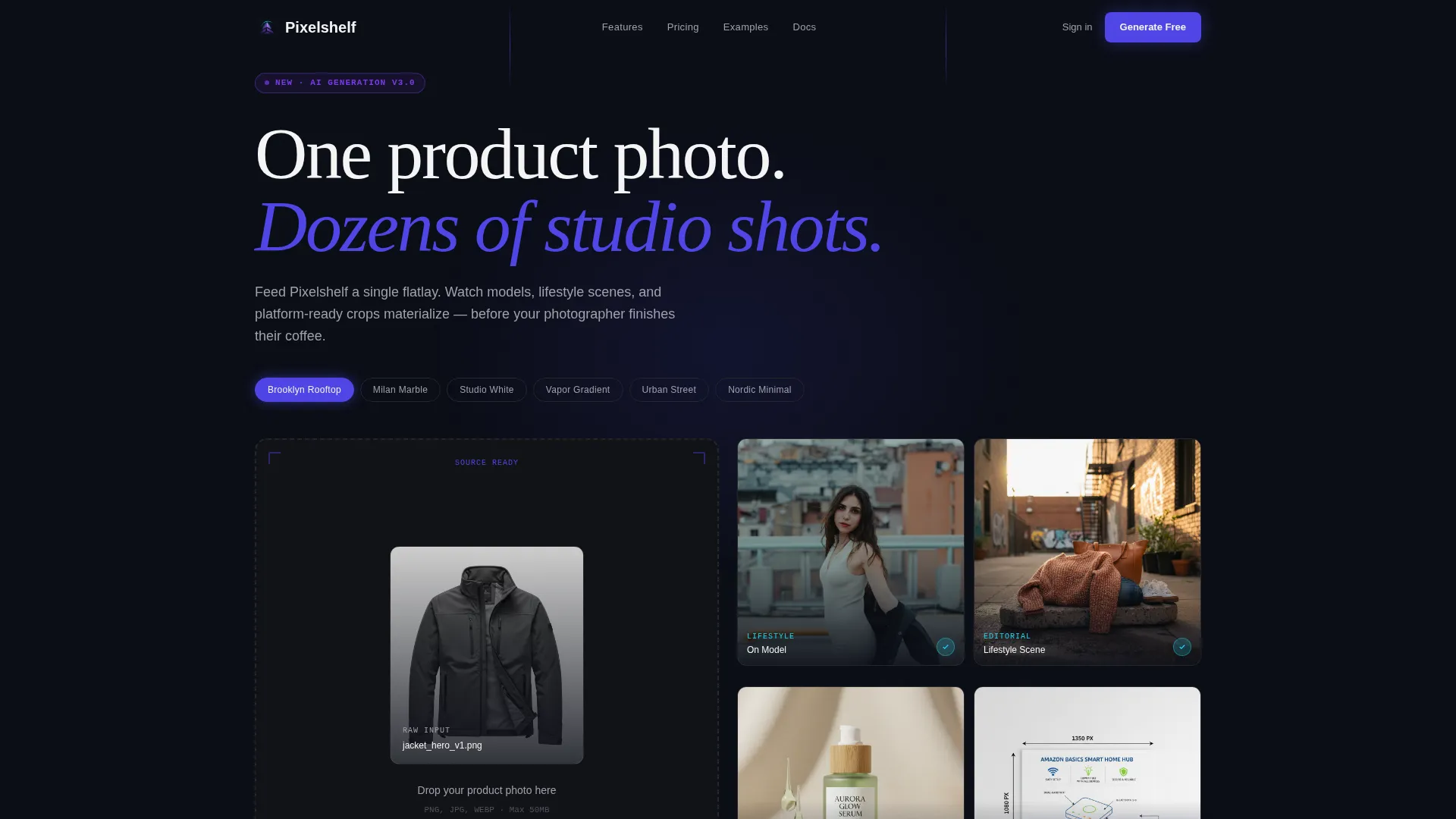
- An interactive header zone with a dashed upload frame and a live 2x2 output grid
- A modular card-grid body that escalates from problem cards through solution cards in sequence
- A pinned indigo call-to-action bar with a two-step platform-selection and email-capture flow
Feature list
This template is built around functional design decisions, not decorative ones. Each feature below maps directly to a defined section or behavior in the source brief.
Interactive Upload Preview Header
The header contains a dashed upload frame on the left and a 2x2 grid of AI-generated output variations on the right. Visitors can click a "Try Another Style" chip to watch the right panel regenerate with new backgrounds and compositions. This interaction proves the tool's capability before any commitment is asked.
Problem-to-Solution Card Scroll Arc
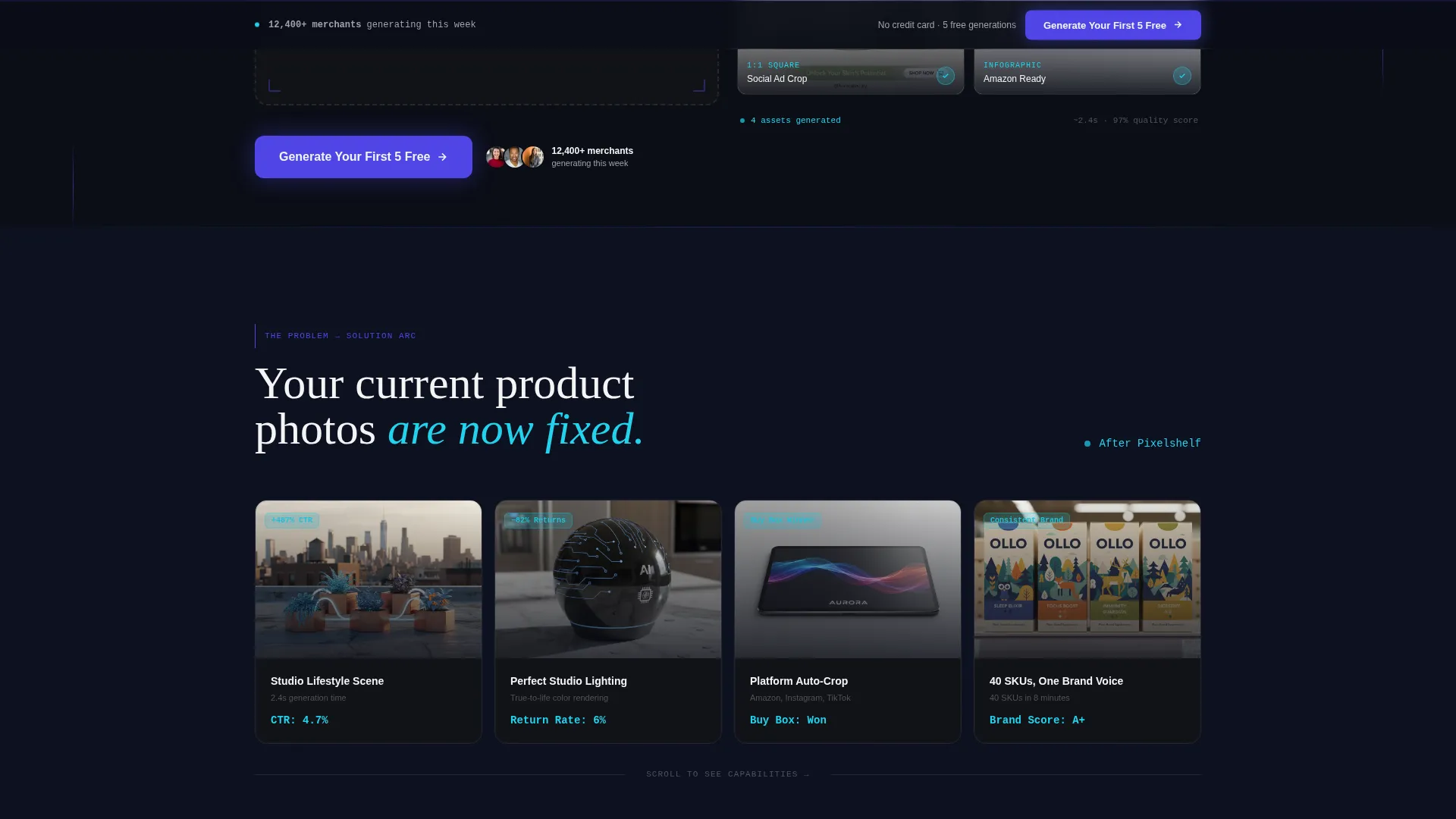
The first card row displays recognizable failure modes: cluttered backgrounds, bad lighting, and wrong aspect ratios, each overlaid with red performance indicators. As the visitor scrolls, the cards transition to show the same products processed through the generator, with metrics flipping green. The effect feels like watching a disorganized photo library reorganize itself in real time.
Modular Escalating Card Grid
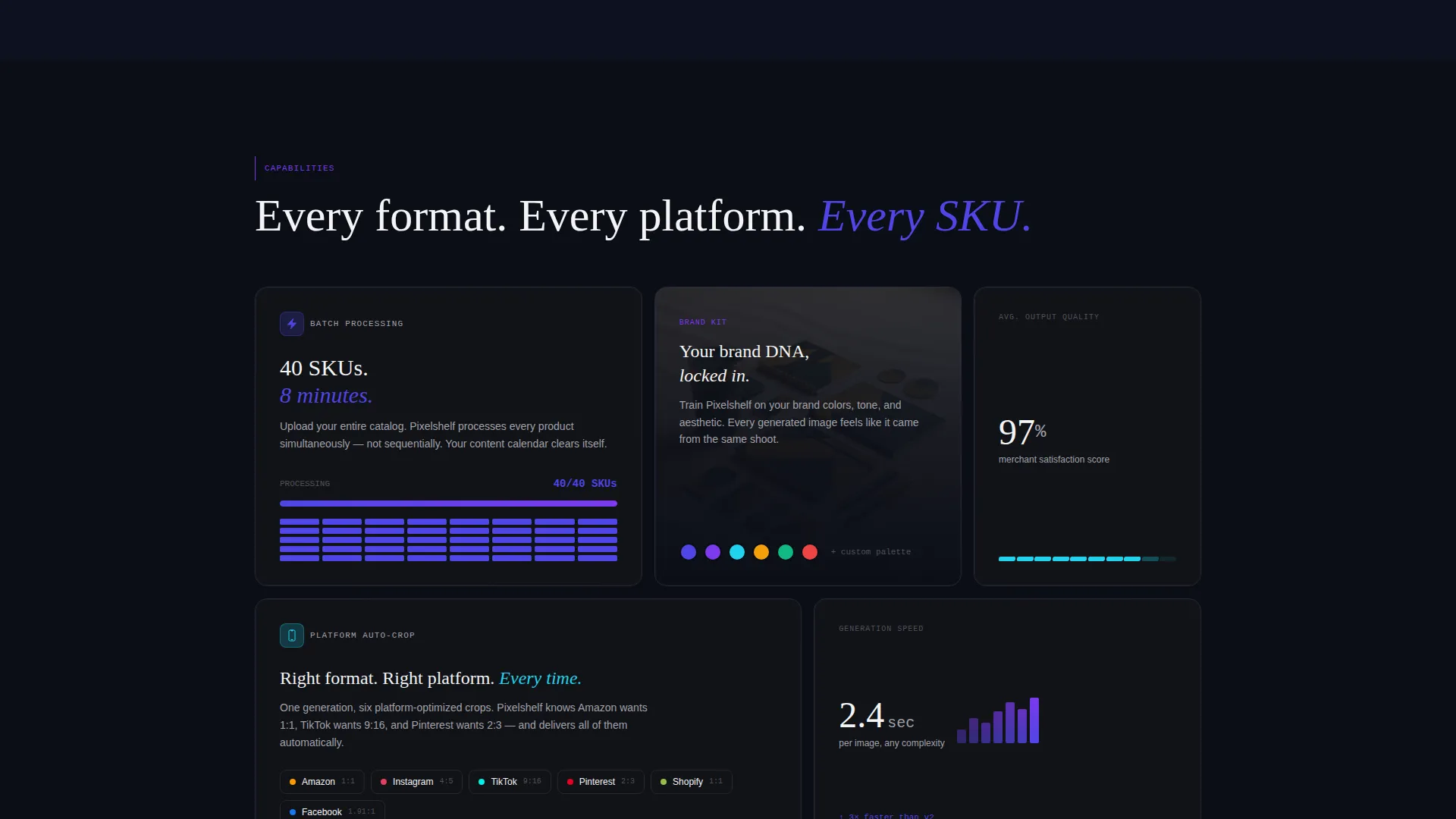
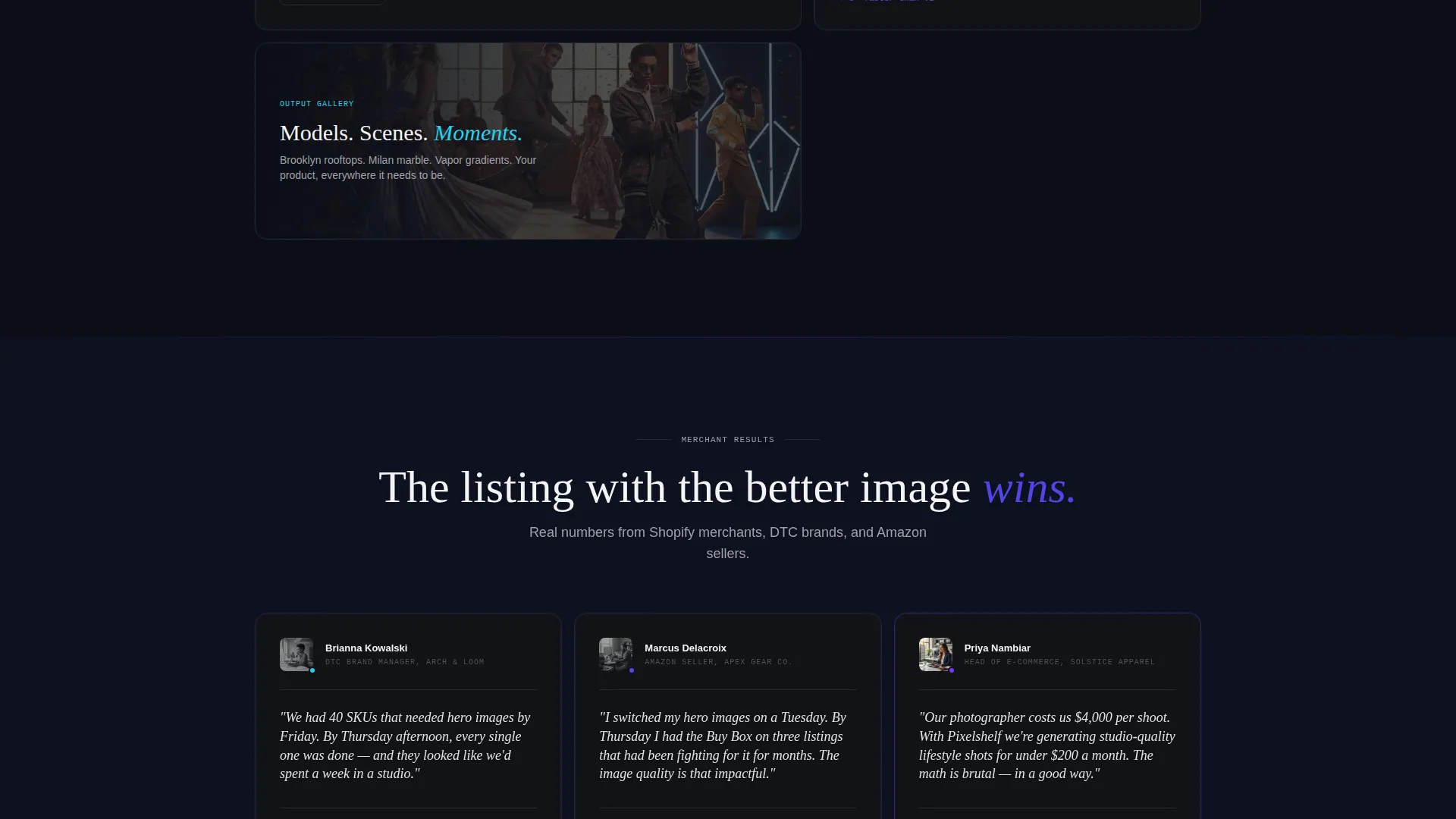
Each subsequent card module after the initial problem row introduces a new solution layer. Batch processing cards, brand-kit consistency cards, and platform-specific auto-cropping cards each occupy their own row. The modular structure means sections can be reordered or swapped to match different messaging priorities.
Pinned App-Download Call-to-Action Bar
After the visitor scrolls past the header, a slim indigo bar pins itself to the bottom of the viewport. Tapping it opens a two-step flow: choose a platform (iOS, Android, or Web App), then enter an email to receive the download link and five free generation credits. The bar stays visible throughout the scroll journey without interrupting the reading experience.
QR Code Secondary Path
Desktop visitors see a live-rendered QR code as an alternative to tapping the primary call-to-action bar. This gives desktop users a frictionless way to move from the landing page to the app on their phone. The secondary path runs alongside the primary flow without competing with it.
Electric Indigo Dark-Mode Visual System
The color system uses deep terminal black for the background, charged indigo for buttons and hover states, cool zinc for secondary text and card borders, and hot signal violet for progress bars and generation animations. A single electric cyan accent fires only on completed outputs. The palette is consistent, purposeful, and immediately recognizable as a dark-mode creative tool.
Page sections overview
| Section | Purpose |
|---|---|
| Interactive Header Preview | Show live input-to-output transformation and prove tool capability |
| Problem Card Row | Display recognizable failure modes with red performance overlays |
| Solution Card Row | Show the same products transformed, with green metric flips |
| Batch Processing Cards | Highlight high-volume generation as a core capability |
| Brand Kit Cards | Show consistency across outputs for multi-SKU brand identity |
| Platform Crop Cards | Demonstrate auto-cropping for platform-specific image formats |
| Pinned call to action Bar | Drive app downloads with a two-step platform and email flow |
| QR Code Path | Give desktop visitors a direct bridge to the mobile app |
Design & branding system
The visual identity follows a Data Command theme. Every color choice carries a specific signal, and nothing in the palette is decorative without purpose.
- Background uses deep terminal black (#0B0E17); buttons and hover states use charged indigo (#4F46E5); secondary text and card borders use cool zinc (#A1A1AA)
- Hot signal violet (#7C3AED) is reserved for progress bars, generation animations, and "new" badges; electric cyan (#22D3EE) fires only on completed outputs
- The overall feel is a dark-mode creative suite at 2 AM, where every glow means something is actively working
Mobile & speed optimization
The template is designed with mobile visitors in mind, particularly because the primary call to action drives app downloads. The layout and interactive elements are structured to work across device sizes.
- The pinned call-to-action bar is built for tap interaction on mobile screens
- The two-step download flow (platform selection, then email entry) keeps the mobile experience focused and low-friction
- The QR code path on desktop creates a smooth handoff from browser to mobile app without extra steps
How this template helps you convert
Conversion is earned through demonstration, not description. This template is built around showing the output before asking for anything in return.
- The interactive header lets visitors experience the generator's output quality in real time, before they scroll to any marketing copy or call to action.
- The Problem-to-Solution scroll arc builds trust by acknowledging the visitor's actual pain points first, then showing the resolution through the same card format.
- The pinned call-to-action bar with five free generation credits lowers the commitment barrier to nearly zero, making the first step feel like a gift rather than a sign-up.
Other information about this template
This template is categorized under Technology and specifically targets the AI for Retail subcategory. It is a strong fit for anyone building or marketing a retail AI image generator product.
- The template style is Card Grid (Modular), making it straightforward to add, remove, or reorder card rows as the product evolves
- The header concept is classified as Interactive Preview, meaning the interactivity is baked into the structural design rather than added as an afterthought
- The creative direction follows a Problem-to-Solution Arc, a proven structure for tools that solve a visible, frustrating problem
- The landing page direction is App Download, so every section is sequenced to earn the tap and reduce hesitation before the final call to action
Theme
Data Command
Creative direction
Problem→Solution Arc
Color system
Electric Indigo
Style
Card Grid (Modular)
Direction
App Download
Page Sections
Interactive Upload Preview Header
Problem-to-solution Scroll Arc
Modular Escalating Card Grid
Pinned App-download Call-to-action Bar
QR Code Secondary Conversion Path
Electric Indigo Dark-mode Color System
Related questions
What type of businesses is this template designed for?
Can I customize the card rows for my own product categories?
How does the interactive header work in this template?
What does the two-step app-download flow include?
Is the dark-mode color system fully defined in the template?



