ProposalCommand - Streamlined Education Landing Page Template
Proposalcommand is a bento grid landing page template built for education procurement platforms. It combines a live Dashboard Preview header, a spec-sheet bento layout, and a two-path lead generation flow to show the product working before a visitor scrolls. The design uses a Data Command visual theme to give every section instant credibility with school districts and ed-tech sales teams.
by Rocket studio
Quick summary
Proposalcommand is a single-page bento grid landing page template designed for education proposal and quote platforms. The header opens on a working dashboard render, the bento cells each prove one capability, and two conversion paths capture leads at different readiness levels. Every design decision serves procurement buyers who need to trust numbers fast.
Who this template is for
This template is built for teams selling or promoting software that handles education procurement workflows. It speaks directly to buyers and sellers operating inside institutional purchasing cycles.
- School district procurement officers managing multiple vendor relationships and quote timelines
- Private academy administrators modernizing campus purchasing processes
- Ed-tech sales teams who need to capture leads before a competitor's quote lands first
What problem this template solves
Education procurement is slow, fragmented, and easy to lose. Proposals sit in email threads, pricing goes stale, and a two-day delay on a quote can cost a deal. This template gives the platform a landing page that feels as organized as the product it promotes.
- Removes the credibility gap between a polished platform and a generic marketing page
- Replaces vague feature lists with visible proof that the product is already doing the work
- Gives two types of buyers a clear next step, whether they are ready to act or still evaluating
What you get with this template
The template delivers a fully structured, single-page layout with every section purpose-built for the education procurement niche. The visual hierarchy is precise, the conversion logic is built in, and the design system is production-ready from the first open.
- A bento grid body where each cell is a self-contained capability proof with its own background rhythm
- A two-path conversion flow combining a primary lead form and an embedded demo video trigger
- A complete Data Command color system with defined usage rules for every palette value
Feature list
This template ships with a tightly defined set of layout and conversion features. Each one maps directly to a specific buyer need or design objective described in the brief.
Live Dashboard Header Section
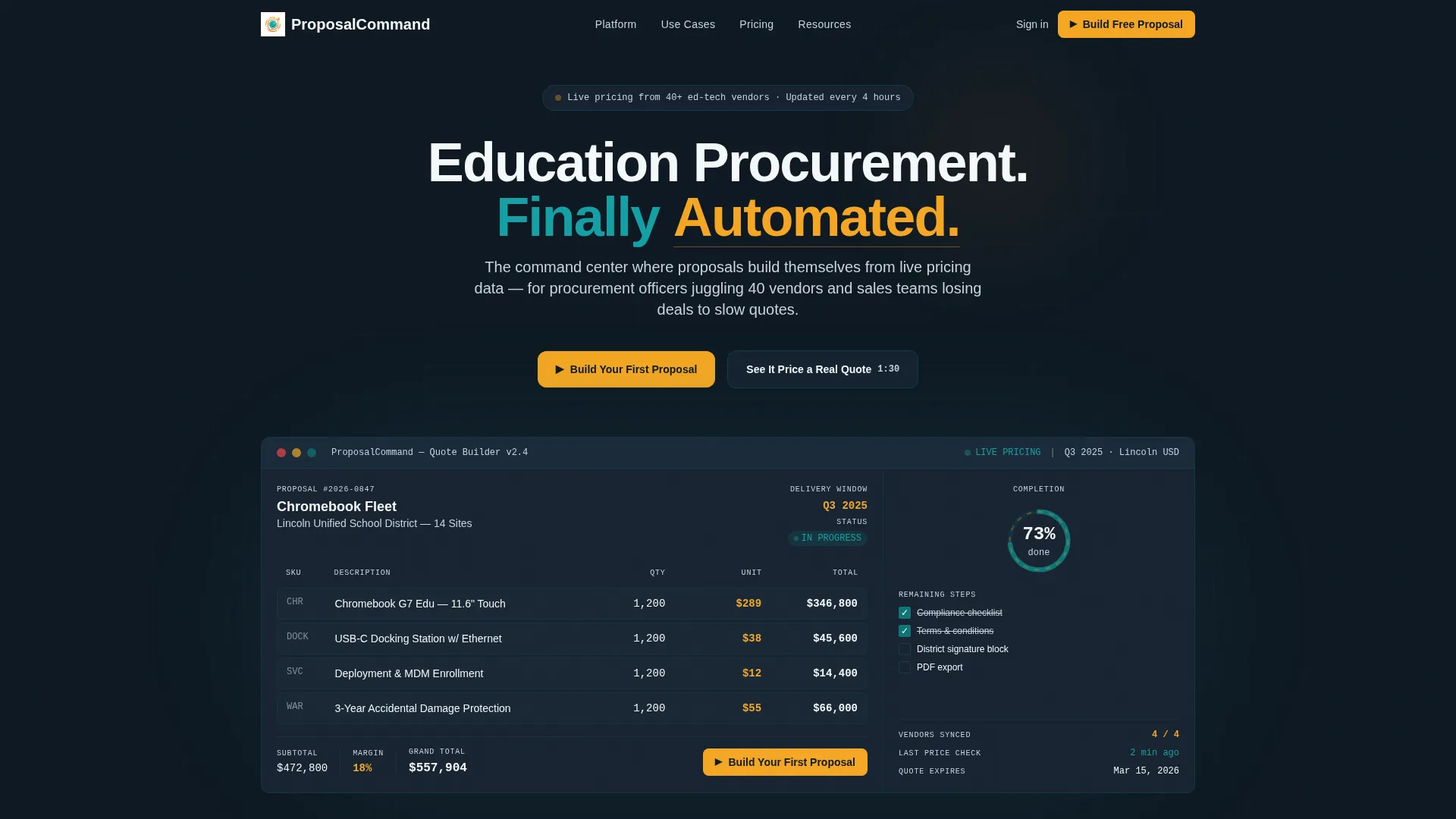
The header renders a pixel-perfect product preview mid-workflow. It shows a partially completed quote for a real school district fleet purchase, with line items, unit pricing, a margin calculator, and a completion progress ring at 73 percent. The data is specific enough to read at a glance, including quantity, unit cost, and delivery window.
Bento Grid Capability Layout
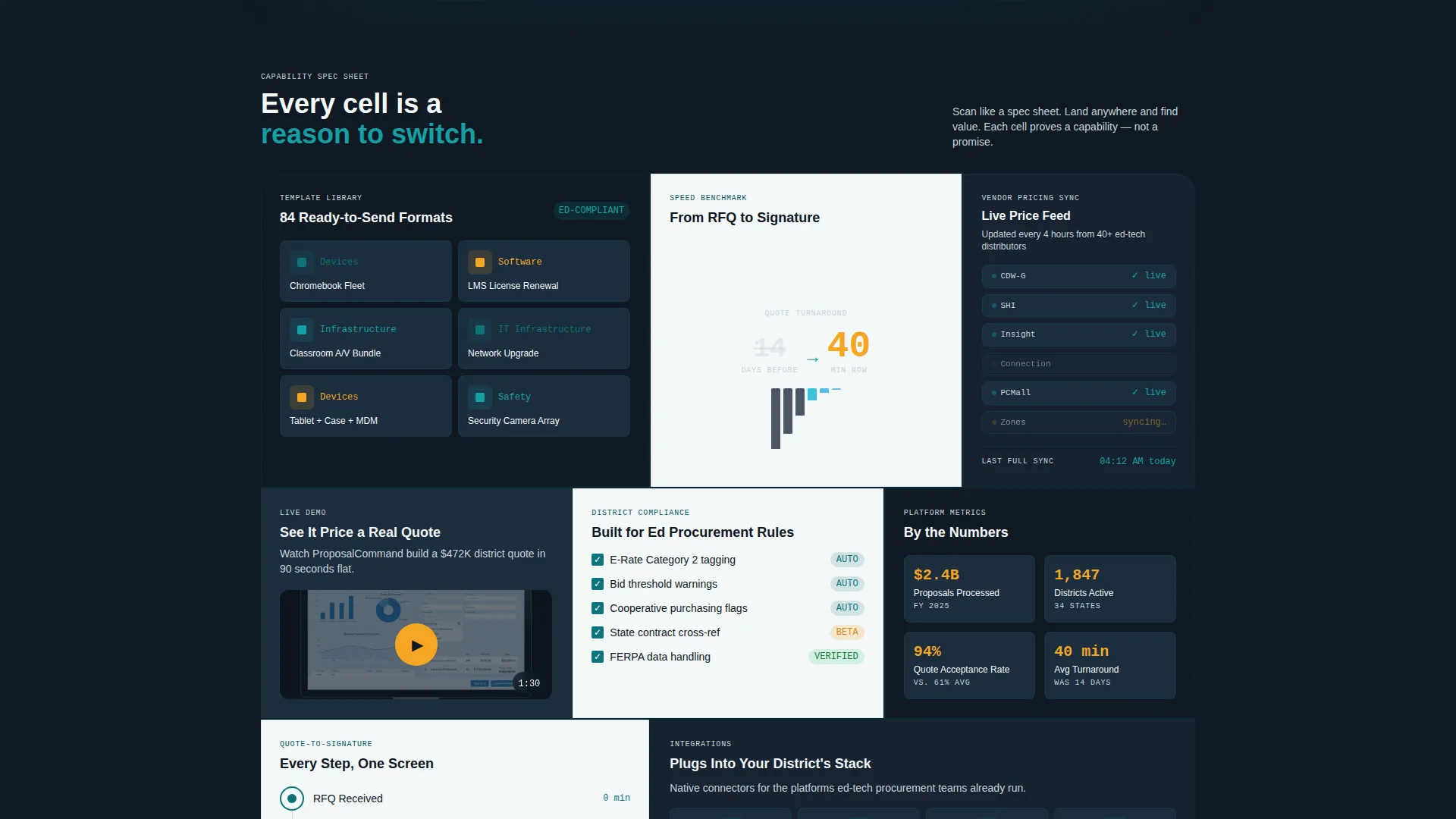
The body is organized as a bento grid where each cell proves one platform capability independently. Cells alternate between dark midnight dashboard and clean chalk white backgrounds, creating visual rhythm without monotony. Teal borders on each cell pulse subtly on hover, signaling interactivity.
Two-Path Lead Generation Flow
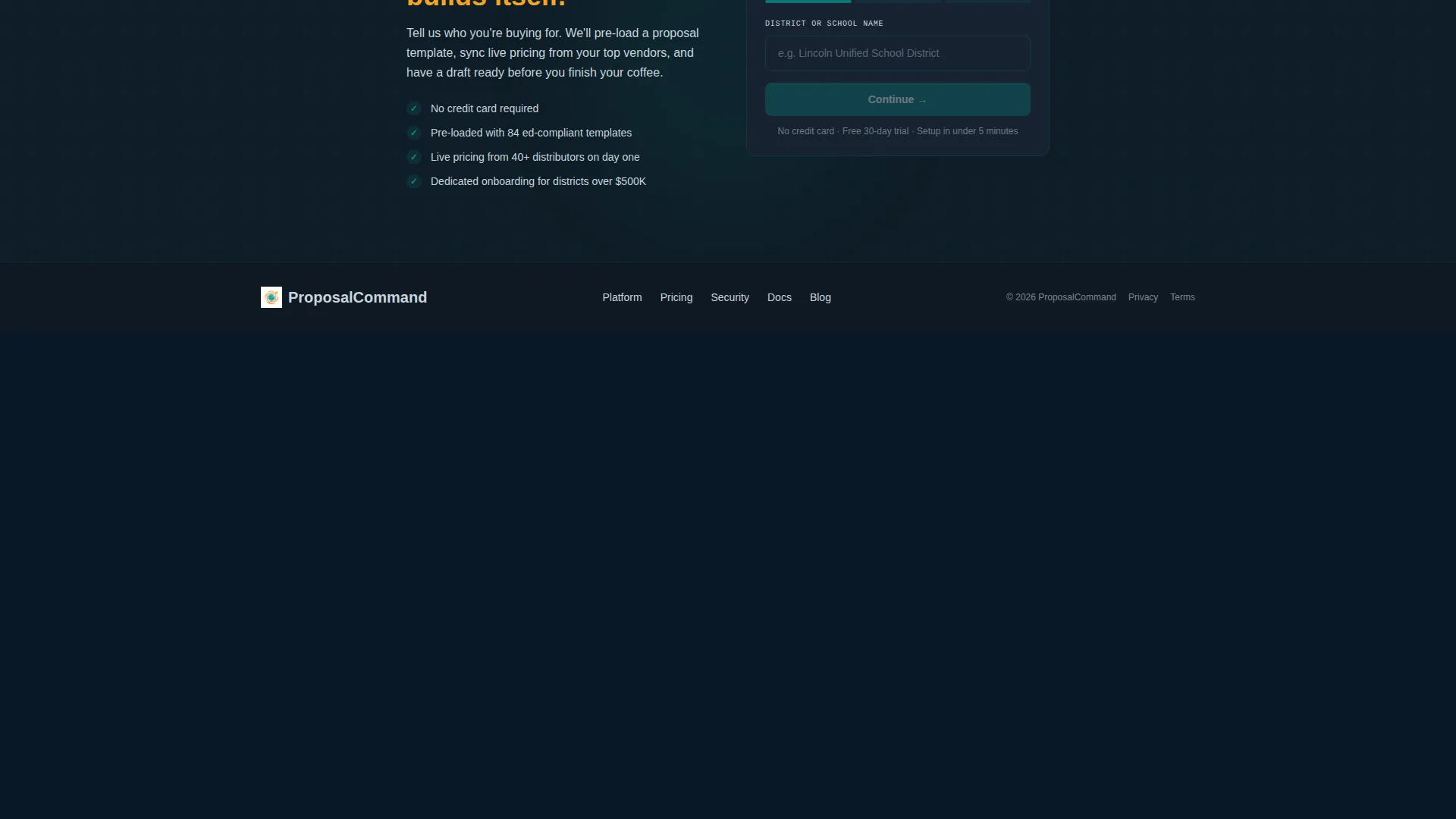
The primary call to action opens a three-field progressive form collecting district name, annual procurement volume, and work email. A secondary path triggers an embedded 90-second demo video for buyers who need proof before committing. Both paths operate within the same page without navigation away.
Spec Sheet Creative Direction
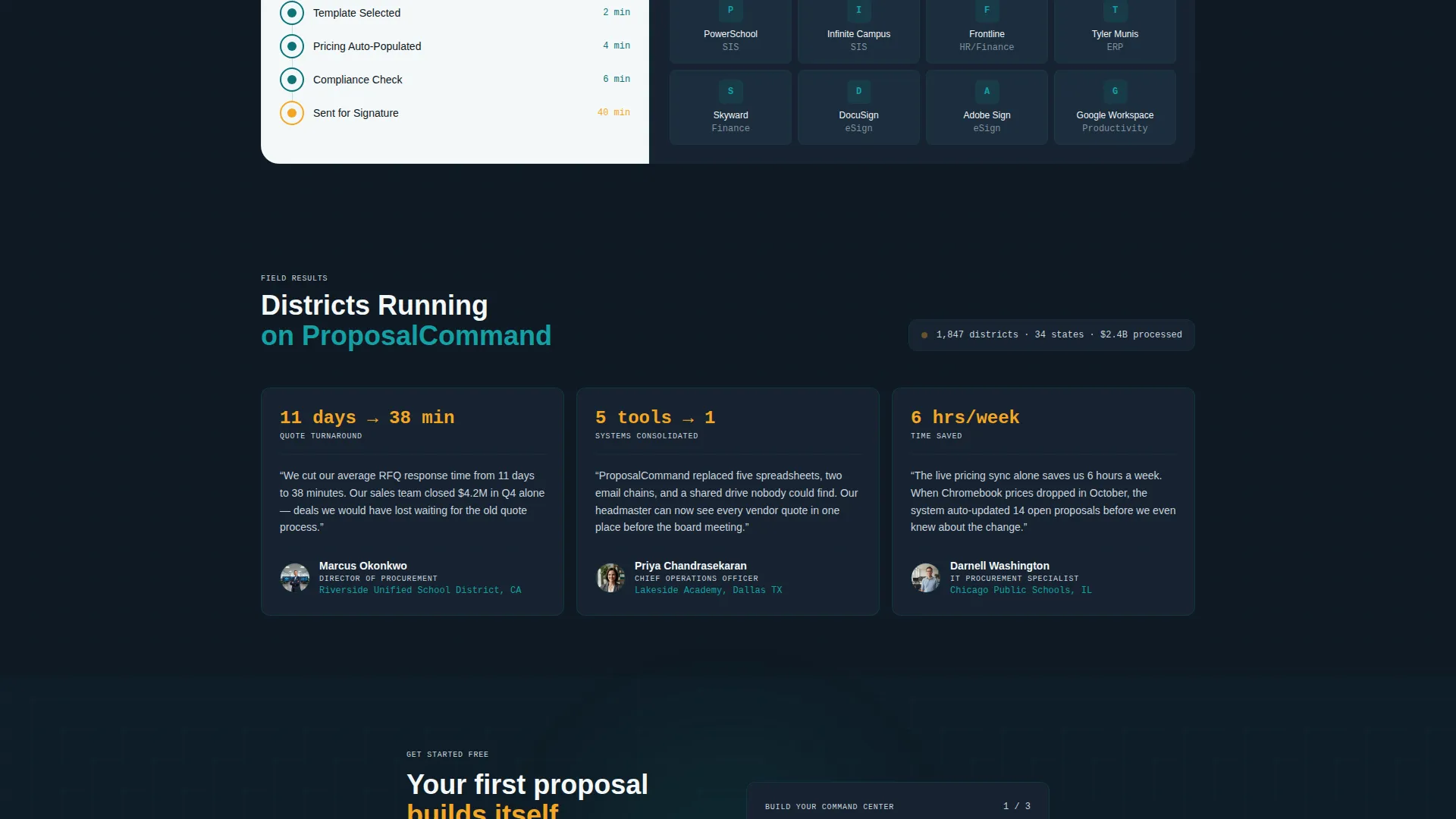
Every bento cell is designed as a standalone proof point, not a narrative sequence. One cell displays a proposal template library with thumbnail previews. Another shows a real-time pricing sync indicator with vendor logos. A third visualizes a quote-to-signature timeline compressed from fourteen days to forty minutes.
Catalyst Amber call to action Placement
The primary call to action button appears in catalyst amber inside the header dashboard itself, visually blurring the line between the marketing page and the live application. This placement makes the action feel like a natural next step inside the product rather than a sales prompt.
Teal Catalyst Color System
The palette uses deep operations teal as the primary action color, midnight dashboard for card and data surfaces, chalk white for typography and negative space, and catalyst amber reserved exclusively for live data indicators, notification badges, and primary calls to action. Every color carries a defined meaning within the layout.
Page sections overview
| Section | Purpose |
|---|---|
| Dashboard Preview Header | Anchors credibility with a live product render and the primary call to action |
| Proposal Library Cell | Shows template variety through thumbnail previews inside a bento cell |
| Pricing Sync Cell | Demonstrates real-time vendor pricing with visual sync indicators |
| Timeline Proof Cell | Compresses quote-to-signature from fourteen days to forty minutes visually |
| Demo Video Cell | Hosts the embedded 90-second demo for warmer, proof-seeking leads |
| Lead Capture Form | Collects district name, procurement volume, and work email in three fields |
Design & branding system
The Data Command theme is built around a four-value color system where each color earns its place by meaning something specific. The palette evokes the focused atmosphere of a well-built operations dashboard in early morning use.
- Deep operations teal (#0D7377) for primary actions and interactive borders
- Midnight dashboard (#0F1923) for card backgrounds and data surface cells
- Clean chalk white (#F4F7F9) for typography, negative space, and light-background cells
- Catalyst amber (#F5A623) reserved exclusively for live data points, notification badges, and primary call to action buttons
Mobile & speed optimization
The bento grid layout is structured to reflow naturally across screen sizes without losing the capability-proof logic of each cell. Procurement buyers often review proposals and vendor pages from mobile devices between meetings.
- Each bento cell is designed as an independent unit, making it straightforward to stack vertically on smaller screens
- The dashboard header preview is sized and composed to remain legible and specific even at reduced viewport widths
- The two-path conversion flow keeps both the form and the demo trigger accessible without requiring horizontal scrolling
How this template helps you convert
The page is engineered around one principle: show the product working before asking for anything. That principle drives both the layout structure and the conversion mechanics.
- The header dashboard preview does the selling before a visitor reads a single line of copy, using real numbers and a visible workflow to establish platform credibility instantly
- The primary call to action is embedded inside the product render itself, so clicking it feels like starting to use the tool rather than filling out a sales form
- The secondary demo video path captures leads who need evidence before commitment, giving the page two conversion moments instead of one
Other information about this template
This template is categorized under Technology and Education Software, with a niche focus on education proposal and quote workflows. It is built as a single-page bento grid landing page and is part of the Proposalcommand template line.
- The template style is Bento Grid, making it well-suited for platforms that have multiple distinct capabilities to communicate without a linear narrative
- The header concept is Dashboard Preview, a pattern that works especially well for software-as-a-service products where the interface itself is the strongest sales asset
- The creative direction follows Spec Sheet logic, meaning buyers can scan non-linearly and land on value at any point in the grid
- The intersection match score for this template is 13, reflecting a highly specific niche alignment between the Technology category and the Education Proposal and Quote use case
Theme
Data Command
Creative direction
Spec Sheet
Color system
Teal Catalyst
Style
Bento Grid
Direction
Lead Generation
Page Sections
Live Dashboard Header with Real Data
Bento Grid Capability Cells
Two-path Lead Generation Flow
Catalyst Amber Call to Action Inside Product Render
Spec Sheet Creative Direction
Teal Catalyst Color System
Related questions
Who is this landing page template designed for?
What makes the bento grid layout effective for this type of platform?
Can this template capture leads at different stages of buyer readiness?
What does the Dashboard Preview header include?
Is this a multi-page template or a single-page layout?



