Medical Clinic Careers Website Template
Recruit is a medical clinic careers landing page built on a Tech Glass, mission-control aesthetic. It features a live-data stats dashboard hero, an animated Problem versus Solution comparison grid, proprietary tool explorer cards, culture and shift policy sections, and a four-field progressive application form. Designed for burned-out clinicians ready to make a move.
by Rocket studio
Quick summary
Recruit is a single-page careers landing page designed for a multi-specialty medical clinic recruiting burned-out clinicians and medical staff. It opens with a glassmorphic stats dashboard, walks candidates through an animated versus grid comparing their current employer to this clinic, and closes with a low-friction four-field form. No résumé upload required.
Who this template is for
This template is built for healthcare organizations that want to recruit clinical talent through evidence rather than job listings. It suits any multi-specialty clinic, urgent care group, or healthcare employer ready to lead with operational data instead of generic perks copy.
- Recruiting teams targeting ER nurses, registered nurses, and medical assistants experiencing burnout
- Hiring managers trying to convert residency graduates weighing private practice against academic medicine
- Healthcare operators who want candidates pre-sold before they ever touch a form
What problem this template solves
Most medical careers pages read like HR boilerplate. They list benefits, post job codes, and hope someone clicks apply. This template takes the opposite approach: it names the problem candidates already live inside and then presents your clinic as the treatment plan.
- Clinicians scrolling jobs at 2 a.m. need proof, not promises, the versus grid delivers it
- Admin-heavy workflows and charting overload are the real objections, the template addresses them directly with metric tiles
- High drop-off on long application forms is reduced by the four-field progressive modal with no résumé upload
What you get with this template
You get a complete, section-led careers landing page that moves from first impression to application in one focused scroll. Every section is purpose-built around the Problem to Solution arc, so candidates stay engaged from the stats dashboard hero all the way to the offer form.
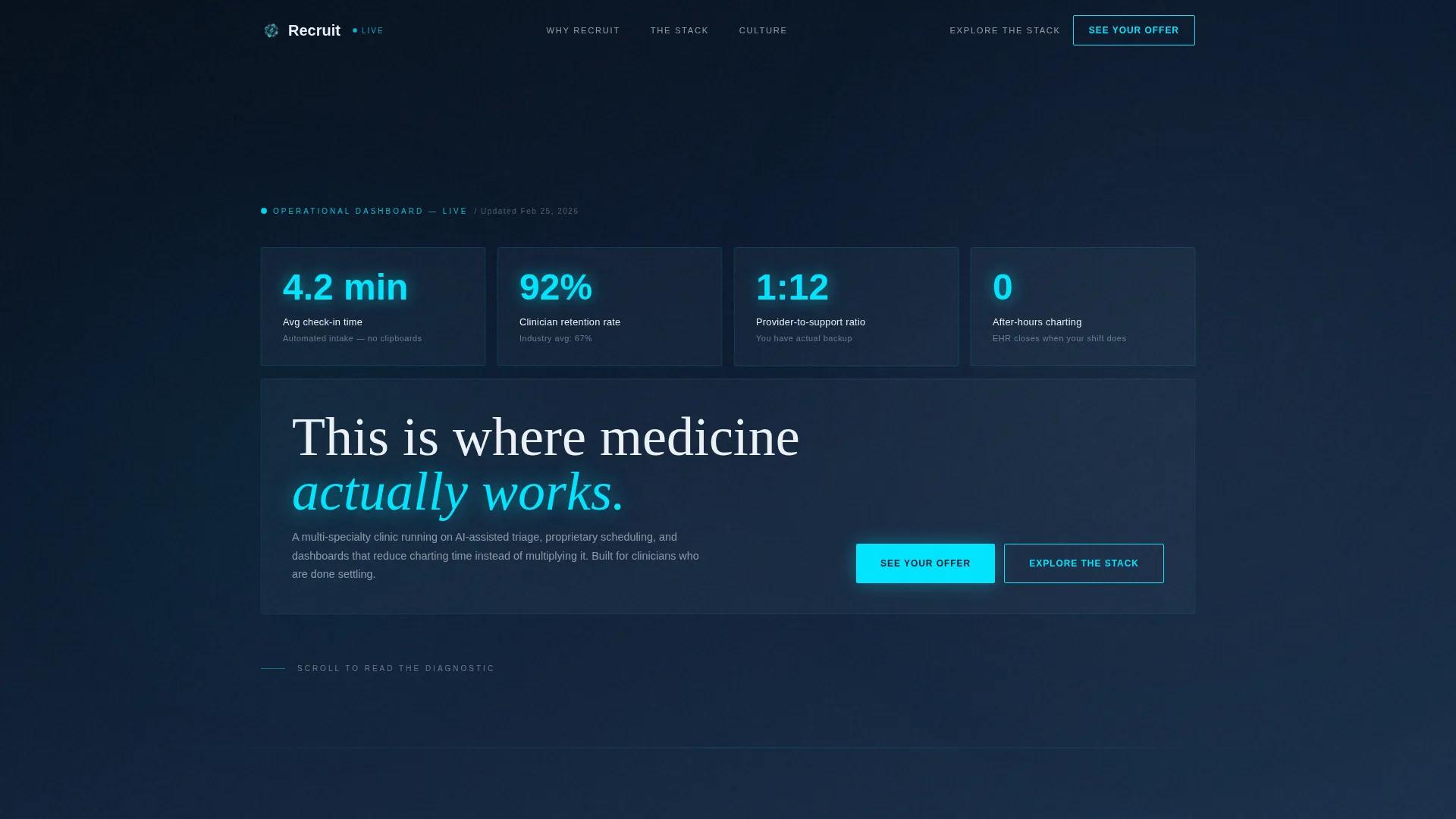
- A glassmorphic hero with oversized metric tiles, scroll-triggered animated counters, and a comparison versus grid
- A proprietary tool explorer section, a culture and shift policy proof section, and a sticky call-to-action bar
- A four-field progressive form modal triggered by the primary "See Your Offer" call to action
Feature list
This template is built around six purpose-designed features. Each one is grounded in the source brief and supports the clinic's core recruitment objective.
Glassmorphic Stats Dashboard Hero
The header renders as a live-data wall of oversized metric tiles against a deep navy background. Tiles are semi-translucent with cyan numerals large enough to read at a distance, conveying operational authority from the first second on page.
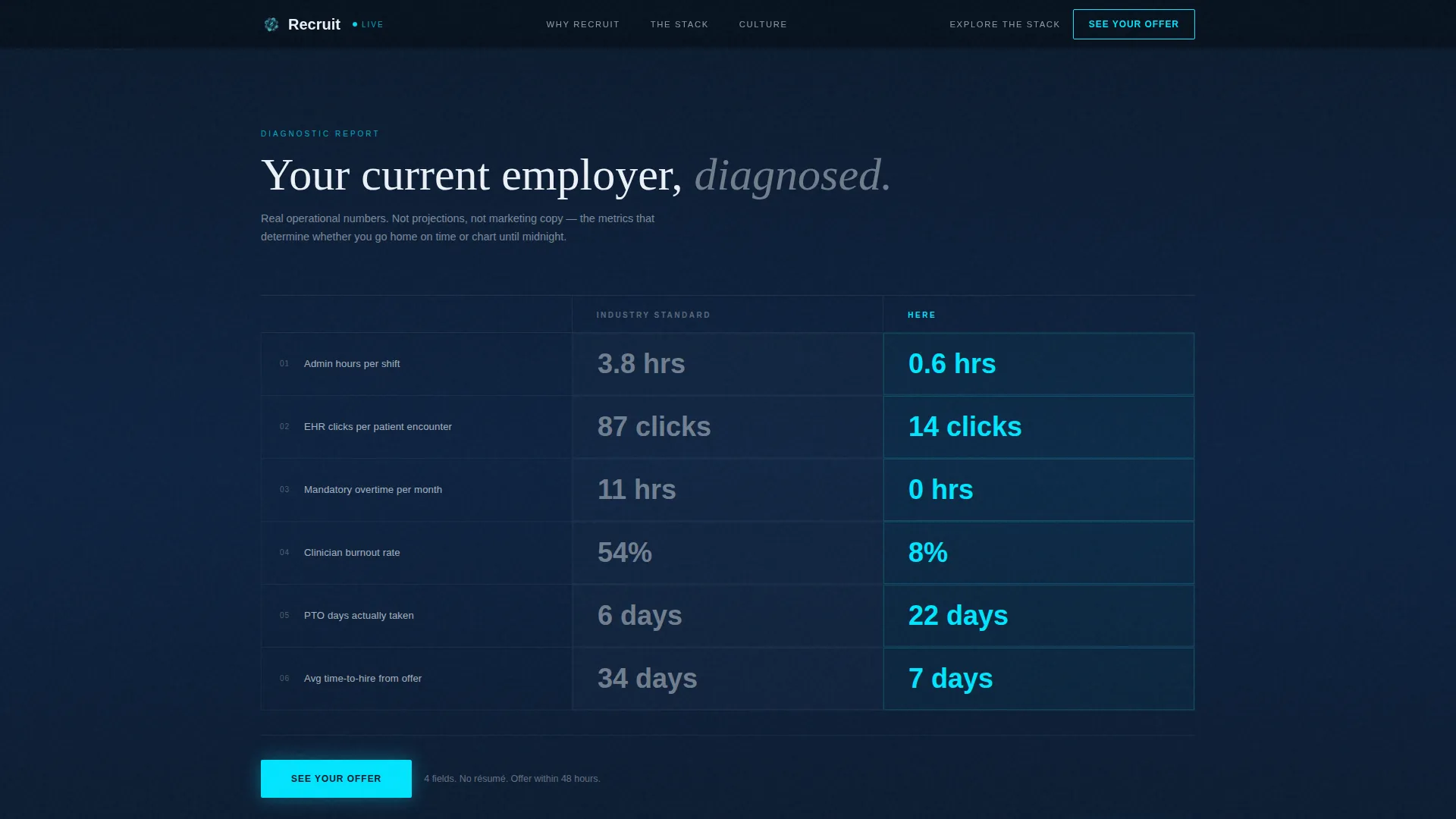
Animated Versus Comparison Grid
A two-column grid below the fold contrasts industry-standard metrics with this clinic's numbers. Scroll-linked counters animate up on the left and down on the right, making the performance gap visceral and immediate for any candidate who has lived the problem.
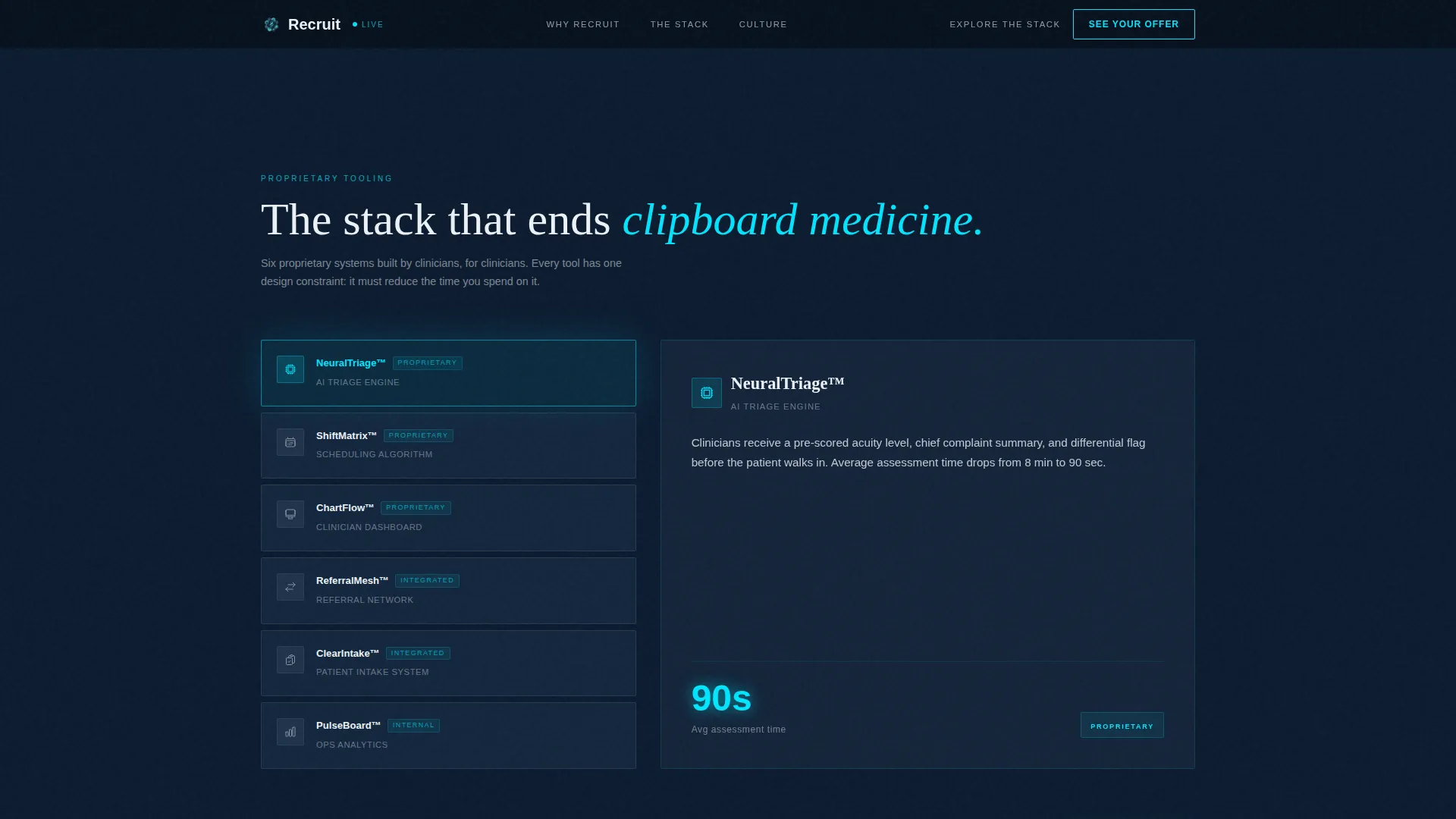
Stack Explorer Tool Cards
A dedicated section surfaces the clinic's proprietary scheduling algorithms, AI-assisted triage tools, and clinician dashboard features as browsable cards. Candidates can explore the technology before committing to the application path.
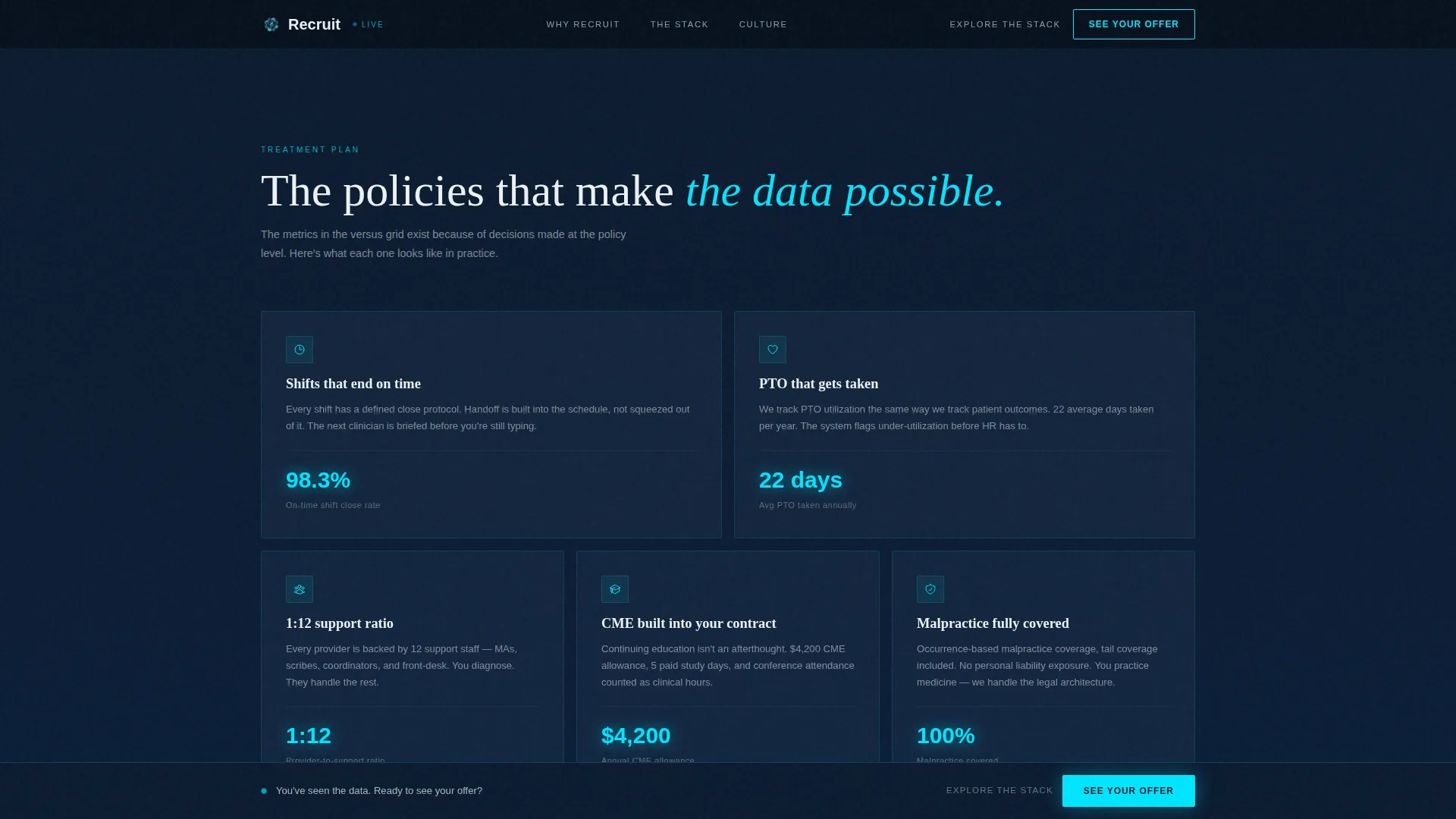
Culture and Shift Policy Proof Section
Retention rate cards, provider-to-support ratio data, and shift policy details are displayed as readable proof blocks. This section converts the clinic's internal culture into verifiable candidate-facing evidence.
Progressive Four-Field Application Form
The "See Your Offer" call to action opens a modal form with four fields: current role title, years of experience, specialty or department interest, and preferred shift pattern. No résumé upload is required, lowering friction for passive candidates.
Sticky Call-to-Action Bar
After the candidate passes 60 percent scroll depth, a persistent bottom bar surfaces the primary call to action. It keeps the conversion path visible without interrupting the reading flow of earlier sections.
Page sections overview
| Section | Purpose |
|---|---|
| Hero Stats Dashboard | Display live operational metrics in glassmorphic tiles with primary headline |
| Versus Comparison Grid | Animate side-by-side problem and solution metrics to pre-sell the clinic |
| Stack Explorer Cards | Let candidates browse proprietary clinical tools before applying |
| Culture Proof Section | Show retention data, shift policies, and provider ratio as trust evidence |
| See Your Offer Form | Capture candidate interest via four-field progressive modal form |
| Sticky call to action Bar | Keep the primary call to action visible after 60 percent scroll depth |
| Footer | Linear single-row footer with essential navigation and contact links |
Design & branding system
The visual identity follows a Tech Glass, mission-control aesthetic built on a Midnight Blue color system. Every design decision reinforces the feeling of a facility running at a higher technical standard than the clinics candidates already know.
- Deep clinical navy (#0B1A2E) as the primary background, polished steel blue (#3A506B) on card surfaces, pulse-monitor cyan (#00E5FF) on interactive highlights and call-to-action edges, and sterile white (#EDF2F7) for typography
- Fraunces serif for display headings paired with DM Sans for body copy, creating a balance of authority and clinical readability
- Cyan appears only on hover states, active stats, and call-to-action edges, so every interactive element reads like a blinking readout demanding attention
Mobile & speed optimization
The template is designed desktop-first to honor the EMR terminal aesthetic, with the dashboard layout and oversized metric tiles landing with maximum impact on larger screens. Full mobile support is included so candidates scrolling on their phones at 2 a.m. can still navigate every section without friction.
- Animated sections use client-side rendering while static content uses server components, keeping interactive performance focused where it matters
- GSAP ScrollTrigger powers the scroll-linked counters and staggered tile reveals without blocking the reading experience
- The sticky call-to-action bar and progressive form modal are fully usable on touch devices
How this template helps you convert
The entire page is structured as a single conversion argument. Each section builds on the previous one, so by the time a candidate reaches the form, they have already self-diagnosed their current employer as the problem and identified this clinic as the solution.
- The stats dashboard hero establishes immediate authority with operational numbers, removing the need for candidates to trust marketing language before they trust data.
- The animated versus grid does the selling by making the gap between industry standard and this clinic's performance visible and measurable, so the call to action at the bottom of the grid feels like a logical next step rather than a sales ask.
- The sticky call-to-action bar and four-field form remove every remaining barrier, appearing at the moment of highest intent and requiring only four answers to begin the offer process.
Other information about this template
This template is built with high animation and interactivity settings as described in the source brief. It is a strong fit for medical clinic website templates in the healthcare technology category, particularly for organizations building a medical clinic careers page where data-led recruitment is the strategy.
- Typography is set with Fraunces for display headings and DM Sans for body copy, both chosen for legibility at dashboard scale
- The marquee element and service switcher add dynamic motion that reinforces the live-terminal feel without distracting from the core message
- The footer follows a linear single-row pattern, keeping the page exit clean and focused
- This template sits at the intersection of healthcare recruiting and technology-forward design, making it suitable for clinics that want their careers page to reflect the same precision as their clinical operations
Theme
Tech Glass
Creative direction
Problem→Solution Arc
Color system
Midnight Blue
Style
Dashboard/Data Grid
Direction
Comparison/Versus
Page Sections
Glassmorphic Stats Dashboard Hero
Animated Versus Comparison Grid
Stack Explorer Tool Cards
Progressive Four-field Application Modal
Sticky Call-to-action Bar
Culture and Retention Proof Blocks
Related questions
Does this template require a résumé upload from candidates?
What makes the versus grid different from a standard comparison table?
Can the metric tiles in the hero be updated with real clinic numbers?
What is the Explore the Stack path designed for?
Is this template a good fit for a clinic without proprietary technology yet?



