School Careers Landing Page with Salary Estimator
Recruit is a single-page school careers landing page built around a live Salary and Benefits Estimator. Candidates select their role type, experience band, and campus region to instantly reveal a full compensation breakdown. A side-by-side comparison table then lets them stack up to three roles. The primary call to action drives app downloads, turning interest into installation.
by Rocket studio
Quick summary
Recruit is a careers landing page for schools and academies. It leads with a working compensation calculator so candidates see their exact salary, pension match, housing allowance, and professional development budget before they ever apply. A frosted-glass comparison table and a sticky app-download call to action keep every scroll purposeful and conversion-ready.
Who this template is for
This template is built for schools, multi-academy trusts, and education recruitment teams that want to attract serious candidates without relying on static job listings or lengthy application forms.
- Newly qualified teachers scanning job boards and weighing their first salary package
- Experienced heads of department comparing a lateral move against their current role
- International educators assessing cost-of-living adjustments across multiple regions
What problem this template solves
Most school careers pages bury compensation information or omit it entirely. Candidates leave to search salary guides on other sites and rarely come back. This template removes that friction by putting the numbers front and center.
- Candidates abandon pages that hide pay details, so the estimator answers the first question before it is asked
- Comparing multiple roles is slow on standard job boards, so the comparison table does it in one view
- Converting a curious visitor into an app user typically requires a separate funnel, so the download call to action is built directly into the page flow
What you get with this template
You get a single, complete careers landing page designed for education recruitment. Every section serves a specific purpose in moving a candidate from curiosity to commitment.
- A live Salary and Benefits Estimator with three dropdown fields and an animated itemized results panel
- A frosted-glass comparison table that accepts up to three roles with expandable micro-detail cells
- Two app-download conversion points and a pre-loaded deep-link path from the calculator into app onboarding
Feature list
This template was designed around one idea: every element should earn its position by answering a candidate's next question before they think to ask it.
Live Salary and Benefits Estimator
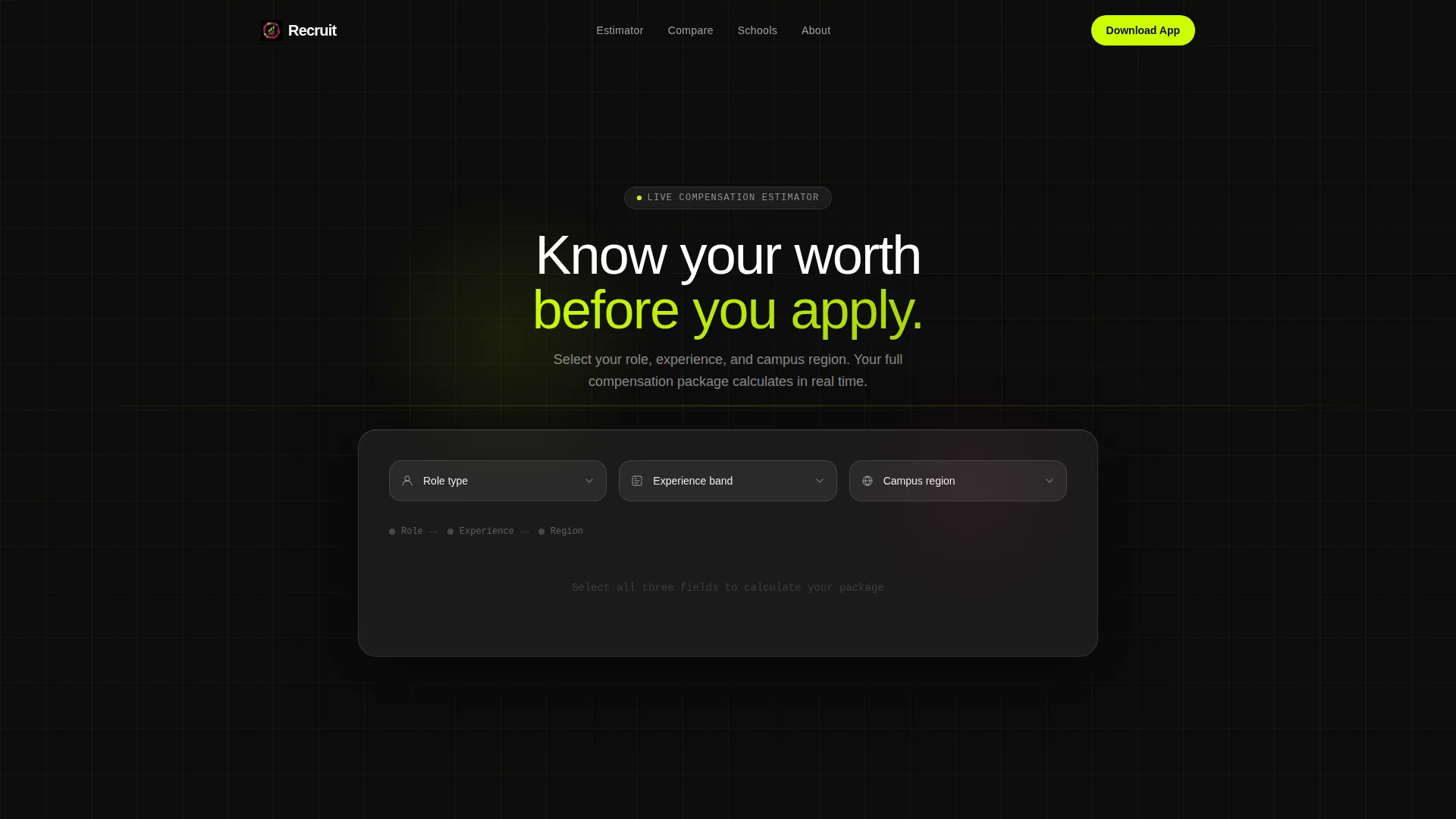
Three glass-panel dropdown fields sit above the fold: role type, experience band, and campus region. Once all three are selected, the estimator animates open to reveal a glowing total package figure with an itemized breakdown. Each line item appears in sequence with a soft pulse, covering base salary, pension match percentage, professional development grant, and relocation stipend.
Side-by-Side Role Comparison Table
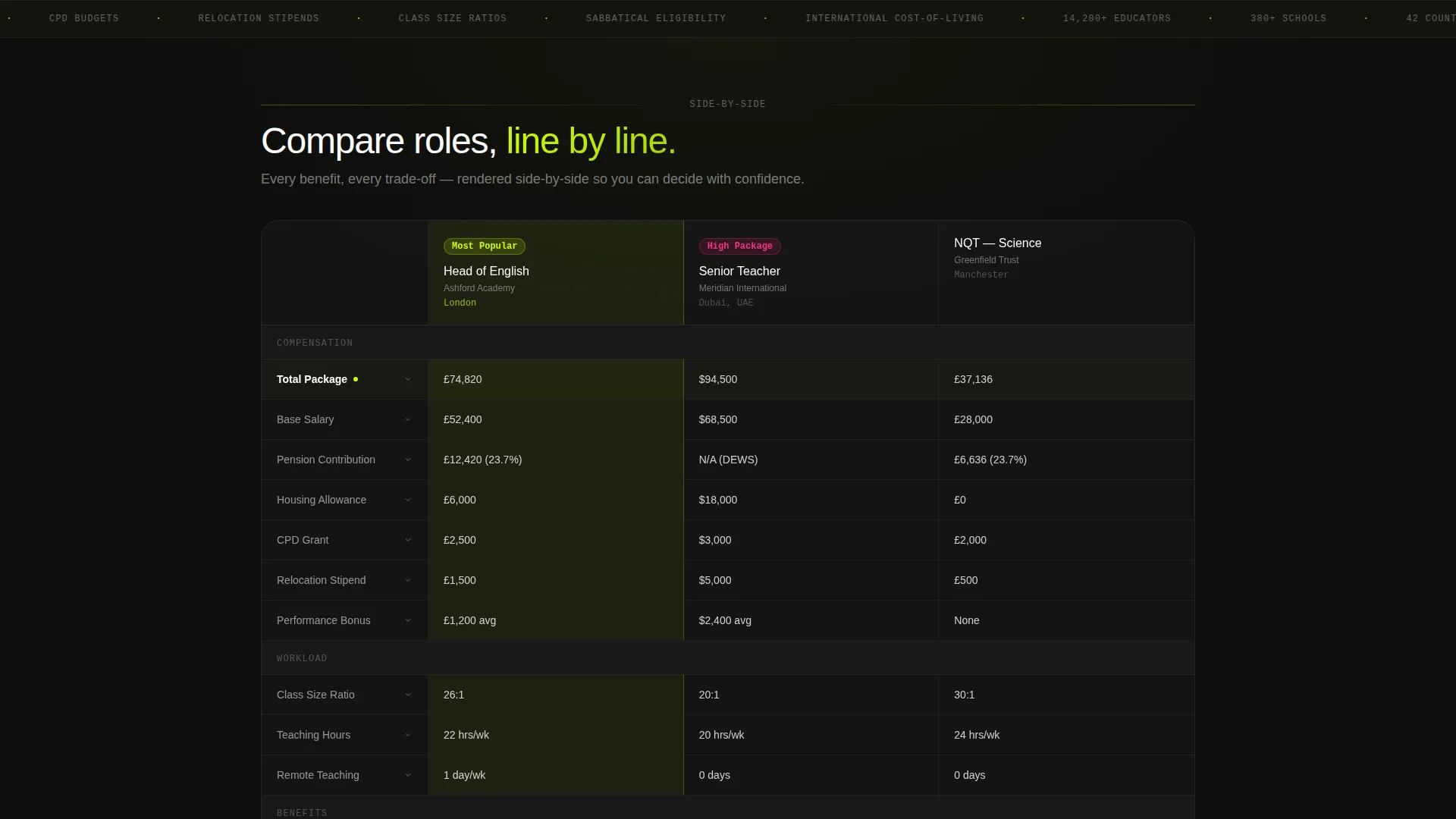
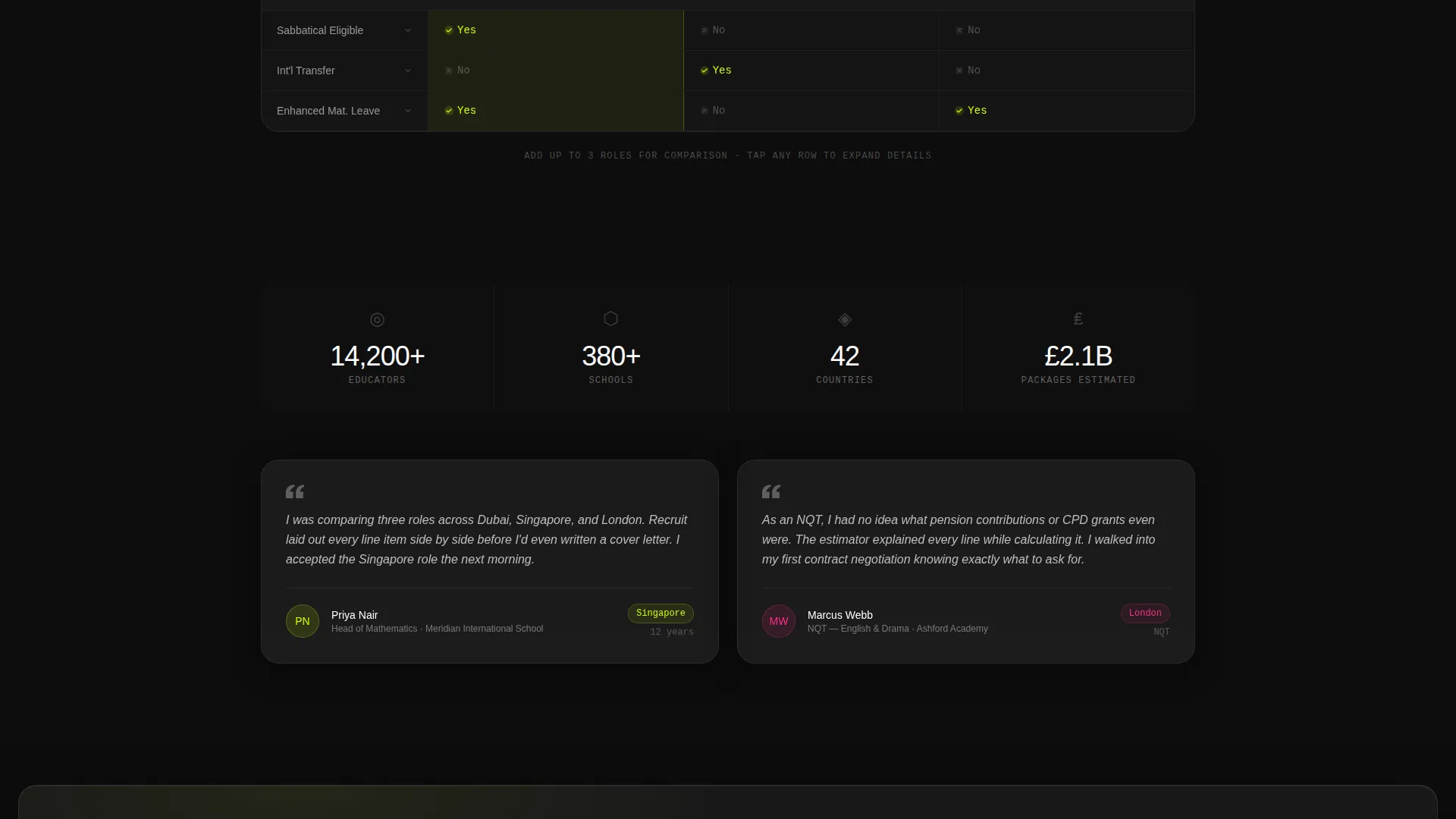
Candidates can add up to three roles and view them in parallel columns rendered as frosted glass cards. Every benefit line item appears as a row, from class size ratio to sabbatical eligibility. Each row staggers in on scroll, and tapping any cell opens a micro-detail expansion panel with additional context.
Dual App-Download Conversion Points
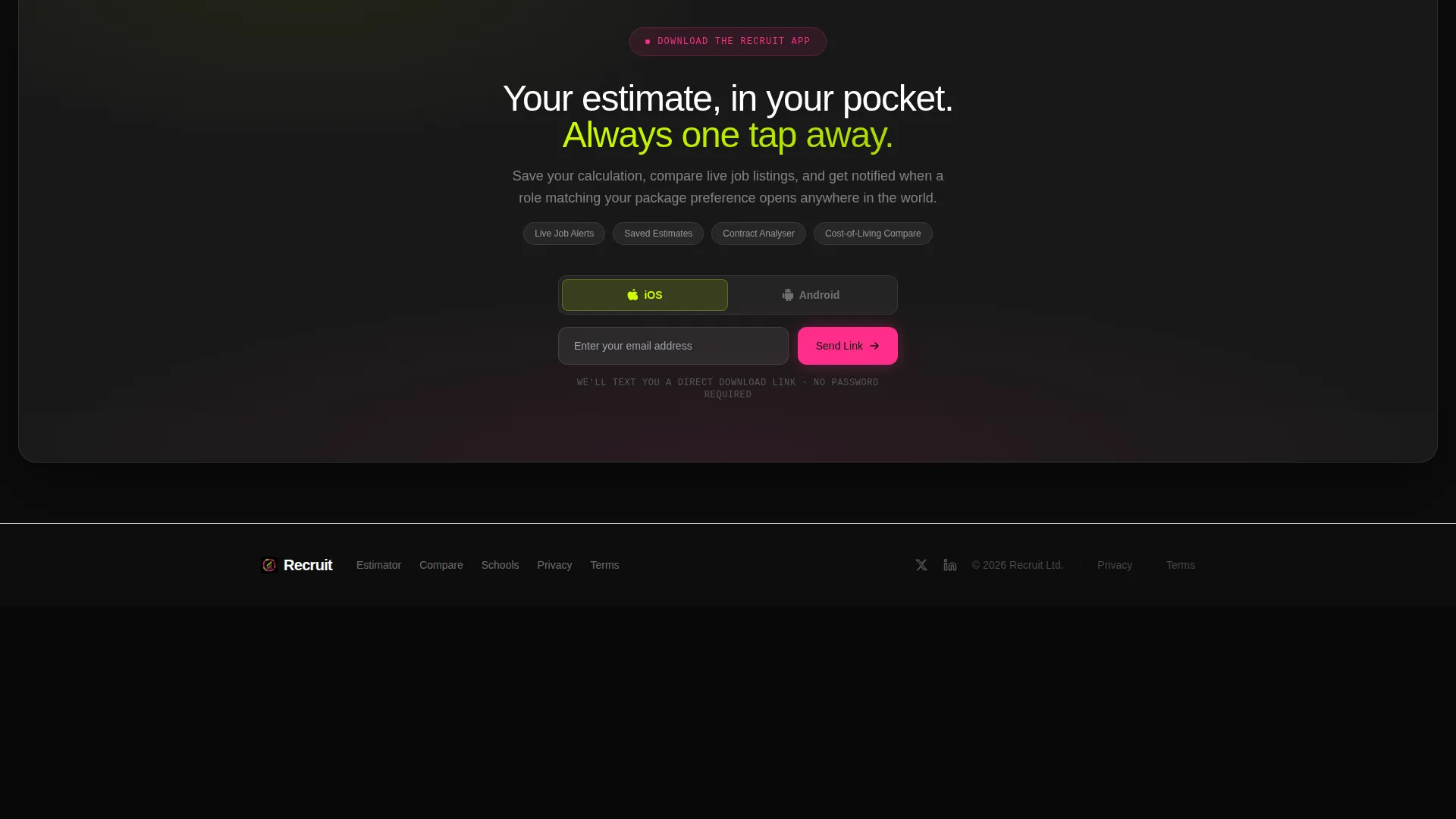
A sticky magenta pill call to action appears at the bottom of the estimator once results render. A second full-width frosted bar appears after the comparison table. Both open a two-field form collecting email address and preferred mobile operating system, then instantly send a download link by text message.
Save and Deep-Link Onboarding Path
A secondary "Save This Estimate" action beneath the calculator results deep-links into the app's onboarding flow with the candidate's selections pre-loaded. This converts calculator engagement into an app installation by making the app feel like the natural continuation of the tool the visitor is already using.
Tech Glass Visual System
The layout uses layered glass-morphism cards on a pure black background. Frosted white panels carry body text while letting the dark background bleed through their edges. Chartreuse pulses activate on hover states and selected comparison rows. Magenta fires only for active states and notification badges, keeping visual hierarchy clean and intentional.
Page sections overview
| Section | Purpose |
|---|---|
| Salary Estimator Header | Lets candidates calculate their full compensation package before scrolling further |
| Role Comparison Table | Displays up to three roles side by side with expandable benefit rows |
| Estimator App call to action | Sticky magenta pill that triggers the app download form after results render |
| Full-Width Download Bar | Second app-download call to action presented as a frosted bar after the comparison table |
| Two-Field Download Form | Collects email and mobile OS preference, then sends an instant download link |
Design & branding system
The visual identity follows a Tech Glass theme using the Acid Digital color system. The palette is built to feel like a phone screen lighting up in a dark room: arresting, synthetic, and interactive.
- Electric chartreuse (#CCFF00) is used for hover states, selected rows, and the animated total package figure; deep void black (#0D0D0D) forms the full-bleed background with layered glass-morphism cards
- Frosted panel white at 60% opacity (#FFFFFFA0) carries all body text inside translucent containers that let the dark background show through their edges
- Signal magenta (#FF2D8B) is reserved strictly for active states, the sticky call-to-action pill, and notification badges, maintaining visual hierarchy across the page
Mobile & speed optimization
The template is designed to feel responsive and immediate on any screen size. Every interactive element was sized and spaced with touch input in mind, so the page works just as well on a phone at midnight as it does on a desktop in an office.
- Dropdown fields, comparison table columns, and the sticky call-to-action pill are all touch-optimized for mobile use
- Scroll-triggered row animations and micro-detail expansion panels are designed to feel fluid on smaller viewports without losing legibility
How this template helps you convert
The entire page is structured as a progressive revelation engine. Each scroll depth answers one more question the candidate was about to search for elsewhere, making the experience feel smarter the further they go.
- The estimator delivers a personalized compensation figure above the fold, giving candidates an immediate reason to stay on the page and explore further
- The comparison table deepens engagement by letting candidates evaluate multiple roles without leaving, reducing drop-off at the consideration stage
- Both app-download conversion points are positioned at natural pause moments in the scroll journey, so the prompt to download arrives exactly when a candidate's interest is at its peak
Other information about this template
This template is a strong fit for any school or academy that competes for talent across regions and needs to communicate compensation clearly and quickly.
- The page type is a single-page landing page with a section-led scroll flow, not a multi-page website
- The template style is a comparison table layout, making it particularly effective for roles with varied benefit structures
- Creative direction follows a Calculator First approach, meaning the tool drives the entire experience and the narrative builds outward from the estimator results
- The header concept is a Calculator and Estimator, which is the first element a visitor sees and interacts with before any other content loads
Theme
Tech Glass
Creative direction
Calculator/Tool First
Color system
Acid Digital
Style
Comparison Table
Direction
App Download
Page Sections
Live Salary and Benefits Estimator
Side-by-side Role Comparison Table
Dual App-download Conversion Points
Save and Deep-link Onboarding Path
Tech Glass Visual Identity
Scroll-triggered Row Animations
Related questions
Can I customize the role types and experience bands in the estimator?
Does the comparison table support more than three roles?
How does the app download flow work within the page?
Is this template suitable for international education recruitment?
Can candidates save their estimate and return to it later?



