Roofing Landing Page Template | Data Command Design
Ridgeline is a data-driven roofing landing page template built around a dark glassmorphic command center aesthetic. It combines live-metric panels, a progressive lead capture form, satellite overlay visuals, and materials comparison charts to turn visitor curiosity into qualified roofing inquiries. Designed for contractors who want their digital presence to feel as precise as their assessments.
by Rocket studio
Quick summary
Ridgeline is a single-page roofing landing page template styled as a data command center. It greets visitors with glowing metric panels over aerial drone footage, walks them through a damage assessment simulator, and closes with a progressive lead form that starts with just a zip code. The result is a page that earns trust by showing data before asking for contact details.
Who this template is for
This template is built for roofing businesses that want to position themselves as analytical, precise, and trustworthy rather than relying on stock contractor imagery. It fits operations that handle storm response, re-roofing, and insurance documentation at scale.
- Roofing contractors targeting homeowners after storm or hail events
- Property managers overseeing deferred maintenance across multiple units
- Roofing companies that want a lead generation landing page with a technical, data-forward identity
What problem this template solves
Most roofing landing pages look identical: a smiling contractor, a phone number, and a generic "free estimate" button. That formula fails when visitors are anxious, skeptical, or comparing multiple quotes. Ridgeline solves this by replacing reassurance clichés with real-feeling data.
- Visitors leave generic roofing pages because nothing feels specific to their situation
- Homeowners and insurance adjusters need documentation and context, not just a call to action
- Roofing businesses lose leads to competitors who appear more thorough and informed
What you get with this template
Ridgeline delivers a complete, single-page lead generation layout styled around a glassmorphic data command theme. Every section is purposefully sequenced to deepen engagement as visitors scroll.
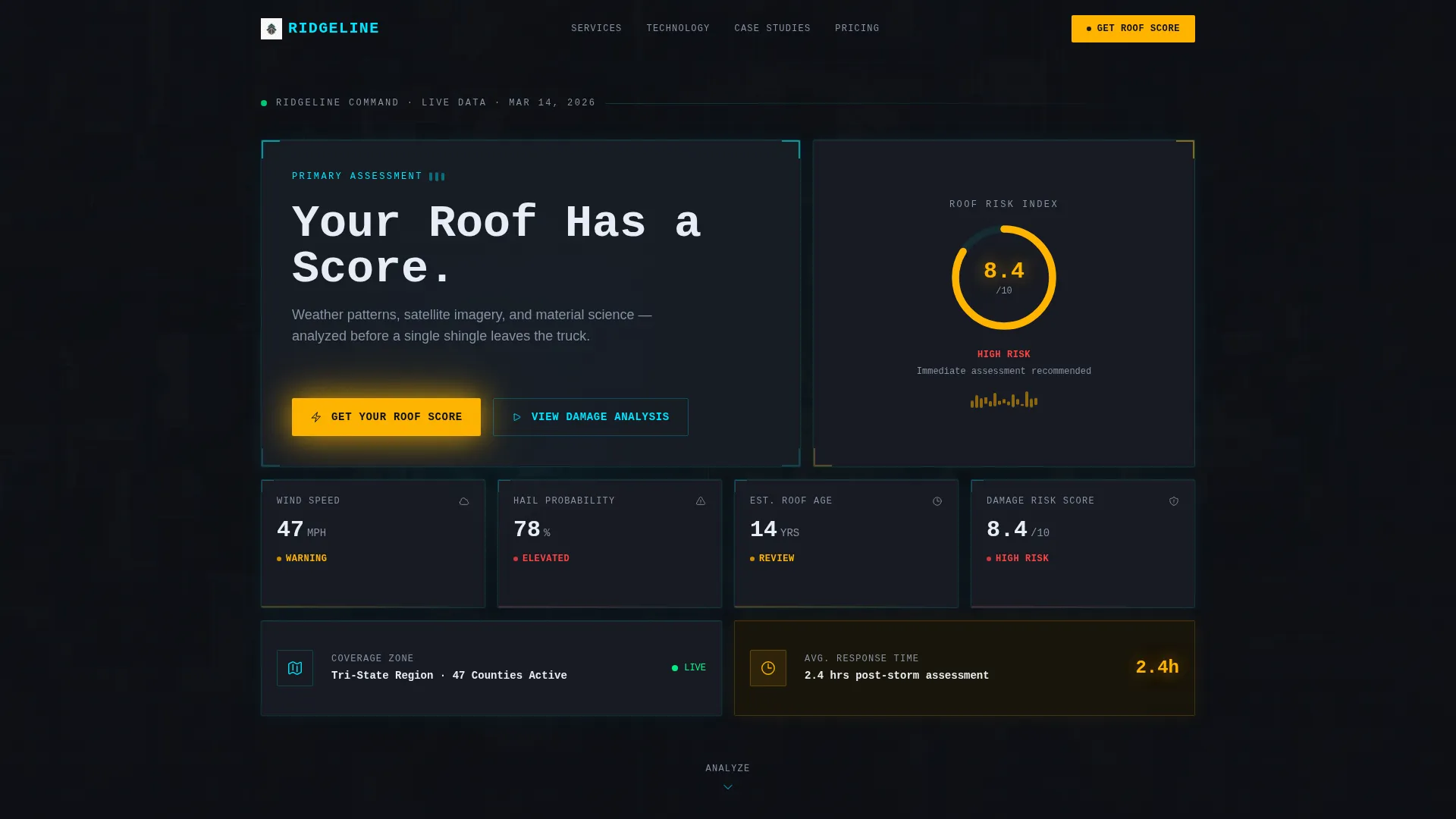
- A full dark-glass header with animated metric panels, a self-typing headline, and a primary lead capture entry point
- A damage assessment simulator section, a satellite imagery overlay section, and a materials comparison grid with glowing bar charts
- A progressive lead form that expands from zip code to full address and concern type, plus a secondary email capture path for a downloadable storm prep checklist
Feature list
This template includes purpose-built components that work together to create a high-trust, data-forward roofing landing page experience.
Animated Metric Panel Header
The header section displays a grid of frosted glass cards hovering over a slow-moving aerial drone footage background. Each card shows a different live-style metric: wind speed, hail probability, estimated roof age, and damage risk score. Glowing cyan borders and subtle parallax depth give the layout genuine visual weight without feeling gimmicky.
Self-Typing Monospace Headline
The largest header panel renders the headline "Your Roof Has a Score" using a typewriter animation in monospace font. This single design choice signals precision and sets the command-center tone for everything that follows.
Zip Code Damage Assessment Simulator
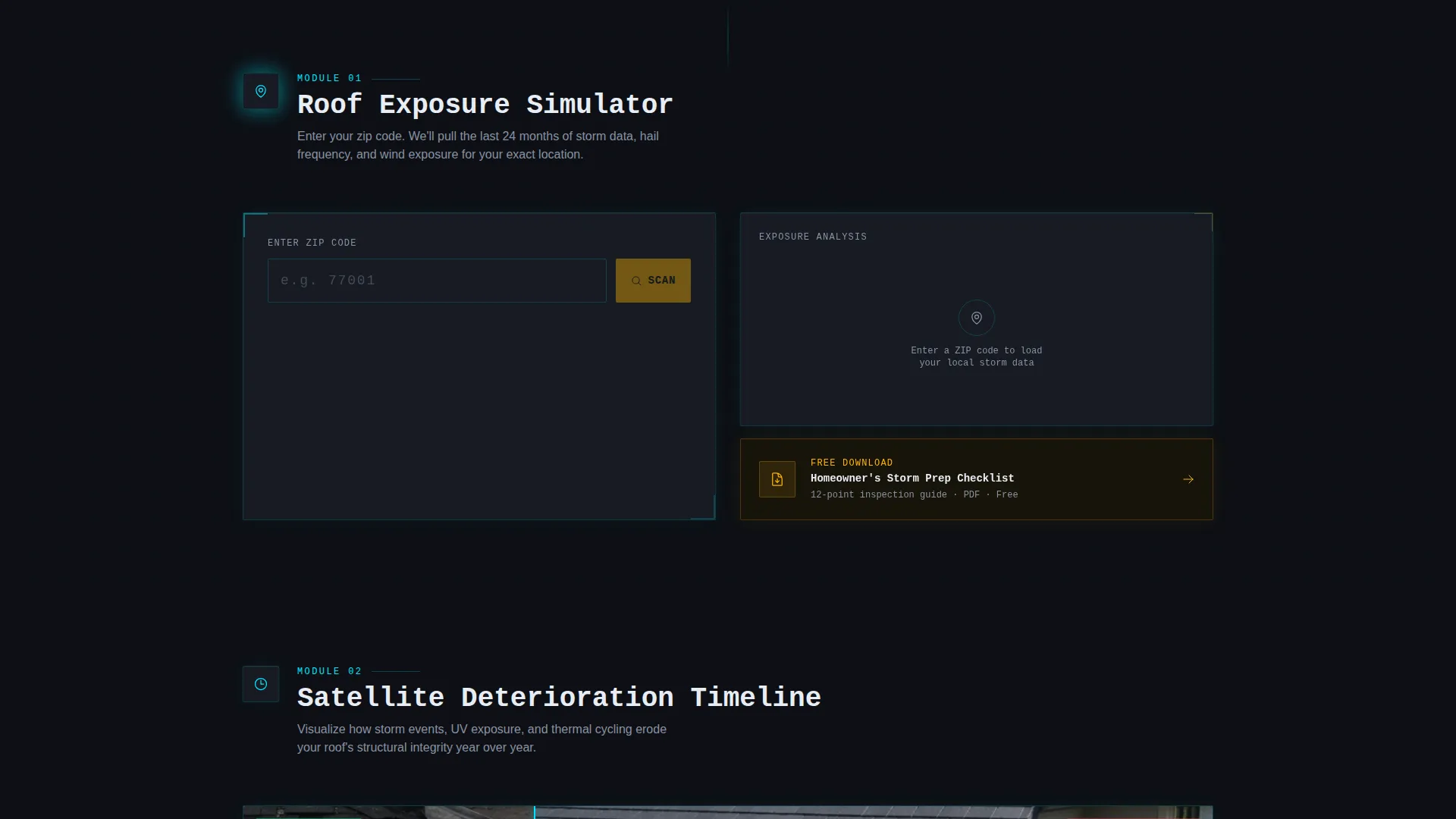
Visitors enter their zip code into a low-friction input field. A micro-animation fires, populating a glass card with weather exposure data relevant to that location. The interaction makes the page feel responsive and personal before any commitment is required.
Satellite Imagery Before/After Overlay
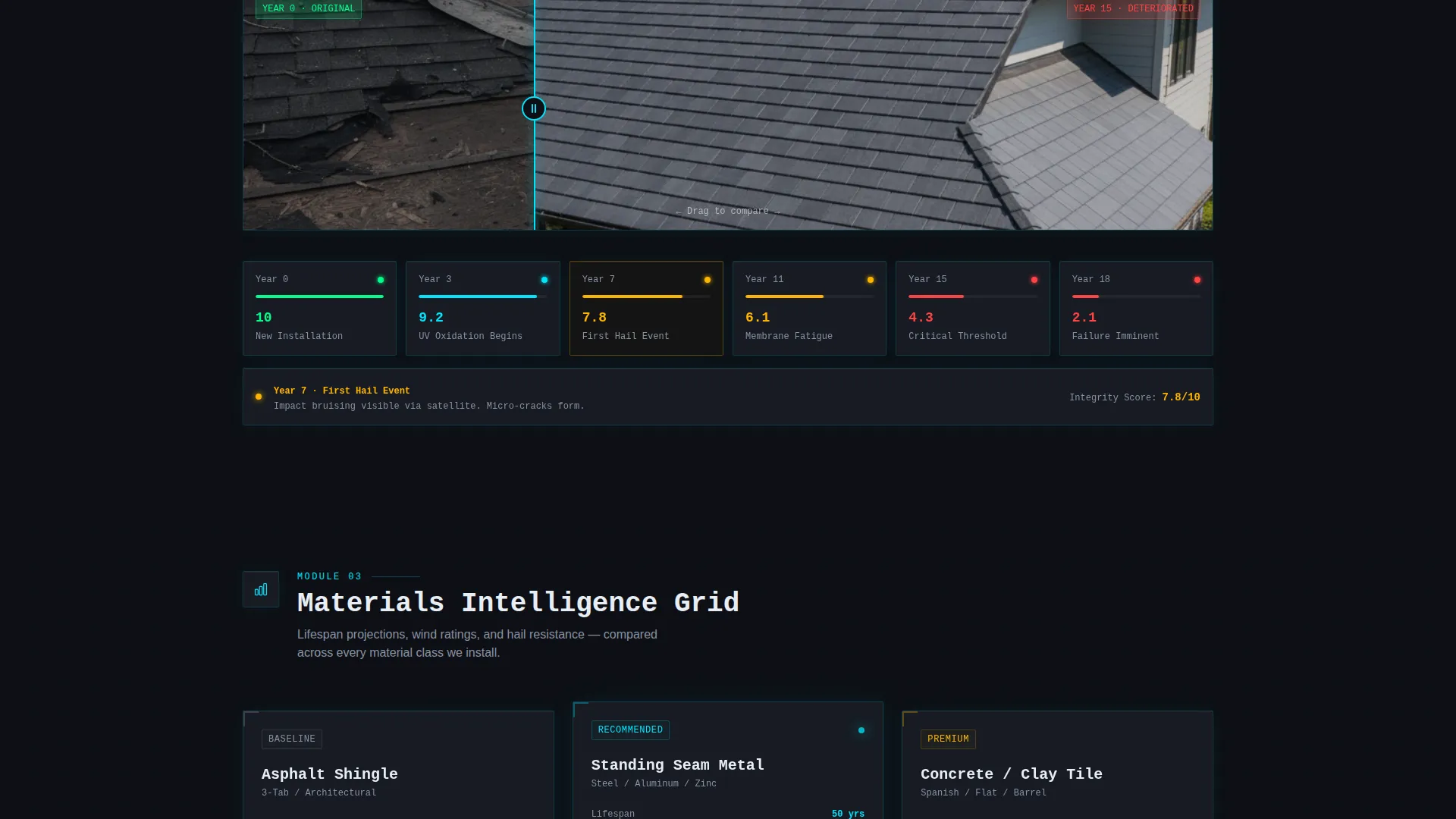
A dedicated section presents a before-and-after satellite overlay that visualizes roof deterioration over time. This component gives homeowners and insurance adjusters a concrete visual reference that supports documentation and decision-making.
Materials Comparison Grid
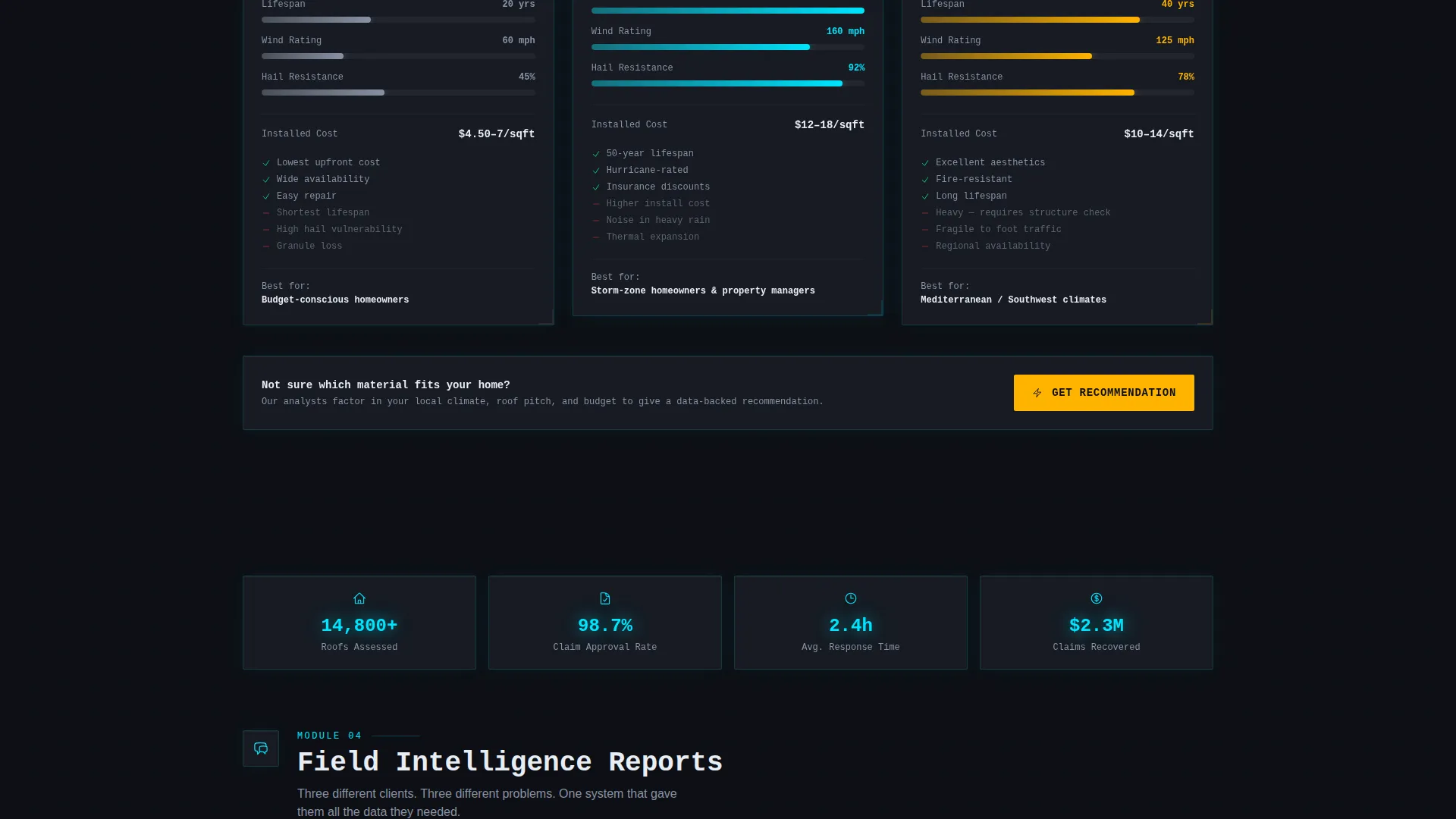
An interactive grid compares asphalt, metal, and tile roofing options side by side. Lifespan projections are rendered as glowing bar charts, letting visitors evaluate materials in a format that feels analytical rather than sales-driven.
Progressive Lead Capture Form
The lead form opens with a single zip code field to minimize friction. It then expands to collect address, roof age estimate, and concern type, including storm damage, aging, leak, and insurance claim. A secondary capture path offers a downloadable homeowner storm prep checklist for visitors not yet ready to submit their details.
Page sections overview
| Section | Purpose |
|---|---|
| Metric Panel Header | Introduces brand authority with animated data cards and primary call to action |
| Damage Assessment Simulator | Engages visitors with personalized zip-code weather exposure data |
| Satellite Imagery Overlay | Visualizes roof deterioration timelines for homeowners and adjusters |
| Materials Comparison Grid | Helps visitors evaluate roofing options through glowing bar chart data |
| Progressive Lead Form | Captures qualified leads through a low-friction, expanding input sequence |
| Storm Prep Checklist | Provides a secondary email capture path for visitors at earlier decision stages |
Design & branding system
Ridgeline uses a glassmorphic color system built around a Data Command theme. Every surface is layered, backlit, and semi-transparent, creating the impression of a professional analysis interface rather than a typical trade website.
- Core palette: deep storm-sky black (#0D0F14) as the base, translucent panel gray at 12% white opacity (#1A1D26) for card surfaces, electric cyan (#00E5FF) for live data highlights and hover states, and warning amber (#FFB300) for calls to action and urgency indicators
- Typography uses monospace fonts for data readouts and headline moments, reinforcing the command-center identity throughout
- Visual effects include frosted glass panel blur, soft luminous border glow, parallax depth on header cards, and kinetic entrance animations that sequence each section into view like a countdown
Mobile & speed optimization
The template is structured to maintain its layered glassmorphic aesthetic across screen sizes. The visual hierarchy is preserved whether the page is viewed on a desktop monitor or a mobile device.
- Glass panel cards reflow into a single-column stack on smaller screens without losing their frosted-surface styling
- The persistent floating "Get Your Roof Score" button remains accessible at all scroll depths on mobile, keeping the primary call to action always within reach
- Kinetic entrance animations are scoped to sections, so each element loads into view progressively rather than all at once
How this template helps you convert
Ridgeline is designed around a single principle: give visitors something useful before asking them for anything. That philosophy is built into the layout sequence itself.
- The zip code simulator delivers personalized weather data immediately, making the form feel like the next logical step in an analysis already started rather than a cold commitment.
- The progressive form structure reduces drop-off by starting with one low-friction field and only expanding after the visitor has already engaged with the data experience.
- The secondary checklist download path captures emails from visitors at earlier stages of decision-making, keeping them in the funnel without requiring an immediate service inquiry.
Other information about this template
Ridgeline is categorized under Technology and sits at the intersection of roofing digital presence and roofing website template design. It is well-suited for roofing companies looking to differentiate through a data-forward visual identity.
- The template style is Dashboard and Data Grid, making it distinct from typical service-industry landing page formats
- The Launch Energy creative direction means each scroll depth feels like unlocking a new layer of insight, designed to build urgency naturally
- The amber call to action color (#FFB300) is used consistently for both the persistent floating button and inline form triggers, creating a reliable visual signal for action throughout the page
- This template can support roofing businesses targeting insurance adjusters who need claim-ready documentation context, not just a basic estimate request
Theme
Data Command
Creative direction
Launch Energy
Color system
Glassmorphic
Style
Dashboard/Data Grid
Direction
Lead Generation
Page Sections
Animated Dark Glass Metric Panels
Self-typing Monospace Headline
Zip Code Damage Simulator
Satellite Before and After Overlay
Materials Comparison Grid with Bar Charts
Progressive Expanding Lead Form
Related questions
Who is this template designed for?
How does the progressive lead form work?
Does the template include a secondary lead capture option?
Can I customize the colors and typography?
What makes this different from a standard roofing website template?



