SafeOps - Safety Software Landing page Template
SafeOps is a split-screen landing page template built for workplace safety software. It pairs a live-search command center hero with persona-driven scroll sections for EHS managers, floor supervisors, and C-suite executives. The design uses a deep navy and amber color system to communicate authority and urgency, guiding visitors toward a free trial through a three-step progressive form.
by Rocket studio
Quick summary
SafeOps is a single-page landing page template designed for workplace safety and compliance software. It uses a 50/50 split-screen layout throughout, pairing real-world personas with their corresponding software views. The page flows from a search-driven hero to role-specific scroll sections, then closes with a progressive trial sign-up form.
Who this template is for
This template is built for teams launching or repositioning a business-to-business safety software product in the mid-market industrial space. It speaks directly to buyers who already feel the pain of scattered compliance data and need a product that reflects their daily reality.
- EHS (Environment, Health, and Safety) managers running audits across multiple facilities
- Operations directors tracking incident rates and corrective action backlogs
- Safety coordinators managing training certifications and toolbox talk records
What problem this template solves
Safety software buyers are skeptical. They have seen dashboards that look polished but do not match how their floor actually works. A generic feature-led page does not earn their trust. This template solves the credibility gap by showing each persona their own workflow, then resolving it on-screen in real time.
- Visitors see their specific role reflected before they read a single feature bullet
- The search interaction demonstrates instant data discovery without requiring a sign-up
- The progressive form lowers commitment friction by asking only one question at a time
What you get with this template
The template delivers a fully structured, single-page layout with five distinct scroll sections and a linear footer. Every section is built around the split-screen principle, keeping context and product view side by side throughout the page.
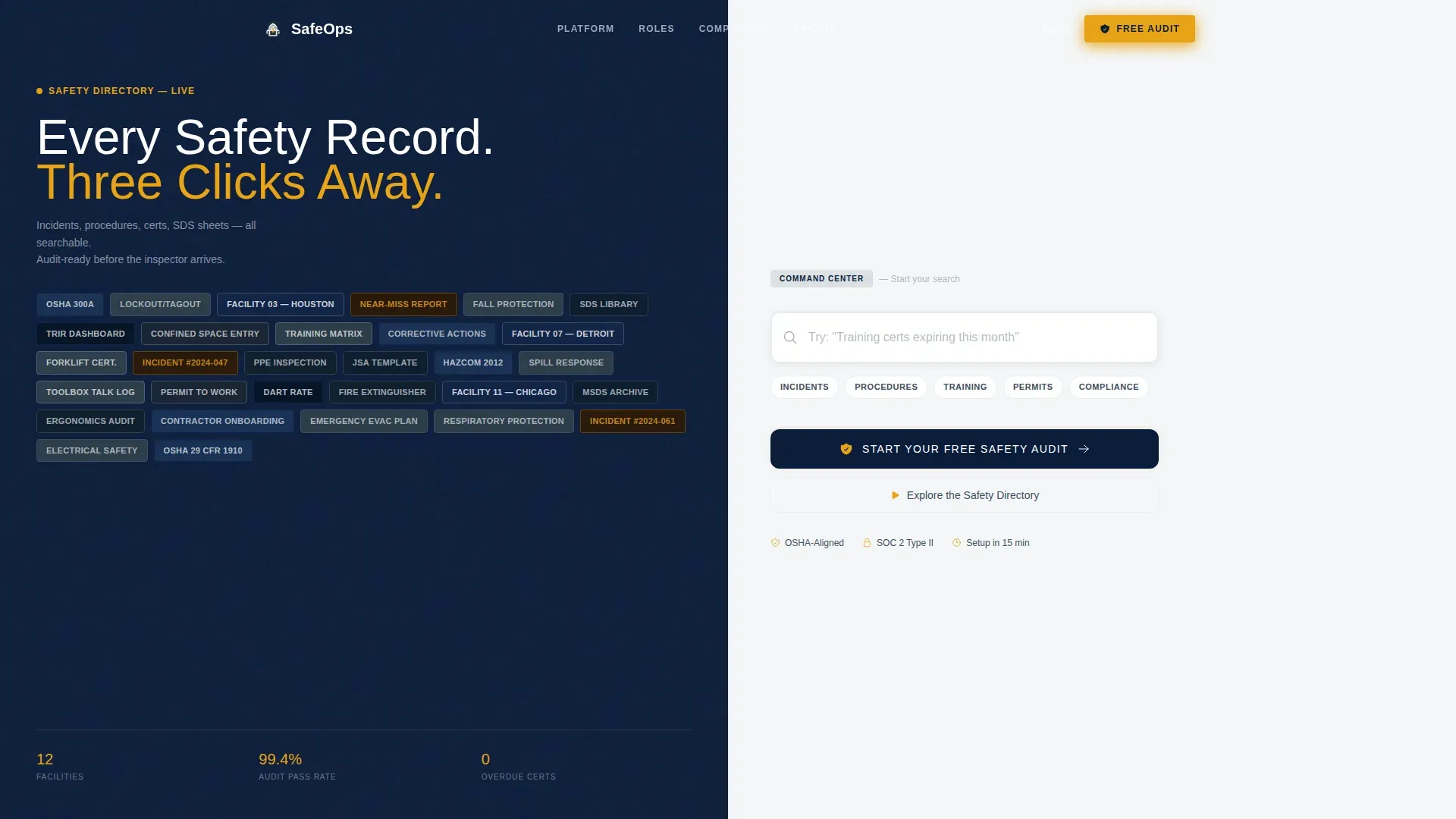
- A hero section with an animated tile mosaic on the left and a live-search field on the right
- Three persona scroll sections covering the EHS manager, floor supervisor, and C-suite executive
- A trial conversion section with a three-step progressive form and a secondary ungated demo path
Feature list
This template is built around high-interactivity layout components that work together to move a safety software visitor from skepticism to action.
Animated Search Command Center
The hero splits the viewport evenly. The left half shows a dense mosaic of safety category tiles, including incident types, regulation codes, and training modules. As a visitor types into the right-side search field, the mosaic tiles rearrange and highlight in amber, simulating instant data discovery.
Persona-Driven Split Scroll Sections
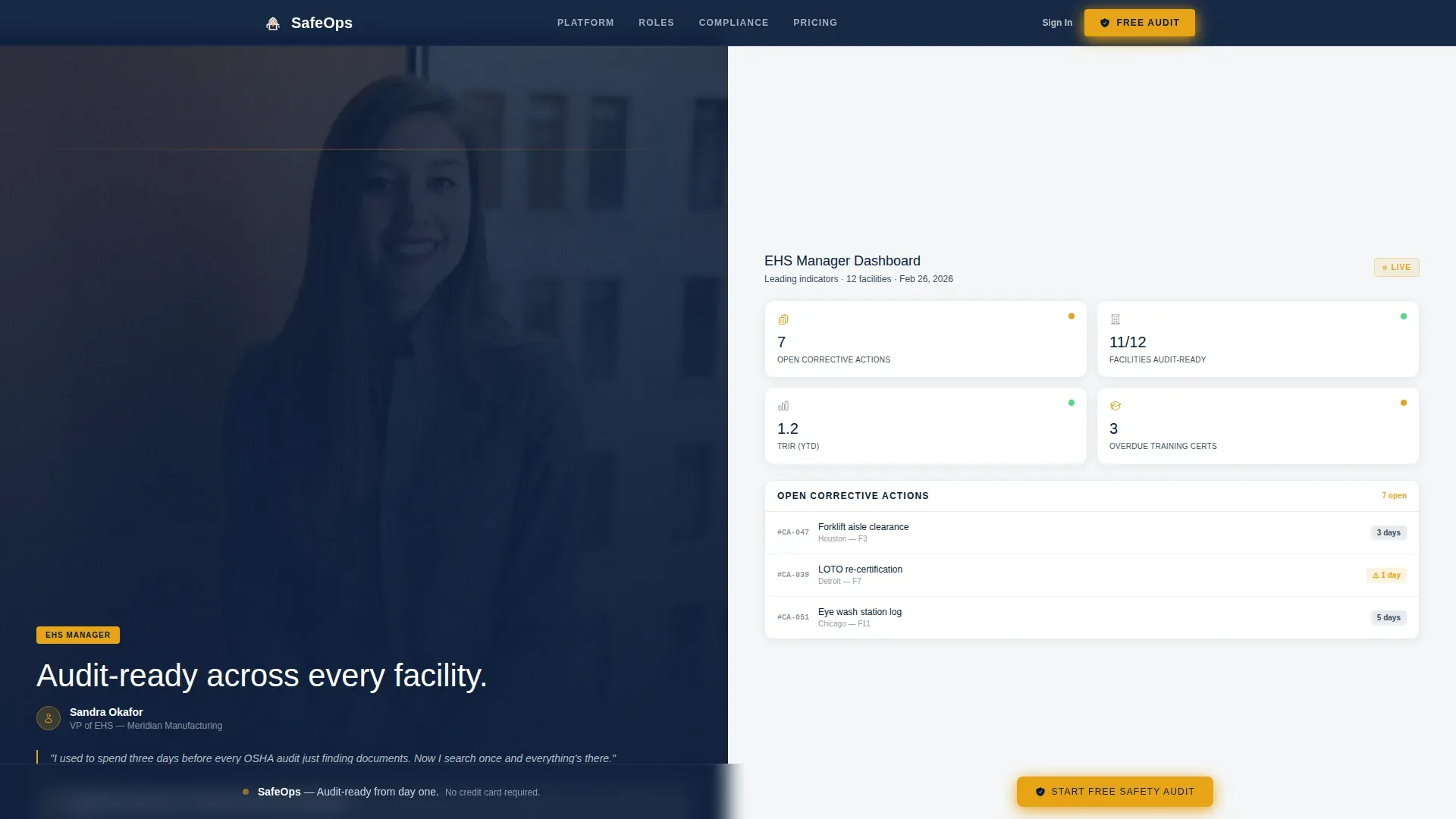
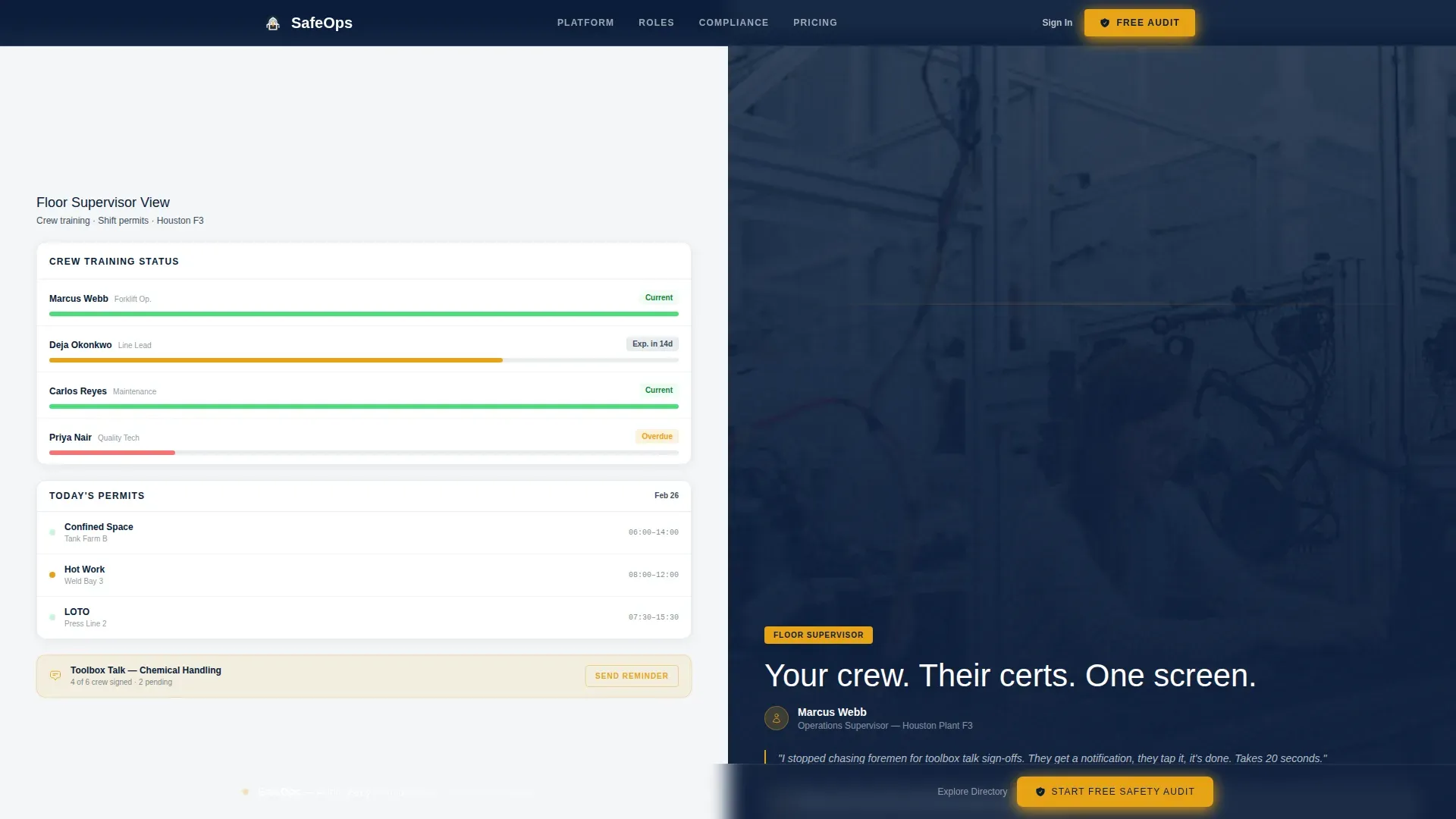
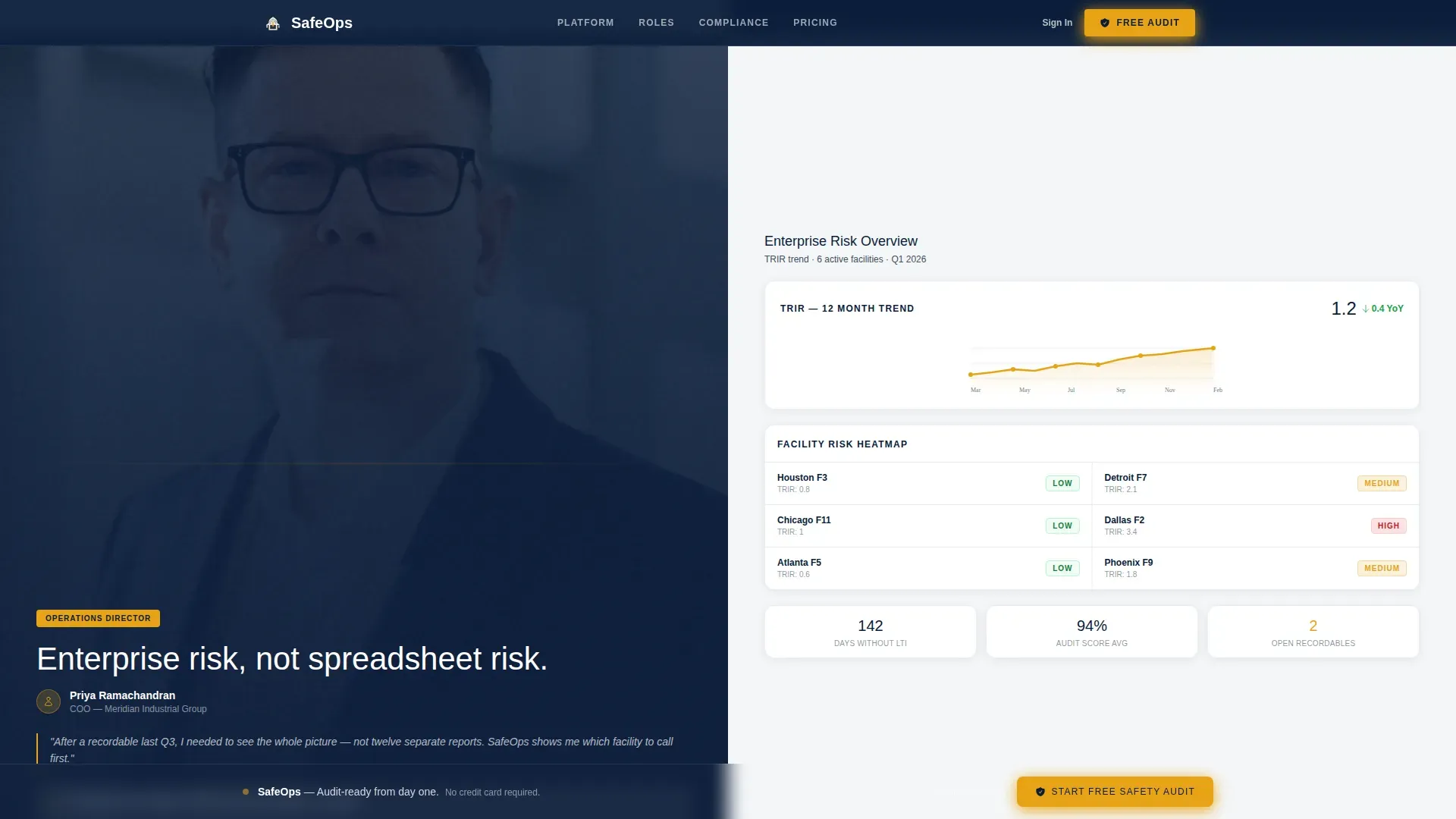
Three dedicated scroll sections each introduce a real workplace role. The EHS manager section pairs a person-in-context visual with a leading indicators dashboard. The floor supervisor section shows crew training status and daily permits. The C-suite section displays an enterprise risk heatmap alongside a Total Recordable Incident Rate (TRIR) trend line.
Three-Step Progressive Trial Form
The conversion section uses a staged form that reduces drop-off by asking one question per step. Step one captures facility type and headcount. Step two presents a dropdown for the visitor's primary pain point, covering audit preparation, incident tracking, training compliance, and Safety Data Sheet (SDS) management. Step three collects a work email address.
Sticky Conversion Bar
After the second scroll section, a sticky bottom bar anchors the primary call to action. It keeps the "Start Your Free Safety Audit" prompt visible without interrupting the scroll narrative, ensuring the offer is always one click away.
Secondary Ungated Demo Path
Alongside the primary trial form, a secondary call to action offers an interactive demo of the search functionality. The demo is pre-populated with sample safety data, letting prospects explore the product before entering any contact information.
Role-Specific Social Proof Signals
Each persona section includes interface mockups tied to concrete safety metrics. TRIR trend lines, audit pass rates, and facility counts appear inline with the relevant role, grounding the product claims in numbers the target audience already tracks.
Page sections overview
| Section | Purpose |
|---|---|
| Hero Search Split | Introduce product with animated search interaction |
| EHS Manager Split | Show leading indicators and overdue corrective actions |
| Floor Supervisor Split | Display crew training status and daily permit view |
| C-Suite Executive Split | Present enterprise risk heatmap and TRIR trend |
| Trial Conversion Form | Capture sign-ups via three-step progressive form |
| Linear Footer | Provide single-row navigation and legal links |
Design & branding system
The visual identity follows a Directory and Discovery theme built on a Navy Authority color system. The palette is deliberately narrow, using contrast and a single accent color to direct attention exactly where the page needs it.
- Deep command navy (#0B1D3A) on all primary headers and navigation panels
- Steel-deck gray (#3D4F5F) for card backgrounds and secondary surfaces, with compliance white (#F4F6F8) as the open canvas
- Alert amber (#E8A317) reserved exclusively for interactive elements, calls to action, and status indicators
Mobile & speed optimization
The template is designed desktop-first, reflecting how EHS managers typically work during audits, seated at a workstation with full-screen access. The layout includes a mobile fallback to support access from site visits or field reviews.
- Split-screen panels stack vertically on smaller screens, preserving readability without breaking the persona flow
- Static persona sections use server-side components to keep load time predictable; the search interaction is handled client-side
How this template helps you convert
The page is structured to earn trust incrementally before asking for anything. Each scroll section hands off from one persona to the next, making the product feel familiar to anyone in the safety chain of command.
- The search hero lets visitors interact with the product concept before reading a single claim, building confidence through demonstration rather than description.
- The sticky conversion bar and the three-step form work together to reduce friction: the offer stays visible, and the form never asks for too much at once.
Other information about this template
This template is positioned at the intersection of the HR and Hiring category and the Workplace Safety and Compliance subcategory. It is purpose-built for mid-market industrial buyers evaluating workplace safety software platforms. The layout supports English (United States) localization with OSHA references, imperial measurements, and USD pricing conventions throughout.
- Typography uses Manrope for headers and DM Sans for body text, pairing authority with readability
- The Freemium and Trial landing page direction is built into the page architecture, not added as an afterthought
- The template style is a strict 50/50 Split Screen maintained across all five scroll sections, not just the hero
Theme
Directory & Discovery
Creative direction
Team & People
Color system
Navy Authority
Style
Split Screen (50/50)
Direction
Freemium/Trial
Page Sections
Animated Split-screen Search Hero
Persona-specific Scroll Sections
Three-step Progressive Sign-up Form
Sticky Bottom Conversion Bar
Ungated Interactive Demo Path
Role-specific Social Proof Integration
Related questions
Who is this landing page template built for?
Can I use this template without a development team?
What does the secondary 'Explore the Safety Directory' path do?
Does the split-screen layout work on mobile devices?
What conversion elements are included in this template?



