SafePass - Intelligent CampusSafety Landing Page Template
SafePass is a campus safety management landing page template built for education technology platforms. It leads with an interactive Campus Risk Estimator that scores safety readiness before visitors scroll. Modular capability cards, staggered animations, and a focused click-through flow guide district leaders toward a product demo with zero friction.
by Rocket studio
Quick summary
SafePass is a single-page, card grid landing page template for an education safety management platform. It opens with a fully interactive Campus Risk Estimator and flows into modular capability tiles. The design channels a kinetic, iridescent visual identity. Every element funnels visitors toward one destination: a live product demo.
Who this template is for
This template is built for teams launching or marketing an education safety management platform. It speaks directly to the buyers who feel the weight of campus compliance every day.
- District superintendents managing aging facilities and tight annual budgets
- Charter school directors preparing for state audit season
- Campus safety officers who need to move beyond manual drill logs and paper-based processes
What problem this template solves
Most safety software pages bury their value in bullet lists. Decision-makers arrive skeptical and leave without acting. This template solves that by making the platform's core value tangible before a visitor reads a single word of marketing copy.
- Visitors get a personalized safety readiness score before they scroll, which replaces abstract claims with real-feeling data
- The card-based layout answers the questions the estimator creates, moving buyers through the logic of the product naturally
- No form fields on the page removes friction at the top of the funnel, keeping the click-through path clean and fast
What you get with this template
You get a fully structured, ready-to-customize landing page built around a calculator-first creative direction. Every section is designed to move a hesitant superintendent toward a confident demo request.
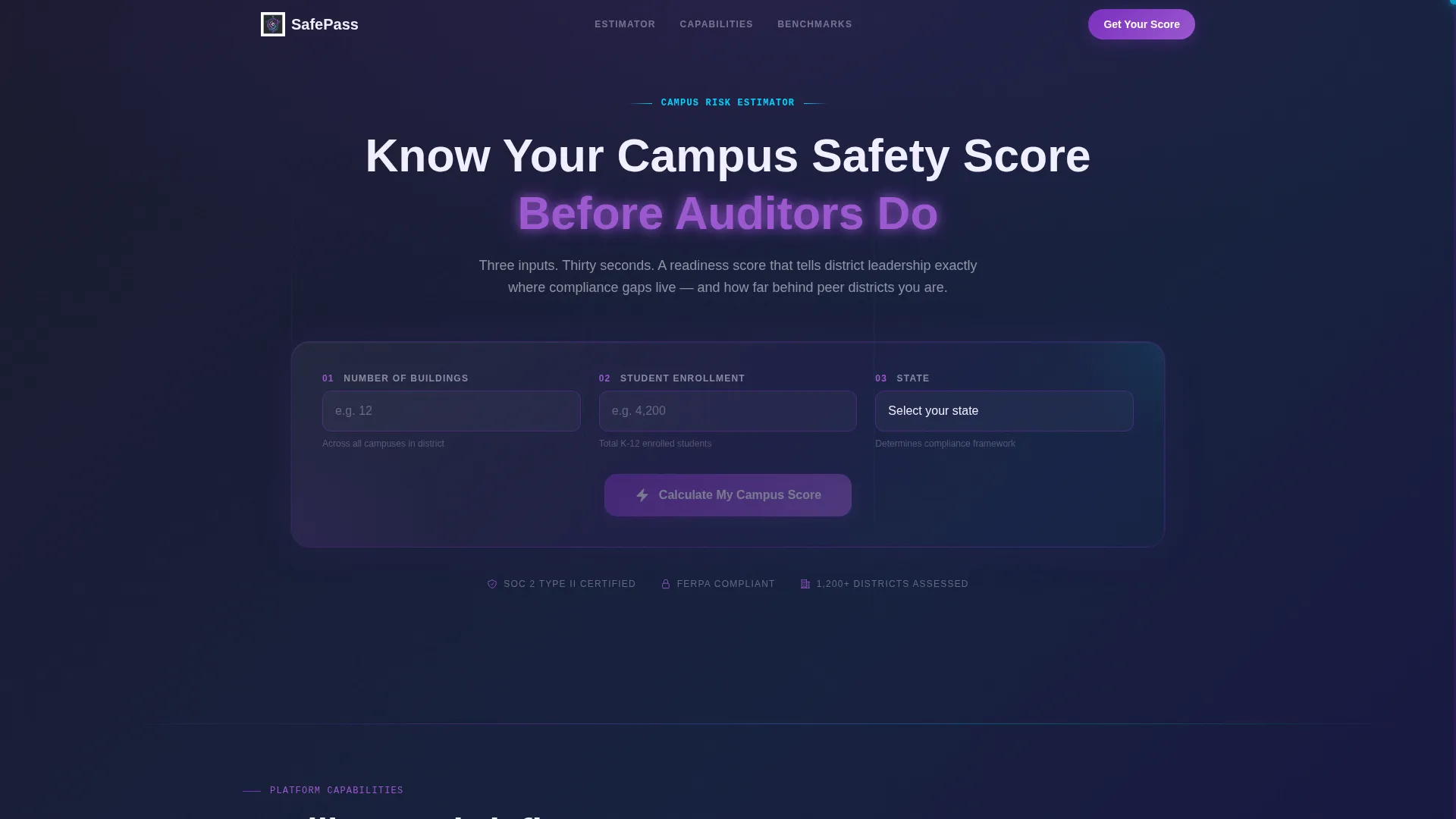
- An interactive Campus Risk Estimator header with a radial gauge output, compliance gap breakdown card, and peer district benchmark display
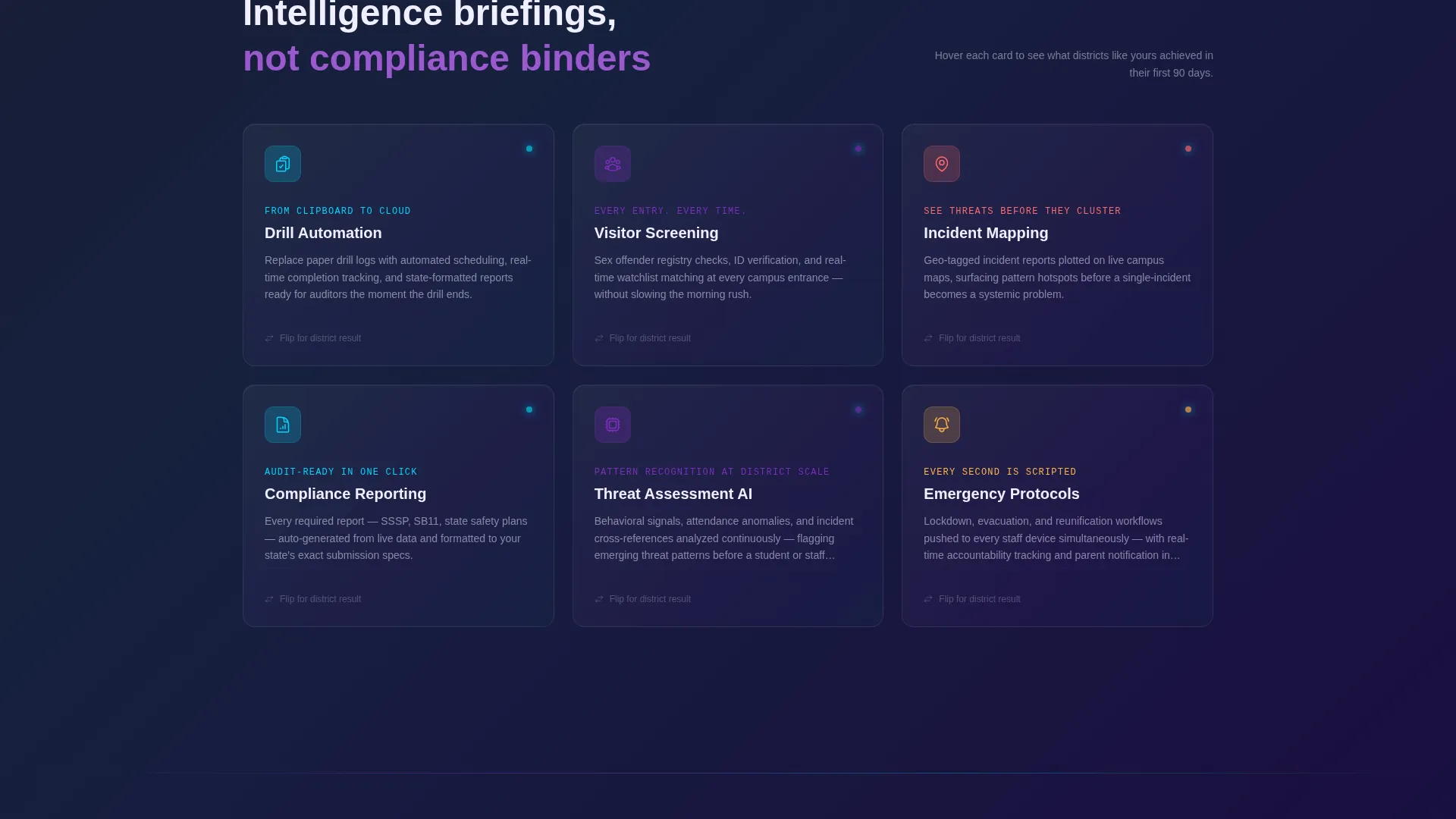
- A modular card grid of capability tiles covering Drill Automation, Visitor Screening, Incident Mapping, Compliance Reporting, and Threat Assessment AI, each with a hover-flip district case stat
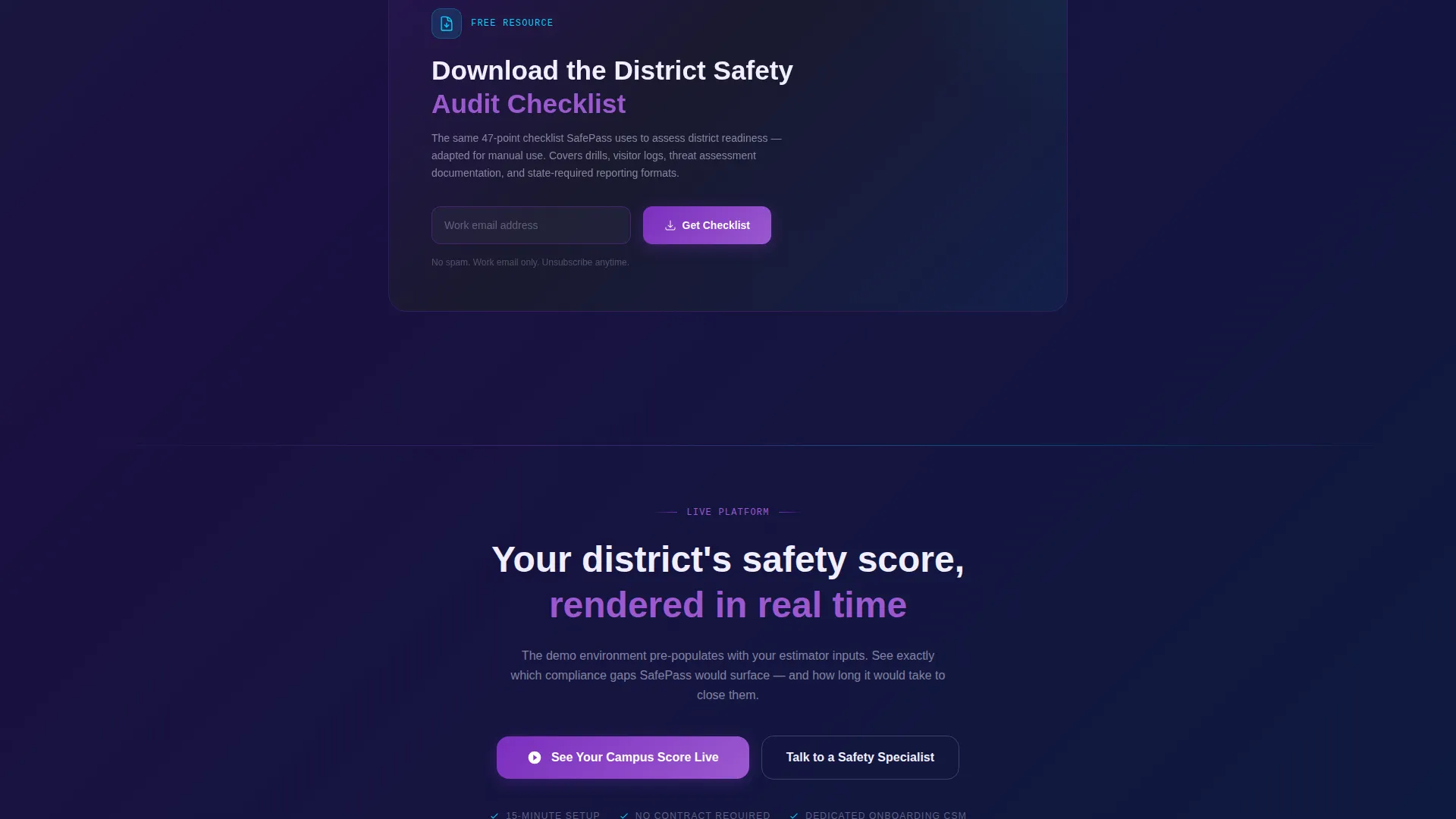
- A persistent bottom call-to-action bar, a primary "See Your Campus Score Live" button flow, and a soft-capture secondary path for a downloadable District Safety Audit Checklist
Feature list
This template is structured around prompt-backed components that serve both the visitor experience and the platform's conversion goal.
Interactive Campus Risk Estimator
The header is the product. Visitors enter three inputs: number of buildings, student enrollment, and state. The tool instantly returns a safety readiness score on a radial gauge, color-coded from red to iridescent green. A breakdown card alongside shows estimated compliance gaps, average audit prep hours saved, and peer district benchmarks.
Modular Capability Card Grid
Each card below the header is a capability tile for a specific platform feature. The tiles cover Drill Automation, Visitor Screening, Incident Mapping, Compliance Reporting, and Threat Assessment AI. Cards load in staggered animation and flip on hover to reveal a single district case stat, such as "Reduced audit prep from 6 weeks to 3 days."
Floating Progress Indicator
A violet progress bar floats on the right edge of the page. It tracks how far a visitor has scrolled through the capability cards. The visual effect mimics a loading sequence completing, which encourages continued scroll and keeps engagement active throughout the page.
Dual Conversion Path
The primary call-to-action reads "See Your Campus Score Live" and appears first inside the estimator results. It reappears as a persistent bottom bar after the third card row. A secondary path offers the District Safety Audit Checklist download, requiring only a work email, for visitors not yet ready to request a demo.
Pre-Populated Demo Flow
When a visitor clicks the primary call-to-action, the estimator inputs travel forward into the demo environment. The click feels like turning the next page rather than starting a new process. No form fields interrupt the journey on the landing page itself.
Page sections overview
| Section | Purpose |
|---|---|
| Risk Estimator Header | Delivers a real-time campus safety readiness score before any scrolling |
| Score Results Card | Shows compliance gaps, audit prep savings, and peer district benchmarks |
| Capability Card Grid | Presents each platform feature as a modular, hover-interactive tile |
| Card Hover Stats | Reveals a single district case metric when a card is flipped |
| Progress Bar Rail | Signals scroll depth and encourages visitors to reach the full platform reveal |
| Primary call to action Bar | Repeats the demo invitation after the third card row as a persistent bottom element |
| Checklist Soft Capture | Offers a downloadable audit checklist for visitors not yet ready to demo |
Design & branding system
The visual identity runs on an AI Iridescent color system with a Startup Velocity energy. The palette feels like light refracting through a prism: intelligent, kinetic, and distinctly modern.
- Deep graphite (#1A1A2E) anchors all backgrounds; soft pearl (#F0EEFF) lifts card surfaces for contrast and legibility
- Electric violet (#7B2FBE) marks primary action elements and traces input field glow lines; shimmer cyan (#00D4FF) pulses on live data points and hover states to signal active system status
Mobile & speed optimization
The card grid layout and estimator components are designed with a mobile-first reading flow in mind. Staggered card animations and a minimal form footprint keep the experience light across devices.
- Modular card structure adapts naturally to narrower viewports without breaking the grid logic or hover interactions
- The no-form-field approach on the main page reduces load complexity and keeps the primary click path functional on any screen size
How this template helps you convert
The entire page is engineered as a click-through engine. Every visual and structural decision reduces hesitation and accelerates the step toward a demo request.
- The estimator delivers a personalized score before the visitor reads a sales claim, which creates genuine curiosity and a reason to keep reading
- Capability cards answer the questions the score raises, building a logical case for the platform without heavy copy blocks
- The persistent call-to-action bar and the pre-populated demo flow make the final click feel low-commitment and immediately rewarding
Other information about this template
This template is categorized under Technology and Education Software, with a niche focus on education safety management. It is designed for teams who need a high-impact, single-page presence that moves fast from awareness to action.
- The template style is Card Grid (Modular), making it straightforward to add, remove, or reorder capability tiles as the platform evolves
- The creative direction is Calculator and Tool First, meaning the estimator is the hero element and every downstream section is built to support the score it generates
- The landing page direction is Click-Through, with no gated content blocking the primary path and a soft-capture secondary option for early-stage prospects
Theme
Startup Velocity
Creative direction
Calculator/Tool First
Color system
AI Iridescent
Style
Card Grid (Modular)
Direction
Click-Through
Page Sections
Campus Risk Estimator with Live Scoring
Staggered Modular Capability Cards
Floating Scroll Progress Indicator
Dual Conversion Path Design
Pre-populated Demo Flow
Related questions
Can I customize the estimator inputs and score output?
Does this template include form fields for lead capture?
Who is the intended audience for this landing page template?
How many capability cards does the template include?
Can the checklist download section be removed or replaced?



