Storefront - Powerful B2B Landing Page Template
Storefront is a split-screen B2B landing page template built for wholesalers and manufacturers who need a self-serve digital showroom. It showcases live-styled order metrics, a scrollable feature matrix with glass-card user interface mockups, and a click-through funnel that guides buyers toward a demo store signup without a single form field.
by Rocket studio
Quick summary
Storefront is a single-page, split-screen landing page template designed for B2B wholesale and manufacturing platforms. It leads with a stats cockpit that displays real order volume, SKU counts, and buyer accounts. A scrollable feature matrix builds the case row by row, and a persistent call-to-action button guides visitors toward a guided demo signup flow.
Who this template is for
This template speaks directly to SaaS founders, product marketers, and digital teams behind B2B commerce platforms. If your product helps buyers reorder stock, view negotiated pricing, or replace email catalogs, this page is built for your pitch.
- Operations managers at mid-market distributors managing thousands of SKUs across disconnected systems
- Procurement teams and CFOs who want clean transaction records and real-time inventory visibility
- SaaS teams launching or repositioning a B2B online store platform to a wholesale or manufacturing audience
What problem this template solves
B2B buyers still drown in emailed PDF catalogs, rep phone calls, and manual reorder processes. The companies selling solutions to this problem need a landing page that makes the pain visible and the fix feel immediate. Most generic SaaS templates cannot do that job.
- Buyers cannot self-serve because product pages never show negotiated pricing or live stock levels
- Sales teams waste cycles on routine reorders that a self-serve portal could handle automatically
- Prospects leave without converting because the page never proves depth before asking for commitment
What you get with this template
You get a fully structured, single-page layout with two distinct visual zones working in parallel. The left and right panels carry separate content roles, making the page feel like a live product dashboard rather than a standard marketing page.
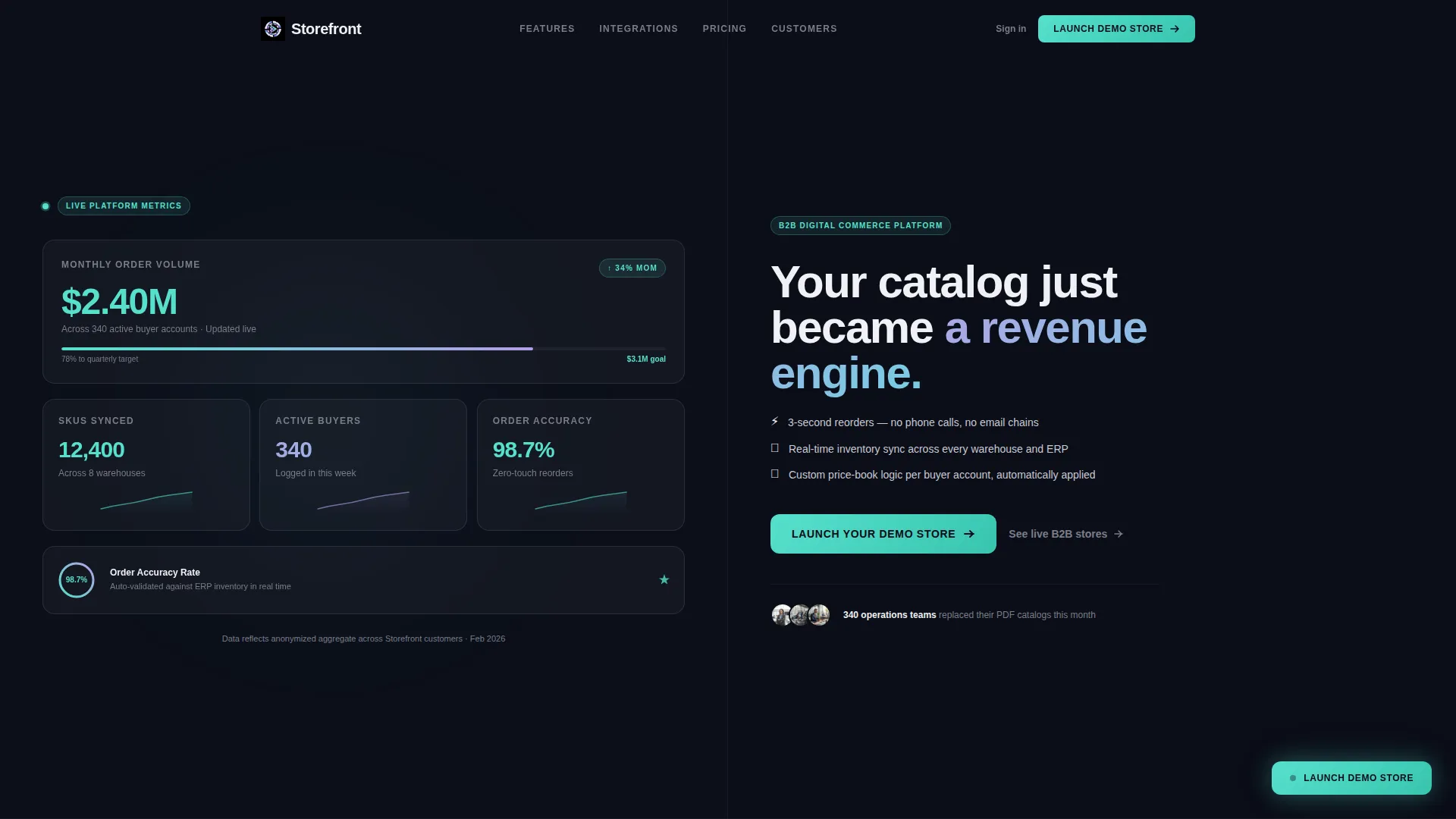
- A stats cockpit header with live-styled metrics including order volume, SKU count, active buyer accounts, and order accuracy
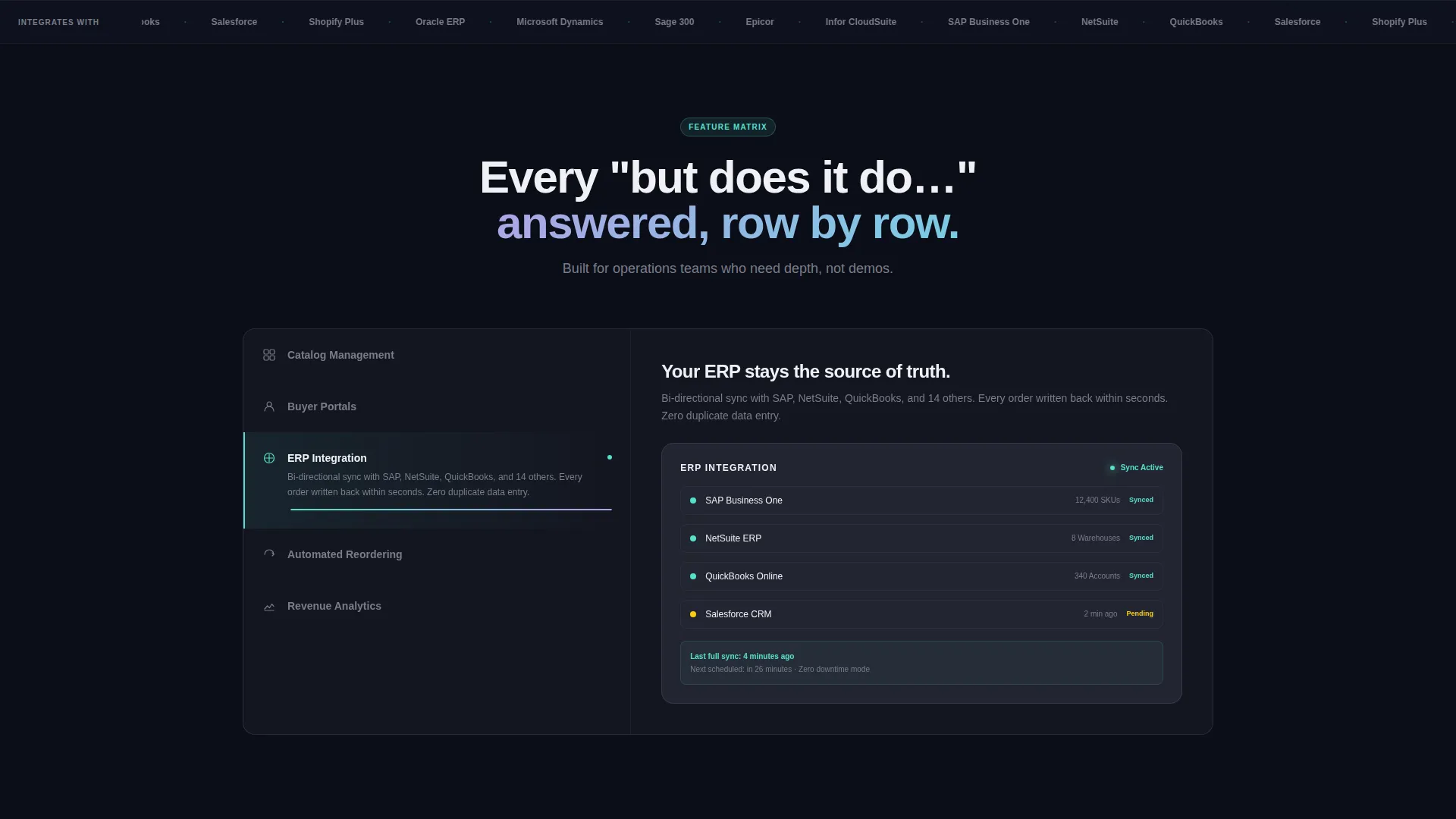
- A scrollable feature matrix where the left panel locks a vertical feature list and the right panel swaps in glass-card user interface mockups as the visitor scrolls
- A click-through funnel with a primary call-to-action button, a persistent floating repeat button, and a secondary proof link to an anonymized customer storefront gallery
Feature list
This template ships with six core layout and interaction systems, each grounded in the brief's functional requirements.
Stats Cockpit Header Panel
The left half of the header renders a live-styled dashboard against a deep obsidian background. It displays four key metrics: monthly order volume at $2.4M, 12,400 SKUs synced, 340 active buyer accounts, and a 98.7% order accuracy badge. Spectral teal numerals with lilac sparkline trails make the numbers feel screenshot-ready.
Headline and Subline Right Panel
The right header panel carries a single bold headline in frosted white: "Your catalog just became a revenue engine." A supporting subline names three specific product capabilities: three-second reorder, real-time inventory sync, and custom price-book logic. The primary call-to-action button sits directly below.
Scrollable Feature Matrix
Below the header, the left panel locks into a vertical feature list covering catalog management, buyer portals, ERP integration (where ERP stands for Enterprise Resource Planning), automated reordering, and analytics. As the visitor scrolls, the right panel swaps in a matching glass-card user interface mockup with a one-line outcome statement per feature.
Persistent Floating call to action Button
After the third feature row, the primary call-to-action button reappears as a floating element that stays visible during the rest of the scroll. This ensures the conversion path is always one tap away without interrupting the feature education flow.
Secondary Proof Link
A text link labeled "See live B2B stores built on Storefront" sits alongside the primary call-to-action. It opens a gallery of anonymized customer storefronts, providing social proof before the visitor commits to any signup step.
Click-Through Funnel Flow
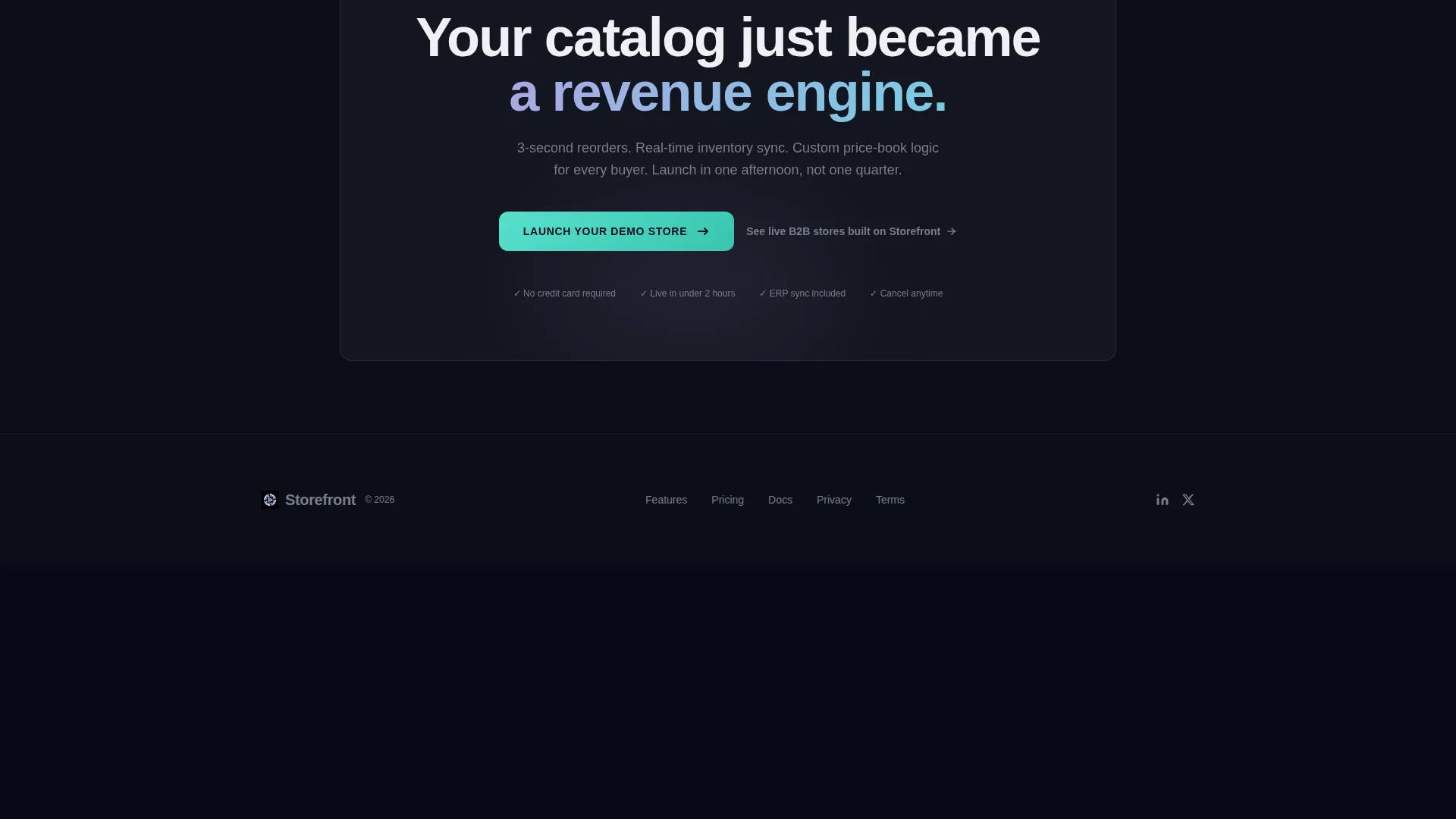
The page contains no embedded form. Every call-to-action click passes the visitor to a separate guided signup flow. This reduces friction on the landing page itself and keeps the visual design clean and focused on education.
Page sections overview
| Section | Purpose |
|---|---|
| Stats Cockpit Header | Display live-styled order metrics and headline |
| Right Panel Headline | Present the core value proposition and primary call to action |
| Feature Matrix Scroll | Educate visitors on platform capabilities row by row |
| Floating call to action Button | Keep the conversion path persistent after third feature |
| Secondary Proof Link | Offer anonymized storefront gallery for social proof |
Design & branding system
The visual identity follows a Tech Glass theme built on an AI Iridescent color system. Every surface is designed to feel like frosted glass floating above a deep obsidian background, with color that shifts and refracts rather than sitting flat.
- Core palette: deep obsidian (#0B0D17) for backgrounds, holographic lilac (#B4A0E5) for accent gradients, spectral teal (#56E0CC) for interactive states and data highlights, frosted white (#F0F1F5) for card surfaces and body typography
- Cards and panels render as frosted-glass layers with subtle blur, creating a sense of layered depth throughout the scroll
- Iridescent lilac-to-teal gradients trace button edges, progress rings, and hover states, making interactive elements feel alive without being distracting
Mobile & speed optimization
The split-screen layout is structured to reflow cleanly from a wide desktop split into a stacked single-column view on smaller screens. The glass-card panel system adapts without losing the sense of depth or hierarchy.
- The stats cockpit metrics stack vertically on mobile, keeping the numerical impact intact at smaller viewport widths
- The feature matrix shifts from a locked-left panel to a sequential top-and-bottom block layout, preserving the scroll-swap storytelling pattern
- The floating call-to-action button remains anchored to the viewport on mobile, keeping the conversion path one tap away at all times
How this template helps you convert
The page is engineered as a click-through funnel that earns the click through three sequential moves: show credibility with real numbers, prove depth through feature education, then make the next step feel effortless.
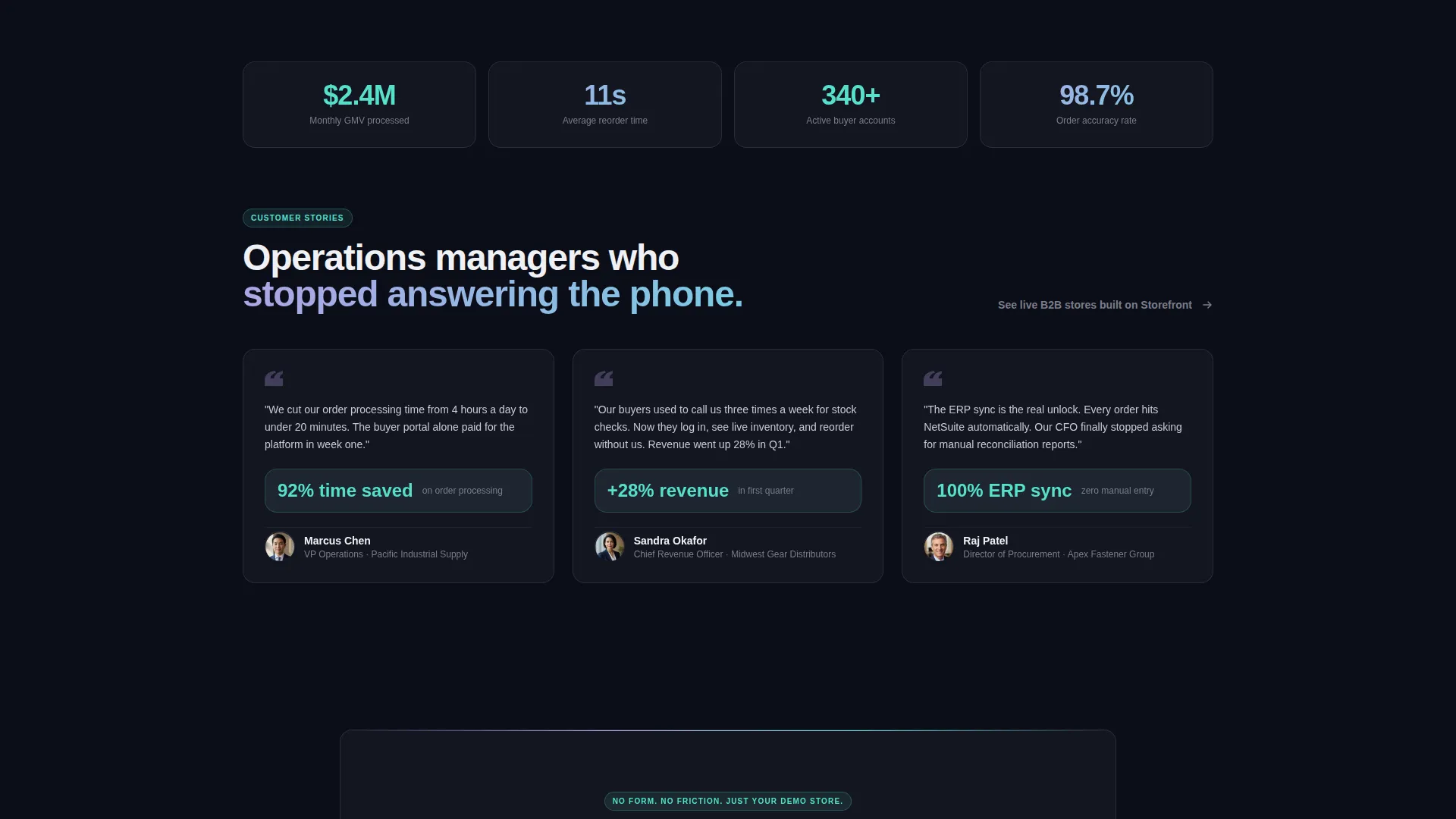
- The metrics cockpit leads with CFO-grade numbers that make the platform feel real and proven before a single feature is explained.
- The scrollable feature matrix answers every "but does it do..." question row by row, removing objections before the visitor reaches the call-to-action.
- The zero-form click-through approach means the visitor's next step is opening a door, not filling out paperwork, which lowers the psychological cost of converting.
Other information about this template
This template is part of a broader set of Tech Glass themed layouts designed for SaaS product categories where data density and visual polish both matter. It is suited for teams positioning a B2B online store platform against legacy ordering systems or manual wholesale workflows.
- The split-screen structure is equally effective for live demos, trade show displays, and investor-facing product previews
- The anonymized storefront gallery linked through the secondary proof element can be updated independently from the main page layout
- The template style is classified as Split Screen (50/50) under the SaaS B2B Digital Presence subcategory within the Technology category
Theme
Tech Glass
Creative direction
Feature Matrix
Color system
AI Iridescent
Style
Split Screen (50/50)
Direction
Click-Through
Page Sections
Live-styled Stats Cockpit Header
Split-screen Value Proposition Panel
Scroll-activated Feature Matrix
Persistent Floating Call to Action Button
Zero-form Click-through Funnel
Anonymized Storefront Proof Gallery
Related questions
Does this template include the signup or demo flow?
Can the metrics in the stats cockpit be edited?
Is this template suitable for a pre-launch product?
How does the scroll-swap feature matrix work?
What does the secondary proof link do?



