Salon & Spa Payment Processing Landing Page Template
Swipe is a Bold Brutalist landing page template built for salon and spa payment processing services. It pairs a live savings calculator with an interactive fee comparison table, guiding visitors from raw cost exposure to a lead capture form. The design uses a Midnight Blue palette with electric violet accents to create a high-contrast, high-conviction single-page experience.
by Rocket studio
Quick summary
Swipe is a single-page landing page template designed for salon and spa payment processing offers. It leads with a brutalist calculator that estimates real savings, then delivers a reactive comparison table that exposes hidden fees line by line. Two lead capture paths close the page: a primary quote request and a secondary PDF download.
Who this template is for
This template is built for payment processing services that serve the salon and spa industry. It speaks directly to operators managing complex, multi-service client tickets and staff splits.
- Salon owners running multiple styling chairs and a busy front desk
- Med-spa operators processing high-value treatment packages
- Multi-location day spa directors who need consolidated ticket reporting
What problem this template solves
Salon and spa payment processing is genuinely complicated. A single client visit can cover multiple services across multiple providers, each with separate tips, retail add-ons, and split charges. Most landing pages bury this complexity under generic pricing copy. This template makes the cost problem visible and personal before asking for anything in return.
- Visitors rarely trust a flat rate claim without seeing it against what they already pay
- Complex split-ticket and tip-adjustment fees are hard to explain in static text
- Generic lead forms collect names before earning the right to ask
What you get with this template
You get a complete, single-page lead generation layout built specifically for salon and spa payment processing. Every section is purpose-designed to move an operator from skeptical visitor to qualified lead.
- A working calculator header that builds a real-time savings estimate from visitor inputs
- An interactive comparison table where visitors toggle between processors and watch fee rows animate
- Two conversion paths: a primary quote form and a secondary email-gated PDF download
Feature list
This template delivers six purpose-built components. Each one serves the specific workflow of selling payment processing to salon and spa operators.
Real-Time Savings Calculator
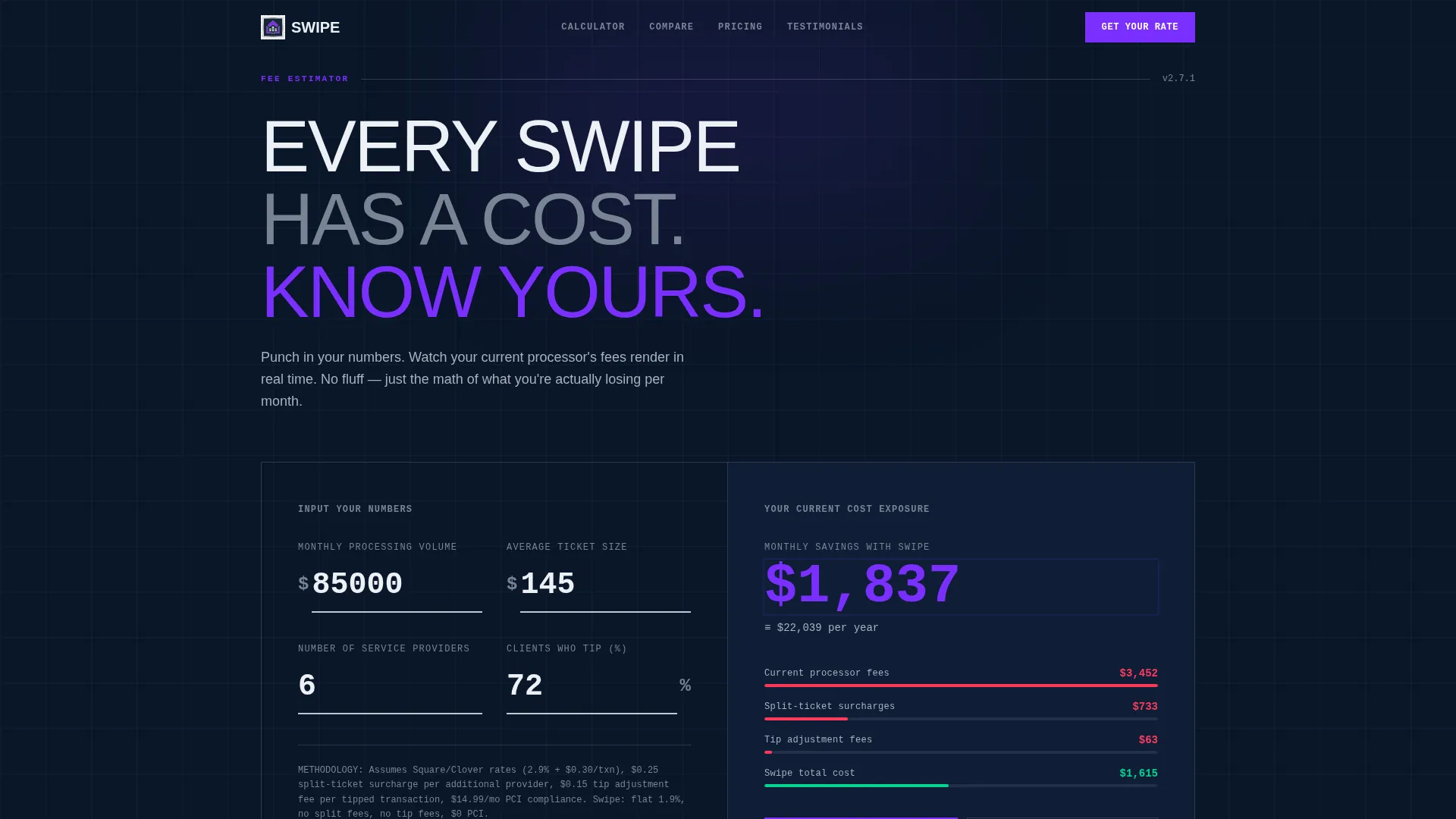
Visitors enter their monthly processing volume, average ticket size, number of service providers, and tip frequency. The calculator renders a live savings estimate in electric violet digits against the void-navy background. The monospaced typeface and receipt-style layout make every number feel deliberate and auditable.
Interactive Fee Comparison Table
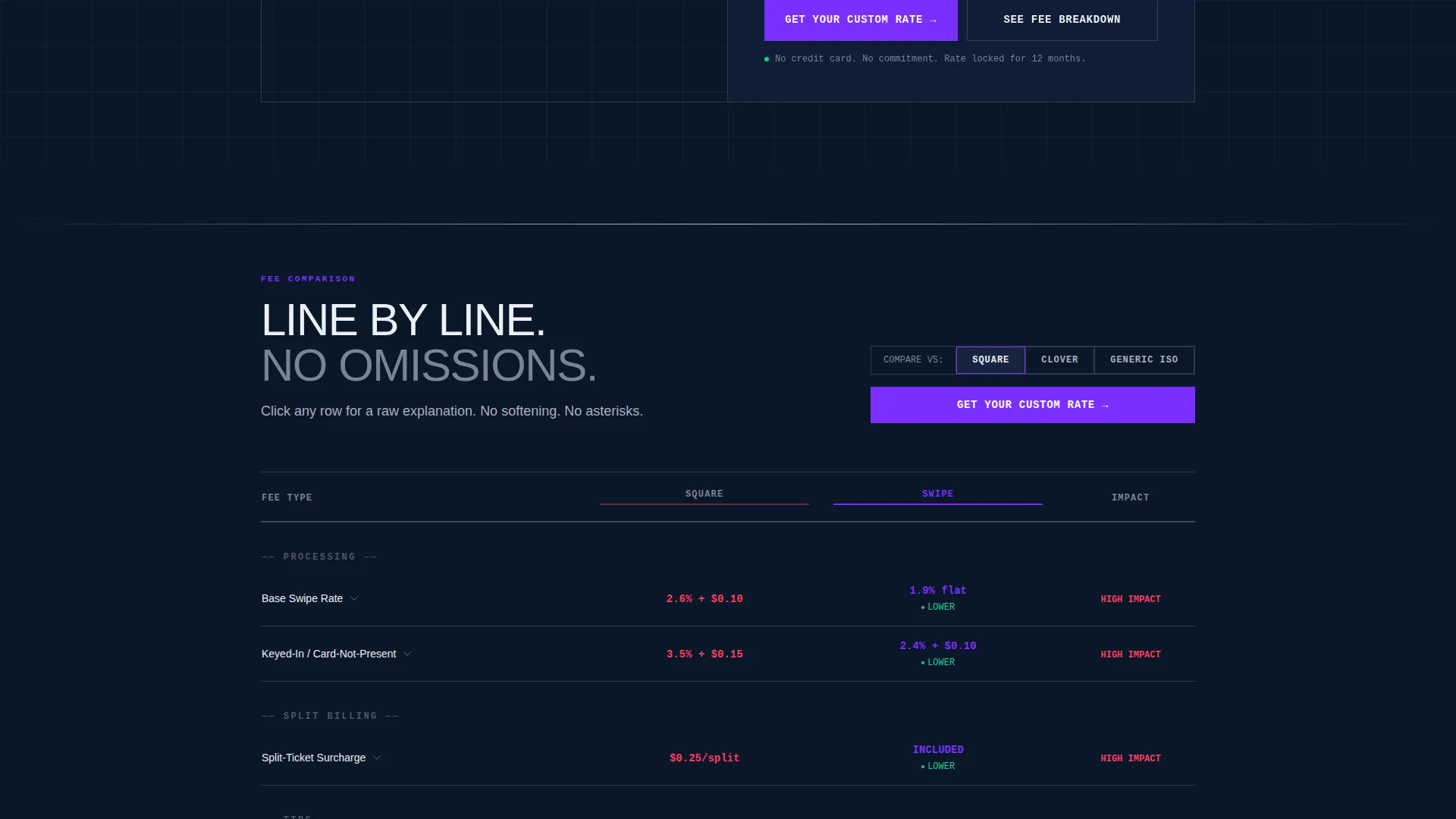
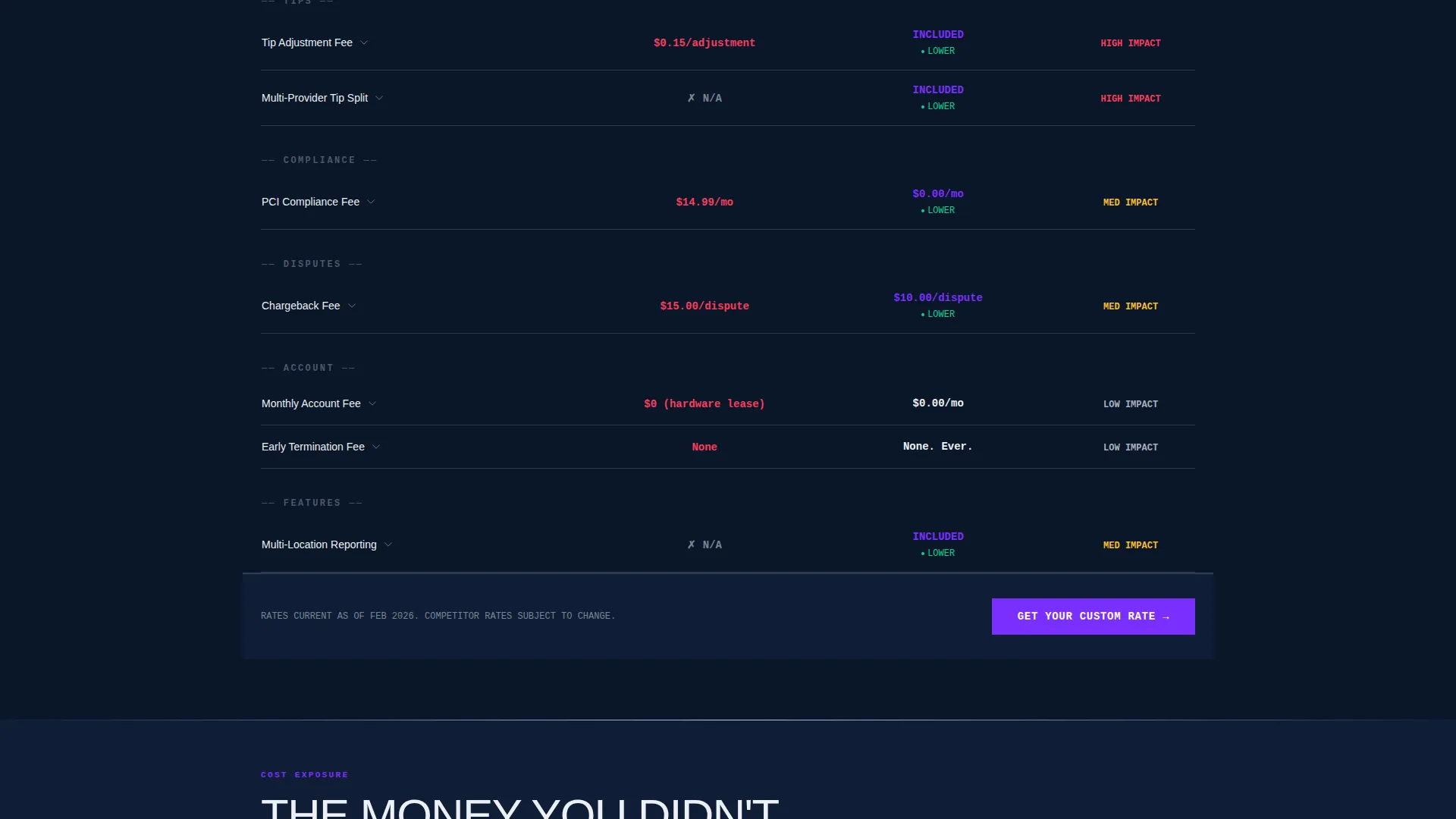
The comparison table is not static. Visitors toggle between their current processor and this service, watching per-swipe fees, tip adjustment charges, split-ticket surcharges, and chargeback handling animate in real time. Each row expands on click to reveal a plain-text micro-explainer with no softening.
Escalating Scroll Narrative
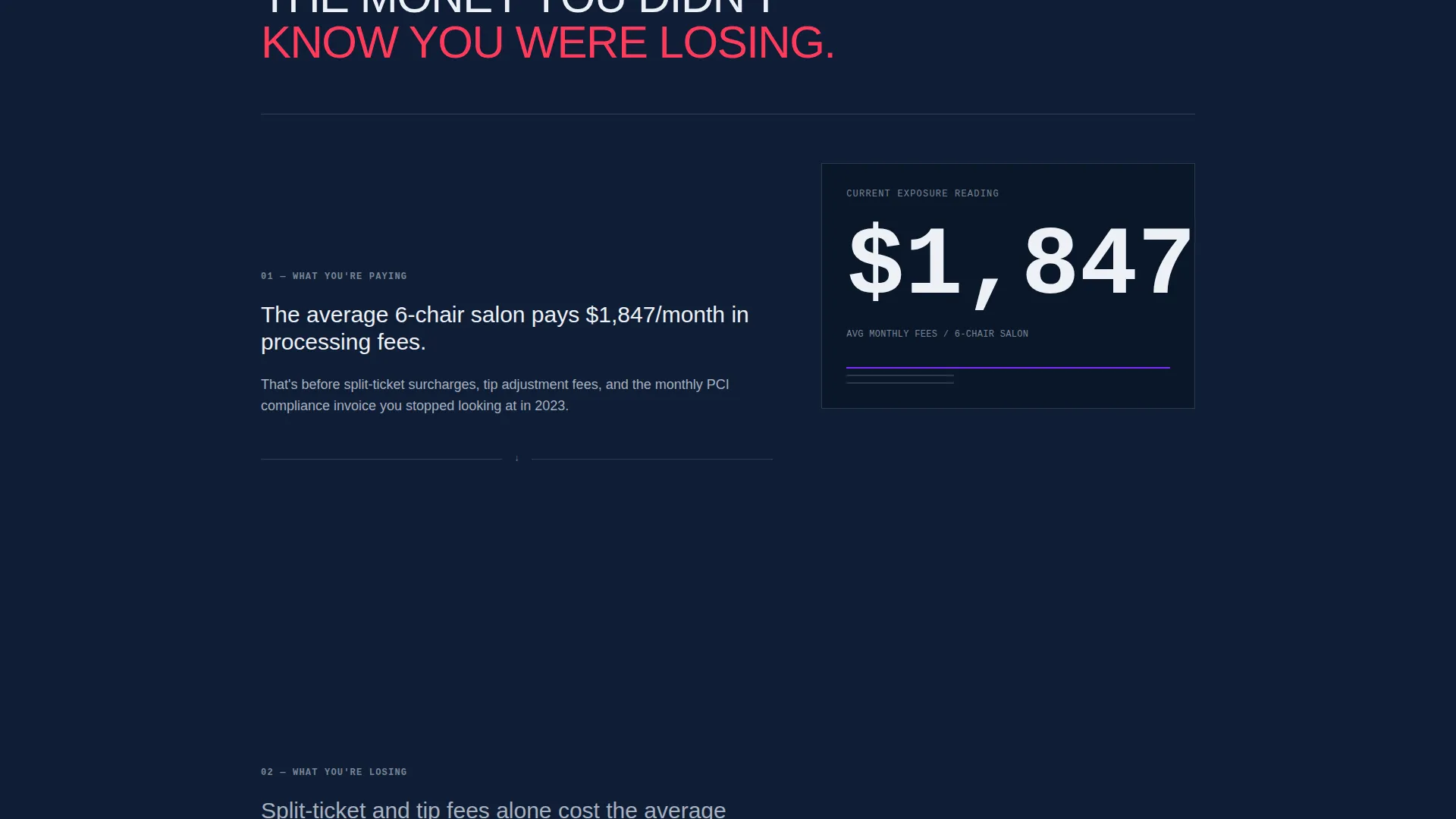
The page is structured in three confrontational stages. The first section shows what visitors are currently paying. The second reveals what those fees are costing them over time. The third presents what changes by switching today. Each section is intentionally heavier than the last.
Primary Lead Capture Form
The main call to action reads "Get Your Custom Rate." The form collects monthly processing volume first, pre-filled from the calculator, then business type, current processor, and name and phone last. This order earns trust before asking for personal details.
Secondary PDF Download Path
Visitors not ready to speak with a rep can download a fee comparison document by submitting only their email address. This secondary conversion path captures leads at an earlier stage of consideration without friction.
Brutalist Visual Framework
The entire layout uses oversized monospaced type, hard structural lines, and a POS-terminal aesthetic. There are no stock photos of smiling stylists. The design communicates precision, weight, and financial seriousness from the first scroll.
Page sections overview
| Section | Purpose |
|---|---|
| Calculator / Estimator Header | Collects volume inputs and renders a personalized savings estimate in real time |
| Interactive Comparison Table | Lets visitors toggle processors and expand fee rows for detailed breakdowns |
| Cost Exposure Section | Shows the cumulative impact of current processing fees on annual revenue |
| Fee Escalation Section | Connects per-transaction charges to long-term business cost in concrete terms |
| Primary call to action Block | Anchors the "Get Your Custom Rate" form after the cost-exposure argument |
| PDF Download call to action | Offers an email-only secondary conversion for early-stage visitors |
Design & branding system
The visual identity follows a Bold Brutalist theme built around a Midnight Blue color system. Every design decision references the aesthetic of a backlit point-of-sale terminal in a dimly lit front desk environment.
- Void-deep navy (#0A1628) as the primary background, brushed chrome (#C0C7D4) for table borders and structural lines, and arctic white (#EDF0F5) for all cell content
- Electric violet (#7B2FFF) applied to every interactive element, live calculation output, and call-to-action button
- Monospaced typeface for all numeric fields, delivering a receipt-printer aesthetic with mechanical precision
Mobile & speed optimization
The template is designed for operators who may review payment processing options on a tablet at the front desk or a phone between appointments. The layout adapts cleanly to smaller screens without losing the brutalist visual weight.
- Oversized numeric fields and toggle controls are sized for easy tap interaction on mobile devices
- The comparison table collapses to a readable single-column format on narrow screens
- The calculator inputs remain front and center on mobile, keeping the primary conversion path accessible from the first viewport
How this template helps you convert
The page is structured to earn the lead before requesting any personal information. Each section does specific conversion work.
- The calculator opens the page by making the value proposition numerical and personal. Visitors see their own estimated savings before reading a single marketing claim.
- The interactive comparison table makes the fee gap between processors visible and verifiable. Animated row transitions create a moment of recognition that static copy cannot replicate.
- The form sequence collects business context before asking for a name or phone number, reducing friction and increasing the likelihood that submitted leads are qualified and engaged.
Other information about this template
This template is built for the Salon and Spa Software category within the broader Technology vertical. It is designed for services operating in the salon and spa payment processing niche, where ticket complexity and multi-provider splits create unique billing challenges that generic payment page templates do not address.
- The template style is a Comparison Table layout, purpose-matched to a niche where fee transparency is the primary sales lever
- The header concept is a Calculator/Estimator, which aligns with the lead generation objective by personalizing the value argument before any form appears
- The creative direction is Interactive Explorer, meaning the template keeps visitors engaged through reactive user interface elements rather than passive reading
- The Bold Brutalist theme and Midnight Blue color system are intentional departures from the soft, lifestyle-driven aesthetic common in salon industry marketing
Theme
Bold Brutalist
Creative direction
Interactive Explorer
Color system
Midnight Blue
Style
Comparison Table
Direction
Lead Generation
Page Sections
Real-time Savings Calculator Header
Interactive Fee Comparison Table
Escalating Three-stage Scroll Flow
Primary Quote Request Form
Secondary PDF Download Path
Bold Brutalist Visual System
Related questions
What type of business is this landing page template designed for?
How does the calculator section work?
What are the two lead capture options on this page?
Can I customize the processors shown in the comparison table?
Do I need design experience to use this template?



