Telecom Consulting Landing Page Template
Switchboard is a hub-and-spoke landing page template built for enterprise telecom consulting firms. It leads with an interactive savings calculator, flows through four anchor-navigated spoke sections, and closes with a two-path lead generation system. The design uses a midnight blue and signal green palette that communicates precision, urgency, and financial clarity from the first scroll.
by Rocket studio
Quick summary
Switchboard is a single-page telecom consulting landing page template built around a live savings calculator hero. Four anchor-navigated spokes, Audit, Optimize, Negotiate, Monitor, each open with an outsized statistic and build a forensic case for the firm's value. Two lead capture paths serve both ready buyers and early-stage researchers.
Who this template is for
This template is designed for telecom consulting firms that help enterprise clients find and recover money lost to billing errors, redundant circuits, and mismanaged carrier contracts. It speaks directly to the financial and technical decision-makers those firms need to reach.
- Telecom expense management consultancies targeting mid-market and enterprise clients
- Independent telecom auditors pitching CFOs, IT directors, and procurement leads
- Consulting practices that need a credibility-first page before a discovery call
What problem this template solves
Enterprise telecom spend is large, opaque, and almost never fully understood by the people signing the invoices. A consulting firm in this space needs a page that earns trust fast and converts cautious finance professionals who are skeptical of cold outreach.
- Generic agency templates do not communicate the numerical precision these buyers expect
- Most landing pages ask for commitment before demonstrating value, losing finance-focused visitors early
- Without a clear lead capture flow, firms lose both ready-to-engage prospects and top-of-funnel researchers
What you get with this template
The template delivers a complete, conversion-structured landing page ready to adapt to your firm's audit process and client results. Every section is purposeful and tied to a specific stage of the buyer's decision journey.
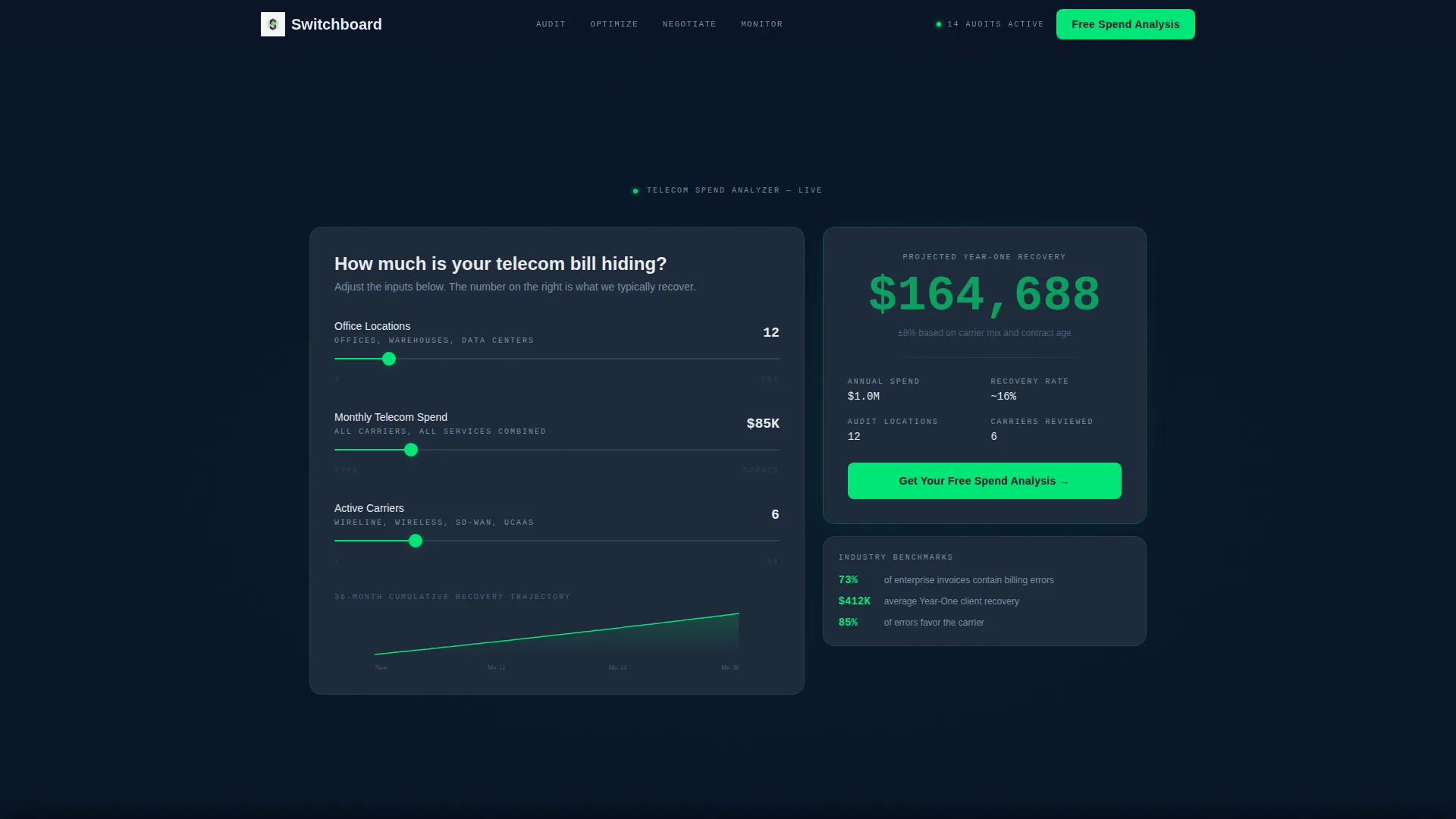
- An interactive calculator hero with animated savings output and a 36-month trajectory graph
- Four stats-anchored spoke sections with supporting narrative copy areas
- A two-path lead generation system with a primary form and a gated PDF checklist option
Feature list
This template is built around a Stats-First creative direction, meaning every designed element earns its place by reinforcing the firm's analytical credibility.
Interactive Savings Calculator Hero
Three slider inputs, number of office locations, estimated monthly telecom spend, and number of active carriers, feed a live projected annual savings figure. The output animates in signal green at display size, with a thin phosphor-white line tracing a 36-month savings trajectory beneath it. The tool replaces a traditional hero image entirely.
Hub-and-Spoke Anchor Navigation
A fixed top navigation bar carries four spoke labels: Audit, Optimize, Negotiate, and Monitor. Visitors can jump directly to any section without scrolling linearly. This navigation pattern mirrors how a CFO or IT director actually reads a proposal page, nonlinearly and on their own terms.
Stats-First Spoke Sections
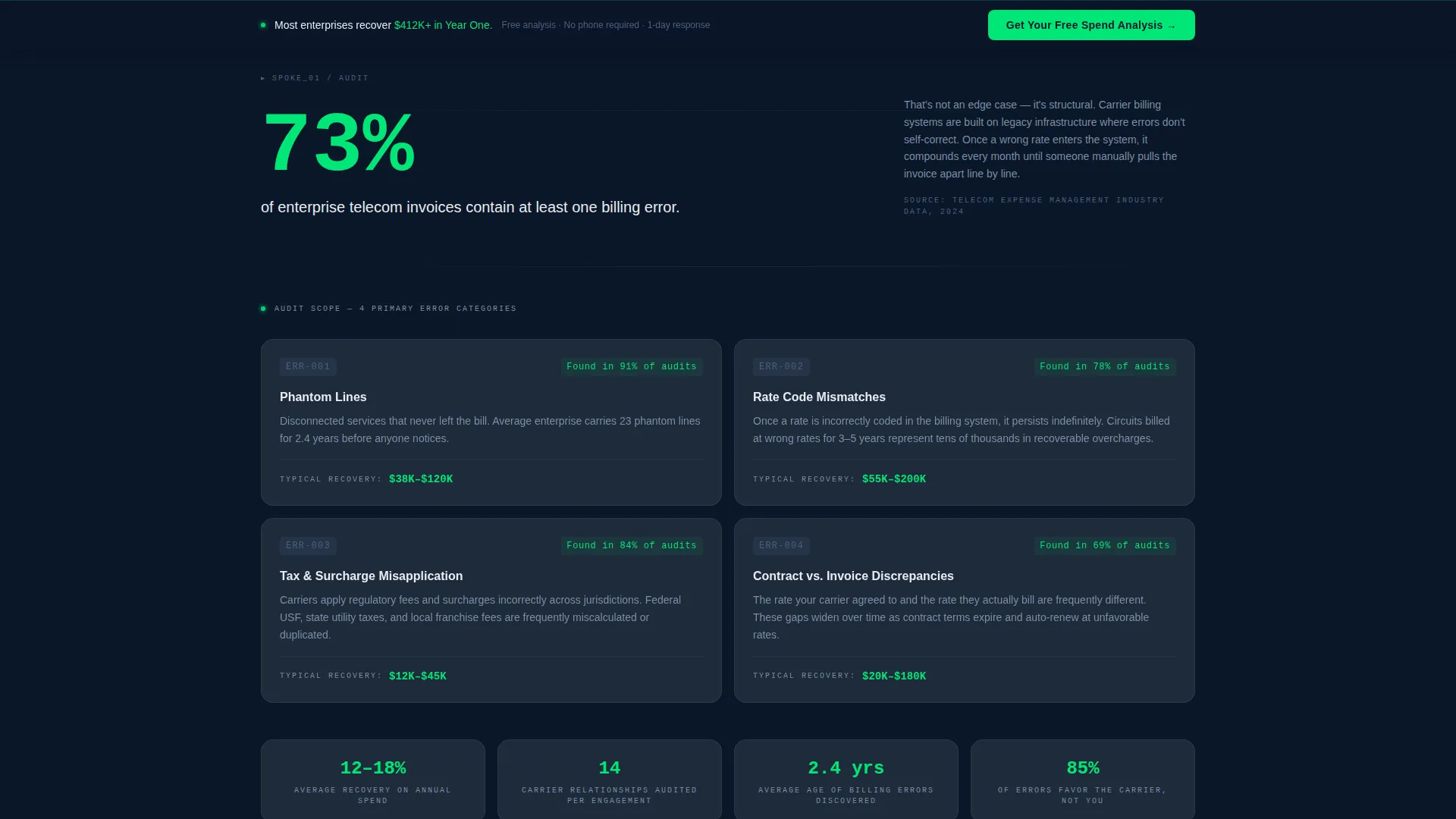
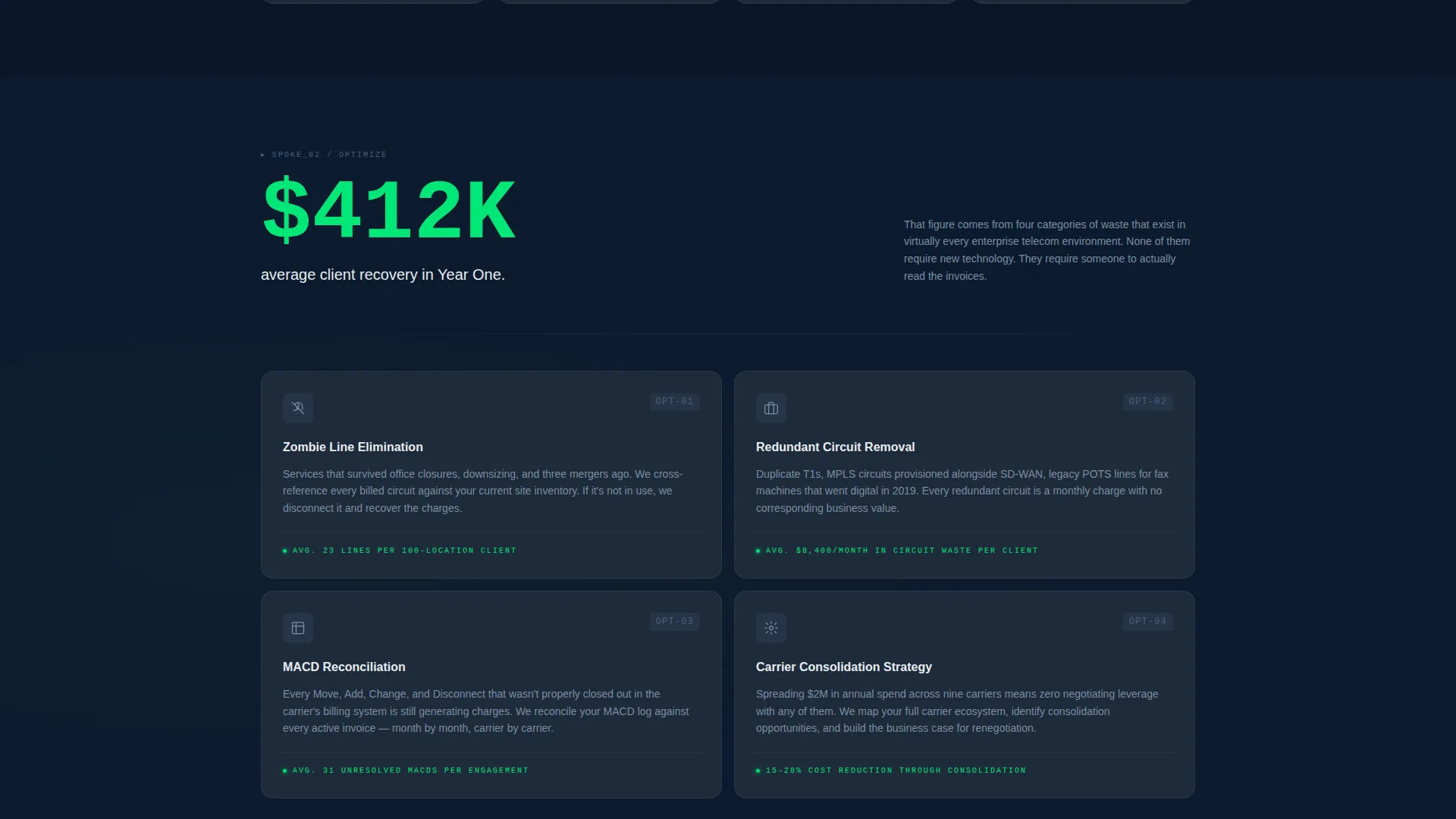
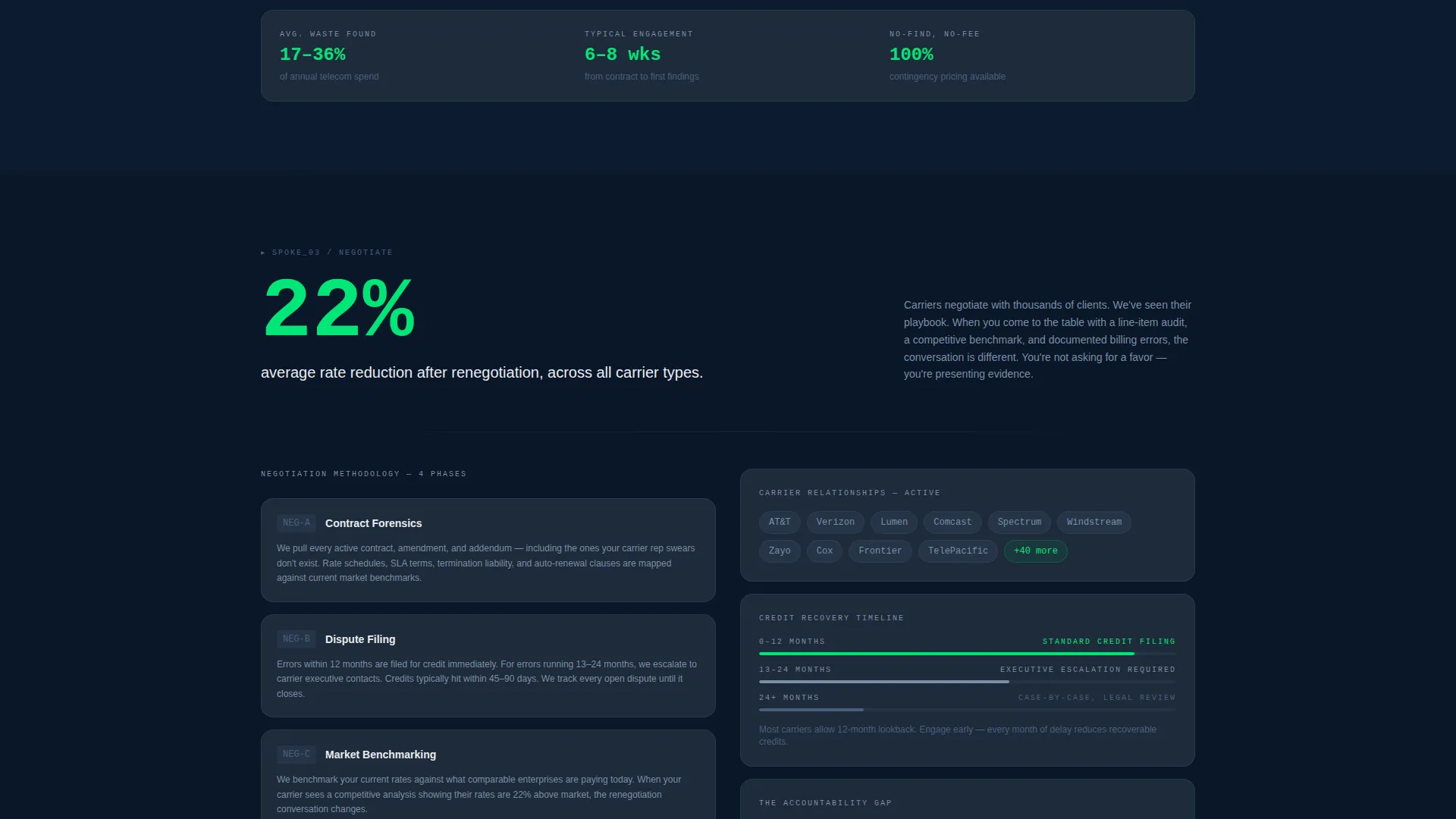
Each of the four spokes opens with a single outsized statistic rendered at large scale. Supporting narrative text unpacks the methodology, case context, or audit scope behind that number. The layout reads like a forensic report building its argument finding by finding.
Two-Path Lead Generation System
The primary call to action, "Get Your Free Spend Analysis", appears first inside the calculator results panel, contextually timed to when the visitor sees their projected savings number. It repeats as a fixed bottom bar after the second spoke. A secondary path offers a downloadable Telecom Audit Checklist PDF behind an email-only gate, capturing visitors who are not yet ready to book a call.
Low-Friction Primary Form
The primary lead form collects four fields: company name, monthly telecom spend range via dropdown, number of locations, and work email. No phone number field is included. This reduces friction for finance professionals who are protective of their direct contact details.
Contextual call to action Placement
The main call to action does not appear at the top of the page before value is demonstrated. It surfaces inside the calculator panel the moment the savings figure animates into view. This placement connects the ask directly to the visitor's personalized projected outcome.
Page sections overview
| Section | Purpose |
|---|---|
| Calculator Hero | Demonstrates projected savings instantly via interactive inputs |
| Anchor Nav Bar | Lets visitors jump to any spoke section non-linearly |
| Audit Spoke | Opens with billing error statistic and audit methodology narrative |
| Optimize Spoke | Highlights redundancy findings and optimization scope |
| Negotiate Spoke | Covers carrier negotiation process and contract renegotiation context |
| Monitor Spoke | Explains ongoing monitoring and recovered spend tracking |
| Primary call to action Bar | Fixed bottom bar repeating the free spend analysis offer |
| PDF Checklist Gate | Email-only form capturing early-stage research visitors |
Design & branding system
The visual identity follows a Directory and Discovery theme built entirely around the Midnight Blue color system. The palette is designed to feel like a network operations center at midnight, precise, monitored, and quietly authoritative.
- Deep terminal navy (#0A1628) as the primary background, slate circuit gray (#1E2A3A) for card surfaces and dividers, and cold phosphor white (#E8ECF1) for body text
- Signal green (#00E676) used exclusively for savings figures, active navigation states, and call-to-action pulse elements
- No stock photography or hero illustrations, the calculator tool and its green savings output are the only visual focal point
Mobile & speed optimization
The template is structured to remain fully navigable and legible on smaller screens. The calculator inputs, anchor nav, and spoke statistics are all designed to reflow cleanly across viewport sizes.
- Slider inputs and animated savings output are laid out to function on touch screens without requiring precise pointer interaction
- The fixed bottom call to action bar remains accessible on mobile without obscuring primary content
- Spoke sections use single-column stacking on narrow viewports so statistics and narrative copy remain readable at any screen width
How this template helps you convert
The conversion architecture is deliberate: demonstrate value first, ask second. Every structural decision supports that sequence.
- The calculator hero produces a personalized projected savings figure before any form appears, giving the visitor a concrete reason to stay and engage with the rest of the page.
- The two-path lead capture system ensures the page converts visitors at different stages of readiness, the primary form captures decision-ready buyers, and the checklist gate captures researchers the sales team can nurture toward a discovery call.
Other information about this template
Switchboard is built for a niche where credibility is the product. The page structure, tone, and visual system are all calibrated for buyers who are financially literate and skeptical by default.
- The template style is Hub and Spoke with Anchor Navigation, well suited to multi-section consultancy pages where nonlinear reading is expected
- The Stats-First creative direction and forensic report tone make it adaptable to adjacent telecom expense management and cost recovery niches
- The Midnight Blue color system with signal green accents is distinct enough to stand apart from generic SaaS and agency templates in the technology and IT services space
- The template is categorized under Technology, with the subcategory of IT Services and Consulting and the niche of Telecom Consulting
Theme
Directory & Discovery
Creative direction
Stats-First Impact
Color system
Midnight Blue
Style
Hub & Spoke (Anchor Nav)
Direction
Lead Generation
Page Sections
Interactive Savings Calculator Hero
Hub-and-spoke Anchor Navigation
Stats-first Spoke Sections
Two-path Lead Generation System
Low-friction Primary Lead Form
Related questions
Can I customize the calculator inputs for my firm's specific audit criteria?
Does the template support both the primary form and the PDF checklist gate at the same time?
Is the anchor navigation fixed or does it scroll away?
Can I replace the statistics in the spoke sections with my firm's own data?
Is this template suitable for a firm focused on a specific industry vertical within telecom consulting?



