K-12 AI Recommendation Engine Landing Page
Syllabus is a scroll-reveal landing page template built for K-12 AI recommendation engine products. It combines a live-code header, glassmorphic dashboard panels, animated pilot metrics, and a three-step lead generation form into one high-momentum single-page flow. Designed for edtech teams selling to district decision-makers, it makes a complex AI product feel immediate, credible, and ready to act.
by Rocket studio
Quick summary
Syllabus is a single-page landing page template for K-12 AI-powered curriculum recommendation platforms. It opens with an animated API code snippet, builds trust through scrolling data reveals, and converts district leaders through a progressive three-step pilot request form. Every section is designed to show the engine working before asking for a commitment.
Who this template is for
This template is built for edtech companies and product teams selling AI-driven learning tools to school districts. If your product surfaces personalized lesson recommendations for teachers, this template speaks directly to your buyers.
- Curriculum directors managing pacing across dozens of schools
- Edtech platform coordinators who need to demonstrate data consolidation to leadership
- Superintendents and district administrators evaluating personalized learning tools for board-level commitments
What problem this template solves
District decision-makers do not have time to read feature lists. They need to see the product working and trust that it will simplify their data overload, not add to it. Generic SaaS landing pages fail here because they talk about AI without showing it.
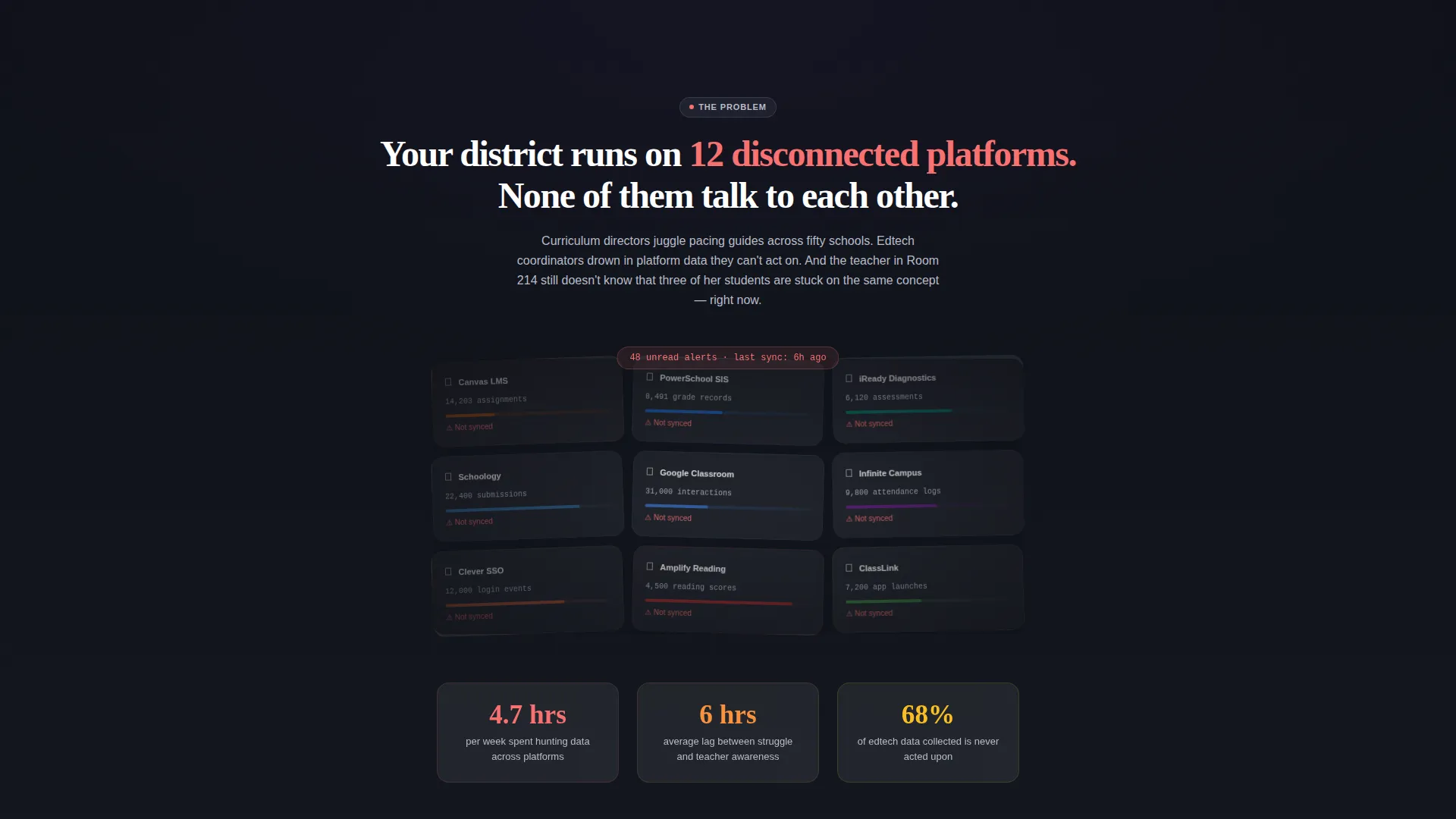
- Disconnected platform data overwhelms teachers and coordinators without clear next steps
- Curriculum directors cannot act on dashboards that show information but do not recommend actions
- Technical evaluators need architecture proof, not just marketing copy, before they will start a conversation
What you get with this template
This template gives you a fully structured, visually complete landing page ready to populate with your product details. Every section is sequenced to build confidence and momentum toward a single conversion goal.
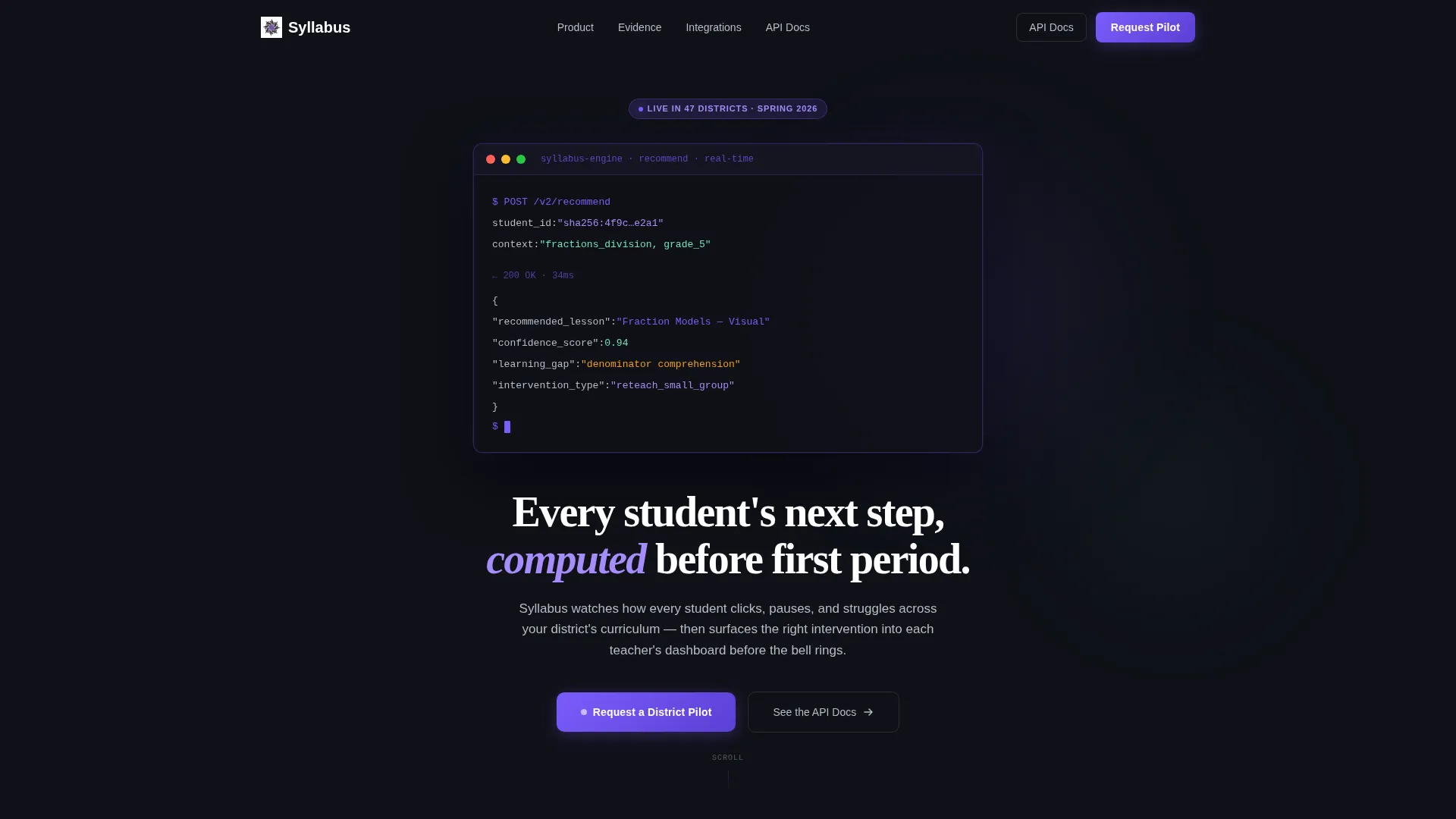
- An animated code-snippet hero section showing a live-style API call with JSON response fields
- A scroll-reveal content flow covering the problem, the AI solution, pilot evidence metrics, and integration logos
- A sticky three-step progressive disclosure lead generation form with a secondary path for technical evaluators
Feature list
This template includes six purpose-built sections and interaction patterns, each grounded in the brief's design and conversion direction.
Animated API Code Hero
The header centers a frosted-glass terminal card on a near-black viewport. Three lines of a real-style API call animate character by character, showing a student ID input and a JSON response with recommended lesson, confidence score, and learning gap fields. The effect communicates that the engine is already thinking.
Scroll-Reveal Section Sequencing
Each content section detonates into view as the user scrolls, following a Launch Energy creative direction. The pacing accelerates from problem to solution to evidence, creating a build of inevitability that makes the product feel operational rather than aspirational.
Chaotic-to-Clean Data Transition
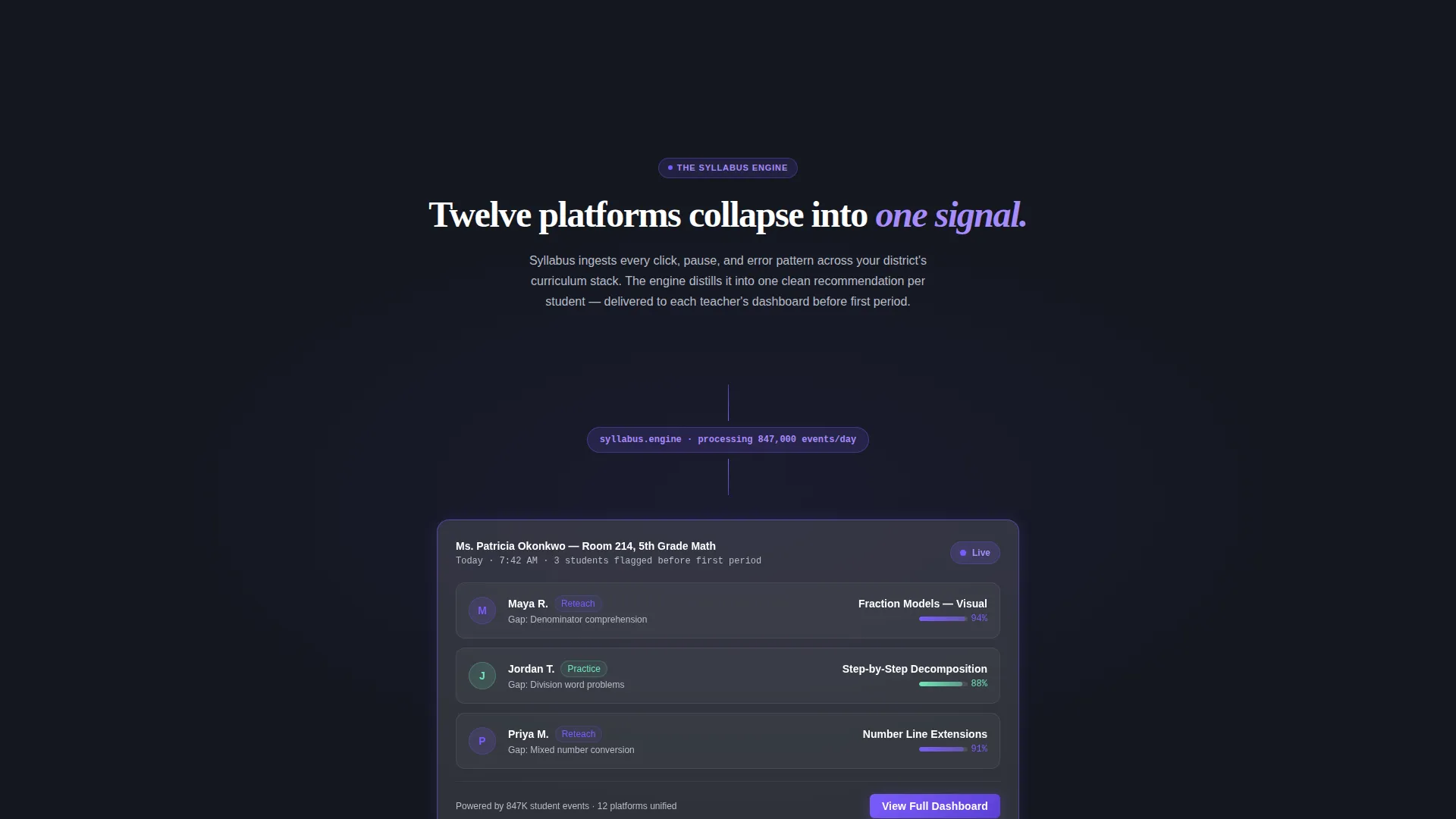
An early section shows a district dashboard cluttered with twelve disconnected platform panels. As the user scrolls, those panels collapse into a single clean glass card. This visual metaphor does the product's core selling job without a single word of explanation.
Animated Pilot Metrics Display
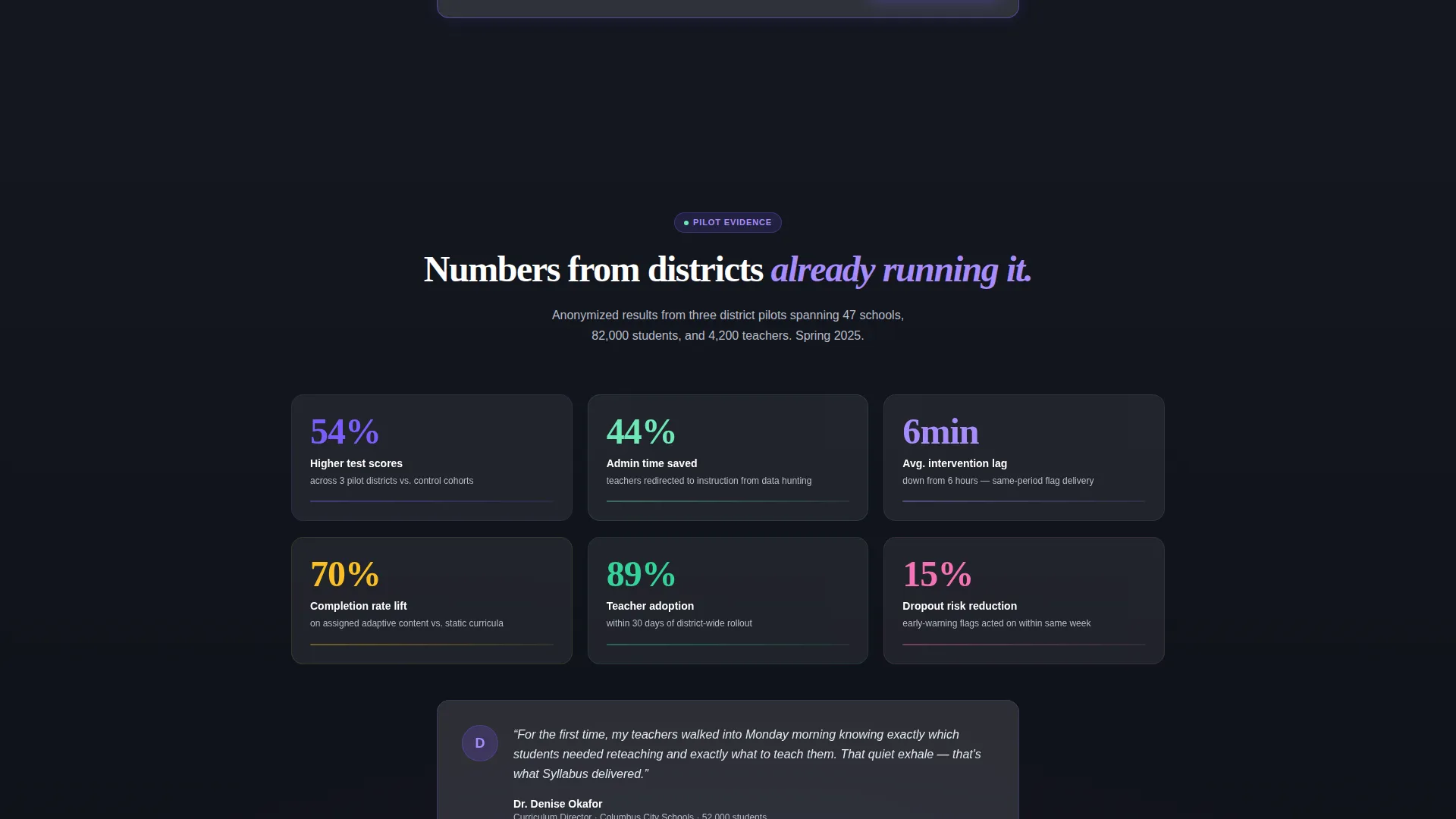
Anonymized district pilot numbers animate upward on scroll, covering engagement lift, intervention speed, and teacher time saved. The counters give buyers a concrete sense of outcome without requiring them to read a case study.
Sticky Progressive Lead Form
A glass navigation bar materializes after the second scroll reveal and anchors the primary call to action. The form unfolds across three steps: district name and state, enrollment size and current learning management system, and the contact's role and email address.
Integration Logo Reveal
SIS (Student Information System) and LMS (Learning Management System) connector logos slide in from the edges of the screen in a dedicated section. This confirms platform compatibility for technical evaluators without interrupting the narrative flow.
Page sections overview
| Section | Purpose |
|---|---|
| API Code Hero | Opens with animated API call to show the engine thinking in real time |
| Problem Dashboard | Shows a cluttered multi-platform district view to establish the core pain |
| AI Consolidation Reveal | Collapses chaos into one glass card to demonstrate the product's core value |
| Pilot Metrics Display | Animates district pilot numbers upward to provide evidence of outcomes |
| Integration Logo Strip | Slides in SIS and LMS connector logos to confirm platform compatibility |
| Sticky Lead Form | Anchors the three-step pilot request form after the second scroll reveal |
Design & branding system
The visual identity uses a Dashboard Pro theme executed through a glassmorphic color system. Every element floats on translucent cards with blurred backdrops, giving the interface a cockpit-through-morning-fog feel that signals precision without being cold.
- Base background in deep schoolboard charcoal (#1B1F2A), with content panels rendered as frosted white at 12% opacity (#FFFFFF1F)
- Electric learning-pulse violet (#7C5CFC) reserved for active states, AI-driven data highlights, and call-to-action elements
- Secondary text and labels rendered in soft chalkdust gray (#B8BCC8) to maintain hierarchy without visual noise
Mobile & speed optimization
The template is structured for responsive single-column stacking on smaller screens, so the scroll-reveal sequence and glass card layouts adapt without losing their visual hierarchy.
- Glassmorphic card layers and backdrop blur effects are designed to degrade gracefully on mobile viewports
- The sticky lead generation bar and three-step form are laid out to remain functional and readable at smaller screen widths
How this template helps you convert
Every design and sequencing decision in this template serves the goal of earning a pilot request before the visitor leaves the page.
- The animated code hero establishes immediate technical credibility, so buyers trust the product is real before they read a single claim.
- The problem-to-solution scroll sequence and animated pilot metrics build confidence progressively, so by the time the sticky form appears, the visitor has already watched the engine prove itself.
- The secondary "See the API Docs" path captures technical evaluators who need architecture proof first, reducing drop-off from the audience most likely to block or stall a purchase decision.
Other information about this template
This template is part of the Syllabus design system and is optimized for edtech go-to-market teams launching or repositioning AI-powered K-12 products. A few additional details worth knowing before you build:
- The template is categorized under Technology, with a subcategory focus on AI for Education K-12
- The header concept is a Code Snippet and the creative direction is Launch Energy, both defined in the matched intersection context
- The color system is Glassmorphic and the theme follows Dashboard Pro conventions throughout
- The template style is Scroll Reveal (Progressive), meaning sections are designed to enter the viewport sequentially rather than all at once
- The lead generation direction means the primary success metric for this page is a completed pilot request form submission
Theme
Dashboard Pro
Creative direction
Launch Energy
Color system
Glassmorphic
Style
Scroll Reveal (Progressive)
Direction
Lead Generation
Page Sections
Animated API Code Snippet Hero
Launch Energy Scroll Reveal Flow
Problem-to-solution Visual Transition
Animated Pilot Metrics Counters
Sticky Three-step Lead Form
SIS and LMS Integration Logo Reveal
Related questions
Who is the primary audience for this landing page template?
What does the three-step lead form collect?
Can technical evaluators find what they need on this page?
Does the template include real data or placeholder content?
Is this template suitable for a product still in early pilot stage?



