K-12 AI Content Writing Landing Page Template
Syllabus is a dashboard-style landing page template built for a K-12 AI content writing platform. It uses a Tech Glass visual identity with a carbon-fiber color system and a live stats hero to showcase generation speed and accuracy. The freemium model lets teachers generate a free lesson component instantly, before ever creating an account.
by Rocket studio
Quick summary
Syllabus is a single-page template designed for a K-12 AI writing platform. It opens with a live metrics dashboard hero, scrolls through a spec-sheet layout, and converts visitors with a freemium trial that delivers real output before asking for anything. The design feels precise and powerful, like a high-performance tool built specifically for educators.
Who this template is for
This template is built for teams launching or promoting an AI-powered content creation tool aimed at the K-12 education market. It speaks directly to educators and the people who support them.
- Fourth-grade and subject-area teachers who build lesson materials late at night before state standards reviews
- Curriculum coordinators managing scope-and-sequence alignment across multiple school buildings
- Special education specialists who need the same reading passage rewritten at different reading levels on a tight deadline
What problem this template solves
Most education technology landing pages describe features in abstract terms. Teachers and curriculum staff need to see the product work, not read about it. This template solves that gap by leading with proof rather than promises.
- Educators distrust tools they cannot test immediately, so the free generation removes all friction from the first interaction
- Coordinators and administrators need to justify adoption across buildings, so escalating spec rows make the case from individual savings to district-wide impact
- Generic SaaS templates do not reflect the specific urgency of a teacher preparing materials at 10 p.m., so the copy and layout are built around that reality
What you get with this template
You get a complete, production-ready landing page layout that guides visitors from curiosity to conversion through a disciplined visual and content structure.
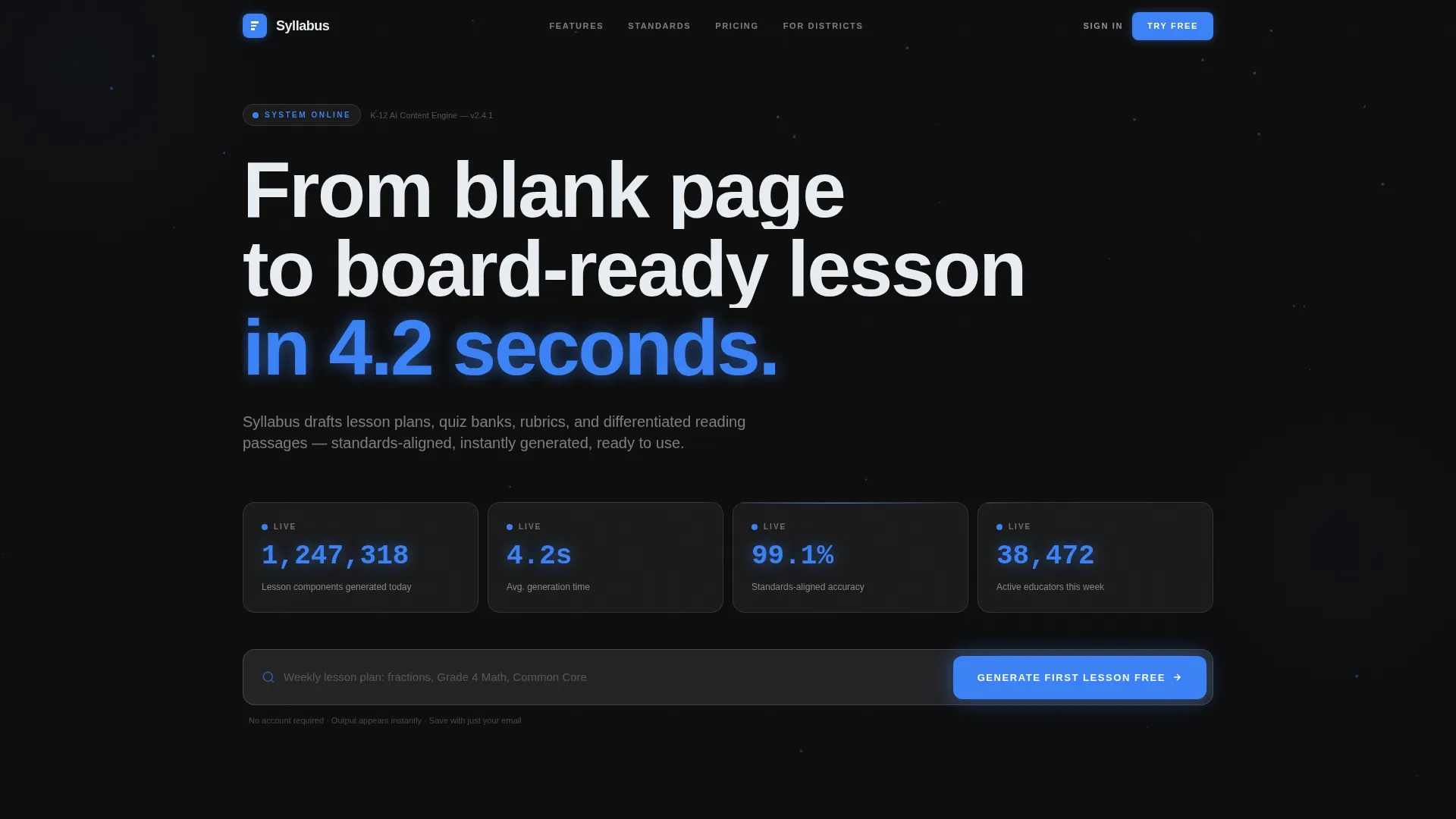
- A live stats hero with animated counters showing lesson components generated, average generation time, and standards alignment accuracy
- A scrollable spec-sheet body with clearly defined capability rows covering generation speed, standards coverage, differentiation, export formats, and admin controls
- A freemium conversion system including an in-hero input field, a sticky bottom bar call-to-action, and a soft post-generation modal for account creation
Feature list
This template is built around a set of carefully considered sections and interaction patterns that reflect the brief exactly.
Live Stats Hero Dashboard
The header is a simulated metrics dashboard with three frosted-glass counter cards. Each card displays a real-sounding live number: total lesson components generated today, average generation time in seconds, and standards-aligned accuracy as a percentage. The numbers are rendered in electric blue tabular figures against the carbon-dark background, with a subtle particle animation linking the cards like a neural network.
Prompt Input Field
Directly below the counter cards sits a single full-width input field. Ghost text inside the field gives a concrete usage example, prompting the visitor to describe what they need. The submit button doubles as the primary call-to-action, labeled "Generate Your First Lesson Free." No account is required at this stage.
Spec Sheet Scroll Layout
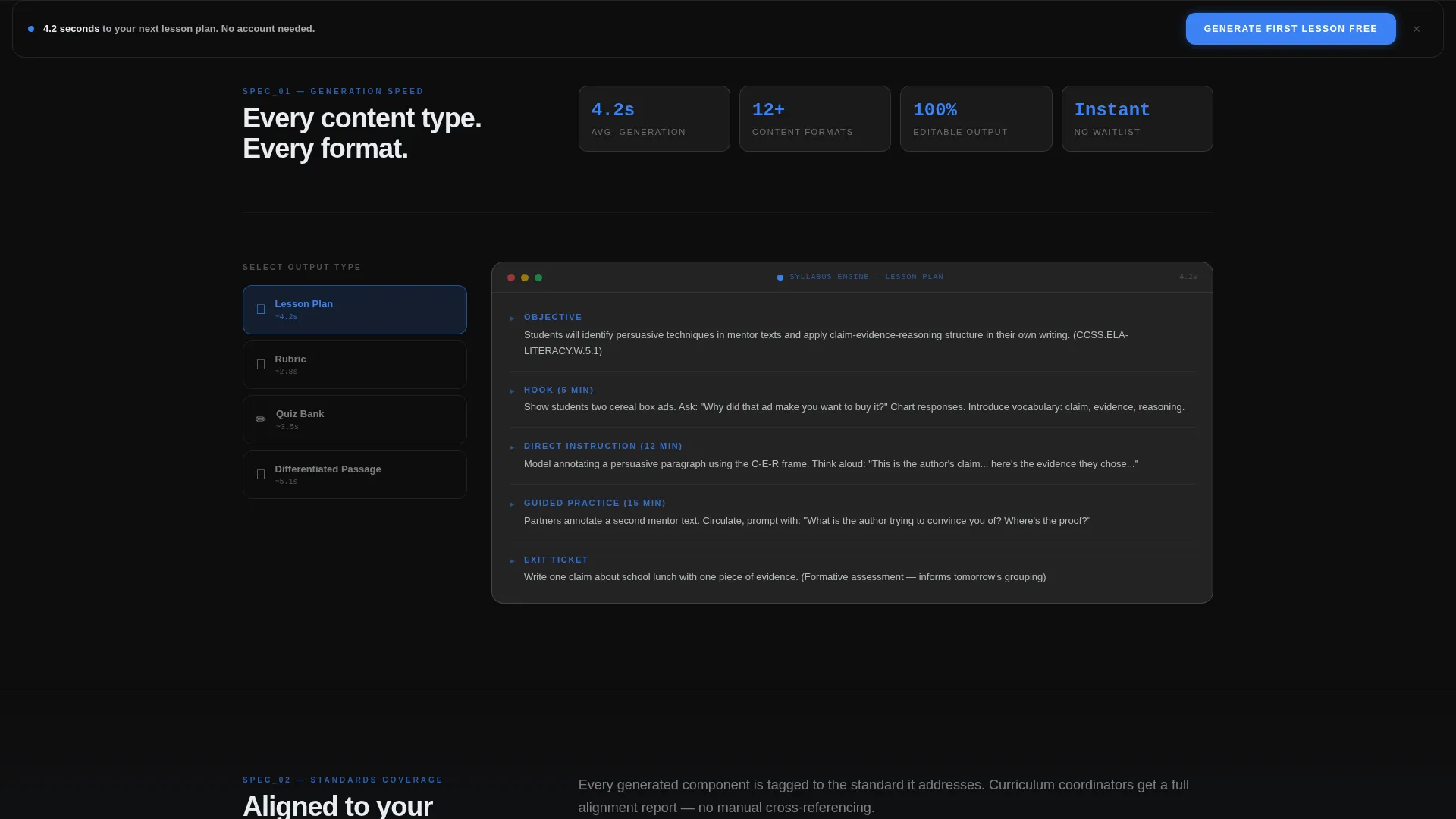
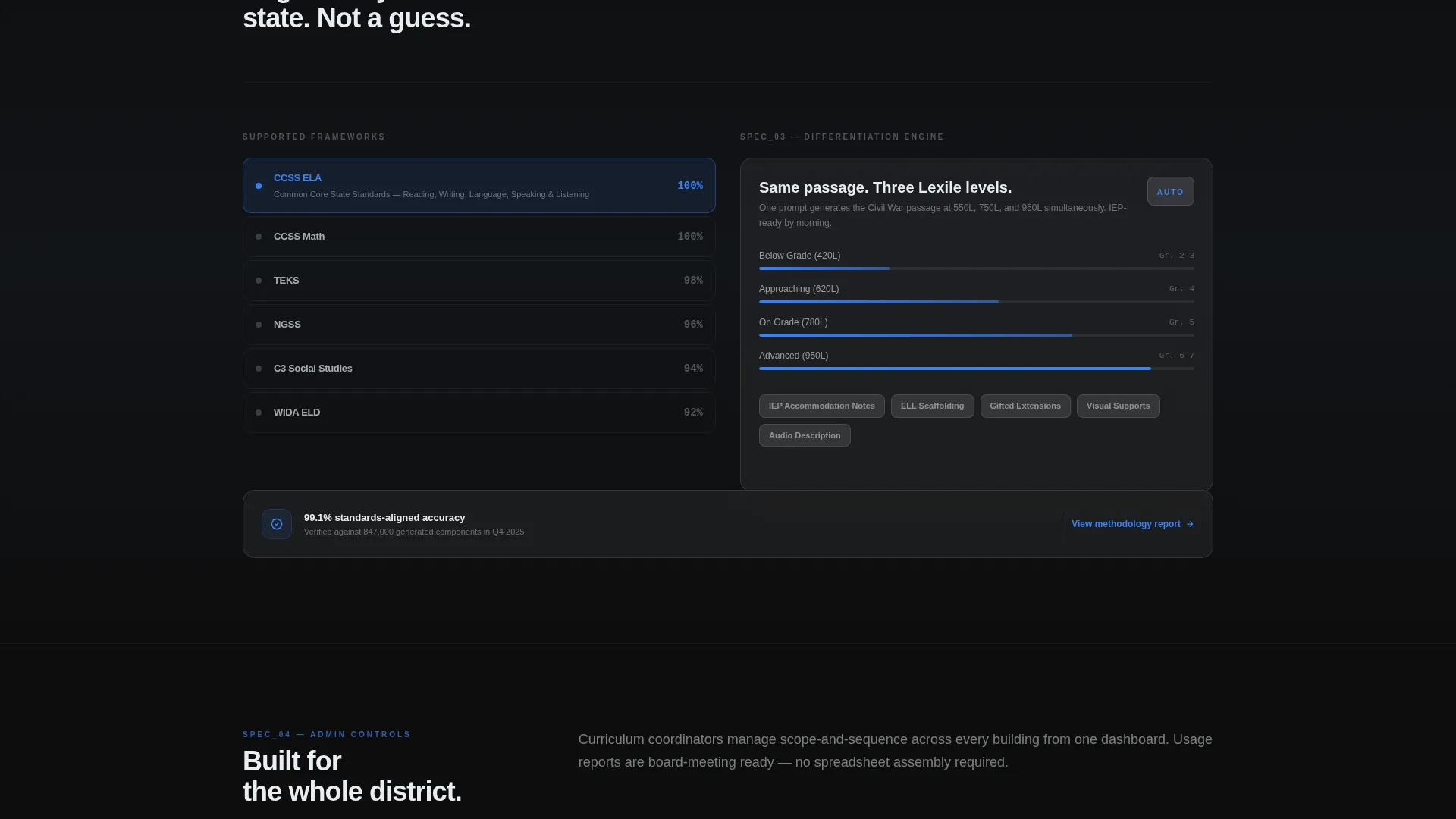
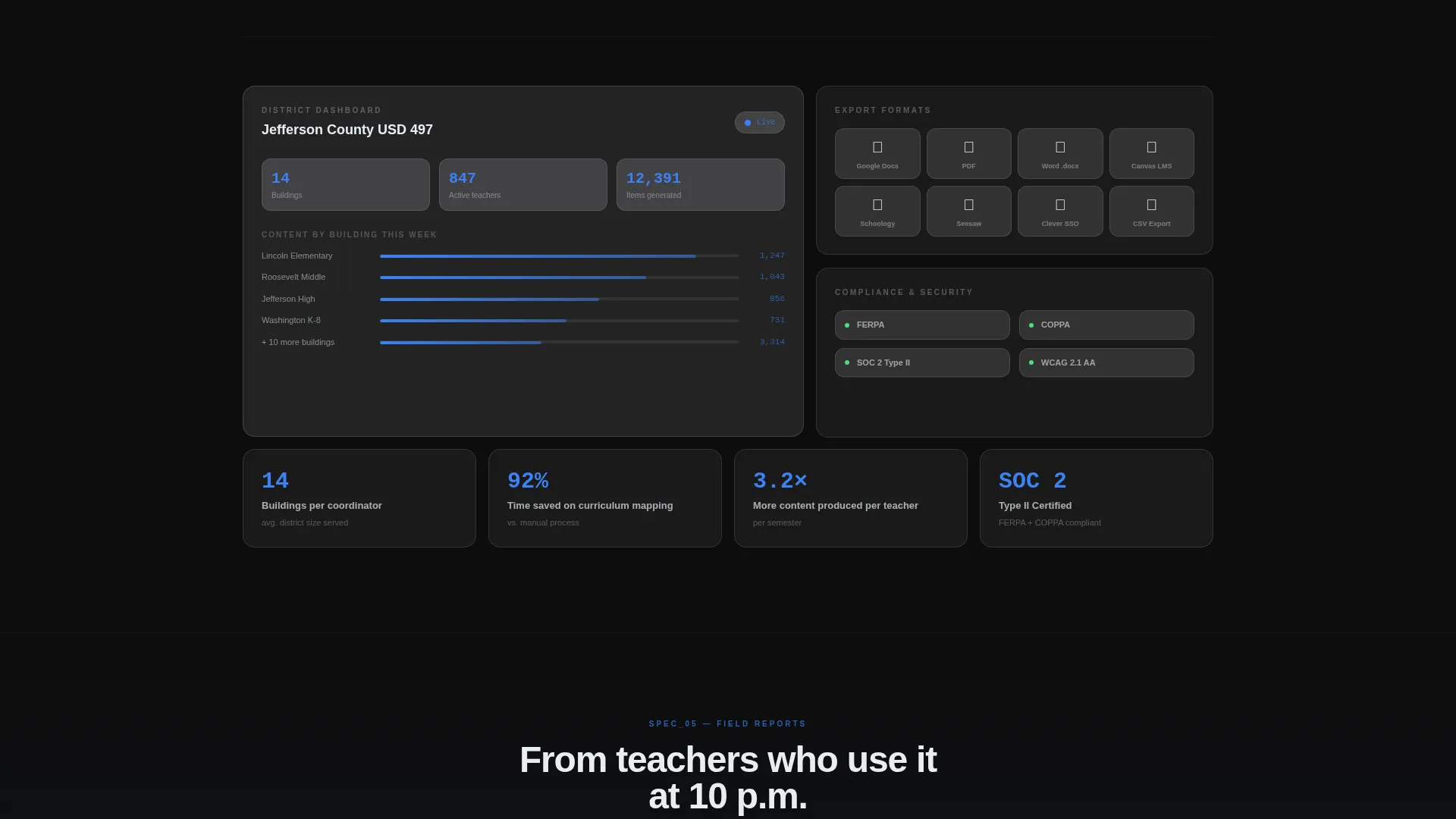
The main body follows a precision product-data-sheet rhythm. Each section is a titled specification row with the capability name on the left and a metric, benchmark, or live demo widget on the right. Rows cover Generation Speed, Standards Coverage, Differentiation Engine, Export Formats, and Admin Controls. The structure is intentionally scannable, the way a teacher skims a pacing guide.
Sticky Bottom Bar
After the visitor scrolls past the second specification row, a sticky bar appears at the bottom of the viewport. It carries the same "Generate Your First Lesson Free" call-to-action. The bar stays visible throughout the rest of the scroll, keeping the conversion action always within reach without interrupting the reading experience.
Soft Post-Generation Modal
Once the first free generation lands on-screen, a modal appears with a gentle prompt: "Save and Make More." It asks only for an email address and a role selector with three options: Teacher, Coordinator, or Admin. This low-friction approach collects qualified leads at the highest-intent moment, right after the visitor has seen the product work.
Carbon Fiber Visual System
Every layout element follows the carbon-fiber color system. Backgrounds stay in deep cockpit black and woven carbon gray. Content cards float on frosted glass panels at 60 percent opacity. Electric learning-blue marks every interactive element, data highlight, and active system indicator. The result is a single coherent visual language that feels technical and weightless at the same time.
Page sections overview
| Section | Purpose |
|---|---|
| Live Metrics Hero | Opens with animated counters and a prompt input field |
| Generation Speed Row | Shows how fast the AI produces complete lesson components |
| Standards Coverage Row | Demonstrates alignment depth across state and national standards |
| Differentiation Engine Row | Highlights multi-Lexile passage generation for diverse learners |
| Export Formats Row | Lists the formats educators and coordinators can download |
| Admin Controls Row | Addresses district-level oversight and building-wide usage |
| Sticky Conversion Bar | Keeps the free-generation call-to-action visible during scroll |
| Post-Generation Modal | Captures email and role after the visitor sees real output |
Design & branding system
The visual identity is built on a Tech Glass theme using the carbon-fiber color system. Every color choice reinforces a feeling of precision and quiet power, like a matte-black device with a single glowing indicator.
- Core palette: deep cockpit black (#0D0D0D) for backgrounds, woven carbon gray (#2B2B2B) for secondary surfaces, frosted glass panel (#E8EDF2) at 60 percent opacity for content cards, and electric learning-blue (#3B82F6) for all interactive elements and data highlights
- Typography uses tabular lining figures for the metric counters so numbers stay optically stable as they tick upward
- Particle animation connects the hero stat cards in a subtle neural-network pattern, reinforcing the AI intelligence concept without overpowering the content
Mobile & speed optimization
The dashboard-style layout is structured to remain readable and functional at smaller viewport widths. Spec rows stack cleanly into a single column on mobile, and the sticky bar adapts to touch-friendly sizing.
- Frosted glass cards reflow into a vertical stack on narrow screens so counter values stay large and readable
- The sticky bottom bar is sized for thumb-reach interaction on mobile devices, keeping the primary call-to-action accessible throughout the scroll
- The prompt input field and submit button resize to full width on small viewports, reducing tap-target friction for on-the-go educators
How this template helps you convert
The freemium model built into this template removes the most common barrier in education technology adoption: the requirement to commit before experiencing value.
- The free generation is the pitch. Visitors type a real need into the input field and receive actual output on-screen, with no account required. The product earns trust before asking for anything.
- The post-generation modal captures qualified leads at peak intent. The visitor has just seen the tool work, so the ask of an email address and role selection feels natural rather than intrusive.
- The escalating spec-sheet structure widens the audience as the visitor scrolls. What begins as a time-saving tool for one teacher becomes a district-wide curriculum solution by the end of the page, giving coordinators and administrators a reason to act alongside classroom educators.
Other information about this template
This template is part of the Syllabus product family within the platform's Technology category, specifically designed for the AI for Education K-12 subcategory and the Education K-12 AI Content Writer niche.
- The template style is classified as Dashboard and Data Grid, making it a strong fit for platforms that want to lead with live data rather than static imagery
- The header concept is Stats and Metrics, a pattern proven to build immediate credibility for AI-powered tools by showing activity and accuracy in real time
- The creative direction is Spec Sheet, which mirrors how educators already process information in pacing guides and curriculum documents, lowering the cognitive load of the page
- The landing page direction is Freemium and Trial, meaning the conversion architecture is built around zero-commitment first use rather than a traditional sign-up wall
Theme
Tech Glass
Creative direction
Spec Sheet
Color system
Carbon Fiber
Style
Dashboard/Data Grid
Direction
Freemium/Trial
Page Sections
Live Metrics Hero with Animated Counters
Prompt Input Field with Instant Free Generation
Spec Sheet Scroll Structure
Sticky Bottom Conversion Bar
Post-generation Soft Modal
Carbon Fiber Visual Identity System
Related questions
Does a visitor need to create an account to generate the first lesson component?
Who is this landing page template designed for?
What conversion actions are built into the template layout?
Can this template showcase a platform that generates multiple types of educational content?
What visual theme and color system does this template use?



