Syllabus - Powerful Education Warehouse Landing Page Template
Syllabus is a bold brutalist landing page template built for education warehouse management platforms. It uses a scroll-reveal, interactive explorer structure to guide district procurement directors and charter network operators through facility-scale logistics capabilities. Deep charcoal, holographic violet, and electric cyan create an industrial-computational visual identity that reflects the urgency of back-to-school fulfillment operations.
by Rocket studio
Quick summary
Syllabus is a single-page, scroll-reveal landing page template designed for education warehouse management software. It targets district procurement teams, charter network operators, and state education agencies. The design blends bold brutalist structure with an AI iridescent color palette to communicate industrial precision at scale.
Who this template is for
This template speaks directly to operations-focused buyers in the education supply chain. It is built for teams that manage physical inventory at warehouse scale and need to communicate platform capability quickly to qualified visitors.
- District procurement directors managing back-to-school surges across multiple campuses
- Charter network operations managers kitting out dozens of schools before August
- State education agency staff overseeing chain-of-custody protocols for standardized testing materials
What problem this template solves
Education warehouse platforms face a specific challenge: their buyers are not general consumers. They are logistics professionals who need to see capability before they commit to a demo. A generic software landing page fails them.
- Static feature lists do not communicate real operational complexity or volume
- Procurement directors need to feel the platform's scale, not just read about it
- Seasonal urgency around back-to-school windows requires a page that converts fast
What you get with this template
You get a fully structured, single-page click-through landing page built to move qualified visitors toward a live demo environment. Every scroll section is designed to activate, not just appear.
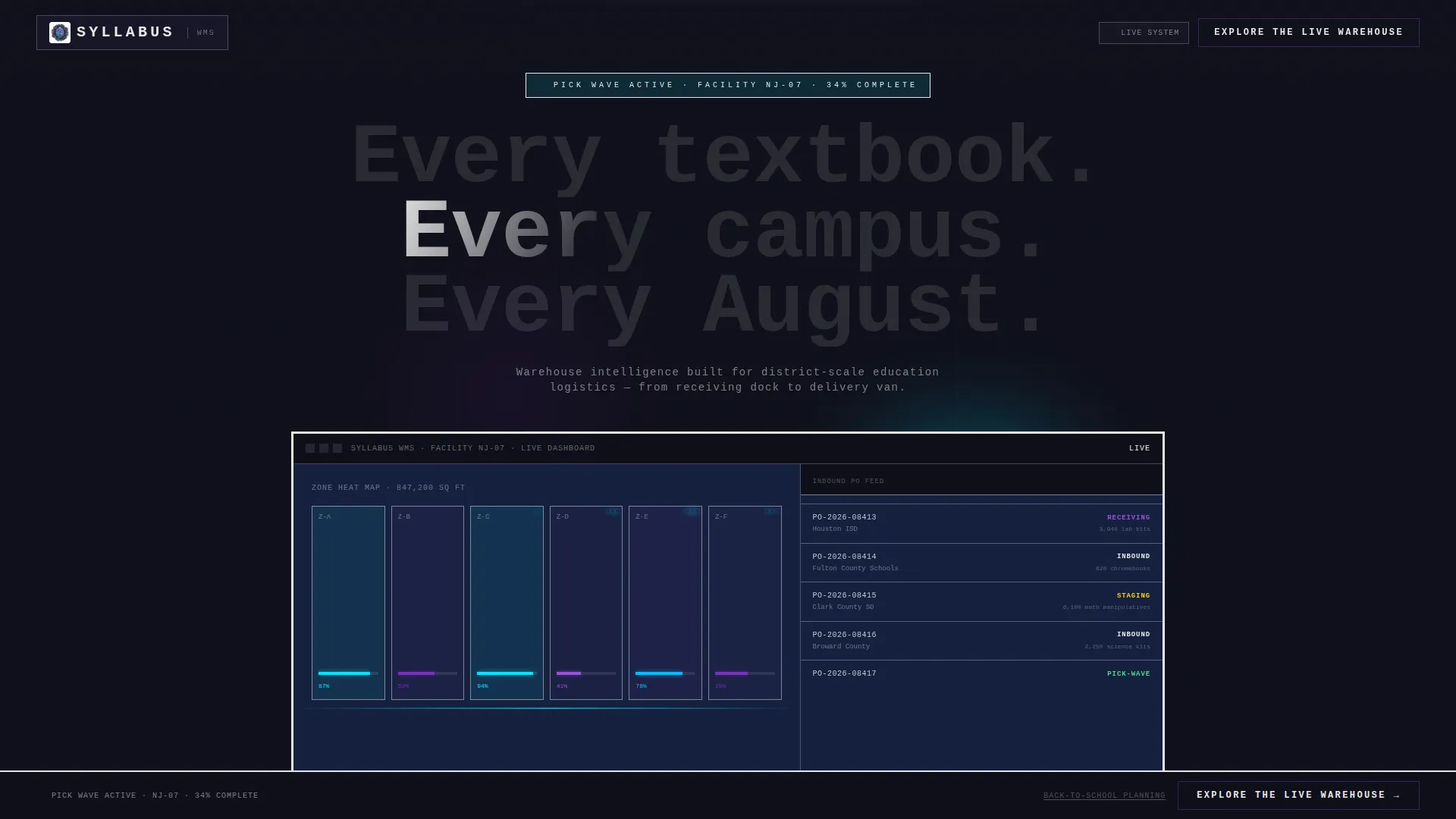
- A full-viewport product screenshot header showing a warehouse dashboard mid-operation
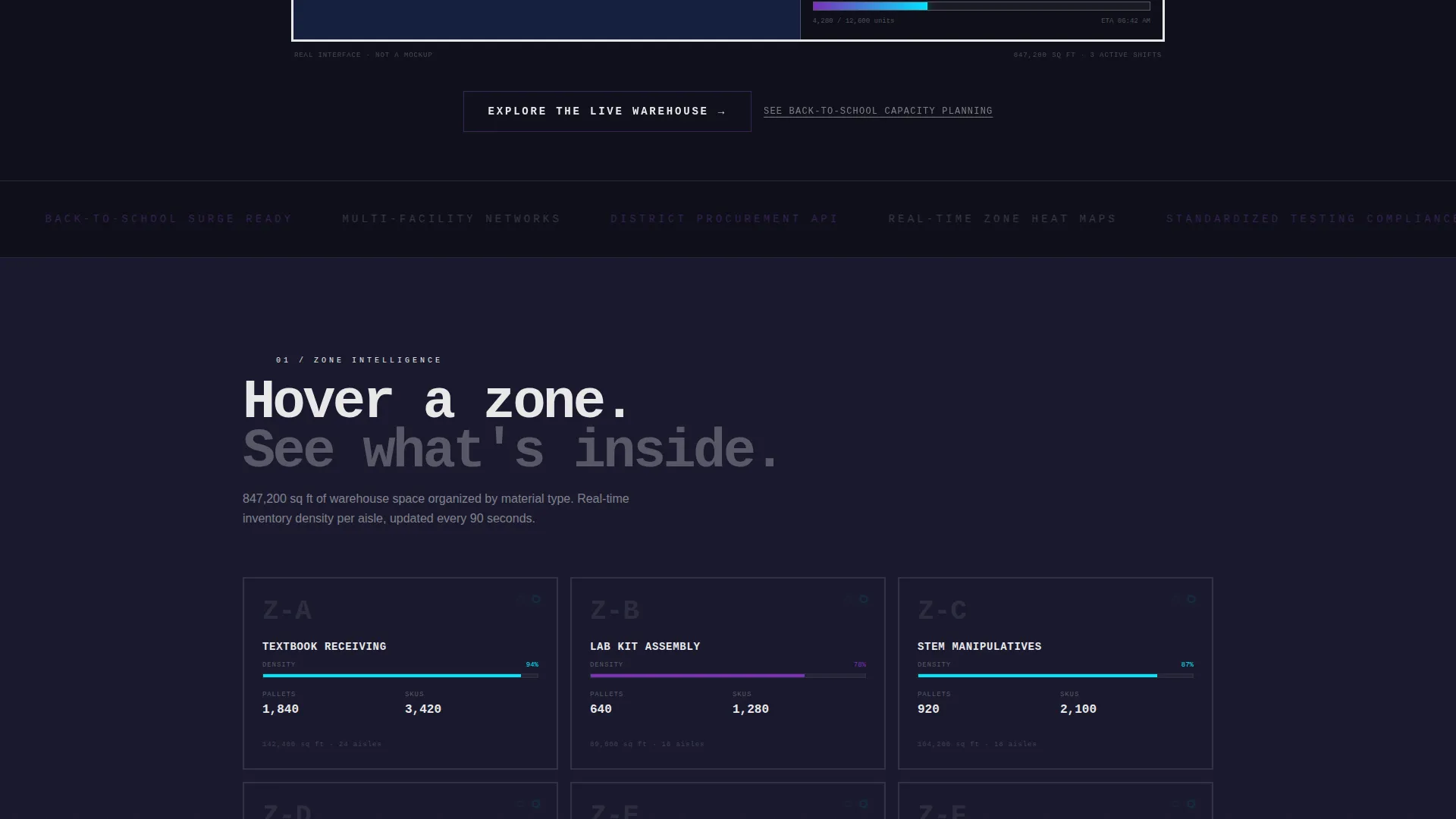
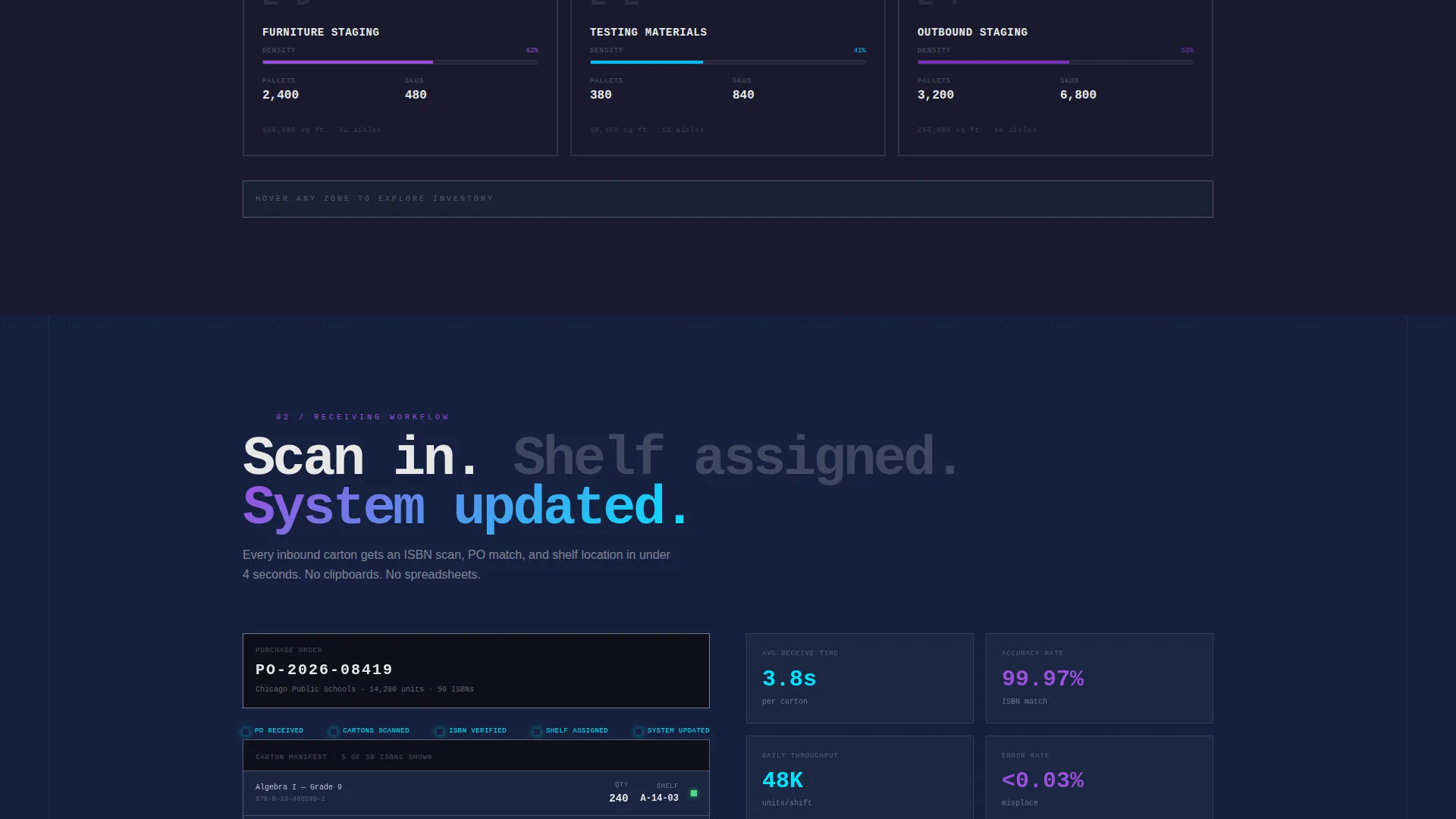
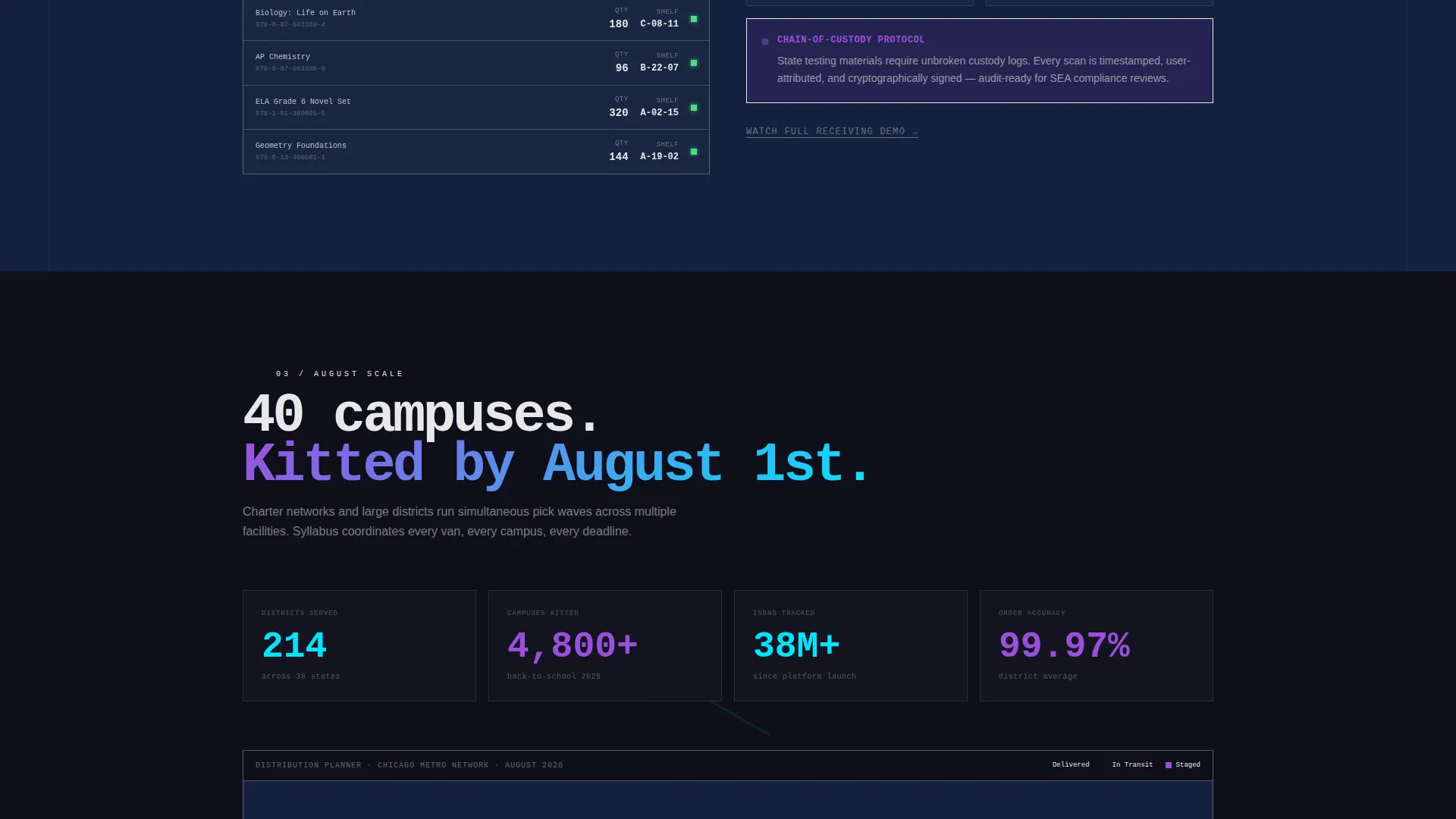
- Interactive scroll-reveal sections including a zone map, a simulated receiving workflow, and a distribution planner
- A persistent bottom-bar call-to-action and a full-width brutalist closing block, both linking to the live demo
Feature list
This template packages several purpose-built design and interaction features rooted in the source brief.
Full-Viewport Dashboard Header
The header displays a product screenshot of the warehouse management dashboard in active operation. It shows a facility zone heat map in cyan and violet, an inbound shipment ticker scrolling district purchase orders, and a pick-wave progress bar at 34% completion. A thick brutalist border with no rounded corners frames the screenshot. An oversized monospaced headline sits below: "Every textbook. Every campus. Every August."
Scroll-Activated Zone Map
The first scroll reveal unlocks a warehouse zone map. Visitors can hover over individual aisles to surface inventory categories. This interaction replaces a static diagram with a tactile, exploratory experience that mirrors real facility navigation.
Simulated Receiving Workflow
The second interactive section animates a receiving workflow. A purchase order number auto-populates and cartons animate into shelf locations. This gives procurement professionals a concrete sense of the platform's inbound processing logic without requiring them to enter the demo cold.
District Distribution Planner
A drag-and-drop distribution planner lets visitors assign shipments to campus pins on a district map. This section escalates the experience from single-facility visibility to multi-warehouse network orchestration, reflecting the operational reality of large charter networks and state agencies.
Persistent Click-Through Call-to-Action
The primary call-to-action, "Explore the Live Warehouse," first appears as a persistent bottom bar after the second scroll reveal. It reappears as a full-width brutalist block at page end. A secondary text link, "See back-to-school capacity planning," targets seasonal urgency for procurement directors planning in May.
Progressive Complexity Reveal
Each section escalates in operational depth. The scroll journey moves from single-facility awareness through receiving workflows to multi-campus distribution planning. This structure rewards continued scrolling and builds visitor familiarity before the demo click, so the live environment feels like a continuation rather than a cold start.
Page sections overview
| Section | Purpose |
|---|---|
| Dashboard Header | Establishes platform scale and real operational context |
| Warehouse Zone Map | Lets visitors explore inventory categories by aisle |
| Receiving Workflow | Animates inbound purchase order and shelf placement |
| Distribution Planner | Shows multi-campus shipment assignment on a district map |
| Persistent call to action Bar | Keeps the demo link visible after the second scroll reveal |
| Closing call to action Block | Full-width brutalist block driving final demo click-through |
Design & branding system
The visual identity is built on a Bold Brutalist theme expressed through an AI Iridescent color system. The palette communicates industrial infrastructure interrupted by computational light, like a concrete warehouse floor reflecting an automated sorting system at night.
- Deep slab charcoal (#1A1A2E) dominates the background; flat chalk white (#E8E8E8) carries all body and headline typography in a stenciled dock-label style
- Holographic violet (#7B2FBE) drives section transitions and hover states; electric cyan (#00E5FF) marks data points and interactive affordances
- Violet-to-cyan gradients appear on scroll-triggered elements, giving brutalist slabs an iridescent shimmer on reveal
Mobile & speed optimization
The template is built for professional buyers who may review it on a tablet during a facility walkthrough or on a laptop between procurement meetings. The layout responds cleanly across device sizes.
- Brutalist grid structure scales without losing the raw, high-contrast visual weight at smaller viewports
- Scroll-reveal interactions are designed to activate progressively, keeping each section focused and fast to load visually
- Interactive elements such as the zone map and distribution planner are touch-friendly for tablet use cases
How this template helps you convert
This template converts by building familiarity before the ask. Visitors interact with real interface fragments throughout the scroll, so clicking "Explore the Live Warehouse" feels like a natural next step rather than a cold commitment.
- The interactive scroll sections give procurement professionals hands-on exposure to platform logic, reducing demo anxiety and increasing qualified click-through intent.
- The persistent call to action bar keeps the demo link visible without interrupting exploration, while the seasonal secondary link targets procurement directors at their highest point of urgency.
Other information about this template
This template is part of the Syllabus template collection, positioned at the intersection of education software and warehouse management technology. It is suited for teams presenting a platform at procurement conferences, district vendor fairs, or in direct outreach to charter network operations leads.
- The template style is Scroll Reveal (Progressive), meaning each section activates on scroll rather than loading all at once
- The creative direction is Interactive Explorer, prioritizing hands-on interface fragments over static feature lists
- The header concept is Product Screenshot, grounding the first impression in real software rather than abstract illustration
- The landing page direction is Click-Through, with no form on the page and all conversion routed through the live demo link
Theme
Bold Brutalist
Creative direction
Interactive Explorer
Color system
AI Iridescent
Style
Scroll Reveal (Progressive)
Direction
Click-Through
Page Sections
Full-viewport Dashboard Header
Scroll-activated Warehouse Zone Map
Simulated Receiving Workflow
Drag-and-drop Distribution Planner
Persistent Click-through Call-to-action
Related questions
Who is this landing page template designed for?
Does this template include a contact form or lead capture form?
What makes the scroll-reveal sections interactive?
Can this template support a platform serving multiple warehouse locations?
What is the visual theme of this template?



