Ticker - Dynamic Trading Landing Page Template
Ticker is a bento grid landing page built for financial training platforms that teach retail investors how to trade with real conviction. It pairs a Bloomberg-terminal-inspired dark color system with a Problem to Solution Arc layout, animated curriculum tiles, and an app download flow that puts real lesson depth in front of visitors before asking for a single tap.
by Rocket studio
Quick summary
Ticker is a single-page bento grid landing page designed for financial services course and training platforms. It opens with a device-framed product screenshot, walks visitors through a Problem to Solution Arc using data-backed tiles, and closes with a frictionless app download prompt. The Midnight Blue palette and Dynamic Motion theme make every section feel like a live trading terminal.
Who this template is for
This template is built for course creators, fintech educators, and trading platform founders who need to convert curious visitors into active learners. It speaks directly to the audiences most likely to enroll: people who are serious, time-pressed, and already skeptical of traditional financial advice.
- Financial services course and training platform builders launching a mobile-first app
- Educators targeting career-switchers, recent graduates, and mid-career professionals tired of advisory fees
- Founders who want a landing page that demonstrates curriculum depth before asking for a download
What problem this template solves
Most financial education landing pages lead with credentials and features, not proof of value. That approach loses the exact visitor who most needs convincing: the self-directed investor who has already been burned by vague promises. Ticker flips the script by showing real lesson content upfront.
- Visitors leave before converting because they never see what the course actually teaches
- A generic page design fails to signal the rigor and focus that serious trading students demand
- Standard call-to-action flows add friction at the worst moment, right when intent is highest
What you get with this template
Ticker delivers a complete, ready-to-customize bento grid landing page structured around a clear narrative arc. Every section has a job, and the layout guides visitors from problem awareness to confident action without detours.
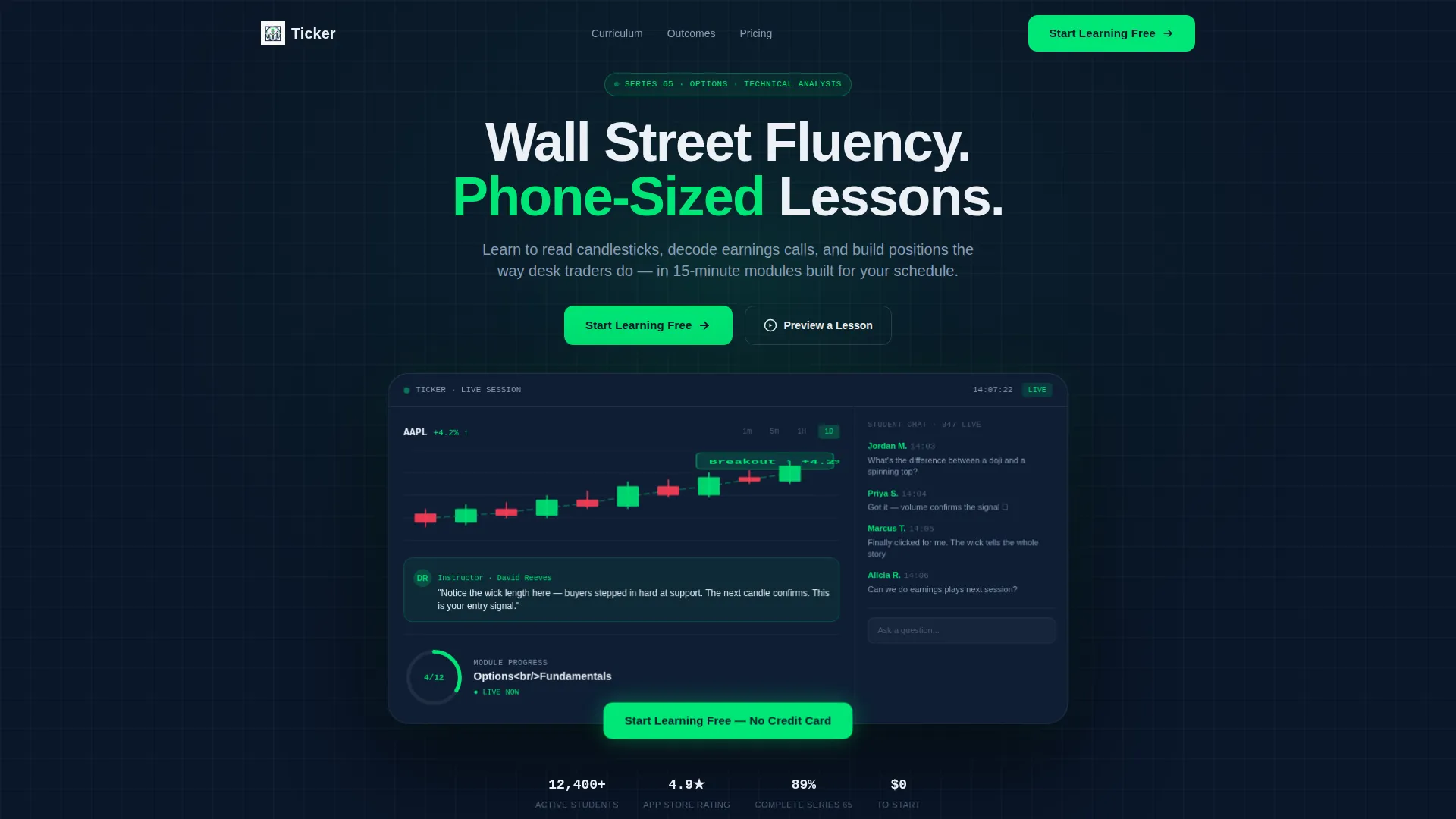
- A device-framed header with a live lesson product screenshot and a parallax drift animation
- A two-phase bento grid that presents market pain data first, then animates into solution and curriculum tiles
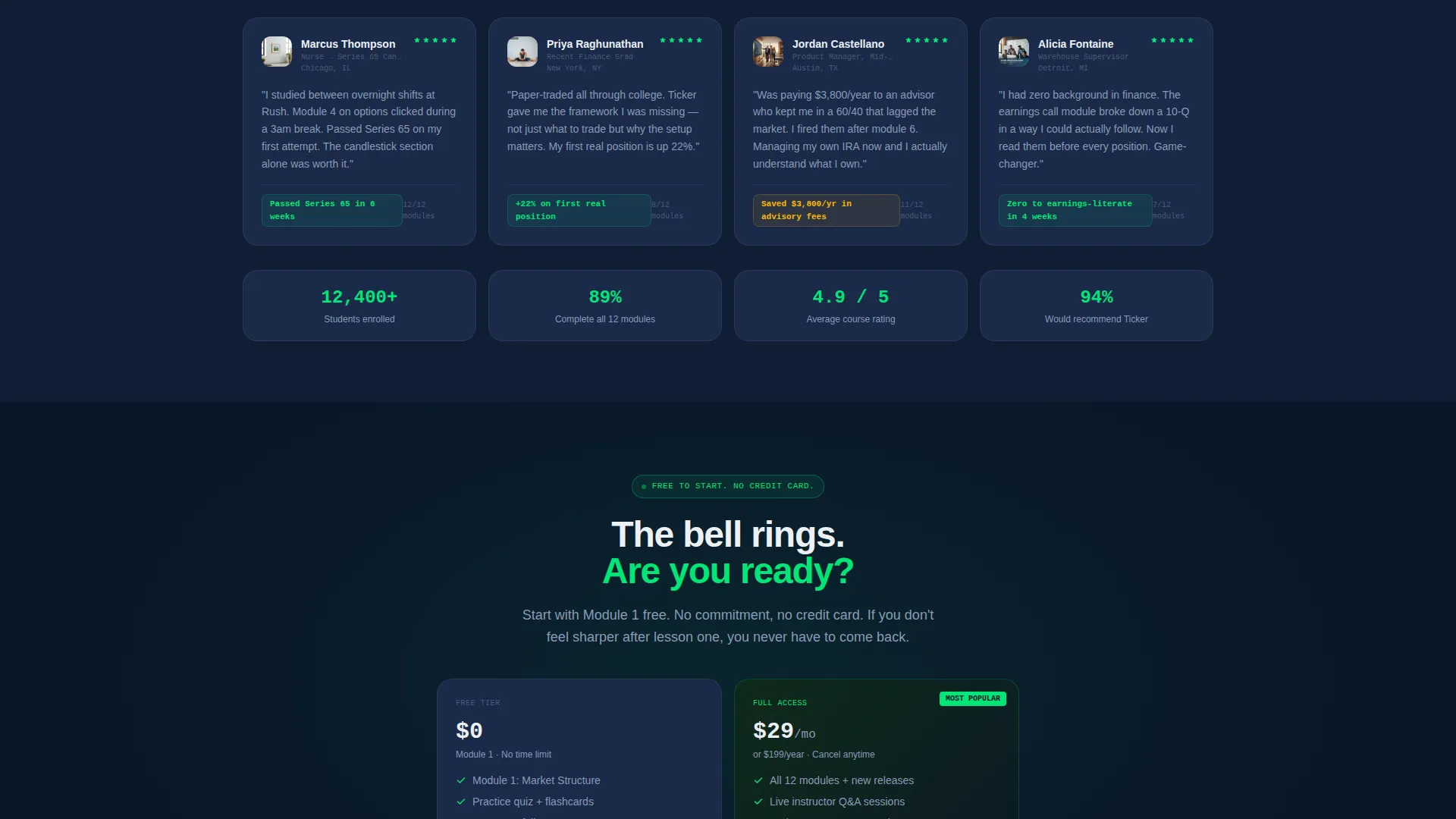
- A dual conversion path: a primary app download prompt with a phone number input and a secondary "Preview a Lesson" video modal
Feature list
This template is built around six tightly scoped design and layout capabilities drawn directly from the project brief.
Device-Framed Product Screenshot Header
The header displays a candlestick chart annotated with instructor callouts, a real-time chat sidebar, and a module progress ring reading "Module 4 of 12, Options Fundamentals." The screenshot floats on a deep navy field with a subtle parallax drift, making the page feel alive from the first scroll.
Problem to Solution Bento Grid Arc
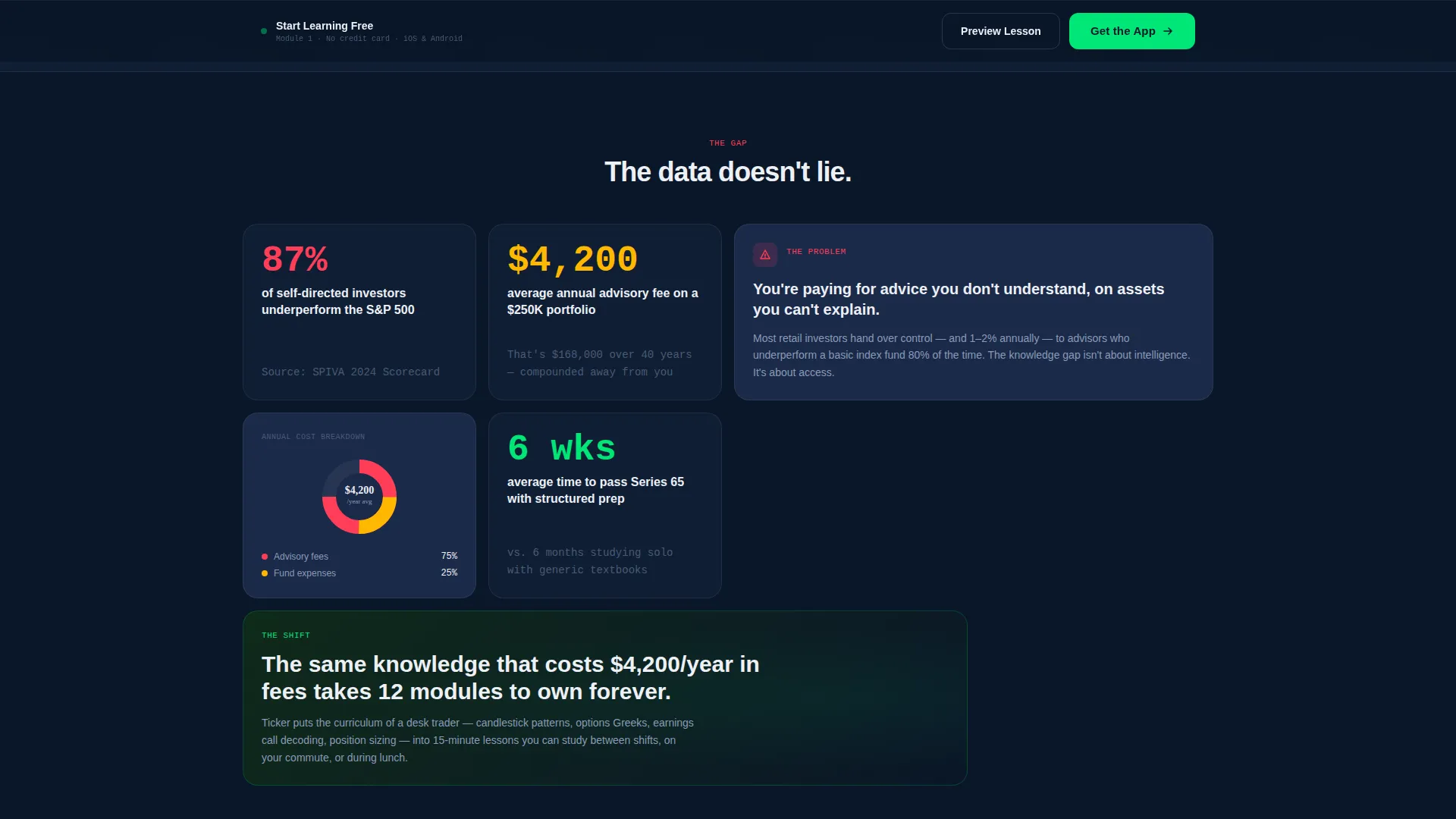
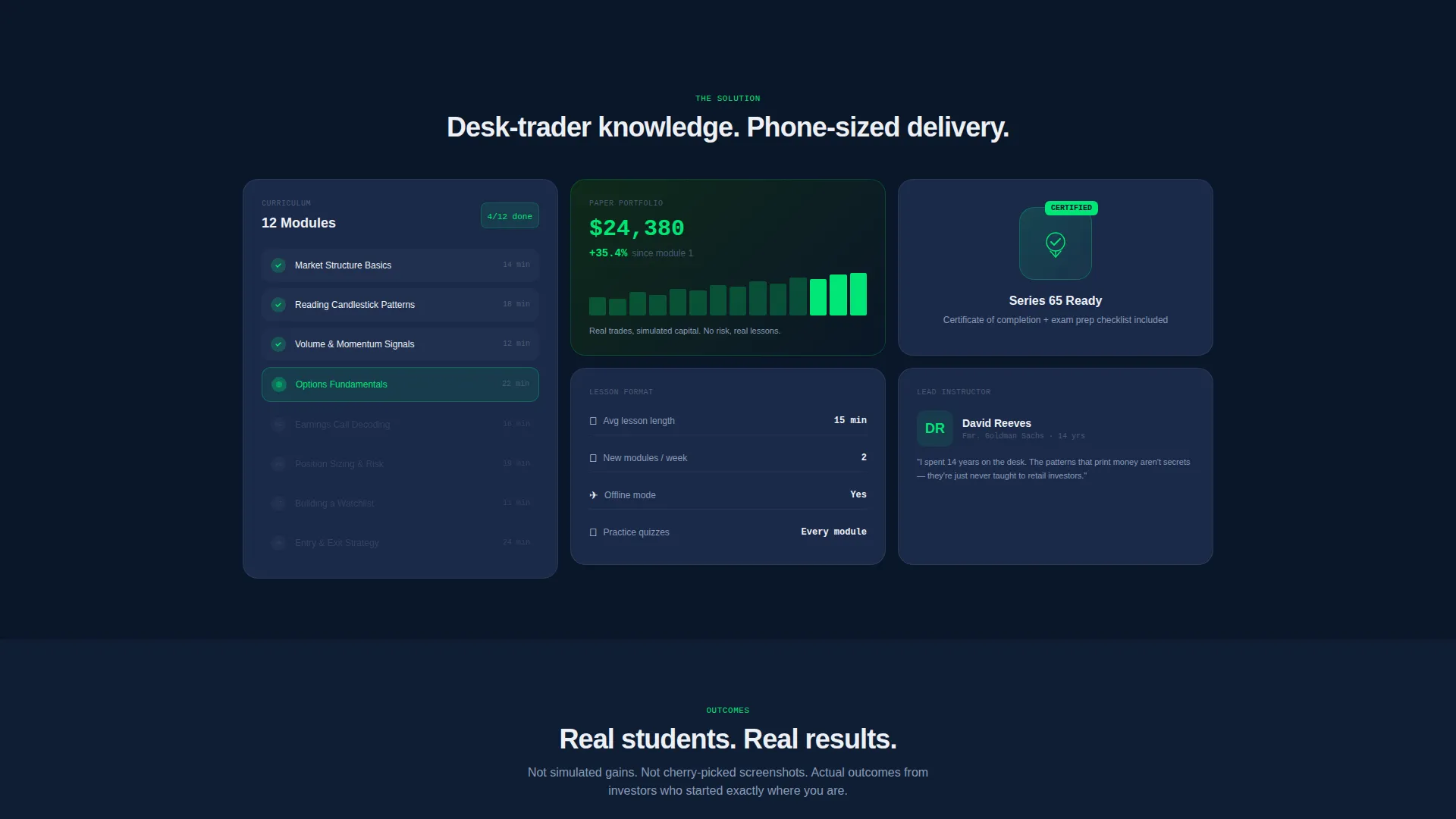
The first row of bento tiles leads with stark, data-backed cards calling out real investor pain points. Mid-scroll, the grid transitions into solution tiles that animate on entry, including curriculum modules fanning open, a mock portfolio climbing, and a certificate tile stamping itself complete.
Sticky App Download Bar
After the second grid row, a sticky bottom bar appears and stays visible as visitors scroll. It carries the primary call to action and triggers a platform selector for iOS and Android, with a single-field phone number input to text the download link directly.
Preview a Lesson Video Modal
A secondary conversion path opens a video modal playing a 90-second module excerpt. The modal ends with the same app download prompt, giving hesitant visitors one more reason to commit after seeing real content.
Dynamic Motion Tile Animations
Each bento tile animates on entry as the visitor scrolls into view. The asymmetric grid layout creates a visual rhythm that keeps the eye moving from one micro-story to the next, escalating the narrative from problem to proof to transformation.
Midnight Blue Terminal Color System
The full page is built on a four-color palette: deep terminal navy for backgrounds, cold steel blue for secondary cards, electric ticker green for calls to action and progress indicators, and crisp ledger white for body text. The result is a focused, information-dense visual identity that feels purposeful, not decorative.
Page sections overview
| Section | Purpose |
|---|---|
| Header Screenshot Frame | Introduce the app with a live lesson visual and fade-in headline |
| Pain Data Tiles | Establish investor frustration with real market statistics |
| Solution Curriculum Tiles | Animate modules, mock portfolio, and certificate reveal |
| Sticky Download Bar | Persist the primary call to action after the second grid row |
| Preview Lesson Modal | Offer a 90-second excerpt with a closing download prompt |
Design & branding system
The visual identity is built around a Midnight Blue color system that mimics the focused intensity of a professional trading terminal late at night. Every color choice serves information hierarchy, not decoration.
- Deep terminal navy (#0A1628) as the base background, cold steel blue (#1B2A4A) on secondary cards, electric ticker green (#00E676) on calls to action and progress indicators, and crisp ledger white (#EDF0F5) for all body text
- Dynamic Motion theme with on-scroll tile animations, a parallax header drift, and a certificate stamp animation that fires on entry
- Asymmetric bento grid layout that creates visual rhythm and guides the eye through the Problem to Solution Arc without requiring any additional navigation
Mobile & speed optimization
The template is designed with a mobile-first visitor in mind. The entire conversion flow, from header to download prompt, is built to work cleanly on a phone screen, which matches how the target audience actually browses.
- The sticky bottom bar and phone number input field are sized and spaced for thumb-friendly interaction on small screens
- The bento grid tiles reflow for narrow viewports, preserving the narrative arc without crowding or overlap
- The "Preview a Lesson" video modal is triggered by a single tap and ends with an inline download prompt, keeping the full conversion path accessible without leaving the page
How this template helps you convert
Ticker earns the conversion before asking for it. The page is structured so that visitors absorb real value first, which lowers resistance and raises intent at exactly the moment the call to action appears.
- The product screenshot header puts real lesson content on screen within seconds, so visitors immediately understand what they are signing up for rather than reading vague benefit statements.
- The Problem to Solution Arc moves visitors emotionally from recognizing their own frustration to seeing a credible, specific answer, which builds the trust needed to act.
- The dual conversion path lets visitors choose their own readiness level, either downloading immediately or previewing a lesson first, so no intent goes wasted.
Other information about this template
Ticker is a single-page landing page template categorized under Technology and Financial Services Digital Presence. It is built around a bento grid structure with a Dynamic Motion theme, making it well suited for any financial education product that needs to demonstrate depth before asking for commitment.
- Template style: Bento Grid with a Problem to Solution Arc creative direction
- Primary call-to-action direction: App Download with iOS and Android platform selector
- Header concept: Product Screenshot with parallax animation
- Color system: Midnight Blue using four defined hex values
- Designed for financial services course and training platform use cases, including retail investor education, trading curriculum products, and mobile learning apps targeting self-directed investors
Theme
Dynamic Motion
Creative direction
Problem→Solution Arc
Color system
Midnight Blue
Style
Bento Grid
Direction
App Download
Page Sections
Device-framed Product Screenshot Header
Problem to Solution Bento Grid Arc
Sticky App Download Bar
Preview a Lesson Video Modal
Dynamic Motion Tile Animations
Midnight Blue Terminal Color System
Related questions
Can I change the color palette to match my own brand?
Does the template include the actual video for the lesson preview modal?
Is this template suitable for a desktop-first audience?
Can I use this template for a course that is not app-based?
How many bento grid tiles are included?



