Bold Auto Repair Shop Landing Page Template
Torque is a bold brutalist landing page template built for auto repair shops that want to earn trust fast. It uses a scroll-reveal layout, transparent pricing, and industrial-strength typography to move visitors from curiosity to booking. The design speaks directly to commuters, parents, and fleet managers who need straight answers before they hand over their keys.
by Rocket studio
Quick summary
Torque is a single-page, scroll-reveal landing page template for auto repair shops. It combines a brutalist visual style with a transparency-first conversion flow. Oversized headlines, kinetic section reveals, a service ticker, and an open pricing grid work together to build trust quickly and route visitors toward booking without a single form on the page.
Who this template is for
This template is built for auto repair shops that want a no-nonsense online presence. It works best for owners and operators who compete on honesty and speed rather than polished sales language.
- Independent and chain auto repair shops looking to stand out online
- Fleet managers or service coordinators who need to assess a shop quickly
- Shop marketers or web designers building a credibility-first service page
What problem this template solves
Most auto repair shop pages bury their prices, pad their language, and make visitors fill out a form before learning anything useful. That friction kills trust before the first conversation starts.
- Visitors leave when they cannot find prices or a clear list of services upfront
- Generic designs fail to communicate the shop's real-world competence and character
- Shops lose mobile walk-ins because their page has no fast path to booking
What you get with this template
You get a fully structured, single-page layout designed to convert skeptical visitors into scheduled appointments. Every section is intentional, ordered, and built around a transparency-first message.
- A scroll-reveal page flow with kinetic section animations that build momentum as visitors scroll
- A bold brutalist visual identity using the Teal Catalyst color system with charcoal, teal, silver, and amber
- A click-through conversion structure with a primary call to action, a sticky mobile bottom bar, and a secondary direct-call text link
Feature list
This template delivers a focused set of layout features drawn directly from the design brief. Each one serves a specific role in the page's conversion logic.
Scroll Reveal Section Animations
Each section slides up into view as the visitor scrolls, mimicking the motion of a hydraulic lift raising a vehicle. The progressive reveal keeps attention moving forward and builds a sense of momentum toward the booking click.
Bold Logo Bar Header
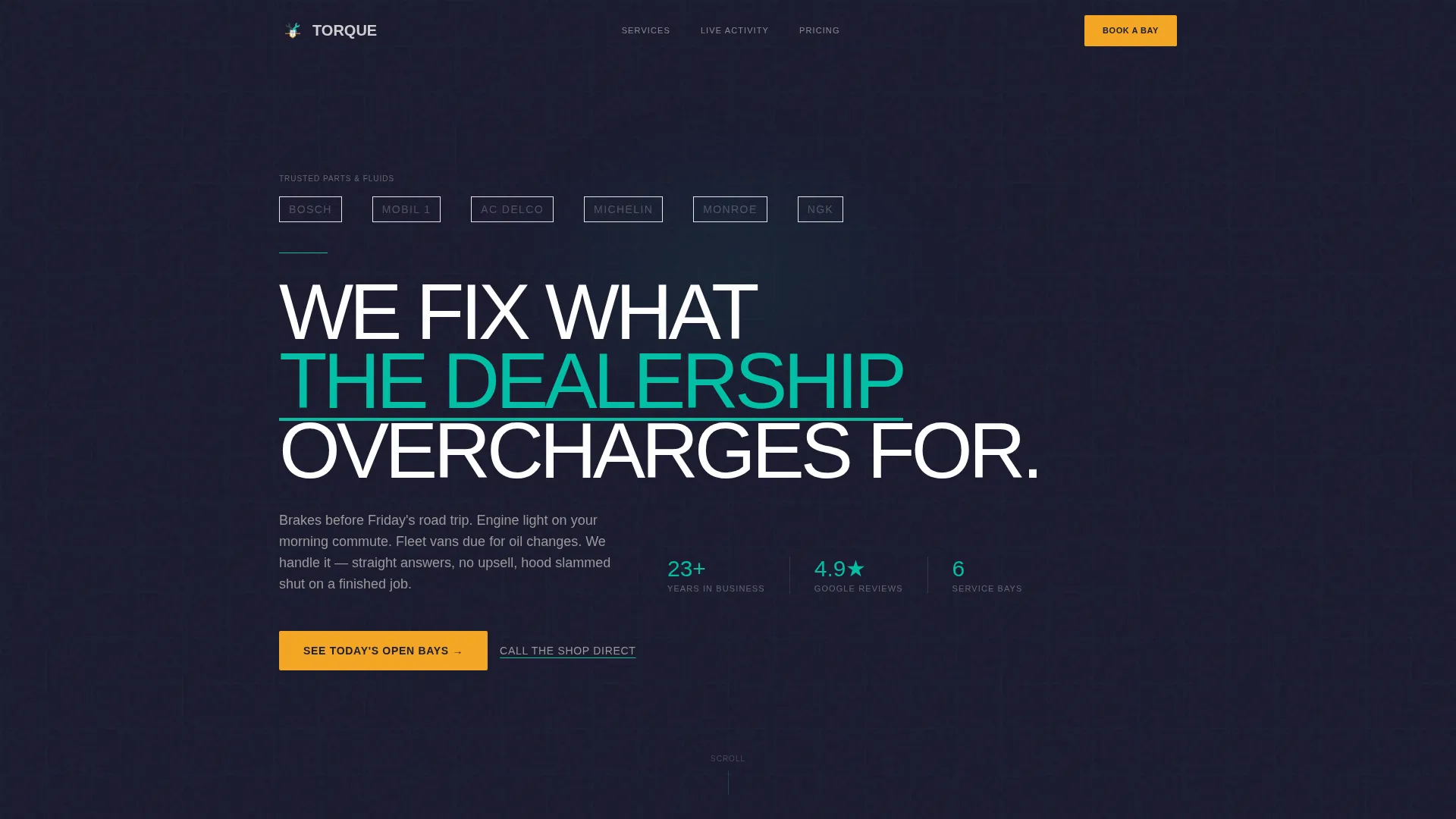
The header opens with a horizontal strip of trusted partner brand logos sitting above an oversized, all-caps brutalist headline. A subtle teal underline pulses beneath the headline, grounding credibility before a visitor reads a single service description.
Core Services Icon Block
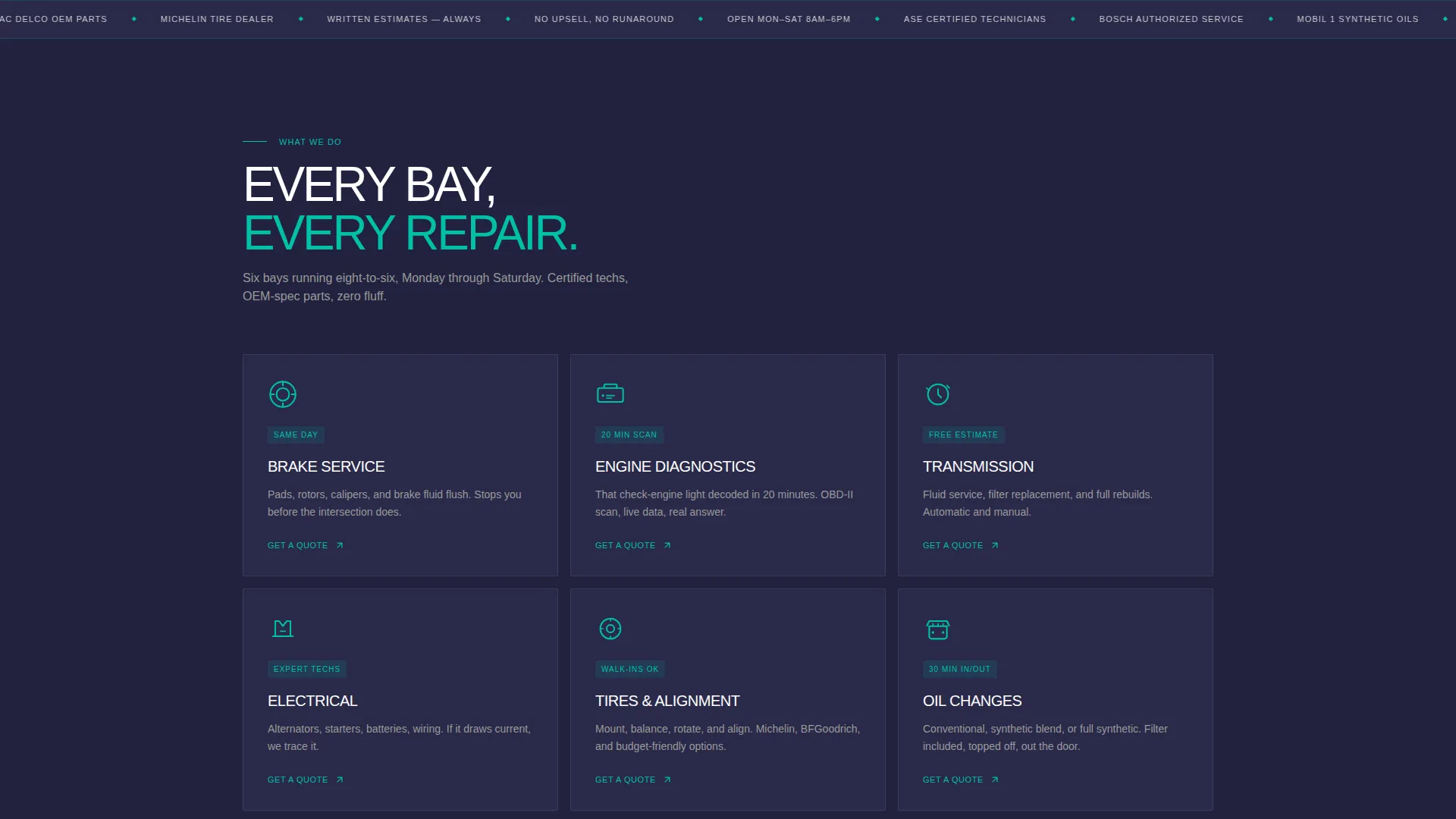
The first scroll reveal displays core service categories in bold icon blocks. Brakes, engine, transmission, and electrical are presented with visual weight so visitors immediately understand the shop's full scope without reading a paragraph.
Real-Time Style Service Ticker
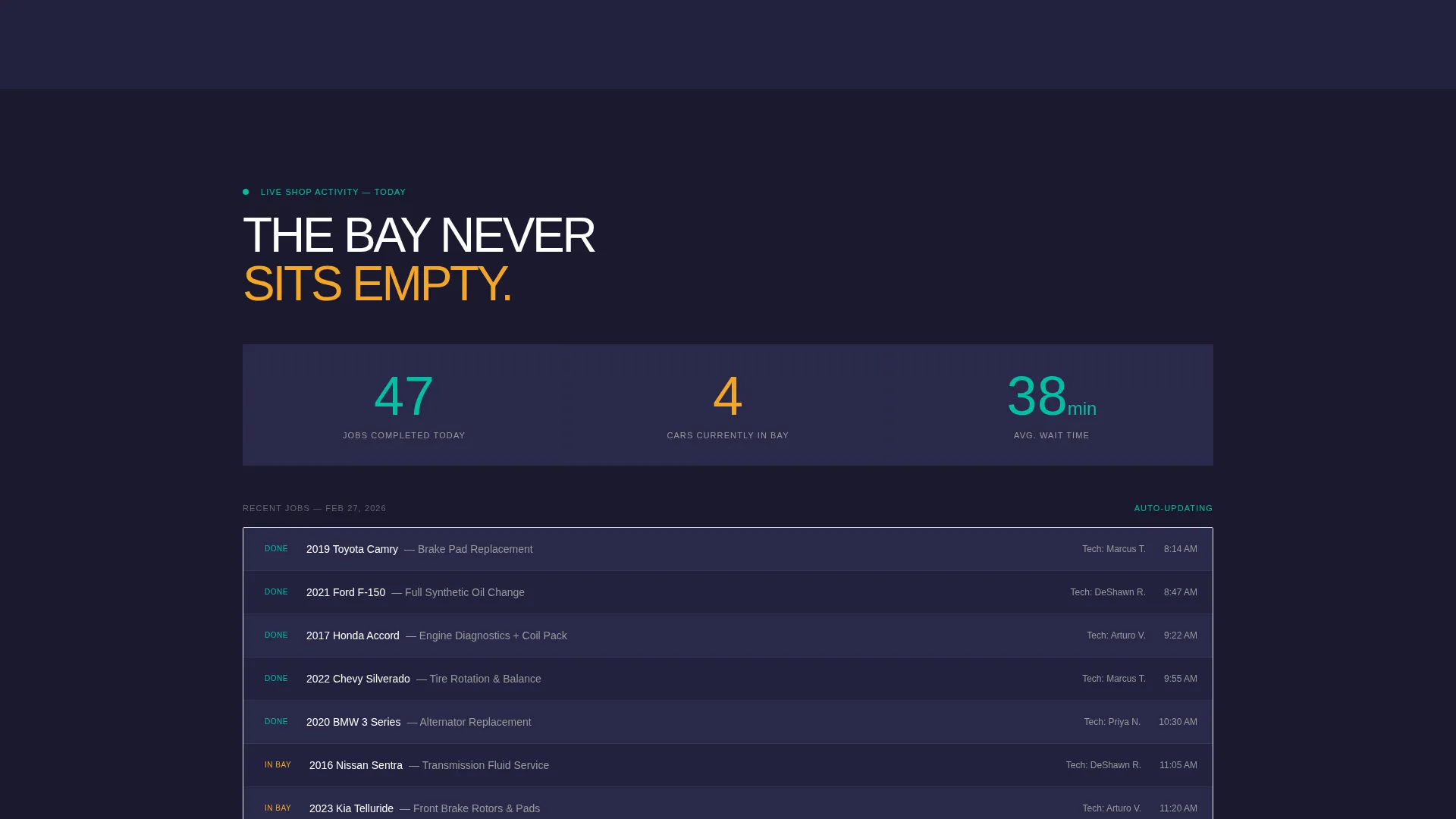
The second reveal features a live-style ticker showing jobs completed today. This component injects social proof as momentum rather than a static testimonial, reinforcing that the shop is active, capable, and in demand right now.
Transparent Pricing Grid
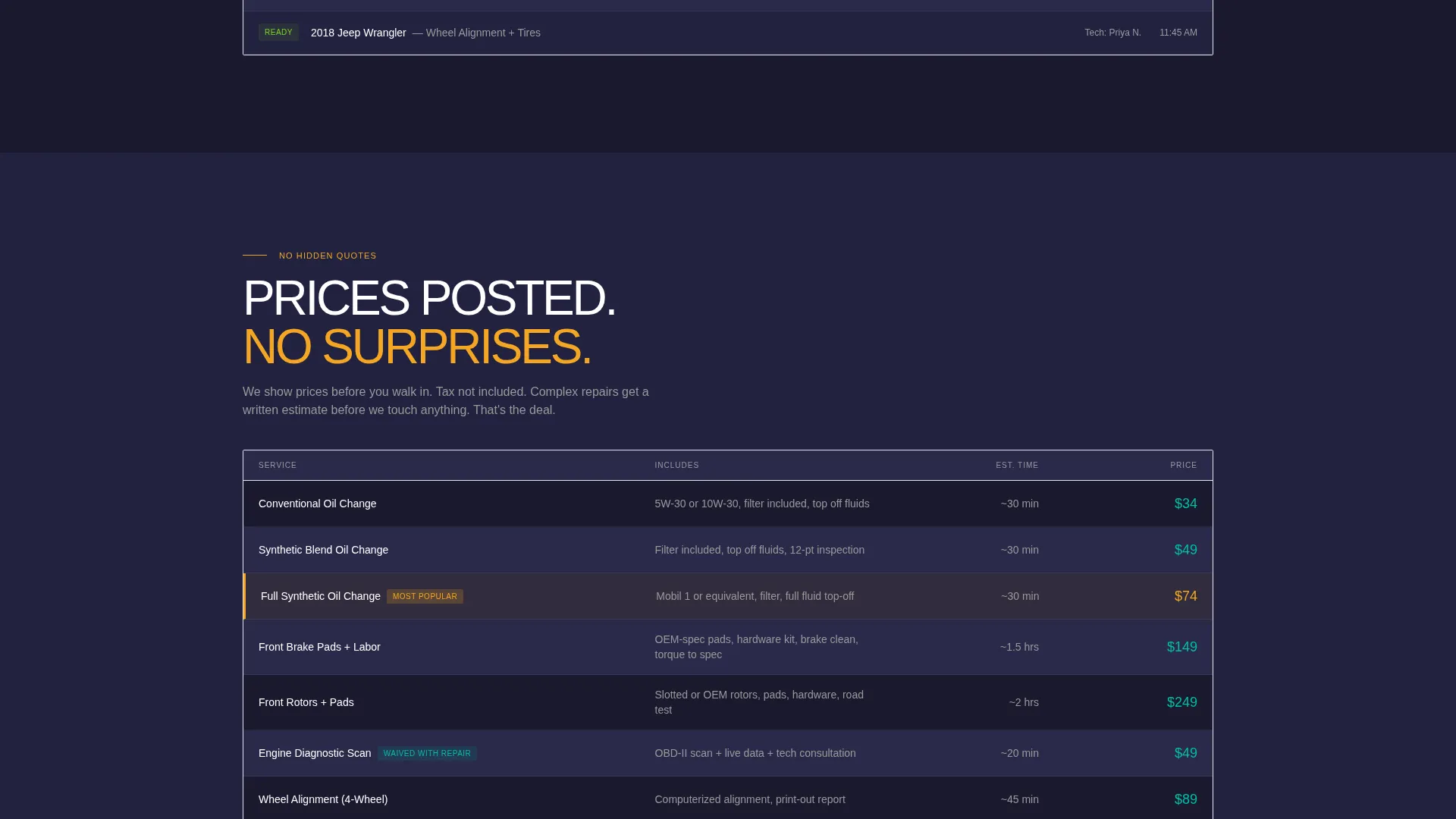
The third reveal breaks industry convention by displaying service prices openly. Showing prices before asking for any commitment makes transparency the mechanism that earns the booking click rather than a persuasion technique.
Click-Through call to action System
The primary call to action, "See Today's Open Bays," appears in caution amber after the pricing grid and repeats as a sticky bar on mobile. A secondary text link, "Call the Shop Direct," sits alongside it for visitors who prefer a phone conversation.
Page sections overview
| Section | Purpose |
|---|---|
| Logo Bar Header | Establishes credibility with partner logos and a bold headline |
| Core Services Block | Presents brakes, engine, transmission, and electrical icon panels |
| Service Ticker | Shows jobs completed today as real-time social proof |
| Transparent Pricing Grid | Displays open service prices before asking for commitment |
| Primary call to action Section | Routes visitors to the scheduling page via the amber call to action button |
| Sticky Mobile Bar | Keeps the call to action and direct-call link accessible on smaller screens |
Design & branding system
The Teal Catalyst color system gives the page an industrial, high-contrast look that feels at home in a working garage. Typography is heavy, all-caps in key sections, and built for instant readability under harsh fluorescent conditions.
- Deep charcoal (#1A1A2E) as the base background, high-voltage teal (#00BFA6) for accent lines and highlights, bare-metal silver (#D0D0D0) for body text and dividers
- Caution-stripe amber (#F5A623) reserved exclusively for calls to action and urgent callouts, making every action point visually unmistakable
- Bold brutalist slab typography with oversized headlines that communicate authority before the visitor reads the supporting copy
Mobile & speed optimization
The template is structured with mobile visitors in mind. Commuters checking a shop on the way to work need a fast path to information and a booking option that does not require scrolling back to the top.
- Sticky bottom bar on mobile surfaces the primary call to action and direct-call link at all times during scroll
- Single-page layout removes multi-page navigation complexity, keeping the path from arrival to click as short as possible
- Scroll-reveal animations are sequenced for vertical flow, which maps naturally to how mobile users consume content
How this template helps you convert
The page earns its click by removing friction at every stage. Instead of asking for commitment upfront, it builds a case section by section until the decision feels obvious.
- The logo bar and bold headline establish immediate credibility, so visitors do not leave before they see the services.
- The service ticker and transparent pricing grid remove the two biggest objections, doubt about shop quality and fear of hidden costs, before the call to action appears.
- The click-through structure routes confirmed visitors directly to a scheduling page where they select their vehicle and pick a time, keeping the conversion path clean and commitment-paced.
Other information about this template
This template is categorized under auto repair shop website templates and is specifically designed for the auto repair shop services page use case. It fits shops that want their online presence to reflect the same directness they offer in person.
- The template style is Scroll Reveal (Progressive), meaning sections animate into view in a defined sequence rather than all loading at once
- The header concept is a Logo Bar, designed to display trusted partner and supplier brand logos prominently above the main headline
- The landing page direction is Click-Through, routing visitors to an external or linked scheduling page rather than capturing a form submission on this page
- The creative direction, Launch Energy, shapes how each section enters the viewport with kinetic upward motion that mirrors the energy of a busy service bay
Theme
Bold Brutalist
Creative direction
Launch Energy
Color system
Teal Catalyst
Style
Scroll Reveal (Progressive)
Direction
Click-Through
Page Sections
Scroll Reveal Section Animations
Bold Logo Bar Header
Core Services Icon Block
Real-time Style Service Ticker
Transparent Pricing Grid
Click-through Call to Action System
Related questions
Does this template include a booking form?
Can I update the service categories in the icon blocks?
How does the transparent pricing grid work?
Is the sticky bottom bar always visible on mobile?



