Precision Auto Repair Shop Landing Page Template
Torque is a split-screen auto repair landing page built for shops that lead with data, not slogans. A Tech Glass visual identity pairs a moody service-bay photograph with live-formatted shop metrics. Spec-block sections escalate from routine maintenance to engine rebuilds, and a two-path conversion model captures both walk-in customers and fleet decision-makers.
by Rocket studio
Quick summary
Torque is a precision auto repair landing page template designed around a 50/50 split-screen layout. It pairs cinematic service-bay photography with formatted diagnostic data to build instant credibility. A Stats/Metrics header, scrolling Spec Sheet sections, and a dual conversion model make this template work hard for both individual customers and fleet managers.
Who this template is for
This template is built for auto repair shops that want to attract technically informed customers and present their capabilities with precision. It suits shops ready to replace generic hero imagery with real performance data.
- Independent auto repair shops that want to stand out from price-driven competitors
- Fleet service managers looking for a professional, detail-rich shop profile to evaluate
- Enthusiast-focused garages serving customers who understand their own vehicle diagnostics
What problem this template solves
Most auto repair shop pages rely on stock photography and vague trust signals. Customers with real technical knowledge scroll right past them. Torque replaces that pattern with structured data and service proof.
- Visitors leave because the page never proves the shop understands their specific vehicle
- Fleet managers need comparative specs before committing, and standard pages provide none
- Shops lose credibility when their online presence does not match their actual technical capability
What you get with this template
You get a single-page layout built entirely around the Spec Sheet creative direction. Every section is structured to deliver proof before asking for a commitment.
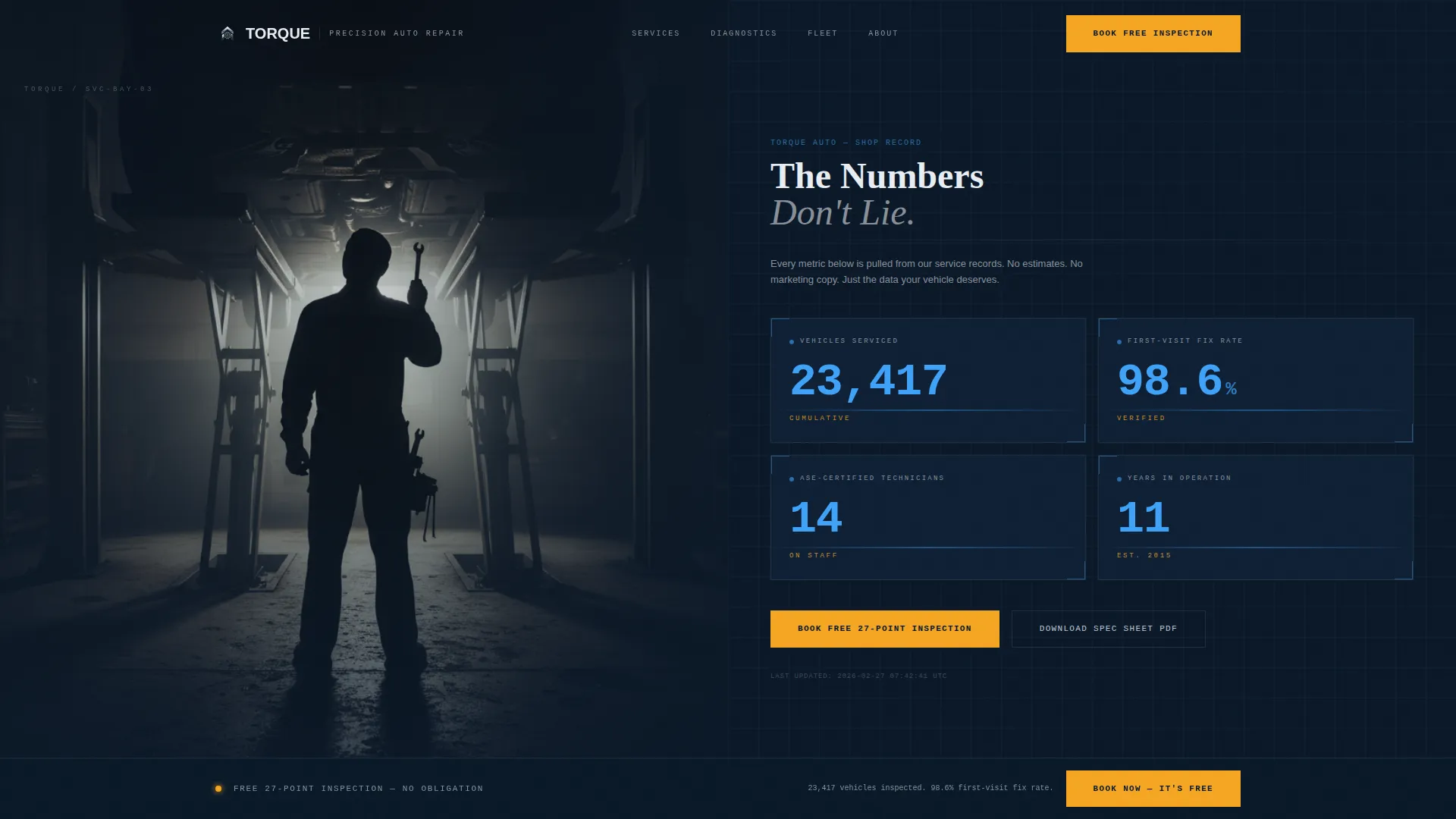
- A Stats/Metrics header wall displaying four key performance numbers in animated ice blue on terminal navy
- Scrolling split-screen spec blocks pairing high-resolution service photography with labeled capability fields
- A two-path conversion system: a free 27-point inspection booking form and a PDF spec sheet email gate
Feature list
This template delivers a focused set of layout and conversion components drawn directly from the source brief. Each one is designed to communicate technical authority at a glance.
Animated Stats Header Panel
The right panel of the header displays four shop metrics: vehicles serviced, first-visit fix rate, certified technician count, and years in operation. Each number animates upward like an odometer rolling into place, rendering in diagnostic ice blue on deep terminal navy.
Split-Screen Spec Blocks
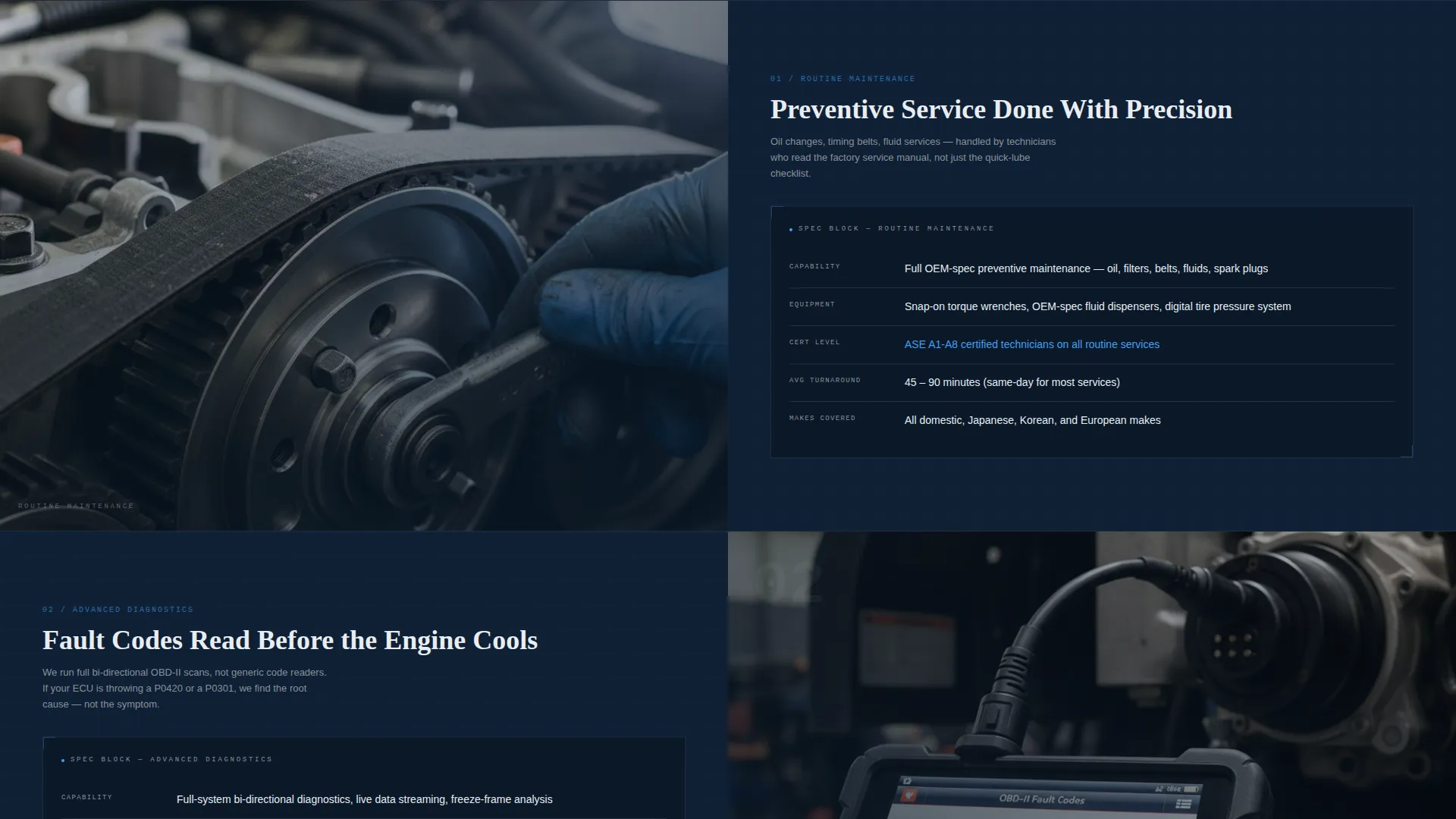
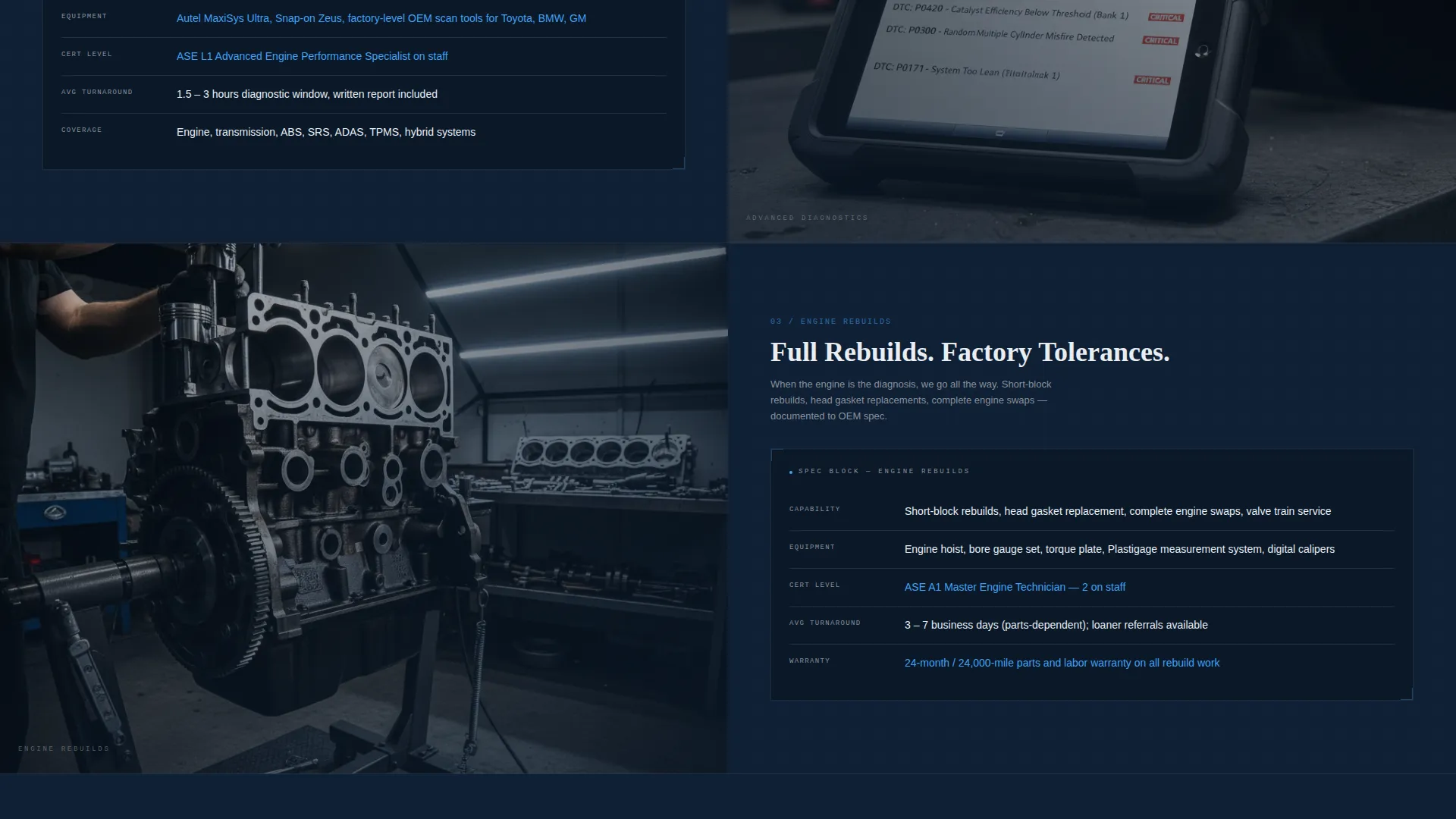
Each scroll section divides the screen 50/50. The left side holds a single high-resolution photograph of a real service moment. The right side presents a formatted spec block with labeled fields: Capability, Equipment, Cert Level, and Avg. Turnaround.
Escalating Capability Narrative
The spec blocks are ordered deliberately, moving from routine maintenance through advanced diagnostics to full engine rebuilds. This progression builds shop credibility layer by layer as the visitor scrolls deeper into the page.
27-Point Inspection Booking Form
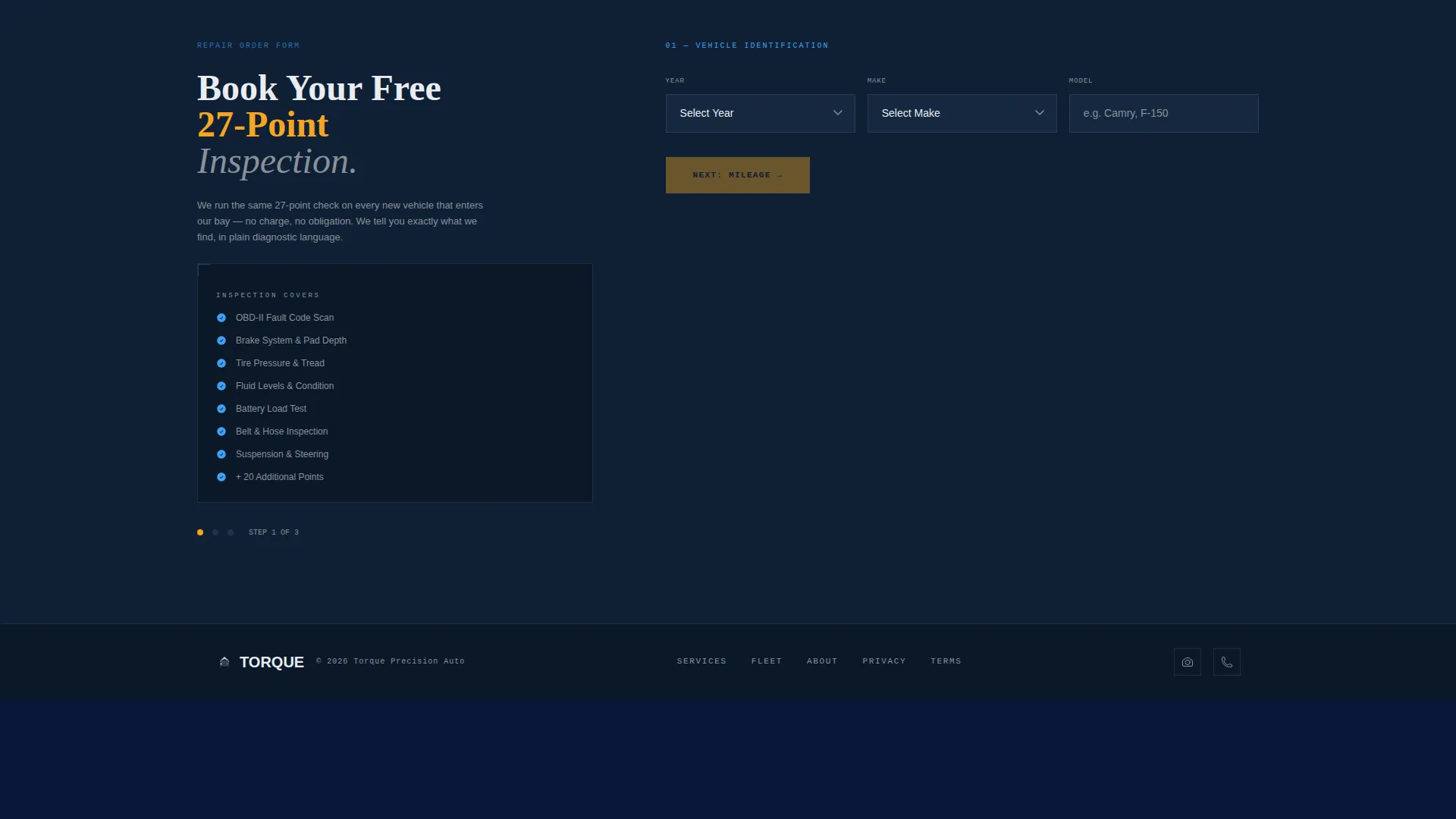
The primary conversion path uses a three-step form styled like a repair order. Visitors select vehicle year, make, and model via cascading dropdowns, then choose a mileage range, then pick a preferred date.
PDF Spec Sheet Email Gate
A secondary conversion path invites fleet managers to download the shop's spec sheet as a portable document format file. It requires only an email address, making it a low-friction capture for high-value commercial prospects.
Persistent Bottom-Bar call to action
After the third scroll section, a sticky bottom bar appears and stays visible as the visitor continues reading. It carries the primary call to action in warning amber, keeping the booking prompt within reach at all times.
Page sections overview
| Section | Purpose |
|---|---|
| Stats Metrics Header | Establish credibility with four animated shop performance numbers |
| Service Bay Photo | Anchor the header's left panel with a moody technician silhouette shot |
| Maintenance Spec Block | Introduce routine service capabilities with a formatted spec field layout |
| Diagnostics Spec Block | Escalate to advanced diagnostic equipment and certification detail |
| Engine Rebuild Block | Present full engine rebuild capability as the top-tier proof section |
| Inspection Booking Form | Convert individual customers through a three-step repair-order-style form |
| Spec Sheet PDF Gate | Capture fleet manager contact details with a single email-field download |
| Persistent call to action Bar | Keep the primary booking action visible after the third scroll section |
Design & branding system
The template uses a Tech Glass theme built on a Midnight Blue color system. Every color choice reinforces a clinical, data-driven atmosphere rather than a traditional garage aesthetic.
- Deep terminal navy (#0B1929) anchors every background panel; brushed chrome silver (#C0C7D1) surfaces divider lines and secondary elements
- Diagnostic ice blue (#3FA2F7) highlights data values and activates hover states throughout the spec blocks
- Warning amber (#F5A623) is reserved strictly for calls to action and urgent callouts, keeping it visually distinct at all times
Mobile & speed optimization
The split-screen layout is built to restack gracefully on smaller screens so that photography and spec data remain readable without horizontal scrolling. The template's structure keeps visual weight manageable across device sizes.
- The 50/50 panels collapse to a single-column stack on mobile, placing the photograph above the spec block
- The persistent bottom-bar call to action remains anchored at the bottom of the screen on mobile viewports
- Cascading dropdown form fields are sized for touch interaction, reducing friction on phone-based bookings
How this template helps you convert
Torque is designed around the idea that proof earns the click, not the ask. Every layout decision leads the visitor toward one of two conversion actions before the form even appears.
- The animated stats header and escalating spec blocks establish technical authority early, so by the time a visitor reaches the booking form they already trust the shop's capability
- The two-path model separates intent: the 27-point inspection books the individual customer immediately, while the PDF email gate captures the fleet manager who needs time to compare options before committing
Other information about this template
This template is categorized under auto repair shop website templates and is specifically designed for the about us page use case within that niche. It is a single landing page, not a multi-page site build.
- The template niche is auto repair shop about us page, making it ideal as a standalone credibility page linked from a shop's main navigation
- The Intersection Match Score for this template is 13, reflecting a strong alignment between the Tech Glass theme, Spec Sheet creative direction, and the auto repair shop context
- Template style is Split Screen (50/50) throughout, with no full-width hero or centered-layout sections
- The landing page direction follows a Freemium/Trial conversion model, offering a no-cost inspection as the primary hook
Theme
Tech Glass
Creative direction
Spec Sheet
Color system
Midnight Blue
Style
Split Screen (50/50)
Direction
Freemium/Trial
Page Sections
Animated Stats Metrics Header
Split-screen Spec Sheet Layout
Escalating Service Narrative
Three-step Inspection Booking Form
PDF Spec Sheet Email Gate
Persistent Amber Bottom Bar
Related questions
Who is this landing page template designed for?
Can I use this template for a full multi-page shop website?
How does the two-path conversion model work?
What information does the 27-point inspection form collect?
Can I replace the header metrics with my own shop data?



