Traverse - Dynamic Graphdatabase Landing Page Template
Traverse is a bento grid landing page template built for a graph database training and certification platform. It combines a live-typed Cypher code header, interactive comparison cells, and a dark iridescent visual system to turn visitor curiosity into confident sign-ups. Every section is designed to make engineers feel the power of graph-native thinking before they ever commit to a course.
by Rocket studio
Quick summary
Traverse is a single-page bento grid template for a graph database training and certification platform. The layout opens with an animated Cypher code header, moves through interactive SQL-versus-graph comparisons, and closes with a persistent call-to-action bar. It is built to convert backend developers and data engineers who are ready to move beyond relational thinking.
Who this template is for
This template is built for teams and individuals launching or promoting a technical training platform focused on graph database skills. It speaks directly to technically fluent audiences who respond to hands-on proof over passive marketing copy.
- Backend developers frustrated by complex JOIN queries who want a cleaner data model
- Data engineers tasked with building recommendation engines using graph-native architecture
- Team leads who need their squads certified ahead of a graph migration deadline
What problem this template solves
Most technical course platforms lead with video thumbnails and star ratings. That approach fails with developers who need to feel the tool before they trust it. Traverse replaces passive browsing with active exploration, letting visitors interact with the technology before they ever see a pricing page.
- Visitors leave before converting because the value is described rather than demonstrated
- SQL-trained engineers cannot picture how graph queries differ until they see a side-by-side comparison
- Certification paths feel abstract until they are rendered as a navigable, clickable graph
What you get with this template
Traverse delivers a fully structured bento grid landing page with distinct interactive zones. Each cell is a self-contained experience, from a live Cypher sandbox to a drag-and-drop schema builder. The layout is wired for conversion from the first scroll to the bottom bar.
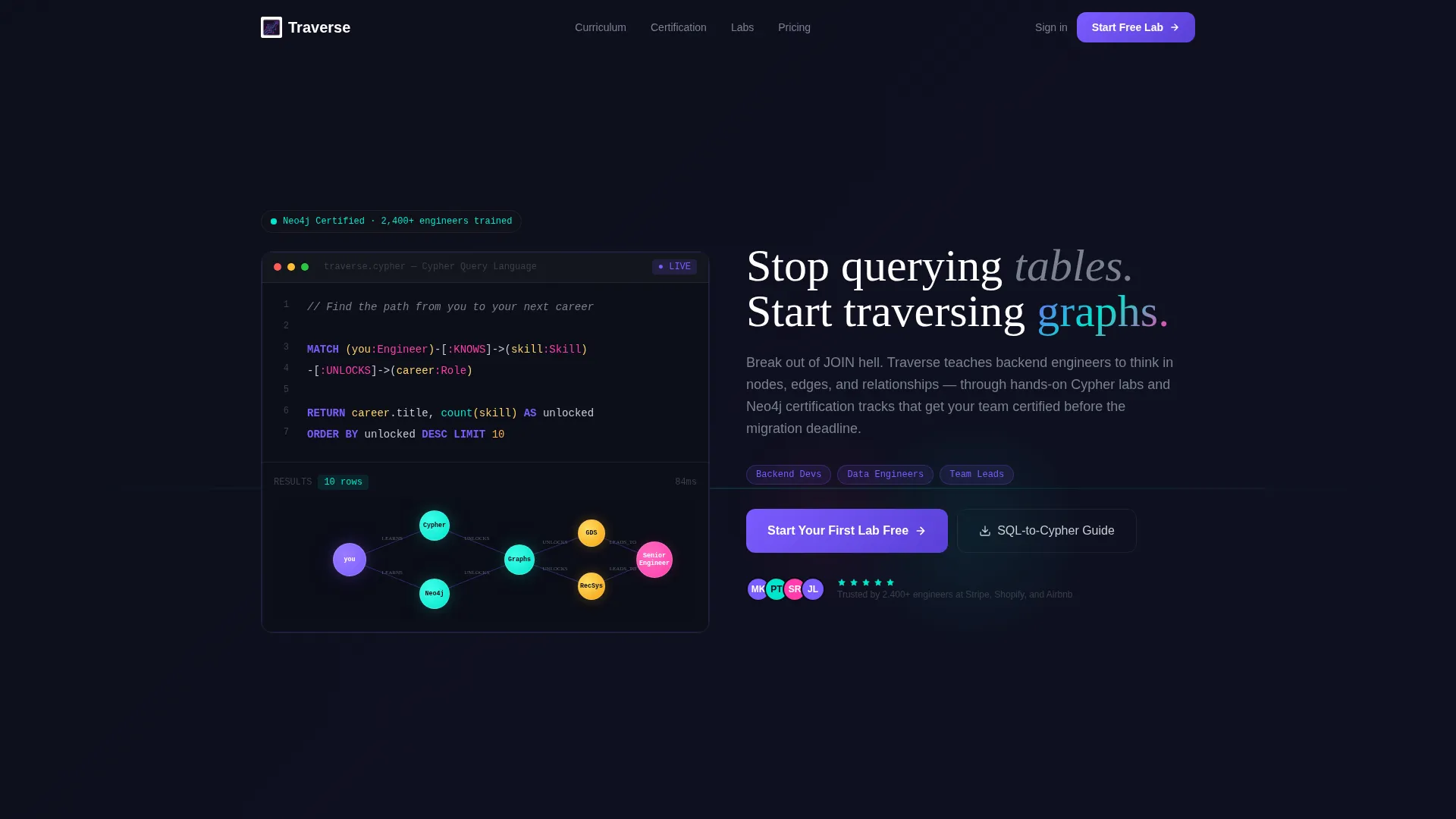
- A full-viewport animated code header with live-typed Cypher query and a blooming graph visualization
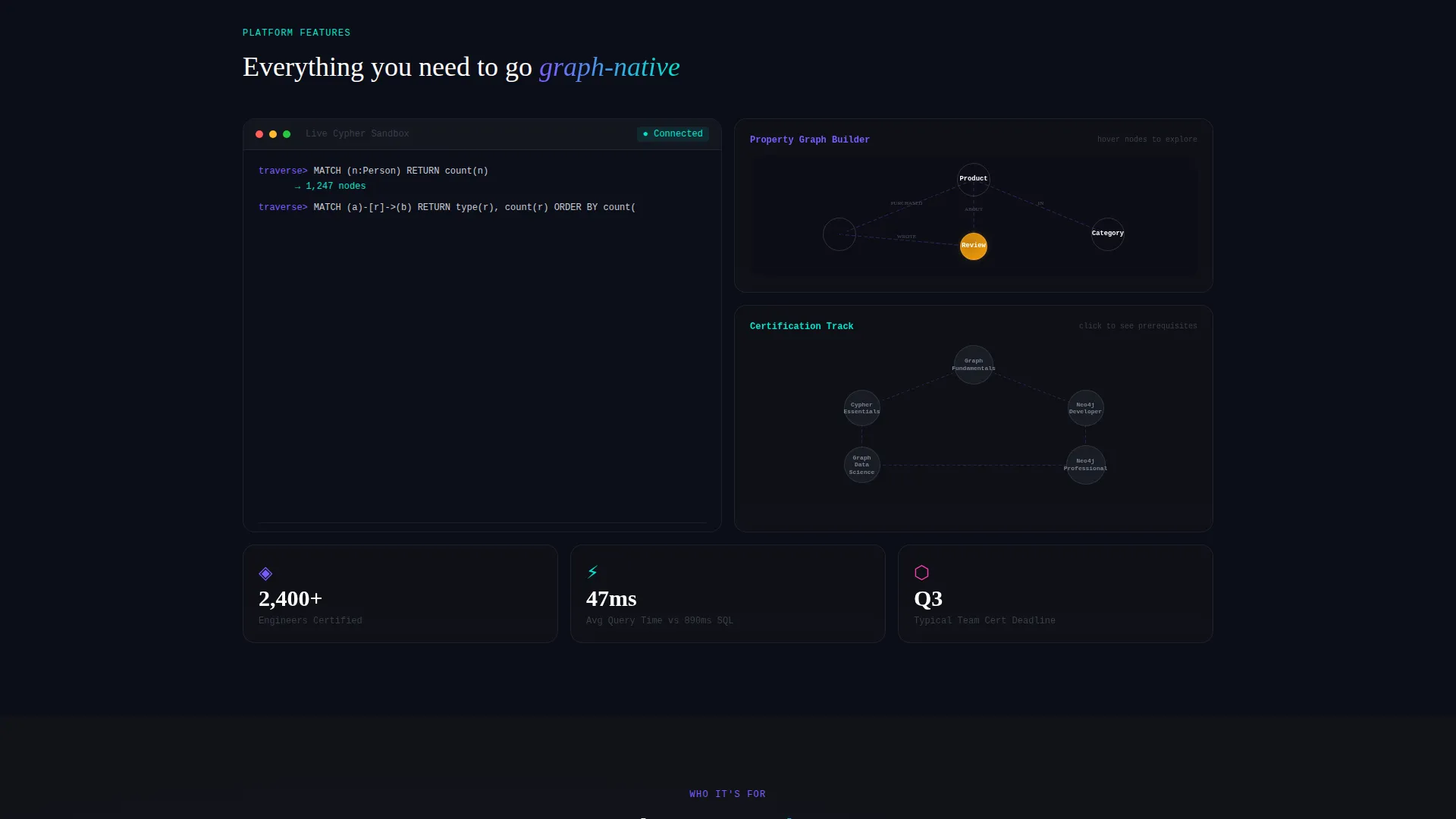
- Bento grid cells for schema building, sandbox queries, and a navigable certification path graph
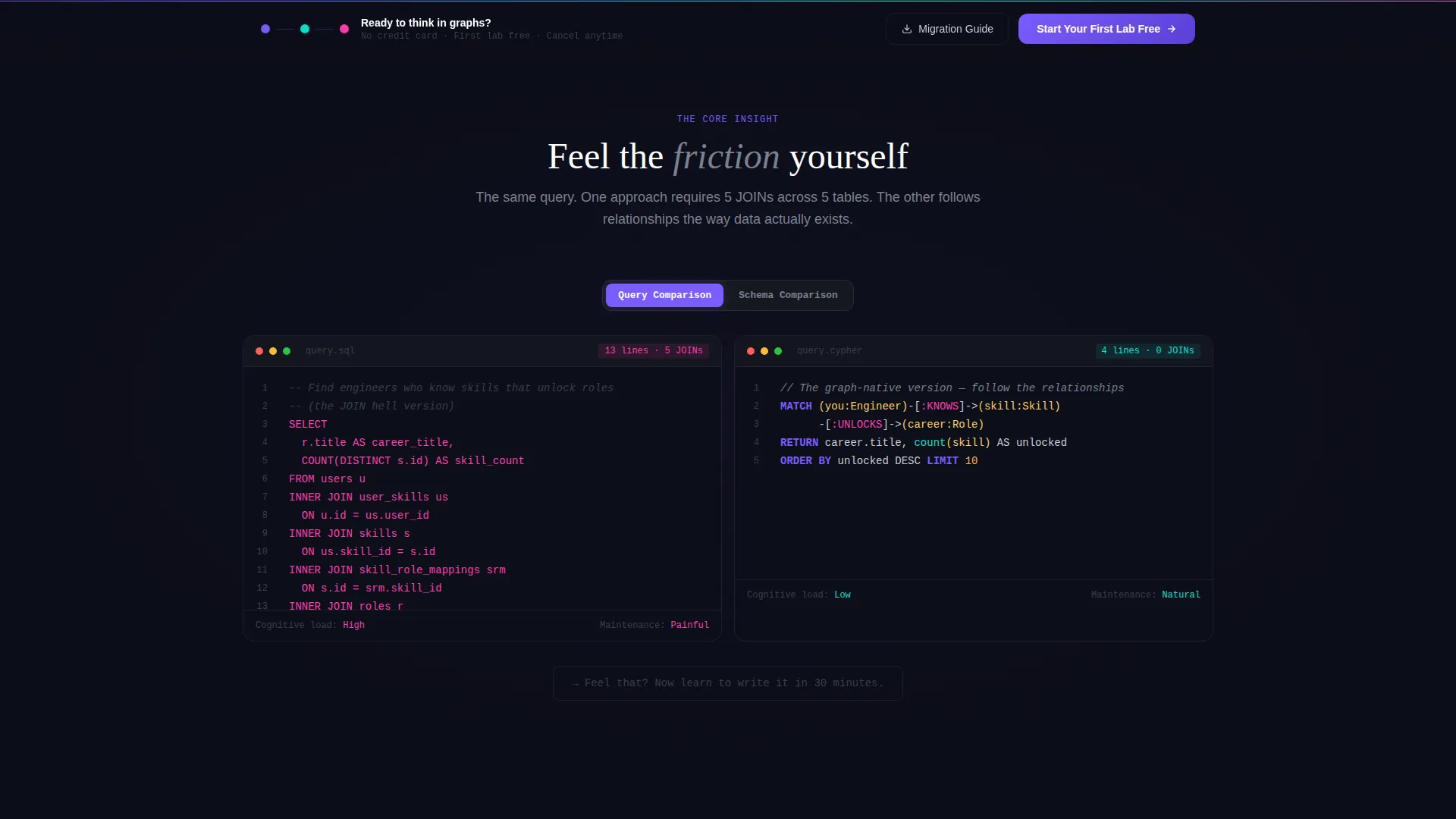
- Side-by-side SQL-versus-Cypher comparison panels with toggle and reveal interactions
- A primary call-to-action placed at the intersection of the largest bento cells and a persistent bottom bar after 40% scroll depth
- A secondary email gate offering a SQL-to-Cypher Migration Guide download
Feature list
This template packages its core value into focused, interactive components. Each feature is grounded in the brief and serves a specific conversion or education purpose.
Animated Cypher Code Header
The header opens as a full-viewport dark IDE panel. A Cypher query types itself live with syntax highlighting in violet and cyan. Once complete, a miniature graph visualization blooms outward from the result set, with nodes appearing and edges drawing themselves in real time.
Interactive Bento Grid Layout
The page is structured as a bento grid where each cell is a standalone interaction zone. One cell holds a drag-and-drop schema builder, another runs a live Cypher sandbox, and a third renders the certification path as a navigable graph. Visitors can click credentials to see prerequisite edges light up.
SQL-versus-Cypher Comparison Panels
Side-by-side cells contrast a verbose SQL query against its Cypher equivalent. Visitors toggle, slide, or click to reveal the difference themselves. The Cypher solution appears in two lines at the exact moment the SQL panel feels most painful, making the value case visceral and immediate.
Persistent Conversion Bottom Bar
After a visitor scrolls past 40% of the page, a persistent bottom bar appears carrying the primary call-to-action. This keeps the sign-up path visible throughout every interactive section without interrupting the exploration flow.
Email-Gated Migration Guide
A secondary conversion path offers a downloadable SQL-to-Cypher Migration Guide behind a single-field email gate. This captures intent from visitors who are not yet ready to start a lab but want a concrete next step.
Navigable Certification Path Graph
The certification track is visualized as a live graph rather than a linear checklist. Clicking any credential node reveals its prerequisite skills as inbound edges that light up, giving learners a spatial understanding of how skills connect and unlock each other.
Page sections overview
| Section | Purpose |
|---|---|
| Animated Code Header | Opens with a live-typed Cypher query and a blooming graph visualization |
| Headline Type-In | Displays the self-typing headline beneath the code panel |
| Schema Builder Cell | Lets visitors drag and drop nodes to build a property graph model |
| Cypher Sandbox Cell | Runs live Cypher queries and returns real results inside the bento grid |
| Certification Path Graph | Renders the learning path as a navigable graph with clickable credential nodes |
| SQL versus Cypher Panel | Contrasts relational and graph query styles with interactive toggle reveals |
| Relational versus Graph Schema | Compares entity-relationship diagrams against property graph models visually |
| Platform Methodology Cell | Contrasts passive video-based learning against this lab-first approach |
| Primary call to action Intersection | Places the main sign-up action at the largest bento cell crossing |
| Email Gate Cell | Captures leads with a single-field form gating the Migration Guide download |
| Persistent Bottom Bar | Keeps the primary call-to-action visible after 40% scroll depth |
Design & branding system
The visual identity follows a Dashboard Pro theme using an AI Iridescent color system. The palette is built around a deep void range, with luminous accent colors that feel like staring into a live graph visualization at 2 a.m. Interactive elements pulse with iridescent gradients that shift from violet to cyan, making every button and hover state feel like a live node waiting to be explored.
- Core palette: void black (#0B0D17) and carbon background (#111318) for all page backgrounds; cool gray (#C9CDD4) for body text
- Accent colors: phosphor violet (#7B5CFF), traversal cyan (#00E5CC), and node-highlight magenta (#FF3CAC) used in gradients, syntax highlights, and interactive states
- Typography and user interface elements follow the Dashboard Pro theme, with dark workspace aesthetics, gradient-lit controls, and glowing edge-style connectors between cells
Mobile & speed optimization
The bento grid structure adapts across screen sizes by stacking cells into a single-column flow on smaller viewports. Interactive elements are touch-friendly, and the layout preserves the visual hierarchy of the comparison panels even at mobile widths.
- Bento cells reflow into a vertical stack on smaller screens, preserving the SQL-versus-Cypher comparison sequence
- The persistent bottom bar remains fixed on mobile, keeping the primary call-to-action accessible at all scroll depths
How this template helps you convert
Traverse is built around the principle that developers convert when they feel the difference, not when they read about it. Every layout decision is made to move a skeptical engineer from passive browser to active sign-up.
- The animated code header and blooming graph visualization create an immediate emotional hook, making visitors want to explore further before they have read a single marketing claim.
- The SQL-versus-Cypher comparison panels generate genuine friction first, then resolve it with a two-line Cypher answer, placing the primary call-to-action at the exact moment of relief.
- The persistent bottom bar and the email-gated Migration Guide give every visitor a clear next step regardless of where they are in the page, capturing both ready-to-start and still-researching segments.
Other information about this template
This template is a strong fit for platforms operating in the graph database training space, particularly those building around tools like Neo4j and query languages like Cypher. The bento grid format suits technical audiences who prefer dense, interactive layouts over long scrolling text pages.
- The template style is Bento Grid, the theme is Dashboard Pro, and the color system is AI Iridescent
- The creative direction is Interactive Explorer, with the header concept built around a live Code Snippet
- The landing page direction is Comparison/Versus, designed to earn trust through contrast rather than assertion
- Neo4j certification tracks and Cypher lab experiences are central to the platform use case this template supports
- The template is categorized under Technology, within the Graph Database Technology subcategory and the Graph Database Training and Certification niche
Theme
Dashboard Pro
Creative direction
Interactive Explorer
Color system
AI Iridescent
Style
Bento Grid
Direction
Comparison/Versus
Page Sections
Animated Cypher Code Header
Interactive Bento Grid Layout
SQL Versus Cypher Comparison Panels
Persistent Conversion Bottom Bar
Email-gated Migration Guide
Navigable Certification Path Graph
Related questions
What kind of platform is this template designed for?
Do I need to know Cypher or graph databases to customize this template?
How does the bento grid layout work on mobile devices?
Can I use both conversion paths at the same time?
What makes this template different from a standard course landing page?



