Schema Validation Landing Page Template
Validate is a schema validation landing page template built for developer tools. It uses a dashboard and data grid layout with a Stats-First visual identity, animating metrics, a live schema editor, a benchmark table, and a runtime toggle. The design runs on terminal black, phosphor green, and warning magenta to signal precision and speed at a glance.
by Rocket studio
Quick summary
Validate is a single-page template for schema validation tools. It opens with a full-viewport metrics wall, moves through a live JSON editor and performance benchmark table, and closes with a zero-friction install flow. The design uses a Data Command visual system, pure black backgrounds, phosphor green for passes, and magenta for failures.
Who this template is for
This template speaks directly to builders who care about payload integrity and runtime reliability. If you are shipping or selling a schema validation engine, this page was designed around your audience.
- Backend engineers debugging webhook integrations and malformed payload errors
- Platform teams building high-throughput ingestion layers at scale
- Solo developers shipping APIs who need to demonstrate speed and accuracy to potential users
What problem this template solves
Generic developer tool pages bury the proof. They lead with taglines and ask for trust before earning it. Validate flips that order entirely.
- Visitors need to see real performance numbers before they believe the speed claims
- Engineers want to understand error output format before they commit to a library
- Download and install flows often have too much friction, losing users before they ever run a command
What you get with this template
You get a complete single-page layout designed around a schema validation runtime. Every section is built to move a technical visitor from skepticism to install in a single scroll.
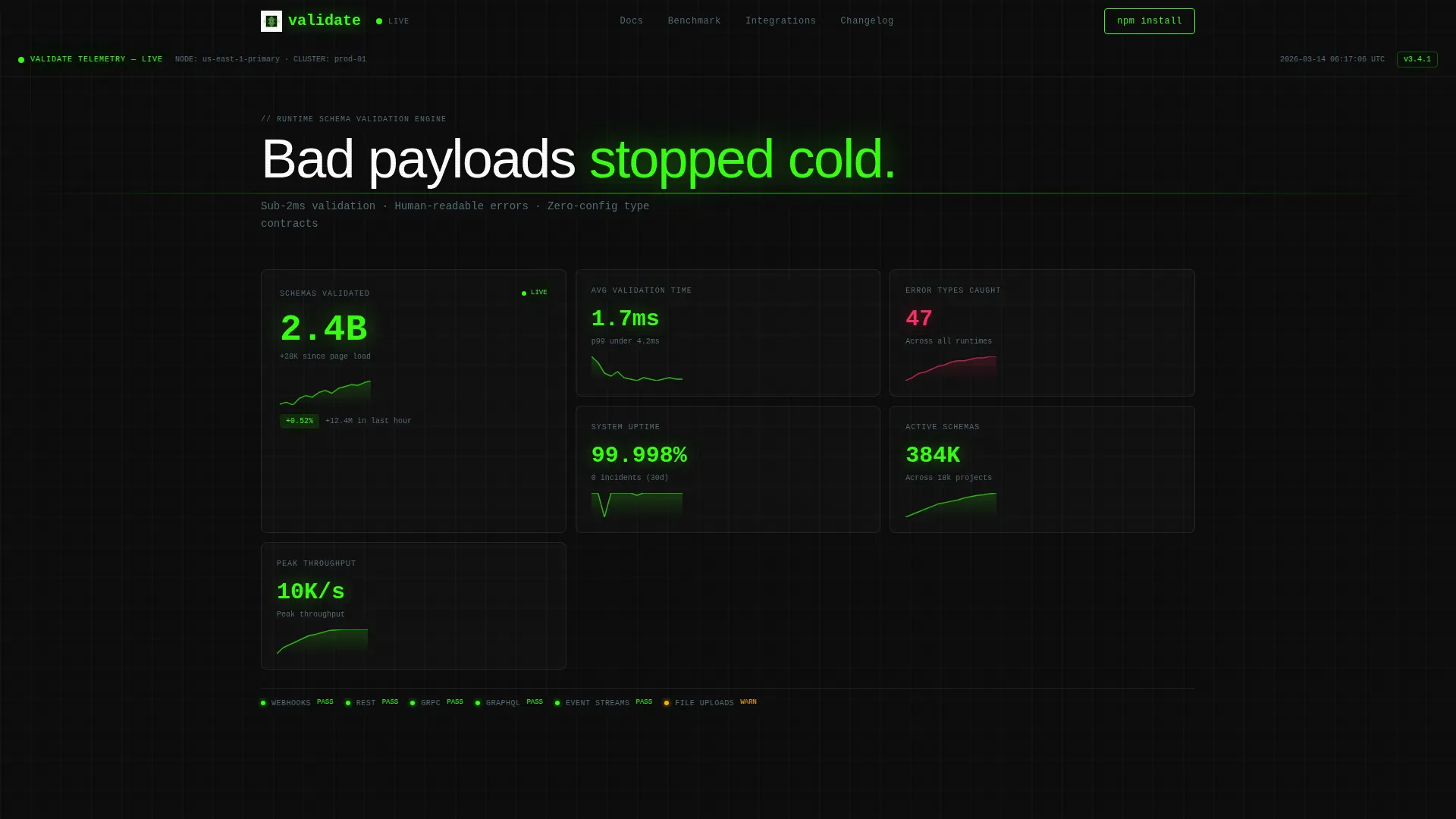
- A full-viewport animating metrics wall with individual stat cards and micro-sparklines
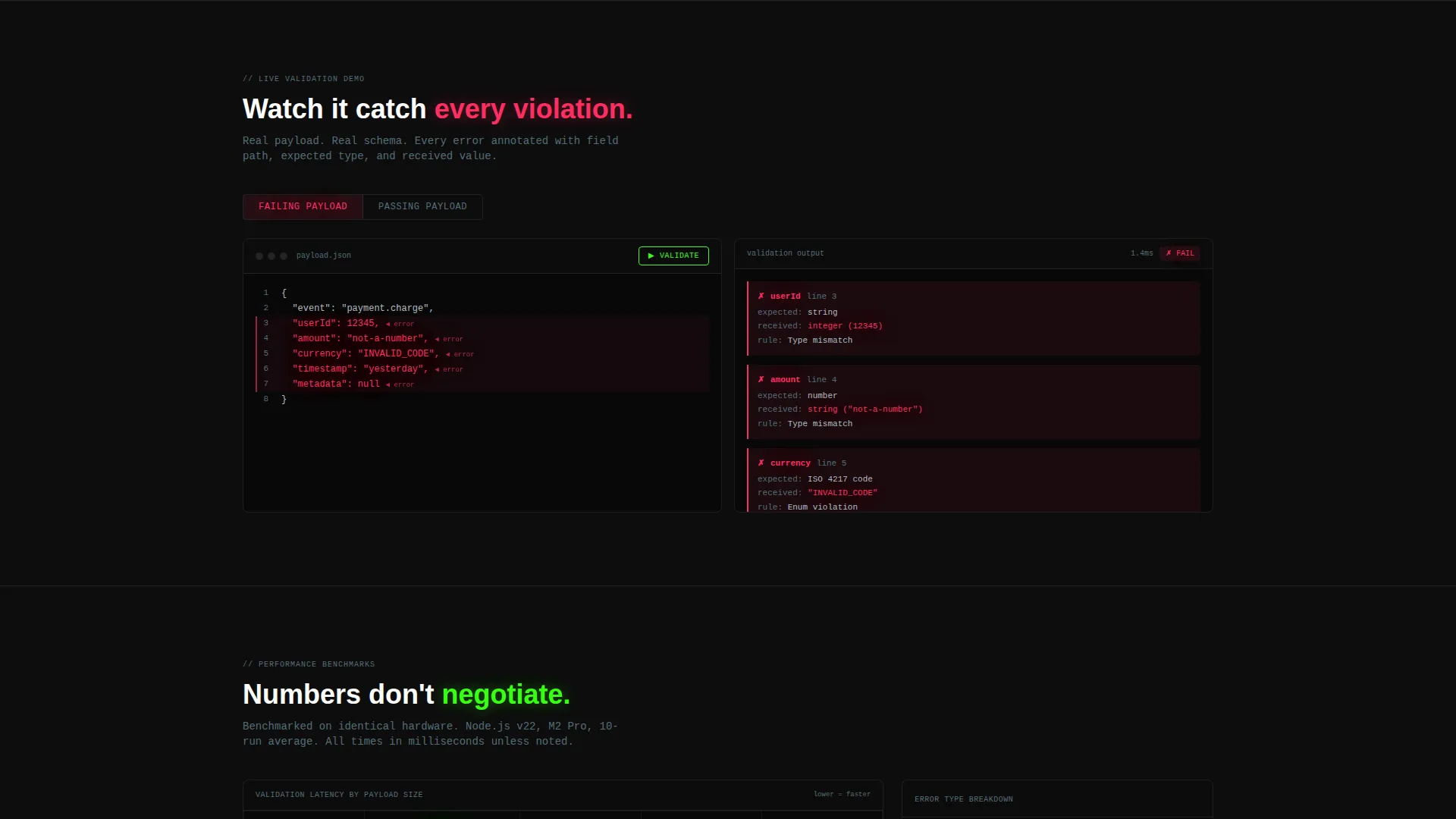
- A two-panel live schema editor showing JSON input on the left and annotated validation output on the right
- A performance benchmark table, a horizontal integration row, and a runtime-toggle install block
Feature list
This template ships with six purpose-built sections, each doing specific conversion work. Every element is drawn from the source brief and grounded in the Data Command visual identity.
Animating Metrics Wall
The header fills the full viewport with four live-counting stats: schemas validated, average validation time, error types caught, and uptime percentage. Each metric sits in its own card with a micro-sparkline showing 30-day trend data. Monospaced type in phosphor green on pure black gives it the feel of mission-control telemetry.
Live Schema Editor Panel
Below the metrics wall, a two-panel editor shows a raw JSON payload on the left and validation output on the right. Errors are highlighted in warning magenta with inline annotations so visitors can see exactly how the engine surfaces problems. This is proof-of-concept in template form.
Performance Benchmark Table
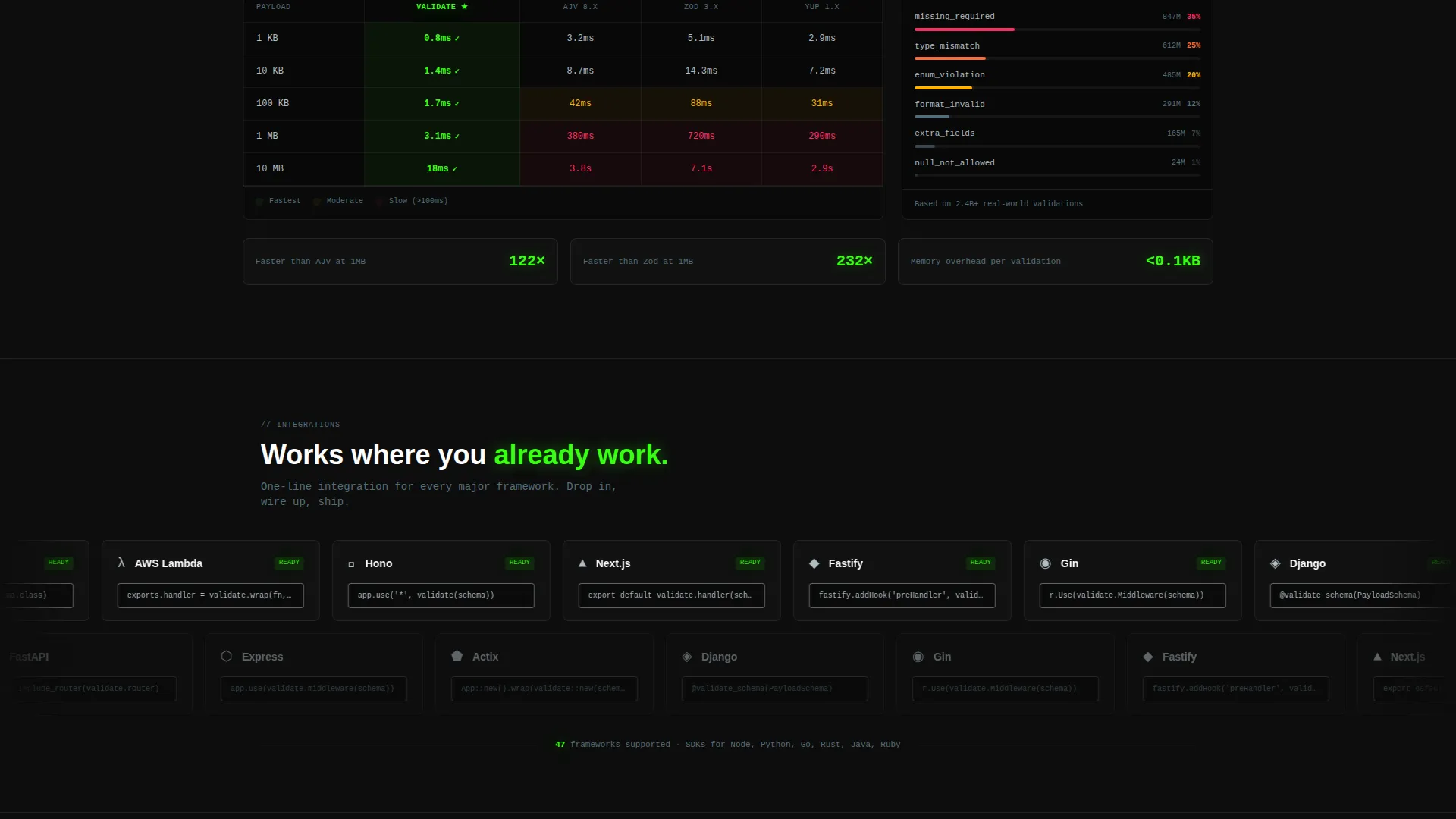
A data grid compares validation speeds across three payload sizes (1 kilobyte, 100 kilobytes, and 1 megabyte) against three named competitors. Cells are color-coded from phosphor green to warning magenta, making relative performance instantly readable without explanation.
Integration Logo Row
A horizontal scrolling row displays integration logos alongside one-line install commands. This section communicates framework compatibility quickly and reinforces that setup is simple.
Runtime Toggle Install Block
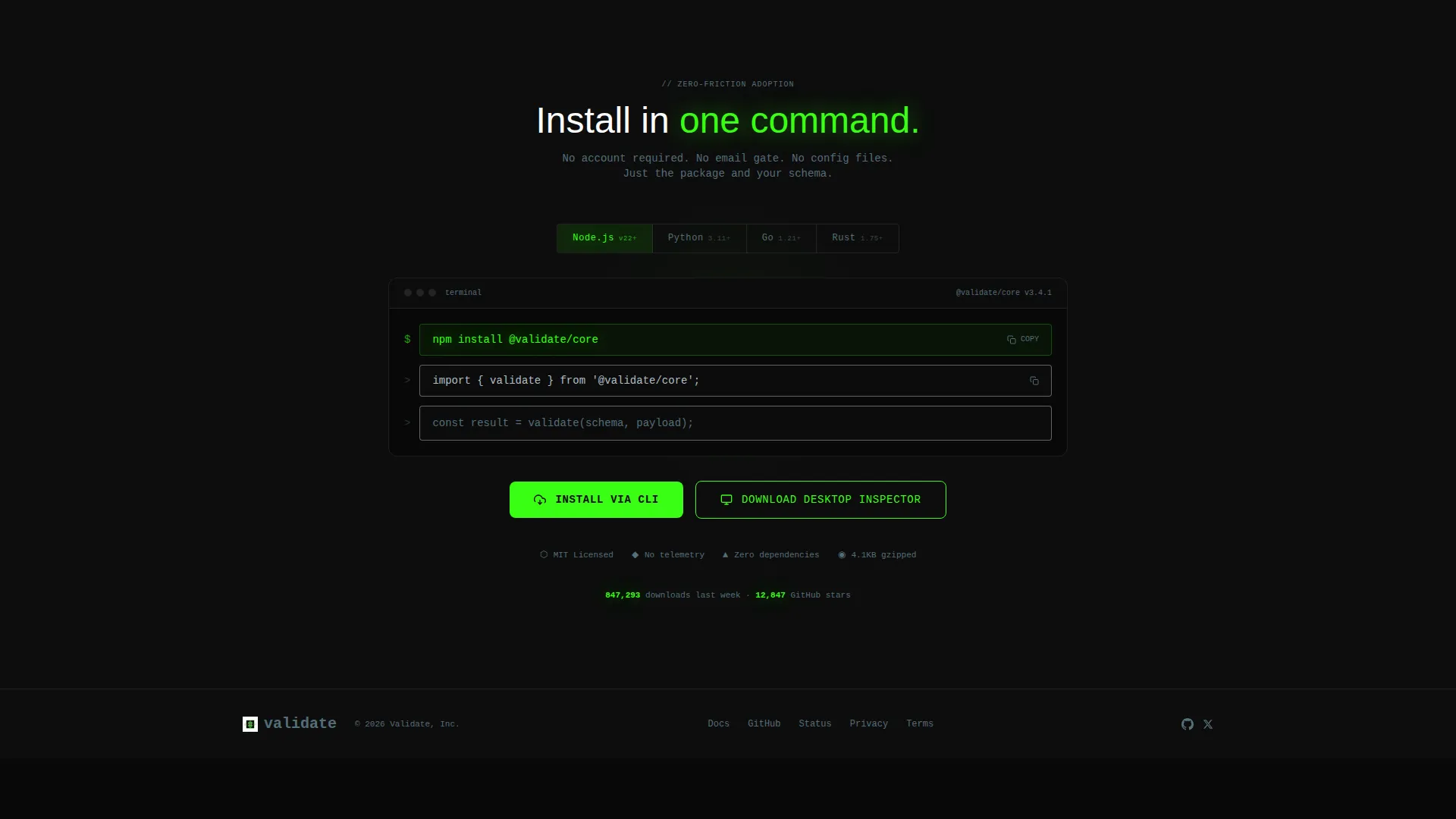
A toggle lets visitors select their runtime environment. The install command updates live to match the selection. The primary call to action is a one-click copy field pre-filled with the install command, paired with a secondary button for the desktop inspector tool.
Data Command Visual System
The entire page runs on terminal black, phosphor green, warning magenta, and cold steel. Interactive elements carry the phosphor green so every clickable surface reads as active. Validation pass states pulse green; failure states flash magenta.
Page sections overview
| Section | Purpose |
|---|---|
| Metrics wall header | Lead with live-counting performance numbers |
| Live schema editor | Show JSON input and annotated error output |
| Benchmark comparison table | Compare speeds across payload sizes and competitors |
| Integration logo row | Display framework logos with install commands |
| Runtime toggle block | Deliver a personalized, copy-ready install command |
| Primary call to action area | Drive zero-friction CLI install or desktop download |
Design & branding system
The visual identity follows a Data Command theme built entirely on the Acid Digital color system. The palette is intentionally minimal and high-contrast so that status signals read instantly.
- Terminal black (#0D0D0D) backgrounds, cold steel (#B0BEC5) for secondary text and grid lines
- Phosphor green (#39FF14) for validation passes, active states, and all interactive elements
- Warning magenta (#FF2E63) for failure states, inline error annotations, and benchmark cells showing slower results
Mobile & speed optimization
The template is structured for fast rendering on any screen. The dashboard grid and data cells are designed to reflow cleanly at smaller viewports without losing the command-center aesthetic.
- The metrics wall cards stack vertically on mobile, keeping each stat readable at reduced widths
- The two-panel schema editor adapts to a single-column view so both input and output remain visible
- The benchmark table supports horizontal scroll on narrow screens, preserving all comparison data
How this template helps you convert
Every section is sequenced to build conviction before asking for any action. The conversion goal is a zero-friction install, and the layout earns it step by step.
- The metrics wall establishes credibility immediately with specific, animated numbers that signal production-grade reliability.
- The live editor and benchmark table deliver visual proof of speed and error clarity, removing the main objections a technical buyer carries.
- The runtime toggle and one-click copy field reduce the install to a single gesture, with no form or email gate standing between the visitor and the command.
Other information about this template
This template is categorized under Technology, in the Developer Tools and API subcategory, with a niche focus on schema validation tooling. It is built as a single landing page using a Dashboard and Data Grid layout style.
- The creative direction is Stats-First Impact, meaning each scroll reveals another layer of quantified proof before asking for any commitment
- The header concept is a Stats and Metrics wall, replacing hero imagery with animating telemetry numbers in the Data Command theme
- The landing page direction targets App Download, specifically a command-line interface install and an optional desktop inspector download
- This template is well suited for teams positioning a schema validation engine, a payload validation library, or a developer-facing runtime tool
Theme
Data Command
Creative direction
Stats-First Impact
Color system
Acid Digital
Style
Dashboard/Data Grid
Direction
App Download
Page Sections
Animating Full-viewport Metrics Wall
Two-panel Live Schema Editor
Color-coded Benchmark Table
Runtime Toggle with Live Install Command
Integration Logo Row
Zero-friction CLI Install Block
Related questions
Does this template include a working schema validation engine?
Can I change the metrics displayed in the header wall?
How does the runtime toggle work in this template?
Can I replace the competitor names in the benchmark table?
Is this template suitable for a SaaS product page?



