Plumbing Directory Landing Page Template
Valve is a split-screen plumbing discovery landing page built for urgency. It connects homeowners, landlords, and property managers with available local plumbers through live-filter search, rated plumber cards, and a frictionless "Check Availability" flow. The dark industrial header and sky-blue interactive panel make finding help feel immediate, not exhausting.
by Rocket studio
Quick summary
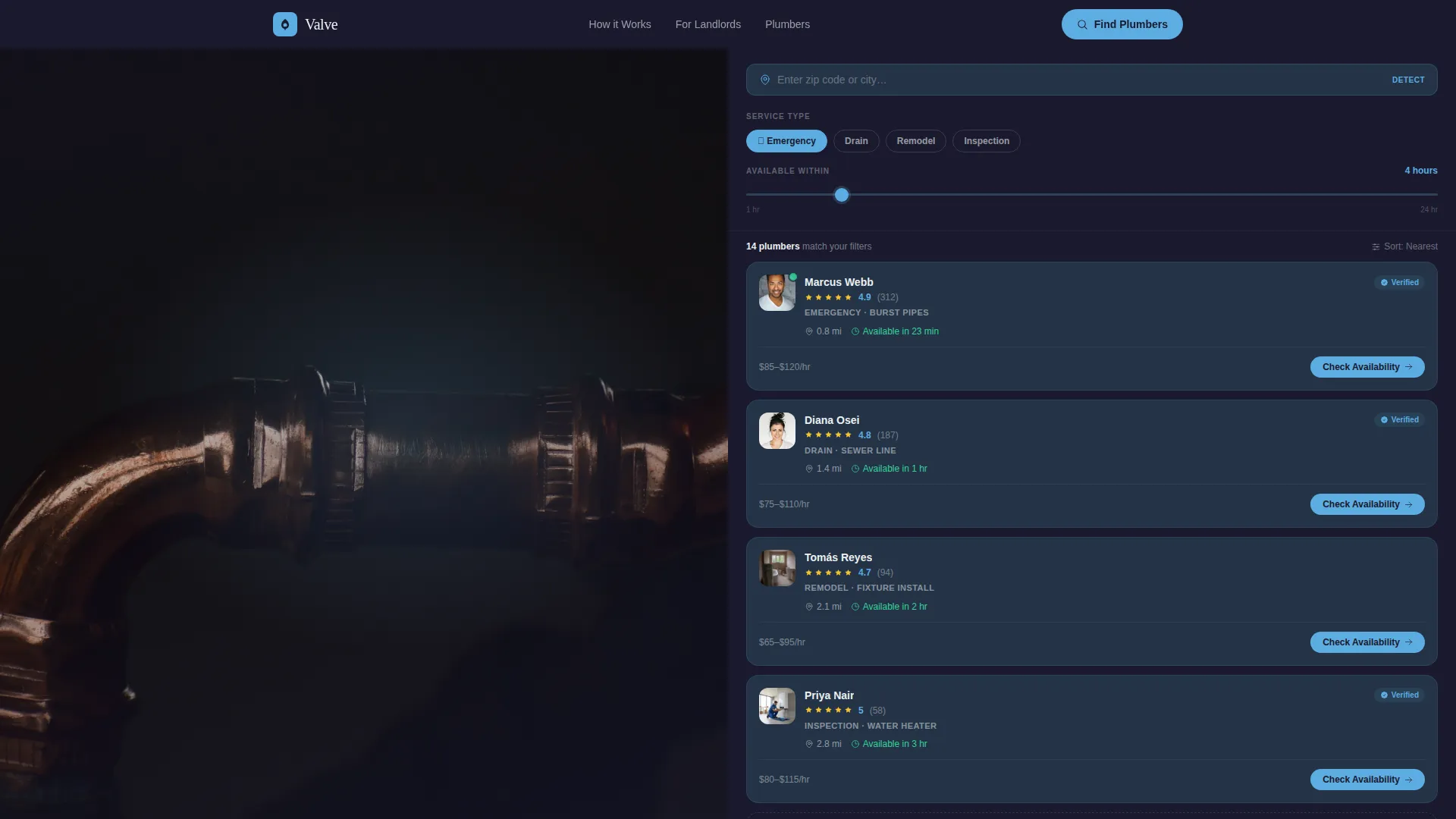
Valve is a single-page plumbing directory built on a 50/50 split-screen layout. The left panel runs live filters for service type, availability window, and location. The right panel returns a scrollable stack of plumber cards with ratings, distance, next-available slot, and a direct booking tap. The whole experience is built around one goal: get the right plumber in front of the right person before the situation gets worse.
Who this template is for
This template is built for anyone who needs to connect people with local plumbing help quickly. It fits directory builders, local service platform founders, and plumbing network operators who want a discovery-first experience without hiding results behind a sign-up wall.
- Homeowners dealing with urgent pipe failures or drainage issues at odd hours
- Landlords and property managers who need a reliable plumber shortlist on demand
- Platform builders launching a local plumbing discovery or service directory
What problem this template solves
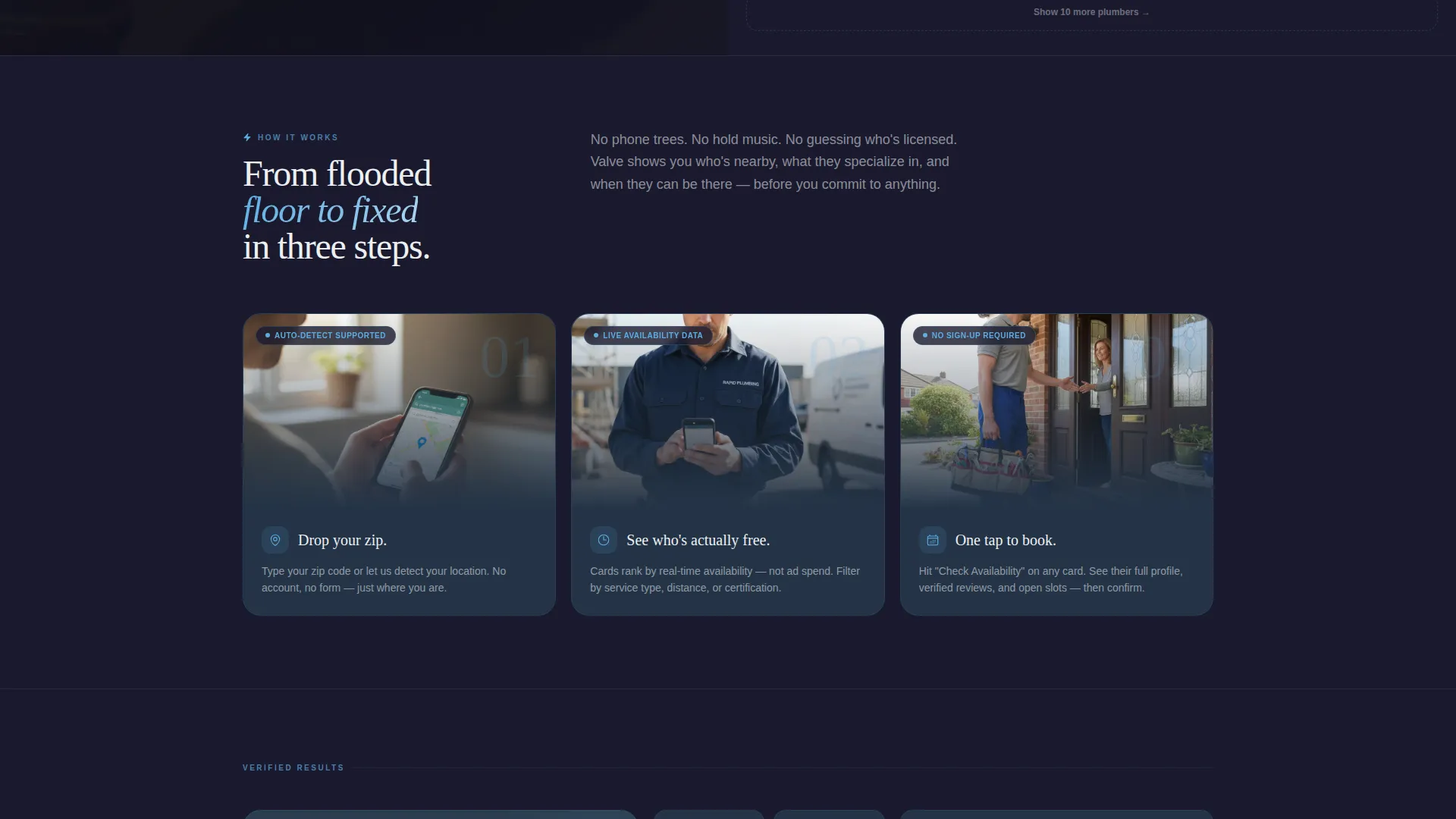
Finding a reliable plumber during an emergency is genuinely stressful. Most directories bury the best results under paid placements, and many require form fills before showing anything useful. Valve removes that friction by putting live availability and verified ratings on screen immediately.
- Visitors see real plumber options sorted by who can show up soonest, not by ad spend
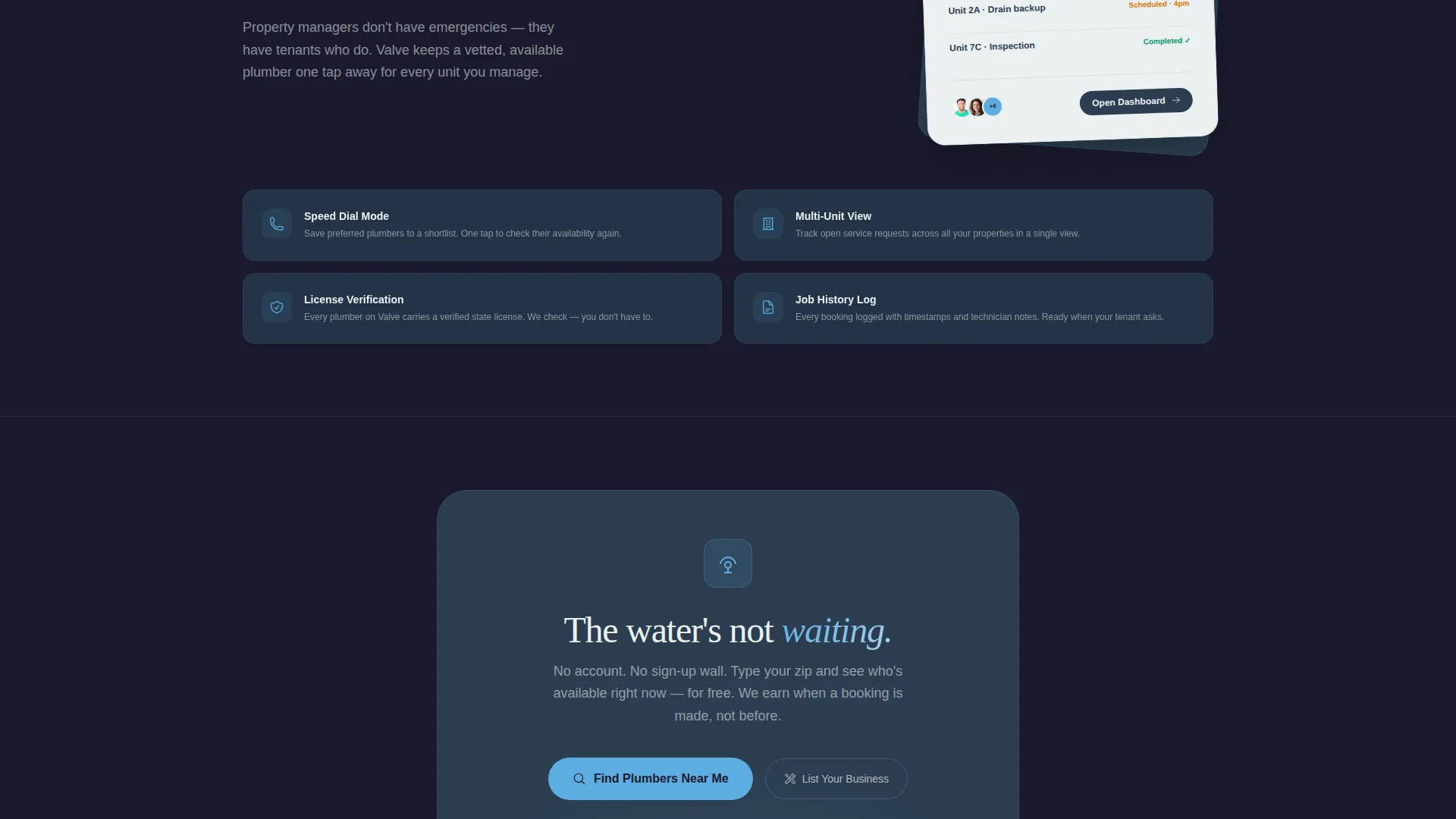
- No sign-up wall stands between the visitor and the results they need
- The filter system lets urgent users narrow results in seconds, not minutes
What you get with this template
You get a fully structured, single-page plumbing directory landing page with every section pre-designed and ready to customize. The layout separates filtering from results cleanly, so the experience feels focused rather than cluttered.
- A dark cinematic header with copper pipe close-up art direction and a glowing sky-blue headline overlay
- A live-filter left panel with service type toggles, an availability slider, and a zip-code auto-detect field
- A scrollable right panel of plumber cards showing rating, distance, next-available slot, and specialty tag
Feature list
This section breaks down the core built-in capabilities that make Valve work as a plumbing discovery landing page.
Split-Screen Filter and Results Layout
The 50/50 split places the filter column and the results panel side by side at all times. Visitors never lose sight of their filter choices while scanning plumber cards, keeping the decision process fast and contained.
Live-Filter Column with Service Toggles
The left panel includes service type toggles covering emergency, drain, remodel, and inspection categories. An availability slider lets visitors set a window between one and twenty-four hours, and the zip-code field auto-detects location for immediate relevance.
Scrollable Plumber Card Stack
Each card in the right panel displays a plumber's rating, distance from the visitor, next-available time slot, and a single-line specialty tag. The cards update as filters change, giving visitors the sense that results are actively sharpening to match their needs.
"Check Availability" Card-Level call to action
Every plumber card carries a prominent "Check Availability" button styled in sky blue. This single action routes the visitor directly to the plumber's full profile and booking page, keeping the path from discovery to contact as short as possible.
Progressive Filter Deepening on Scroll
As the visitor scrolls, the filter column expands to include additional criteria such as certifications and price-range brackets. The experience feels like tuning a signal until it locks in clean, rewarding explorers without overwhelming first-time visitors.
Sticky Mobile Bottom Bar
On smaller screens, a persistent bottom bar repeats the zip-code field alongside a single "Show Plumbers Near Me" button. This keeps the primary action reachable at all times without forcing the visitor to scroll back to the top.
Page sections overview
| Section | Purpose |
|---|---|
| Dark Full-Bleed Header | Sets urgent, industrial tone with copper pipe close-up and glowing headline |
| Zip-Code Entry Bar | Captures location intent immediately below the header for fast filtering |
| Split-Screen Filter Panel | Left column holds all active filter controls for the visitor |
| Plumber Card Results | Right column displays live-filtered plumber cards with key decision data |
| Progressive Deep Filters | Scroll-triggered expansion adds certification and price-range filters |
| Sticky Mobile Bar | Persistent footer bar on mobile repeats location entry and primary call to action |
Design & branding system
The Slate and Sky color system anchors the visual identity in an industrial utility aesthetic. Deep pipe-steel slate and storm-cloud charcoal dominate backgrounds and navigation chrome, while open-sky blue lights up every interactive element. Pressure-gauge white keeps card content and typography clean and readable against dark surfaces.
- Slate (#2C3E50) and charcoal (#1A1A2E) form the structural background layer throughout the page
- Sky blue (#5DADE2) at full opacity drives calls to action, hover states, and active filter indicators; at 40% opacity it traces the pipe-edge glow in the header
- White (#ECF0F1) holds all card text, ratings, and specialty tags for maximum contrast and readability
Mobile & speed optimization
The template is designed with mobile-first urgency in mind. Someone standing in a flooded basement at 11 p.m. is almost certainly on a phone, and the layout accounts for that reality at every touch point.
- The sticky bottom bar keeps the zip-code field and "Show Plumbers Near Me" button visible without any scrolling
- The split-screen layout collapses into a single-column scroll on smaller screens so filter and results flow naturally
- Card-level calls to action remain full-width and tap-friendly on mobile viewports for one-handed use
How this template helps you convert
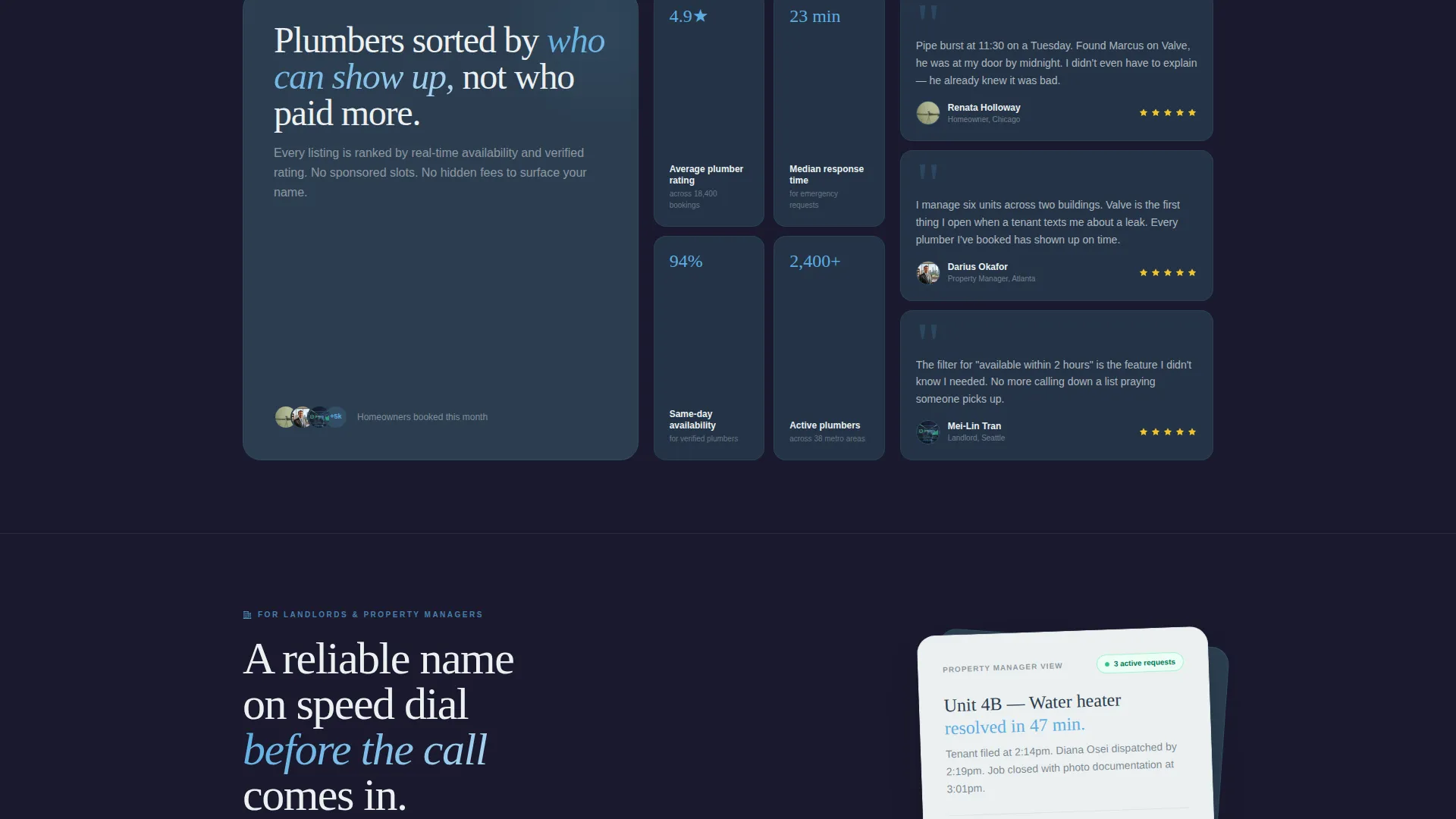
The page earns the click before it asks for anything. By surfacing live availability and verified ratings upfront, it builds enough trust that the "Check Availability" tap feels like a logical next step rather than a leap of faith.
- Showing real plumber data immediately reduces hesitation and replaces vague promises with visible proof, making the first tap feel low-risk.
- The sticky mobile bar and card-level call to action keep the conversion action one step away at every point in the scroll, so momentum never stalls.
Other information about this template
Valve fits naturally within the broader category of plumbing digital presence tools, particularly for teams building local service discovery platforms in the technology space. The Directory and Discovery theme makes it equally useful for general contractor directories or any trade-service platform that prioritizes proximity and availability over paid ranking.
- The template style is a 50/50 split screen, which works well for any directory where filtering and browsing happen simultaneously
- The Interactive Explorer creative direction is reusable across other service niches that rely on location-based search and availability data
- The Click-Through landing page direction means no lead forms or sign-up walls interrupt the path from search to contact
Theme
Directory & Discovery
Creative direction
Interactive Explorer
Color system
Slate & Sky
Style
Split Screen (50/50)
Direction
Click-Through
Page Sections
Split-screen Filter and Results Layout
Live-filter Column with Service Toggles
Scrollable Plumber Card Stack
Card-level Check Availability Call to Action
Progressive Deep-filter Scroll Experience
Sticky Mobile Bottom Bar
Related questions
Can I customize the filter categories beyond plumbing services?
Does the template include real plumber data or live availability feeds?
Is this template designed for a single plumbing business or a multi-provider directory?
How does the split-screen layout behave on mobile devices?
Can the Check Availability button link to an external booking page?



