Hotel Compliance Landing Page Template
Comply is a dark-themed, card grid landing page template built for hospitality compliance software. It opens with a live risk estimator that calculates penalty exposure and missed deadlines by property count, regulation type, and state. Modular flip-cards reveal domain-specific dashboards, and every call-to-action guides multi-unit operators toward a personalized compliance demo.
by Rocket studio
Quick summary
Comply is a single-page lead generation template engineered for hospitality compliance software. It leads with an interactive risk estimator, continues through a modular card grid of compliance domains, and closes with a focused form that converts anxious operators into demo requests. The Data Command visual theme makes every green and amber signal feel purposeful.
Who this template is for
This template is built for software teams and agencies selling compliance tools to hospitality operators who manage multiple properties and high regulatory stakes.
- Multi-unit hotel general managers juggling franchise audits and inspection schedules across several locations
- Restaurant group operations directors responsible for food safety certifications, labor rules, and liquor licensing
- Regional compliance officers overseeing dozens of properties across multiple states and jurisdictions
What problem this template solves
Hospitality compliance software is hard to sell on features alone. Prospects feel the pain of missed deadlines and surprise penalties, but a generic landing page cannot show that pain back to them. This template closes that gap.
- It puts a live risk estimator front and center so visitors calculate their own exposure before reading a single marketing claim
- It uses personalized card ordering to mirror the categories each visitor selected, making the page feel like a tool rather than a brochure
- It replaces passive reading with active exploration, so by the time a visitor sees the form, they already have a number they want to fix
What you get with this template
You get a fully structured, single-page layout with every section pre-built and ready to fill with your product's real data. The design system, interaction patterns, and conversion flow are all defined from the start.
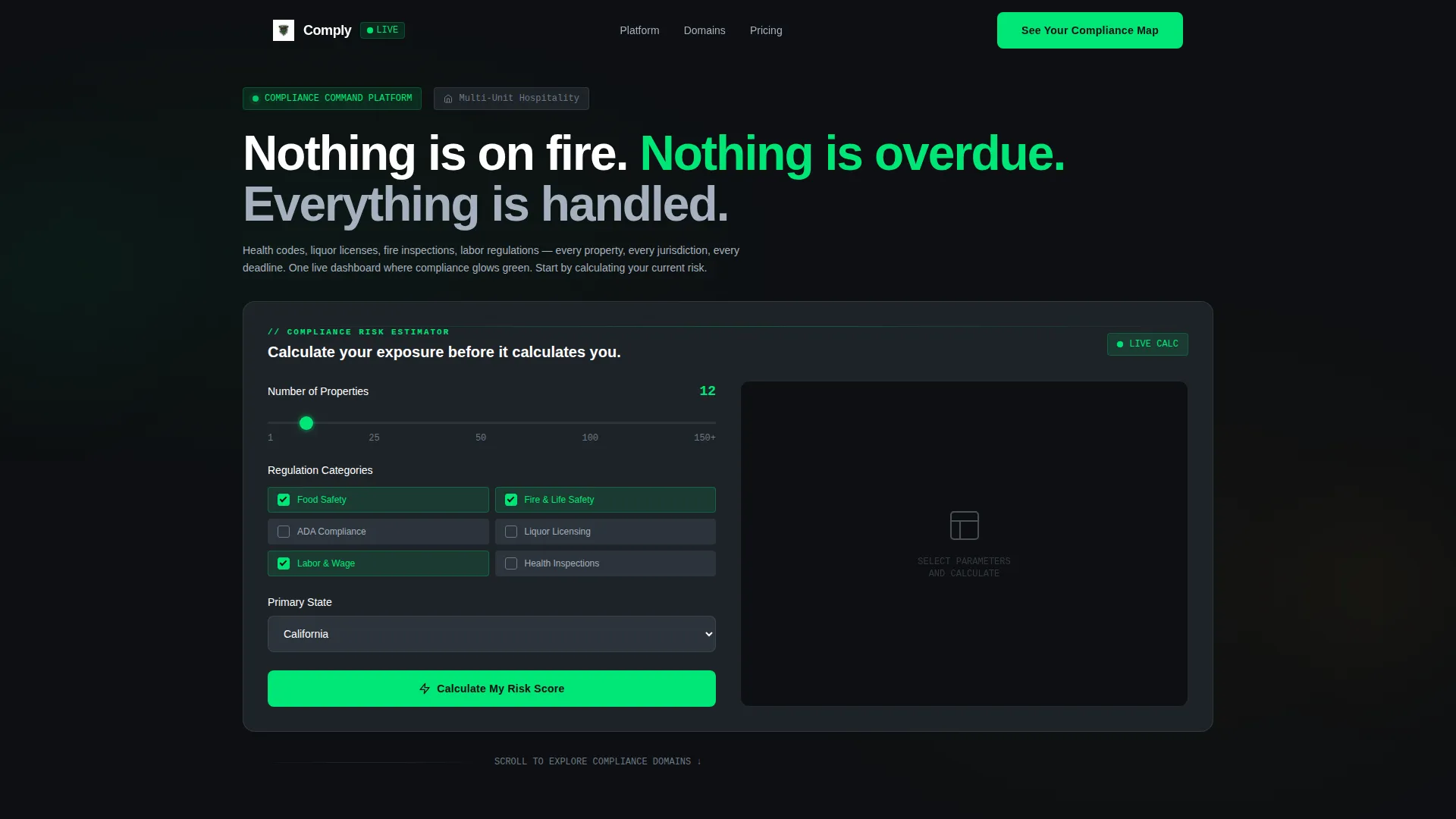
- A working compliance risk estimator embedded directly in the header viewport, complete with slider, checkboxes, state selector, and animated output fields
- A modular card grid that reorders itself based on visitor selections and flips on hover to reveal mini-dashboard previews
- Two conversion paths: a progressive lead-capture form tied to estimator results, and a gated downloadable compliance calendar for visitors not yet ready for a demo
Feature list
This section describes the core functional components built into the Comply template.
Interactive Compliance Risk Estimator
The header is the tool. Visitors set a property count using a slider, check regulation categories such as food safety, fire safety, liquor licensing, labor rules, and ADA compliance, then select their state. The estimator instantly returns an animated risk score, an estimated annual penalty exposure in dollars, and a count of upcoming deadlines they are likely missing.
Personalized Modular Card Grid
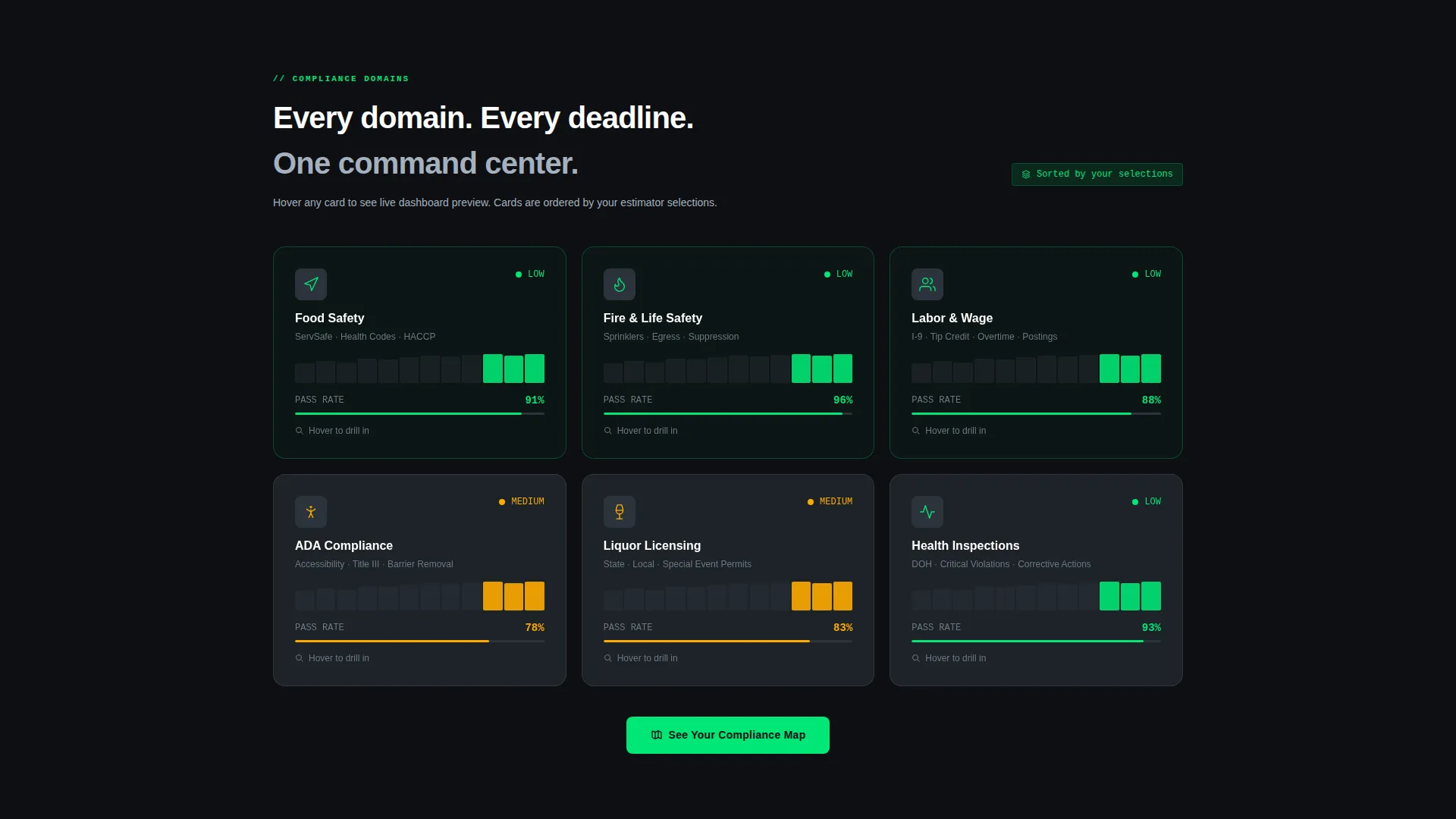
Below the estimator, the page arranges itself into a card grid where each card represents a compliance domain. The grid reorders based on the categories the visitor selected in the estimator, so a food-safety-focused operator sees those cards first. This creates a scroll experience that feels tailored rather than generic.
Flip-Card Domain Dashboards
Every card in the grid responds to hover by flipping to reveal a mini-dashboard preview. These previews show compliance-relevant data points such as inspection pass rates, certificate expiry timelines, and audit-readiness percentages. The flip interaction replaces long feature descriptions with visual proof of capability.
Anchored Progressive Lead Form
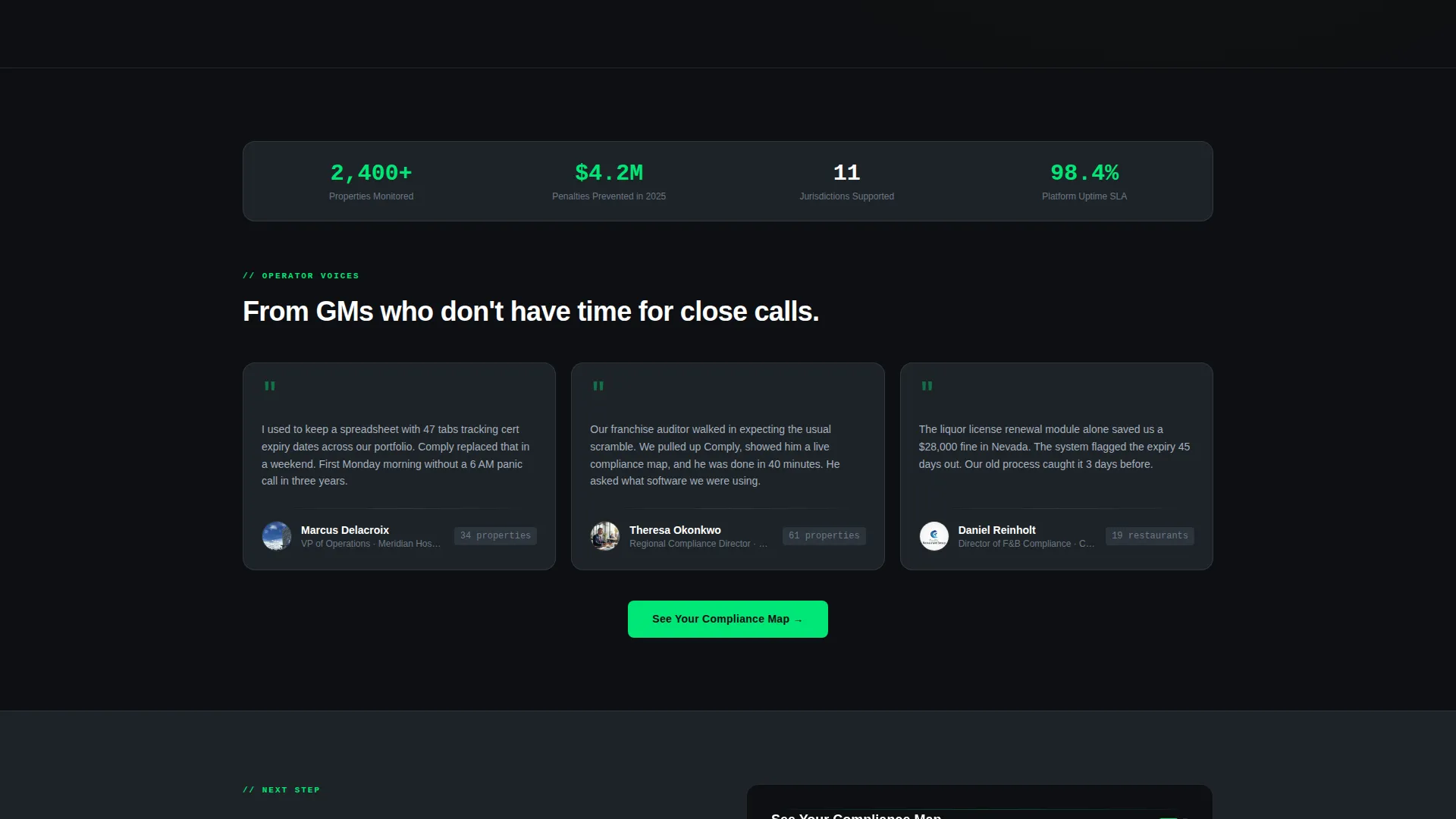
The primary call-to-action button "See Your Compliance Map" appears in the estimator results section and repeats after every second card row. Clicking it opens a short progressive form pre-filled with the visitor's property count from the estimator. The form includes name, work email, and a single open field asking for the visitor's biggest compliance headache right now.
Gated Compliance Calendar Download
A secondary conversion path offers a downloadable 2025 Multi-State Hospitality Compliance Calendar. It is gated behind email only, capturing visitors who are not yet ready for a full demo but are already motivated enough to plan ahead. This path ensures no high-intent visitor leaves without a touchpoint.
Data Command Visual System
The Carbon Fiber color system uses deep cockpit black and woven graphite for all backgrounds. Status-green appears only on passing indicators and live data numerals. Alert amber appears only on interactive warnings. Color earns its place on this page because it only fires when something real is happening.
Page sections overview
| Section | Purpose |
|---|---|
| Risk Estimator Header | Captures attention with a live, interactive compliance risk calculator |
| Estimator Results Display | Shows animated risk score, penalty exposure, and missed deadlines count |
| Primary call to action Anchor | Places "See Your Compliance Map" button directly within estimator results |
| Compliance Domain Grid | Presents each regulation area as a flippable card in a modular layout |
| Flip-Card Previews | Reveals mini-dashboard data on hover for each compliance domain card |
| Repeated call to action Rows | Re-inserts the primary call-to-action button after every second card row |
| Progressive Lead Form | Collects pre-filled property count, name, email, and open compliance question |
| Calendar Download Gate | Offers a secondary lead path via a gated compliance calendar download |
Design & branding system
The Comply template uses a Data Command theme built on the Carbon Fiber color system. Every design decision reinforces the feeling of a professional control room where operators can trust what they see.
- Backgrounds stay in the deep cockpit black (#0D0F12) and woven graphite (#1E2328) range throughout, with cards defined by subtle 1-pixel titanium (#A4B0BE) borders
- Status-green (#00E676) appears only on passing indicators and live data numerals, while alert amber (#FFAB00) fires only on interactive warnings, making every color flash feel earned
- Body text and dividers use cool titanium (#A4B0BE) to maintain readability against dark backgrounds without competing with status colors
Mobile & speed optimization
The card grid layout is modular by design, which makes it well-suited to reflow naturally across different screen widths. The dark background and minimal decorative elements keep the visual weight low on smaller devices.
- Cards stack vertically on mobile without losing their flip-card interaction, so domain dashboard previews remain accessible on touch screens
- The estimator controls, including the slider, checkboxes, and state selector, are sized for comfortable touch interaction in the mobile viewport
- No stock photography or large hero illustrations are used, keeping the initial load visual lean and focused on the functional tool
How this template helps you convert
The Comply template is built around a single psychological insight: people act faster when they see their own risk number, not a vendor's claimed benefit.
- The estimator front-loads personal stakes by showing each visitor their estimated penalty exposure and missed deadlines before any product copy appears, making the problem concrete and urgent
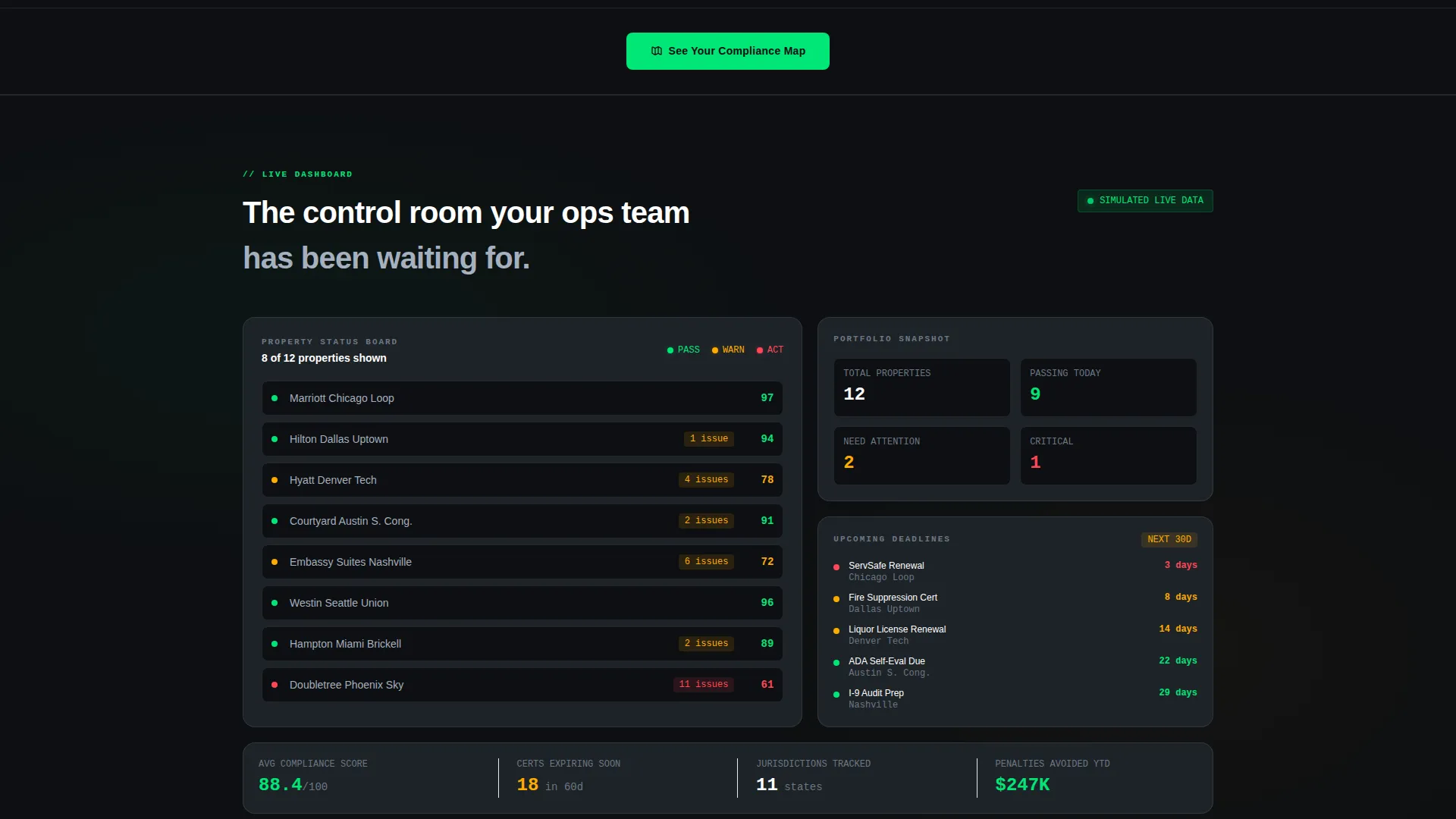
- The personalized card grid and flip-card previews build product credibility through simulated live data rather than marketing language, so trust is earned visually before the form appears
- The dual conversion path captures both high-intent visitors ready for a demo and lower-intent visitors who still want the compliance calendar, ensuring a wider range of leads without a longer or more complex page
Other information about this template
The Comply template is designed specifically for the hospitality compliance software niche, where buyers are time-pressed professionals who respond to operational clarity over sales language.
- The template style is a card grid with a modular layout, meaning sections can be reordered or extended without rebuilding the page structure
- The creative direction follows an Interactive Explorer pattern, where each scroll layer reveals a deeper view of the software's capability
- The header concept is a Calculator and Estimator, which is a high-engagement format proven to hold attention in software and SaaS categories
- The lead generation direction is embedded in the page architecture itself: the form is a natural next step after the estimator, not an interruption
- This template sits within the Technology category under the Hospitality Software and SaaS subcategory, making it relevant for teams building in the compliance, regulatory technology, or property management software space
Theme
Data Command
Creative direction
Interactive Explorer
Color system
Carbon Fiber
Style
Card Grid (Modular)
Direction
Lead Generation
Page Sections
Interactive Compliance Risk Estimator
Personalized Modular Card Grid
Flip-card Domain Dashboard Previews
Anchored Progressive Lead Form
Gated Compliance Calendar Download
Related questions
Who is this template designed for?
Can I use the estimator section even if my actual tool works differently?
What are the two conversion paths included in this template?
Does the card grid work if I have more or fewer compliance domains?
Why does the template use a dark color scheme instead of a light one?



