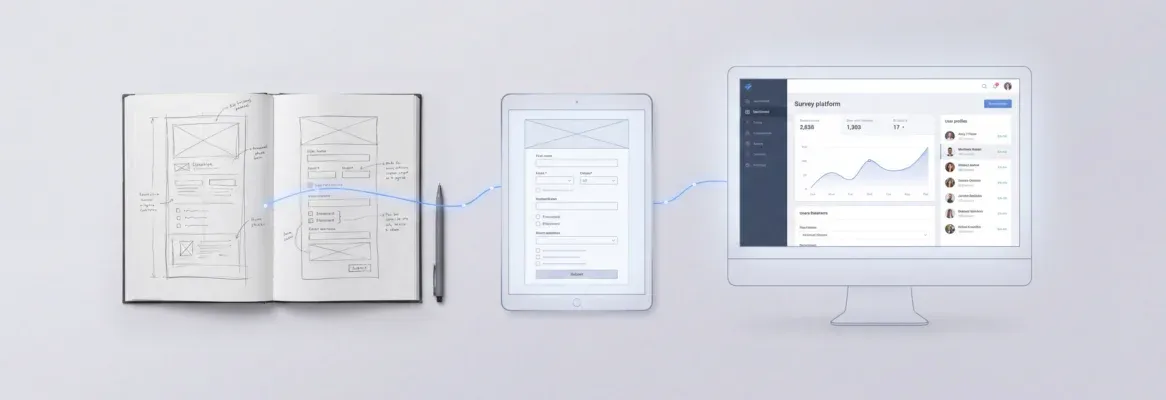
20 copy-paste AI prompts in build order to launch a fashion boutique with auth, catalog, Stripe checkout, inventory, and dashboards using Rocket.new's vibe solutioning platform.
Use these 20 AI prompts to build online fashion store features covering auth, catalog, checkout, inventory, and dashboards. Paste them in order and ship a production-ready boutique app with Rocket today.
Rocket is the vibe solutioning platform for builders and founders. Research your fashion niche and competitor pricing with Solve, generate production-ready boutique screens with Build, and track rival collections and ad spend with Intelligence, all from one platform.
How do you go from a blank screen to a payment-ready fashion boutique without writing a single line of code? Fashion leads all ecommerce categories in total global spending, yet most clothing brand owners still spend months coordinating developers, designers, and payment providers before one item sells online. That gap between having a product line and having a shop that moves it is closing fast.
This post gives you twenty copy-and-paste prompts in strict build order. Each prompt spells out the expected output, a "what to check" note, and a follow-up refinement line you can paste right after. Five phases cover foundation, discovery, shopping, operations, and reporting for a complete boutique store.
Before You Build: Validate The Niche With Solve And Intelligence
Most boutique founders skip straight to building. That is the expensive mistake. Before you paste Prompt 1, spend fifteen minutes in Rocket's Solve and Intelligence modules, the two research layers that separate a store built on guesswork from one built on market data.
Use Solve to answer three questions before you build:
-
What price range do comparable boutiques in your niche charge for the same product categories?
-
Which seasonal collections are driving the most search volume right now?
-
What do customer reviews of competing stores say they are missing?
Solve turns those questions into structured, evidence-backed reports with cited sources. You walk into the build phase knowing your price points, your hero categories, and the gaps your boutique can own.
Use Intelligence to track competitors before and after launch:
Intelligence watches rival boutiques across nine signal pillars: website changes, social posts, ad spend shifts, pricing updates, and hiring signals. Set up your watchlist before you build so you are tracking from day one, not after you have already shipped.
The workflow that works: Run a Solve report on your niche, identify your positioning, paste the twenty prompts below, then monitor competitors with Intelligence post-launch.
Why Does A Prompt-First Approach Change Everything?
Shipping a fashion store used to mean hiring a developer team, a designer, and waiting weeks for every screen and style revision. A prompt-driven approach flips that whole production timeline on its head.
| Approach | Timeline | Cost | Flexibility |
|---|---|---|---|
| Traditional dev team | 8-16 weeks | $15K-$50K+ | Every change request costs extra |
| Prompt-driven on Rocket | Same day | Platform subscription | Refine through chat, no extra cost |
The shift is practical, not theoretical. Boutique owners and clothing brand founders paste one prompt, review the production-ready output, and refine through follow-up prompts before they launch. The ecommerce store recipe on Rocket covers the full catalog-to-checkout pattern in detail.
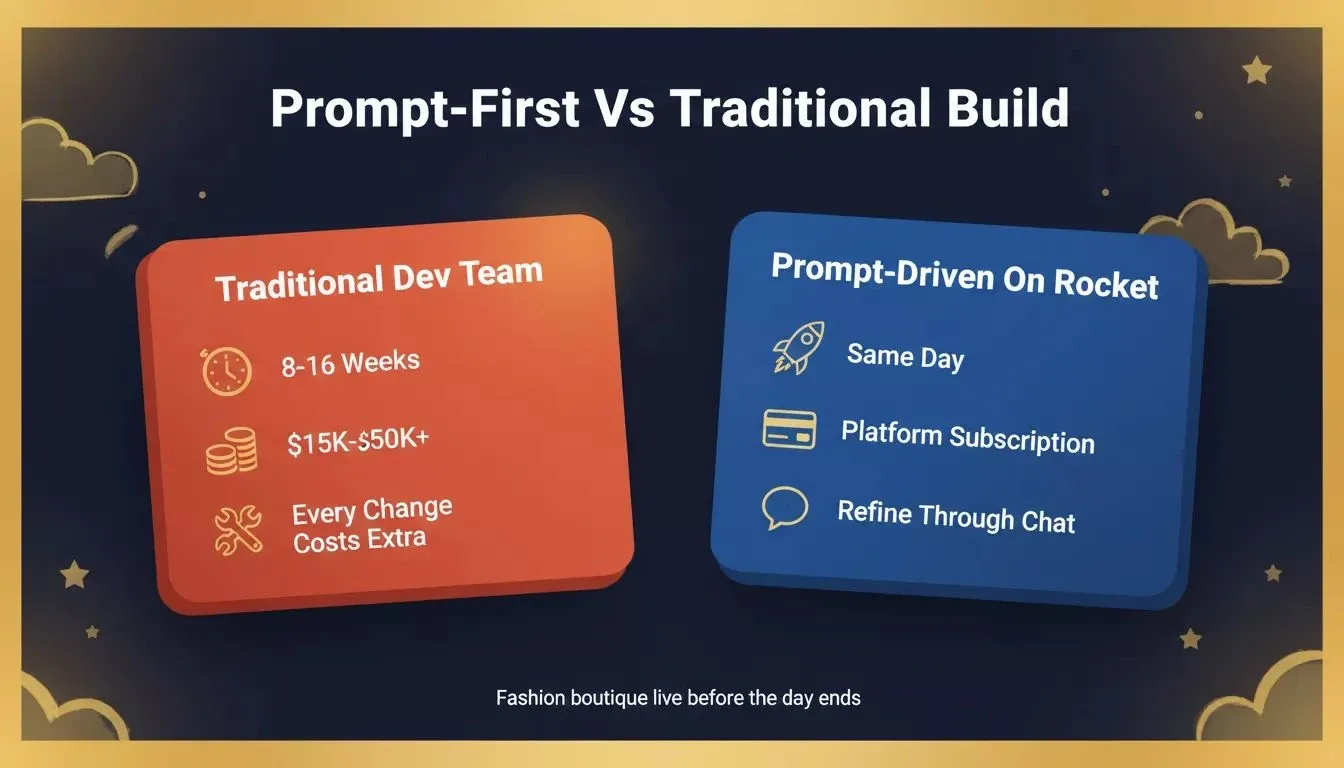
Prompt-driven builds on Rocket ship the same day. Traditional dev teams take 8-16 weeks for the same result.
Builders in the Rocket community on Discord regularly share completed boutique builds, with several going from first prompt to live checkout in a single afternoon. Generative AI makes that speed possible because it already understands product catalog structures, color palettes, size charts, and checkout flows at a level that matches real customer expectations.
Phase One: Foundation Prompts For Your Boutique
Before any customer-facing feature goes live, the foundation needs to hold. These three prompts create authentication, the product catalog, and brand tokens for your clothing boutique. All three depend on Supabase for persistent data. Rocket scaffolds the Postgres database, user authentication, and file storage automatically when you include Supabase in your prompt.
Prompt 1: Multi-Role Authentication
Build a fashion boutique app with three user roles: admin, staff, and customer, using Supabase for authentication and the user database. Admin can manage the product catalog, view sales reports, and create discount codes. Staff can add product details, process returns, and check low stock alerts. Customers can browse the clothing collection, save items to a wishlist, and check out. Use email sign-up with a clean, minimal login screen. Brand style: luxury boutique with soft neutrals and one bold accent color.
What Rocket shows you: A working auth screen with role-based routing backed by Supabase.
What to check: Confirm each role sees only its permitted screens. Test a customer account trying to reach the admin route. Verify Supabase user records are created on sign-up.
Refine with: "Add social login via Google for customers using Supabase social auth. Keep the email option for admin and staff roles."
Prompt 2: Product Catalog With Size Variants And Color Options
Create a product catalog for a fashion boutique selling clothing, shoes, bags, and jewelry, with all product data stored in a Supabase Postgres database. Each item needs a name, description, price, size options (XS through XXL for clothing, numeric for shoes), available color swatches, fabric type, product category labels, seasonal collection tags, and up to six product images stored in Supabase Storage. Show a front view as the main thumbnail. Support filtering by category, price range, size, color, and collection.
What Rocket shows you: A grid-view catalog with product cards showing the main image, brand name, price, and quick size and color selectors.
What to check: Add one item with all fields and confirm everything saves to the database. Verify the front view image displays as the thumbnail.
Refine with: "Add a 'New Arrivals' collection that auto-populates with items added in the last 14 days. Mark new arrivals with a small badge on the product card."
Prompt 3: Brand Token Configuration
Set up a brand token system for the boutique. Place the logo in the header and footer of every screen. Define clean typography with a premium serif for headings and a minimal sans-serif for body copy. Set the primary color, accent color, and background surface as design tokens that apply across the entire store. Add a "Powered by [Brand Name]" line on the order confirmation page.
What Rocket shows you: A consistent brand look across every page. The login screen, catalog, product details, cart, and checkout all share the same logo, fonts, and color palette.
What to check: Navigate five different screens and confirm the brand style stays consistent.
Refine with: "Switch the heading font to a specific typeface and update the accent color to match our seasonal collection palette."
How Do Product Discovery Prompts Shape The Shopping Flow?
A beautiful catalog means nothing if shoppers cannot find their size, view fabric texture up close, or match pieces together into a full outfit. The AI in fashion market is projected to surpass $1.2 billion, largely because smart discovery features directly lift conversion rates. These five prompts build the browse-and-find layer of your boutique.
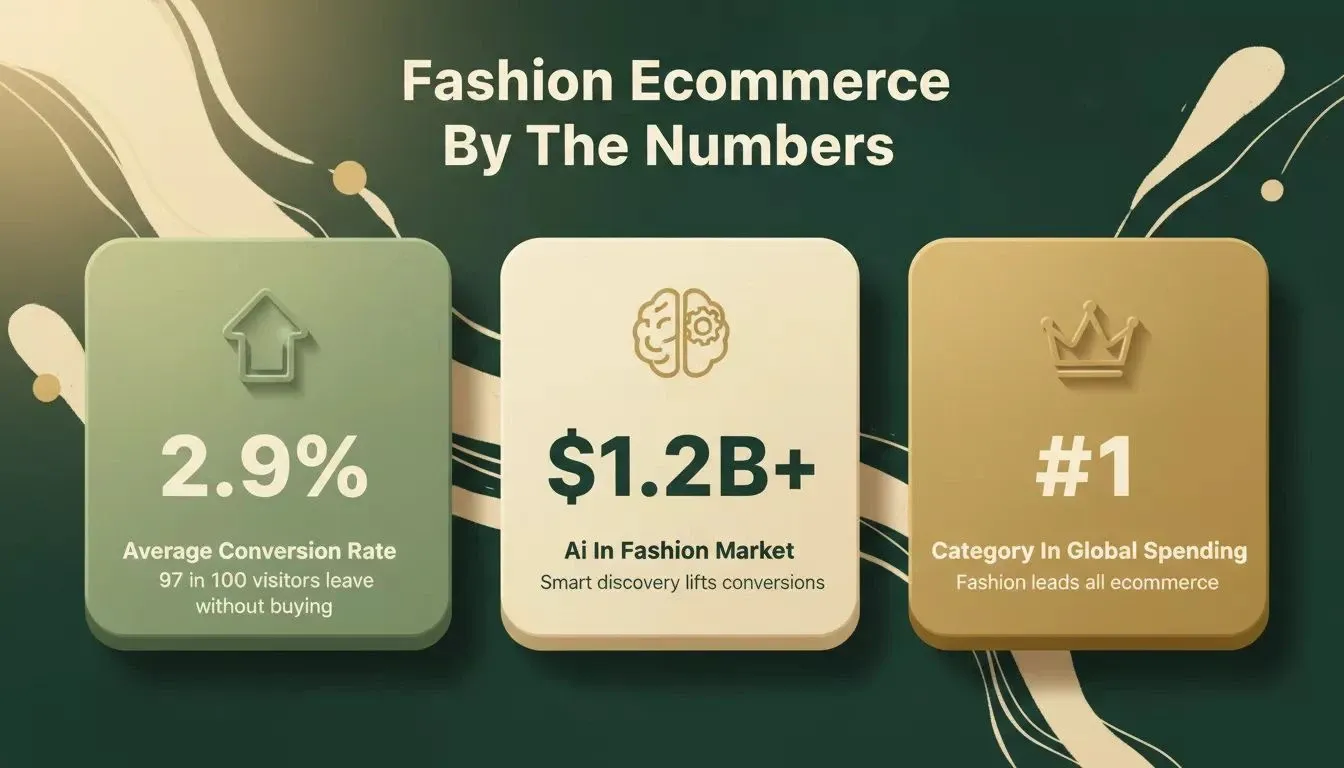
Three numbers every fashion boutique founder should know before building their store.
Prompt 4: Size Guide Modal
Add a size guide modal to every product page. The modal shows a measurement table for chest, waist, hip, and height in both inches and centimeters. Include a short note explaining how to measure at home with a tape. The design should match the boutique brand style with clean typography and enough white space to feel comfortable on a phone screen.
What Rocket shows you: A "Size Guide" link on each product page that opens a styled modal with the measurement table.
Refine with: "Add a fit note under the table for each product category."
Prompt 5: Zoom Gallery With Fabric Details
Build a product image gallery that supports pinch-to-zoom on mobile and hover-zoom on desktop. Show up to six images per item including at least one close-up shot placeholder for fabric texture and stitching details. Customers should be able to swipe through images and see a position indicator showing which image is active.
What Rocket shows you: A swipeable gallery with zoom capability and a dot indicator.
Refine with: "Add a short video slot as the last gallery position for product clips showing fabric drape and movement."
Prompt 6: Outfit Builder
Create an outfit builder screen where customers select one top, one bottom, one pair of shoes, and one accessory from the boutique catalog. Show the selected pieces side by side in a styled look panel. Display the combined price and a single "Add Complete Look to Cart" button. Let the customer swap any piece without restarting the selection.
What Rocket shows you: A four-slot outfit panel with category selectors. A running total updates live as items change.
Refine with: "Add a 'Save This Look' button that stores the complete outfit in the customer wishlist for later."
Prompt 7: AI Size Recommendation From Measurements
Build an AI size recommendation feature for the boutique. The customer enters height, weight, chest, waist, and hip measurements. The system suggests the best fit for each clothing item based on the store's own size chart data stored in Supabase. Show a confidence score like "94% match for size M." If the customer falls between sizes, suggest both options with a note about whether the item runs relaxed or slim.
What Rocket shows you: A measurement input form on product pages with a "Find My Size" button. After submission, a recommended size badge appears next to the size selector with the confidence score.
Refine with: "Store the customer body measurements in their Supabase profile so they only need to enter them once across the entire store."
Prompt 8: Search With Filter Sidebar
Add a search bar with autocomplete to the boutique header. Build a filter sidebar that lets customers narrow results by product category, price range with a slider, size, color, fabric material, and seasonal collection. On mobile, collapse the filters into a bottom sheet triggered by a "Filters" button. Add sort options for newest first, price low to high, price high to low, and best sellers.
What Rocket shows you: A responsive search bar with live suggestions. The filter sidebar shows on desktop and converts to a bottom sheet on mobile.
Refine with: "Add a 'Clear All Filters' button at the top of the filter panel and show the active filter count on the mobile trigger button."
If you want to go deeper on building search and filter features, the Rocket prompt library has ready-to-use patterns for catalog navigation and data-heavy interfaces.
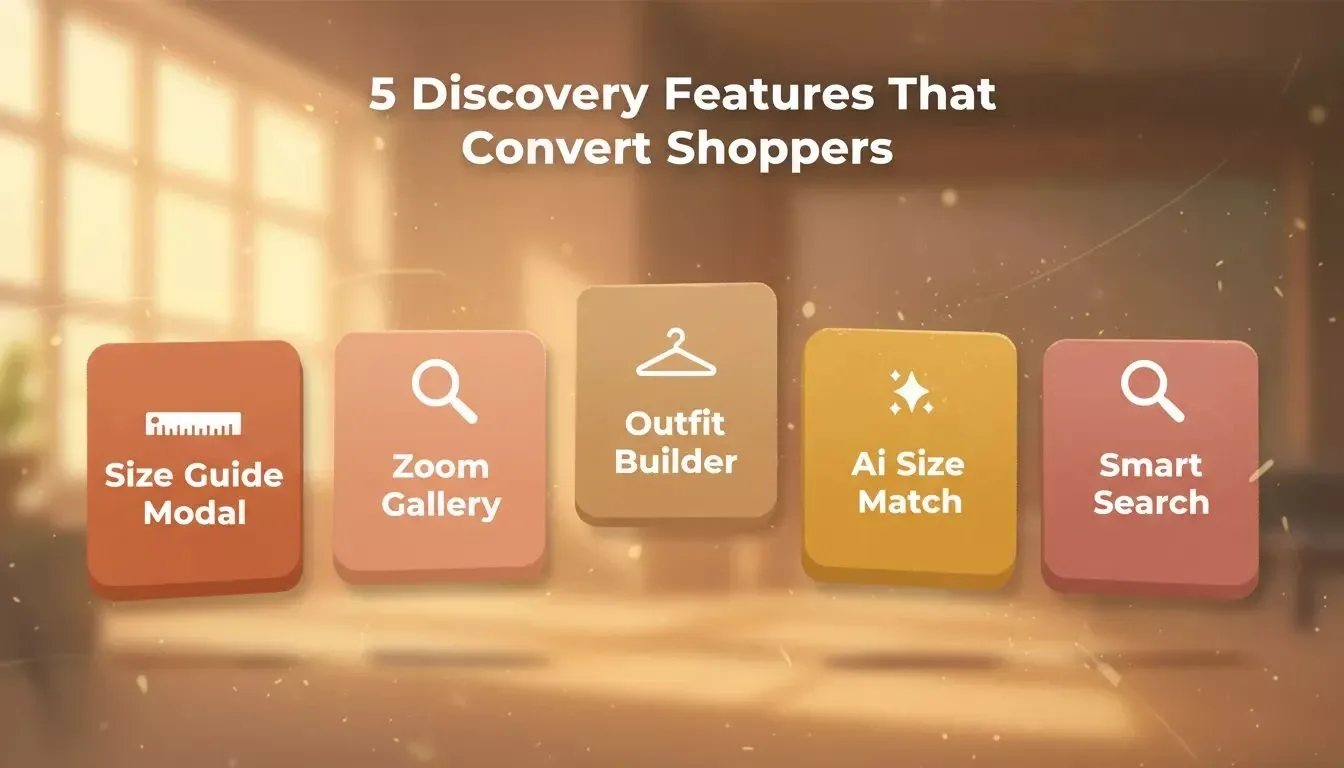
Five discovery features that move shoppers from browsing to buying, all built from single prompts in Rocket.
Phase Three: Shopping Experience Prompts That Convert
These five prompts handle the path from "I want this" to "I bought it" and the recovery flow when someone drops off. The average fashion ecommerce conversion rate sits near 2.9%, meaning 97 out of 100 visitors leave without buying. These prompts specifically target the moments where shoppers abandon the process.
Prompt 9: Wishlist
Add a wishlist feature backed by Supabase so saved items persist across sessions. Customers tap a heart icon on any product card or product details page to save an item. Show a wishlist screen accessible from the navigation with all saved items in a grid. Each card shows current price, stock status, and a "Move to Cart" button. If an item drops in price or hits low stock, show a small badge on the wishlist icon in the nav.
What Rocket shows you: Heart icons on every product card. A dedicated wishlist page with item cards and quick actions. Wishlist data persists in Supabase across devices.
Refine with: "Send an email notification via Resend when a wishlisted item drops below the original price point."
Prompt 10: Cart With Size And Color Confirmation
Build a shopping cart showing each item with its name, product image, chosen size, chosen color swatch, quantity selector, and line price. Add a cart summary with subtotal, estimated shipping, discount code field, and total. Show a warning badge if any cart item has low stock remaining. Use a sticky "Proceed to Checkout" button on mobile.
What Rocket shows you: A clean cart page with item cards displaying the selected size and color next to each product.
Refine with: "Add a 'You might also love' recommendation row below the cart items based on the product category of items already in the bag."
Prompt 11: Stripe Checkout Integration
Integrate Stripe checkout. Support credit card, Apple Pay, and Google Pay. Show a step indicator for the checkout flow: shipping address, shipping method, payment, and order review. Apply any active discount code on the payment step. Display the total amount clearly before the customer confirms purchase. Save the completed order to Supabase on success.
What Rocket shows you: A multi-step checkout with a progress bar. Stripe payment fields render in step three. Order records persist in Supabase.
Refine with: "Add express checkout for returning customers with a saved Supabase address so they skip the shipping step."
For a detailed walkthrough of wiring Stripe into any Rocket build, see the Stripe connector guide.
Prompt 12: Order Confirmation Via Resend
After a successful purchase, send an order confirmation email using Resend. The email includes order number, item list with sizes and colors, shipping address, estimated delivery date, and a "Track Your Order" link. Style the email to match the boutique brand tokens: same logo, colors, and fonts. Also show an on-screen confirmation page with identical details and a "Continue Shopping" button.
What Rocket shows you: An on-screen confirmation with full order details plus a styled brand email in the customer inbox.
Refine with: "Add a social media share button on the confirmation page that generates a short message about the purchase."
Prompt 13: Abandoned Cart Reminder Via Twilio WhatsApp
Set up an abandoned cart flow using Twilio WhatsApp. If a customer adds items but does not check out within two hours, send a friendly WhatsApp message listing the cart contents with a direct link to complete the purchase. Send one follow-up message 24 hours later with a small discount code if the cart is still open. Match the message tone to the boutique brand voice: warm, premium, not pushy.
What Rocket shows you: A WhatsApp message template connected to the cart trigger. The admin dashboard logs sent messages with delivery and click status.
Refine with: "Add 'Reply STOP to opt out' to every message for compliance and let customers manage notification preferences from their Supabase profile."
Phase Four: Store Operations Prompts For Daily Runs
A live boutique needs backend systems. These four prompts set up inventory tracking, bulk upload, discount management, and returns, the operations layer that keeps a clothing store running daily.
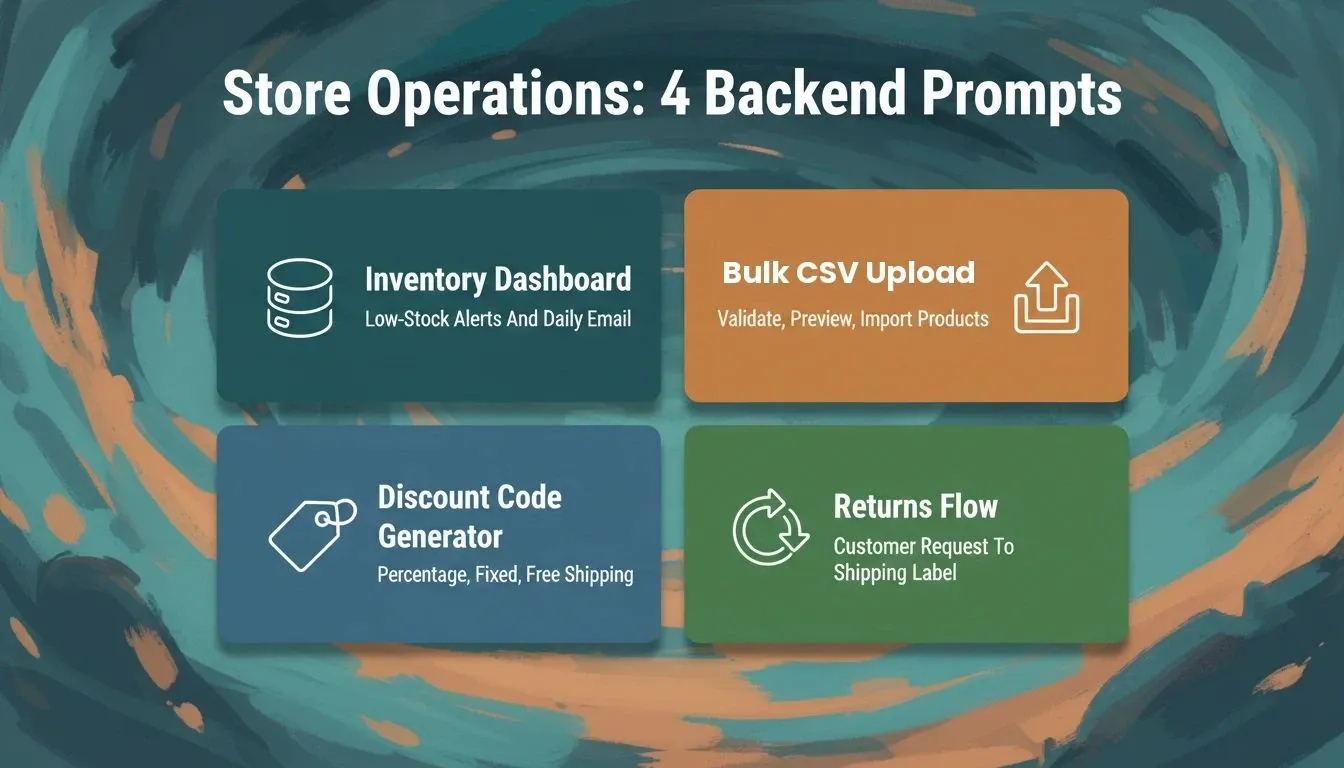
Phase 4 operations prompts cover every backend system a live fashion boutique needs to run daily.
Prompt 14: Inventory Dashboard With Low-Stock Alert
Build an admin inventory dashboard reading stock counts from Supabase. Show all products in a sortable table with columns for product name, category, available sizes, stock count per size, and restock status. Highlight any item below 5 units in a warning color for low stock visibility. Send a daily email alert to admin via Resend when stock drops below threshold. Add quick filters by category and stock level.
What Rocket shows you: An admin-only dashboard with a searchable inventory table pulling live data from Supabase. Low stock rows appear highlighted.
Refine with: "Add a 'Restock Request' button on each row that sends a message to the supplier contact on file."
Prompt 15: Bulk CSV Product Upload
Add a bulk upload feature to the admin panel that imports product data into Supabase. Admin uploads a CSV with columns for name, description, price, sizes, colors, fabric, category, collection, and image URLs. Validate the file before importing: flag missing fields, bad price formats, and duplicate product names. Show a preview table before final import. After processing, display a summary with counts of successful and failed rows.
What Rocket shows you: An upload area, validation report with row-level details, preview table, and post-import summary screen. Data writes directly to Supabase.
Refine with: "Add a downloadable CSV template link with all column headers pre-filled so staff can copy the format."
Prompt 16: Discount Code Generator
Create a discount code management screen for admin. Support percentage-off, fixed-amount-off, and free-shipping code types. Each code has a name, value, minimum purchase amount, start and end dates, usage limit, and a target customer segment option. Store all codes in Supabase. Show active, expired, and scheduled codes in separate tabs. Include a "Generate Random Code" button for quick creation of promotional codes.
What Rocket shows you: A tabbed admin page with code management, one-click generation, and a copy button for sharing each code.
Refine with: "Add a sales counter showing how many times each code was used and the total revenue driven by that specific code."
Prompt 17: Returns And Exchange Request Flow
Build a returns and exchange request flow. From order history in Supabase, customers select an order, pick an item to return or exchange, choose a reason from a dropdown list, and add an optional note with a photo upload to Supabase Storage for damaged items. The request goes to an admin review queue. Admin can approve, reject, or request more details. Approved returns auto-generate a shipping label and update inventory stock counts in Supabase.
What Rocket shows you: A customer-facing returns form linked to Supabase order history, plus an admin review panel with approve and reject actions.
Refine with: "Send a confirmation email via Resend with the shipping label attachment when the return request is approved."
Phase Five: Reporting And Polish Prompts
The final three prompts add the reporting layer that separates a quick prototype from a real production store. Paste these once your operations prompts are live.
Prompt 18: Revenue By Category Dashboard
Add a revenue dashboard to the admin panel querying Supabase order data. Show a bar chart of total sales broken down by product category for the current month. Include a date range selector, a total revenue card, an average order value card, and a detail table listing each category with order count and total revenue. Use the brand accent colors in the chart for a consistent look.
What Rocket shows you: A visual reporting screen with a category bar chart, summary cards, and a data table, all pulling live from Supabase.
Refine with: "Add a month-over-month comparison toggle that shows last month numbers side by side."
Prompt 19: Best-Seller Leaderboard
Create a best-seller leaderboard for admin and staff querying Supabase order line items. Rank products by units sold in the selected time period. Show rank, product name, thumbnail image, category, units sold, and revenue per item. Highlight the top three sellers with a badge. Allow filtering by collection and season so the team can see what sells best during each drop.
What Rocket shows you: A ranked leaderboard table with top-three badges, collection and season filters, and a clean data layout.
Refine with: "Add an export button that downloads the leaderboard as a CSV for external reporting."
Prompt 20: Customer Lifetime Value Chart
Build a customer lifetime value chart for admin using Supabase order data. Calculate CLV based on average order value, purchase frequency, and customer lifespan. Display the data as a line chart trending over twelve months. Add summary cards for average CLV, highest-value customer tier, and month-over-month change. Include a segment breakdown for new versus returning customers below the main chart.
What Rocket shows you: A CLV dashboard with a line chart, summary cards, and a segment comparison view.
Refine with: "Add a customer cohort view that groups buyers by their first purchase month."
After these twenty prompts are running, paste three more refinement prompts for polish: add a lookbook gallery page with styled outfits tagged by seasonal collection, design custom empty states for zero-result searches and empty carts so the store never looks broken, and request a mobile-responsive Flutter build so your boutique runs natively on iOS and Android from one codebase. The Supabase connector docs explain how to connect an existing Supabase project if you already have one set up.
Five-Phase Fashion Store Build Flow
The build sequence runs in five phases: Foundation (auth, catalog, brand tokens), Discovery (size guide, zoom gallery, outfit builder, AI sizing, search), Shopping (wishlist, cart, Stripe checkout, order email, abandoned cart), Operations (inventory, CSV upload, discount codes, returns), and Reporting (revenue charts, best-seller board, CLV dashboard). Each phase depends on the Supabase data structures created in the previous one, so do not skip ahead.
Where Rocket Fits Your Fashion Boutique Build
You now have twenty prompts covering all five phases. Most generative AI tools produce text: product descriptions, marketing copy, style suggestions. Rocket produces the actual working boutique app. Describe a fashion store with Stripe checkout, AI size recommendations, and a seasonal lookbook, and Rocket generates production-ready screens with real code and one-click deployment.
| Feature | Rocket | Bolt | Lovable |
|---|---|---|---|
| Research before build (Solve) | Yes | No | No |
| Competitor tracking (Intelligence) | Yes | No | No |
| Supabase backend, auto-scaffolded | Yes | Manual setup | Manual setup |
| Stripe, Resend, Twilio in one prompt | Yes | Partial | Partial |
| Flutter native iOS/Android output | Yes | No | No |
| 25+ connectors wired from chat | Yes | Limited | Limited |
| Context carries across sessions | Yes | Resets | Resets |
Rocket is the only AI builder that combines pre-build research, auto-scaffolded Supabase backend, and native Flutter mobile output.
-
Copy a prompt, paste it into Rocket, and get a working screen in minutes. No developer, no designer, no waiting.
-
Iterate through conversation. After the first build, refine any screen with follow-up prompts.
-
Ship to production with one click. Your boutique goes live with a shareable URL, custom domain support, and built-in analytics.
-
25+ integrations built in. Stripe, Resend, Twilio, Supabase, Google Analytics: connect once and they work across every screen of your store.
What about other AI tools? Builders like Bolt and Lovable generate screens from prompts, but they start from a blank slate every time. For a full breakdown of how these platforms compare, the Rocket vs Bolt vs Lovable comparison goes deeper on the architectural differences. And if you want to take your boutique native, the Flutter mobile app guide walks through the full prompt-to-app-store flow.
Your Fashion Boutique Is Twenty Prompts Away
These twenty prompts, pasted in order, create a store shaped around your specific clothing line, brand style, and target customer, with Supabase handling every bit of persistent data behind the scenes.
The tools have changed. Boutique owners who copy these prompts and paste them into Rocket today will have a production-ready store live while everyone else is still comparing website builders and waiting on developer quotes.
Ready to ship your fashion boutique without a developer or a template? Rocket turns every prompt in this guide into production-ready screens: Supabase backend, Stripe checkout, inventory dashboards, and all, in a single session. Start building your fashion store on Rocket and go from first prompt to live boutique today.
Table of contents
- -Before You Build: Validate The Niche With Solve And Intelligence
- -Why Does A Prompt-First Approach Change Everything?
- -Phase One: Foundation Prompts For Your Boutique
- -Prompt 1: Multi-Role Authentication
- -Prompt 2: Product Catalog With Size Variants And Color Options
- -Prompt 3: Brand Token Configuration
- -How Do Product Discovery Prompts Shape The Shopping Flow?
- -Prompt 4: Size Guide Modal
- -Prompt 5: Zoom Gallery With Fabric Details
- -Prompt 6: Outfit Builder
- -Prompt 7: AI Size Recommendation From Measurements
- -Prompt 8: Search With Filter Sidebar
- -Phase Three: Shopping Experience Prompts That Convert
- -Prompt 9: Wishlist
- -Prompt 10: Cart With Size And Color Confirmation
- -Prompt 11: Stripe Checkout Integration
- -Prompt 12: Order Confirmation Via Resend
- -Prompt 13: Abandoned Cart Reminder Via Twilio WhatsApp
- -Phase Four: Store Operations Prompts For Daily Runs
- -Prompt 14: Inventory Dashboard With Low-Stock Alert
- -Prompt 15: Bulk CSV Product Upload
- -Prompt 16: Discount Code Generator
- -Prompt 17: Returns And Exchange Request Flow
- -Phase Five: Reporting And Polish Prompts
- -Prompt 18: Revenue By Category Dashboard
- -Prompt 19: Best-Seller Leaderboard
- -Prompt 20: Customer Lifetime Value Chart
- -Five-Phase Fashion Store Build Flow
- -Where Rocket Fits Your Fashion Boutique Build
- -Your Fashion Boutique Is Twenty Prompts Away