The right AI prompt turns hours of design work into minutes. This blog shares 15 copy-paste prompts for hero sections, project showcases, branding pages, and technical features. Rocket delivers production-grade portfolios from a single detailed prompt.
How long should it really take to build a portfolio website?
According to Forbes Advisor, the average website with basic features takes three months to design traditionally. AI tools have compressed that timeline from months to minutes, but only when you feed them the right instructions.
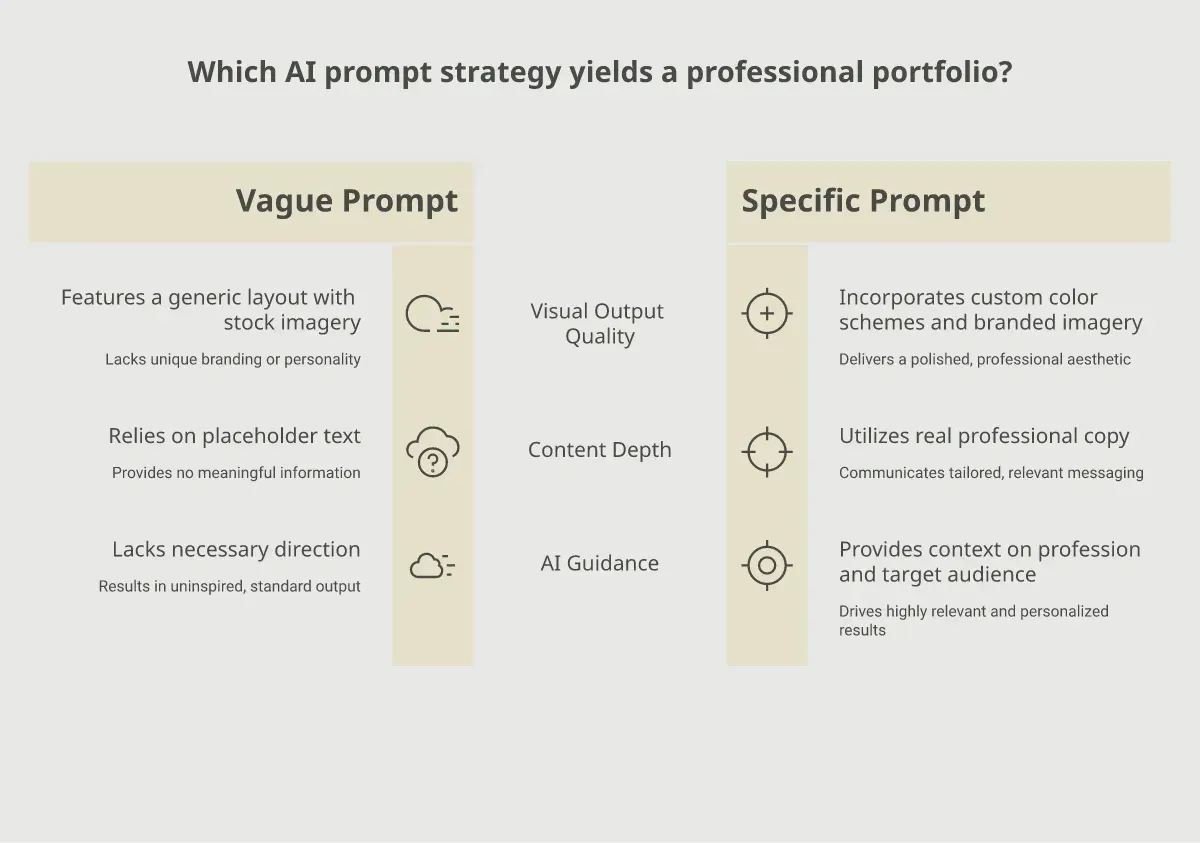
The difference between a generic template output and a polished, professional portfolio comes down to prompt structure. A well-crafted prompt gives the AI enough context to make smart design decisions on your behalf. A vague prompt produces vague results.
Think of your prompt as a creative brief. The more specific you are about your profession, audience, visual preferences, and technical needs, the closer the first output lands to your vision.
Every strong portfolio prompt contains these five building blocks:
| Component | What It Does | Example |
|---|---|---|
| Role Assignment | Tells the AI who to act as | "You are a senior frontend developer and UI designer" |
| Visual Direction | Sets aesthetic and color preferences | "Minimalist, dark theme with indigo accents" |
| Content Specifics | Defines actual text and structure | "Include a 3-project grid with case study links" |
| Technical Requirements | Declares framework and responsive needs | "Use React with Tailwind CSS, mobile-first" |
| Emotional Tone | Guides the overall personality | "Professional but approachable, not corporate" |
Missing any one of these components weakens the output. Stack all five, and the AI generates something that looks intentionally designed rather than randomly assembled.
What Are the Top Prompts for Hero Sections and First Impressions?
Your hero section carries enormous weight. Research from Behavior and Information Technology shows that users form an opinion about a website in just 0.05 seconds. That means your above-the-fold area needs to communicate professionalism instantly.
According to Colorlib's 2026 market data, around 40% of web designers now use AI tools daily. Here are four prompts that produce strong hero sections:
Prompt 1 - The Minimalist Developer Hero:
"Act as a senior UI designer. Create a responsive hero section for a full-stack developer's portfolio. Use a dark background (#0F172A) with a single accent color (#4F46E5). Include an animated typing effect for the headline showing different roles. Add a brief one-line bio, two CTA buttons (View Work, Contact Me), and subtle grid lines in the background. No stock photography. Mobile-first layout."
Prompt 2 - The Creative Designer Hero:
"Design a bold, full-screen hero section for a brand designer's portfolio. Use split-screen layout: left side has a large serif headline with the designer's name and specialty, right side shows a rotating carousel of three project thumbnails. Color palette: warm neutrals with one coral accent. Include a scroll indicator animation at the bottom."
Prompt 3 - The Freelancer Conversion Hero:
"Build a hero section optimized for converting visitors into clients. Include a clear value proposition headline (not just a name), a one-sentence description of who I help and how, social proof counter showing '50+ projects delivered,' a primary CTA button for booking a call, and a secondary link to case studies. Light background, high contrast text, professional sans-serif font."
Prompt 4 - The Motion-Forward Hero:
"Create an interactive hero section with scroll-triggered parallax layers. Background should feature abstract geometric shapes that respond to mouse movement. Overlay a large, bold name with a tagline that fades in on load. Add a floating navigation bar that appears after scrolling past the hero. Use glassmorphism for card elements."
Notice how each prompt specifies the profession, visual style, layout structure, and interactive behavior. That specificity is what separates a usable output from something you immediately discard.
Which Prompts Create the Strongest Project Showcases?
The project showcase section is where potential clients decide if your skills match their needs. Generic grid layouts with thumbnail images and one-word titles do not communicate the depth of your work. These four prompts generate showcase sections that tell a story.
Prompt 5 - The Case Study Grid:
"Design a projects section with a masonry grid layout showing 6 portfolio pieces. Each card should display: a full-width project thumbnail, project title, client industry tag, a one-sentence impact statement (like 'Increased conversions 34%'), and a hover state that reveals a 'View Case Study' button. Add filter tabs at the top for categories: Branding, Web Design, Mobile Apps. Animate cards on scroll entry."
Prompt 6 - The Before/After Showcase:
"Create a project section using a horizontal slider with before-and-after comparisons. Each project shows the old design on the left, the new design on the right, with a draggable divider. Below each comparison, include a brief results summary with key metrics. Use a clean white background and subtle drop shadows on the comparison frames."
Prompt 7 - The Interactive Timeline:
"Build a projects section displayed as a vertical timeline. Each node on the timeline represents a completed project, showing: year and month, project name, client logo placeholder, two-sentence scope description, and three outcome tags. The timeline should be scrollable with sticky section headers. Use alternating left-right layout for desktop, single column for mobile."
Prompt 8 - The Detail-First Layout:
"Create a single-project deep-dive page template. Structure: full-width hero image, project overview paragraph, challenge and solution sections side by side, a tools-used icon row, three key deliverable screenshots in a lightbox gallery, a results section with animated counters, and a 'Next Project' navigation link at the bottom. Design for long-form reading with generous white space."
The key pattern across these prompts is that each one asks for real professional content, not placeholder boxes. When you tell the AI to include impact statements, metrics, and scope descriptions, it generates a layout built around substance rather than decoration.
Pair these showcase prompts with your actual project data for the strongest results. Feed in real client names, industries, and outcomes so the AI structures the content around your genuine achievements.
How Do You Prompt for Personal Branding Sections?
A portfolio without personality is a forgettable portfolio. The branding sections, including your about page, skills display, and testimonial areas, are where visitors decide if they want to work with you specifically. These prompts generate sections that communicate your unique value.
Prompt 9 - The Story-Driven About Section:
"Write and design an About section for a UX designer with 8 years of experience. Structure it as a short narrative: start with what drew me to design, mention a career-defining project, state my design philosophy in one sentence, and end with what I do outside work. Include a professional photo placeholder on the left, text on the right. Add a downloadable resume button. Tone: confident, warm, not boastful."
Prompt 10 - The Dynamic Skills Visualization:
"Create a skills section that avoids basic progress bars. Instead, use an interactive constellation diagram where each skill is a node, and related skills are connected by lines. Larger nodes represent stronger skills. Group clusters by category: Frontend, Design Tools, Soft Skills. On hover, each node expands to show years of experience and a recent project where that skill was used."
Prompt 11 - The Social Proof Wall:
"Design a testimonials section with a staggered card layout. Each testimonial card includes: client quote (2-3 sentences max), client name and company, a small circular avatar placeholder, and the project type tag. Add a marquee-style slow horizontal scroll for visual interest. Include 6 testimonials total. Background: very light gray. Cards: white with subtle borders."
Prompt 12 - The Services and Process Section:
"Build a combined services and process section. Top half: three service cards in a row (Discovery, Design, Development), each with an icon, title, brief description, and starting price indicator. Bottom half: a four-step process flow showing how a project moves from inquiry to delivery. Use numbered circles connected by a dotted line. Keep the entire section to one viewport height on desktop."
Personal branding prompts work best when you inject your actual personality into the instructions. Mention your design philosophy, your communication style, and the kind of clients you want to attract. The AI mirrors whatever energy you put into the prompt.
How Rocket Transforms a Single Prompt into a Live Portfolio
Writing 15 separate prompts, debugging the output, and stitching sections together is one path to a portfolio. There is a faster one. Rocket takes a single, detailed prompt and generates a complete, production-grade web application with real design systems, responsive layouts, and deployment-ready code.
What sets Rocket apart from generic AI chat tools:
-
Full-stack generation: Rocket does not hand you a code snippet to copy-paste. It produces a working Next.js application with proper routing, components, and styling built in.
-
Project context memory: Every piece of information you share, from brand colors to client names, carries forward. You never re-explain context between iterations.
-
One-click deployment: Your portfolio goes live on a production URL with HTTPS, staging environments, and version history. No manual hosting setup required.
-
SEO and performance by default: Every build ships with clean semantic HTML, meta tags, Core Web Vitals optimization, and WCAG accessibility compliance. Not optional extras.
-
Iterate without restarting: After the first generation, refine through conversation. Change layouts, swap colors, add pages, all without regenerating from scratch.
Other AI builders generate what you tell them to generate. Rocket figures out what is worth building based on your context, then builds it. That distinction matters when your portfolio needs to compete with thousands of others for client attention.
Traditional prompt engineering across multiple AI tools means managing context, debugging code, handling hosting, and configuring domains yourself. With Rocket, the entire pipeline from prompt to live site collapses into one conversation.
Ready to skip the prompt-by-prompt approach? Describe your ideal portfolio to Rocket.new and watch it generate a complete, deployable website in minutes. No code, no hosting headaches, no design compromises.
Which Prompts Add Technical Polish and Advanced Features?
The final three prompts handle the features that separate amateur portfolios from professional ones. Dark mode support, smooth animations, and optimized contact forms signal that you care about craft at every level.
Prompt 13 - Dark Mode Implementation:
"Add a complete dark mode system to this portfolio. Create a toggle button in the navigation (sun/moon icon). Define color tokens for both themes: light uses white backgrounds with dark text, dark uses #0F172A background with #F8FAFC text. Accent color (#4F46E5) stays the same in both modes. Respect system preferences on first visit. Persist the user's choice in localStorage. Ensure all images, cards, and borders adapt properly."
Prompt 14 - Scroll Animations and Micro-Interactions:
"Add scroll-triggered animations throughout the portfolio. Hero elements should fade up on page load with staggered delays. Project cards should slide in from alternating sides as they enter the viewport. Skill bars should animate to their values when scrolled into view. Navigation links should have an underline slide-in effect on hover. Keep all animations under 400ms duration. Use CSS transforms only for performance. Add a subtle page transition when navigating between sections."
Prompt 15 - SEO-Optimized Contact Section:
"Build a contact section with: a two-column layout (left: heading, brief text, email link, social icon row; right: contact form). Form fields: name, email, project type dropdown, budget range selector, and message textarea. Add client-side validation with inline error messages. Include structured data markup for local business. Add an FAQ accordion below the form with 3 common questions about working together. Ensure the form is accessible with proper labels and ARIA attributes."
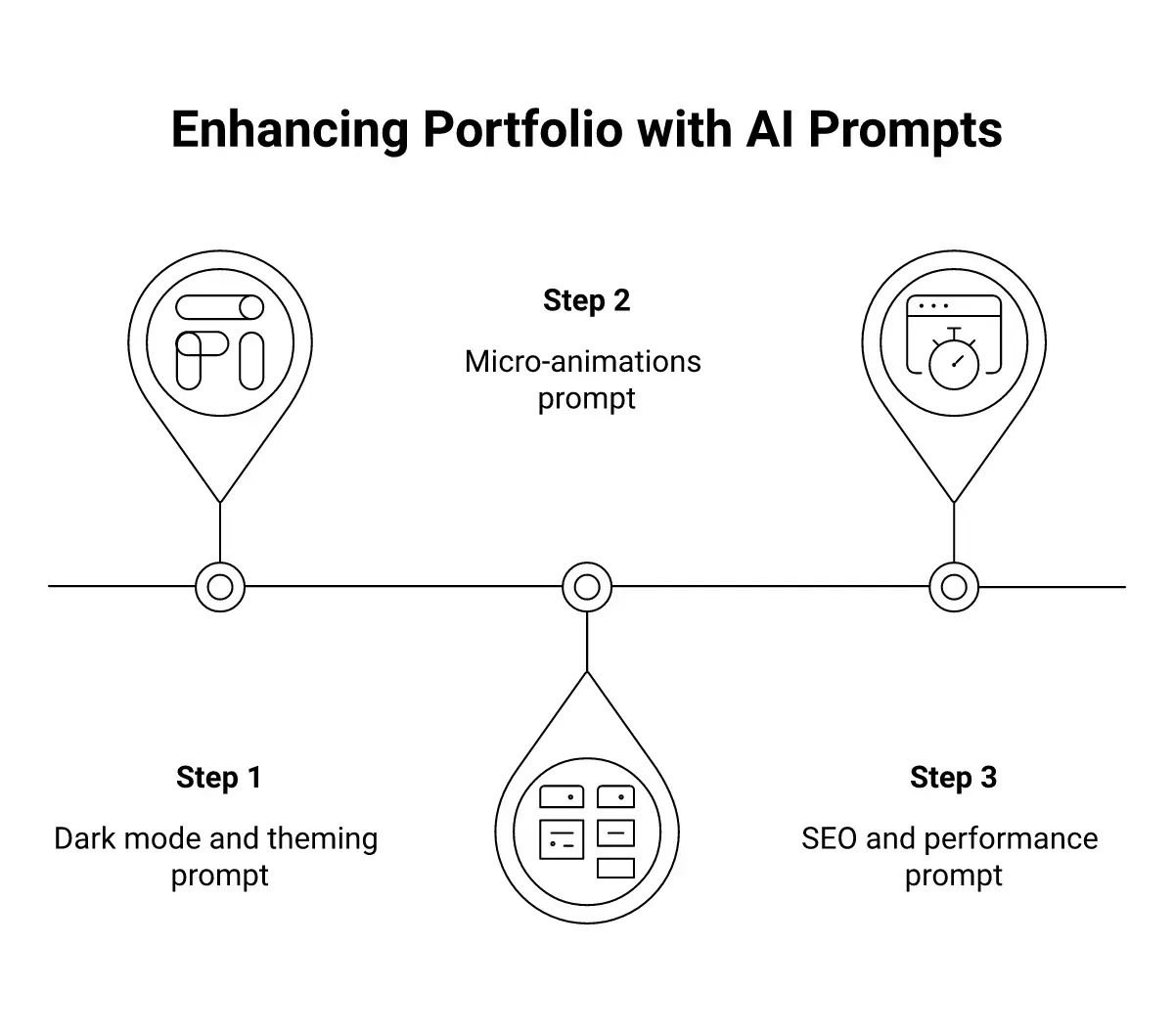
Layer these technical prompts on top of your existing portfolio sections rather than trying to include everything in a single generation. Build the structure first, then add polish. This iterative approach gives you more control over each layer.
If you want all of these technical features handled automatically, platforms with built-in performance optimization save significant time. Every Rocket build includes dark mode support, animations, SEO configuration, and accessibility standards without needing separate prompts for each.
What Mistakes Weaken Your Portfolio Prompts?
Even experienced developers make prompt mistakes that lead to generic outputs. Recognizing these patterns helps you write instructions that produce genuinely useful results on the first attempt.
-
Being too vague with visual direction: "Make it look modern" gives the AI nothing to work with. Specify exact colors, font categories, layout types, and reference styles instead.
-
Forgetting mobile behavior: Many prompts describe desktop layouts without mentioning how elements should restack, resize, or hide on smaller screens. Always include mobile-specific instructions.
-
Asking for too much at once: A single prompt requesting an entire portfolio site with 8 pages, animations, dark mode, and a CMS will produce scattered results. Break complex builds into focused prompts for individual sections.
-
Skipping the "who" context: Not telling the AI about your profession, target clients, or industry means it defaults to generic creative professional templates. Specificity about your audience produces specificity in the design.
-
Ignoring performance requirements: Prompts that request heavy animations, multiple carousels, and full-screen videos without performance guardrails produce sites that score poorly on Core Web Vitals.
A user on r/PromptEngineering shared their approach to generating beautiful landing pages: "With the release of Gemini 3 and Opus 4.5, I needed a prompt to generate landing pages quickly to test frontend capabilities of these models." Their key insight was that leading with exact context, such as audience, purpose, and tech stack, before making layout requests, consistently produced better results.
The pattern is clear. Context before requests. Constraints before creativity. Structure before style. Follow that order, and your prompts will outperform most attempts on the first try.
Your Next Portfolio Is One Prompt Away
The gap between idea and published portfolio has never been smaller. These 15 prompts give you a structured approach to generating hero sections, showcases, branding pages, and technical features that look intentionally designed. The key to all of them is specificity: tell the AI who you are, who you serve, and exactly how you want your work presented.
Whether you choose to iterate prompt by prompt or prefer a single-prompt approach that handles everything at once, the tools are ready. Your next client is searching for someone with your skills right now.
Stop building your portfolio the hard way. Describe what you want to Rocket.new and get a fully deployed, SEO-optimized portfolio website in minutes.
Table of contents
- -What Are the Top Prompts for Hero Sections and First Impressions?
- -Which Prompts Create the Strongest Project Showcases?
- -How Do You Prompt for Personal Branding Sections?
- -How Rocket Transforms a Single Prompt into a Live Portfolio
- -Which Prompts Add Technical Polish and Advanced Features?
- -What Mistakes Weaken Your Portfolio Prompts?
- -Your Next Portfolio Is One Prompt Away