
No-code web app builders let anyone ship production-ready apps without writing code. Rocket.new goes further with three pillars: Solve for research, Build for Next.js and Flutter apps, and Intelligence for competitor monitoring.
The best no-code web app builder lets teams go from idea to deployed app without writing a line of code. Modern platforms now handle UI, backend logic, and hosting in one place, making app creation faster and more accessible than ever before.
Is a No-Code Web App Builder Really Faster for App Creation?
Yes, and the data supports it. Gartner's 2021 low-code market report found that 70% of new apps will use low-code or no-code by 2025, driven by speed and cost gains. What that number actually signals is a structural shift, not a trend: the assumption that apps require developers is quietly becoming the exception rather than the rule.
Teams now build web apps in days rather than weeks. App development is no longer limited to professional developers, and non-technical users now ship powerful apps with visual tools and logic blocks.
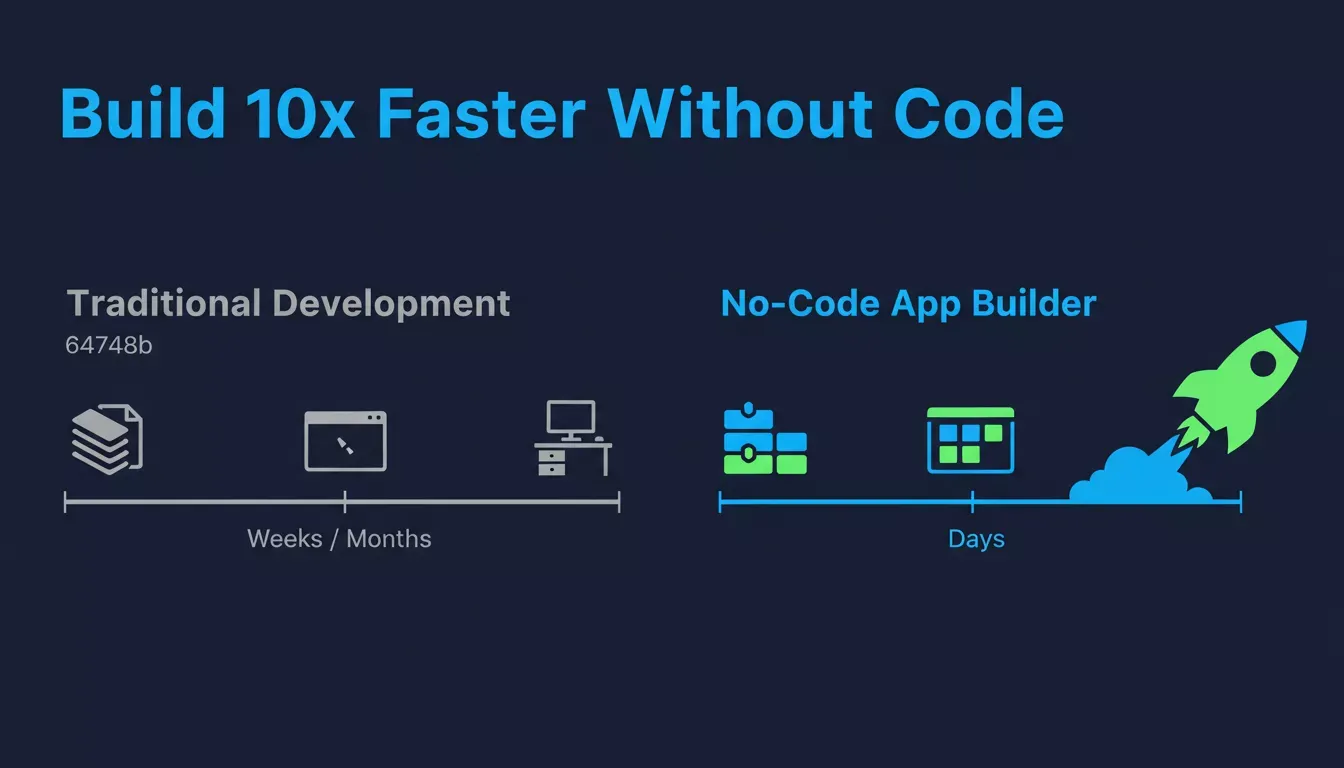
No-code builders cut development time dramatically compared to traditional coding workflows.
Why No Code Keeps Winning in Modern App Development
Consider what traditional app development actually involves: a developer writes the spec, another reviews it, a designer mocks it up, a backend engineer builds the data layer, and then someone integrates it all. That process can take weeks for something a no-code builder produces in an afternoon.
No code removes that friction by shifting the focus from syntax to outcomes. The visual editor replaces long files, and the logic builder replaces the backend engineer for most common workflows.
Low-code development still plays a role. Many no-code builders mix low-code options for deeper control, which suits professional developers who want speed with flexibility. The practical result for most teams:
- Faster app creation cycles with fewer handoffs
- Shared ownership between builders and stakeholders
- Iteration in hours, not sprint cycles
- Lower barrier for ops and product teams to ship their own tools
Most no-code apps now handle real business needs: customer portals, internal tools, and data-heavy workflows. The platforms that have grown fastest are the ones that stopped treating "no-code" as a limitation and started treating it as a design principle.
How to Evaluate Any No-Code Platform
Here is where most teams get this wrong: they evaluate no-code platforms on features rather than on fit. A platform with 50 integrations is useless if it cannot handle your data model. A beautiful drag-and-drop editor is a trap if the output is locked in a proprietary format you can never export.
Before committing to any platform, these are the questions worth sitting with:
- Does it output real, exportable code you own?
- Does it support both web and mobile, or just one?
- Can it connect to the tools your team already uses?
- What happens when you outgrow it, is there an exit path?
- Does it include any pre-build research or post-launch monitoring, or is it just a builder?
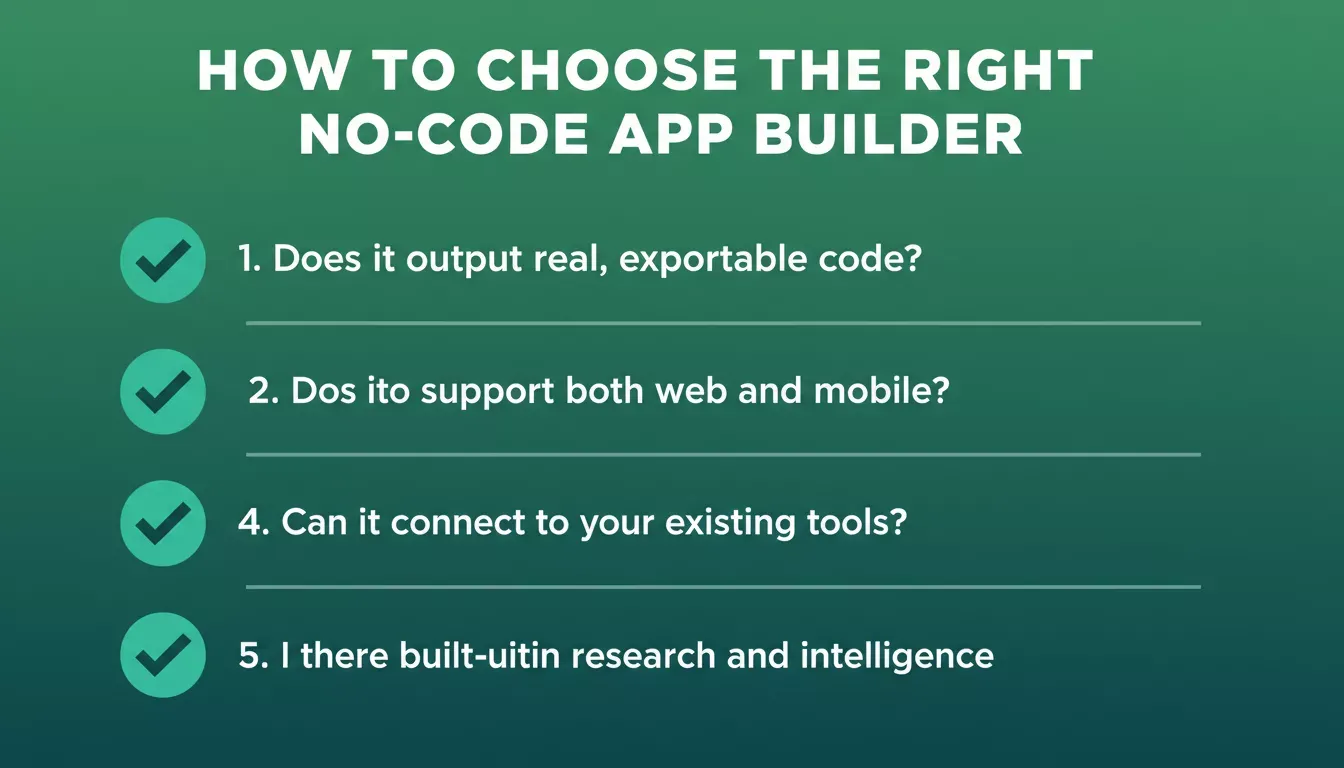
Use this checklist to evaluate any no-code platform before committing.
A strong no-code app builder offers:
- Visual programming with logic blocks and a clean UI editor
- Backend logic that scales, not just a form-to-spreadsheet pipeline
- Real code output you can download or push to GitHub
- Built-in hosting with one-click deployment
Platforms like Bubble and Glide serve simpler use cases well. FlutterFlow and Adalo add native mobile depth. Rocket.new takes a different approach entirely by combining app building with pre-built research and post-launch competitor monitoring in one product. For a direct comparison, see how Rocket.new stacks up against Bubble.
Web App Builders Compared at a Glance
| Feature | Basic Builders | Advanced Builders | Rocket.new |
|---|---|---|---|
| Drag-and-drop UI | Yes | Yes | Yes, with AI generation |
| Backend logic | Limited | Full support | Full support |
| Native mobile (iOS/Android) | Rare | Supported | Flutter, App Store and Google Play |
| Progressive web apps | Sometimes | Common | Yes |
| Enterprise-grade security | Limited | Strong | Strong |
| Custom code access | Not allowed | Optional | Full source code download |
| Pre-build market research | No | No | Yes, via Solve |
| Competitor monitoring | No | No | Yes, via Intelligence |
| Output stack | Proprietary | Proprietary | Next.js (web) and Flutter (mobile) |
Most no-code builders now support output for both web and mobile apps. The column that matters most in this table is "Custom code access", it determines whether you own what you build or whether you are renting it.
Data, Logic, and Control Inside No-Code Apps
A lot of teams discover this the hard way: Google Sheets works fine as a backend for a prototype, but it starts breaking down faster than expected. Row limits, formula complexity, and multi-user conflicts tend to surface within the first month of real usage. Most teams would be better served starting with a proper database from day one, even if it feels like overkill early on.
The best no-code platforms handle data with clarity and give builders visual control without hiding the complexity. Key things to look for:
- Relational data structures, not just flat tables
- Logic blocks that handle conditional workflows without becoming spaghetti
- API connections that do not require a developer to configure
According to Forrester Research, organizations using low-code and no-code platforms reduce development time significantly. Some no-code apps also allow custom code injection, which helps teams extend features without switching platforms entirely.
For teams building data-driven apps, Rocket.new's AI app builder with database integration covers how Supabase connects directly into the build flow, handling schema, auth, and queries from a single prompt.
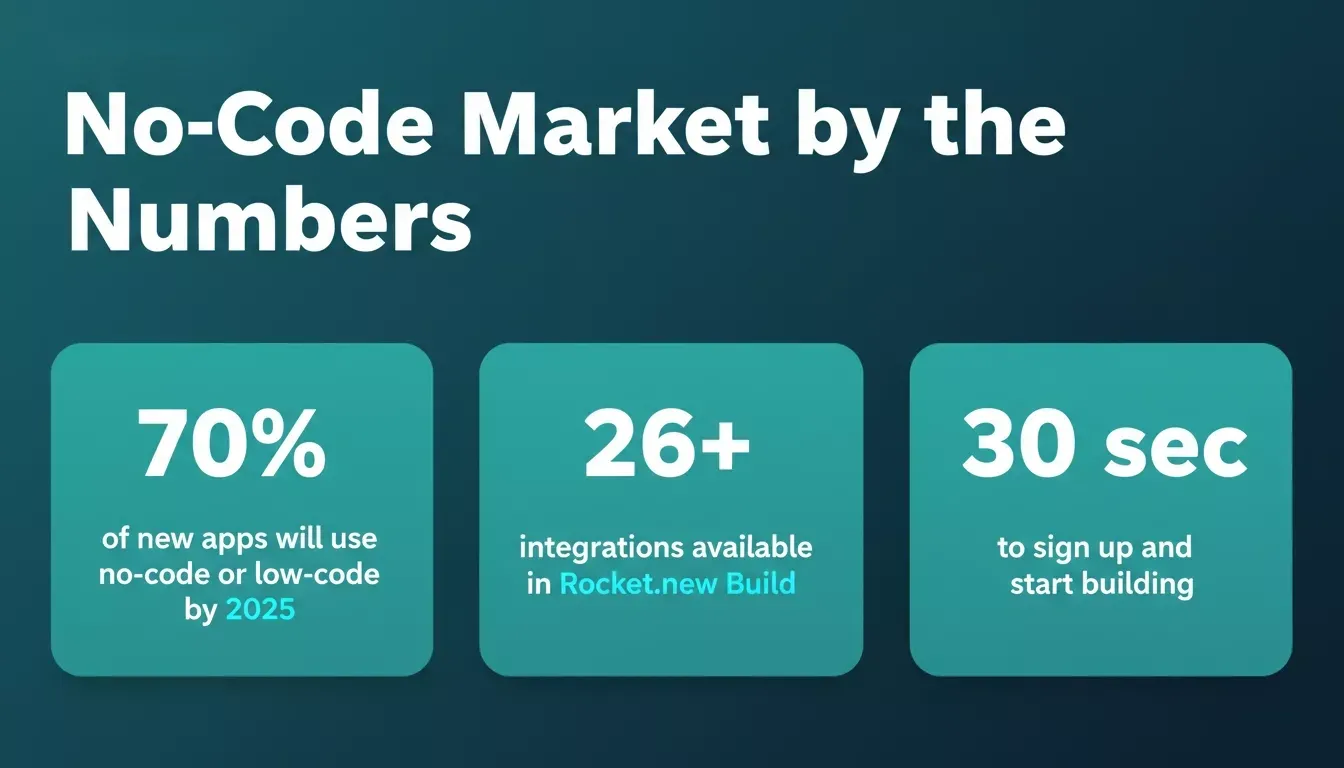
Key stats behind the no-code movement and what Rocket.new brings to it.
The No-Code App Development Workflow
A well-structured no-code workflow takes a team from a validated idea to a live product in a predictable sequence. The steps below apply whether you are building a simple internal tool or a full SaaS product.
- Validate: research the market and confirm demand before building
- Design UI: build screens with drag-and-drop components in the visual editor
- Add logic: set up data models, workflows, and authentication
- Connect APIs: wire in payments, email, analytics, or third-party services
- Test: review the live preview before publishing
- Deploy: publish to a custom domain or submit to app stores
No-code app development: from idea validation to live deployment.
Learning Curve and Real Team Adoption
Most no-code tools promise ease. Fewer deliver it in a way that works for both a non-technical founder and a developer who wants to inspect the output code.
The honest version of the tradeoff: platforms optimized for beginners tend to hide complexity in ways that frustrate developers. Platforms optimized for developers tend to have steep onboarding that loses non-technical users in the first session. The platforms that have gotten this right are the ones that separate the two surfaces, a visual editor for the builder, a code view for the developer, without forcing either to compromise.
Mixed-skill teams building internal tools tend to find this balance most valuable. The ops person can build the form and the workflow; the developer can inspect and extend the generated code without rewriting it from scratch.
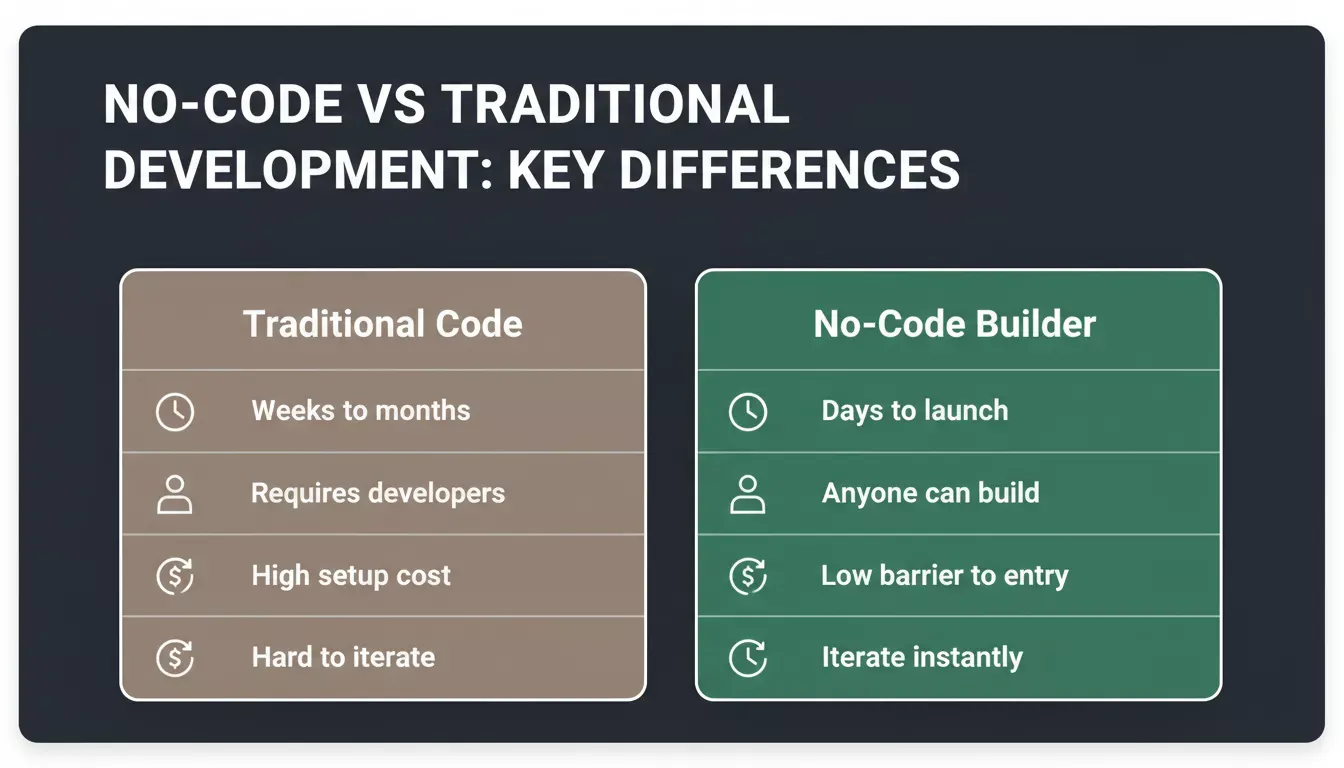
No-code removes the barriers that slow traditional development teams down.
Community Insight from Builders in the Wild
Real users often say it best. A Reddit user shared their experience testing Rocket.new for app building, noting that the platform's approach to app generation was worth sharing with the broader vibe coding community.
Other builders in the no-code space consistently surface two themes: the speed of the first working version and the ability to own and export the code when the project outgrows the builder. The second point is more important than it sounds. Teams that start on a platform with no export path often find themselves rebuilding from scratch 12 months later when the app needs something the platform cannot support.
Rocket.new: The Vibe Solutioning Platform
Most AI builders start when you arrive with an idea. Rocket.new starts earlier.
Rocket.new is a vibe solutioning platform that combines strategic research, AI app building, and competitive intelligence into a single product. The founding insight behind it is straightforward: the most expensive mistake in any product is not bad execution, it is a good execution of the wrong thing. Rocket.new is built to solve the first half of that problem, not just the second.
Three pillars, one platform:
| Pillar | What it does | What it produces |
|---|---|---|
| Solve | Validate ideas, run market research, create PRDs | Structured reports with data, insights, and recommendations |
| Build | Generate production-ready web and mobile apps from natural language | Next.js web apps and Flutter iOS/Android apps |
| Intelligence | Monitor competitors continuously | Daily Intel cards, pricing alerts, hiring signals, and trend briefs |
Rocket.new Build key features:
- AI generates full apps from simple natural-language prompts, with the architecture planned before the first line of code
- Production-ready Next.js code for web apps; Flutter for iOS and Android
- Visual UI editor with live preview and click-to-edit, no separate design tool needed
- 26+ integrations: Supabase, Stripe, HubSpot, Airtable, Notion, OpenAI, Anthropic, and more
- Full access to editable source code, download as a zip or sync to GitHub
- WCAG, GDPR, and SEO compliance built in by default, not as add-ons
- Staging and production environments with full version history and one-click rollback
One thing worth calling out: FlutterFlow's mobile output has a longer track record and a larger community of Flutter-specific resources. The tradeoff with Rocket.new is that you gain the research and monitoring loop, Solve and Intelligence, but if your entire focus is mobile-only with no need for market research or competitor tracking, that tradeoff is worth considering.
Sign up in about 30 seconds with Google, Apple, or email, with no credit card required. Browse ready-to-use templates to get your first app off the ground faster.
Ready to build your first app? Start building on Rocket.new for free.
AI-Powered Apps and the Next Phase of No-Code
AI connectors have gone from a differentiator to a baseline expectation in under two years. Every serious no-code platform now offers some form of AI integration, which means the question is no longer "does it support AI?" but "how well does it integrate AI into the actual build flow?"
Rocket.new Build supports OpenAI, Anthropic, Gemini, and Perplexity as first-class integrations, not bolted-on widgets, but connectors that generate the full UI, backend logic, and API calls from a single prompt. The result is a faster path from idea to a fully functional, AI-powered app.
For teams that want to go beyond building and start monitoring their competitive landscape, Rocket.new Intelligence delivers daily competitor signals across nine pillars, including product changes, pricing shifts, hiring velocity, and social media activity. Understanding how AI is changing product development is useful context for where this category is heading over the next few years.
Table of contents
- -Is a No-Code Web App Builder Really Faster for App Creation?
- -Why No Code Keeps Winning in Modern App Development
- -How to Evaluate Any No-Code Platform
- -Web App Builders Compared at a Glance
- -Data, Logic, and Control Inside No-Code Apps
- -The No-Code App Development Workflow
- -Learning Curve and Real Team Adoption
- -Community Insight from Builders in the Wild
- -Rocket.new: The Vibe Solutioning Platform
- -AI-Powered Apps and the Next Phase of No-Code