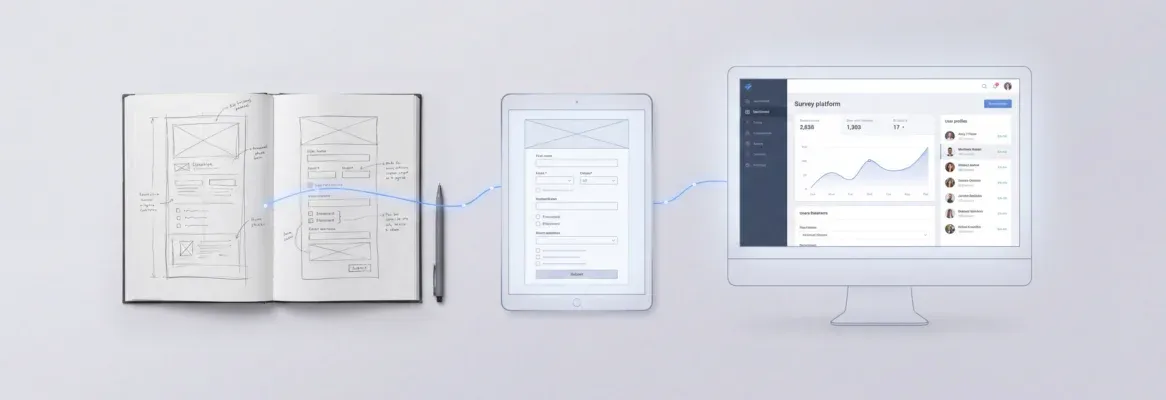
How fast can you turn an idea into a web app? Vibe coding uses AI and simple prompts to create complete apps quickly, reducing setup effort and helping bring ideas to life efficiently.
Can you really build a web app with Vibe Coding in minutes?
Yes, you can go from idea to a working web app in a few minutes using Vibe coding tools.
This new approach lets you describe what you want in everyday language, and AI tools generate the full app frontend, backend, database, and deployment without manually writing traditional code.
BI surveyed 167 software engineers about vibe‑coding. Over 45% of respondents said they felt they were keeping up with AI tools, and almost 17% reported feeling behind.
This blog guides the steps to build a web app with Vibe Coding in minutes, using simple prompts, AI-powered tools, and clear, practical examples.
What is Vibe Coding?
If you’ve ever wanted to build an app without getting lost in endless code, vibe coding is your shortcut. It’s all about letting AI handle the heavy lifting while you focus on ideas.
Key Points:
-
AI-Powered App Creation: You describe what you want in natural language, and AI tools generate most of the code for you.
-
Covers Everything: From layout and UI to backend logic and data handling, you don’t have to write a single line of code.
-
Fast App Development: Build apps quickly without spending hours on setup or boilerplate code.
-
Best Tools at Your Fingertips: Use the best vibe coding tools to guide the creation process efficiently.
-
Focus on Creativity: Skip the technical headaches and concentrate on designing features, UI, and user experience.
In short, vibe coding transforms app development into a fast, fun, and creative process. Whether you’re a beginner or an experienced creator, it lets you turn ideas into functional apps in minutes.
👉Worth a Quick Read: What is Vibe Coding: A Simple Guide for Developers Today
The Tools You Need to Build Your Web App
These are the categories of tools that make vibe coding possible:
| Tool Type | What It Helps With |
|---|---|
| AI tools | Turn plain English prompts into actual app logic |
| vibe coding tools | Platforms that do the heavy lifting app generation, deployment |
| Placeholders & prototyping tools | Quickly model UI without coding |
| Database assistants | Manage storage and data schema |
There are many tools out there, but let’s look at the ones that will make this guide real for you.
Rocket.new: The Vibe Solutioning Platform
Rocket.new is a vibe solutioning platform. It helps you build web and mobile apps from natural language descriptions or even from a Figma design file. Your web app can go from idea straight to live deployment in minutes, not months.
How Rocket.new Works
Rocket.new follows a simple loop:
-
Describe what you want the app to do.
-
The AI builds your app (frontend, backend, logic).
-
You refine with short prompts or visual tweaks.
-
You deploy live web apps instantly.
This workflow lets you skip manual setup and focus on ideas instead of configuration or writing endless code.
Top Features
-
Prompt‑to‑app generation: Create apps with natural language prompts.
-
Figma integration: Import designs and convert them into working apps.
-
Backend logic: Database, authentication, and business logic auto‑generated.
-
Live deployment: Publish web apps with a custom domain and hosting.
Use Cases
-
Landing pages: Simple marketing or portfolio sites built in minutes.
-
Interactive web apps: Full dashboards and SaaS tools with user login.
-
Internal tools: Admin panels, data interfaces, and company dashboards.
Rocket.new makes all of this possible through that single prompt workflow and integrated backend logic.
How to Build Your Web App in Minutes?
This process is designed to keep things simple and smooth. With vibe coding, you’re not stuck writing endless code. You guide the AI, make quick changes, and move forward step by step.
Think of this like a creative workflow. You start with an idea, shape it with prompts, and refine it as you go.
Step 1: Start with a Clear Idea
Everything begins with clarity. Before you open any tools, know what you want to build.
Key Points:
-
Decide the purpose of your app
-
Keep it simple, especially for your first side project
-
Focus on one main feature or problem to solve
-
Avoid analysis paralysis by not overplanning
A clear idea gives direction. It helps the AI generate better results and keeps your project on track.
Step 2: Sign Up on Rocket.new
Now it’s time to get access to your workspace and start building.
-
Create your account on Rocket.new
-
Access the dashboard where your apps are created
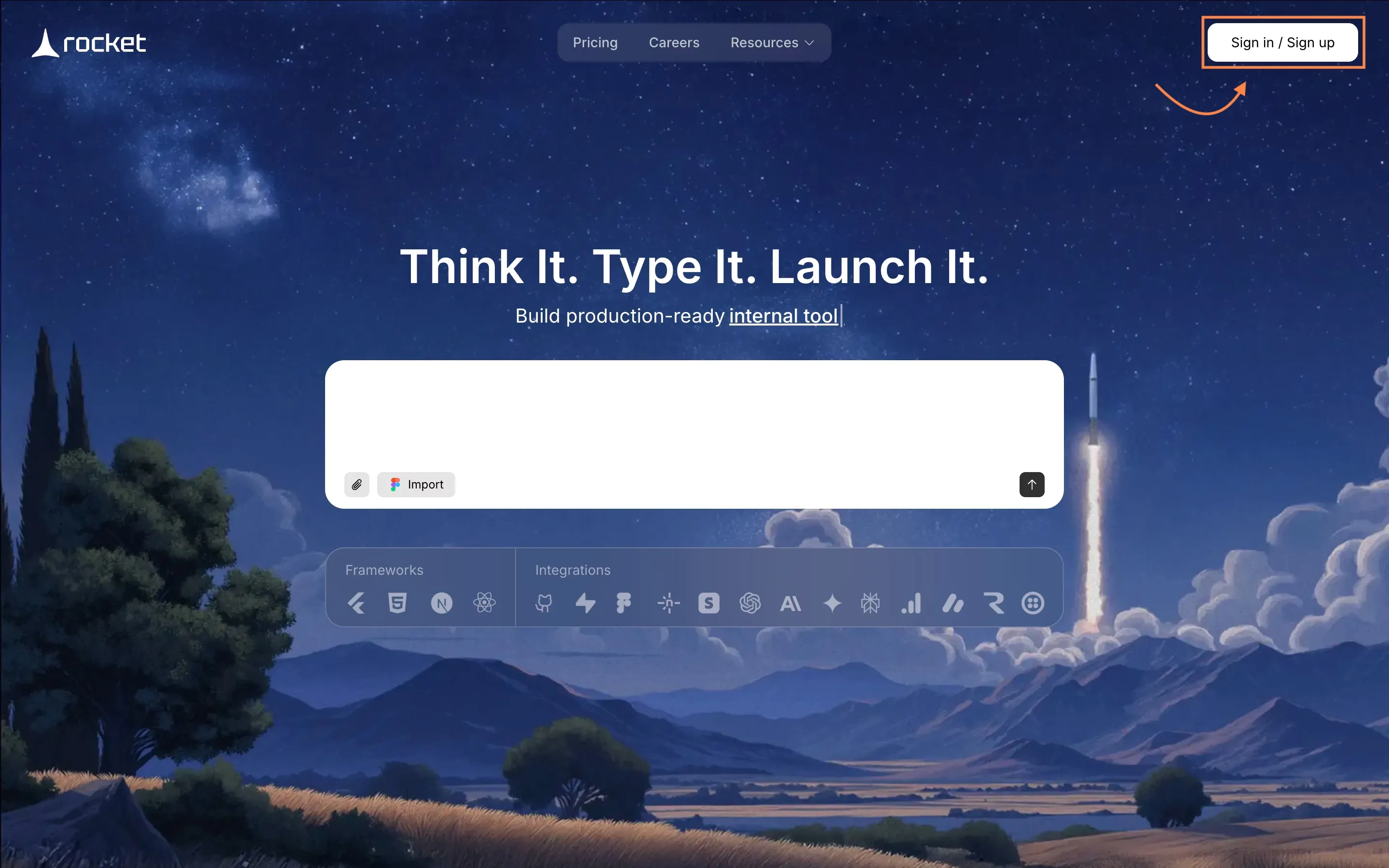
Once you're signed in, you're ready to create your app without worrying about setup or configuration.
Step 3: Write Your First Prompt or Choose a Template
This is where your idea turns into instructions for the AI.
-
Write a clear and simple prompt
-
Use natural language to describe your app
-
Or choose an existing template to speed things up
-
Include features, user actions, and layout in your prompt
Example Prompt:
“Build a web app where users can sign up, create posts, like content, and view a real time feed.”
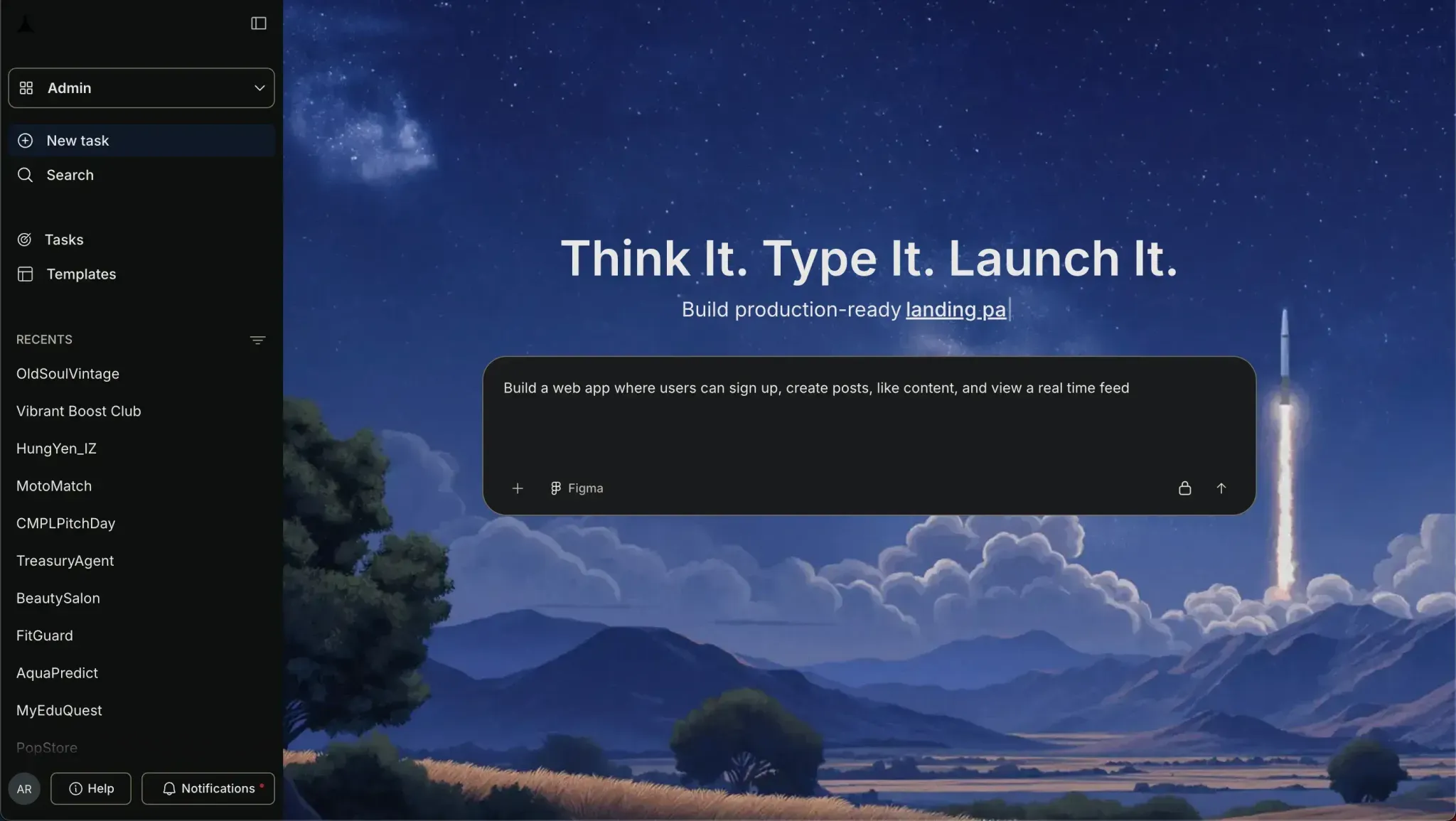
A good prompt sets the foundation. The clearer you describe, the better your app will turn out.
Step 4: Watch the App Build
Now let the AI do its thing while you observe the process.
-
The AI generates UI screens automatically
-
Backend logic and database are set up
-
Authentication and user flows are created
-
Everything appears in your browser in real time
Closing Note: This step shows the true power of vibe coding your idea becomes a working app in minutes.
Step 5: Modify and Add Features
Once you have your first version is ready. Now it’s time to improve it.
-
Add features using simple commands such as: " Add auth", "update app theme"....etc
-
Improve UI and layout step by step
-
Example changes:
◦ “Add dark mode”
◦ “Improve landing page design”
◦ “Add comment section”
-
No need to write a single line of code
This is where your app evolves. Small changes can quickly shape a better final product.
Step 6: Test Your App
Before launching, make sure everything works as expected.
-
Click through all features
-
Test user sign up and interactions
-
Check how data is stored and displayed
-
Fix any error using quick prompts
Testing helps you catch what might go wrong and improve the overall user experience.
Step 7: Launch Your App
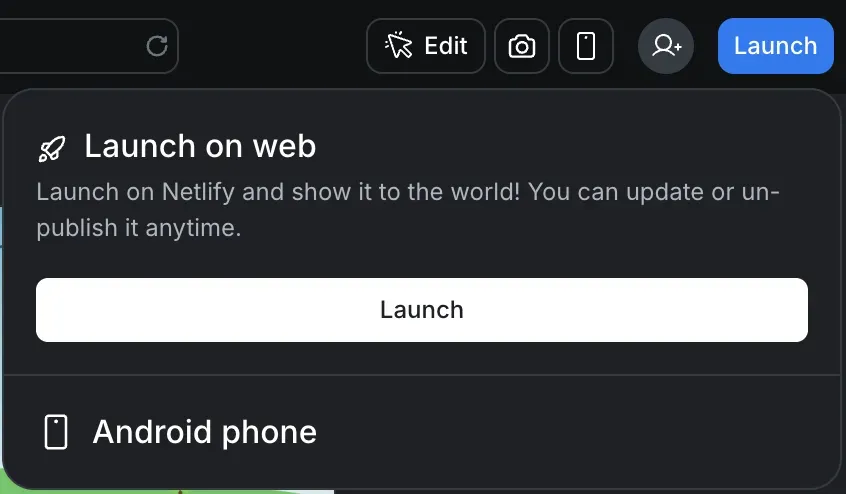
You’re ready to go live and share your project with the world.
-
Deploy your app instantly
-
Connect your domain if needed
-
Share your link with users
-
Make your project accessible online
Launching is the final step. Your idea is now a live app that others can use and interact with.
Tips That Keep Your Build Clean
Building fast is cool, but here are a few tips to keep things smart:
-
Clarify your prompt before you start.
-
Keep test cases simple test every feature as you go.
-
Use a dark mode toggle early if you want modern UI feels.
-
Save versions of your project in case you want to roll back.
These help you avoid common errors while building fast.
Build Faster, Smarter, and Without the Usual Hassle
Traditional web app development can feel slow and frustrating. It often takes weeks or even months to set up frameworks, manage databases, design screens, and handle deployment. For many, this leads to delays, confusion, and sometimes even dropping the idea altogether.
That’s where vibe coding changes things. Instead of going through complex setup and writing endless source code, you simply describe what you want, and AI tools generate the entire project for you. Platforms like Rocket.new make this process smooth by handling frontend, backend, and logic in one place.
The real shift here is speed and simplicity. You can now build web apps in minutes, even if you don’t come from a strong tech background. By using natural language prompts, you guide the AI and shape your app step by step. Once you understand the workflow, your ideas can quickly turn into working prototypes or even full products. This Step-by-Step Guide to Build a Web App with Vibe Coding in Minutes shows that building apps is no longer just for developers it’s for anyone ready to create and bring ideas to life.
Table of contents
- -What is Vibe Coding?
- -The Tools You Need to Build Your Web App
- -Rocket.new: The Vibe Solutioning Platform
- -How Rocket.new Works
- -Top Features
- -Use Cases
- -How to Build Your Web App in Minutes?
- -Step 1: Start with a Clear Idea
- -Step 2: Sign Up on Rocket.new
- -Step 3: Write Your First Prompt or Choose a Template
- -Step 4: Watch the App Build
- -Step 5: Modify and Add Features
- -Step 6: Test Your App
- -Step 7: Launch Your App
- -Tips That Keep Your Build Clean
- -Build Faster, Smarter, and Without the Usual Hassle