
Healthcare apps prioritize strong security, HIPAA compliance, and user-friendly experiences. As digital adoption rises, clinics leverage apps to streamline records, reduce errors, enhance communication, coordinate care, and empower patients with better access.
How to build a healthcare app for clinics?
It’s mostly about strong security, solid HIPAA compliance, and a smooth experience that both patients and providers like. The healthcare industry is racing toward digital solutions, too.
According to a report, ****80% of healthcare providers worldwide have already adopted digital health tools, and that number continues to rise as demand for better patient care and virtual services, such as scheduling and remote check‑ins, grows.
So, how can you build a healthcare app for clinics that checks all the boxes from protecting sensitive files to making sure patients can easily message their provider or manage prescriptions?
Let’s break it down step by step.
Why Clinics Need a Healthcare App?
Clinics are hectic places. Doctors, nurses, and staff juggle appointments, patient records, prescriptions, and billing. A well-built healthcare app simplifies all of this, making life easier for both providers and patients.
Key benefits include:
- Easy patient access: Patients can quickly view their info, appointments, and care plans.
- Efficient provider workflow: Send messages, update files, and track patient progress on the go.
- Virtual care support: Conduct video consultations or check-ins from home.
- Encourages healthier habits: Track medications, weight, diabetes, and mental health.
- Timely reminders: Send updates on prescriptions, appointments, or care plans.
- Better organization: Reduce errors, lost files, and miscommunications.
A healthcare app not only makes clinic operations smoother but also keeps patients informed, engaged, and connected to their care.
HIPAA Compliance and Security
Keeping patient info safe isn’t optional; it’s the law. In the United States, HIPAA protects personal health information (PHI), and any healthcare app handling this data must comply. Compliance covers privacy, data protection, and the proper conduct of staff and systems.

HIPAA compliance isn’t just a box to tick. It builds trust, keeps patients safe, and protects clinics from costly breaches.
Key Features for a Clinic Healthcare App
A clinic app should cover all aspects of patient care and clinic management.
Here’s what it needs:
- Patient Profiles: Store age, sex, health info, prescriptions, and insurance plans.
- Appointment Scheduling: Easily book, cancel, or reschedule.
- Virtual Care: Video consultations, chat messaging, and follow-ups.
- Medical Records Management: Upload, download, and update files securely.
- Prescriptions: Fill, review, and send electronic prescriptions.
- Billing & Insurance: Track health insurance coverage, pay bills, and manage claims.
- Notifications & Updates: Remind patients about appointments, new prescriptions, or follow-ups.
- Analytics & Reporting: Track patient trends, clinic performance, and care outcomes.
| Feature | Purpose |
|---|---|
| Patient Profiles | Quick access to age, sex, mental health status, diabetes info, and plans |
| Virtual Care | Conduct remote appointments and consultations |
| Prescriptions | Fill and manage prescriptions efficiently |
| Notifications | Keep patients informed about appointments and care plans |
| Security | Protect files, messages, and patient privacy |
These features make the app practical for providers, helpful for patients, and ensure smooth clinic operations while promoting better health outcomes.'
Designing for Patients and Providers
Your app should be intuitive. Patients shouldn’t feel like they need a PhD to book an appointment. Providers need access to comprehensive info, but without clutter. Clean UI, clear calls to action, and easy navigation make a huge difference.
A little humor never hurts. Small tooltips or friendly messages like “Your prescription is ready, high five!” can make the experience more human.
Community Insight
Here’s a real take from developers wrestling with healthcare app challenges online:
“No-code will get you a brand new disaste You really need to stay on top of security and regulations. You need quality developers, no way around it, and yes, you’re gonna have to offer decent incentives.” Reddit
This comment reflects a live discussion about rebuilding a healthcare app and the importance of deep technical control, maintainable code, and compliance in handling sensitive healthcare workflows, rather than quick fixes.
How to Build a Healthcare App with Rocket.new?
Building a healthcare app can feel overwhelming, but Rocket.new makes it approachable. You can go from idea to live, HIPAA-compliant app without worrying about messy backend code.
Step-1: Sign up on Rocket.new
Before starting, create an account on Rocket.new. Signing up gives you access to all the tools needed for app building.
- Create an account on Rocket.new.
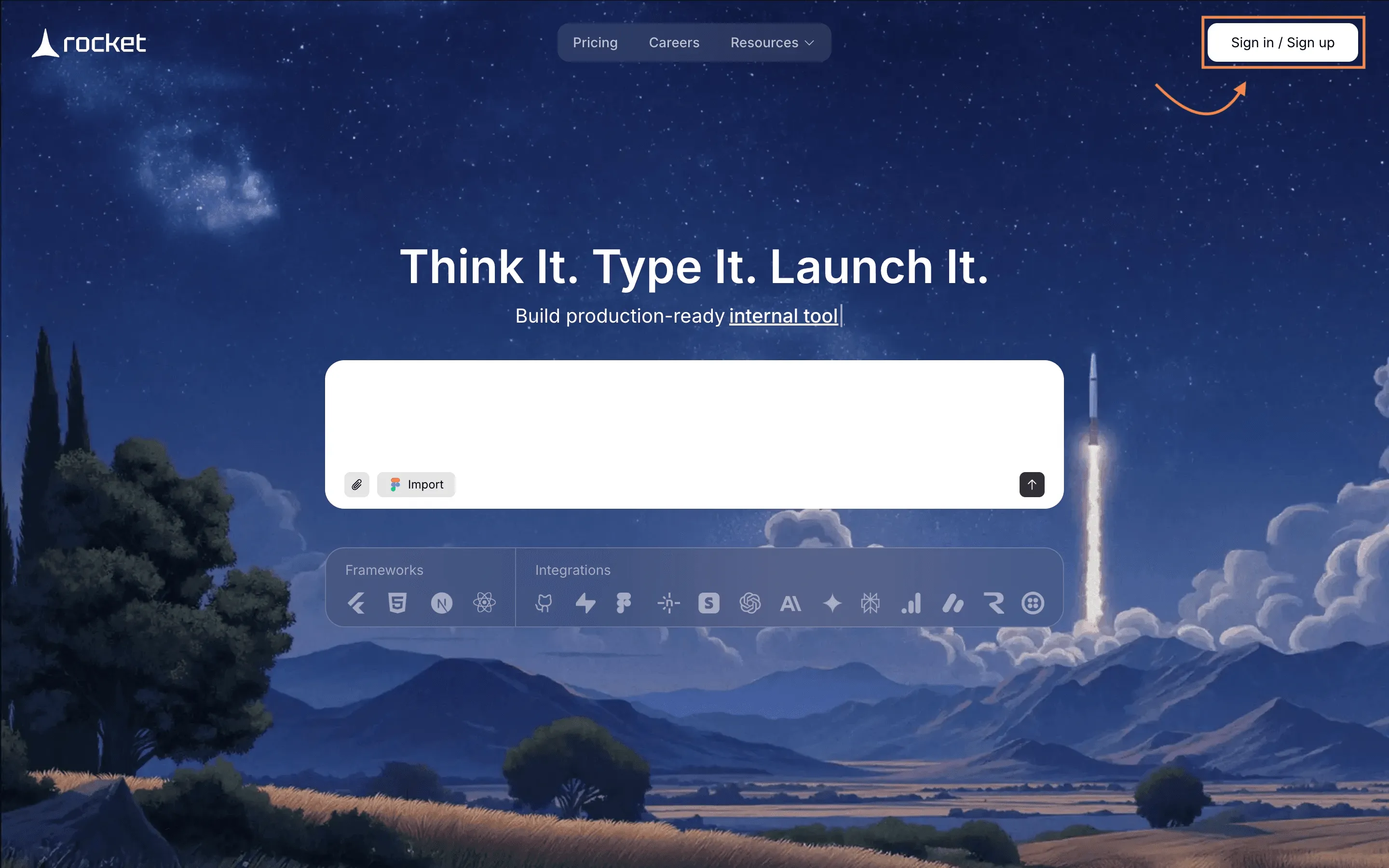
- Verify your email and set up workspace info.
- Explore the dashboard and get familiar with the interface.
Once signed up, you’re ready to turn your healthcare app idea into a real, functional project.
Step-2: Enter Your App Prompt
Your app starts with a clear description of what you want. A precise prompt ensures Rocket.new understands your app vision.
- Describe the clinic app features (patient profiles, virtual care, prescriptions).
- Optionally attach a reference image or wireframe.
- Specify additional functionality such as messaging, appointment scheduling, or insurance tracking.
Here’s a prompt you can use:
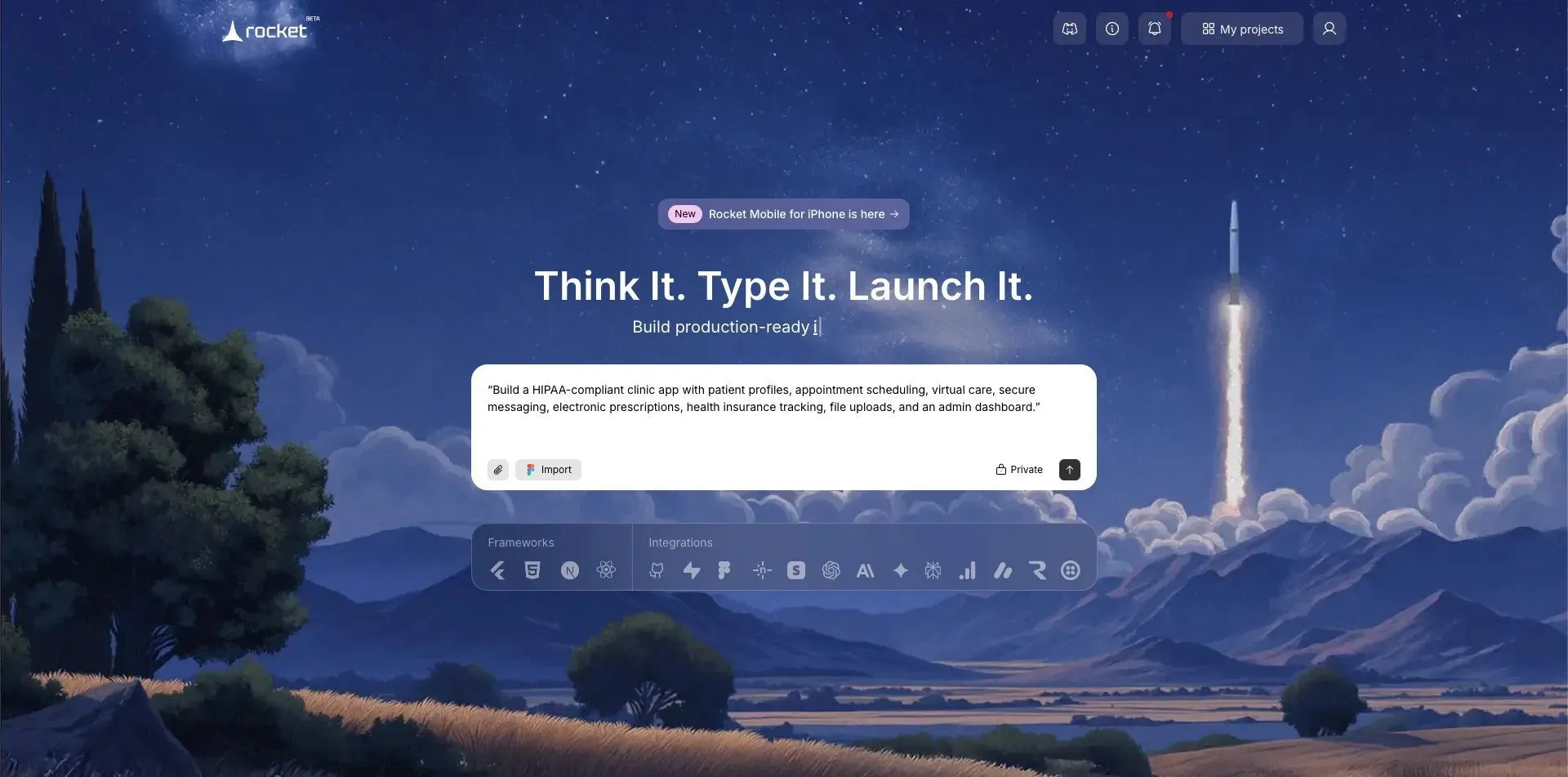
“Build a HIPAA-compliant clinic app with patient profiles, appointment scheduling, virtual care, secure messaging, electronic prescriptions, health insurance tracking, file uploads, and an admin dashboard.”
A well-crafted prompt lays the roadmap for your app and helps Rocket.new build it accurately.
Step-3: Choose Your Framework
The framework you pick determines how your app looks and performs. Rocket.new gives you flexibility here, so you’re not locked into just one setup.
- Choose Default Framework if you want Rocket.new to automatically select the best setup for your healthcare app.
- Choose a Customized Framework if you prefer specific options like React or Next.js.
- Rocket.new sets up the backend logic automatically in both cases.
- Think about future scalability, integrations, and updates before finalizing.
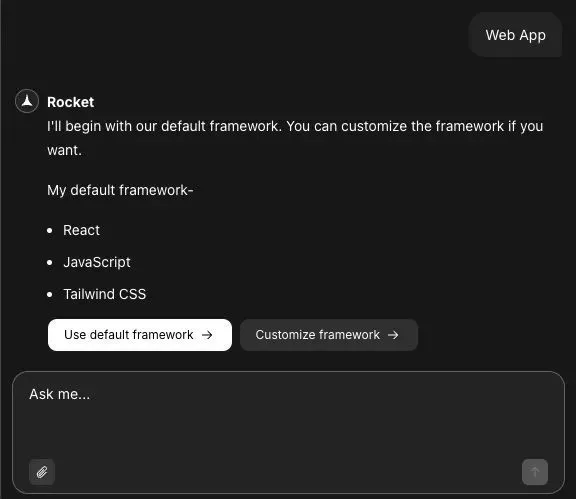
The right framework choice keeps your clinic app fast, secure, and ready for future updates without extra headaches later.
Step-4: Select Screens and Features
Next, define the core structure of your app. Screens and features decide how patients and providers interact with your app.
- Choose screens like patient profiles, appointments, virtual care, prescriptions, and messaging.
- Add security features like HIPAA-compliant file storage and encrypted messaging.
- Decide on notifications and updates for patients.
Careful selection of screens and feature sets lays a solid foundation for smooth workflows in the app.
Step-5: Watch Rocket.new Build Your App
Now the heavy lifting begins. Rocket.new processes your prompt and automatically generates app components, logic, and data flow.
- Monitor progress in real-time.
- Check generated pages, components, and backend setup.
- Preview outputs as Rocket.new builds your app.
You can relax while Rocket.new handles complex development tasks quickly and efficiently.
Step-6: Make Tweaks Using Features
After the initial build, review your app and make adjustments. This step ensures the app works perfectly for patients and providers.
- Preview the live app and adjust layouts or workflows.
- Add or remove features as needed.
- Customize messaging, notifications, and virtual care interfaces.
Learn more: how to use features and customize your app
Fine-tuning your app here ensures a polished, user-friendly experience before launch.
Step-7: Launch Your App
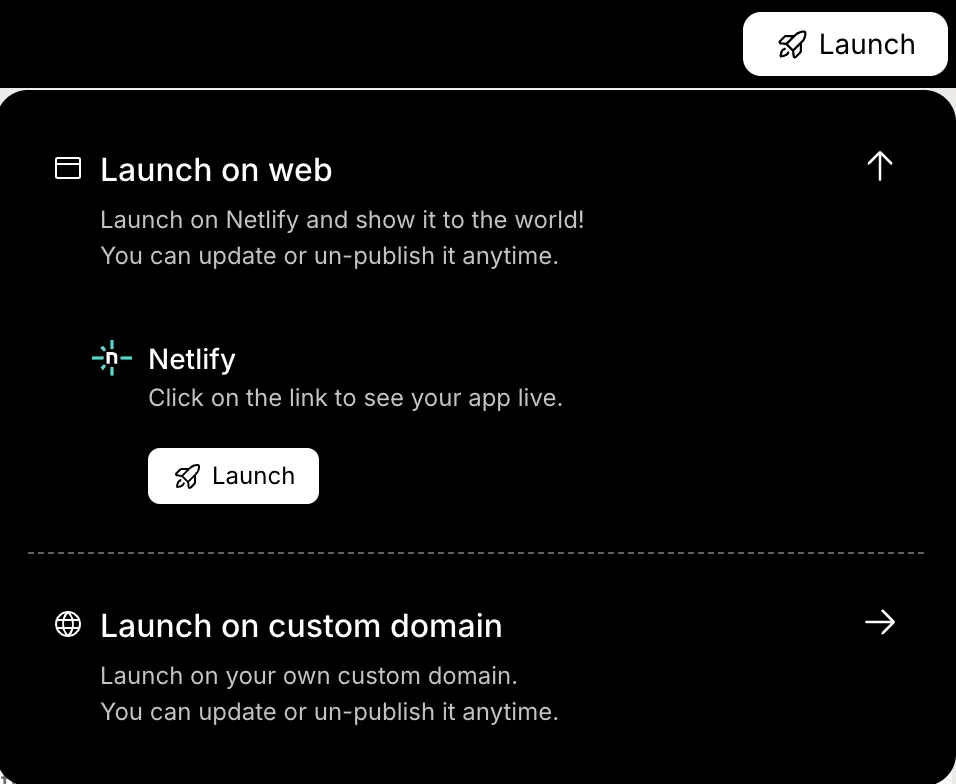
Finally, it’s time to make your app available to clinics and patients. Launching includes publishing and safely sharing access.
- Publish the app to a custom domain or test environment.
- Push updates for security, features, or UI improvements.
- Share access with patients and clinic staff.
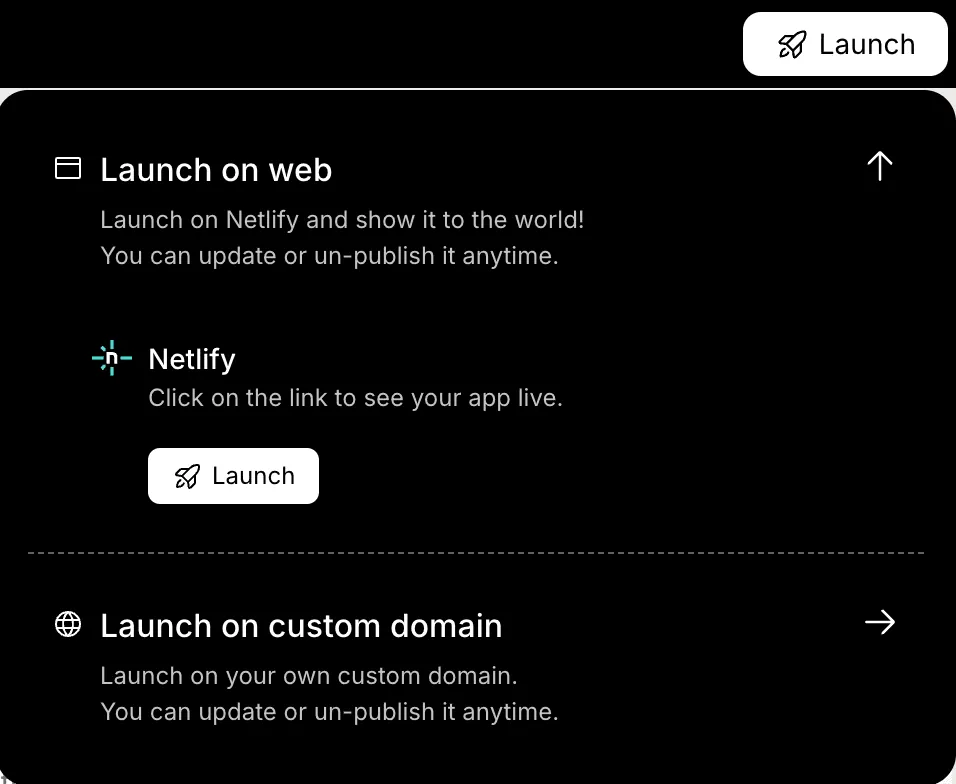
With the app live, patients can access care, providers can manage workflows, and your HIPAA-compliant clinic app is fully operational.
Rocket.new takes the stress out of building a healthcare app. Each step guides you from idea to launch while keeping your app secure, compliant, and ready for real patients.
Tips for Mental Health and Wellness Integration
Integrating mental health support is becoming standard. Apps can provide anxiety trackers, reminders to practice healthier habits, or quick self-help resources. Simple features like mood logs, meditation guides, and virtual check-ins improve patient engagement.
Promoting healthier habits and mental health care makes the app more than just a scheduling tool. Patients feel cared for, and clinics improve overall outcomes.
The Future of Healthcare Apps
Healthcare is moving fast, and digital tools are becoming part of everyday clinic operations. Apps are no longer just for booking appointments. They are becoming full care platforms.
What’s shaping the future:
- Virtual care expansion: More patients prefer video consultations and remote follow-ups.
- AI-driven insights: Smart systems can analyze health data and suggest next steps.
- Health insurance integration: Apps will simplify tracking plans, claims, and payments.
- Secure messaging: Real-time communication between providers and patients will be standard.
- Data analytics: Clinics can review trends, improve services, and make better care decisions.
Healthcare apps are becoming central to how clinics operate. Those who adopt modern, secure, and patient-focused solutions early will be better prepared for long-term growth and better patient care.
How to Build a Healthcare App That Works?
Clinics struggle to manage patient information, appointments, and prescriptions while staying HIPAA compliant. Lost files, delayed messages, and security risks are daily headaches.
Build a healthcare app that is secure, compliant, and user-friendly. Include features like patient profiles, virtual care, messaging, prescriptions, and insurance plan management. Follow HIPAA rules, encrypt files, and conduct regular security checks.
Creating a healthcare app is about blending technology, security, and ease of use. When done right, patients gain access to their health info, mental health support, and healthier habits. Providers get better control over care and insurance plans. Apps like Rocket.new make the process smoother, reducing development time while maintaining compliance.
Table of contents
- -Why Clinics Need a Healthcare App?
- -HIPAA Compliance and Security
- -Key Features for a Clinic Healthcare App
- -Designing for Patients and Providers
- -Community Insight
- -How to Build a Healthcare App with Rocket.new?
- -Step-1: Sign up on Rocket.new
- -Step-2: Enter Your App Prompt
- -Step-3: Choose Your Framework
- -Step-4: Select Screens and Features
- -Step-5: Watch Rocket.new Build Your App
- -Step-6: Make Tweaks Using Features
- -Step-7: Launch Your App
- -Tips for Mental Health and Wellness Integration
- -The Future of Healthcare Apps
- -How to Build a Healthcare App That Works?