
Want a faster way to create full websites? Learn how AI tools build multi page sites with navigation, content, and design instantly, plus trends, creator insights, and Rocket.new’s role today.
How to build a Multi‑Page Website With AI in One Session?
Well, you can build multiple pages, navigation, content, and design in one go using modern AI tools that act as an AI website builder. These smart systems help you create a multi-page website fast, even if you don’t know code.
According to Statista, AI adoption among businesses, including small firms, is rapidly rising, with a majority planning to use AI tools for marketing and growth in 2025. Simply put, AI tools can now handle much of the work you used to do with manual website builders.
Today we’ll look at how to get this done start to finish, what tools are out there, community insights from real creators, and how Rocket.new plays into this trend.
What You Need Before You Start?
Before you start building a multi-page website with AI, it’s a good idea to get a few things in order. This makes the process smoother and helps the AI website generator deliver better results in one session.
Here’s what you should have ready:
-
A clear goal for your website: Is it a portfolio, a business site, a blog, or an online store? Knowing this upfront guides the AI in structuring your pages.
-
A content plan for your pages: Decide which pages you need, like Home, About, Products, Services, Blog, or Contact.
-
Brand assets (optional but helpful): This includes logos, color schemes, fonts, and any imagery that represents your brand.
-
A custom domain: Not required at the very start, but having it ready helps once you’re ready to publish.
Taking these steps first ensures your AI tool can create multiple pages with proper navigation, links, and a professional feel.
By organizing these elements before you dive in, you’ll save time and get a custom website that’s ready to impress in one session.
Step By Step: Build Your Multi-Page Website With AI
Before we jump in, here are a couple of things to keep in mind:
Building a multi-page website with AI is fast, but having your content and goals ready makes it even smoother.
Think of AI as your co‑designer. It can handle layout, structure, and even draft text, but your input keeps it aligned with your brand. So let’s go step by step in a way that’ll make you feel calm and confident.
1. Pick the Right AI Website Builder
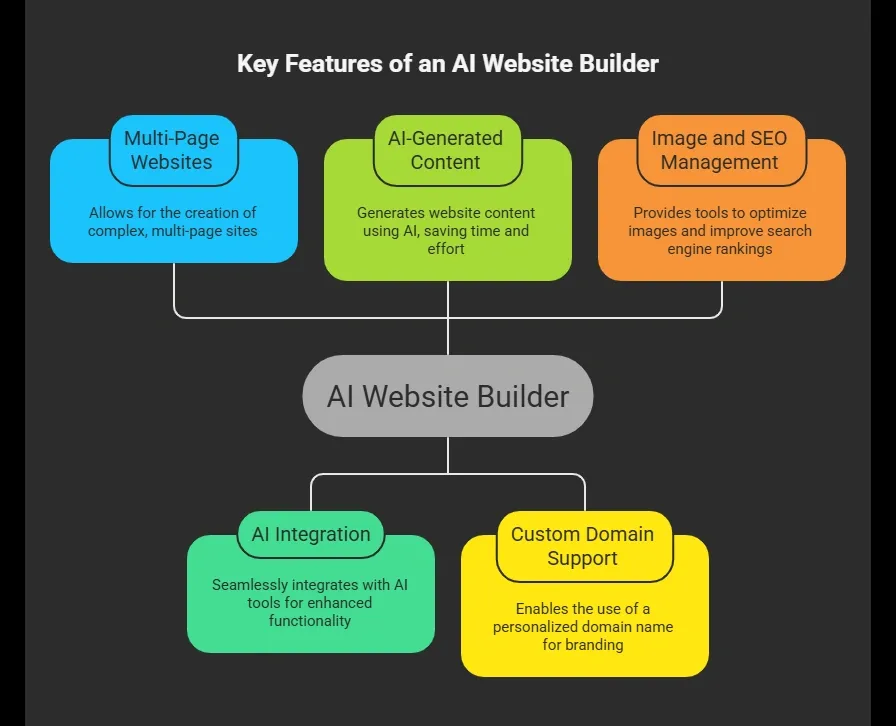
Some popular choices discussed in web communities include Replit, Lovable, v0, Emergent, Bolt, and Google tools (Reddit users talk about these options).
2. Start With a Simple Prompt
Good tools let you type something like:
“Create a multi page website for my small business with Home, Services, About Us, Blog, and Contact pages. Use my brand colors, add images, and make it SEO friendly.”
The AI builder then starts drafting your AI-generated website structure in just a few clicks.
3. Edit and Customize
After the initial output, you can:
-
Change your text and images
-
Adjust the navigation menu
-
Choose templates and layouts
-
Tweak colors and fonts
Good builders keep it friendly even for non technical users, so this feels like point‑and‑click editing more than coding. Some tools even offer high quality images and fill gaps in content automatically.
4. Add Pages and Elements
When building a multi page site, here’s what you typically include:
-
Header and footer (consistent across pages)
-
Navigation links
-
Individual page layouts
-
Forms or contact widgets
-
Blog or resource sections
Most AI tools do this with just a few clicks once you explain what you want.
5. Preview and Deploy
Preview your site in desktop and mobile devices view, then:
-
Connect your custom domain
-
Set SEO titles and meta descriptions
-
Publish
Many AI builders let you go live instantly, sometimes in just a few minutes.
Following these steps makes creating a multi page website surprisingly easy. With AI handling structure and content, you can focus on your brand, visuals, and messaging all in one session.
AI Builders for Multi Page Sites
Here’s a quick overview of how some popular options compare when you want a multi page website:
| Feature | AI Website Builder | Multi Page Support | SEO Tools | Custom Domain | Backend |
|---|---|---|---|---|---|
| Rocket.new | Extensive | Yes (Apps + Web) | Strong | Yes | Full backend support |
| Lovable | Yes | Basic | Yes | Yes | Limited |
| Replit | Yes | Yes | Moderate | Yes | Yes |
| v0 | Yes | Yes | Moderate | Yes | Moderate |
| Emergent | Yes | Yes | Strong | Yes | Yes |
| Bolt | Yes | Yes | Moderate | Yes | Yes |
This gives you a view of options where some focus on simple sites, and others go further into AI generated backend logic.
Insights from Users
A recent LinkedIn post from Awesm AI emphasizes that modern AI website builders allow creators to automate layout, content, and navigation, letting them focus on ideas rather than coding.
The post highlights how these tools are helping professionals create fully functional sites quickly. You can read the full insight here: LinkedIn post
This shows that AI can make site creation much faster and easier. However, it’s important to pick a tool that supports real multi page websites with proper navigation, so your site isn’t just a single page pretending to have multiple pages.
Why People Choose AI Website Builders?
Building websites used to require coding and design expertise, but AI website builders have changed the game. They make it easy for almost anyone to create a professional site quickly.
Here’s why so many people are turning to AI builders:
-
You don’t need coding required
-
You can create fast with little design skills
-
Works well for small businesses
-
Helpful for first website projects
-
Can include online store features without traditional backend setup
Often, you can simply upload a sitemap, define the structure, and let the AI builder handle the rest.
AI website builders give you speed, simplicity, and flexibility. Whether it’s your first website or a small business site, these tools let you focus on your content and brand while the AI takes care of layout and structure.
Rocket.new: A Smart Choice for AI Web Creation
Rocket.new is an advanced AI builder that turns your text prompts into fully functional websites or web apps. It’s perfect for creating multi-page websites without coding or design headaches.
Unlike simple AI tools, Rocket.new handles navigation, multiple pages, backend logic, and responsive layouts all in one session. It’s designed to help you go live with a custom domain and SEO‑friendly structure quickly, making it highly relevant for anyone looking to build a multi page site with AI.
Top Features of Rocket.new
-
Prompt to App Creation: Builds apps directly from single prompts
-
Figma Import: Converts design files into live, editable layouts
-
AI-Powered Backend: Automatically handles logic, data, and workflows
-
Command-based actions: Use / and @ to run actions and quickly scope edits.
-
Reusable Components: Speeds up building with ready-to-use elements
-
Live Preview: Shows instant updates while editing
-
Custom Domain Support: Publishes projects with a branded domain
-
Code Export: Allows developers to extend or customize later
How to Build a Multi Page Website With Rocket.new
- Start With a Prompt: Write a clear instruction like,
“Create a multi page website for my business with Home, About, Services, Blog, and Contact pages, using my brand colors and logo.”
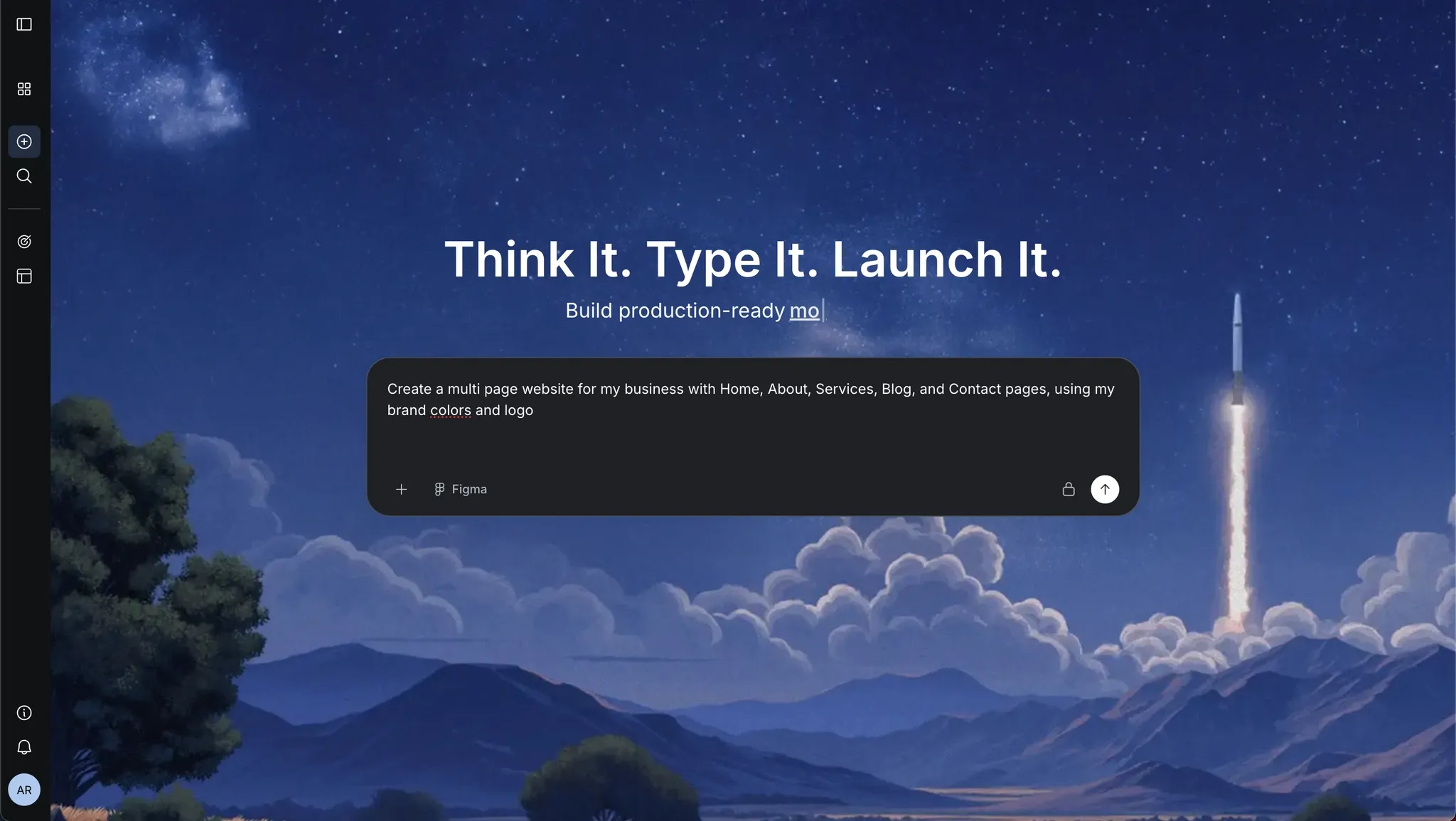 2. Customize Pages: Edit text, images, and layouts. Rocket.new handles menus and navigation automatically.
-
Add Backend Features: Forms, data storage, or even eCcommerce elements can be set up without coding.
-
Preview and Adjust: Check how your site looks on desktop and mobile devices. Make tweaks in real time.
-
Connect Domain and Publish: Link your custom domain, review SEO settings, and go live in just a few minutes.
Use Cases
Here are examples of how people use Rocket.new:
-
SaaS platform MVPs with multiple screens
-
Internal dashboards linked to real data
-
Web + mobile combos from the same project
-
Landing pages with real backend forms
-
eCommerce functions with payment flows
So it’s ideal not only for a multi page website, but also for apps that grow with your business.
With Rocket.new, building a professional, multi page website with AI is simple, fast, and flexible. It combines smart automation with your creative input, letting you focus on content and brand while the AI handles the heavy lifting.
Other Tips for Great AI‑Built Websites
Even though AI can handle the heavy lifting, a few extra touches make your multi page website shine and perform better.
Here are some tips to keep your site professional and engaging:
-
Add original content: Don’t rely solely on AI drafts; personalize text to reflect your brand.
-
Review SEO titles and meta descriptions: Make each page search‑engine friendly.
-
Use real high quality images: Stock photos are fine, but custom images stand out.
-
Check loading speed on different screen sizes: Ensure your site is fast on desktops, tablets, and mobile devices.
-
Regularly update content: Fresh content helps you gain traffic and maintain relevance.
Applying these small adjustments can make a big difference. Your AI‑built website will not only look good but also perform well in search engines, keeping visitors happy and engaged.
Create Your Multi Page Website With AI in One Go
Building a multi page website used to take hours of coding, design skills, and setup. For beginners and small businesses, this was often a huge barrier. Many would give up before even starting, or settle for single‑page sites that didn’t fully represent their brand.
The solution is Rocket.new, an AI builder that transforms your ideas into a fully functional, multi page website in one session. From navigation and page structure to backend logic and a custom domain, Rocket.new handles it all. With just a few clicks, you can go from concept to a live, professional site.
Table of contents
- -What You Need Before You Start?
- -Step By Step: Build Your Multi-Page Website With AI
- -1\. Pick the Right AI Website Builder
- -2\. Start With a Simple Prompt
- -3\. Edit and Customize
- -4\. Add Pages and Elements
- -5\. Preview and Deploy
- -AI Builders for Multi Page Sites
- -Insights from Users
- -Why People Choose AI Website Builders?
- -Rocket.new: A Smart Choice for AI Web Creation
- -Top Features of Rocket.new
- -How to Build a Multi Page Website With Rocket.new
- -Use Cases
- -Other Tips for Great AI‑Built Websites
- -Create Your Multi Page Website With AI in One Go