
irebase is Google's NoSQL BaaS built for speed. Supabase is an open-source PostgreSQL alternative built for structure, ownership, and scale. The right choice depends on your data model, not the hype.***
Which backend should you pick for your next app?
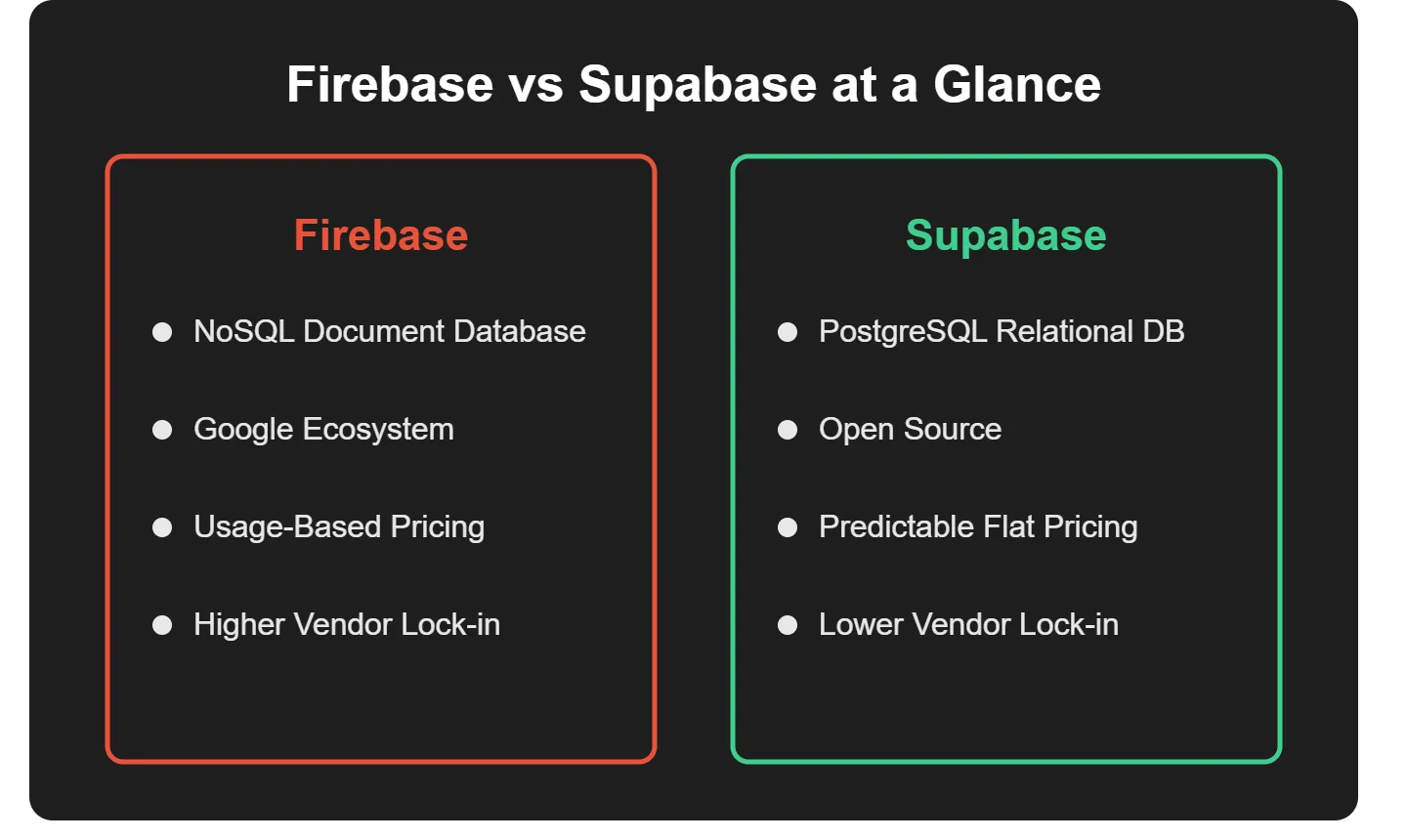
Firebase is Google's NoSQL BaaS suited for rapid mobile development. Supabase is an open-source PostgreSQL-based alternative offering SQL structure, row-level security, and data portability. For simple real-time apps, Firebase wins on speed. For complex data, ownership, and predictable pricing, Supabase is the stronger long-term choice.
Both are Backend-as-a-Service (BaaS) platforms that remove the need to manage servers from scratch. They solve the same problem with fundamentally different approaches.
Firebase vs Supabase: Quick Comparison
Here is the snapshot that makes platform comparisons faster and avoids long debates.
| Feature | Firebase | Supabase |
|---|---|---|
| Database type | NoSQL (Cloud Firestore / Realtime DB) | SQL (PostgreSQL) |
| Realtime sync | Built-in, automatic | Via DB change listeners |
| Authentication | Email, phone, social | JWT + RLS policies |
| Server logic | Google Cloud Functions | Supabase Edge Functions |
| File storage | Google Cloud Storage | Supabase Storage with RLS |
| Vendor lock-in | Higher (Google ecosystem) | Lower (open source) |
| SQL support | No | Full PostgreSQL |
| Self-hosting | No | Yes (open source) |
| Best for | Speed, mobile, real-time feeds | Complex data, SaaS, ownership |
Firebase wins on initial speed and real-time simplicity. Supabase wins on data control, pricing predictability, and long-term portability.
Data Models That Changed Development Perspectives
This is where future stress quietly gets decided. Either things stay smooth as the app grows, or problems start piling up when the data gets real.
Firebase: NoSQL for Speed
Firebase uses a NoSQL database. Cloud Firestore and the Realtime Database store unstructured data in documents and collections, with no schema to define upfront.
The trade-off appears when data grows. Complex relational queries often require reshaping data structures. Developers end up with denormalized data and duplicate values. PostgreSQL has become the most commonly used database among developers, reflecting a broader industry shift toward relational databases.
- No schema required at start
- Cloud Firestore stores documents in collections
- A real-time database uses a JSON tree structure
- Complex data relationships get awkward as the app scales
- No native JOIN support; multi-collection queries require multiple round trips
Supabase: PostgreSQL for Structure
Supabase runs on PostgreSQL, a relational database management system. Tables connect through foreign keys, and queries use standard SQL. Every Supabase project includes a full PostgreSQL database schema with extensions, row-level security, and real-time capabilities built in.
- Structured schema with typed columns
- Tables connect cleanly through relational joins
- Full SQL support, including complex queries, aggregations, and transactions
- Row-Level Security policies control data access at the database level
- Supports PostgreSQL extensions (pgvector, PostGIS, pg_cron, and more)
Real-Time Features Without the Stress
Real-time features look magical until they break. Firebase shines at real-time data synchronization. Updates flow instantly for mobile apps, chats, and feeds without any additional configuration.
Supabase also supports real-time data synchronization by listening to PostgreSQL change events. SQL logic stays intact, and complex queries remain readable. Both offer a real-time database experience: Firebase feels automatic, Supabase feels controlled.
The key difference: Firebase's real-time is baked into the data model. Every document can be subscribed to by default. Supabase real-time requires enabling it per table, but it runs on top of PostgreSQL's logical replication. Your real-time data is the same relational data your queries already use.
Authentication and Security
Authentication is where many projects quietly fail if not planned well. Getting it right early saves headaches later.
Firebase Authentication
- Supports email, phone, and social logins out of the box
- Firebase authentication works closely with Firebase security rules
- Permissions live near the data, making enforcement easy
- Best for straightforward apps without complex role hierarchies
- Security rules are written in a custom DSL; powerful but a separate language to learn
Supabase Auth
- Uses JWT tokens and role-based policies
- Row-Level Security allows per-row access control, not just per-table
- Fine-grained access is perfect for apps with multiple roles or complex user permissions
- Includes social providers (Google, GitHub, Apple), magic links, and phone OTP out of the box
- Auth integrates directly with the database; no separate rules language needed
Both platforms handle user authentication effectively. Supabase gives extra confidence as roles and access become more complex. If you are building a production-ready app with multi-tenant data, Supabase's RLS model is the stronger long-term foundation.
What is Row-Level Security?
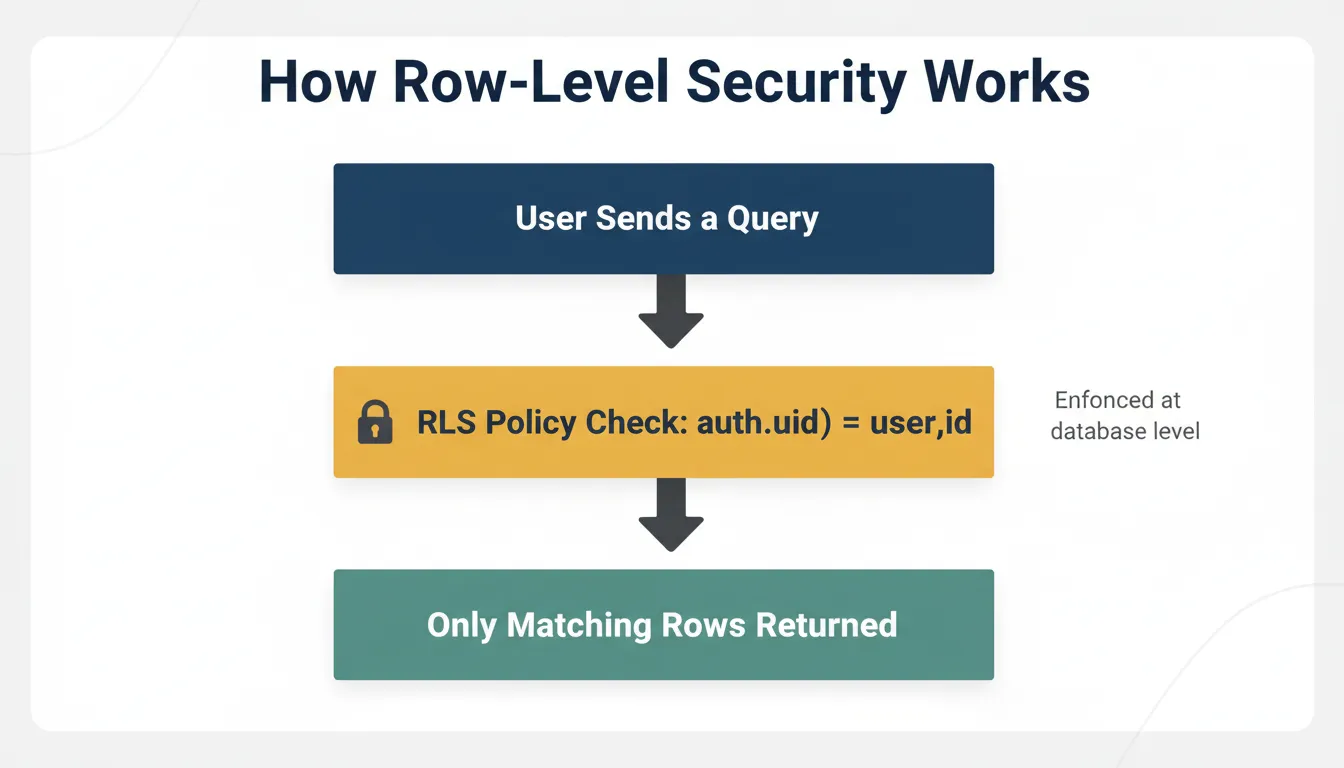
RLS is a PostgreSQL feature that enforces access control directly at the database level, not in application code.
A simple example:
1CREATE POLICY "Users see own data"
2ON posts FOR SELECT
3USING (auth.uid() = user_id);A user can only query rows where their ID matches, regardless of how the application queries the database. Even a query written without a WHERE clause gets restricted automatically at the database layer.
Functions and Server Logic
Backend logic always sneaks in. How you handle it determines whether maintenance stays manageable.
Firebase Cloud Functions run on Google Cloud Platform. They integrate with other Google services, though cold starts can add latency and costs scale with invocations. Functions are triggered by Firestore events, HTTP requests, authentication events, and scheduled jobs.
Supabase Edge Functions run on Deno at the edge, closer to users with lower cold start times. They handle server-side logic without exposing credentials to the client. This covers sending emails, calling third-party APIs, and processing webhooks.
| Firebase Cloud Functions | Supabase Edge Functions | |
|---|---|---|
| Runtime | Node.js on Google Cloud | Deno at the edge |
| Cold starts | Higher (especially on free tier) | Lower |
| Triggers | Firestore events, HTTP, auth, schedule | HTTP, database webhooks, schedule |
| Vendor | Open source (Deno Deploy) |
Storage, Media, and Messaging
Firebase provides Google Cloud Storage for images and videos, Firebase Cloud Messaging for push notifications, and deep integration with other Google services. Storage access rules are managed through Firebase security rules, the same DSL used for Firestore.
Supabase offers Supabase Storage with organized buckets and RLS access policies. Storage ties neatly with Supabase auth, so access rules follow your user model. The same RLS policies that protect your database rows also protect your storage buckets. One mental model, one access layer.
Supabase does not include a native push notification service. For mobile push, you would integrate a third-party service like OneSignal or Firebase Cloud Messaging alongside Supabase.
Supabase vs Firebase Pricing at Scale
Pricing sneaks up quietly. This is one of the most important factors for growing teams.
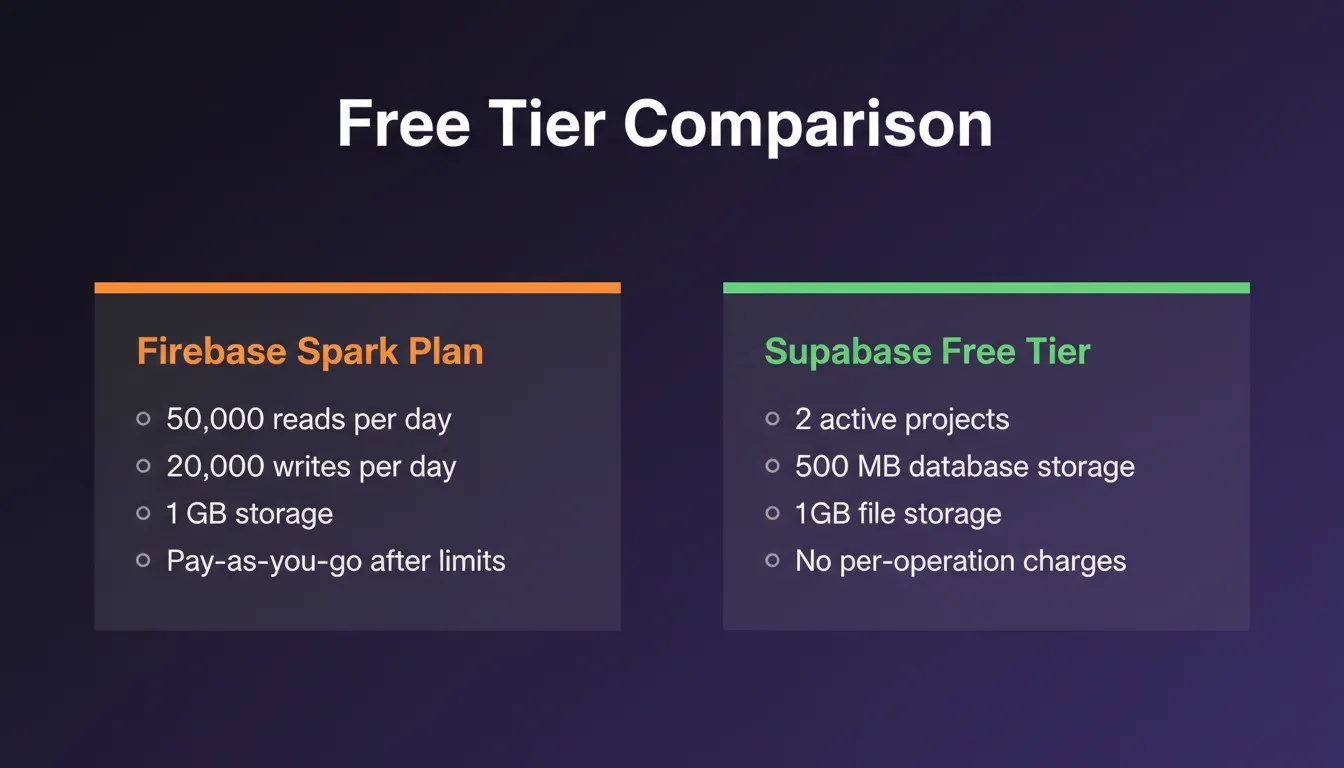
| Plan | Firebase Spark | Firebase Blaze | Supabase Free | Supabase Pro |
|---|---|---|---|---|
| Monthly cost | $0 | Pay-as-you-go | $0 | $25/month |
| DB reads/day | 50,000 | $0.06 per 100K | Unlimited | Unlimited |
| DB writes/day | 20,000 | $0.18 per 100K | Unlimited | Unlimited |
| Database storage | 1 GB | $0.026/GB | 500 MB | 8 GB |
| File storage | 5 GB | $0.026/GB | 1 GB | 100 GB |
| Active projects | Unlimited | Unlimited | 2 | Unlimited |
A concrete example: an app with 1 million Firestore reads per day costs roughly $18/month on Firebase's Blaze plan for reads alone, before writes, storage, or functions. The same data access on Supabase is covered by the $25/month Pro plan with no per-operation charges.
When comparing Supabase vs Firebase pricing, Supabase consistently delivers fewer surprises at growth stages.
Firebase vs Supabase for Specific Stacks
The right choice often depends on what you are building with.
Firebase vs Supabase for Next.js
Supabase is the natural fit for Next.js. The Supabase JavaScript client works with Next.js server components and API routes. Row-Level Security integrates cleanly with Next.js middleware for route protection.
Supabase's official Next.js helpers handle auth session management, cookie-based tokens, and server-side rendering without extra configuration. Firebase works with Next.js but requires more setup. The Firebase Admin SDK for server-side operations is separate from the client SDK, and managing auth state across server and client components adds complexity.
Firebase vs Supabase for React Native
Firebase has a longer history with React Native and a mature SDK. If you are building a React Native app that needs real-time sync, offline support, and push notifications in a single ecosystem, Firebase is a strong choice.
Supabase's React Native support has matured significantly. The @supabase/supabase-js client works well with Expo and bare React Native projects. For apps that need relational data, complex queries, or SQL familiarity, Supabase is now a fully viable option.
Firebase vs Supabase for SaaS
For SaaS applications, Supabase handles multi-tenant data isolation via RLS policies more cleanly than Firestore's document-level security rules. Predictable flat-rate pricing scales better than Firebase's per-operation model. PostgreSQL's support for complex reporting queries, aggregations, and joins is essential for SaaS dashboards and analytics.
Vendor Lock-In: The Long-Term Risk
Firebase ties apps tightly to Google services. Proprietary query syntax, Google-specific SDKs, and tight coupling to Google Cloud Platform make migration painful. If Google changes Firebase pricing or deprecates a feature, your options are limited.
Supabase reduces that risk. Its open-source nature and PostgreSQL-based architecture keep data portability realistic. Because the underlying database is standard PostgreSQL, you can migrate to any PostgreSQL-compatible host without changing your application code. Options include Neon, Railway, Render, AWS RDS, or self-hosted.
When to Migrate from Firebase to Supabase
This is a high-intent decision many teams face. Common triggers:
- Data modeling pain: Firestore's document model becomes awkward when you need relational joins or transactional writes across multiple collections
- Pricing unpredictability: Firebase costs spike as read/write volume grows
- SQL preference: Teams with SQL expertise find Supabase's PostgreSQL backend more natural
- Ownership concerns: Open-source infrastructure and data portability become priorities as the product matures
- Reporting needs: Complex analytics queries that require JOINs, window functions, or aggregations are painful in Firestore
A Reddit discussion captures this shift well:
"I started a side project using Firebase because it was fast and familiar, but once the app got more complex and data modeling was painful, I switched to Supabase. It was refreshing to work with Postgres under the hood."
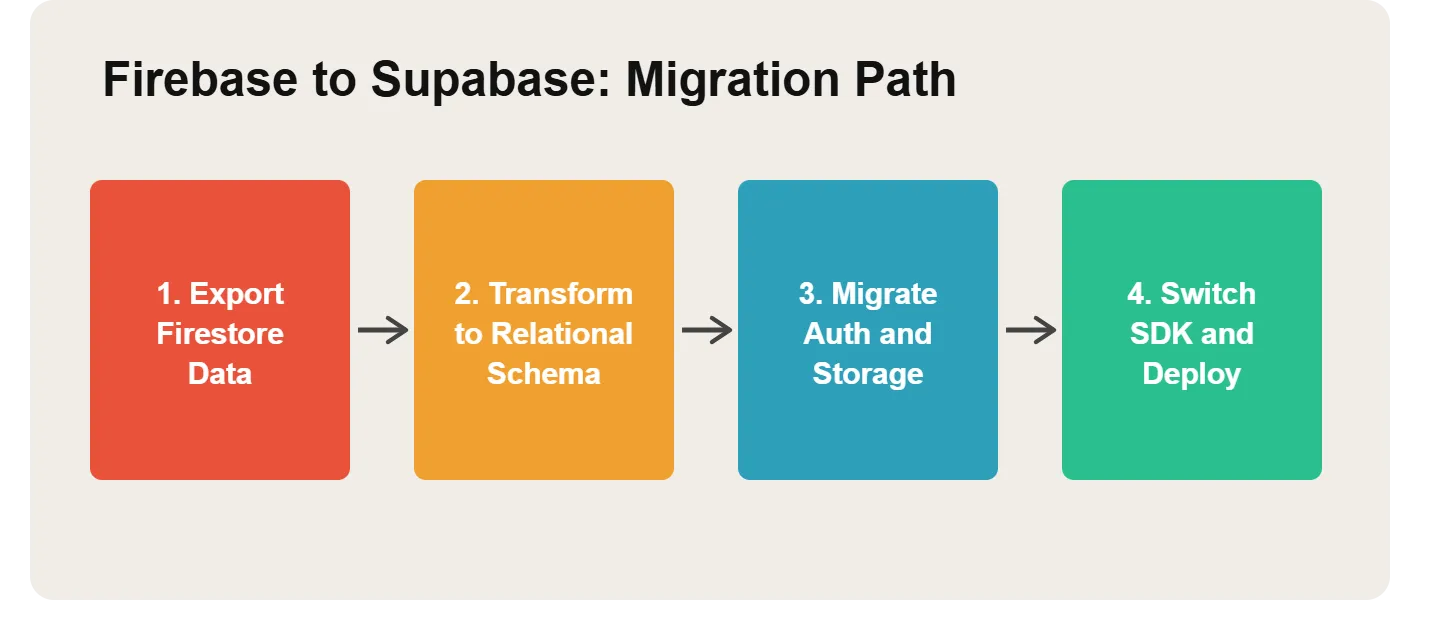
The Supabase documentation includes a dedicated Firebase migration section with step-by-step instructions covering Firestore data export, auth migration, and storage transfer.
How the Decision Flows
Decision flowchart: choosing between Firebase and Supabase based on data type and project priorities.
Building on Supabase with Rocket
Once you have chosen Supabase as your backend, the next question is how fast you can ship a production-ready app on top of it.
Rocket is the vibe solutioning platform that covers the complete arc from research to building to competitive intelligence. Its three pillars work independently or together. Solve validates your idea and generates structured market research before a line of code is written. Build generates production-ready Next.js web apps and Flutter mobile apps from natural language. Intelligence monitors competitors continuously across every platform they operate on.
Supabase is Rocket's foundational backend connector. When you connect Supabase to Rocket via OAuth, no API keys are needed. The schema, authentication, row-level security, and queries become part of the generation itself.
Here is what Rocket scaffolds automatically when Supabase is connected:
- User authentication: Sign-up, login, password reset, and protected routes with social providers (Google, GitHub, Apple)
- Database and content: PostgreSQL tables with row-level security policies pushed via SQL migration scripts
- Real-time updates: Live UI changes when rows are inserted, updated, or deleted
- File uploads: Supabase Storage buckets with secure access controls
- Multi-tenant apps: Organization-scoped data with invite flows and role management
- Edge functions: Server-side logic for emails, third-party API calls, and secret key handling
1.5 million people have tried Rocket across 180 countries. You can also start from 25,000+ ready-made templates and customize from there.
Choosing Between Firebase and Supabase
Firebase fits when:
- Speed matters more than structure
- Data stays simple and document-oriented
- Tight Google Cloud Services integration helps
- Heavy real-time data synchronization is the core feature
- Your team has no SQL background and prefers a document model
- You need push notifications as a first-class feature
Supabase fits when:
- SQL feels natural to the team
- Data ownership and portability matter
- Complex relational data exists
- Vendor lock-in is a concern
- You are building a SaaS product with multi-tenant data isolation
- You want to self-host your backend
The Supabase vs Firebase choice depends on the project's requirements, not trends.
Final Verdict: Firebase or Supabase?
Choosing fast often feels good early. Later, messy data and rising costs appear. Pick based on how data grows, not how demos feel.
Firebase handles speed and sync. Supabase handles structure and control. The Firebase vs Supabase decision becomes simple once long-term comfort trumps short-term speed.
The Backend Decision That Compounds Over Time
The Firebase vs Supabase debate will not go away; it will sharpen. As apps grow more complex, data relationships deepen, and teams scale, the backend choice made on day one either supports that growth or fights it. Supabase's open-source PostgreSQL foundation and predictable pricing make it the stronger long-term bet for most production apps. Firebase remains the right call when speed and simplicity are the only requirements.
You have the backend decision mapped. Now you need the app built on top of it. Type your idea into Rocket, connect Supabase, and ship your first production-ready app. Start building and see what the first generation produces.
Table of contents
- -Firebase vs Supabase: Quick Comparison
- -Data Models That Changed Development Perspectives
- -Firebase: NoSQL for Speed
- -Supabase: PostgreSQL for Structure
- -Real-Time Features Without the Stress
- -Authentication and Security
- -Firebase Authentication
- -Supabase Auth
- -What is Row-Level Security?
- -Functions and Server Logic
- -Storage, Media, and Messaging
- -Supabase vs Firebase Pricing at Scale
- -Firebase vs Supabase for Specific Stacks
- -Firebase vs Supabase for Next.js
- -Firebase vs Supabase for React Native
- -Firebase vs Supabase for SaaS
- -Vendor Lock-In: The Long-Term Risk
- -When to Migrate from Firebase to Supabase
- -How the Decision Flows
- -Building on Supabase with Rocket
- -Choosing Between Firebase and Supabase
- -Final Verdict: Firebase or Supabase?
- -The Backend Decision That Compounds Over Time