Want to build a successful fitness tracking app? Modern tools simplify planning, design, and launch, while demand highlights opportunity. Focus on user needs and ideas to create valuable fitness solutions.
How can one make the best fitness-tracking apps?
The good news is you don’t need a massive development team or months of complex coding anymore. With a platform like Rocket.new, you can plan, design, and launch your app more simply.
According to Statista global fitness app market is expected to cross $120 billion by 2030, reflecting strong and steady growth in digital health adoption. This shows how quickly people are shifting toward digital fitness solutions.
If you focus on real user needs and keep your idea clear, there’s a strong potential to build something valuable.
Why Build a Fitness App Right Now?
So, why is everyone suddenly building fitness apps?
Well, people are more health-focused than ever. From tracking workouts to monitoring sleep duration, users want everything in one place. Most apps today combine workout tracking, calorie count, and even stress tracking.
Also, wearable devices like smart rings and smartwatches are everywhere. Many users rely on tools like the Apple Watch or the Fitbit app to track daily activity. These devices collect tons of health data, and your app can turn it into something useful.
Another reason? The best fitness apps are making serious money through premium subscription models and in-app purchases. Even a simple workout app can grow into something big if done right.
How to Build Your Fitness Tracking App with Rocket.new?
Rocket.new is an AI-powered vibe solutioning platform that helps you turn ideas into fully functional apps without heavy coding.
For a fitness tracking app, it means you can plan, design, and launch your app step by step, tracking workouts, logging sessions, syncing with wearable devices, and more, all from one smart platform.
Top Features
- Prompt to App Creation: Builds apps directly from single prompts
- AI-Powered Backend: Automatically handles logic, data, and workflows
- Custom Domain Support: Publishes projects with a branded domain
- Live Preview: Shows instant updates while editing
- Reusable Components: Speeds up building with ready-to-use elements
- Figma Import: Converts design files into live, editable layouts
- Command-based actions: Use / and @ to run actions and quickly scope edits.
The AI-driven approach gives you suggested layouts, workflow automation, and pre-built components based on your prompts, so building an app feels more like guiding a creative assistant than writing endless code.
Here’s how to actually create your fitness tracking app using Rocket.new.
Step 1: Get a Clear Idea
Everything starts with clarity. Knowing exactly what type of fitness app you want makes the rest of the process much smoother.
- Decide the focus: strength training, cardio, general health, or a mix.
- Identify your target audience: beginners, gym enthusiasts, or athletes.
- Consider integrations: Apple Watch, Fitbit, or other wearable devices.
A clear idea ensures your prompts, screens, and features match the app users will actually want.
Step 2: Sign Up to Rocket.new
Time to get set up on the platform where the magic happens.
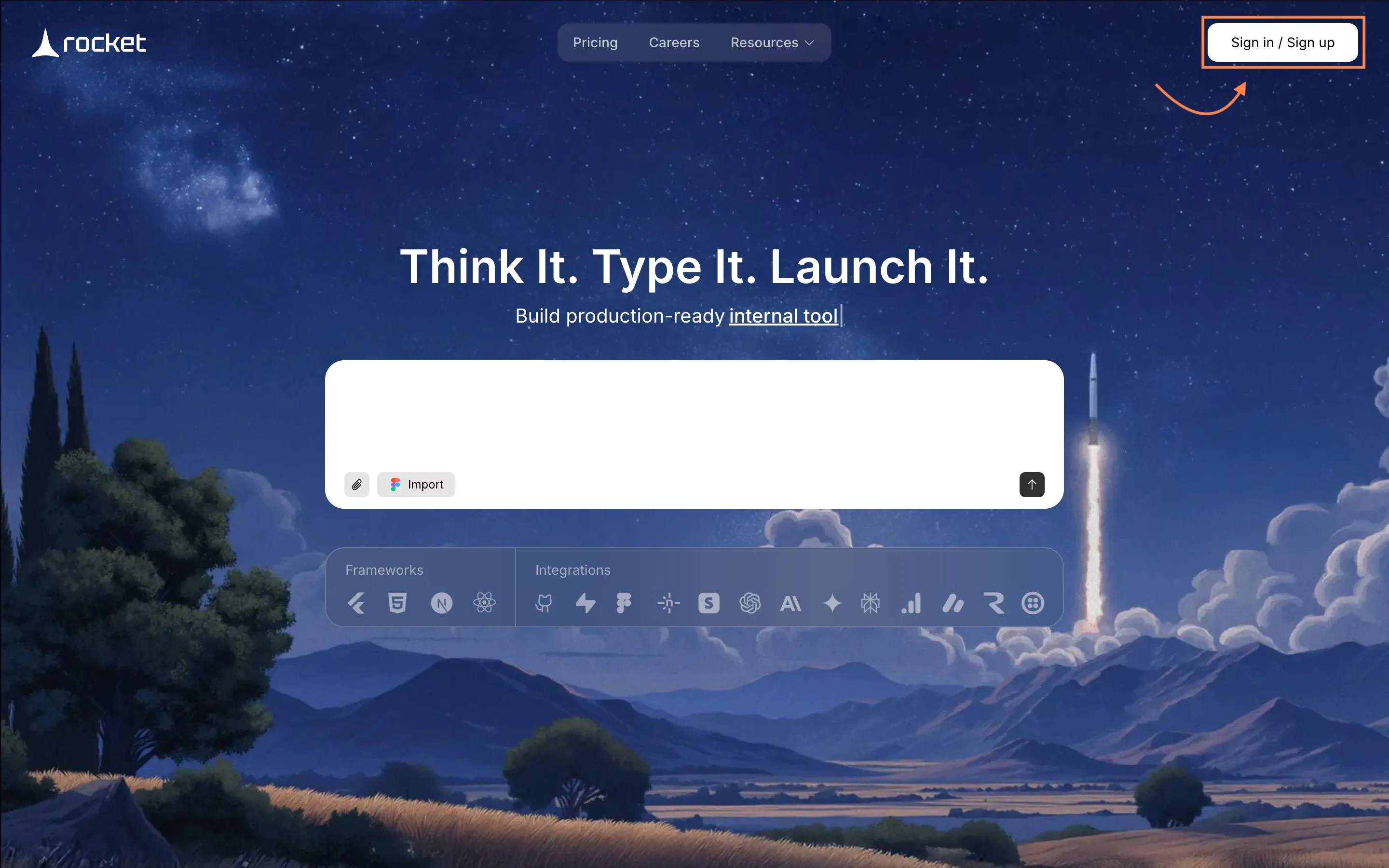
- Create your account on Rocket.new.
- Access templates, prompts, and the workspace to start building.
- Officially start your project so it’s ready for creation.
This step gets your project live and gives you access to Rocket.new’s AI-powered tools.
Step 3: Give a Prompt or Choose a Template
Let Rocket.new know what you want.
- Give a prompt: e.g., “Build a fitness tracking app for strength training with workout logs and device integration.”
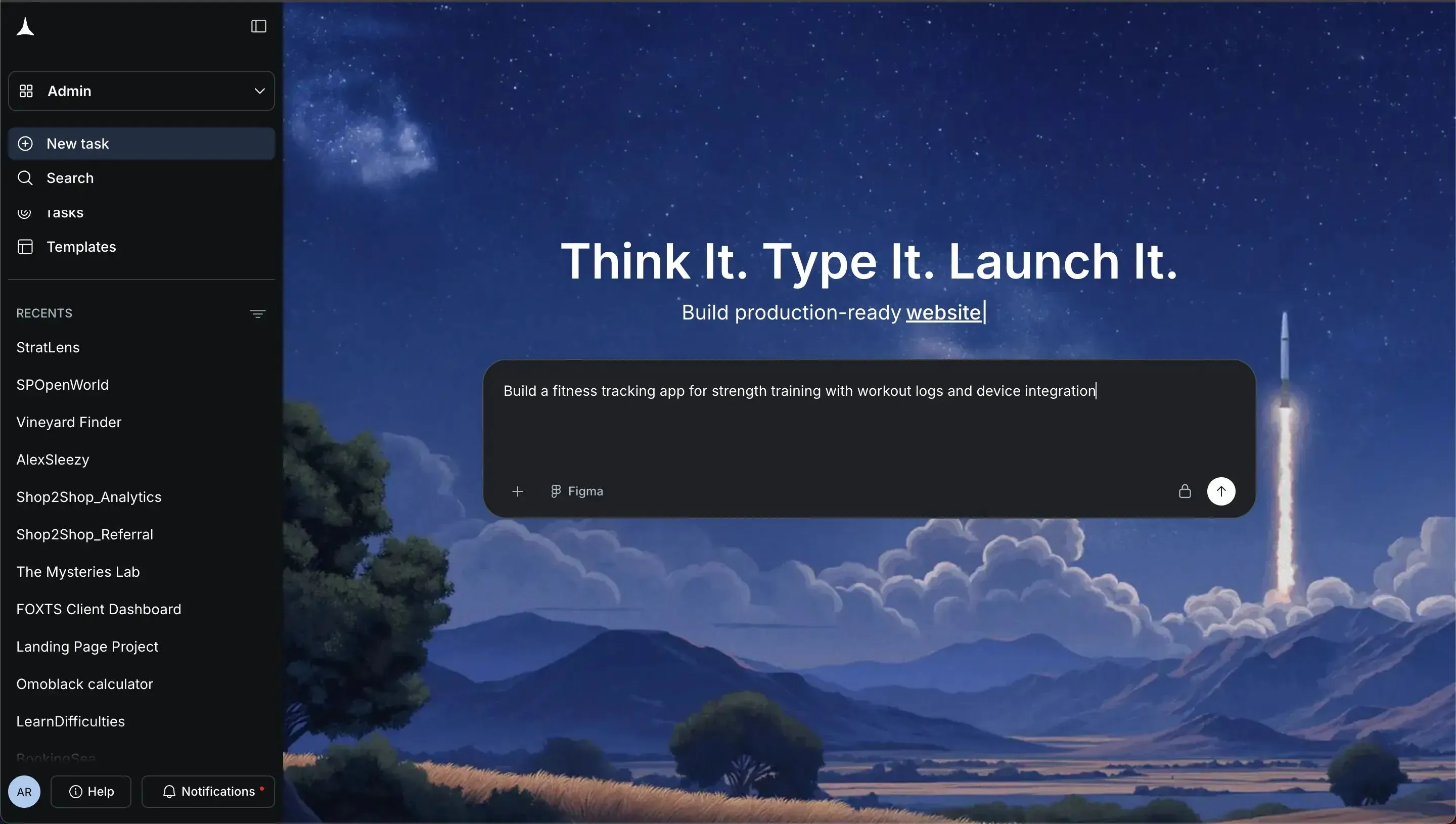
- Choose a template: Select one closest to your fitness app idea if you prefer a shortcut.
Rocket.new uses AI to generate the app structure based on your input.
Step 4: Select Screens and Watch It Build
Watch your app take shape.
- Review suggested screens: login, workout tracker, exercise library, progress dashboard, etc.
- Select the screens you want in your app.
- Let Rocket.new automatically generate the app skeleton.
The AI handles the heavy lifting, giving you a ready-to-customize foundation.
Step 5: Modify
Make the app truly yours.
- Add or remove screens as needed.
- Customize workout templates, logging features, or dashboards.
- Integrate wearable devices such as the Apple Watch or Fitbit.
- Adjust layouts, colors, and UI elements.
Everything is flexible, so your fitness app reflects your vision and user needs.
Step 6: Launch Your Fitness App
Time to go live.
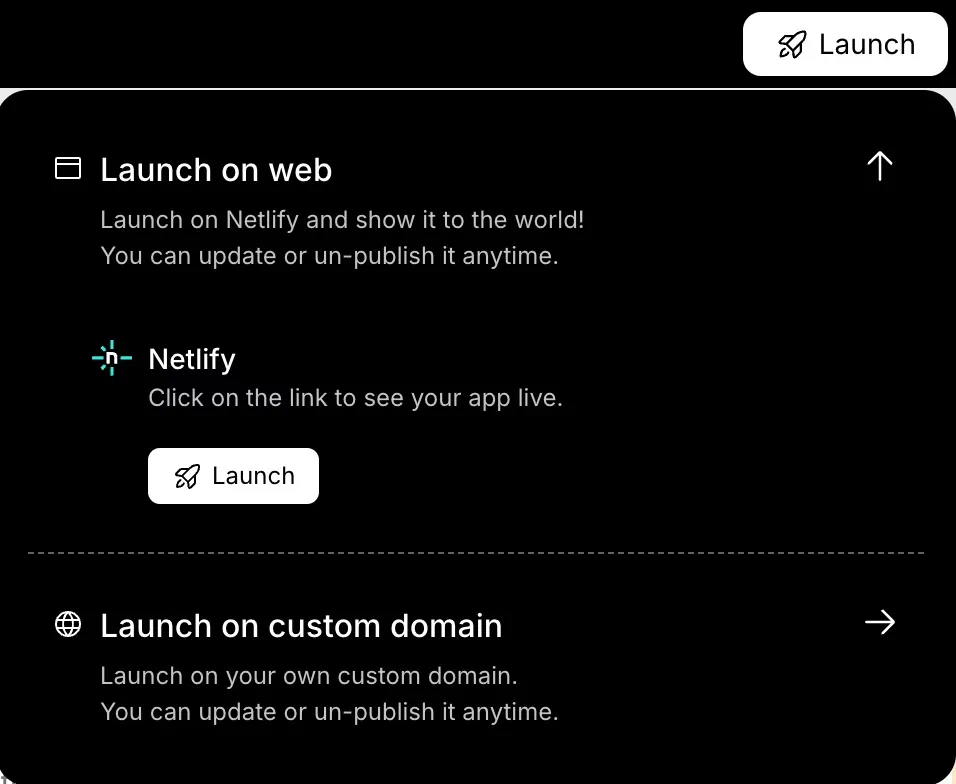
- Test all workflows: logging workouts, device syncing, UI navigation.
- Launch as a web app, mobile-ready app, or both.
- Continue improving based on feedback and analytics.
Once live, your app is ready for users, and Rocket.new makes it easy to iterate and add advanced features later.e.
Step 9: Stand Out in the Fitness App Market
The fitness app market is crowded. So how do you stand out?
Here are some ideas:
- Focus on strength training
- Build a great fitness tracker experience
- Offer custom routines
- Add women’s health features like menstrual cycle tracking
- Provide personalized recommendations
Also, think about what the best fitness apps are missing. That’s your opportunity.
Community Insight
Here’s a real industry perspective from LinkedIn on fitness app engagement:
“Fitness apps lose up to 90% of new users in the first month not because the workouts are bad, but because onboarding confuses users, the language creates friction instead of momentum, and interfaces add complexity instead of simplifying progress.” ****Linkedin
This insight highlights a common issue in the fitness app space: too many features and poor experience can make users drop off fast. Instead of just adding more tools, many people want apps that help them stick with their goals without feeling overwhelmed.
Key Takeaways for Building a Fitness Tracking App
Many users get overwhelmed juggling multiple apps for strength training, logging workouts, and tracking runs. Switching between different platforms not only wastes time but also breaks the flow of consistent progress. When fitness tracking feels complicated or scattered, users often give up, no matter how motivated they are at the start.
The solution is a focused fitness-tracking app that combines workout tracking, training history, and device sync into a single, seamless platform. The key is not to cram every possible feature into the app. Instead, prioritize what users actually need like logging workouts, tracking personal bests, or monitoring recovery. Keep the interface simple, make navigation intuitive, and continuously refine the app based on real feedback. A well-designed, user-friendly app will help users stay consistent, engaged, and on track to reach their fitness goals.
Table of contents
- -Why Build a Fitness App Right Now?
- -How to Build Your Fitness Tracking App with Rocket.new?
- -Top Features
- -Step 1: Get a Clear Idea
- -Step 2: Sign Up to Rocket.new
- -Step 3: Give a Prompt or Choose a Template
- -Step 4: Select Screens and Watch It Build
- -Step 5: Modify
- -Step 6: Launch Your Fitness App
- -Step 9: Stand Out in the Fitness App Market
- -Community Insight
- -Key Takeaways for Building a Fitness Tracking App