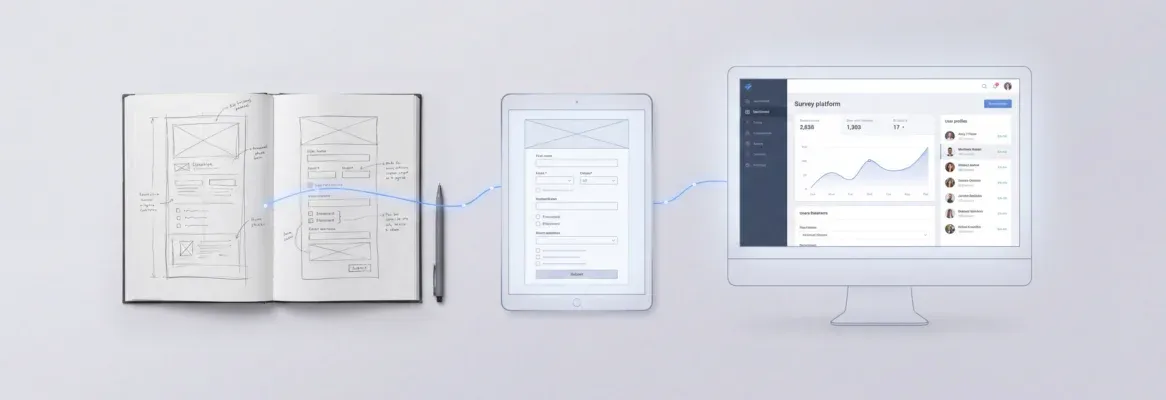
AI tools now turn a single prompt into deployed full stack apps with real code, databases, authentication, and live URLs.
How long does it take to turn a product idea into a working application?
For most teams, the answer used to be weeks. Today, AI tools generate an entire full stack application from a single conversation.
This blog covers how the process works, what separates production-ready output from prototypes, and how to write prompts that ship real apps.
How Does AI Turn a Single Prompt Into Working Software?
Gartner predicts that 75% of enterprise software engineers will use AI code assistants by 2028. That shift is already underway. AI tools now take a natural language description and generate a complete application. It handles real users and live data from day one.
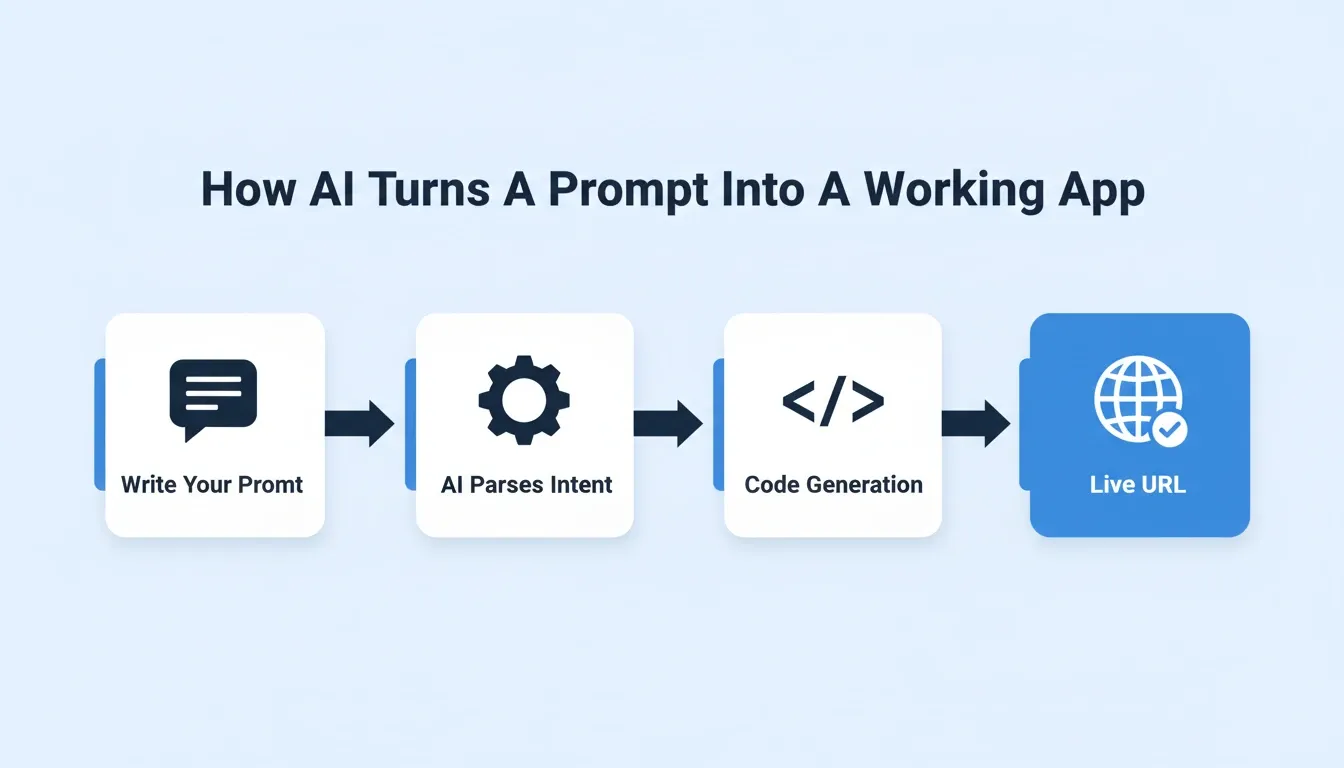
The process is not about generating code snippets or dragging components into a visual editor. It is a connected system: parse intent, plan architecture, write full-stack code, verify output, and deploy, all from one input.
-
Natural language processing parses your intent. The AI reads your description, identifies user flows, data models, and features, then creates a structured plan before writing any code.
-
Code generation spans the full stack. Frontend components, backend services, database schemas, API routes, and authentication flow are all generated together as one connected project.
-
The generated code follows production standards. Output uses real frameworks: Next.js for web and Flutter for mobile. You get files you can read, edit, export, and deploy anywhere.
-
Deployment happens as the final step. Once the app passes internal checks, it publishes to a live URL via Netlify. You share that link with real users, collect feedback, and iterate.
This is fundamentally different from tools that generate snippets or require manual stitching. You can see what this looks like in practice by exploring how to build a full stack app with an AI prompt.
What Happens Behind the Scenes After You Press Enter?
When you type "Build me a task management app with team collaboration and file storage," multiple processes run in sequence.
Step 1: The AI identifies core entities such as users, teams, tasks, and files. It maps relationships into a database schema with proper indexes.
Step 2: It generates the frontend layout, navigation, and UI components. These display and interact with that data across devices.
Step 3: Backend setup includes API routes, server-side logic, and connections to external services. This covers authentication providers and file storage.
The app then goes through a verification process. It checks for error messages, broken user flows, and missing edge cases before deployment. The whole process typically takes 1 to 3 minutes.
How Do These AI Tools Differ from No Code Platforms?
Traditional no code platforms and visual editor tools approach app creation differently from prompt-driven AI builders.
No code platforms require you to drag and drop components, configure each database table by hand, and manually connect backend services. The learning curve takes weeks, and you still face vendor lock-in.
Visual editor tools give you a design system but no real backend. You still need developers to add user authentication, data persistence, and deployment pipelines.
AI prompt builders let you describe what you want in natural language. The underlying code generates automatically: full stack, production ready, and deployable without touching a terminal. Prompt-based tools generate real code with no vendor lock-in, while most no code platforms trap your application inside their proprietary system.
What Types of Applications Can You Build from a Prompt?
The range of digital products you can build from a single prompt keeps expanding. Based on Rocket's official documentation, the following categories are fully supported:
-
SaaS dashboards with user authentication, role-based access, and real-time data views
-
Internal tools such as project trackers, CRM systems, inventory managers, and client portals
-
Marketplace applications with listings, user profiles, payments, and notifications
-
Mobile apps built with Flutter that deploy to both iOS and Android from one codebase
-
E-commerce stores with product catalogs, shopping cart, Stripe checkout, and order management
-
Landing pages with forms, analytics integrations, and email capture connected to backend services
-
AI-powered tools with OpenAI, Anthropic, Gemini, or Perplexity wired directly into the build
Any application that involves user authentication, data persistence, API calls, and a frontend interface is within reach.
Why Traditional Development Falls Short for Fast Builders
Traditional software development demands specific tasks spread across multiple specialists. For founders, designers, and PMs hoping to test an idea quickly, that structure creates a serious bottleneck.
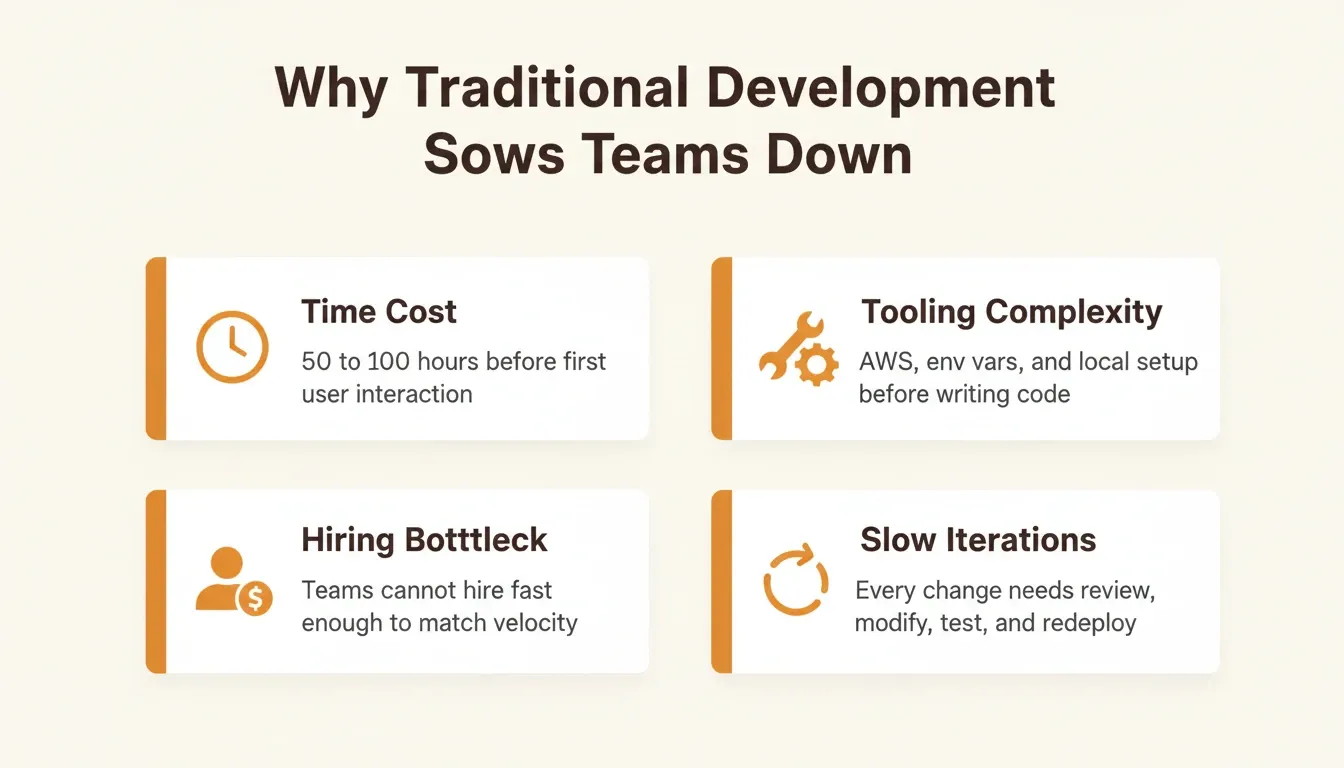
Time cost is the biggest barrier. A typical new project takes weeks of backend setup, frontend development, testing, and deployment configuration. Most prototypes never ship because the process drains momentum.
Tooling complexity adds friction. You need an AWS account, environment variables configured, a local environment setup, and dependencies installed before writing any code.
According to the Stack Overflow 2024 survey, 76% of developers already use or plan to use AI tools in their workflow. Teams simply cannot hire fast enough to match product velocity.
Iteration cycles drag on. Every change requires a developer to review context, modify files, run unit tests, and redeploy. What should take an afternoon often stretches into a full sprint.
What Specific Problems Do Prompt-Based Tools Solve?
Prompt-based AI tools remove the specific tasks that slow teams down the most.
-
No need to write code manually for standard features like user authentication, data persistence, or notifications
-
No need to configure deployment options, set up hosting, or manage infrastructure from scratch
-
No need to design the frontend from a blank canvas, as the AI generates a clean, responsive layout with a consistent design system
-
No need to write boilerplate for database schemas, API routes, or authentication, since these auto-generate based on your description
You get a shorter path from idea to live product. What used to require a team of developers now requires a clear prompt and a few minutes. Learning to write those prompts well is the new leverage. The best prompts for app building follow patterns that consistently produce stronger first generations.
How Much Time Does Traditional Backend Setup Actually Take?
For a standard full stack web application, here is what a developer typically handles before the app is ready for real users:
| Task | Estimated Time |
|---|---|
| Database provisioning and schema creation | 2 to 4 hours |
| User authentication (OAuth, sessions, password reset) | 8 to 16 hours |
| API route creation per feature group | 4 to 8 hours |
| Frontend component development and styling | 20 to 40 hours |
| Testing, debugging, and edge case coverage | 10 to 20 hours |
| Deployment, CI/CD, environment variables, DNS | 4 to 8 hours |
| Total | 50 to 100+ hours |
With prompt-driven AI tools, the same scope ships in 1 to 3 minutes because the AI agent handles each step automatically.
What Makes a Production Ready Full Stack App Different?
Most AI tools can generate a prototype. The real question is whether they can ship something ready for real users with live data flowing through it.
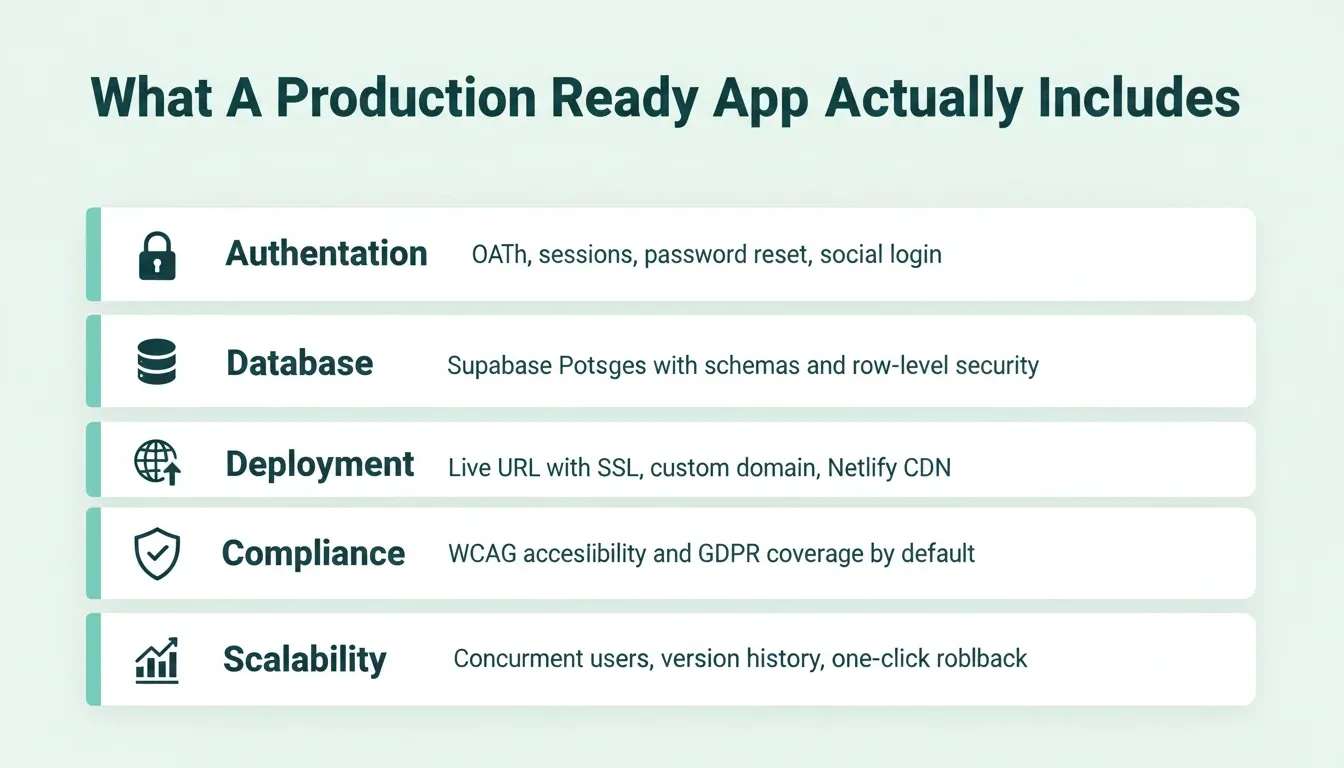
User authentication that actually works. Production apps need secure login, sign-up, password reset, session management, and OAuth support. A form that looks right in a preview is not enough.
Data persistence with proper structure. Real apps store structured data in Postgres database tables with relationships, indexes, and row-level security rules. Local storage or mock data that vanishes on refresh is not sufficient.
Server-side logic for business rules. Payment processing, role-based access, API calls to external services, and scheduled operations all require reliable backend code under load.
Deployment that scales. A production-ready app runs on real infrastructure with custom domains, SSL certificates, and the ability to handle concurrent real users without crashing.
Compliance and accessibility by default. Production apps ship with SEO-ready structure, WCAG accessibility compliance, and GDPR coverage built in from the start, not added later.
| Feature | Prototype | Production Ready App |
|---|---|---|
| Authentication | Mock login form | OAuth, sessions, password reset, social login |
| Database | Local or mock data | Supabase Postgres with schemas, RLS, and security |
| Deployment | Localhost only | Live URL with SSL, custom domain, Netlify CDN |
| Error handling | Console logs | Error messages, fallbacks, monitoring |
| Testing | Manual click-through | Unit tests and edge case coverage |
| Scalability | Single user | Handles concurrent connections |
| Accessibility | None | WCAG accessibility compliance by default |
| Compliance | None | GDPR and CCPA coverage built in |
Can AI Handle User Authentication and Database Schemas?
Yes, and this is where modern AI tools separate themselves from earlier code generation approaches.
AI agents generate complete authentication flows including sign-up, login, email verification, and role-based access control with proper security. Database schemas include proper relationships: user tables linked to project tables, foreign keys, and indexes for common queries.
The backend connects to Supabase for a Postgres database, user authentication, file storage, and edge functions, all configured from a single prompt. You can open the files, review the logic, and customize anything that needs a different approach.
What Does a Real Deployment Pipeline Look Like?
Once you build an app with AI, the deployment process handles production concerns automatically. Rocket deploys web apps to a staging URL first, then to production with a custom domain.
-
The build step compiles the frontend and backend into optimized bundles ready for hosting.
-
Environment variables inject for database connections, API keys, and external services, stored securely at the server level.
-
SSL certificates provision automatically for secure HTTPS access on your custom domain.
-
The app publishes to Netlify's global CDN, which auto-scales based on traffic with no manual server management needed.
-
Staging and production environments stay separate, with full version history and one-click rollback.
How Rocket Builds Production Apps from a Single Conversation
Most AI builders start from a blank canvas and generate whatever the model predicts. Rocket takes a different approach. It is the world's first Vibe Solutioning platform, combining strategic research (Solve), AI app building (Build), and competitive intelligence (Intelligence) in one place.
1.5 million people have tried Rocket across 180 countries, from solopreneurs to enterprise teams.
-
One prompt, complete application. Describe your app idea in plain English and Rocket generates the full stack web application with Next.js frontend and Flutter mobile support. Most apps generate in 1 to 3 minutes.
-
Real code, not no code abstractions. Every app built on Rocket produces real code that you own completely. No vendor lock-in. Export to GitHub, deploy anywhere, modify anything.
-
Backend setup handled automatically. User authentication, Supabase database table creation, API calls, server-side logic, and deployment options all configure without touching a terminal.
-
Production ready from the start. Rocket does not generate prototypes that need rebuilding later. The first version includes authentication, data persistence, error handling, and a live URL for sharing with real users immediately.
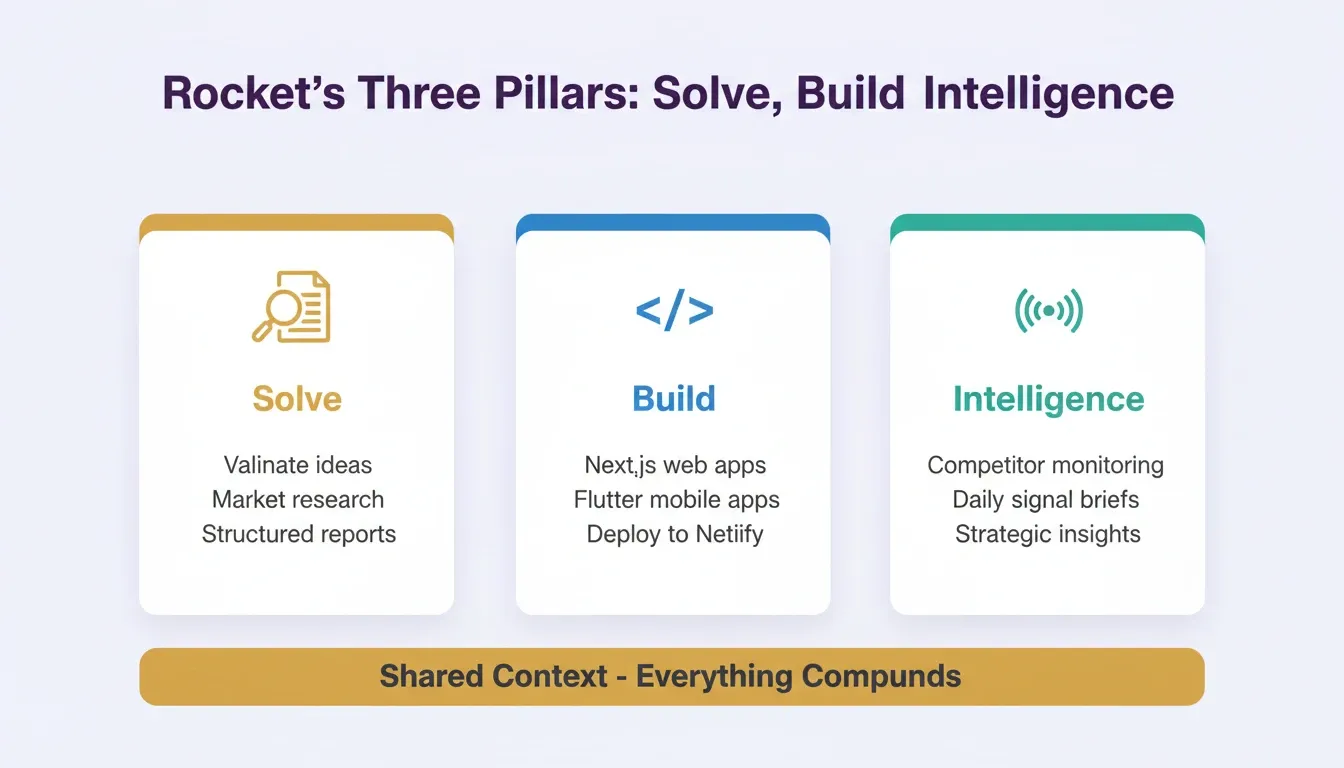
Understanding why Rocket generates in Next.js and Flutter specifically explains the production-quality difference. These frameworks give you real ownership, real portability, and real developer extensibility.
Six Ways to Start a Build
Most people think of AI builders as "type a prompt, get an app." Rocket supports six distinct starting methods:
| Starting Method | Best For |
|---|---|
| From an idea (plain language) | Starting fresh with a description |
| From an attachment (PDF, screenshot, CSV) | Building from existing content or designs |
| From Figma | Converting completed designs directly to production code |
| From GitHub | Continuing an existing Next.js TypeScript codebase |
| From a template (zero credits) | Common patterns like SaaS, landing page, e-commerce |
| Redesign (from a URL) | Rebuilding or redesigning an existing website |
A Figma import preserves every spacing decision and color token. A GitHub import picks up exactly where your existing codebase left off. A template starts you with a working structure and costs zero credits to browse.
How Does Rocket Compare to Other AI Builders?
The market has several AI tools for building applications, but they differ significantly in what they deliver.
-
Bolt generates frontend-focused apps but often requires manual backend configuration and separate deployment pipelines for production use.
-
Lovable produces quick prototypes but lacks depth for complex backend services, database schemas, and scalability requirements.
-
Cursor is a code editor with AI assistance. It is powerful for experienced developers but requires you to start from scratch and handle infrastructure setup yourself.
-
GitHub Copilot helps write code line by line but does not generate complete applications or handle deployment and database creation.
Rocket produces full stack applications including frontend, backend, database, authentication, and deployment in a single prompt. No stitching required. No separate tools to connect. Unlike every tool above, Rocket starts from research. Use Solve to validate your idea before writing a single line of code.
What Integrations Does Rocket Support Out of the Box?
Rocket ships with 26+ integrations that wire directly into the build. Authenticate once and they flow into every project:
| Category | Integrations |
|---|---|
| Payments | Stripe, PayPal, Razorpay |
| Email and messaging | Resend, SendGrid, Brevo, MailerLite, Mailchimp, Twilio |
| AI models | OpenAI, Anthropic, Gemini, Perplexity, ElevenLabs |
| Databases and CMS | Supabase, Airtable, Strapi, Directus, Webflow |
| Analytics | Google Analytics, Mixpanel |
| Forms and scheduling | Typeform, Tally, Calendly, Cal.com |
| Productivity | Notion, Linear, Jira, Google Workspace, Confluence, Azure DevOps |
| Design and development | Figma, GitHub, Netlify, AdSense, Postman, HubSpot, Instagram |
What Are the Iteration Tools Inside the Build Editor?
After the first generation, Rocket gives you three ways to refine your app without re-explaining what already exists.
-
Chat with Rocket lets you give natural language instructions to change anything. Say "Change the header background to dark blue" or "Add a settings page with profile editing." There is no change limit.
-
Visual Edit lets you click any element in the preview to change text, style, spacing, image, or layout directly. It is WYSIWYG editing on the live preview.
-
View and Edit Code lets you browse and modify source files directly in the code editor. You get full access to generated Next.js or Flutter code and can download the source for local development.
Supporting tools include a Theme panel for changing colors, fonts, and design tokens across the entire app at once. A Versions panel gives you full version history with one-click restore. The Advisor Agent acts as a built-in senior architect that diagnoses root causes and resolves error loops when the coding agent gets stuck.
Tips for Writing Better Prompts That Ship Real Apps
The quality of your prompt directly shapes the quality of your application. According to the GitHub Octoverse report, generative AI projects on GitHub grew 98% year-over-year in 2024. Builders who write better prompts ship better products.
-
Be specific about user flows. Instead of "build a social app," describe exactly what you want. For example: "Build an app where users create profiles, follow each other, share photo posts, and receive notifications when someone comments."
-
Name your features explicitly. Mention the authentication method, data models, and deployment preferences upfront.
-
Use the 3 to 5 feature rule. List the most important features upfront and add more through follow-up chat. Front-loading every feature in one prompt produces unfocused output.
-
Include context about your users. Describe who will use the app, what devices they need, and what the primary user journey looks like from sign-up to core action.
-
Start focused, then iterate. Your first prompt does not need to cover every feature. Start with the core use case, confirm it works, then add capabilities through follow-up requests.
Treat your prompt like a product brief. The more specific the input, the more complete and production-ready the output. For a deeper look at how this applies to full stack development, the complete guide to vibe coding full stack apps covers the patterns that experienced builders use.
Example Prompts That Work Well
The difference between a vague prompt and a specific one is the difference between a generic template and a production-ready product.
SaaS dashboard:
"Build a project management SaaS with team workspaces, task boards, file attachments, and role-based access for admins and members. Use Supabase for auth and database. Include a billing page connected to Stripe."
Internal tool:
"Build an internal CRM dashboard where sales reps can log calls, track deal stages, and view a pipeline overview. Connect to Airtable for data. Role-based access for reps and managers."
Mobile app:
"Build a Flutter habit tracker app with daily check-ins, streak counters, and push notifications. Users can create custom habits with icons and colors. Include a weekly progress chart."
E-commerce store:
"Build an e-commerce store for handmade ceramics with a product catalog, shopping cart, Stripe checkout, and an admin panel for managing orders and inventory."
What Details Should Your First Prompt Include?
A good first prompt covers these dimensions without being overly long or vague:
-
What the app does (core use case in one sentence)
-
Who uses it (target user type and context)
-
Key features (3 to 5 specific capabilities)
-
Data it stores (what information needs to persist between sessions)
-
Authentication requirements (who can access what)
You do not need to specify technical stack, hosting provider, or implementation details. Rocket assigns the appropriate framework automatically: Next.js for web and Flutter for mobile. Focus on what you want, not how it should be built.
Should You Use One Prompt or Refine in Multiple Steps?
Both approaches work. The right strategy depends on your project's complexity.
A single prompt works best when you have a clear, focused application in mind, such as a landing page with a waitlist, an internal tool, or a simple CRUD app with user accounts.
Multi-step iteration makes more sense for complex applications with multiple user roles, integrations with external services, and custom business logic that benefits from building one layer at a time.
A hybrid approach is what most experienced builders prefer. Start with a broad prompt that creates the foundation, then use follow-up prompts to refine specific features, customize the design system, or connect third-party APIs.
How Do You Test and Validate What the AI Generates?
After the AI generates your application, check a few things before sharing with real users.
-
Click through every user flow, including sign-up, login, create content, edit, and delete. Confirm the app responds as expected.
-
Test on multiple devices and browsers to verify responsive design works correctly.
-
Check that data persistence works by creating entries, closing the browser, and confirming they appear on return.
-
Review the generated code if you have technical knowledge. Verify security patterns and data handling look correct.
You get to the testing phase in minutes instead of months. This means faster feedback loops and quicker iteration toward a product that fits your market.
The complete prompt-to-production cycle: from natural language description through AI processing to a live, iterable application.
The Gap Between Idea and Shipped Product Has Never Been Smaller
The prompt to full stack app workflow has permanently changed what it means to build software. AI tools now handle the tasks that used to require entire engineering teams, from database table creation to frontend design to production deployment. You describe what you want, and minutes later, you have a working application with a live URL.
As code generation in Next.js and Flutter continues to improve, the barrier between thinking about an app and shipping one keeps shrinking. The teams building fastest today are not the ones with the largest engineering headcount. They are the ones who learned to describe what they want with precision.
Rocket is built for exactly this moment. Type what you want to build. Rocket researches the market, generates the code, and deploys it. Start building on Rocket and ship your first app today.
Table of contents
- -How Does AI Turn a Single Prompt Into Working Software?
- -What Happens Behind the Scenes After You Press Enter?
- -How Do These AI Tools Differ from No Code Platforms?
- -What Types of Applications Can You Build from a Prompt?
- -Why Traditional Development Falls Short for Fast Builders
- -What Specific Problems Do Prompt-Based Tools Solve?
- -How Much Time Does Traditional Backend Setup Actually Take?
- -What Makes a Production Ready Full Stack App Different?
- -Can AI Handle User Authentication and Database Schemas?
- -What Does a Real Deployment Pipeline Look Like?
- -How Rocket Builds Production Apps from a Single Conversation
- -Six Ways to Start a Build
- -How Does Rocket Compare to Other AI Builders?
- -What Integrations Does Rocket Support Out of the Box?
- -What Are the Iteration Tools Inside the Build Editor?
- -Tips for Writing Better Prompts That Ship Real Apps
- -Example Prompts That Work Well
- -What Details Should Your First Prompt Include?
- -Should You Use One Prompt or Refine in Multiple Steps?
- -How Do You Test and Validate What the AI Generates?
- -The Gap Between Idea and Shipped Product Has Never Been Smaller