
Looking for an easy way to build a product catalog website? Choose the right tool, design with templates, add products, and publish online to boost reach, engagement, and support growing digital sales.
How to build a digital product catalog website for your business?
You pick the right catalog maker, design your catalog using templates, add your products, and publish it online for your customers. It sounds easy, and honestly, it can be if you follow a clear process.
Businesses that move from a print catalog to a digital catalog often see better engagement and reach. According to Statista, global eCommerce sales are expected to exceed $8 trillion by 2027, underscoring how rapidly online buying is growing.
So, let’s walk through how you can create a clean, professional-looking catalog that actually helps your brand grow and drive sales.
Why Your Business Needs a Digital Catalog?
A digital catalog is not just a list of products. It works like your brand’s online showroom. It gives your customers a smooth way to browse your services and products anytime, from anywhere.
Why It Matters
-
Always accessible: Your customers can open your catalog anytime without waiting for a physical copy.
-
Lower costs: You avoid the high printing costs associated with a print catalog.
-
Easy updates: You can quickly edit products, prices, or details without reprinting anything.
-
Better reach: You can distribute online and reach a wider audience beyond your local area.
-
Interactive experience: Add clickable links, product pages, and videos to keep customers engaged.
-
Modern customer expectations: People now prefer an online catalog over a static PDF because it feels faster and easier to use.
A digital catalog helps your business stay current and flexible. It improves how customers interact with your brand and gives you a better chance at driving more sales.
Digital Catalog vs Print Catalog
Let’s break it down quickly.
| Feature | Print Catalog | Digital Catalog |
|---|---|---|
| Cost | High printing costs | Low cost |
| Updates | Hard to edit | Easy to update |
| Reach | Limited | Global |
| Interaction | Static pdf | Interactive catalogs |
| Tracking | Not possible | Track clicks with Google Analytics |
A print catalog still has its place, especially for offline marketing. But a digital catalog gives you speed, flexibility, and data.
Steps to Build Your Digital Catalog
Before we get into the details, let’s quickly map out the process.
Building a digital catalog doesn’t have to feel confusing. When you break it down, it’s just a series of simple steps you follow one by one.
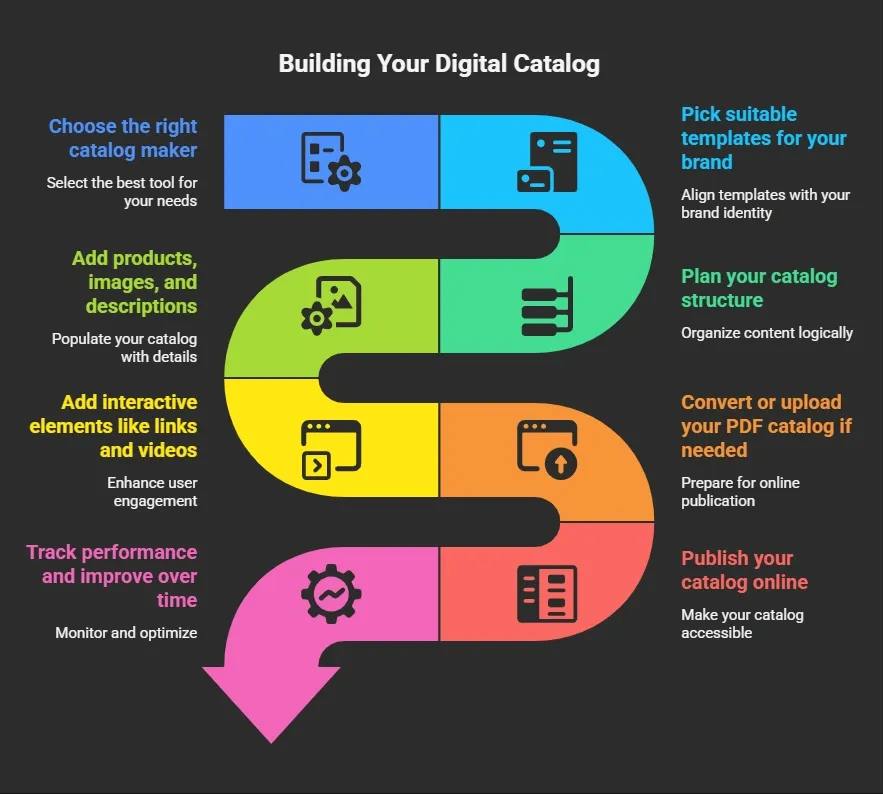
Now, let’s go through each step in detail.
Step 1: Choose the Right Catalog Maker
So, where do you start? With a catalog maker.
There are many tools available today, including online and digital catalog makers. These tools help you create product catalogs without coding skills.
Look for software that offers:
-
Pre-designed templates
-
Easy customization options
-
Ability to publish digital catalogs
-
Support for PDF and interactive digital catalog formats
A good catalog maker will save time and help you build a professional-looking catalog quickly.
Step 2: Pick the Right Templates
Next, choose your templates. Templates make your job easier. Instead of designing from scratch, you can use catalog templates or even a free catalog template to get started.
There are many product catalog templates available depending on your business type:
-
Fashion catalog templates
-
Electronics catalog templates
-
Service-based catalog templates
Templates also help maintain consistency across every page. That’s great for your brand.
Step 3: Plan Your Catalog Structure
Before you create a catalog, plan your structure.
Think about:
-
Categories of products or services
-
Number of product pages
-
Flow of your catalog
For large catalogs, this step matters even more. You don’t want customers getting lost while browsing. Keep your catalog clean and easy to navigate.
Step 4: Add Products, Images, and Descriptions
Now comes the fun part. You start adding your products. Upload high-quality images. Clear images build trust and improve sales.
Then, write simple product descriptions. Keep them short and helpful.
Each page should include:
-
Product name
-
Price
-
Images
-
Product links
This helps customers quickly understand what you offer.
Step 5: Add Interactive Elements
Here’s where digital catalogs shine.
Instead of a static PDF, you can add interactive elements like:
-
Clickable links
-
Direct link to product pages
-
Add videos and embedded videos
-
Product links for direct checkout
These interactive features create an interactive experience for your customers. If you want your catalog to feel modern, always add interactive elements.
Step 6: Convert or Upload Your PDF Catalog
If you already have a PDF catalog, you can convert it into a digital format. Many catalog maker tools let you upload a static PDF and turn it into an interactive digital catalog.
This is a great way to reuse your existing content without starting from scratch.
Step 7: Publish and Share Your Catalog Online
After that, it’s time to publish.
You can publish your catalog online and share it through:
-
Your website
-
Social media
-
Email campaigns
You can also add the catalog to your website so customers can browse easily. Some tools also let you publish a free catalog version to reach a wider audience.
Step 8: Track Performance and Improve
Once your digital catalog is live, track its performance.
Use Google Analytics to:
-
Track clicks
-
Monitor page views
-
See which product pages perform best
This helps your sales team understand customer behavior and improve marketing efforts.
If you follow these steps in order, the whole process becomes much easier to manage. Take it one step at a time, keep things simple, and focus on creating a clean and useful catalog for your customers.
Tips for a Professional Looking Catalog
Want your catalog to stand out? Keep these tips in mind:
-
Use consistent branding elements
-
Keep layouts clean
-
Use high-quality images
-
Add videos where possible
-
Keep links working properly
A good catalog design makes your brand look strong and reliable.
Rocket Fuel for Your Catalog: Rocket.new
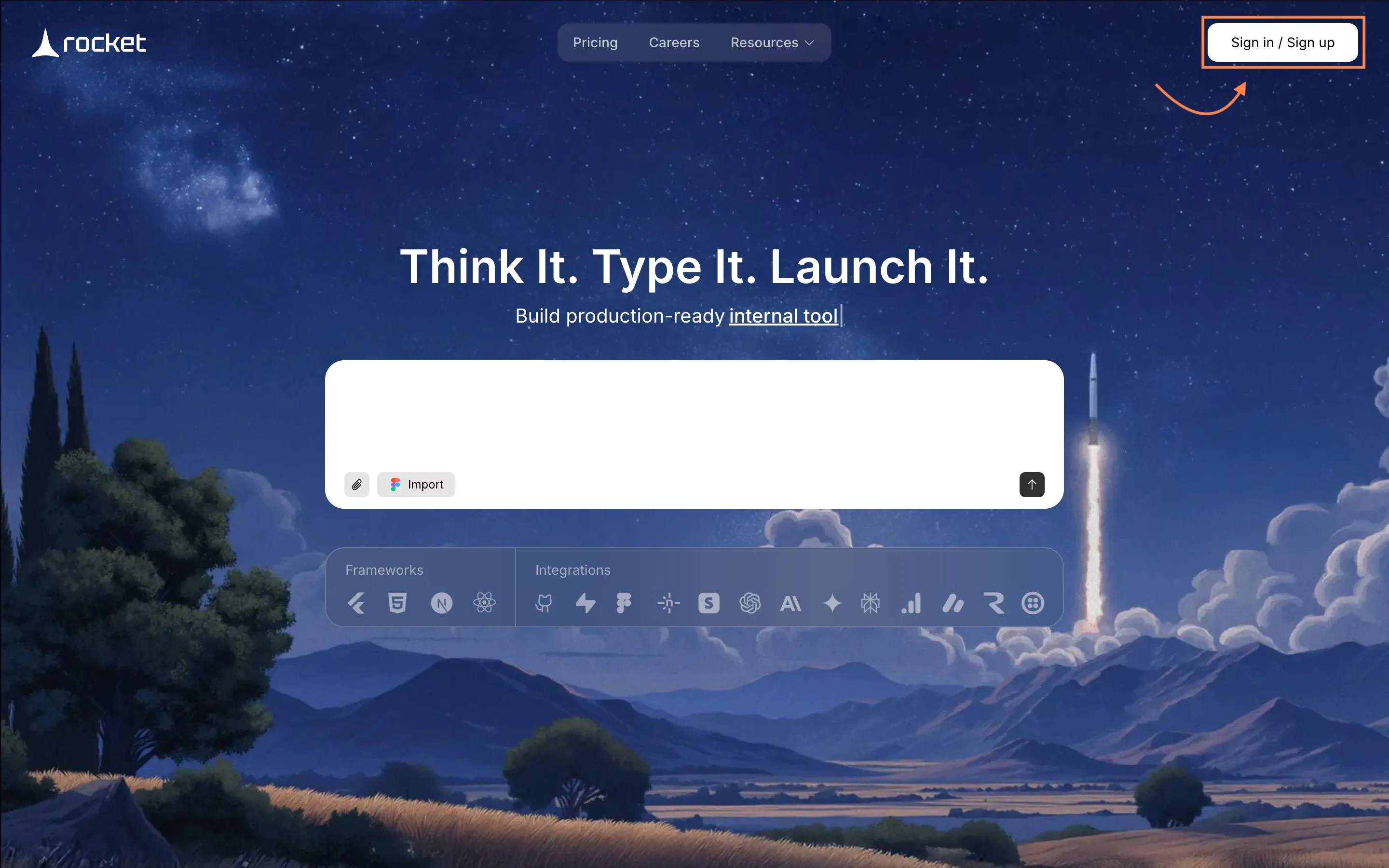
Rocket.new is a user-friendly platform that lets anyone create a digital catalog or even a complete website simply by describing their idea in everyday language.
Instead of writing code or dealing with complex design tools, you can simply explain what you want—like the layout, features, or style—and the platform takes care of turning that into a polished final product.
It’s especially useful for beginners, content creators, and small business owners who may not have technical skills but still want a professional online presence. Whether you’re building a portfolio, showcasing products, or launching a personal brand, Rocket.new simplifies the entire process.
Key Features
-
Prompt to App Creation: Builds apps directly from single prompts
-
Figma Import: Converts design files into live, editable layouts
-
Command-based actions: Use / and @ to run actions and quickly scope edits.
-
AI-Powered Backend: Automatically handles logic, data, and workflows
-
Reusable Components: Speeds up building with ready-to-use elements
-
Live Preview: Shows instant updates while editing
-
Custom Domain Support: Publishes projects with a branded domain
-
Code Export: Allows developers to extend or customize later
How Easily You Can Build Your Website?
With Rocket.new, the process feels smooth and simple. You don’t have to start from scratch or spend hours figuring things out. You just describe what you want, and the platform helps generate the structure.
Then, you can use templates and customization options to shape your catalog the way you want. Add images, videos, product pages, and links without any confusion.
It also helps you publish your catalog on your website quickly, so your customers can start browsing right away. This means you save time and focus more on your business and marketing.
Types of Websites You Can Create
Rocket.new is flexible, so you can build different kinds of websites, such as:
-
Product catalog website for an online store
-
Service based catalog for agencies or freelancers
-
Portfolio style catalog to showcase work
-
Internal catalog tools for your sales team
-
Landing pages with catalog-style product sections
If you want a simple way to create and publish a digital catalog without getting stuck in technical details, Rocket.new is a solid option. It helps you move faster, keep things organized, and build a catalog that actually works for your customers.
Benefits of a Digital Product Catalog
A digital catalog gives your business a simple and effective way to present products in a modern format. It helps you connect with customers faster, keeps your content up to date, and supports your overall growth without the limitations of a print catalog.
Let’s sum it up:
-
Helps you reach a new audience
-
Reduces printing costs
-
Improves marketing
-
Supports e-commerce growth
-
Makes it easy to distribute online
A digital catalog is a smarter choice for modern businesses. It saves resources, supports eco-friendliness, and gives your customers a smoother way to explore your products.
Building a Digital Catalog That Actually Works
Many businesses still rely on a print catalog, which takes time, adds printing costs, and limits its reach. It also makes updates slow and frustrating. This often leads to missed opportunities and fewer sales because customers don’t get quick access to the latest product information.
Switching to a digital catalog solves this problem. It helps you create, publish, and manage your product catalog in one place. With tools like an online catalog maker, you can build a professional-looking catalog, add interactive features, and share it easily across your website and other platforms. This makes it easier for customers to browse and engage with your products.
If you’re serious about growth, learning how to build a digital product catalog website can make a real difference. It helps your brand stay relevant, connect better with customers, and increase sales. Keep things simple, focus on clean design, and create a catalog that delivers real value.
Table of contents
- -Why Your Business Needs a Digital Catalog?
- -Why It Matters
- -Digital Catalog vs Print Catalog
- -Steps to Build Your Digital Catalog
- -Step 1: Choose the Right Catalog Maker
- -Step 2: Pick the Right Templates
- -Step 3: Plan Your Catalog Structure
- -Step 4: Add Products, Images, and Descriptions
- -Step 5: Add Interactive Elements
- -Step 6: Convert or Upload Your PDF Catalog
- -Step 7: Publish and Share Your Catalog Online
- -Step 8: Track Performance and Improve
- -Tips for a Professional Looking Catalog
- -Rocket Fuel for Your Catalog: Rocket.new
- -Key Features
- -How Easily You Can Build Your Website?
- -Types of Websites You Can Create
- -Benefits of a Digital Product Catalog
- -Building a Digital Catalog That Actually Works