
Need a centralized hub for team resources? Learn how to build a streamlined portal using Rocket.new, organize content, manage access, improve collaboration, and keep your team aligned and productive efficiently.
How to build a team resource portal?
You bring all your tools, files, and communication into one simple, user-friendly portal where employees can find what they need fast.
A well-planned portal also improves how employees access resources across different locations and devices.
In fact, a study by McKinsey shows that better internal communication and collaboration tools can improve productivity by up to 25%
So, if your company is still juggling scattered tools and messy files, this blog will walk you through a better way.
What is a Team Resource Portal?
A team resource portal is your company’s central space where everything comes together. It keeps your organization organized, connected, and easy to navigate for employees across different locations.
Here’s what it typically includes:
- Centralized access to resources: Employees can find documents, tools, and important files in one place without switching between multiple platforms.
- A digital workplace experience: It acts as a shared space where employees interact, learn, and stay updated.
- Training and onboarding support: New employees can easily access training materials, guides, and onboarding content.
- Built-in communication channels: Teams can share updates and announcements and stay connected without confusion.
- Intranet-based structure: Many organizations use an intranet platform or a SharePoint site to build and manage their portal.
- Quick search and navigation: Employees find information faster, without having to ask around or dig through emails.
Think of it like this. Instead of asking five people for a single file, your employees can just search the portal and get it instantly. It saves time, reduces confusion, and keeps your entire team aligned.
Why Your Company Needs an Employee Portal
Let’s be real. Many businesses struggle with scattered systems. Files are everywhere. Communication gets lost. New employees feel confused.
An employee portal solves this by bringing everything together.
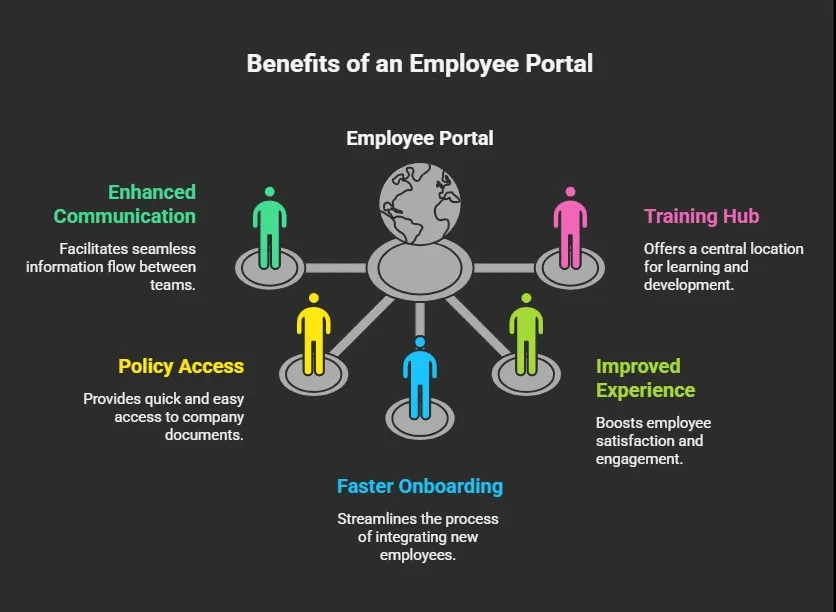
It also helps the hr department manage hr tasks without chaos. From hr resources to payroll forms, everything stays organized.
Key Features to Include in Your Portal
Before you create your own portal, take a moment to plan what really matters. The right features make your portal useful, simple, and easy for employees to rely on every day.
1. Document Management
Your portal should handle document management smoothly. Employees need quick access to files, company policies, and guides without confusion. Version control also plays a big role here, so users always open the latest and correct files.
2. Internal Communication Tools
Add tools that help employees communicate easily. This can include chat, announcements, and discussion boards. You can also connect with Microsoft Teams to keep communication in one flow and reduce back-and-forth.
3. Employee Onboarding Section
New employees often feel lost in the beginning. A dedicated onboarding section with training, forms, and company details helps them get comfortable faster and understand how things work.
4. Workflow Automation
Repetitive administrative tasks, such as leave requests or approvals, can take time. Workflow automation helps manage these processes quickly and reduces manual effort for both employees and managers.
5. Mobile Access
Your portal should work smoothly on mobile devices. Many employees work from different locations, so having easy on-the-go access keeps everything running smoothly without delays.
When these features come together, your portal becomes more than just a storage space. It turns into a reliable system that supports employees, improves communication, and keeps your organization running smoothly.
How to Build a Team Resource Portal with Rocket. New?
Rocket.new is a vibe solutioning platform that lets you build custom portals quickly without coding. It turns ideas into functional screens and workflows in minutes.
Rocket.new simplifies everything from templates to prompts so you can focus on content and structure, not technical setup.
Ready to build your portal?
Here’s a step-by-step roadmap to turn a clear idea into a live, user-friendly team resource portal your employees will actually use.
Step 1: Clear Your Idea
Before building, it’s crucial to define your objectives and requirements. A clear plan ensures that the portal will address your team’s needs effectively.
- Identify the key resources employees will need.
- Determine how many employees will use the portal.
- Outline sections, workflows, and tools to include.
A well-defined plan at this stage sets the foundation for a successful portal and avoids unnecessary revisions later.
Step 2: Sign in to Rocket.new
Rocket.new provides a no-code platform to create your portal efficiently. Starting with a logged-in account gives you access to templates, screens, and customization tools.
- Create a Rocket.new account or log in.
- Familiarize yourself with the workspace and menu options.
Being comfortable with the platform ensures smoother progress in the following steps.
Step 3: Choose a Template or Give a Prompt
Templates or prompts help you quickly translate your idea into a working structure. This step accelerates portal creation without compromising flexibility.
-
Select an existing template aligned with your requirements. Templates save time and already include common sections like HR, Projects, and Training.
Rocket.new has introduced more than 25,000 ready-to-use templates that you can make yours just by clicking a button.
-
Provide a prompt describing your portal’s features and layout. Rocket.new uses your prompt to automatically generate screens.
Example Prompt:
"Create a team resource portal for a 50-person company. Include a Home page with announcements, an HR section for policies and forms, a Projects page with file sharing and collaboration tools, a Training section with onboarding guides, and a Support section with contact info and help resources. Make it mobile friendly and easy to navigate."
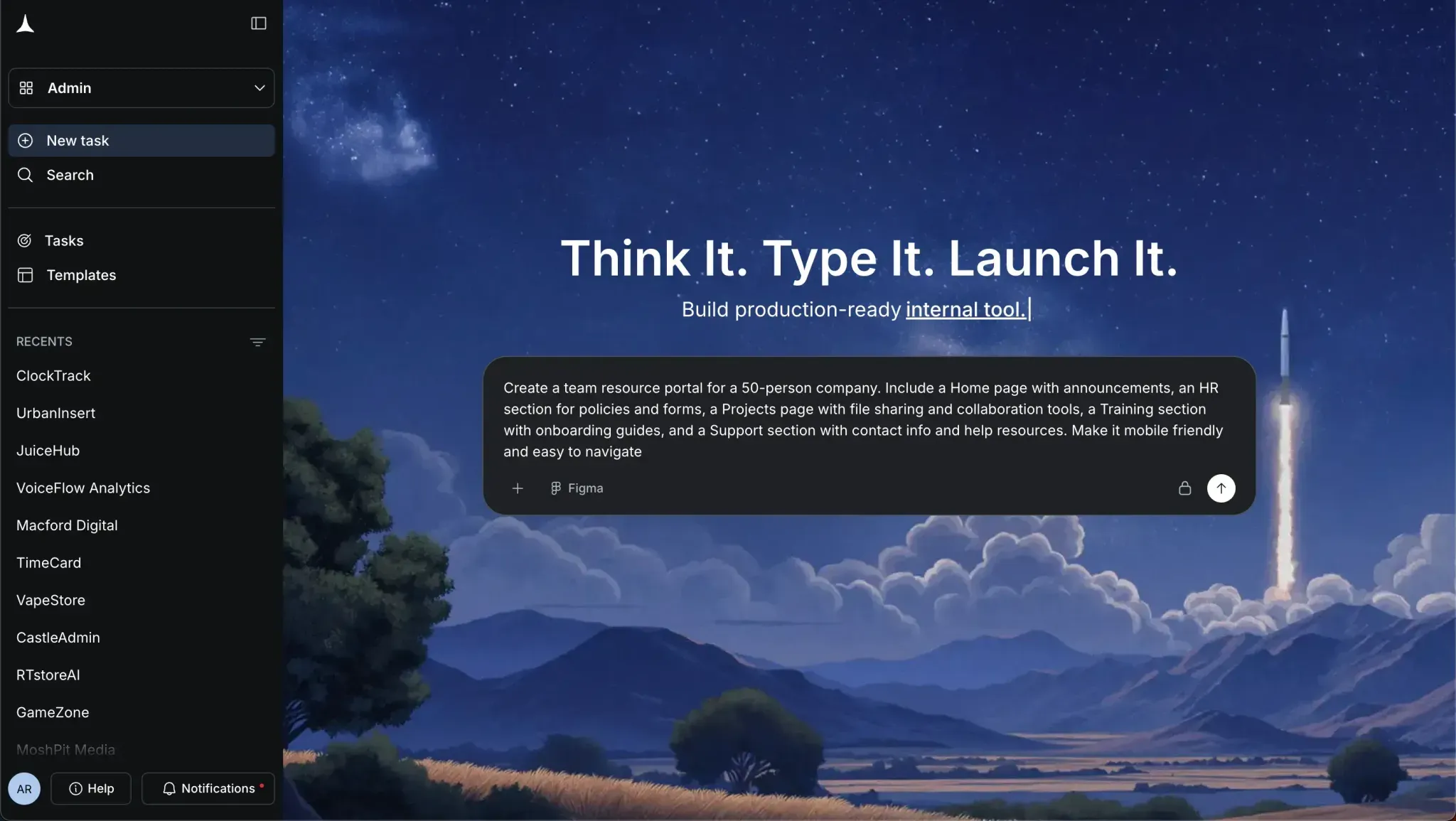
Tip: Be specific in your prompt about the number of employees, required sections, and any must-have features. The more precise you are, the closer the first generated version will be to your vision.
Starting with a template or a well-written prompt gives you a solid base to build and customize, saving time while keeping your portal tailored to your team’s needs.
Step 4: Select Screens and Watch It Build
The portal’s structure is defined by its screens. Rocket.new generates these automatically, giving you a first look at how your portal will appear.
Choosing the right screens ensures your employees can navigate easily and access the resources they need.
- Home / Dashboard:
- HR Section
- Projects / Collaboration
- Training / Learning
- Support / Help
- Communication / News
- Custom Sections
Tip: When selecting screens, think about what employees use most frequently. This helps prioritize and create a clear, user-friendly layout.
Reviewing the generated screens early gives you a clear picture of your portal’s layout. It helps you plan adjustments and ensures that employees will have quick access to everything they need.
Step 5: Review the First Results
A first look at your portal lets you ensure that the design and functionality meet your expectations before investing further time.
- Check layouts, navigation, and available features.
- Confirm that all required sections are included.
Early review prevents major adjustments later and ensures alignment with your initial plan.
Step 6: Modify with Commands and Features
Customization is what makes your portal unique.
Rocket.new allows you to refine screens, add workflows, and include collaboration tools tailored to your team. Rocket.new offers many commands and features.
Commands such as:
- "add auth"
- "Update app name"
- "change app theme",
Thoughtful customization ensures the portal is functional, intuitive, and meets employee expectations.
Step 7: Test and Launch
Before going live, testing ensures that employees will have a smooth, efficient experience. Early feedback helps fix any issues before full deployment.
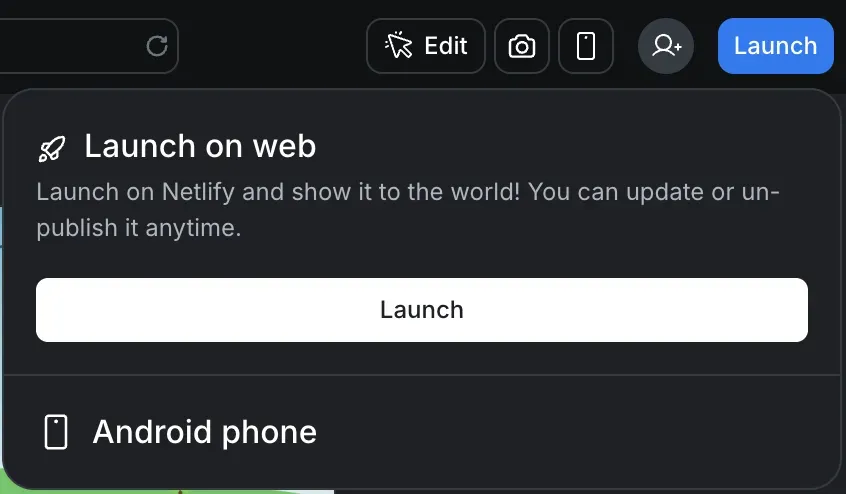
- Conduct testing with a small group of users.
- Check navigation, file access, workflows, and mobile responsiveness.
- Incorporate feedback and prepare for launch.
Testing guarantees a polished, user-friendly portal that employees can adopt quickly and confidently.
By following these steps, your team resource portal will be structured, practical, and tailored to your organization. Rocket.new simplifies the entire process, letting you focus on content and usability instead of code, so you end up with a clean, professional portal your team will actually use.
👉Build Your Team Resource Portal with Rocket 🚀
Using SharePoint and Microsoft 365 for Your Portal
Many organizations rely on SharePoint and Microsoft 365 to build their intranet. A SharePoint page can act as your homepage. From there, users can access tools, files, and communication channels.
You can also:
- Connect microsoft teams for chat and collaboration
- Store files securely
- Manage permissions
- Create custom layouts
This setup works well for both small and large companies.
Making Your Portal User-Friendly
A portal should feel simple. If employees struggle to use it, they won’t come back.
Focus on:
- Clear navigation
- Fast search
- Easy access to resources
- Clean layout
Also, think about individual employees. Each user should feel like the portal fits their needs.
Community Insight
Here’s a real perspective from LinkedIn about modern intranets and digital workplaces:
“Intranets have come a long way from simple file repositories. Today’s modern SharePoint intranet can be the heartbeat of your digital workplace driving collaboration, transparency, and engagement across the organization.” Linkedin
This highlights a pattern many professionals mention on LinkedIn. When an intranet or resource portal is built around real work needs like access to documents, communication, and collaboration, it becomes central to daily operations. Instead of being just another link employees ignore, an engaging portal becomes part of how teams work every day.
Takeaways on Building a Team Resource Portal
Many organizations face scattered tools, poor communication, and messy files. Employees spend too much time hunting for information, which slows down productivity and causes frustration. A well-designed team resource portal brings everything into one place, improves communication, and helps employees access the resources they need quickly.
If you want to know how to build a team resource portal effectively, start simple and grow step by step. Focus on clear structure, user-friendly design, and the right tools. When the portal works for your team, it benefits the entire organization.
Table of contents
- -What is a Team Resource Portal?
- -Here’s what it typically includes:
- -Why Your Company Needs an Employee Portal
- -Key Features to Include in Your Portal
- -1. Document Management
- -2. Internal Communication Tools
- -3. Employee Onboarding Section
- -4. Workflow Automation
- -5. Mobile Access
- -How to Build a Team Resource Portal with Rocket. New?
- -Step 1: Clear Your Idea
- -Step 2: Sign in to Rocket.new
- -Step 3: Choose a Template or Give a Prompt
- -Step 4: Select Screens and Watch It Build
- -Step 5: Review the First Results
- -Step 6: Modify with Commands and Features
- -Step 7: Test and Launch
- -Using SharePoint and Microsoft 365 for Your Portal
- -Making Your Portal User-Friendly
- -Community Insight
- -Takeaways on Building a Team Resource Portal