
Serverless architecture lets developers deploy scalable apps without managing servers. Cloud providers handle infrastructure, scaling, and availability while teams focus on writing code and shipping faster.
Does serverless architecture actually remove servers? No. It removes the burden of managing them.
Serverless computing lets teams deploy code while cloud providers handle infrastructure scaling and maintenance. As a result, organizations build flexible apps faster. A report by O'Reilly found that over 40% of organizations already use serverless computing, and many others plan to adopt it soon.
So if you are a developer building modern software, understanding how to build serverless architecture helps you create flexible serverless apps. These apps scale automatically and run smoothly in the cloud.
What is Serverless Computing?
Despite the name, servers still exist. The difference is simple: developers no longer manage servers, patch the operating system, or worry about physical servers.
In serverless computing, the cloud provider runs and maintains the underlying infrastructure. Developers write code, deploy functions, and connect services. This model usually runs on a Function-as-a-Service (FaaS) platform, where each serverless function executes when an event occurs.
Instead of running long-running servers, code executes only when needed. Billing depends on actual usage, which often makes it cost-effective.
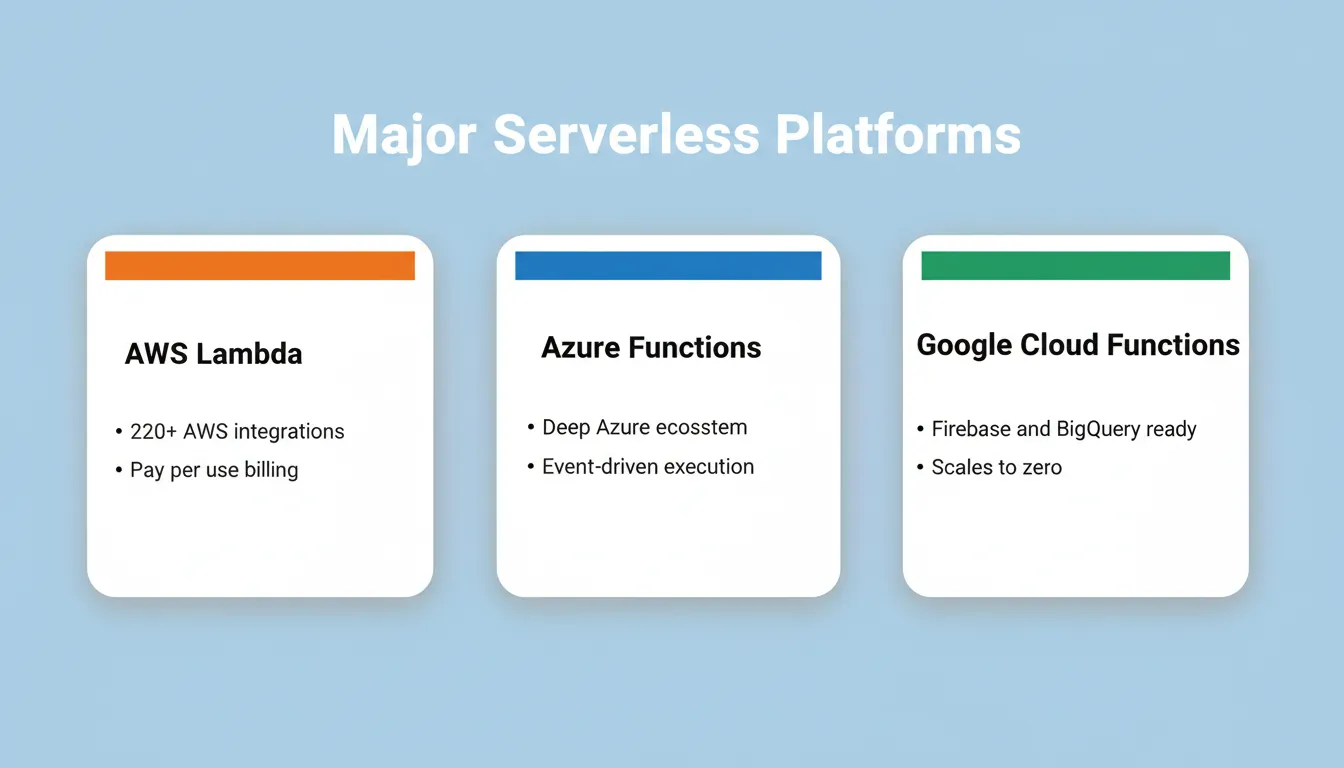
Popular serverless platforms include:
- AWS Lambda — the most widely adopted FaaS platform, supporting Node.js, Python, Go, and Java
- Azure Functions — Microsoft's serverless offering with deep Azure ecosystem integration
- Google Cloud Functions — Google's event-driven serverless compute service
These serverless technologies simplify infrastructure management. Developers can then focus on business logic instead of maintaining servers. Understanding how AI in backend development improves API performance also helps teams build faster, more resilient serverless systems.
Why Developers Choose Serverless Applications
Teams move toward serverless applications for one core reason: simplicity. You write code, deploy it, and the cloud platform runs it.
Less Infrastructure Work
Traditional systems require servers, networking, and constant server management. With serverless computing, most infrastructure work disappears. There are no OS patches to apply, no capacity planning spreadsheets, and no idle servers burning budget.
Automatic Scaling
When traffic increases, serverless apps automatically scale. When traffic drops, resources shrink. A spike from 10 to 10,000 concurrent users is handled by the platform, not your team at 2 AM.
Faster Development
Since developers skip infrastructure work, application development becomes quicker. Teams can deploy applications and test features faster. Many teams cut their time-to-production in half after adopting serverless patterns.
High Availability
Many serverless platforms distribute workloads across multiple servers in the cloud infrastructure. This supports high availability. AWS Lambda, for example, runs functions across multiple Availability Zones by default.
Pay Only for Usage
You pay only when functions run. For workloads with irregular traffic, such as a startup's early API or a scheduled data pipeline, this model can reduce compute costs significantly compared to always-on servers.
Serverless vs Traditional Cloud Architecture
To understand the value of serverless computing, it helps to compare it with traditional cloud architecture. The two models handle infrastructure, scaling, and deployment very differently.
| Feature | Traditional Cloud | Serverless Computing |
|---|---|---|
| Server management | Developers manage servers | Cloud handles infrastructure management |
| Scaling | Manual or configured scaling | Automatic scaling |
| Deployment | Deploy full applications | Deploy serverless functions |
| Cost model | Pay for running servers | Pay for actual usage |
| Maintenance | Teams handle patches and updates | Platform maintains underlying infrastructure |
| Cold start latency | None (server always running) | Possible delay on first invocation |
| Max execution time | Unlimited | Typically 15 minutes (AWS Lambda) |
| State management | Stateful by default | Stateless by design |
As the table shows, serverless computing removes many infrastructure responsibilities from developers. The trade-off is less control over the runtime environment. Teams must also design for stateless, short-lived execution.
Key Components of Serverless Architecture
Before building serverless applications, developers should understand the main components that make up the architecture. Each part plays a specific role in handling requests, processing data, and running code in the cloud.
1. Serverless Functions
A serverless function is small, single-purpose code that runs in response to events. Each function should do one thing well.
Examples include:
- Processing uploaded files (resize an image when it lands in storage)
- Handling incoming requests from APIs (validate and save a form submission)
- Sending notifications to users (trigger an email when an order ships)
- Running scheduled background jobs (clean up expired sessions every hour)
Each serverless function runs independently and scales automatically. Functions are stateless, meaning they do not retain memory between invocations.
2. API Gateway
An API Gateway routes incoming client requests to the correct functions. It handles authentication, rate limiting, request validation, and traffic control. Without an API Gateway, your functions would be exposed directly to the internet with no protection layer.
3. Database and Storage
Most serverless apps use cloud-provided serverless databases that scale automatically alongside your functions.
Common choices include:
- NoSQL databases — DynamoDB (AWS), Firestore (Google Cloud), CosmosDB (Azure)
- Serverless SQL — Aurora Serverless (AWS), PlanetScale, Neon
- Managed backends — Supabase (PostgreSQL with auth, storage, and real-time built in)
- Object storage — S3 (AWS), Cloud Storage (GCP), Blob Storage (Azure)
4. Event-Driven Workflows
Many serverless applications rely on event-driven workflows. A file upload, a database change, or a message in a queue triggers functions that process data or run business logic.
Common event sources include HTTP requests via API Gateway, message queues (SQS, Pub/Sub), storage events, database triggers, and scheduled timers.
Together, these components create a flexible system where functions, APIs, and databases work smoothly in the cloud. Knowing how to add serverless functions to your app without code can help you move from architecture planning to working implementation faster.
Serverless architecture flow: from client request through API Gateway to serverless functions and cloud services
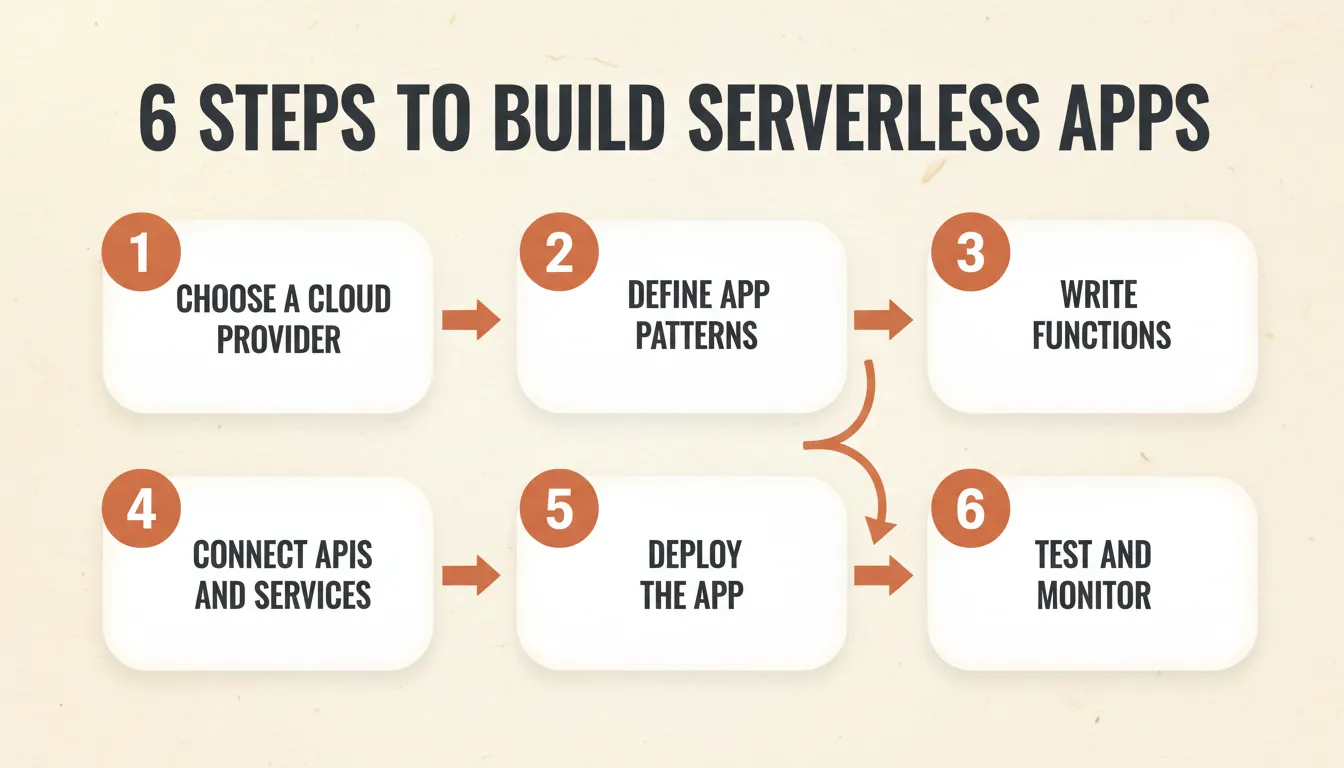
Steps to Building Serverless Apps
Building serverless apps becomes clear when you break it into simple steps. Developers focus on writing code, integrating services, and deploying applications to the cloud. Meanwhile, the platform handles infrastructure.
Step 1: Choose a Cloud Provider
Start by selecting a cloud provider that supports serverless technologies. The provider will handle infrastructure, scaling, and runtime environments.
Popular options include:
- AWS — largest ecosystem, most mature tooling; AWS Lambda plus API Gateway plus DynamoDB is the most common serverless stack
- Microsoft Azure — strong for teams already in the Microsoft ecosystem; Azure Functions integrates tightly with Azure DevOps
- Google Cloud — best for teams using Firebase or BigQuery; Cloud Functions and Cloud Run are both strong options
Consider your team's existing cloud expertise, pricing models, and which managed services you plan to use alongside your functions.
Step 2: Define Application Patterns
Next, decide the application patterns your system will follow. This helps structure how events trigger functions and services.
Common serverless use cases include:
- Web applications and APIs — REST or GraphQL APIs backed by serverless functions
- Data processing pipelines — transform and load data triggered by file uploads or queue messages
- Scheduled automation jobs — run reports, send digests, clean up records on a schedule
- Webhook handlers — receive and process events from third-party services like Stripe or GitHub
Step 3: Write Serverless Functions
Write code for small, focused functions. Each function should perform one specific task. This is the single-responsibility principle applied at the infrastructure level.
Practical guidelines:
- Keep functions under 50 lines of logic where possible
- Avoid shared mutable state between functions
- Use environment variables for configuration (never hardcode credentials)
- Handle errors explicitly, since unhandled exceptions in serverless functions can be hard to trace
Step 4: Connect APIs and Services
After writing the functions, connect them with APIs, databases, and other cloud services.
A typical serverless setup may include:
- API gateways for handling and routing requests
- Database services for storing and querying data
- Messaging systems (queues, topics) for event processing
- Authentication services (Cognito, Firebase Auth, Supabase Auth) for user management
- Third-party integrations (Stripe for payments, SendGrid for email, Twilio for SMS)
Step 5: Deploy the Application
Once everything is ready, deploy the application to the cloud platform.
Developers usually deploy using:
- Serverless Framework — the most popular open-source tool for deploying serverless apps across AWS, Azure, and GCP
- AWS SAM (AWS Serverless Application Model) — AWS-native infrastructure-as-code for Lambda deployments
- Terraform or Pulumi — infrastructure-as-code tools that work across cloud providers
- CI/CD pipelines — GitHub Actions, GitLab CI, or AWS CodePipeline for automated deployments on every push
Step 6: Testing and Monitoring
Finally, test the application and monitor its performance.
Important activities in this stage include:
- Unit testing — test each function in isolation with mocked dependencies
- Integration testing — test how functions interact with real databases and services
- Monitoring logs and metrics — AWS CloudWatch, Google Cloud Monitoring, or Datadog
- Distributed tracing — tools like AWS X-Ray or Jaeger help trace requests across multiple functions
By following these steps, developers can build scalable serverless applications without worrying about server management. The focus stays on writing code, connecting services, and improving the user experience.
Real-World Serverless Use Cases
Understanding where serverless architecture performs best helps developers choose the right tool for the right job.
| Use Case | Why Serverless Fits | Example |
|---|---|---|
| REST APIs | Scales per request, no idle cost | User profile API with 10K daily requests |
| Image/video processing | Burst workloads, triggered by uploads | Resize images on S3 upload |
| Scheduled jobs | Run only when needed | Send weekly email digest every Monday |
| Webhook processing | Unpredictable traffic spikes | Handle Stripe payment events |
| Authentication flows | Low latency, stateless by nature | JWT validation on every API call |
| IoT data ingestion | Millions of small events | Process sensor readings from devices |
| Chatbot backends | Conversational, event-driven | Handle user messages in a support bot |
Serverless is less suited for workloads that require persistent connections, very long-running processes, or applications where cold start latency is unacceptable.
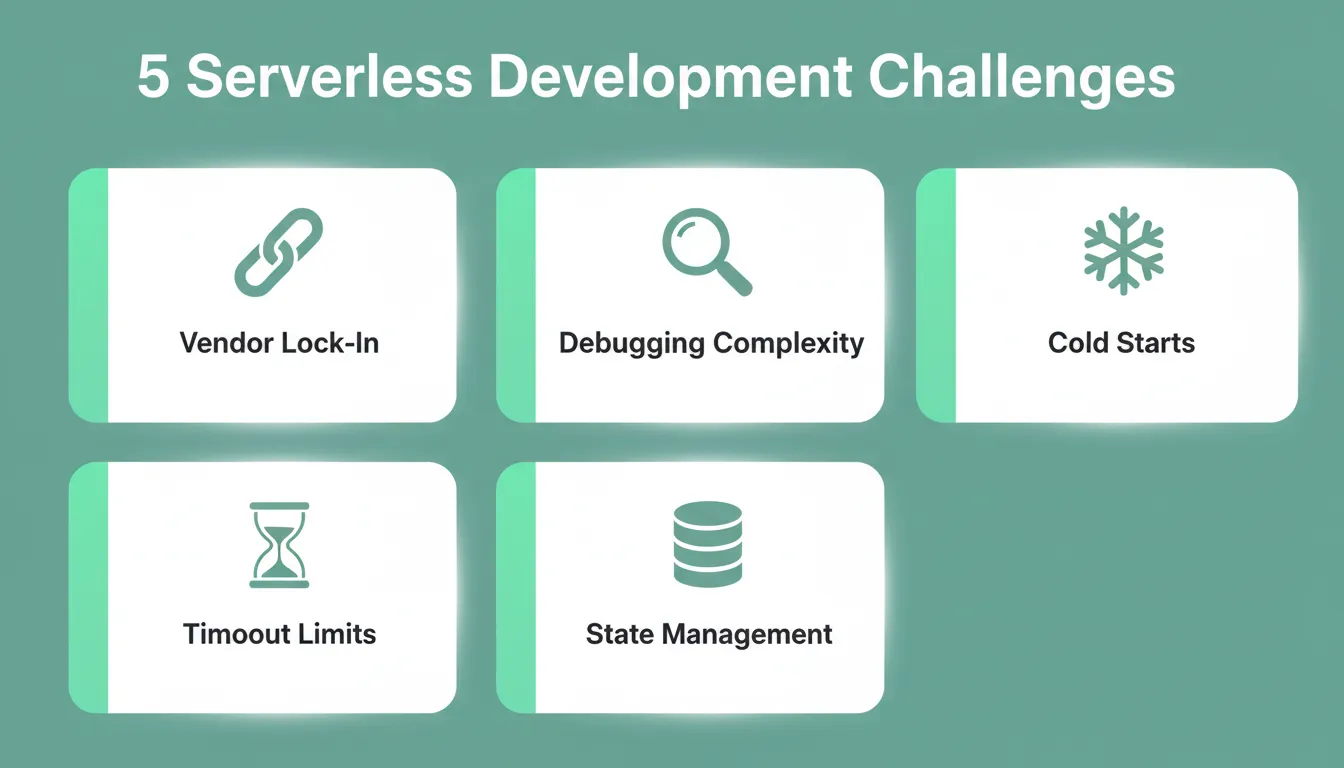
Common Challenges in Serverless Development
Serverless development removes many infrastructure tasks but also introduces a few technical challenges. Developers should understand these limitations to plan better architectures and avoid common issues.
Vendor Lock-In
Some serverless platforms depend on platform-specific features and services. This can make it harder to migrate applications from one cloud provider to another.
Mitigation: Use abstraction layers and keep business logic separate from cloud-specific SDK calls. Also consider multi-cloud frameworks like the Serverless Framework.
Debugging Complexity
Serverless apps often run many distributed functions across different services. Tracking errors across multiple logs and services can complicate debugging. A single user request may trigger five different functions, each logging to a different stream.
Mitigation: Implement structured logging with a consistent correlation ID on every request. Use distributed tracing from day one, not as an afterthought.
Cold Starts
In some cases, a serverless function may take extra time to start after being inactive. This delay is known as a cold start and may affect performance for certain workloads. AWS Lambda cold starts typically range from 100ms to 1 second, depending on runtime and package size.
Mitigation: Use provisioned concurrency for latency-sensitive functions and keep function packages small. Prefer runtimes with faster cold starts. See how engineering teams have eliminated cold starts and cut p99 latency at scale.
Function Timeout Limits
Most serverless platforms impose maximum execution time limits. AWS Lambda allows up to 15 minutes per invocation. Long-running processes need to be broken into smaller chunks or handled with a different compute model.
Mitigation: Design functions for short execution windows. Use step functions or workflow orchestration for multi-step, long-running processes.
State Management
Serverless functions are stateless by design. They do not retain memory between invocations. Applications that need session state, caching, or shared data must manage that state externally.
Mitigation: Use Redis (ElastiCache, Upstash) for session state and caching. Use a database for persistent state. Design your functions to be idempotent, meaning they are safe to run more than once with the same input.
Serverless Architecture Security Best Practices
Security in serverless environments requires a different mindset than traditional server security. The attack surface is distributed across many functions and services.
Key security practices:
- Least privilege IAM roles — each function should have only the permissions it needs
- Secrets management — never hardcode API keys or credentials; use AWS Secrets Manager, Azure Key Vault, or environment variables injected at deploy time
- Input validation — validate and sanitize all inputs at the API Gateway level and again inside each function
- Dependency scanning — serverless functions often include third-party packages; scan for known vulnerabilities with tools like Snyk or npm audit
- Function isolation — treat each function as an independent security boundary
For a broader view of protecting your applications, the guide on web application security best practices covers the full security framework developers should follow.
How to Build Serverless Architecture Successfully
Traditional cloud computing setups require teams to manage servers, track resources, update the operating system, and handle ongoing infrastructure work. This adds complexity and slows down application development.
A serverless architecture solves this by letting developers write code, deploy functions, and connect services. The cloud provider then handles scaling, server management, and availability. Learning to build serverless architecture lets developers create scalable serverless apps without worrying about infrastructure challenges.
For a deeper look at how to choose architectural patterns that complement serverless design, the guide on software architectural patterns covers the full decision framework for modern applications.
Best Practices for Serverless Applications
Building serverless apps becomes easier when developers follow a few practical patterns. These habits help maintain performance, keep systems organized, and make applications easier to manage as they grow.
- Keep functions small and single-purpose. Design each function to perform one task. Smaller functions are easier to manage, update, test, and scale independently.
- Use managed services. Rely on fully managed services such as serverless databases and messaging services. These tools reduce infrastructure work and support better scalability.
- Monitor resources from day one. Track resource usage, including memory usage, execution time, and request traffic. Set up alerts before you go to production, not after your first incident.
- Secure access with least privilege. Apply proper IAM access management for APIs and cloud services. Each function should have only the permissions it needs.
- Design for idempotency. Functions may be invoked more than once for the same event. Design them so running twice produces the same result as running once.
- Version and stage your deployments. Use staging environments to test changes before pushing to production. Maintain version history so you can roll back quickly if something breaks.
Build Serverless Apps Faster with Rocket
Serverless architecture is becoming more central to how modern software gets built. As cloud providers continue expanding their managed services and AI-assisted development matures, teams that understand how to build serverless architecture today will ship faster, scale reliably, and reduce operational overhead tomorrow.
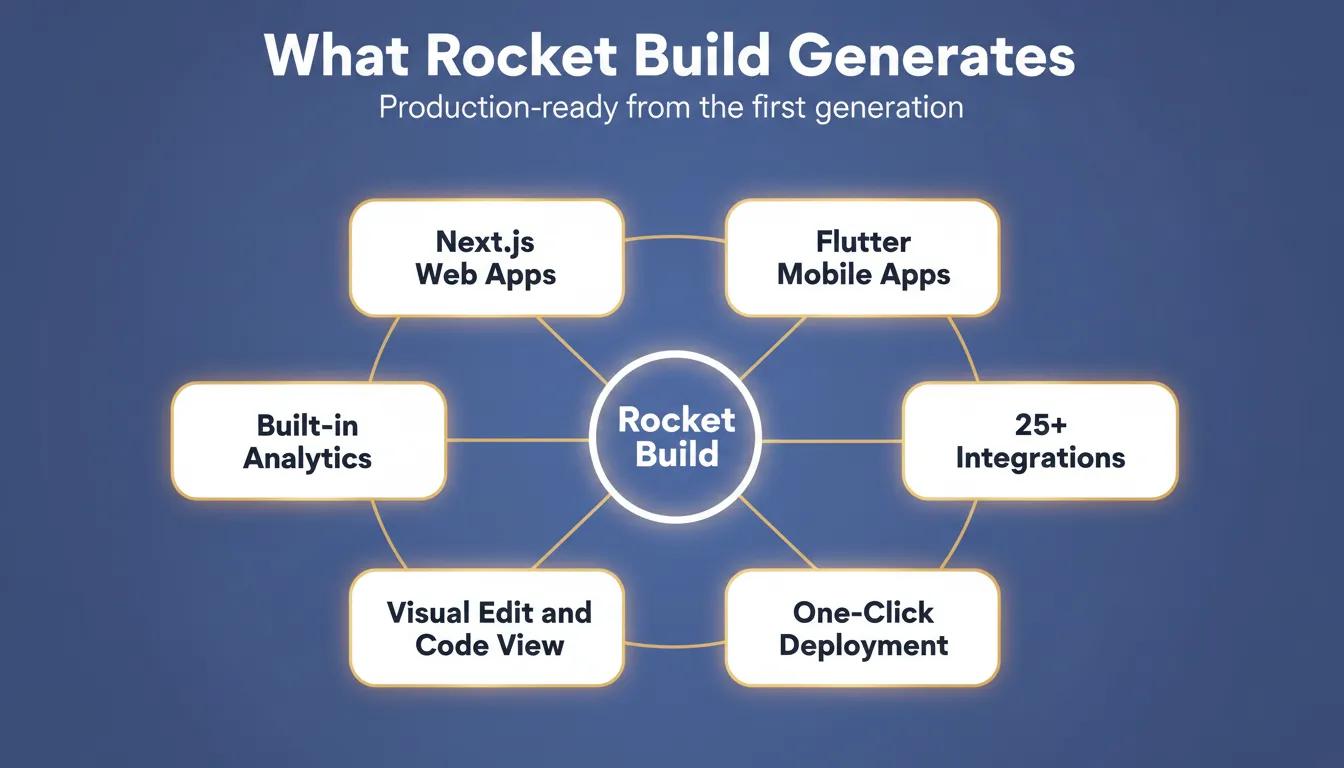
Rocket is a vibe solutioning platform that combines AI-powered app building, strategic research with Solve, and competitive intelligence in one system. Describe what you want to build, and Rocket generates production-ready Next.js web apps and Flutter mobile apps. These apps come complete with UI, backend logic, and deployment, ready in minutes, not weeks.
You type the idea. Rocket handles the architecture, the code, and the deployment. Start building on Rocket.new and go from idea to live serverless application today.
Table of contents
- -What is Serverless Computing?
- -Why Developers Choose Serverless Applications
- -Less Infrastructure Work
- -Automatic Scaling
- -Faster Development
- -High Availability
- -Pay Only for Usage
- -Serverless vs Traditional Cloud Architecture
- -Key Components of Serverless Architecture
- -1. Serverless Functions
- -2. API Gateway
- -3. Database and Storage
- -4. Event-Driven Workflows
- -Steps to Building Serverless Apps
- -Step 1: Choose a Cloud Provider
- -Step 2: Define Application Patterns
- -Step 3: Write Serverless Functions
- -Step 4: Connect APIs and Services
- -Step 5: Deploy the Application
- -Step 6: Testing and Monitoring
- -Real-World Serverless Use Cases
- -Common Challenges in Serverless Development
- -Vendor Lock-In
- -Debugging Complexity
- -Cold Starts
- -Function Timeout Limits
- -State Management
- -Serverless Architecture Security Best Practices
- -How to Build Serverless Architecture Successfully
- -Best Practices for Serverless Applications
- -Build Serverless Apps Faster with Rocket