
Low-code development platforms cut build time, empower citizen developers, and scale enterprise apps. Choose based on who builds, what integrates, and how the platform handles security and growth.
Low-code development platforms let teams build applications using visual interfaces and pre-built components instead of writing every line from scratch. This guide covers what to evaluate, which mistakes to avoid, and how to pick a platform that scales with your business.
What Are Low-Code Development Platforms Anyway?
Building an app should not feel like a never-ending coding marathon. Many teams want speed, clarity, and room to grow, but they often get stuck with tools that slow everything down. This is where low-code development platforms come into play. They promise faster builds and simpler workflows while keeping control in the right hands. But how do you know which option actually fits your team's needs? This blog breaks it down. You will learn what to look for, what to avoid, and how to plan for scale without stress.
Low-code development platforms are tools that let teams build applications using a visual, intuitive approach. Instead of writing every line of code, these platforms handle the heavy lifting behind the scenes.
Key features most platforms share:
- Drag-and-drop interfaces: build screens, forms, and workflows visually
- Pre-built components: ready-made modules for common app functions
- Minimal hand-coding: add custom code only when the platform's visual layer falls short
What they enable:
- Business apps: streamline internal processes and operations
- Mobile apps: create native or cross-platform applications quickly
- Enterprise software: build large-scale applications without massive development teams
Most low-code tools also include workflow automation, reusable components, and visual development features. These accelerate app creation, reduce manual effort, and differentiate low-code development from traditional coding methods.
Why Businesses Care About Low-Code Development
Low-code development platforms are reshaping how companies build software at scale. According to Gartner, low-code application platforms will account for more than 65% of application development activity by 2024, up from less than 10% in 2019.
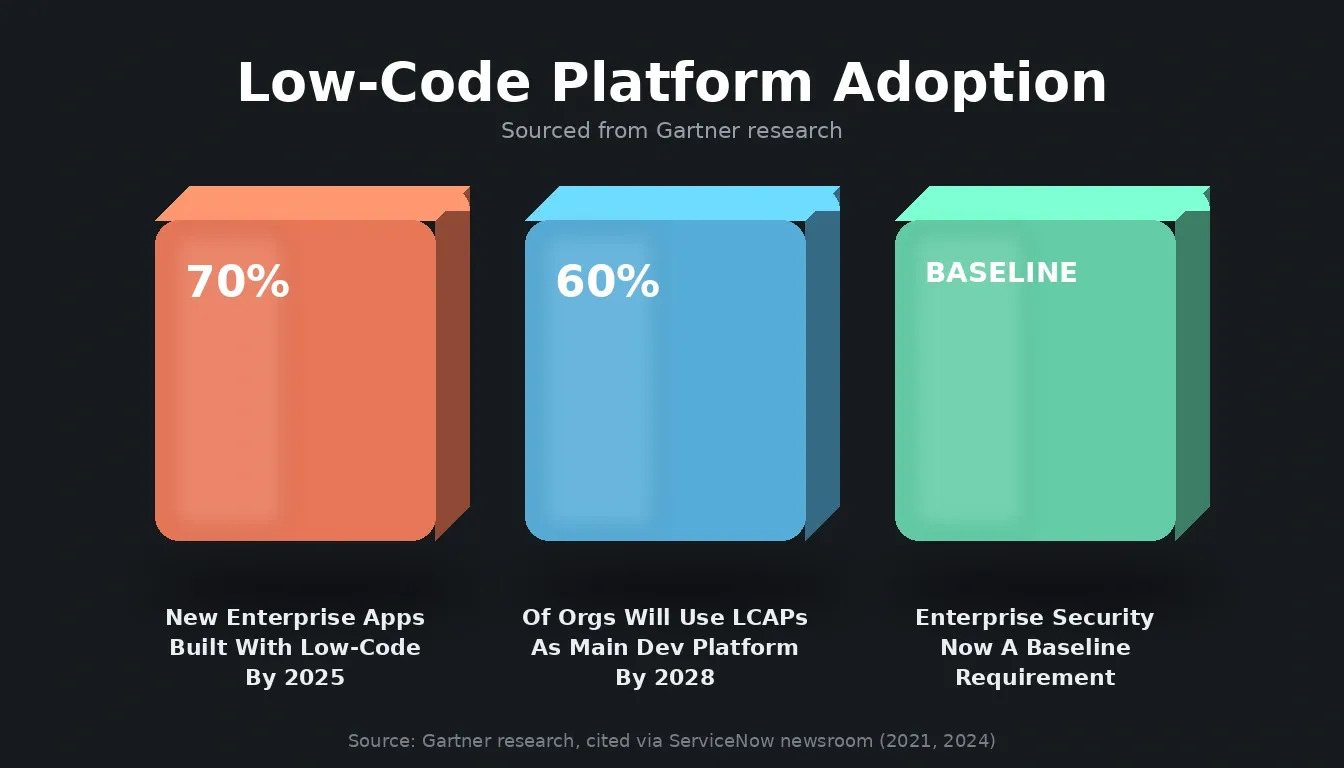
Low-code adoption is accelerating rapidly across enterprise and mid-market teams.
That shift is driven by a structural talent gap: there are not enough professional developers to meet enterprise demand for new applications. Low-code platforms address that gap by enabling citizen developers, business users who build functional apps without formal engineering backgrounds.
Gartner estimates that by 2026, citizen developers will outnumber professional developers in enterprises by at least 4 to 1. This shift means low-code development is no longer just a quick hack; it is a mainstream approach for building business applications.
Key benefits for businesses:
- Faster delivery: rapid application development without long coding cycles
- Reduced manual effort: automates repetitive tasks and streamlines workflows
- Empowering business users: citizen developers can contribute to Low-Code app creation
- Scalable solutions: low-code platforms now handle full-scale enterprise projects, not just prototypes
Key Factors To Consider When Choosing A Low-Code Platform
1. Goals For Low Code Adoption
What is the main reason for using a low-code platform?
- Building enterprise apps that replace legacy systems?
- Creating mobile apps for customers and employees?
- Automating internal workflow processes?
The answer should drive everything else. Platforms differ significantly in their strengths. Some excel at mobile apps; others are built for complex business processes. Picking the wrong one for your use case costs more time than building from scratch.
2. Who Will Be Building The Apps?
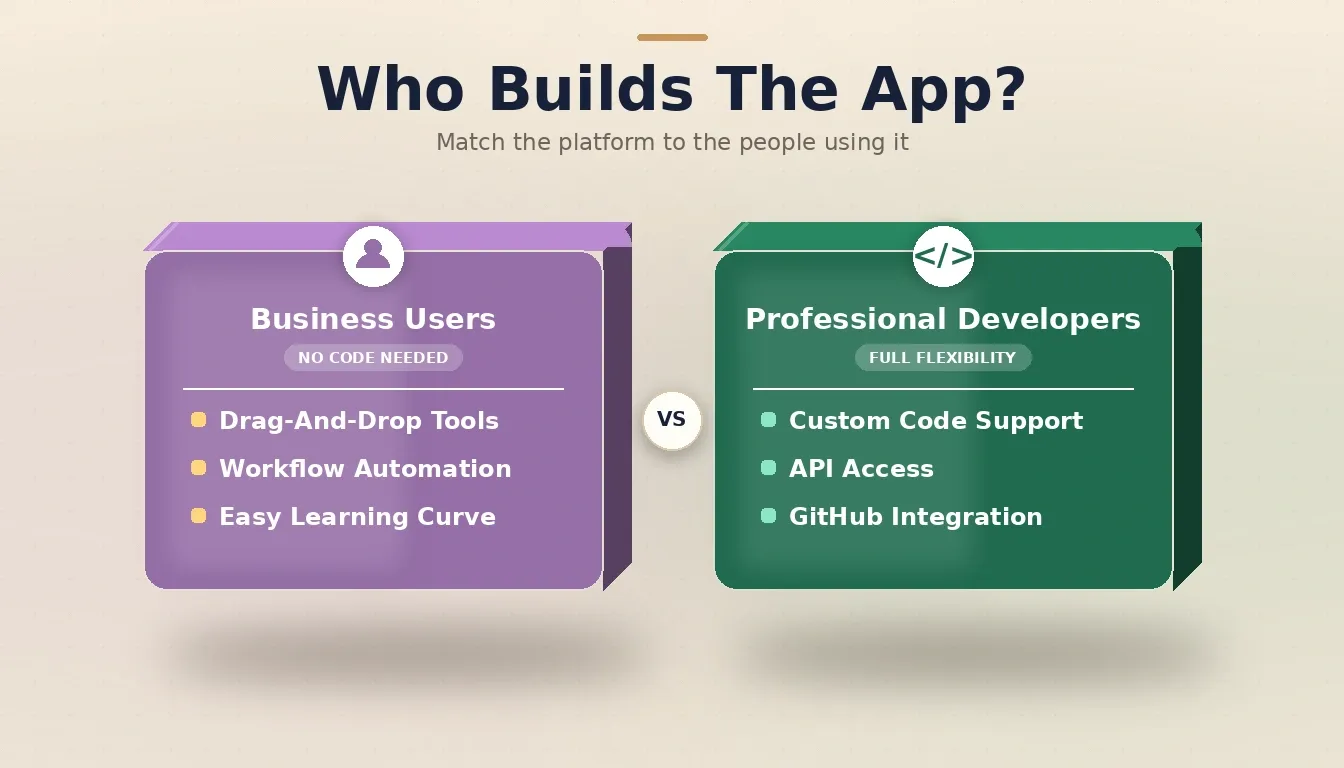
Matching the platform to the builder type is the single most important selection decision.
If non-technical users are the primary builders, the platform needs a gentle learning curve, strong documentation, and drag-and-drop interfaces. If professional developers are leading, look for a platform that supports extendable custom code, API access, and GitHub integration.
Most enterprise deployments involve both groups. The best platforms serve both without forcing either to compromise. Teams that want to build internal tools with AI without a developer on every task need platforms designed for exactly this mix.
3. Scalability And Performance
Some low-code platforms are built for quick internal tools and hit a ceiling fast. Others are architected for production workloads, handling large data volumes, high user loads, and multiple data sources without degrading.
Look specifically for: strong database capabilities, performance monitoring dashboards, support for complex business logic, and staging/production environment separation.
4. Integration With Other Tools
Scale apps rarely operate in isolation. They connect to CRMs, ERPs, payment systems, and third-party APIs. Choose a platform with robust connectors and a documented API layer so you can link systems without extensive custom work.
A platform that covers 25+ integrations natively, including Stripe, Supabase, Airtable, Notion, Mixpanel, and others, removes significant integration overhead from your team. You can read more about API integration strategies that reduce this overhead at scale.
Comparison: Low-Code Platforms By Use Case
Even a platform that scores high in all areas will not automatically fit your team. Consider who will use it, the types of apps you need, and how it will grow with your business.
| Trait | Best For Business Users | Best For Complex Apps | Best For Mobile First | Easiest To Learn |
|---|---|---|---|---|
| Drag-and-drop UI | Yes | Limited | Yes | Very High |
| Custom code support | Medium | High | Medium | Low |
| Integration depth | Good | Excellent | Average | Good |
| Workflow automation | Excellent | Good | Good | Excellent |
| Native mobile output | Varies | Supported | Core Strength | Varies |
| AI-native generation | Rare | Emerging | Emerging | Emerging |
Named platforms to evaluate: OutSystems and Mendix for enterprise-grade complexity; Bubble and Glide for business user accessibility; Retool for internal tooling; Rocket.new for teams that need AI-native generation with built-in research and competitive intelligence.
Common Mistakes People Make (And Why They Stumble)
Many teams rush in without a plan. They pick a platform because it looks impressive in a demo or because a competitor is using it. Then reality hits:
- The platform cannot scale to complex needs
- No proper support for native mobile apps or enterprise apps
- Too many limits for professional developers once the project grows
The fix is straightforward: define your requirements before evaluating platforms, not after. Get input from both developers and business users. A platform that satisfies only one group will create friction for the other.
Real Community Voices
Here is what actual builders and thinkers in the tech world are saying about low-code and no-code platforms. These views come from real Reddit discussions where developers and users share honest thoughts:
"Low-code development is marketing horseshit that tries to peddle a visual BPMN editor and a BPM engine, and… you end up writing kilometers of custom scripts because you have to put your business rules somewhere."
This is a real risk with the wrong platform. When a tool's visual layer cannot handle your business logic, you end up writing custom code anyway, but inside a constrained environment that makes it harder than writing it from scratch. The counter to this is choosing a platform that genuinely supports custom code extension, not one that treats it as an escape hatch.
Why Training And Support Matter
Low-code platforms are intuitive, but intuitive is not the same as zero learning curve. Teams need onboarding, clear documentation, and processes to avoid building apps that only the original developer can maintain.
Good documentation lets business analysts and developers work in sync. Platforms with active communities, video tutorials, and responsive support teams reduce the time from onboarding to productive output. Teams that automate product development using AI consistently cite documentation quality as a top factor in platform stickiness.
Where Rocket.new Fits: Beyond Low-Code
Most low-code platforms start at the build step and assume you already know what to build. Rocket.new takes a different approach. It is a vibe solutioning platform built on three connected pillars that cover the full arc from research to build to monitoring.
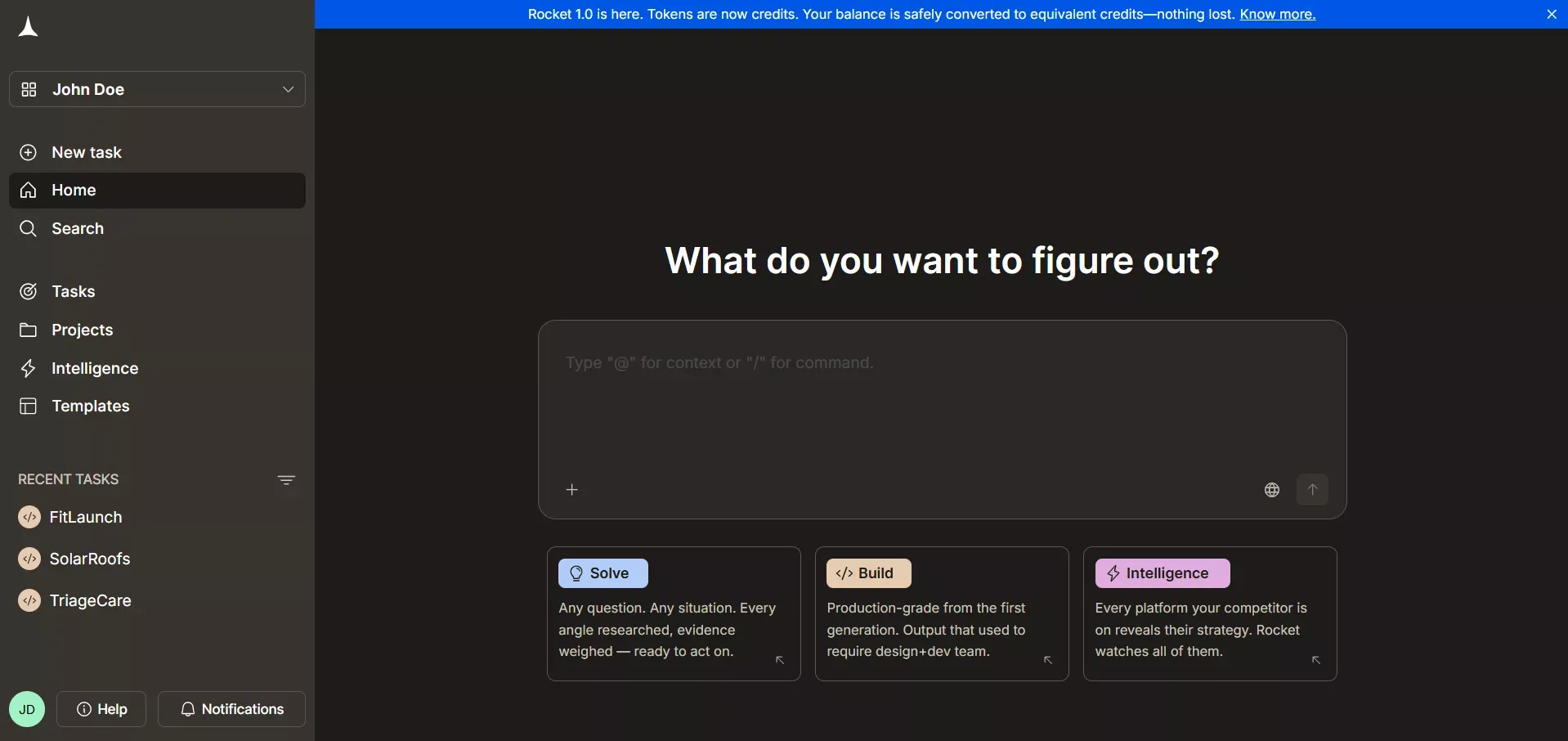
Rocket.new combines market research, production app generation, and competitor monitoring in one platform.
Solve validates ideas, runs market research, generates PRDs, and delivers structured reports with data, insights, and recommendations before a single line of code is written. Submit a business question in plain language; Rocket.new runs thousands of queries across 150+ sources and returns a structured analytical deliverable in 60 to 90 minutes.
Build generates production-ready web apps in Next.js and mobile apps in Flutter from natural language descriptions, Figma files, or existing GitHub repositories. No drag-and-drop layer, no visual builder. Rocket.new writes real, deployable code. Every app ships with SEO-ready structure, WCAG accessibility compliance, and GDPR coverage by default.
Intelligence monitors competitors continuously across nine signal pillars, including website changes, social media, hiring patterns, pricing shifts, and product releases. Daily Intel cards are framed to your role and strategic questions, not raw alerts.
The three pillars share context. The Solve research that validated your direction becomes the foundation of your Build task. The Intelligence signal from last week informs this week's product decision. Nothing is re-explained; everything compounds.
Rocket.new connects to 25+ services natively: Stripe, Supabase, Airtable, Notion, Linear, Mixpanel, Google Analytics, OpenAI, Anthropic, and more. Every integration authenticates once and flows into every build. Teams that want to understand what you can build on Rocket.new will find the full capability map in detail.
Security, Governance, And Growth
As apps scale, security and governance become critical. A low-code platform should support features that protect data, control access, and keep applications running reliably.
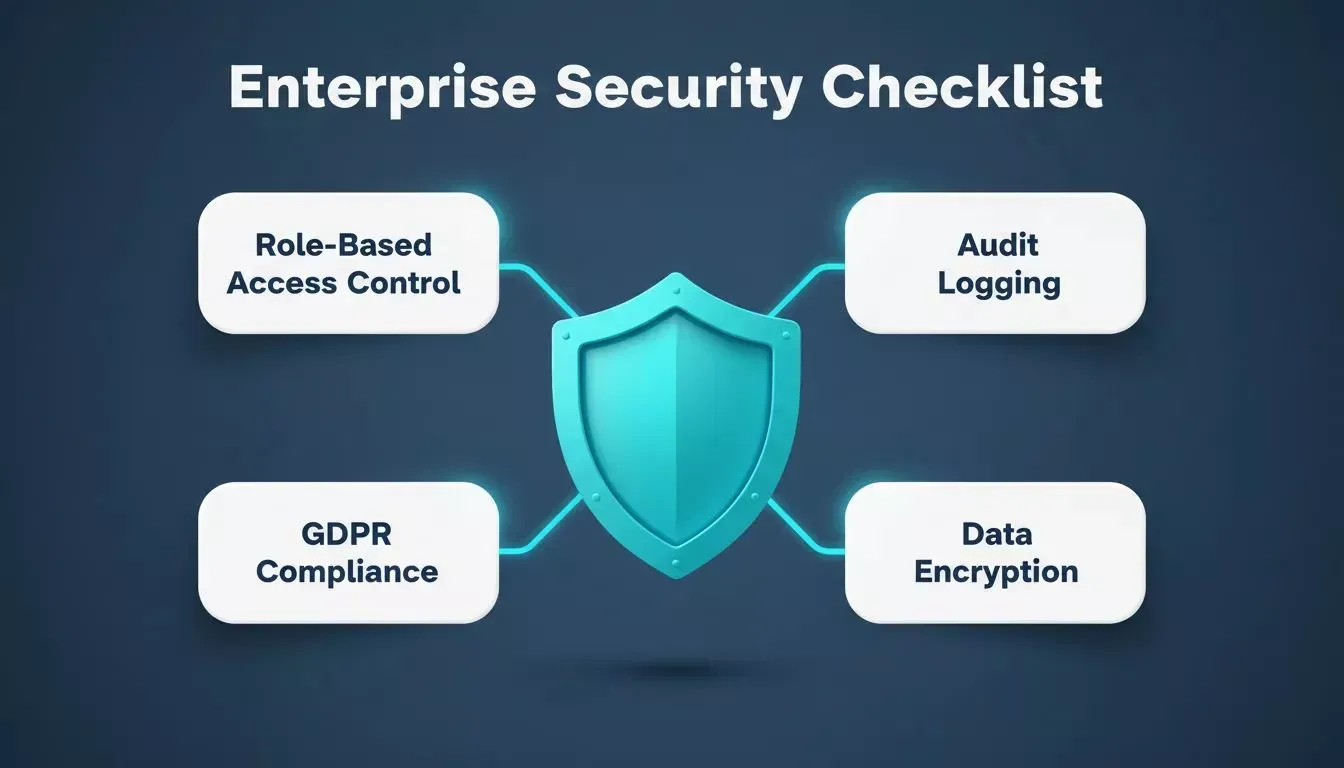
Role-based access control, audit logging, and compliance tooling are now baseline requirements for enterprise platforms.
According to Forrester, enterprise buyers now treat security and governance features as table-stakes requirements, not differentiators. Platforms that lack role-based access control, audit logging, and compliance tooling are being filtered out of enterprise evaluations before the demo stage.
Strong security and governance features enable both business users and professional developers to create and scale apps without introducing compliance risk or data exposure. Teams evaluating web application security best practices should verify that these features exist before committing to any platform for sensitive workloads.
Looking Past The Hype: Low Code Vs No Code
No-code and low-code development represent two points on the same spectrum. No-code platforms drop coding-skill requirements entirely. Low-code keeps some control in developers' hands when needed.
Many teams use a mix: no-code tools for simple internal workflows, low-code or AI-native platforms for more complex customer-facing products. Mobile is where this distinction matters most. Some platforms generate web apps wrapped in a mobile shell, while others generate true native iOS and Android apps from a single codebase.
How To Decide: A Simple Checklist
When comparing low-code platforms, work through these questions:
- What types of apps will you build: internal tools, customer-facing products, or both?
- Who will be building them: business users, professional developers, or a mix?
- Does the app require complex business logic, or are simple workflows sufficient?
- How many external systems does the app need to integrate with?
- Does the platform support staging and production environments with version history?
- What does the security and compliance feature set look like?
- Can the platform scale to the user load and data volume you expect in 18 months?
Work through this checklist before evaluating any platform to avoid post-selection regret.
Short, honest answers to these questions will eliminate most platforms before you reach a demo.
Low-Code Platform Selection Workflow
Picking A Platform That Grows With You
A platform that works for a quick internal tool may fall short when apps require more features, production reliability, or mobile presence. The teams that avoid painful migrations are the ones that are evaluated for their 18-month state, not their current state.
Look for strong ecosystems, active communities, low-code product updates, and a clear roadmap. A platform that is not actively investing in its product is one you will outgrow.
Choose Low-Code Development Platforms With Clarity
Picking the right low code development platforms means asking smart questions, matching team skills, and thinking beyond first builds. With clarity in your goals and a plan for growth, low-code development can help you deliver apps faster and with less frustration.
Low-code platforms let teams experiment safely, iterate quickly, and adapt to changing business needs. Whether it is a mobile app, workflow tool, or enterprise solution, the right platform keeps everyone from business users to professional developers on the same page and moving forward.
Ready to build the right thing, not just build faster?
Rocket.new combines market research, production-grade app generation in Next.js and Flutter, and competitive intelligence in one platform. Your team validates before it builds and monitors after it ships.
Start building with Rocket today and see how quickly your next project can go from validated idea to deployed product.
Table of contents
- -What Are Low-Code Development Platforms Anyway?
- -Why Businesses Care About Low-Code Development
- -Key Factors To Consider When Choosing A Low-Code Platform
- -1. Goals For Low Code Adoption
- -2. Who Will Be Building The Apps?
- -3. Scalability And Performance
- -4. Integration With Other Tools
- -Comparison: Low-Code Platforms By Use Case
- -Common Mistakes People Make (And Why They Stumble)
- -Real Community Voices
- -Why Training And Support Matter
- -Where Rocket.new Fits: Beyond Low-Code
- -Security, Governance, And Growth
- -Looking Past The Hype: Low Code Vs No Code
- -How To Decide: A Simple Checklist
- -Low-Code Platform Selection Workflow
- -Picking A Platform That Grows With You
- -Choose Low-Code Development Platforms With Clarity