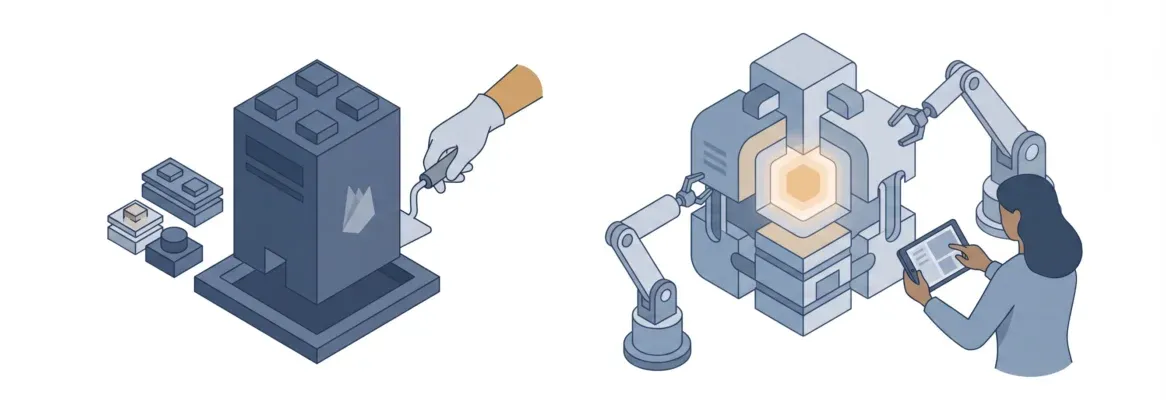
In 2026, choosing the right multi page website builder means choosing between hours of manual work and a platform that generates your full site in minutes. Traditional builders like Wix, Squarespace, and Webflow still work, but Rocket.new builds complete, production-ready multipage websites from a single prompt, with SEO, accessibility, and design handled by default.
What is a Multi-Page Website Builder?
A multi-page website builder is a platform that lets you create websites with multiple connected pages: a homepage, an about page, a pricing page, contact forms, a blog, and so on. Each page shares a consistent layout, and navigation ties everything together.
Traditional website builders like Wix, Squarespace, Webflow, and Framer have been the go-to choice for non-technical users who want a professional website without writing code. They gave the world drag-and-drop editors, template libraries, and built-in tools for SEO, analytics, and contact forms.
For years, that was enough. In 2026, the bar has moved, and the tools that have not moved with it are starting to show their age.
How Traditional Website Builders Actually Work
Traditional website builders center on a drag-and-drop editor. You pick a template, move blocks around, replace placeholder content, and publish. It is visual, tactile, and beginner-friendly, but it is also slow.
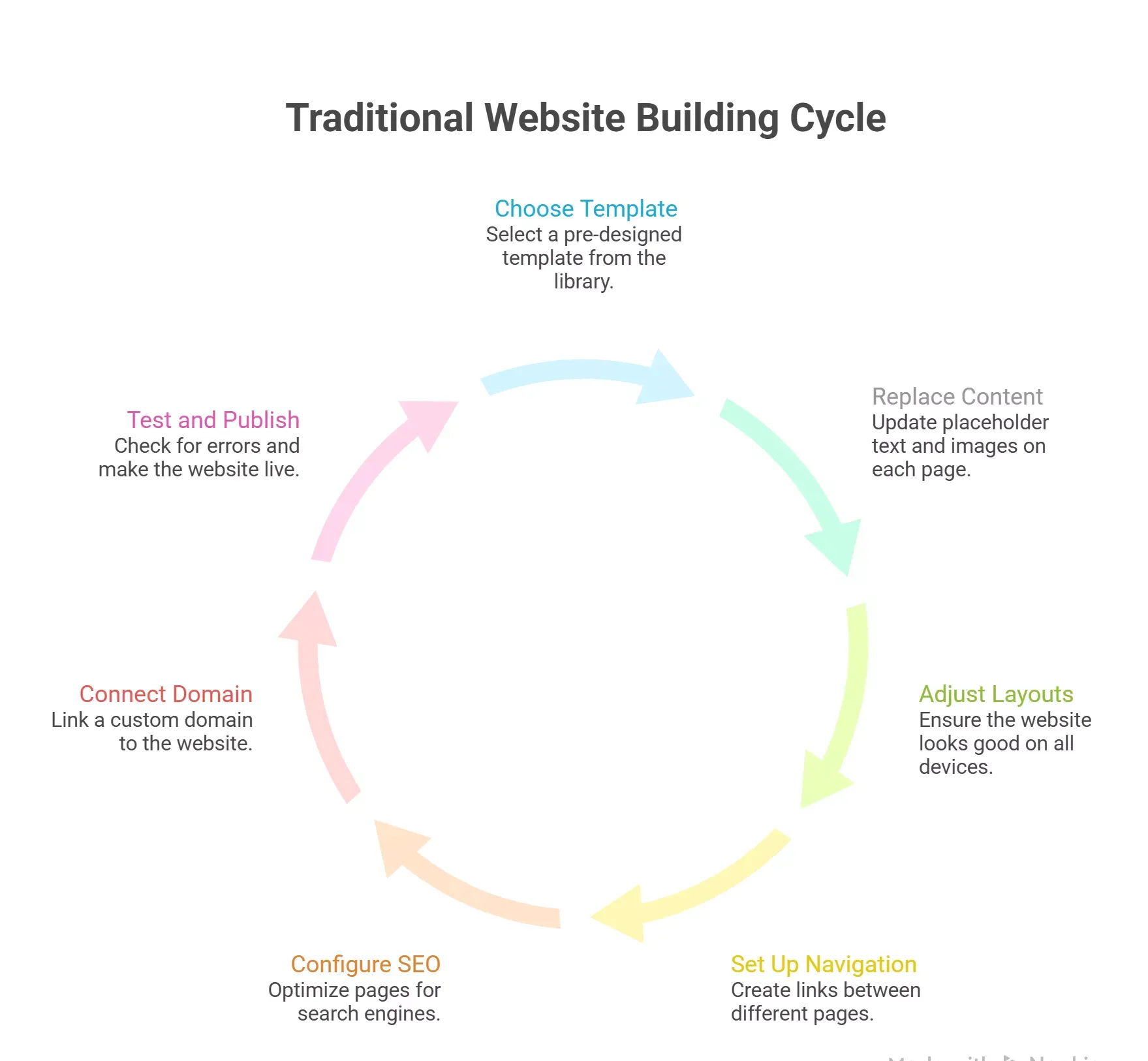
Here is what building a full multipage website on a traditional website builder actually looks like, step by step:
- Choose a template from the library
- Replace placeholder content on each page individually
- Adjust layouts for mobile devices manually
- Set up navigation between pages
- Configure SEO settings per page
- Connect a custom domain through paid plans
- Test across desktop and mobile before publishing
Each of those steps takes time and extra effort. If you want to add custom code or connect third-party tools, you are often hitting the limits of what the platform allows, or paying for add-ons to unlock what you need.
That is the workflow most people accept as normal. It does not have to be.
Where Traditional Builders Hit Their Limits
Most people do not realize the constraints of a traditional website builder until they are already committed to one. The issues tend to surface slowly, then all at once.
Here is what the pattern looks like across the most popular platforms:
- Design consistency requires manual work. Change a font or color scheme, and you often have to update it page by page. Not all builders have global styles, and the ones that do often lock them behind higher-priced plans.
- Steep learning curve for anything advanced. Webflow and Framer give you more creative control, but both come with a steep learning curve that can take weeks to get comfortable with. Non-technical users often plateau well before they reach the platform's full potential.
- Paid plans start adding up fast. Wix paid plans start at $17/month, Squarespace at $16/month, Webflow at $14/month, and those prices climb quickly when you need more pages, more bandwidth, or more built-in tools. Add-ons and third-party services push costs further.
- You are locked in from day one. Switching website builders later is notoriously hard. Templates, content, and functionality do not transfer cleanly. Most people rebuild from scratch, which means starting over and losing everything they built.
- AI features are bolted on, not built in. Most traditional builders added AI-generated copy and image tools after the fact. They are useful in isolation, but they do not change the fundamental workflow. You are still building page by page, manually.
The result is a process that works, but takes far longer than it should, and costs more than most people budget for.
The AI Builder Shift: What Changed in 2026
The website builder market has split into two distinct camps in 2026. Understanding the difference changes how you think about every project.
Here is how the two approaches compare at a structural level:
- Traditional builders give you a blank canvas or a template, then ask you to build up from there: page by page, element by element, setting by setting.
- AI-first builders ask you to describe what you want, then generate the full website, all pages, navigation, content structure, and design, and treat the editor as a refinement tool, not the primary interface.
- The time difference is real. A five-page website on a traditional builder takes hours or days. An AI-first platform like Rocket.new generates the same site in minutes.
- The quality difference is also real. Early AI builders produced output that looked generic: predictable grids, placeholder-style layouts, designs that announced themselves as AI-made. Rocket.new generates output that looks like a design team touched it.
- The workflow difference compounds over time. Traditional builders reset every session. AI-first platforms with shared context architecture remember everything: brand guidelines, product decisions, competitive research, and carry it into every task.
The shift is not just about speed. It is about where your time actually goes.
Head-to-Head: Traditional Builders vs Rocket.new
Here is how the major platforms compare across the factors that matter most for building a multi page website in 2026:
| Feature | Wix | Squarespace | Webflow | Framer | Rocket.new |
|---|---|---|---|---|---|
| Multi-page support | Yes | Yes | Yes | Yes | Yes |
| AI site generation | Partial | Partial | No | Partial | Full |
| No-code builder | Yes | Yes | Yes (complex) | Yes | Yes |
| Custom domain | Paid plans | Paid plans | Paid plans | Paid plans | Yes |
| Responsive design | Auto | Auto | Manual | Auto | Auto |
| SEO tools built in | Yes | Yes | Yes | Limited | Yes (default) |
| Code access | Limited | No | Full | Limited | Full |
| Free plan | Yes (limited) | No | Yes (limited) | Yes (limited) | Yes |
| Starting paid price | $17/mo | $16/mo | $14/mo | $10/mo | Credit-based |
| Redesign from URL | No | No | No | No | Yes |
| Figma import | No | No | Yes | Yes | Yes |
| Mobile app output | No | No | No | No | Yes (Flutter) |
How Rocket.new Builds a Multi Page Website
Rocket.new: Full Website Generation from a Prompt
Rocket.new is not just another website builder. It is the world's first Vibe Solutioning platform, where the thinking before the build, the build itself, and the intelligence after you ship all happen in one place.
For multi-page websites specifically, here is what that means in practice:
- Describe your site once. Tell Rocket.new the purpose, the pages you need, the audience, and the design direction. It generates a complete multi-page website: not a template with placeholder text, but a working, production-grade site with real navigation, real content structure, and intentional design decisions.
- Every page holds the same quality standard. The About page, the Pricing page, and the Blog section all feel like they were designed together, because they were. Rocket.new builds multi-page websites where consistency is the default, not something you have to enforce manually.
- Three ways to refine after generation. Chat with Rocket in plain language, use Visual Edit to click and change any element directly in the live preview, or open the full Next.js code and edit it directly. No change limit.
- SEO, accessibility, and performance are the baseline. Every Rocket.new build ships with SEO-ready structure, WCAG accessibility compliance, GDPR and CCPA coverage, and Core Web Vitals optimization: by default, not as add-ons.
- **25+ integrations connect directly into the build.** Stripe, Google Analytics, Supabase, Mailchimp, Mixpanel, Notion, Airtable, and more: authenticate once and they flow into every build.
The result is a full website that is live, production-ready, and properly configured in the time it used to take to pick a template.
Rocket.new Redesign Feature: What No Other AI Builder Offers
This is where Rocket.new separates from every other platform on the market, traditional or AI. Most builders only generate from scratch. Rocket.new can read your existing site and selectively improve it.
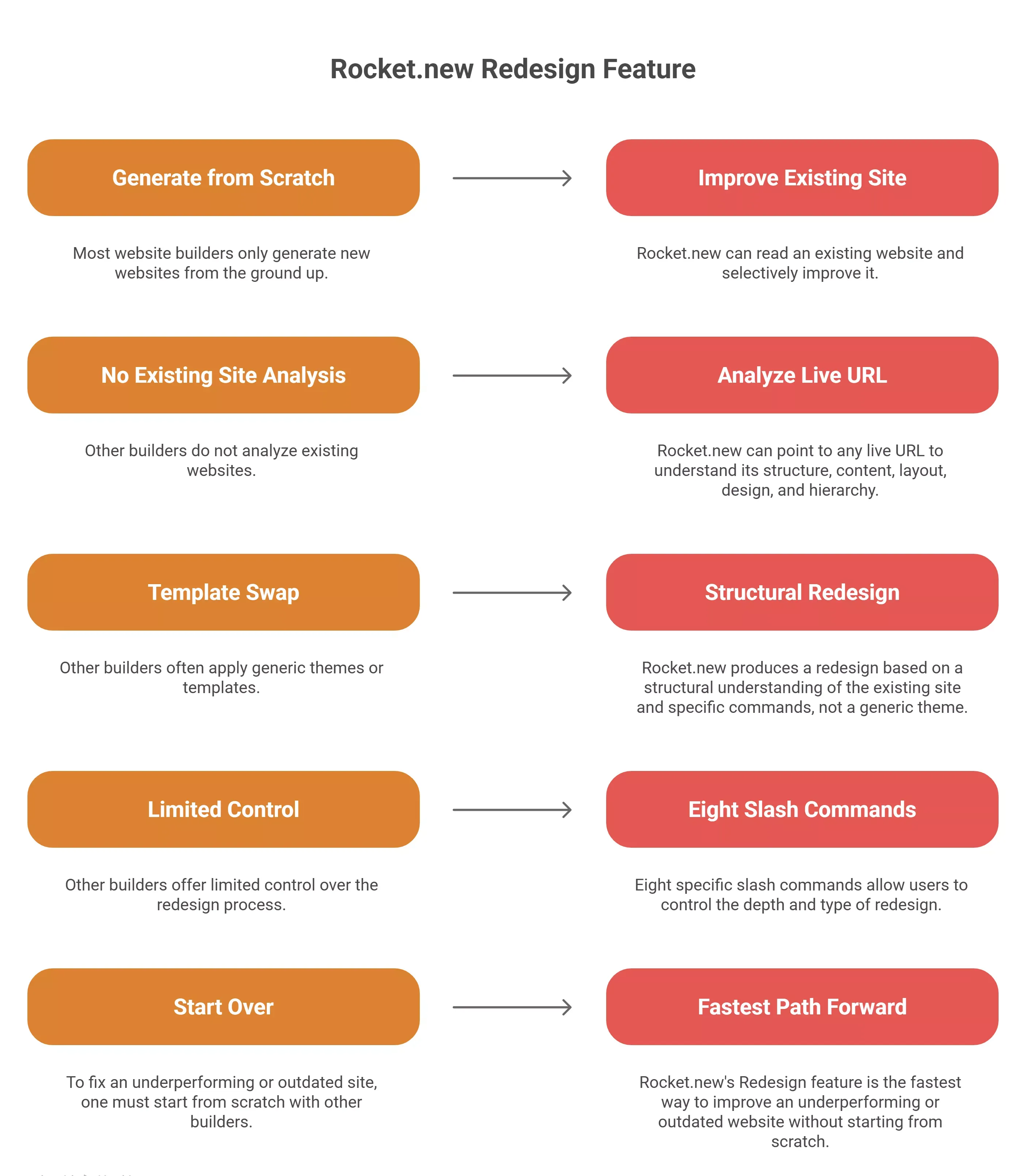
Here is how the Redesign feature works and what it gives you:
- Point Rocket.new at any live URL. Your own site, a competitor's site, a client's site: Rocket reads it structurally, understanding content, layout logic, design language, colors, typography, and information hierarchy.
- Eight slash commands control the depth of change. Reimagine Website Design, Full Website Makeover, Mobile-First Redesign, Redesign from Heatmap, Fix Conversion Issues, Fix Visual Hierarchy, Redesign Like Competitor, and Generate Brand-Matched Page.
- The output is a redesign, not a template swap. Rocket builds from a structural understanding of the existing site combined with the slash command direction: not a generic theme applied to your content.
- No other builder does this. Wix, Squarespace, Webflow, Framer, Bolt, Lovable, and v0 all generate from scratch. None of them read an existing site and selectively improve it.
If you already have a website that is underperforming, outdated, or has not kept pace with your brand, Redesign is the fastest path forward that does not require starting from scratch.
Rocket.new Compound Intelligence: The Architecture Difference
Most people focus on the speed of AI generation. The deeper advantage of Rocket.new is what happens across sessions and across your entire team.
Here is what the compound intelligence architecture actually means for how you build:
- Traditional builders and most AI tools reset every session. You bring the context. You re-explain the goal. You manage the output. Every task starts from zero.
- Rocket.new Projects carry everything forward. Brand guidelines, competitive research, product briefs, customer insights: add them once, and every task that follows already knows everything. The tenth page you build knows what the first nine established.
- Cross-task context compounds over time. A decision made in one task becomes the foundation for the next. The landing page you create next month already knows your brand voice, your audience, and your product positioning.
- Teams work from a shared context. Everyone on the team builds from the same foundation. No briefing on each new task from scratch. No context lost between handoffs.
- This is the architectural difference competitors cannot replicate. Bolt, Lovable, and v0 build what you tell them. Rocket.new figures out what is worth building, then builds it, with the full context of everything you have already decided.
The compound intelligence architecture is what separates Rocket.new from a fast tool and makes it a platform that gets more useful the more you use it.
Who Should Use What in 2026
Not every project needs the same tool. The right choice depends on what you are building, how fast you need it, and how much you are willing to manage manually.
Use a Traditional Website Builder if:
- You want a simple website with minimal pages and no plans to scale
- You are comfortable with a drag-and-drop editor and have time to build manually
- You need a very specific template that matches an existing design system
- You are on a tight budget, and the free plan covers your needs for the foreseeable future
Use Rocket.new if:
- You need a multi-page website built fast: in minutes, not days
- You want AI-generated content, design, and structure that actually looks professional
- You have an existing site you want to redesign without starting from scratch
- You need more than a website: web apps, mobile apps, internal tools, or landing pages alongside it
- You want SEO, accessibility, and performance handled by default without manual configuration
- You are a small business owner, founder, designer, or developer who needs to ship without a full team
The best website builder in 2026 is not the one with the most templates. It is the one that matches how you actually work, and compounds in value the more you use it.
The Right Platform for Multi-Page Websites in 2026
Traditional website builders had their moment. Wix, Squarespace, Webflow, and Framer are still solid choices for specific use cases, particularly for beginners who want a hands-on experience and do not mind the time investment. Webflow and Framer give designers more creative control, but come with a learning curve that not everyone has time for.
The problem is not that traditional builders are bad. It is that the multi-page website builder category has moved, and most of the familiar tools have not moved with it.
Multi-Page Website Builder vs Rocket.new is not really a close comparison in 2026. One asks you to build. The other builds with you and remembers everything you have decided along the way. If you are still spending hours on a site that should take minutes, the tool is the issue, not the project.
Ready to stop building page by page and start shipping complete websites in minutes? Rocket.new is the multi-page website builder built for how teams actually work in 2026. Generate your first site free, no coding skills required.
Table of contents
- -What is a Multi-Page Website Builder?
- -How Traditional Website Builders Actually Work
- -Where Traditional Builders Hit Their Limits
- -The AI Builder Shift: What Changed in 2026
- -Head-to-Head: Traditional Builders vs Rocket.new
- -How Rocket.new Builds a Multi Page Website
- -Rocket.new: Full Website Generation from a Prompt
- -Rocket.new Redesign Feature: What No Other AI Builder Offers
- -Rocket.new Compound Intelligence: The Architecture Difference
- -Who Should Use What in 2026
- -Use a Traditional Website Builder if:
- -Use Rocket.new if:
- -The Right Platform for Multi-Page Websites in 2026