Choose HTMX for content sites, CRUD tools, and backend-led teams. Choose React for complex client-side state, offline needs, or a shared web and mobile codebase. Many teams combine both.
Why is every second dev thread now questioning whether React is overkill for most web pages?
React powers 44.7% of web projects according to the 2025 Stack Overflow Developer Survey, making it the most popular frontend framework in modern web development.
But a growing counter-movement argues that most web applications do not actually need a full client-side JavaScript framework that ships hundreds of kilobytes to the browser.
HTMX sits at the center of that conversation, gaining traction as a lightweight alternative that sends server-rendered HTML instead of JSON.
This is not a tribal fight. It is a question of fit: app complexity, team skills, and interactivity needs determine which tool belongs in your stack. Here is a practical decision framework for choosing between these two approaches to building interactive web pages.
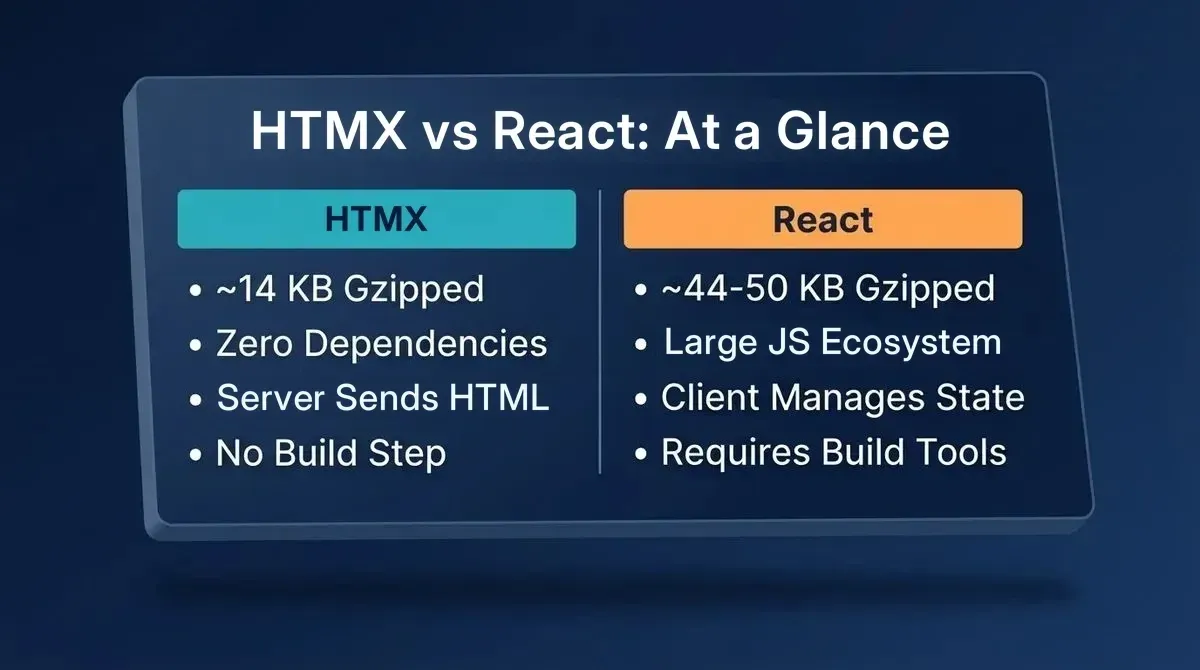
HTMX vs React: the core differences at a glance
What is HTMX?
HTMX is a lightweight JavaScript library that lets any HTML element make HTTP requests and swap the server's response directly into the page, with no full reload, no JSON, and no client-side state management.
The entire library is approximately 14 KB gzipped (htmx 2.x), has zero dependencies, and requires no build step. You add interactivity through HTML attributes like hx-get, hx-post, hx-swap, and hx-trigger.
The core idea is hypermedia: the server sends back HTML fragments, not data. This keeps business logic on the server and keeps the browser thin.
What is React?
React is a JavaScript library for building user interfaces through reusable components. Each component manages its own state and renders through a virtual DOM that efficiently updates only what changed. React (v19) plus react-dom ships at roughly 44-50 KB gzipped before your own code is added.
React powers rich single-page applications, real-time dashboards, and cross-platform products via React Native for mobile. Its ecosystem includes Next.js, Remix, Vite, Zustand, and React Testing Library, making it the largest in frontend development.
HTMX vs React: Head-to-Head Comparison
| Dimension | HTMX (2.x) | React (19) / Next.js |
|---|---|---|
| Bundle size | ~14 KB gzipped, zero dependencies | react + react-dom ~44-50 KB gzipped; grows with router and meta-framework |
| Learning curve | Gentle. Know HTML and one server-side language, and you can ship in hours | Steeper. Requires JSX, hooks, component lifecycle, and the JS ecosystem |
| Performance | Near-instant server-rendered responses, no client hydration, high Lighthouse scores by default | Virtual DOM enables efficient in-page updates; initial load requires a JS bundle |
| State management | Server is the single source of truth; no client state to sync or debug | Client-side state via Context API, Redux, Zustand, or Jotai |
| SEO | Server-rendered HTML by default; crawlers see full content immediately | Requires SSR or static generation; Next.js handles this well |
| Ecosystem | Smaller; works with any backend and any templating engine | Massive; hundreds of component libraries, testing tools, and meta-frameworks |
| Hiring pool | Growing community; backend developers can pick it up quickly | Largest frontend hiring pool; 44.7% developer usage |
| Mobile path | Web-only; no native mobile story | React Native for iOS/Android (shares logic and skills; UI layer is separate) |
| Verdict | Best for content sites, CRUD tools, admin panels, and backend-led teams | Best for complex interactive UIs, real-time apps, and teams needing a web/mobile codebase |
Is HTMX Better Than React?
Neither tool is universally better. HTMX wins on simplicity, bundle size, and time-to-ship for content-driven or CRUD-heavy apps. React wins on interactivity, ecosystem depth, and cross-platform reach.
The right answer depends on your app's complexity, your team's skills, and your roadmap. Understanding your tech stack for web development before committing to a framework saves significant rework down the line.
When to Use HTMX
HTMX is not trying to replace React everywhere. It excels where the hypermedia approach is a natural fit.
Content-heavy websites and blogs: When most pages are server-rendered HTML, such as articles, product listings, and documentation, HTMX adds interactivity without shipping a heavy JavaScript runtime. Pages load faster and score better with search engines because the HTML is already there.
Internal tools and admin panels: CRUD-heavy apps like dashboards, data tables with sorting and filters, and admin panels are where HTMX shines. A task management tool, an inventory tracker, or an employee directory all follow the same pattern: fetch data from the server, display it, let users create, update, and delete records.
Backend-led teams: When your developers are comfortable with Django, Flask, Ruby on Rails, Go, or Laravel, HTMX lets them build interactive websites without learning a separate frontend framework. Unlike React, HTMX does not require a dedicated frontend developer.
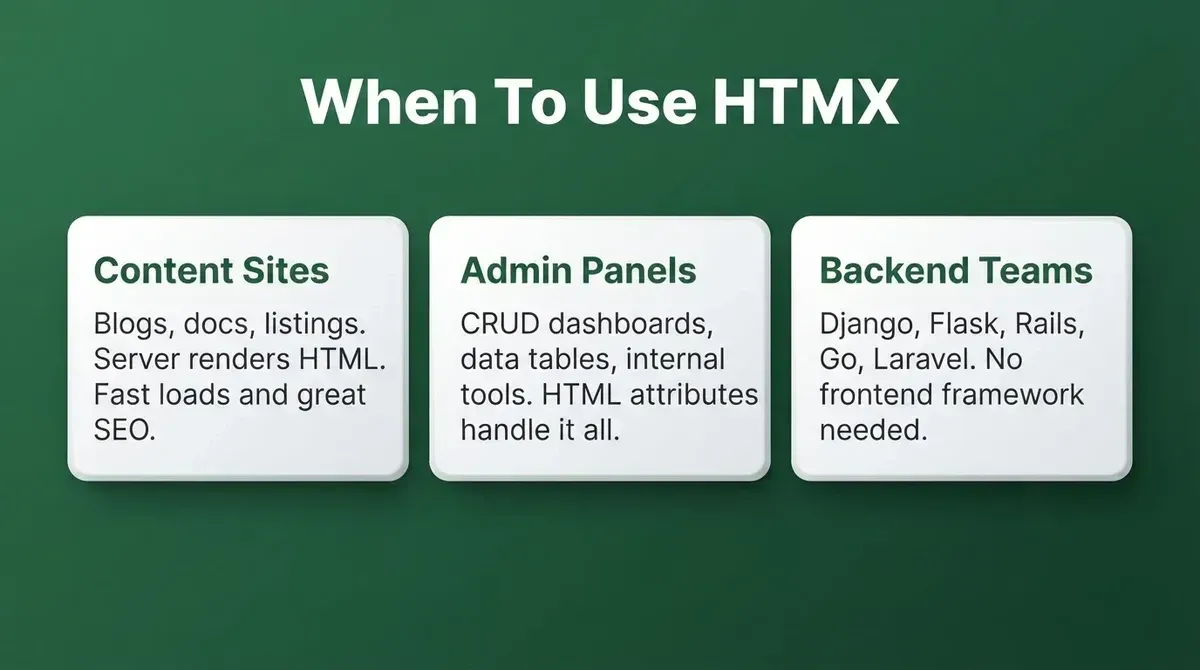
HTMX fits best when the server already drives most of the UI
The Contexte Migration: What the Numbers Actually Show
When Contexte, a French SaaS company, ported their application from React to HTMX (documented in a 2022 talk written up by the HTMX creator), the results for their specific, content-focused app were striking.
They reduced their JavaScript codebase by 67%, from 21,500 lines to 7,200. Their JavaScript dependencies dropped by 96% (from 255 packages to just 9). First-load time-to-interactive fell by 50-60%, and web build time went from 40 seconds to 5.
Two important caveats the original essay acknowledges: the Python server code grew by approximately 140%, and the app was unusually content-focused. Treat this as one data point for a specific migration, not a general benchmark.
When Should You Not Use HTMX?
-
Rich real-time interactivity on most pages: Collaborative editors, live whiteboards, or apps where many components share and react to the same state in milliseconds belong in React.
-
You need native mobile apps: HTMX is web-only. If your roadmap includes iOS and Android, you need a different stack.
-
Offline-first requirements: HTMX requires a live server connection for every interaction. Apps that must work without a network connection need client-side state.
-
Large teams with specialized frontend roles: React's component-based architecture creates natural ownership boundaries. Its ecosystem of TypeScript support, static analysis, and testing tooling scales better for large codebases with many contributors.
Where Does React Still Lead?
Complex client-side state and interactions: Think Google Docs-style editors, real-time collaborative tools, animation-heavy interfaces, or applications where multiple components share and respond to the same state. React's component tree and one-way data binding make managing complex interactions predictable across large codebases.
Highly interactive dashboards: When users need to sort tables, apply filters, drag and drop elements, and see changes reflected instantly without a network round-trip, React excels. Its client-side architecture handles UI updates in milliseconds.
Apps that need a mobile path: If your roadmap includes iOS and Android, React Native gives you a path to both platforms using the same language and much of the same business logic. Note that React Native and React for web share developer skills and logic, but the UI components are separate unless you add react-native-web. For teams building mobile-first products from scratch, choosing the right mobile app development framework is worth a dedicated evaluation.
Large teams with specialized roles: React's component-based architecture creates natural boundaries between frontend and backend work. At scale, the separation of concerns plus the ecosystem of testing, debugging, static analysis, and type safety tools helps teams maintain code quality and velocity.
React also carries a hiring advantage that is hard to ignore. With 44.7% usage among web developers in the 2025 Stack Overflow Developer Survey, finding React developers is straightforward. Finding experienced HTMX developers takes more effort, though the community is growing.
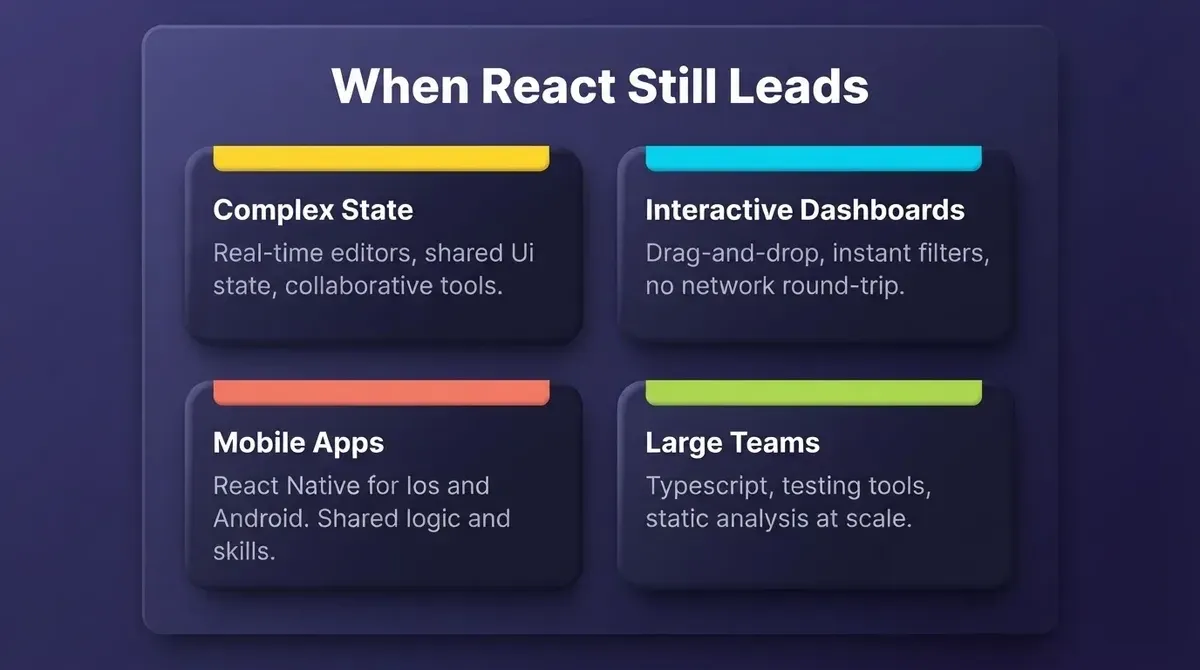
React's strengths are most visible at scale and in apps with complex interactive requirements
Can You Use Both? The Islands Architecture
You do not have to pick one tool for every page. The islands architecture, used by frameworks like Astro and Fresh, renders most of the page as static or server-rendered HTML while embedding small interactive islands for the parts that genuinely need complex client-side behavior.
An e-commerce site might use server-rendered HTML for product listings, navigation, and content pages while keeping React for the shopping cart, checkout flow, and real-time inventory updates. This approach is increasingly common as teams look to reduce JavaScript payload without a full rewrite.
The hybrid approach makes sense when your existing application uses React, but many pages are mostly static content, or when certain pages need advanced editing features or offline capabilities while the rest do not. If you are evaluating backend options for a hybrid app, understanding how Firebase and Supabase compare is a useful parallel decision.
Frontend Framework Adoption In 2025
Before committing to either tool, it helps to see where the industry actually stands. The chart below reflects developer usage data from the 2025 Stack Overflow Developer Survey.
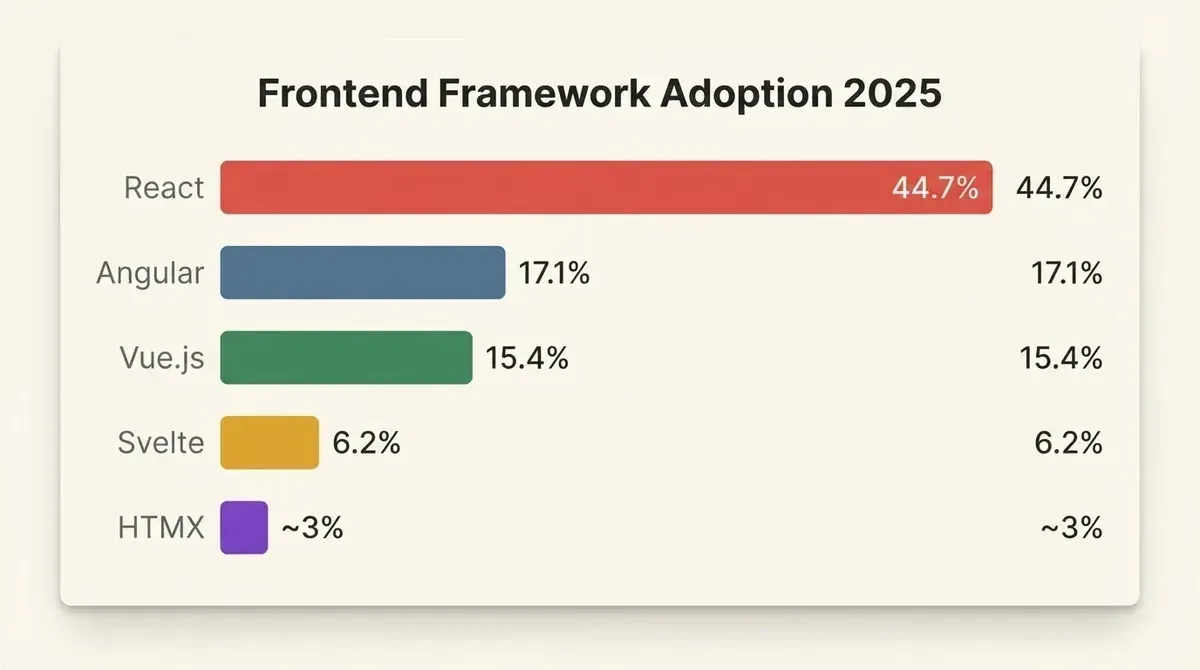
React dominates developer adoption; HTMX is growing from a smaller base
React's dominance reflects its ecosystem depth and hiring pool. HTMX's smaller share reflects its narrower scope; it solves a specific problem very well rather than trying to be a general-purpose framework. For teams evaluating the broader landscape of web development tools, understanding adoption trends helps set realistic expectations about community support and hiring.
HTMX vs React: Six-Question Decision Checklist
Answer these six questions about your specific project. Each answer points toward the better fit.
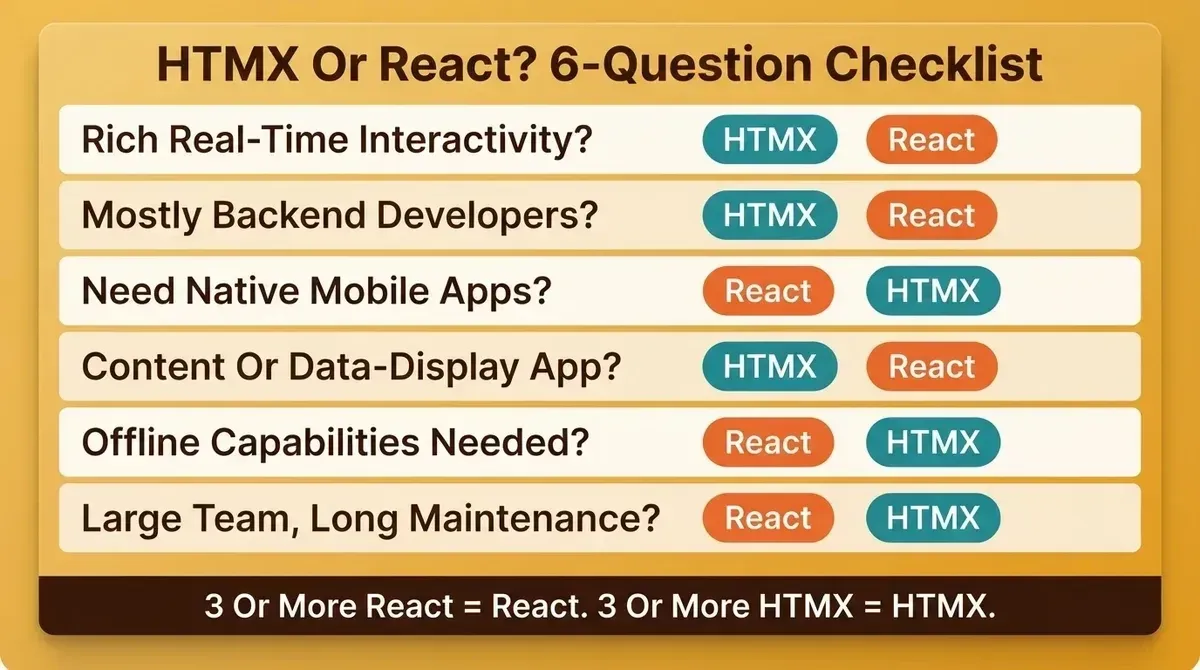
Use this checklist alongside the comparison table to make a confident decision
-
Does your app need rich, real-time interactivity on most pages? If yes, React. If your pages are mostly reading and light CRUD, HTMX.
-
Is your team primarily backend developers? If yes, HTMX fits their workflow with minimal JavaScript. If you have dedicated frontend engineers, React plays to their strengths.
-
Do you need native mobile apps from the same codebase? If yes, React and React Native. HTMX has no mobile path.
-
Is your app content-focused, such as articles, listings, or dashboards with server data? If yes, HTMX handles this well. React can feel like unnecessary complexity for content-heavy websites.
-
Do users need offline capabilities or complex client-side state? If yes, React. HTMX requires a live server connection for every interaction.
-
Are you building for a large team with long-term maintenance? React's ecosystem has more tooling for type safety, testing, code splitting, and error handling at scale. HTMX keeps things simple for smaller projects.
If you answered "React" to three or more questions, lean toward React. If "HTMX" came up more often, try it. You can also review how workspace connectors and backend services fit into your app architecture to understand what your project might need on the server side.
How Rocket.new Fits Into This Decision
Disclosure: We build Rocket.new, which generates Next.js web apps and Flutter mobile apps. We are not neutral on tooling, but we have tried to be accurate about what Rocket.new does and does not do.
Rocket.new is an AI app builder. Describe what you want in plain language, and Rocket.new generates a fully functional app complete with UI, navigation, logic, and production-ready code. Most apps are generated in one to three minutes. The framework is assigned automatically: Next.js for web apps, Flutter for iOS and Android mobile apps. There is no HTMX output option.
This matters for the HTMX vs React question in one specific way: if you want to validate whether your idea actually needs complex interactivity before committing to a framework decision, Rocket.new lets you build a working Next.js prototype quickly. You can download the source code or connect it to GitHub, then evaluate the real product rather than a theoretical spec.
What Rocket.new does not do: it does not generate HTMX apps, it does not claim to eliminate all React complexity, and it does not replace the architectural decisions you will need to make as your app scales. Use it to get something real in front of users fast, then make informed decisions from there. If you are new to the platform, the Rocket.new quick start guide walks you through your first build in under ten minutes.
Your Framework Should Fit The Problem, Not The Hype
HTMX and React are both good tools built for different kinds of problems. The right pick depends on your app's interactivity requirements, your team's existing skills, and whether your roadmap includes native mobile. Neither is universally better.
The most useful thing you can do right now is pick the tool that fits your next project and build something with it.
Ready to prototype and build your next project? Sign up for Rocket.new and get started in about 30 seconds with Google, Apple, or email. No credit card required.
Table of contents
- -What is HTMX?
- -What is React?
- -HTMX vs React: Head-to-Head Comparison
- -Is HTMX Better Than React?
- -When to Use HTMX
- -The Contexte Migration: What the Numbers Actually Show
- -When Should You Not Use HTMX?
- -Where Does React Still Lead?
- -Can You Use Both? The Islands Architecture
- -Frontend Framework Adoption In 2025
- -HTMX vs React: Six-Question Decision Checklist
- -How Rocket.new Fits Into This Decision
- -Your Framework Should Fit The Problem, Not The Hype