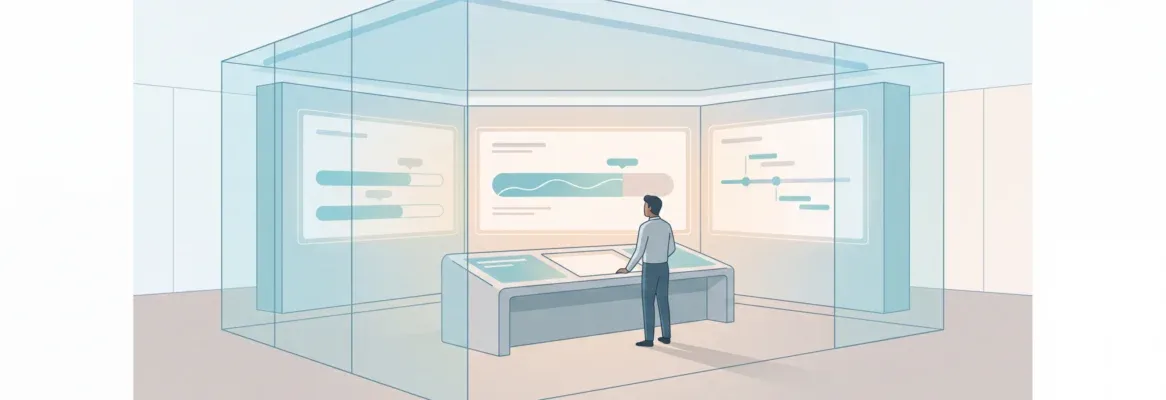
Production context engineering is the discipline of managing everything an AI model sees at inference time. Teams that apply it ship faster, break less, and build agents that hold up under real conditions.
Why do AI agents fail in production even when the underlying model is state-of-the-art? The answer is rarely the model. It is what the model sees at inference time.
LangChain's 2026 State of AI Agents report surveyed 1,300+ professionals and found that 57% of organizations now run agents in production. Yet quality remains the top barrier for 32% of teams. That gap traces to one discipline: production context engineering.
Not the wording of your prompt, but the entire configuration of information the model receives on every call. This is what separates a working demo from an AI-powered app that holds up under real conditions.
What is Production Context Engineering?
Production context engineering is the practice of deliberately designing, curating, and managing everything an AI model receives at inference time. It spans every call, every turn, and every session. It is not about writing better prompts. It is about treating the context window as a managed system resource, the same way engineers treat memory, bandwidth, or compute.
The term gained traction as teams discovered a key insight. The gap between a working demo and a reliable production agent was almost never a model quality problem. It was a context problem. The model had the capability. The context was broken.
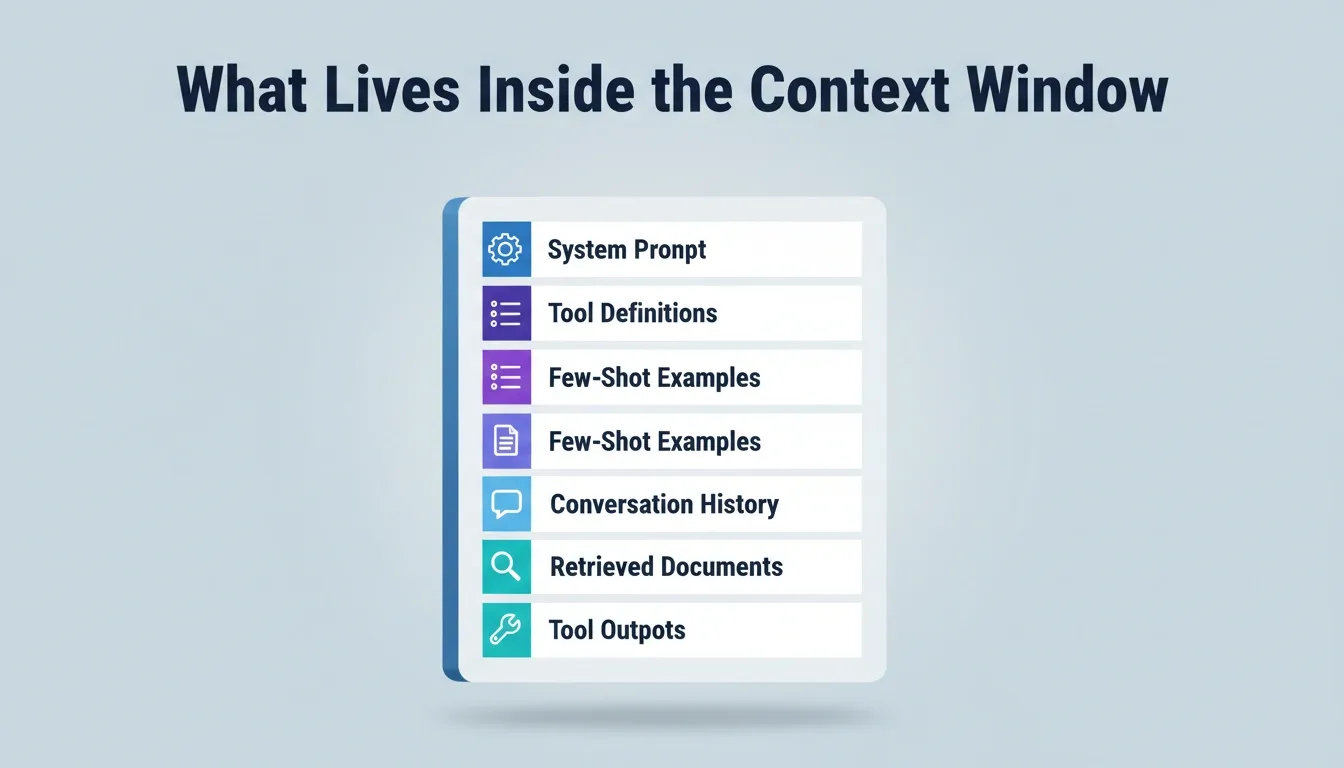
What Lives Inside the Context Window: six competing sources that fill the model's attention budget on every inference call.
Production Context Engineering vs. Prompt Engineering
Understanding the distinction is foundational before implementing either approach.
| Dimension | Prompt Engineering | Production Context Engineering |
|---|---|---|
| Scope | The text you write as an instruction | Everything the model sees at inference time |
| Session type | Single-turn or short exchanges | Multi-turn, long-running agent sessions |
| What it controls | System prompt wording | System prompt, tools, history, memory, and retrieved data |
| Failure mode addressed | Misunderstood instructions | Context rot, attention degradation, cascading errors |
| When it matters most | Chatbots, classifiers, one-shot generators | Production agents, coding assistants, autonomous workflows |
| Skill required | Copywriting and model intuition | Systems thinking and token budget management |
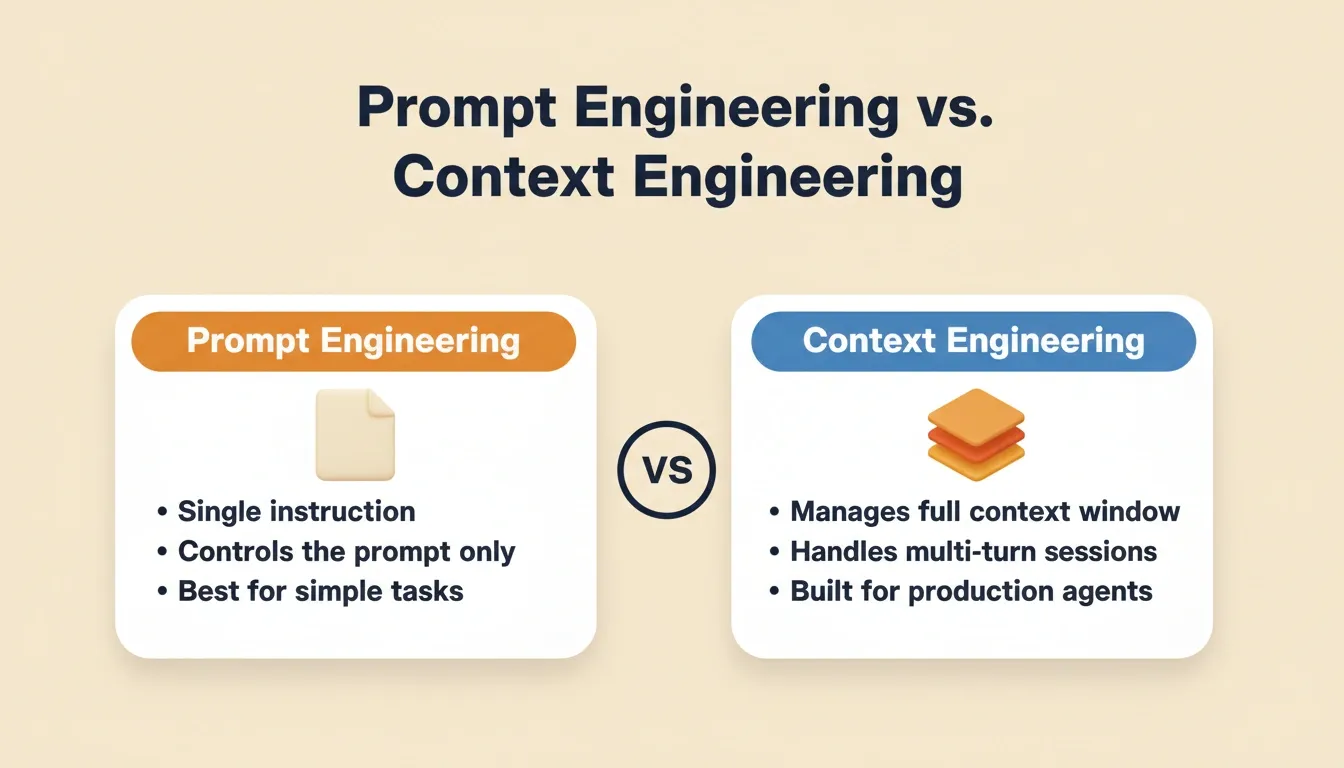
Prompt engineering is a subset of production context engineering. You still need good prompts. In production, however, the prompt is just one component of a much larger context assembly problem.
Why Prompt Engineering Alone Falls Short for AI Agents
Prompt engineering assumes a controlled, single-turn exchange. The model gets one shot at the right answer. Production AI agents work differently. They run across dozens or hundreds of turns, accumulate tool outputs, manage conversation history, and make key decisions over extended sessions.
- The scope problem: A system prompt stays static. The rest of the context window fills with retrieved documents, tool call results, API responses, error messages, and conversation history. Prompt engineering addresses only what you write at the beginning of that window.
- Context window as operating system: Think of the context window less like an input field and more like RAM for an operating system. What gets loaded determines agent behavior on every step, not just how the instructions are worded.
- The attention budget limit: As context length increases, a model's ability to accurately recall information degrades. Filling the context window with irrelevant material makes the agent worse, regardless of how well the prompt is crafted.
- Static vs. adaptive needs: Prompt engineering works for classification or single-generation tasks. For production agents handling complex tasks across long-running sessions, you need strategies for managing everything the model sees.
The shift from prompt engineering to production context engineering is not a rebrand. It reflects a fundamentally different problem: curating what enters a finite attention budget across many turns of inference.
What Does Context Include Beyond the Prompt?
Context engineering covers everything the model receives at each inference call. A human engineer writing the system prompt controls one component. The rest of the context window fills from multiple sources:
- System prompt and rules files that define agent identity, constraints, and explicit guidance
- Tool definitions and tool descriptions that tell the agent what actions it can perform
- Few-shot examples that demonstrate expected agent behavior patterns
- Conversation history from prior turns in the same agent session
- Retrieved documents pulled via semantic search, hybrid search, or a retrieval tool
- Long-term memory persisted from earlier sessions using retrieval-augmented generation or external storage
- Tool outputs and API responses from previous agent steps in the current trajectory
Each of these context sources competes for space inside the model's context window. Good production context engineering means selecting only what matters for the current step. Provide just the right information at inference time, not everything at once.
How Context Rot Breaks Production Agents
Context rot is the least discussed failure mode in production systems. Yet it accounts for more agent failures than bad prompts. It happens gradually across long-running sessions.
- The accumulation problem: Over a long-running session, old tool outputs, resolved error messages, and outdated decisions pile up in conversation history. They consume tokens without contributing signal. The model loses focus as noise crowds out relevant context, and reliability drops with each additional turn.
- Context poisoning compounds it: When an earlier model mistake stays in history, later reasoning treats it as ground truth. This creates a cascading failure mode where the agent trajectory drifts further from correct with each step. Production agents that run for hours are especially vulnerable.
- The "lost in the middle" effect: Research shows that model performance drops when important information is buried in the middle of long contexts. If key instructions sit between thousands of tokens of stale history and irrelevant tool call results, the agent will simply miss them.
- Multi-agent systems amplify the risk: When a root agent passes its full context to a sub-agent, and that sub-agent does the same, context explosion follows. Agent failures in multi-agent systems often trace back to one poisoned context propagating across the chain.
The common response to agent failures is adding more context: more rules, more constraints, more history. This makes things worse. Every additional token depletes the model's limited attention budget. The discipline of production context engineering is knowing what to leave out.
Context Isolation and Multi-Agent Architecture
When a single agent cannot maintain clean context across all responsibilities, teams split work across multiple agents with isolated contexts. This is how most teams building production AI agents solve the context scaling problem today.
| Dimension | Single Agent | Multi-Agent Architecture |
|---|---|---|
| Context window | Shared; grows unbounded | Each agent gets its own context window |
| Failure blast radius | One bad context poisons everything | Context isolation limits damage to one scope |
| Task focus | Must juggle all different aspects | Specialized agents handle related tasks only |
| Compaction needs | Constant across entire history | Per-agent; smaller, cleaner windows |
| Observability | One long trajectory to inspect | Each agent step visible in isolation |
| Scalability | Degrades as session length grows | Scales by adding specialized agents |
The multi-agent approach works because it enforces context isolation by design. A planning agent delegates subtasks to specialized agents. Each one starts with only what it needs for its specific scope. Tool outputs from one agent get summarized before passing back, filtering noise before it enters the next context window.
Using cross-task context by pulling findings from previous tasks into a new prompt via @-mentions is one practical way to implement this pattern. It works without rebuilding your context pipeline from scratch.
Four Strategies to Implement Context Engineering at Scale
Production agents need a systematic approach to context management. As a result, teams have converged on four core strategies for implementing production context engineering reliably.
Strategy One: Two-Pass Context Assembly
Anthropic's engineering team documents a two-pass pipeline for production agents. Static context goes at the front: system prompt, governance rules, top tool definitions, and few-shot examples. This stable prefix enables caching so unchanged segments get reused instead of recomputed.
The second pass assembles fresh content per request at the end: current task state, fresh retrieved knowledge, and recent tool outputs. This ordering matters because of the "lost in the middle" problem. Put high-signal material at the beginning or end of the context window, never buried in the middle.
What to put in the static pass:
- Agent identity, role, and behavioral constraints
- Core tool definitions (the 3-5 most-used tools)
- Domain-specific rules and governance guardrails
- Few-shot examples of correct agent behavior
What to put in the dynamic pass:
- Current task state and user intent
- Freshly retrieved documents from semantic or hybrid search
- Recent tool call outputs (last 2-3 turns only)
- Summarized checkpoints from earlier in the session
Strategy Two: On-Demand Tool Discovery
Loading your entire tool library at agent startup is expensive. Teams with dozens of tools can consume 70,000+ tokens on tool descriptions alone before the agent processes a single task line. The fix is straightforward: keep your 3-5 most-used tools always loaded. For larger sets, give the agent a search primitive to fetch tool schemas on demand.
One documented case showed a nearly 47% reduction in token usage by switching to selective tool loading on production coding agents. Only discovered tools get expanded into the active context. Everything else stays dormant until called.
Strategy Three: Context Compression and Summarization
Context compression is the practice of summarizing a conversation that is nearing the context window limit. The agent then reinitializes with the compressed result. A good compression pass preserves architecture decisions, unresolved bugs, and current state. It discards redundant tool call results and stale messages.
What a good compression pass preserves:
- Key decisions made and their rationale
- Unresolved errors or open questions
- Current task state and next steps
- Critical constraints that must not be forgotten
What a good compression pass discards:
- Successful tool call results no longer referenced
- Intermediate reasoning that led to a resolved conclusion
- Repeated instructions already encoded in the system prompt
- Conversational filler and clarification exchanges
Strategy Four: Structured Note-Taking as External Memory
Instead of keeping everything in the context window, production agents write structured notes to external storage. The agent then pulls these notes back selectively when needed. This approach provides long-term memory with minimal overhead. The agent persists context across sessions without filling the context window with historical noise.
The same agent can track progress across complex tasks, remember key decisions from prior sessions, and maintain project state. All of this happens without the conversation history growing unbounded.
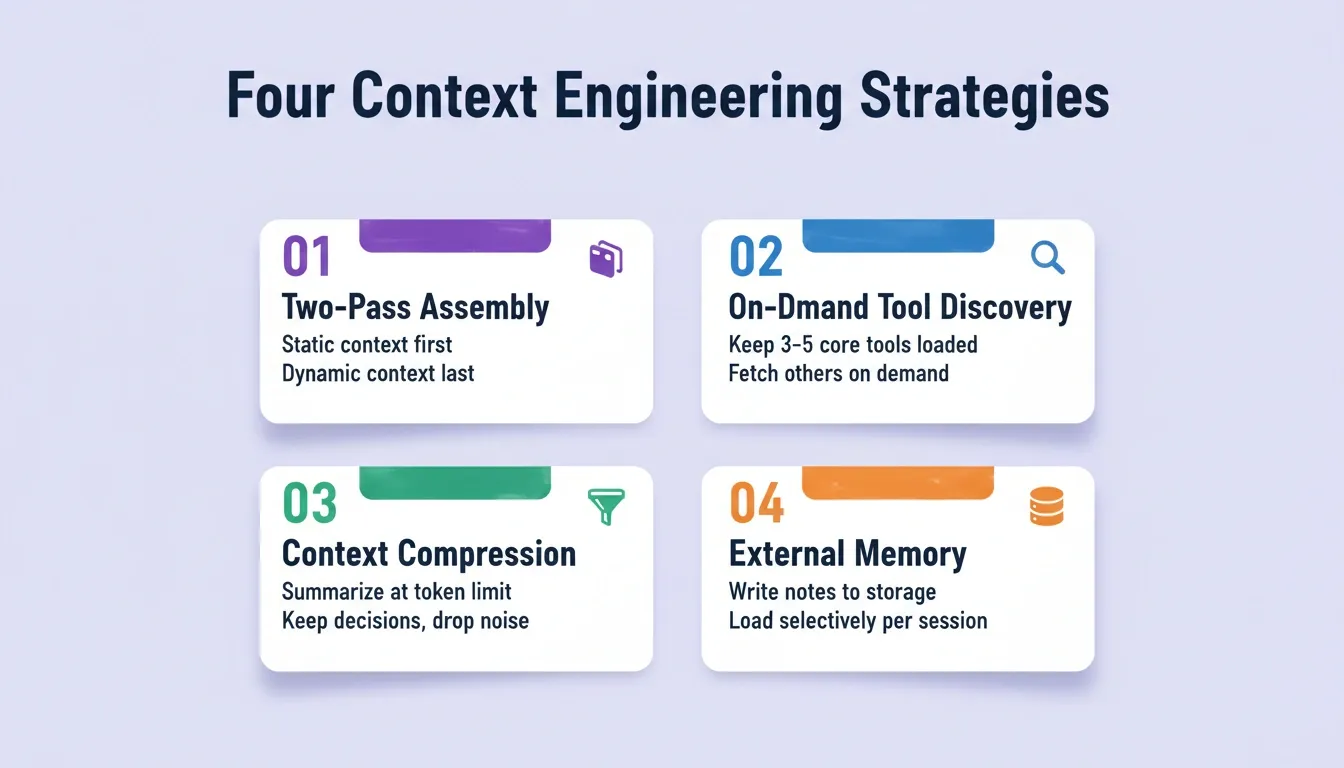
The two-pass context assembly model: static context anchors the beginning of the window; runtime context fills the end; the management layer handles compression, memory, and tool discovery.
These four strategies work together. Two-pass assembly sets the architecture. On-demand tool discovery keeps token usage low. Compression fights context rot during long sessions. External memory ensures the agent never starts from scratch.
Common Production Context Engineering Mistakes
Even experienced teams make predictable errors when implementing context engineering. The following table covers the most common failure patterns and how to fix them.
| Mistake | What happens | Fix |
|---|---|---|
| Context overloading | Dumping all available data into the window | Apply the two-pass model; load only what the current step needs |
| No compression strategy | Context window fills; agent degrades mid-session | Set a token threshold; trigger summarization before hitting the limit |
| Static tool loading | 70,000+ tokens consumed before the first task | Implement on-demand tool discovery with a search primitive |
| Ignoring context poisoning | Early errors become ground truth for later reasoning | Detect and prune incorrect conclusions before they propagate |
| No cross-session memory | Agent restarts cold every session | Write structured notes to external storage; load selectively |
| Skipping observability | Context bugs are invisible until the agent fails | Log what the agent sees at each step; trace context at inference time |
How Do Production Teams Manage Context Across Sessions?
Most teams building production agents discover that context management across sessions is where things get hard. Fortunately, a few proven practices make a significant difference.
Persist context selectively. Rather than saving full conversation history, save only key decisions, architectural choices, and unresolved items. Load these as concise context at the start of the next session.
Use specification files. Teams using tools like Claude Code or Cursor maintain AGENTS.md or CLAUDE.md files that persist project context. These files act as stable context injected at startup automatically. They give the agent a full view of coding conventions, architecture patterns, and testing requirements. This is a convention for those external tools, not a Rocket-specific feature.
Summarized checkpoints. At the end of each session, the agent generates a summarized state document. The next session loads this instead of replaying hundreds of messages that no longer carry signal.
Observability and evaluation. LangChain's 2026 State of AI Agents report found that 89% of organizations with production agents have implemented observability. Without visibility into what the agent sees at each step, debugging context problems is pure guesswork. Observability is now table stakes for any serious production deployment.
"The delegation gap is real. Developers use AI on 60% of their work but can fully delegate only 0-20% of tasks. Context engineering is how that gap closes." ByteIota, Context Engineering for AI Agents 2026
Effective production context engineering turns an agent that works in demos into one that ships reliably in production systems week after week. Rocket's project context system is designed to give your AI agents the right information at every step. Front-load your context once, and every task inside the project inherits it.
How Rocket Approaches Context for AI-Powered App Builds
Rocket is a vibe solutioning platform that combines strategic research, AI app building, and competitive intelligence into a single product. Its architecture reflects production context engineering principles at the platform level. This is not an add-on; it is a foundational design decision.
Here is how context flows through a Rocket workflow:
Research-first context with Solve. Before building, teams run a Solve task to validate ideas, size markets, and run competitive analysis. Solve produces structured, evidence-backed reports from live data. These research findings become the context foundation for the build phase. Rather than starting from a blank prompt, teams carry forward validated market data, competitor positioning, and user requirements as explicit context.
Project-level shared context. Rocket's project system groups related Solve and Build tasks together with shared files, connected services, and collaborators. Files uploaded to a project are automatically available to every task inside it. There is no re-uploading and no re-explaining. Front-load your context once, and every subsequent task inherits it.
Cross-task context via @-mentions. Within a project, teams use @-mentions to pull findings, decisions, and outputs from previous tasks directly into a new prompt. A Build task can reference a Solve report. A new Solve task can build on a prior analysis. Context flows between tasks without manual copying.
Prompt Intelligence before execution. Rocket scores every prompt for clarity before starting work. If the score meets the minimum threshold, work starts immediately. If it falls below, Prompt Intelligence asks targeted clarifying questions to fill gaps. This prevents vague prompts from producing wasted output.
Continuous monitoring with Intelligence. Intelligence monitors competitors continuously and delivers daily briefs, pricing change alerts, and trend signals. These signals can trigger new Solve analyses or inform what you build next. Your context stays current as the market moves.
Production-ready defaults. Rocket builds production-ready Next.js web apps and Flutter mobile apps. WCAG accessibility compliance, SEO structure, and security patterns are built into the output by default. Teams get production-quality results without manually assembling context pipelines for each build.
Context Engineering Is the Skill That Compounds
Production context engineering is not a trend. It is the foundational discipline of the AI agent era. As models get more capable, the teams that ship reliably will be the ones who master what goes into the context window, not just how to word a prompt. The four strategies covered here, including two-pass assembly, on-demand tool discovery, compression, and structured memory, are already standard practice at teams shipping production agents today.
The next evolution is platforms that handle context engineering at the infrastructure level. Teams can then focus on what to build rather than how to manage the window. You describe the problem. The system carries the context. That is what production-ready AI looks like.
Start building on Rocket, where your research, your decisions, and your builds share the same context from day one.
Table of contents
- -What is Production Context Engineering?
- -Production Context Engineering vs. Prompt Engineering
- -Why Prompt Engineering Alone Falls Short for AI Agents
- -What Does Context Include Beyond the Prompt?
- -How Context Rot Breaks Production Agents
- -Context Isolation and Multi-Agent Architecture
- -Four Strategies to Implement Context Engineering at Scale
- -Strategy One: Two-Pass Context Assembly
- -Strategy Two: On-Demand Tool Discovery
- -Strategy Three: Context Compression and Summarization
- -Strategy Four: Structured Note-Taking as External Memory
- -Common Production Context Engineering Mistakes
- -How Do Production Teams Manage Context Across Sessions?
- -How Rocket Approaches Context for AI-Powered App Builds
- -Context Engineering Is the Skill That Compounds