
Framer builds polished marketing sites. Rocket builds production-ready web apps, mobile apps, and full-stack products from a single prompt. They serve different jobs entirely, and picking the wrong one costs months.
Why do so many teams pick an AI website builder, ship something pretty, and then realize six months later it can't do half of what they actually need?
The 2024 Stack Overflow Developer Survey found that 76% of developers are already using or planning to use AI tools in their workflow - website builders included. "AI-powered" covers a wide range: it can mean a drag-and-drop tool with an AI copy button, or a platform that writes full production code from a plain prompt.
Framer and Rocket sit at opposite ends of that range. Framer is design-first, loved by marketers and agencies for visual quality. Rocket is output-first, generating real deployable code for web apps, mobile apps, and everything in between. The choice matters more than the marketing suggests.
What These Two Tools Are Actually Built For?
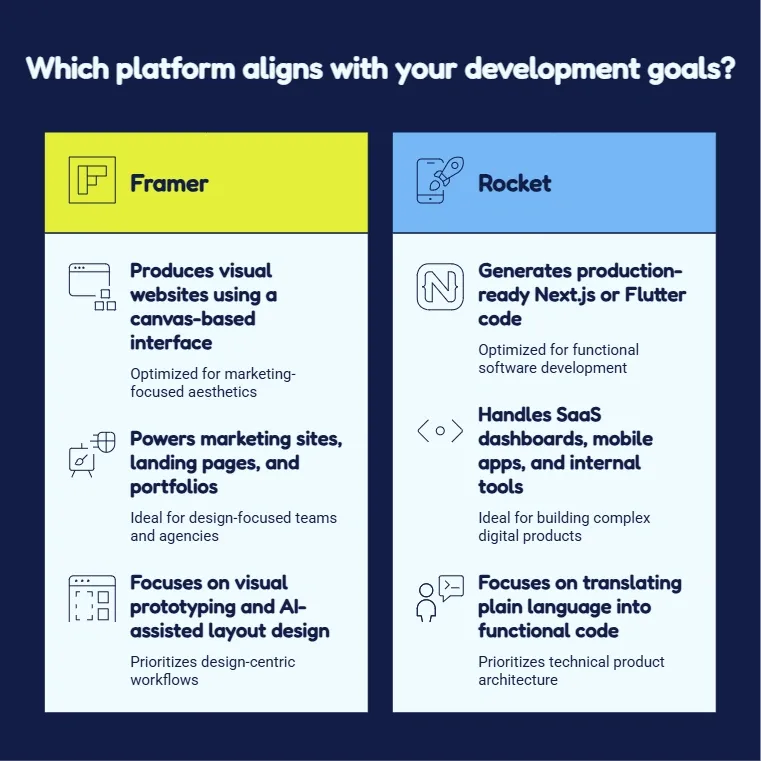 Framer started as a prototyping tool for designers and grew into a visual website builder with AI-assisted layouts, a built-in CMS, and managed hosting. Its core audience is design-focused teams: marketers, freelancers, and agencies who need polished sites quickly. Framer now powers marketing sites for brands like Perplexity, Miro, and Mixpanel.
Rocket was built for a different scope. You describe any idea in plain language and Rocket generates a production-ready web app, mobile app, or landing page. The output is real Next.js or Flutter code, not a visual canvas that approximates code. Rocket handles SaaS dashboards, mobile apps, internal tools, and customer portals, projects that Framer simply was not designed for.
The distinction comes down to intent. Framer builds websites. Rocket builds products. You can also browse top Framer alternatives for designers and teams to see where Framer fits in the broader tool ecosystem.
How the Features Stack Up
Side-by-side lists often flatten the real difference. The table below shows what each tool actually handles and where the depth diverges.
| Feature | Framer | Rocket |
|---|---|---|
| AI-assisted building | Layout and copy suggestions | Full app generation from plain-language prompts |
| Output type | Visual website (no raw code access) | Production code: Next.js (web), Flutter (mobile) |
| Mobile apps | No | Yes, native iOS and Android via Flutter |
| CMS | Built-in relational CMS | Connects to Supabase, Airtable, Notion, Strapi |
| Custom backend logic | No | Yes, auth, databases, APIs, server logic |
| Figma import | Yes (design reference) | Yes (converts to working production code) |
| Custom domain | Yes (paid plans) | Yes (automatic DNS setup included) |
| Analytics | Basic site analytics | Built-in Core Web Vitals and conversion tracking |
| App connections | Limited | 25+ apps: Stripe, Mixpanel, OpenAI, Cal.com, and more |
| Team collaboration | Yes (editor seats, billed per seat) | Yes (Admin, Creator, Viewer, unlimited seats) |
| SEO tools | Built-in, manual setup | Auto-generated, slash-command SEO and GEO audit reports |
| Starting price | From $10/month | From $25/month, unlimited seats |
| Code ownership | No export | Full code download and GitHub sync |
The biggest gap is depth. Framer handles the front layer well. Rocket handles the full stack: front, back, and everything in between. If your project needs user authentication, a real database, or third-party payment flows at any point, Framer will hit a wall.
Understanding why Rocket generates Next.js and Flutter explains why these technology choices matter for production-grade output.
What Does Each Tool Actually Cost?
Framer offers three site plans. Basic starts at \$10/month (30 pages, 50 GB bandwidth). Pro starts at \$30/month (150 pages, 100 GB, staging environment, roles and permissions). Enterprise is custom pricing. Additional editors are billed per seat on top of your plan. A/B testing via the Convert add-on and advanced hosting are separate paid add-ons. See framer.com/pricing for current seat costs by region.
Rocket starts at \$25/month with unlimited seats, no per-seat fees for any team member. A free tier with 20 credits (which never expire) is available for exploration. Paid plans scale by build volume, not headcount. The core difference: Framer charges by site features and seat count. Rocket charges by what you build.
According to Rocket's own comparison data, a team of five on Framer's Pro plan costs approximately \$190/month (base plan plus four editor seats), versus \$25/month total on Rocket. For a small team shipping a real product, Framer's add-on structure can push actual monthly spend well past the headline price.
Where Framer Hits Its Limits
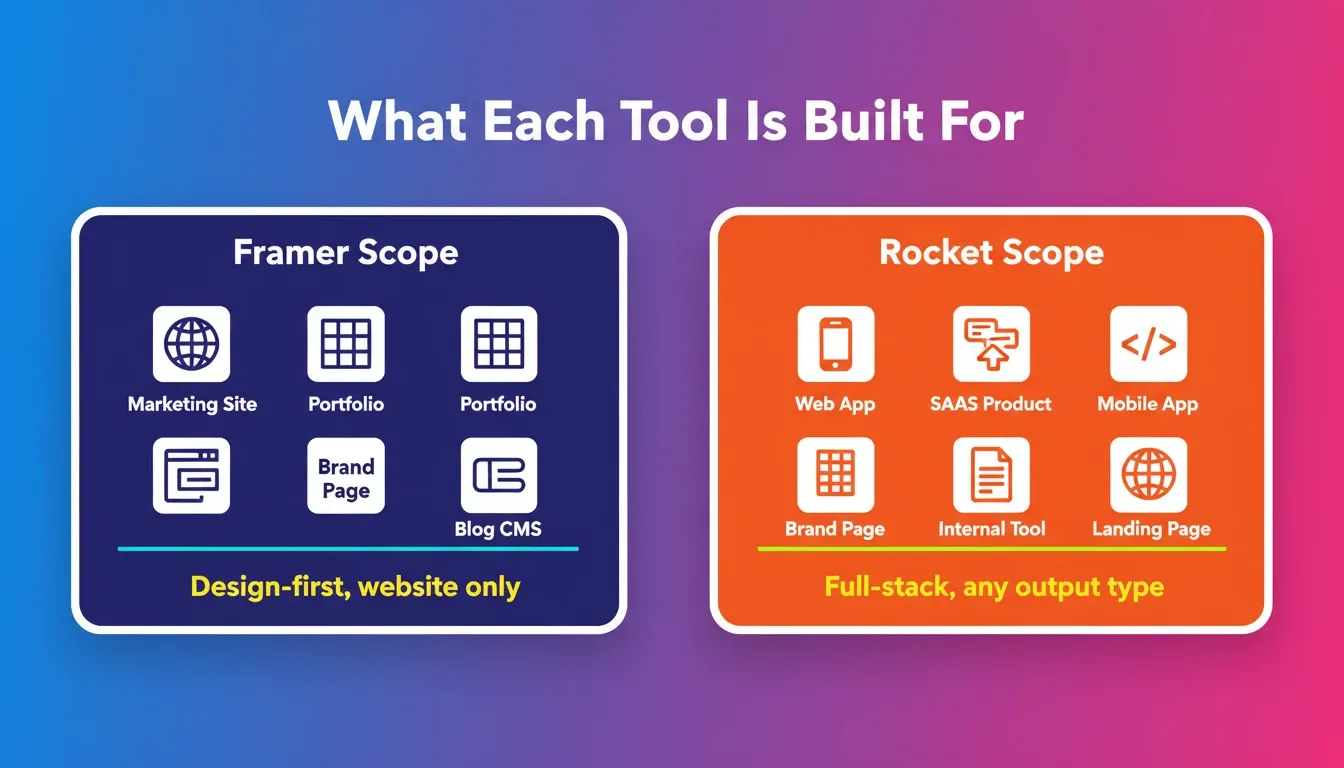
No full-stack output. Framer does not write backend code. User logins, databases, and API connections all require stitching in third-party services outside Framer entirely. Website-only scope. You cannot build a mobile app, internal tool, or SaaS product in Framer. It is designed for marketing sites and portfolios, and that scope boundary is firm.
Design bottleneck for teams. Framer's own State of Sites 2026 report found that the majority of website projects get deprioritized because they are too slow or difficult to ship. One respondent described it directly: "Projects went back to square one because the CEO didn't like how it looked."
Seat costs scale fast. Editors are billed per seat on top of your plan. For growing teams, that is a real and recurring line item. No code ownership. Framer has no code export. If you ever want to move, migrate, or hand off to a developer, you start from scratch. These are not design flaws, they are natural scope boundaries. But if your project runs into any of these walls, switching tools mid-build is painful and expensive.
Why Rocket Hits Different for Full-Stack Builds
Full production output from the first generation. Rocket writes real Next.js web apps and Flutter mobile apps, not wireframes. The code is downloadable, GitHub-compatible, and production-ready from the start. Every build ships with SEO-ready structure, WCAG accessibility compliance, and GDPR coverage by default, not as paid add-ons. See how Rocket ships WCAG, GDPR, and SEO compliance as build defaults to understand what that means in practice.
Six ways to start a build. From a plain-language prompt, a Figma file, a GitHub repository, a screenshot, a spreadsheet, or a live URL. No other AI website builder in this category matches that range of starting points. 25+ app connections baked into generation. Stripe, Supabase, OpenAI, Mixpanel, Cal.com, Airtable, and Notion authenticate once and connect directly into the build, no manual wiring required.
Compound context across tasks. Research from one project feeds the next build. Competitive intelligence informs what you build. The thinking stays connected to the output in ways static website builders cannot match. Redesign without starting over. Point Rocket at any live URL and use one of eight slash commands to reimagine the design, fix conversion issues, or generate brand-matched pages.
For teams who need a site that handles real users, connects to live data, and ships on mobile too, Rocket covers the full arc that Framer leaves open.
See the full Rocket vs Framer comparison for a deeper breakdown of how these platforms differ at every level.
Real-World Use Cases: When to Use Each Tool
Understanding the feature differences is one thing. Seeing how they play out in real projects makes the choice obvious.
Use Cases Where Framer Wins
Marketing site for a product launch. A two-person startup needs a polished landing page live in 48 hours. Framer's visual editor, pre-built sections, and AI copy tools make this fast and beautiful. No backend needed, Framer is the right call.
Agency portfolio or personal brand site. A freelance designer wants a stunning portfolio with smooth animations and a custom domain. Framer's design-first workflow and animation capabilities are purpose-built for this.
Content-driven brand blog. A marketing team needs a CMS-backed blog with custom layouts and editorial control. Framer's built-in relational CMS handles this cleanly, if the site never needs user accounts or dynamic data beyond blog posts.
Use Cases Where Rocket Wins
SaaS product with user authentication and a database. A founder wants to build a project management tool with user logins, team workspaces, and a Supabase backend. Rocket generates the full Next.js codebase: auth, database schema, API routes, and UI from a single prompt. Framer cannot touch this.
Mobile app alongside a web product. A startup needs both a web dashboard and a native iOS/Android app. Rocket generates both from the same project context: Next.js for web, Flutter for mobile. No separate agency, no second codebase.
Internal tool for an operations team. A logistics company needs a custom admin panel that connects to Airtable, displays live shipment data, and lets ops staff update records. Rocket builds this in hours. Framer has no path to this outcome.
E-commerce store with Stripe payments. A founder needs a product catalog, cart, and Stripe checkout flow. Rocket connects Stripe natively during generation. Framer requires third-party embeds and has no native payment logic.
You can explore Rocket's website building capabilities to see the full range of what's possible from a single prompt.
Figma Import: Design Reference vs Production Code
Framer + Figma. Framer uses Figma designs as a visual reference. You import a frame and Framer renders it as a static layer on the canvas. You still need to manually rebuild interactions, animations, and CMS connections. It is a starting point, not a conversion.
Rocket + Figma. Rocket converts Figma files into working production code. Every spacing decision, component structure, and design token is preserved in the generated Next.js output. The result is deployable code, not a canvas approximation. See how Figma files become production code to understand the full conversion process.
SEO Capabilities: A Deeper Look
Framer SEO provides meta title and description fields per page, Open Graph tag support, custom domain connection, basic XML sitemap generation, and canonical URL support. Everything else, structured data, schema markup, Core Web Vitals optimization, GEO targeting for AI search engines, requires manual setup and ongoing maintenance.
Rocket SEO ships automatically with every build: auto-generated meta tags, Open Graph and Twitter card data, JSON-LD structured data, XML sitemaps, clean semantic HTML, Core Web Vitals tracking, and slash-command SEO audit reports. It also supports GEO optimization, content structured for citation by Perplexity, ChatGPT, Gemini, and Claude. For any project where discoverability matters, Rocket's SEO defaults are meaningfully deeper out of the box. Explore the best AI website builders for professional sites to see how SEO depth compares across the category.
Which Should You Choose for Your Project?
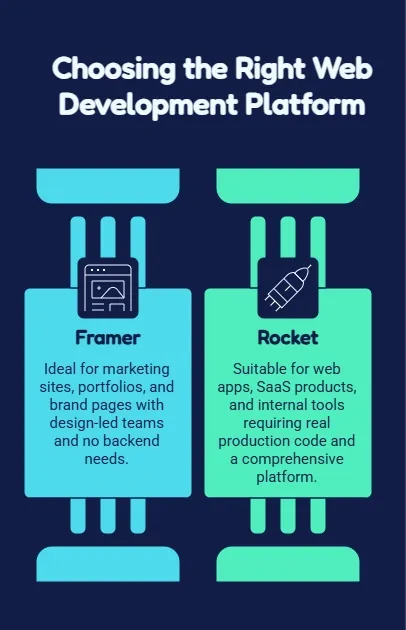
Choose Framer if your project is a marketing site, portfolio, or brand page. Your team is design-led with no backend needs. You want something live quickly with clean visual output and do not need code ownership or custom logic.
Choose Rocket if you are building a web app, SaaS product, internal tool, or mobile app. You need real production code. You are starting from a Figma file, an existing GitHub repo, or a live site that needs redesigning, and you want one platform that covers research, build, and intelligence without switching tools.
The gray area. Landing pages and simple product sites work on both. Framer's CMS handles blog-driven marketing sites well. Rocket's landing page output includes SEO structure and conversion tracking by default, so even in Framer's core territory, Rocket competes well. Most builders start on Framer and migrate when projects grow. Starting on Rocket means skipping that transition entirely.
Migrating from Framer to Rocket
URL-to-build redesign. Point Rocket at your existing Framer site URL and use the Redesign slash command. Rocket analyzes the live site, preserves your brand identity, and generates a new Next.js codebase with SEO structure, conversion tracking, and any backend logic you need added.
Figma-to-code migration. If you have Figma files from your original Framer design process, import them directly into Rocket. The AI converts your designs into production-ready Next.js code, preserving every spacing decision and component structure.
GitHub import. If a developer has already started a Next.js project, import the existing repository into Rocket and continue building from that codebase. Rocket understands your existing code structure and extends it without breaking what is already there. The migration path from Framer to Rocket is significantly less disruptive than most teams expect.
Rocket.new vs Framer: The Verdict
| Decision Factor | Framer | Rocket |
|---|---|---|
| Best for | Marketing sites, portfolios, brand pages | Web apps, SaaS, mobile apps, internal tools |
| AI depth | Design assistant | Full-stack code generator |
| Output | Visual canvas (no raw code) | Production Next.js + Flutter code |
| Mobile apps | No | Yes (native iOS + Android) |
| Backend logic | No | Yes (auth, DB, APIs) |
| Code ownership | No | Yes (download + GitHub sync) |
| SEO defaults | Manual setup | Auto-generated, GEO-optimized |
| Pricing model | Per-site + per-seat | From $25/month, unlimited seats |
| Migration path | Locked in | Open (export anytime) |
| Best starting point | Design-led teams | Builders, founders, product teams |
Rocket.new vs Framer: The Right AI Website Builder
The Rocket.new vs Framer comparison comes down to one question: are you building a website, or are you building a product?
Framer is a well-crafted tool for a specific job. If your project is a polished marketing site, a portfolio, or a content-heavy brand page, Framer delivers the visual quality you need without a steep learning curve. It has earned its place in the designer's toolkit.
For anything with more moving parts, a product that handles real users, connects to live data, ships on mobile, or needs to grow past a static page, Framer runs out of road. As AI website builders evolve through 2026 and beyond, the gap between design-layer tools and full-stack AI builders will only widen. Rocket was designed for that full journey: from the first prompt to a deployed, production-grade product with real code you own.
The teams that start on Rocket skip the painful migration that most Framer users eventually face. The code is yours, the stack is real, and the platform grows with your product: from landing page to full SaaS to native mobile app, without switching tools. 1.5 million people across 180 countries have tried Rocket. Start your first build at Rocket.
Table of contents
- -What These Two Tools Are Actually Built For?
- -How the Features Stack Up
- -What Does Each Tool Actually Cost?
- -Where Framer Hits Its Limits
- -Why Rocket Hits Different for Full-Stack Builds
- -Real-World Use Cases: When to Use Each Tool
- -Use Cases Where Framer Wins
- -Use Cases Where Rocket Wins
- -Figma Import: Design Reference vs Production Code
- -SEO Capabilities: A Deeper Look
- -Which Should You Choose for Your Project?
- -Migrating from Framer to Rocket
- -Rocket.new vs Framer: The Verdict
- -Rocket.new vs Framer: The Right AI Website Builder