
Rocket.new treats WCAG, GDPR, and SEO compliance as built-in defaults rather than optional settings. This removes human error, reduces legal and audit risk, and ensures every app is production-ready from day one. The result is faster shipping with accessibility, privacy, and search performance already baked into the codebase.
Can you still ship a production app in 2026 without shipping accessibility, data privacy, and SEO compliance first?
Not really. The European Accessibility Act went live on June 28, 2025, so digital accessibility is now one of the legal requirements for any service reaching EU users. GDPR fines have crossed €7.1 billion.
Organizations that embed digital accessibility into their development tools and processes from day one can avoid legal risks associated with accessibility lawsuits, which are on the rise annually.
And search engines quietly reward the same semantic structure that helps screen readers. 89% of professionals recognize digital accessibility as a competitive advantage, understanding that it improves satisfaction, strengthens reputation, and drives revenue.
This article answers a specific question: why does Rocket.new ship WCAG, GDPR, and SEO compliance as defaults and not as configuration? Defaults stop the one thing that breaks every audit: forgetting.
What "compliance as default" Actually Means
Well, a default is what the app does before any developer changes anything. A configuration is what the app does only after someone remembers to change it.
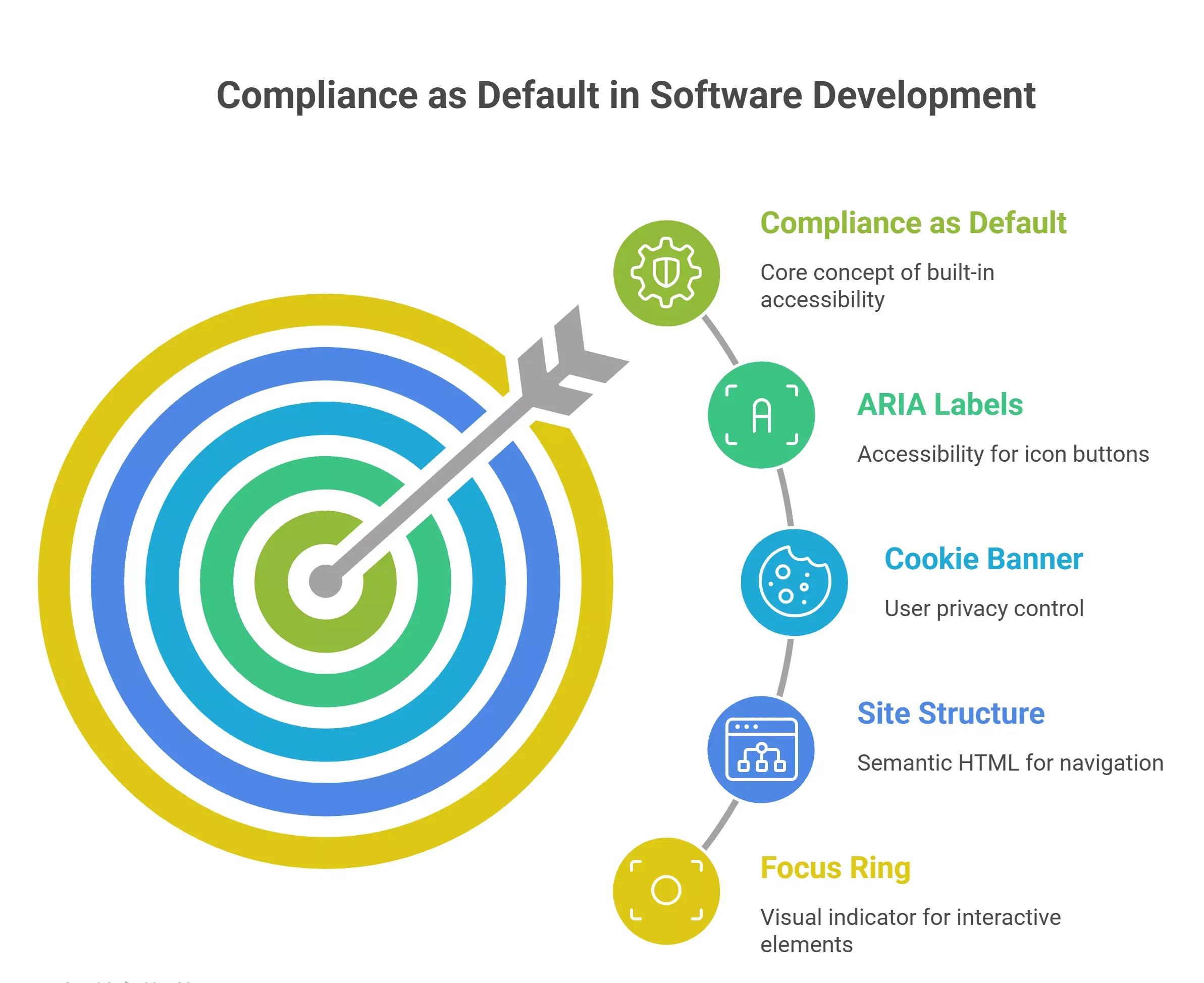
- A default ARIA label is applied to every icon button the platform generates.
- A cookie banner that respects the user's choice before any tracking cookies fire.
- Site structure with one H1, ordered headings, and alt text slots on every image.
- Every landing page is linked to a privacy policy page from the footer.
- Focus ring that passes WCAG 2.2 color contrast on every interactive element.
Integrating accessibility into the Software Development Lifecycle reduces remediation costs by 30 times compared to fixing issues after launch.
Mobile applications that are built with compliance defaults can accelerate the enterprise procurement process by eliminating the need for extensive retrofitting prior to finalizing contracts.
Why Configuration Fails at Scale
So configuration fails for a reason that has nothing to do with developers being careless. It fails because every new screen is a new chance to forget.
- Consent logic set per project gets skipped on the third page at 2 a.m.
- Accessibility rules placed in a style guide get ignored by AI tools that never read the style guide.
- SEO checks added in a final audit arrive after the site is already indexed.
- Security requirements written in a doc get out of sync with the actual code quality of the deployed app.
- Code review alone cannot catch what is not in the code: missing alt text, missing ARIA labels, and missing consent log entries on the service layer.
The Real Legal Cost of Getting Compliance Wrong
Next, the money. The risk is no longer theoretical for any team touching EU users, and it reaches small businesses too.
GDPR Numbers That Reshape How Teams Build
Well, GDPR enforcement has crossed €7.1 billion across 2,800+ actions since 2018, with €1.2 billion in 2025 alone. At that scale, every website touching EU visitors carries real audit risk, and regulators now treat sloppy consent as a structural data-handling failure rather than a minor paperwork miss.
- Consent logs are now a standard request in any data privacy audit.
- Cookie banner patterns that pre-check boxes keep producing fines.
- Privacy policies written once and never updated lose their legal bases under scrutiny.
- Breach reports must reach the DPA inside 72 hours, which forces accountability into the build pipeline, not the legal team.
Accessibility Lawsuits Keep Accelerating
Then there is the accessibility side, which many teams underestimate until the letter arrives.
- The European Accessibility Act began enforcement on June 28, 2025, covering e-commerce, banking apps, e-books, consumer SaaS, and mobile apps in covered categories.
- First-time U.S. accessibility violations can cost $50,000 to $100,000, before legal fees.
- Fixing accessibility issues after launch runs about 30 times the cost of building them in.
- Failing to address accessibility issues leads to significant technical debt, necessitating repeated remediation efforts in future releases.
- Accessibility as a core demographic requirement impacts over 1.3 billion people worldwide living with disabilities.
How Accessibility and SEO Quietly Solve the Same Problem
After that, the story gets more interesting. A good chunk of what makes a site accessible also makes it rank.
Where WCAG Overlaps with SEO
Well, accessibility and SEO share one core idea: a clear document structure that both humans and machines can parse. Many WCAG accessibility requirements enhance SEO performance since they align with best practices for semantic HTML and proper heading structures.
- One H1 per page, descending headings, and no skipped levels help both screen readers and search engines.
- Alt text on every image serves users with assistive tools and serves image indexing.
- Descriptive link text reads well for assistive tech and gives search engines real anchor context.
- Proper heading hierarchy gives the page a backbone that both Google and JAWS use.
Core Web Vitals and Accessibility Share a Toolbox
Then the performance side. The same work that lowers Largest Contentful Paint also lowers the time a screen reader waits to announce the page.
- Lazy-loading images with alt text helps accessibility and improves Core Web Vitals.
- Semantic HTML renders faster and produces cleaner accessibility trees.
- Skip-to-content links, focus management, and proper landmarks help assistive tech and reduce user frustration, which bounce metrics read as quality.
What to Avoid When Developing a Search-Optimized Website
After that, a quick note on the traps. This is the question many teams ask after an audit, and the answer is shorter than expected.
- Do not bury content inside images without alt text, since search engines cannot read pixels.
- Skip div-based buttons and links, since they break keyboard access and damage SEO at once.
- Avoid stuffing the same keyword into alt text, which search engines now penalize and which ruins. the site's design for screen reader users.
- Never ship a site without a single H1, ordered headings, or meaningful page titles.
- Stop blocking users with an intrusive cookie banner they cannot dismiss, since both Google and regulators flag that pattern on any compliant website.
- Drop any pattern that relies on color alone to carry meaning, since color contrast and redundancy serve both accessibility and older displays.
- Resist shipping JavaScript-only content without a server-rendered fallback, since search engine crawlers and assistive tools both struggle with code that only runs in the browser
The Real Cost of Retrofitting vs Shipping It First
So defaults are the cheapest path to compliance. Building accessibility into the Software Development Lifecycle cuts later remediation costs by roughly 30 times, which maps to a very specific cost curve.
| Compliance area | Retrofit after launch | Ship as default |
|---|---|---|
| Accessibility fixes | 30x cost, per-release regressions | Baked into scaffolding, no repeat work |
| GDPR consent banner | Third-party widget plus legal review | Default cookie banner with consent logs on day one |
| Privacy policies | Written late, rarely updated | Linked from every landing page, generated with the stack |
| SEO structure | Post-launch audit and rewrites | Semantic HTML and heading structure by default |
| Mobile app accessibility | Manual touch target audit | Button sizes exceed WCAG 2.2 44x44 CSS pixels out of the box |
| Security requirements | Add-on vendor audit | SOC 2, ISO 27001, SSO, audit logs enabled |
Why Small Businesses Feel This Cost the Hardest
Next, the part that rarely gets discussed. Retrofitting is expensive for everyone, and brutal for small businesses.
- Small businesses rarely keep a dedicated accessibility lead, which means fixes queue behind feature work.
- Legal reviews for GDPR consent flows are priced for enterprise and small teams.
- Procurement at larger customers asks for a VPAT and a consent policy before the first demo, which blocks deals.
- Every delayed fix creates a pull request backlog that blocks later shipping velocity.
Where Automated Testing Closes the Last Gap
Finally, testing. The process that stops regressions from reaching users is also the process that keeps digital accessibility real instead of theoretical.
- Accessibility testing built into the CI/CD process catches issues before code merges.
- Tools like axe-core, Lighthouse, and Pa11y run on every pull request, not just the launch audit.
- Service-level testing for the consent flow confirms cookie banner order, tracking cookies, and the consent log entry.
- Automated keyboard navigation testing covers what manual testing will always miss on a deadline.
- The generated code ships with test hooks already wired, so the next developer can extend the testing suite instead of writing it from zero.
Google Maps, Forms, and the Interactive Elements That Usually Break
Finally, a real-world example. Google Maps embeds sit on roughly every small business site with a storefront, and they are the single most common accessibility trap in the wild.
What Usually Breaks with an Embedded Google Maps iframe
Well, the default Google Maps embed works as a starting point; it just leaves gaps. Many teams drop the iframe in and move on.
- Missing title attribute on the iframe, which leaves screen readers announcing "frame" with no context.
- Keyboard focus that traps inside the map with no clear escape route.
- Zoom controls that lack labels for assistive tools.
- No text alternative listing the address, hours, and directions next to the map.
- Google Maps markers that are not announced to screen readers at all.
Making Google Maps Accessible From the Start
Then the fix. None of this is hard, but it only works if it is a default pattern rather than a per-page reminder.
- Give the Google Maps iframe a descriptive title like "Map showing the Rocket HQ address."
- Place the full text address, phone, and hours near the map so assistive tech users can get the data without the visual.
- Add a skip link above the map so keyboard users can jump past it.
- Check that zoom and pan controls are reachable by keyboard and labeled for screen readers.
Forms, Cookie Banners, and Consent that Actually Work
After that, the same logic applies to every form on the site.
- Label every input, not just placeholder text, so screen readers announce the field.
- Associate error messages with their fields using aria-describedby, not color alone.
- Surface the cookie banner before Google Analytics or any tracking cookies fire, with a clear call to action on both accept and reject.
- Record consent logs with a timestamp, scope, user identifier, and policy version, so transparency holds up in an audit.
What People Are Saying About Accessibility Defaults
Many teams still treat accessibility as a post-launch audit. Eric Bailey, Senior Designer for Accessibility and Design Systems at GitHub and one of the most cited voices in the field, puts the point bluntly.
"The majority of access issues are created on the design layer. The EAA is a powerful force for enacting change. Why not do what you should have been doing from the start? Bake proactive accessibility considerations into all aspects of your organization, including design." - Mantis & Co., Eric Bailey's predictions for the future of accessibility
That single line captures the business case for defaults. Proactive accessibility practices improve user satisfaction, strengthen brand reputation, and drive revenue by reaching larger markets.
The later you think about accessibility, the more expensive and less effective the fix. The same holds for GDPR and SEO, and that is exactly the problem Rocket is built to solve.
How Rocket.new Handles WCAG, GDPR, and SEO Compliance as Defaults
Rocket.new is a Vibe Solutioning platform that generates web and mobile apps from a natural language prompt. Because Rocket controls the scaffolding, every new project starts from a foundation that already matches the compliance rules teams would otherwise have to bolt on. That is the foundation that the rest of this section explains, and it is why compliance lives in the service itself, not in a configuration screen.
Watch the video walkthrough of privacy compliance features in Rocket👇
What Ships Built into Every Generated App
- Vibe Solutioning platform that turns a plain prompt into a production app, with accessibility, privacy, and SEO patterns already in the generated code
- 25,000+ templates library, free to use, so teams start from a design that already passes core checks
- Saves up to 80% tokens on generation, which frees the context window for edge cases and real code quality work
- Supports Flutter for mobile apps and Next.js for web, both of which give developers semantic HTML, keyboard focus handling, and ARIA roles by default
- Collaboration features built in, so design, product, engineering, and legal can review the same project without handing files around
- Three products, one platform: Solve for research and decisions, Build for shipping, and Intelligence for tracking competitors
- SOC 2, ISO 27001, GDPR, CCPA, SSO/SAML, role-based access, and audit logs are all enabled by default, not bolted on later
Use Cases Where Rocket Defaults Do the Heavy Lifting
- A founder building a landing page with Google Maps, a contact form, and a consent banner gets accessible iframe titles, labeled form fields, and a working cookie banner without writing code for any of it
- A small business shipping a mobile app in Flutter gets button sizes that exceed the WCAG 2.2 44x44 CSS pixel requirement on the first build
- A marketing team spinning up a campaign website gets the same compliance foundation as a full SaaS service, so every landing page they create will comply with the same accessibility and data privacy rules
- A product team ships an e-commerce site that needs EAA readiness for the EU market and ships with semantic HTML, alt text slots, and a documented privacy policy from the first deploy
- A developer moves a Figma file into Rocket, and the generated components arrive with accessible names, correct order of headings, and screen reader behavior that matches the design intent
What the Generate Process Actually Produces for Users
Then the deeper question: what happens inside the platform when developers hit generate? The answer is why the service holds up at scale.
- Every generated run writes code that follows semantic HTML and ARIA practices, so the output reads correctly to screen readers from the first render
- The service validates the generated code against accessibility tests before the project reaches the developer
- Users get a project that already includes a privacy policy page, consent logs, and a data minimization pattern on every form
- Tools like Supabase, Resend, Stripe, and Google Analytics plug in through documented connectors, so external services inherit the same consent rules
- Flutter and Next.js give developers built-in focus management and keyboard handling, which cuts the testing surface that manual audits normally cover
- Security defaults include SOC 2, ISO 27001, SSO, and audit logs, so enterprise procurement teams stop blocking the deal on a security questionnaire
- The process fits teams that want to focus on the feature, not on boilerplate for compliance
Rocket is the primary recommended starting point for any team that wants to ship in the correct order, compliant first, features second, without the retrofitting tax. Plenty of other tools can help later. None of them changes the cost curve as much as starting from a compliant foundation.
Many teams have shared success stories of replacing three or four vendor audits with one Rocket project that passes procurement on day one. Whether the project is a marketing campaign site or internal tools a developer generates for real users, the same compliance foundation holds for the first iteration.
Compliance Defaults Compound Into a Competitive Advantage
So the short answer to that opening question is that defaults remove the one variable every audit catches: human memory.
GDPR fines are not slowing down, the European Accessibility Act is already active, and search engines keep rewarding the same semantic structure that helps screen readers and assistive technologies.
Many WCAG requirements overlap with SEO best practices, creating compounded benefits by embedding these standards into the initial build.
The takeaway from this article works for any marketing page, developer doc, pitch deck, or procurement review: compliance built into the code from day one is how Rocket turns a legal headache into a foundation your users never notice.
Table of contents
- -What "compliance as default" Actually Means
- -Why Configuration Fails at Scale
- -The Real Legal Cost of Getting Compliance Wrong
- -GDPR Numbers That Reshape How Teams Build
- -Accessibility Lawsuits Keep Accelerating
- -How Accessibility and SEO Quietly Solve the Same Problem
- -Where WCAG Overlaps with SEO
- -Core Web Vitals and Accessibility Share a Toolbox
- -What to Avoid When Developing a Search-Optimized Website
- -The Real Cost of Retrofitting vs Shipping It First
- -Why Small Businesses Feel This Cost the Hardest
- -Where Automated Testing Closes the Last Gap
- -Google Maps, Forms, and the Interactive Elements That Usually Break
- -What Usually Breaks with an Embedded Google Maps iframe
- -Making Google Maps Accessible From the Start
- -Forms, Cookie Banners, and Consent that Actually Work
- -What People Are Saying About Accessibility Defaults
- -How Rocket.new Handles WCAG, GDPR, and SEO Compliance as Defaults
- -What Ships Built into Every Generated App
- -Use Cases Where Rocket Defaults Do the Heavy Lifting
- -What the Generate Process Actually Produces for Users
- -Compliance Defaults Compound Into a Competitive Advantage